Introduction
Instagram, with over a billion active users, is one of the most popular social media platforms worldwide. It offers tremendous opportunities for social interaction, creativity, and business promotion. However, like all social media, it also poses risks related to privacy and safety. Users, especially young people, are vulnerable to issues such as identity theft, cyberbullying, harassment, scams, and exposure to inappropriate content.
Maintaining privacy and safety on Instagram is crucial for protecting personal information, mental well-being, and digital security. This guide explains practical steps and best practices users can follow to safeguard themselves on Instagram. An example scenario will help contextualize these practices for better understanding.
1. Understanding Privacy and Safety Concerns on Instagram
Instagram users share photos, videos, Stories, location tags, and personal information. This openness can attract unwanted attention or malicious activity if privacy settings and safety habits are not managed carefully. Common risks include:
- Oversharing personal details that could be used by identity thieves.
- Cyberbullying and harassment from strangers or acquaintances.
- Phishing scams via suspicious links or direct messages.
- Exposure to inappropriate content not suitable for minors.
- Account hacking through weak passwords or phishing.
- Unintended sharing of location or sensitive information.
Understanding these threats is the first step toward creating a safer Instagram experience.
2. Steps to Maintain Privacy on Instagram
A. Set Your Account to Private
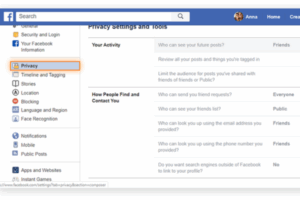
By default, Instagram accounts are public, meaning anyone can see your posts, Stories, and follower list. Switching to a private account restricts access to only approved followers.
How to do it:
- Go to your profile.
- Tap the menu (three lines) > Settings > Privacy.
- Under “Account Privacy,” toggle on Private Account.
This simple step drastically reduces who can see your content, helping you control your audience.
B. Manage Followers and Followers Requests
For private accounts, you must approve who follows you. Regularly review your followers list and remove unknown or suspicious accounts.
For public accounts, be cautious about who you accept as followers, especially if your posts include personal information.
C. Limit Personal Information Sharing
Avoid posting sensitive information such as:
- Home address
- Phone number
- School or workplace
- Daily routines or travel plans
Even indirect hints can be exploited. Instead, share general or non-identifiable information.
D. Control Story and Post Visibility
Instagram allows customizing who can see your Stories or posts.
- Use the Close Friends feature to share Stories with a select group.
- Restrict certain followers from seeing posts or Stories without blocking them.
To restrict followers:
- Go to the follower’s profile.
- Tap the three dots (menu) > Restrict.
Restricted accounts can still comment or message, but their interactions are limited and less visible.
E. Manage Tagged Photos and Mentions
Photos or posts where others tag you may appear on your profile. To control this:
- Go to Settings > Privacy > Tags.
- Enable Manual Approval for tags.
- Review tagged photos before they appear publicly.
Similarly, control who can mention you in comments, captions, or Stories to avoid spam or harassment.
F. Be Careful with Location Sharing
Location tags on posts or Stories reveal your whereabouts, potentially compromising your safety. Disable automatic location sharing or avoid tagging precise locations, especially when alone or at home.
G. Use Two-Factor Authentication (2FA)
Adding 2FA adds an extra layer of security by requiring a verification code along with your password when logging in.
To enable 2FA:
- Go to Settings > Security > Two-Factor Authentication.
- Choose your preferred method (SMS or authentication app).
- Follow the setup instructions.
This helps prevent unauthorized access even if your password is compromised.
H. Create a Strong, Unique Password
Avoid common passwords or reuse of passwords from other sites. Use a combination of uppercase, lowercase, numbers, and symbols. Consider a password manager to generate and store secure passwords.
3. Steps to Maintain Safety on Instagram
A. Recognize and Report Abuse
Instagram provides tools to report abusive or inappropriate content, accounts, and messages.
- Report harassment, hate speech, threats, or spam using the Report option on posts, comments, or profiles.
- Block users who harass or threaten you.
- Use the Restrict feature to limit interactions without full blocking.
Reporting helps Instagram identify and remove harmful content and protects users.
B. Be Wary of Suspicious Links and Messages
Phishing attempts often come through direct messages asking for personal info or links to fake websites.
- Never click on suspicious links or provide passwords or financial details.
- Verify sender identity if you receive unusual requests, even if from known contacts.
- Avoid downloading files from untrusted sources.
C. Limit Third-Party App Access
Some apps request access to your Instagram account. Grant access only to trusted applications. Review connected apps periodically:
- Settings > Security > Apps and Websites.
- Remove access for unknown or unused apps.
D. Monitor Screen Time and Mental Health
Excessive Instagram use can impact mental health, especially if exposed to negative content or comparison pressures.
- Use Instagram’s Your Activity feature to track and limit screen time.
- Take regular breaks.
- Follow accounts that promote positivity and avoid those causing stress or anxiety.
E. Educate Yourself and Others
Stay updated on new Instagram features and privacy policies. Encourage friends and family to adopt safe practices.
4. Example Scenario: How Sarah Maintains Privacy and Safety on Instagram
Sarah is a 19-year-old university student who loves sharing her photography and travel experiences on Instagram. Conscious about her privacy and safety, she follows several best practices:
- Private Account: Sarah sets her Instagram to private, so only approved followers can see her posts and Stories.
- Selective Followers: She carefully reviews new follow requests and removes anyone unfamiliar.
- Limited Personal Info: Sarah avoids posting her exact location or daily schedules. Instead, she shares travel highlights without tagging the hotels or addresses.
- Story Controls: She uses the “Close Friends” list to share more personal Stories only with close friends.
- Tag Approval: Sarah enables manual approval for tagged photos and reviews any tags before allowing them to show on her profile.
- Two-Factor Authentication: She activates 2FA to protect her account from hacking.
- Strong Password: Sarah uses a complex password managed via a password manager.
- Reporting and Blocking: When Sarah receives an unwanted comment from a stranger, she immediately reports and blocks the account.
- Avoiding Scams: Sarah ignores direct messages asking for personal info or suspicious links.
- Limiting App Access: She regularly checks and removes apps connected to her Instagram that she no longer uses.
- Mental Health: Sarah monitors her Instagram use with the activity tool and ensures she follows inspiring, positive accounts.
By following these practices, Sarah enjoys Instagram without compromising her privacy or safety.
5. Additional Tips for Parents and Educators
- Teach young users about the importance of privacy settings and respectful online behavior.
- Encourage open communication about experiences on Instagram.
- Promote digital literacy programs focusing on recognizing scams, cyberbullying, and privacy risks.
Conclusion
Instagram is a vibrant platform that offers numerous benefits but also poses risks related to privacy and safety. Maintaining control over personal information and interactions requires proactive steps such as using private accounts, managing followers, enabling two-factor authentication, and being cautious about sharing location or sensitive data.
By understanding the tools Instagram provides and practicing safe online habits, users can enjoy the platform’s benefits while minimizing threats. Whether you are a casual user like Sarah or a parent guiding a teen, being informed and vigilant is the best defense in today’s digital world.