In the age of social media and visual discovery, Pinterest has carved out a unique niche by serving as a platform for inspiration, creativity, and planning. Unlike other platforms that prioritize direct social interaction, Pinterest focuses on ideas. Whether it’s home decor, recipes, travel destinations, fashion trends, or DIY crafts, Pinterest is the place people go to find and save ideas visually.
In this essay, we will explore how Pinterest works, what pins and boards are, and how users—from casual browsers to content creators and businesses—can use Pinterest to achieve their personal or professional goals. We’ll also present an example that demonstrates how someone uses Pinterest effectively in real life.
1. What Is Pinterest?
Pinterest is a visual discovery engine designed to help users find inspiration and ideas for a wide range of interests and projects. Launched in 2010, Pinterest allows users to discover, save, and organize content—primarily images and short videos—on virtual pinboards.
Unlike social platforms focused on sharing daily updates or engaging in conversation (like Facebook or Twitter), Pinterest is more search-focused, functioning similarly to a visual search engine. Users typically come to Pinterest with a purpose—like planning a wedding, redecorating a room, or learning a new recipe.
As of 2024, Pinterest has over 450 million active users globally, with a significant portion of its audience being women, although male and younger users are growing.
2. How Does Pinterest Work?
Pinterest works through a combination of content discovery, visual curation, and organization. Here’s a step-by-step overview of how it functions:
a. Creating an Account
To use Pinterest, a user creates a free account using an email address or by signing in with Google or Facebook. Once registered, users are prompted to select topics of interest—like travel, fashion, cooking, fitness, etc.
b. Discovering Content
Pinterest offers several ways for users to discover content:
- Home Feed: A personalized feed of pins based on a user’s interests, past activity, and followed boards.
- Search Bar: Users can type in keywords (e.g., “vegan dinner ideas”) and view a wide array of relevant pins.
- Explore and Trends: Pinterest curates popular or seasonal pins and themes (e.g., “Back-to-School,” “Holiday Decor”).
- Pinterest Lens: A visual search tool where users can upload a photo, and Pinterest will suggest visually similar pins.
c. Saving Content: Pins and Boards
The platform’s main features—pins and boards—enable users to organize ideas for future reference (explained in detail in the next sections).
d. Creating Content
Users can also create their own pins by uploading images or videos, adding a description, and linking to a website or blog. This is especially useful for bloggers, entrepreneurs, and brands.
3. What Are Pins?
Definition:
A pin is the core piece of content on Pinterest. It typically includes:
- An image or video (the visual anchor).
- A title or headline.
- A short description (optional).
- A link to the source (e.g., a blog, online store, YouTube video, or website).
Purpose of Pins:
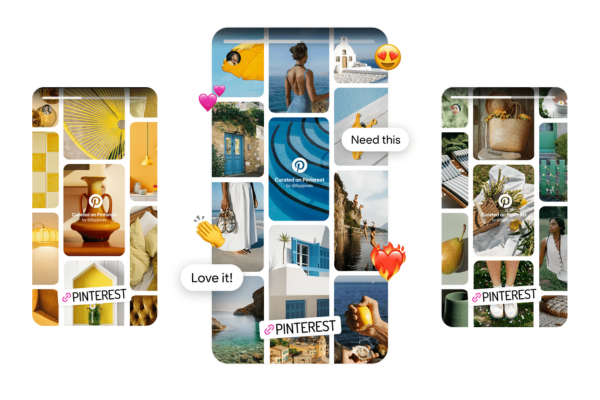
Pins serve as visual bookmarks for ideas, projects, or products users want to explore later. For example, if someone finds a pin showing “10 minimalist bedroom ideas,” they can click through to the blog post or website to learn more.
Types of Pins:
- Standard Pins: Simple image-based pins linking to a source.
- Video Pins: Short videos showcasing ideas or tutorials.
- Rich Pins: Pins that include additional data from the linked site, like product prices or ingredients.
- Idea Pins: Multi-page video and image pins ideal for storytelling or how-to tutorials.
4. What Are Boards?
Definition:
A board is a digital folder where users can save and organize related pins. Each board typically focuses on a specific theme or topic.
For instance, a user might have boards like:
- “Healthy Meal Ideas”
- “Wedding Inspiration”
- “Home Office Makeover”
- “Books to Read”
- “DIY Holiday Crafts”
Boards help users categorize and revisit saved ideas easily. Users can create as many boards as they like, give them custom names, add descriptions, and even choose a cover image.
Secret Boards:
Pinterest also allows users to create secret boards, which are private and visible only to the user (or collaborators). This is helpful for personal planning (e.g., gift lists, personal goals) or professional projects that aren’t ready to go public.
Group Boards:
Users can collaborate on group boards by inviting others. These are popular for planning events like weddings or home renovations.
5. Real-Life Example: Using Pinterest to Plan a Wedding
Let’s consider an example of how Pinterest is used in a real-life scenario.
User: Emily, a newly engaged bride-to-be.
Step 1: Signing Up and Setting Preferences
Emily signs up for Pinterest and selects interests like “Wedding Planning,” “Bridal Dresses,” “Floral Arrangements,” and “Event Decor.”
Step 2: Creating Boards
She creates the following boards:
- “Wedding Dresses” – where she saves pins of styles she loves.
- “Venue Ideas” – featuring barns, beaches, and gardens.
- “DIY Wedding Decor” – with tutorials for handmade centerpieces.
- “Bridesmaid Looks” – color palettes and dress styles.
- “Cake Designs” – showcasing trendy cake ideas.
Step 3: Saving Pins
As she browses Pinterest, she clicks the “Save” button to pin ideas to her boards. Each pin includes a source link, so she can visit bridal boutiques or blogs for more information.
Step 4: Using Secret and Group Boards
Emily creates a secret board to brainstorm honeymoon ideas with her partner and a group board with her wedding planner to discuss venue decorations.
Step 5: Sharing and Executing
When the big day approaches, Emily shares her boards with vendors, helping them understand her vision. Her makeup artist, florist, and event designer all reference her boards during consultations.
This organized, visual approach saves Emily time, reduces stress, and makes communication easier—all thanks to Pinterest.
6. Pinterest for Businesses and Creators
Pinterest isn’t just for personal use—it’s also a powerful platform for brands, bloggers, artists, and influencers.
Business Applications:
- Driving Traffic: Bloggers and websites use pins to drive clicks back to their content.
- E-commerce: Retailers post product pins that link directly to online stores.
- Brand Awareness: Visual storytelling helps companies connect emotionally with audiences.
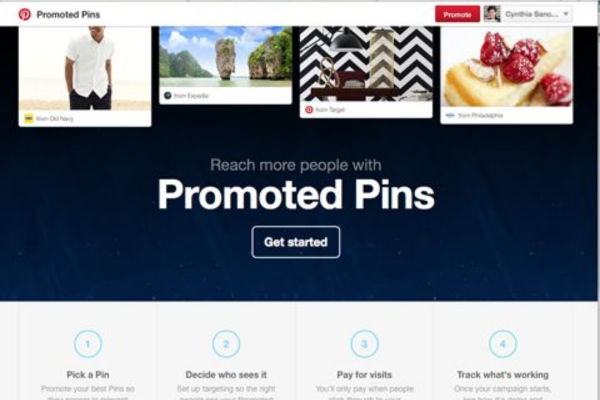
- Advertising: Pinterest Ads (Promoted Pins) boost reach and conversion.
Content Strategy:
Creators often use Pinterest trends to understand what their audience is looking for, and then produce relevant content. For example, a food blogger noticing a spike in searches for “gluten-free dessert” might create new pins linking to their recipes.
7. Key Pinterest Features That Enhance User Experience
- Visual Search (Lens): Users can take a photo of something they like and find similar ideas on Pinterest.
- Shopping Integration: Product pins with pricing and buying links make it easier to shop directly from Pinterest.
- Pinterest Trends: Shows real-time data on what users are searching for.
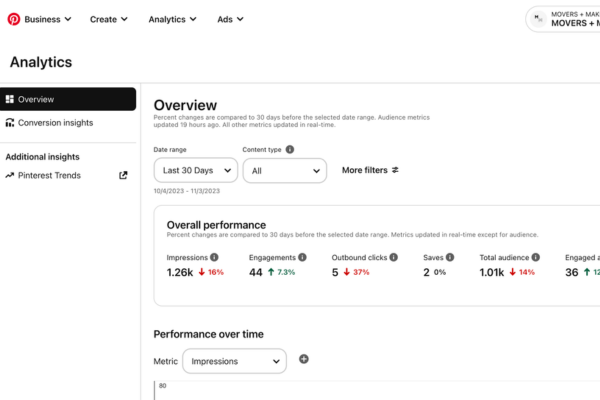
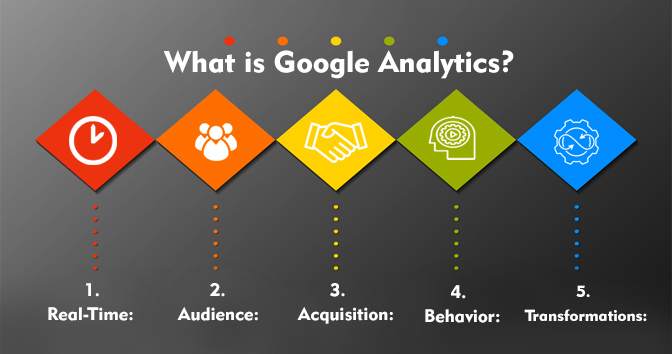
- Analytics (for creators): Insight into pin performance, audience engagement, and click-through rates.
8. Conclusion
Pinterest is more than just a collection of pretty pictures—it’s a powerful platform for discovering, organizing, and acting on ideas. With its unique visual and search-based format, it helps users plan projects, express creativity, and bring inspiration to life. The foundational elements—pins and boards—allow for structured, personalized idea curation, whether you’re planning a wedding, redecorating your home, or launching a business.
Through features like visual search, trend insights, and content creation tools, Pinterest continues to evolve as both a personal inspiration hub and a business tool. In a world driven by visuals and quick information access, Pinterest stands as a bridge between discovery and action—helping users not just see possibilities but bring them to life.