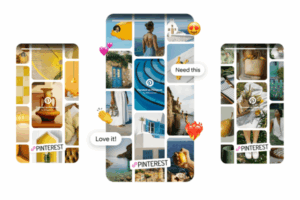
In an era where content creators, entrepreneurs, and businesses are competing fiercely for digital attention, Pinterest stands out as a unique and powerful tool for driving consistent, long-term traffic to websites and blogs. Unlike other platforms where content gets buried within hours or days, Pinterest acts more like a visual search engine, allowing pins (posts) to remain relevant and clickable for months or even years.
Whether you’re a blogger, e-commerce store owner, marketer, or service provider, understanding how Pinterest drives traffic can be the difference between sporadic page views and a steady stream of engaged visitors.
Let’s explore the mechanisms, strategies, and benefits of using Pinterest to drive traffic, followed by a real-world example.
What Makes Pinterest Different from Other Platforms?
Before diving into the technical “how,” it’s important to understand why Pinterest is so uniquely suited for driving traffic:
1. Pinterest is a Search Engine, Not a Social Feed
Unlike Instagram or Facebook, Pinterest doesn’t operate on a chronological or social feed algorithm. Instead, it functions as a visual discovery engine. Users search for content using keywords, and Pinterest returns results that match those queries.
2. Evergreen Content Lifespan
On Pinterest, content (or pins) can resurface in user feeds weeks, months, or even years after being posted. A high-performing pin can continue driving traffic indefinitely if optimized well.
3. High User Intent
People use Pinterest to plan and act. From travel plans and wedding ideas to recipes and home renovations, Pinterest users are often ready to click, explore, and take action—which makes them ideal visitors for your website or blog.
How Pinterest Drives Traffic: The Key Mechanics
1. Clickable Pins
Every Pinterest pin includes a clickable link. When a user clicks on the image or link, they are redirected to the creator’s website, blog post, product page, or online store.
That makes each pin a potential traffic gateway.
2. Search Optimization (Pinterest SEO)
Pinterest relies heavily on keywords. To help users find your content, Pinterest scans:
- Pin titles and descriptions
- Board names and descriptions
- Profile bio
- Image text overlays
When optimized properly, your pins can appear in search results and related pins, significantly boosting visibility and traffic.
3. Rich Pins
Rich Pins pull metadata directly from your website and display it on your pins. This makes the pins more informative and credible. There are several types:
- Article Pins: Include headline, author, and description (perfect for blog posts).
- Product Pins: Show real-time pricing, availability, and links to purchase.
- Recipe Pins: List ingredients, cook time, and instructions.
Rich Pins increase trust and click-through rates (CTR) by providing valuable context before the user even clicks.
4. Tailored Content for Niches and Seasons
Pinterest is deeply seasonal and niche-specific. Tailoring content to topics like:
- “Fall outfit ideas”
- “Back-to-school lunch recipes”
- “2025 digital marketing trends”
makes it more discoverable and timely, resulting in higher click-through traffic to related posts or landing pages.
5. Idea Pins and Video Pins (Indirect Traffic Drivers)
While traditional pins are direct traffic drivers, Idea Pins and Video Pins can help grow your brand visibility, leading to indirect traffic:
- Users follow you after seeing engaging content.
- Future standard pins from you show up in their feed.
- They visit your profile, where website links are available.
Idea Pins help build trust and authority, encouraging users to later explore your other content.
Example: How a Food Blogger Uses Pinterest to Drive Traffic
Creator: Emma’s Everyday Eats
Goal: Drive traffic to her food blog and earn ad revenue, affiliate income, and email subscribers.
Step 1: Creating Optimized Blog Content
Emma writes a blog post titled:
“10 Quick Weeknight Dinners for Busy Families”
She ensures the post is keyword-rich, includes high-quality images, and has an enticing title.
Step 2: Designing Pins
She creates three Pinterest graphics (1000 x 1500 px):
- A title image with “10 Easy Dinners for Busy Weeknights”
- A step-by-step image showing one of the meals
- A collage of all 10 dishes
Each pin:
- Includes her blog name and subtle branding
- Has a keyword-optimized description (e.g., “quick dinners, weeknight recipes, healthy family meals”)
- Links back to the blog post
Step 3: Uploading and Pinning
Emma uploads the pins to a relevant board titled “Easy Weeknight Recipes”, with a description like:
“Fast, healthy dinner recipes for busy families. Discover meal ideas that take under 30 minutes to prepare.”
She also shares to relevant group boards and schedules pins using Tailwind (a Pinterest-approved scheduler).
Step 4: Results
Within a week:
- The pin starts ranking for keywords like “easy dinners” and “quick meals”
- Users begin clicking through to her blog
- Blog traffic increases by 35%
- She gains new email subscribers and earns from display ads on the post
Over time, the pin continues circulating in Pinterest search results, driving passive traffic each month.
Pinterest Best Practices for Driving Traffic
To make the most of Pinterest’s traffic-driving potential, content creators and businesses should follow these best practices:
1. Use Keyword-Rich Titles and Descriptions
Incorporate long-tail keywords relevant to your content. Think like your audience: What would they search for?
Example: Instead of “Great Recipes,” use “Healthy Gluten-Free Dinner Recipes for Kids”
2. Design Click-Worthy Pins
- Use eye-catching colors and readable fonts
- Include a strong call to action (e.g., “Get the Free Checklist” or “Read the Full Guide”)
- Avoid clutter and use high-resolution images
3. Link to Value-Packed Content
Each pin should link to content that delivers on the promise. Don’t link a “7-Step DIY Project” pin to a sales page—users expect authenticity and utility.
4. Pin Consistently
Regular activity signals to the Pinterest algorithm that you’re a reliable source of content. Use tools like Tailwind or native scheduling in Pinterest to stay consistent.
5. Leverage Multiple Pins per Post
Create 3–5 different pins for each blog post or product page. Vary the design, image, and description to appeal to different users and increase reach.
6. Use Pinterest Analytics
Monitor which pins drive the most traffic and replicate that success. Look at:
- Outbound clicks
- Saves
- Engagement rates
Refine your strategy based on what resonates.
Types of Websites That Benefit Most from Pinterest Traffic
Pinterest is especially beneficial for websites and blogs in the following niches:
- Food and Recipes
- DIY and Crafts
- Home Decor
- Travel
- Health and Wellness
- Parenting
- Fashion and Beauty
- Education and Printables
- Marketing, Blogging, and Entrepreneurship
That said, any niche that can be translated into visual storytelling and offers value to a curious or planning-minded audience can thrive on Pinterest.
The Power of Long-Term Pinterest Traffic
Perhaps the most underrated feature of Pinterest is its ability to generate long-term passive traffic. Unlike social media platforms where posts have short lifespans, Pinterest pins often gain momentum over time as they get saved, repinned, and surfaced in related searches.
Some creators report that a single well-optimized pin continues to bring in hundreds or thousands of visitors per month, even a year after it was published.
This makes Pinterest not just a promotional tool but a strategic investment in long-term content marketing.
Conclusion
Pinterest is more than a platform for saving pretty pictures—it’s a powerful traffic engine for websites and blogs. Through its visually driven, search-based structure, Pinterest allows content creators, bloggers, and businesses to reach users who are actively searching for inspiration, ideas, and solutions.
By creating optimized, compelling pins that link directly to value-packed content, users can build a reliable stream of high-quality traffic. The combination of evergreen content visibility, keyword-based discovery, and a high-intent audience makes Pinterest a must-use platform for anyone serious about growing their digital presence.
If you’re looking to scale your blog, sell digital products, grow your email list, or boost your brand visibility, Pinterest is one of the most reliable and cost-effective platforms to achieve those goals.