🎯 Why Build a Pinterest Profile as a Student?
Pinterest is not just for crafts—it’s a personal learning and planning tool. As a student, a well-structured Pinterest profile can help you:
- Discover study techniques, career paths, design trends, wellness hacks.
- Organize ideas visually into Boards that mirror your interests.
- Showcase your personality and interests—great for digital portfolios.
- Connect with like-minded peers, group boards, and communities.
Step 1: Define Your Interests & Niche 🎓
Start by listing 3–5 main themes you’re passionate about: e.g., Study Hacks, Minimalist Fashion, Plant Care, Healthy Recipes, DIY Room Decor.
This focus helps you:
- Create targeted content
- Add thematic consistency to Boards
- Attract followers who share those interests
Example: A student could choose:
- Academic Tips & Study Aesthetics
- Budget-Friendly Outfits
- Plant Parenting
- Dorm DIY & Organization
Step 2: Set Up Your Profile Strategically
2.1 Profile Name & Bio
Use your real name or a nickname plus a keyword (e.g. “Priya • Study & Style”).
Write a keyword-rich bio like: “Student sharing study hacks, thrift fashion, plant care tips & budget dorm DIY.”
2.2 Profile Picture & Links
Choose a clear, friendly photo or themed avatar.
Connect links to your blog, Instagram, or LinkedIn—anywhere you want followers to connect more deeply. (reddit.com, reddit.com)
Step 3: Create Organized, Keyword-Rich Boards
3.1 Title & Description
Give each board a clear, keyword-rich title (e.g., “Healthy College Recipes,” “Minimalist Dorm Bathroom DIY”) with descriptions like:
“Quick ✓ Budget-Friendly Vegan Recipes for college students.”
3.2 Use Sections
Divide boards into subsections to stay organized. (community.pinterest.biz)
Example: “DIY Dorm Decor” might have sections: Curtains, Lighting, Wall Art
3.3 Board Covers
Choose consistent, visually appealing covers that match your aesthetic theme.
Step 4: Pin Thoughtfully and Consistently
4.1 Quality over Quantity
Pin 5–10 times daily: a mix of your own Pins and repins. (reddit.com)
4.2 High-Quality Pins
Use vertical (e.g., 1000×1500 px), sharp images with readable text overlays. (reddit.com)
4.3 Keyword-Rich Descriptions
Write descriptive text with relevant long-tail keywords. E.g., “10 budget-friendly vegan recipes for busy students.” (reddit.com)
4.4 Include Calls to Action
Encourage saves and clicks: phrases like “Save this for later!” or “Try this tonight!”
Step 5: Engage with the Pinterest Community
5.1 Follow Relevant Pinners and Boards
Look for active accounts in your niches. Follow, like, and comment to connect and show activity. (theloveofblogging.com)
5.2 Join Group Boards
Search and request to join group boards in your niches (e.g., college study hacks, DIY students). (reddit.com)
5.3 Consistent Interaction
Daily pinning and repinning makes Pinterest recognize your activity and boosts reach. (reddit.com)
Step 6: Optimize for Discovery & SEO
6.1 Use Pinterest Search
Type topics into the search bar and note the suggested keywords for titles/descriptions.
6.2 Keywords Everywhere
Consider tools like Keywords Everywhere to check search volume—great for refining descriptions. (blog.hubspot.com)
6.3 Alt-Text & Hashtags
Use alt-text for accessibility and 2–3 relevant hashtags (#StudyTips, #DormDIY). (reddit.com)
Step 7: Track Performance & Adjust
7.1 Pinterest Analytics
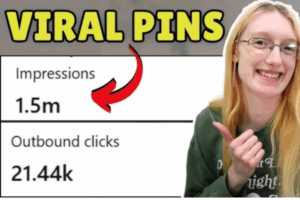
Switch to a Business account to access analytics: impressions, saves, clicks.
7.2 Learn from High Performers
Spot which Pins are getting traction and create more content like those.
7.3 Refine Content
If a board isn’t performing, add relevant keywords or update its title/cover image. (reddit.com)
Step 8: Create Your Own Content
8.1 Rich & Idea Pins
Share tutorials or step-by-step guides using multi-page Idea Pins.
8.2 Showcase Personal Projects
Pin photos of your own study spaces, thrifted outfits, room decor, or plant setups.
8.3 Link to Your Work
If you have a blog or Instagram art page, Pin your work to drive traffic back there.
Example Student Build-Out: “Arjun’s Academic & Lifestyle Hub”
Profile Setup:
- Username: Arjun • Study & Style
- Bio: “3rd‑year student sharing study routines, thrift fashion finds, easy dorm recipes & plant care tips.”
Boards Created:
- Study & Productivity
- Sections: “Note-Taking Methods,” “Pomodoro Study,” “Desk Setup Inspo”
- Thrift & Minimalist Style
- Sections: “Winter Layering,” “Affordable Accessories,” “Seasonal Wardrobe”
- Dorm DIY & Decor
- Sections: “Wall Art,” “Storage Hacks,” “Lighting”
- Student Cooking
- Sections: “Easy Vegan,” “Microwave Meals,” “Snack Ideas”
- My Indoor Jungle
- Sections: “Low-Light Plants,” “Succulent Care,” “Terrarium DIYs”
Pinning Strategy:
- Daily pins: 3–5 from others + 2 of his own pins (desk photo, thrifted outfit)
- Keyword-rich descriptions
- Regularly hides irrelevant pins using “Hide Pin” to tailor feed (hercampus.com, community.pinterest.biz, lucidcrew.com, reddit.com, support.scooledu.org, reddit.com)
Community Engagement:
- Pins to group boards like “College Study Hacks” and “Dorm Decor DIY”
- Follows popular student fashion and productivity influencers
- Explores community pins for inspiration and adds comments
Optimize & Analyze:
- Uses search suggestions for SEO
- Monitors Analytics, notes study tips board getting most saves
- Adjusts content to include more note-taking visuals & actionable steps
Creates Own Content:
- Posts Idea Pin: “5-minute desk setup refresh” with 5 slides
- Links to a blog post detailing his desk setup routine
Outcome Over Semester:
- Profile grows from 50 to 300 followers
- Traffic to personal blog doubles from pins
- Becomes a recognized peer resource for productivity hacks and budget style inspiration
✅ Summary: Checklist for Students
- Identify themes that match interests
- Craft a keyword-rich profile
- Design organized Boards with clear titles and sections
- Pin quality content consistently (5–10 daily)
- Engage with peers, group boards, and influencers
- Optimize for SEO using search and keyword tools
- Analyze data and tweak your strategy
- Create and share your own Pins and Idea Pins
- Iterate and refine over time to grow influence
🎓 Final Word
Building a Pinterest profile based on your interests is like curating a digital expression of your passions. As a student, this process helps you:
- Collect inspiration and resources
- Organize ideas visually
- Create a personal brand or portfolio
- Engage with a community of learners