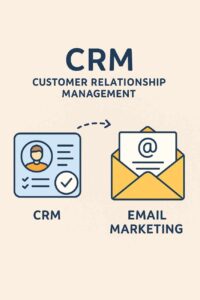
Automating an educational email series, often referred to as a drip campaign or email course, is a powerful strategy for delivering structured, informative content to an audience over time. In 2025, with advancements in email marketing platforms and AI-driven automation, creating an educational series is an accessible and effective way to engage students, customers, or subscribers while minimizing manual effort. This approach is widely used by educators, businesses, and content creators to teach skills, share knowledge, or nurture leads. This article provides a detailed explanation of how to automate an educational email series, including planning, setup, execution, and optimization, with a focus on modern tools and best practices. It concludes with a practical example illustrating its application for a small online learning platform.
What is an Educational Email Series?
An educational email series is a sequence of automated emails designed to deliver valuable content in a structured, sequential manner. Each email builds on the previous one, guiding recipients through a learning journey. The series can teach a specific topic, onboard users, or provide step-by-step guidance, often with the goal of increasing engagement, building trust, or driving conversions.
Key Features of an Educational Email Series
- Sequential Delivery: Emails are sent in a predefined order, typically over days or weeks.
- Automated Triggers: Emails are triggered by user actions (e.g., signing up) or time-based schedules.
- Educational Content: Focuses on delivering value through tutorials, tips, case studies, or resources.
- Personalization: Tailors content to the recipient’s interests or behavior using data.
- Goal-Oriented: Aims to achieve specific outcomes, such as course completion, engagement, or sales.
Steps to Automate an Educational Email Series
Automating an educational email series involves planning, creating content, setting up automation workflows, and monitoring performance. Below is a step-by-step guide tailored for 2025, leveraging modern email marketing platforms like Brevo, Mailchimp, Klaviyo, and ActiveCampaign.
1. Define Goals and Audience
- Purpose: Clearly outline the series’ objectives, such as teaching a skill, onboarding users, or promoting a course. Common goals include increasing engagement, building authority, or driving conversions.
- Audience: Identify the target audience (e.g., students, professionals, hobbyists) and segment them based on interests, skill levels, or behaviors.
- Example: A goal might be to teach beginner coders the basics of Python, targeting new subscribers to an online coding platform.
2. Plan the Content Structure
- Series Length: Decide on the number of emails (e.g., 5–10 emails over 1–4 weeks) based on the topic’s complexity.
- Content Outline: Break the topic into digestible lessons, each covered in one email. Include actionable steps, resources, or quizzes.
- Content Types: Use tutorials, videos, infographics, case studies, or downloadable resources to enhance learning.
- Example: A 7-email series on Python might cover: (1) Introduction, (2) Variables, (3) Loops, (4) Functions, (5) Data Structures, (6) Debugging, (7) Next Steps.
3. Choose an Email Marketing Platform
- Select a platform with robust automation features, such as:
- Brevo: Affordable, with CRM integration and automation workflows.
- Mailchimp: User-friendly, with AI-driven content suggestions.
- Klaviyo: Ideal for ecommerce and data-driven personalization.
- ActiveCampaign: Advanced automation for complex workflows.
- Ensure the platform supports triggers, segmentation, and analytics.
4. Set Up the Automation Workflow
- Trigger: Define the action that starts the series, such as subscribing to a list, downloading a resource, or registering for a webinar.
- Sequence:
- Create a workflow in the platform’s automation builder (e.g., Mailchimp’s “Customer Journeys”).
- Schedule emails at intervals (e.g., daily, every 3 days) or based on user actions (e.g., opening the previous email).
- Add conditions, such as “If user clicks link, send next email sooner.”
- Personalization: Use merge tags (e.g., {FirstName}) and dynamic content to tailor emails based on user data.
- Example: In Brevo, set a trigger for “User signs up for Python course” to start a 7-email sequence, with each email sent every 2 days.
5. Create Engaging Email Content
- Subject Lines: Craft compelling, curiosity-driven subject lines (e.g., “Master Python Loops in 10 Minutes!”).
- Content:
- Start with a welcome email to set expectations and build excitement.
- Structure each email with a clear introduction, lesson, actionable steps, and a CTA (e.g., “Try this code snippet” or “Watch this video”).
- Use visuals (e.g., screenshots, videos) and concise text for accessibility.
- Design: Use responsive templates optimized for mobile devices, ensuring readability.
- AI Tools: Leverage AI features (e.g., Mailchimp’s Intuit Assist) to generate content, optimize send times, or suggest CTAs.
6. Integrate with Other Tools
- Connect the email platform with websites, CRMs, or learning management systems (LMS) for seamless data flow.
- Examples:
- Use Zapier to sync form submissions from a WordPress site to Brevo.
- Integrate with Teachable to trigger emails when users enroll in a course.
- Ensure data like user progress or quiz results feeds into the email platform for personalization.
7. Segment and Personalize
- Segmentation: Group users based on behavior (e.g., “Completed Lesson 1”), demographics, or interests to deliver relevant content.
- Personalization: Use dynamic content to tailor lessons (e.g., beginner vs. advanced tracks) or include user-specific data (e.g., course progress).
- Example: In ActiveCampaign, segment users who completed a quiz successfully to receive advanced lessons, while others get review content.
8. Test and Optimize
- A/B Testing: Test subject lines, CTAs, or send times to maximize open rates (20–30% industry average) and CTR (3–5%).
- Pre-Send Checks: Preview emails on multiple devices and test links to ensure functionality.
- Validation: Use tools like NeverBounce to verify email addresses, reducing bounces (<2%).
9. Monitor and Analyze Performance
- Metrics to Track:
- Open Rate: Measures subject line effectiveness.
- Click-Through Rate (CTR): Gauges content engagement.
- Conversion Rate: Tracks desired actions (e.g., course completion, purchases).
- Bounce Rate: Ensures list health (<2% is ideal).
- Unsubscribe Rate: Monitors audience retention (<0.5% is ideal).
- Tools: Use platform analytics (e.g., Klaviyo’s dashboard) or Google Analytics 4 for conversion tracking.
- Adjustments: Refine content or timing based on low-performing emails (e.g., rewrite a subject line with a 15% open rate).
10. Ensure Compliance
- Adhere to regulations like GDPR, CAN-SPAM, and CCPA:
- Use double opt-in to confirm subscriptions.
- Include clear unsubscribe links.
- Obtain consent for data collection and personalization.
- Example: Add a footer in emails stating, “You received this because you signed up for our Python course. Unsubscribe here.”
Benefits of Automating Educational Email Series
- Efficiency: Automation eliminates manual sending, saving time for large audiences.
- Scalability: Handles thousands of subscribers without additional effort.
- Engagement: Delivers consistent, valuable content, fostering trust and retention.
- Personalization: Tailors lessons to user needs, improving learning outcomes.
- Revenue Potential: Encourages upsells (e.g., premium courses) through strategic CTAs.
- Data-Driven Insights: Analytics guide content optimization and audience segmentation.
Challenges and Considerations
- Content Quality: Poorly designed lessons can disengage users, requiring careful planning.
- Technical Setup: Students may need guidance to configure workflows or integrations.
- List Decay: Email lists degrade by 20–30% annually, necessitating regular validation.
- Over-Automation: Too many emails can overwhelm recipients, increasing unsubscribes.
- Compliance: Non-compliance risks fines and reputational damage.
Best Practices in 2025
- Start with Value: Focus on delivering actionable, high-quality content to build trust.
- Keep It Concise: Limit emails to 200–500 words with clear visuals and CTAs.
- Optimize Timing: Use AI-driven send-time optimization (e.g., Brevo’s AI) for maximum opens.
- Engage Early: Send the first email within 24 hours of signup to capitalize on interest.
- Test Iteratively: Run A/B tests for each email to refine performance.
- Maintain List Health: Validate emails regularly and remove inactive subscribers.
Example: Automating a Python Course Email Series
Scenario: “CodeEasy,” a small online learning platform, uses Brevo to automate a 7-part educational email series teaching Python basics to 2,000 new subscribers who signed up via a website form offering a free Python eBook.
Implementation:
- Goal and Audience:
- Goal: Teach Python basics, increase engagement, and upsell a premium course.
- Audience: Beginner coders who downloaded the eBook, segmented by skill level (beginner vs. intermediate).
- Content Planning:
- Series Structure (7 emails over 14 days, sent every 2 days):
- Email 1: Welcome and eBook download link.
- Email 2: Variables and data types (with code snippet).
- Email 3: Loops and conditionals (with video tutorial).
- Email 4: Functions (with interactive quiz link).
- Email 5: Lists and dictionaries (with downloadable cheat sheet).
- Email 6: Debugging tips (with case study).
- Email 7: Next steps and upsell to premium course.
- Each email is 300–400 words, with visuals and a CTA (e.g., “Try this code,” “Join our course”).
- Series Structure (7 emails over 14 days, sent every 2 days):
- Setup in Brevo:
- Trigger: Users who submit the eBook signup form are added to a “Python Beginners” list.
- Workflow:
- Create an automation workflow in Brevo’s “Automation” tab.
- Set Email 1 to send immediately, with subsequent emails every 2 days.
- Add a condition: “If user completes quiz in Email 4, send advanced content; else, send review material.”
- Personalization: Use merge tags ({FirstName}) and dynamic content (e.g., beginner vs. intermediate tips).
- Integration:
- Brevo integrates with CodeEasy’s WordPress site via a plugin, syncing form submissions.
- Zapier connects quiz completions (via Google Forms) to Brevo, updating user profiles.
- Validation and Testing:
- CodeEasy uses NeverBounce’s real-time API to validate emails at signup, rejecting invalid addresses (e.g., user@gmial.com).
- They A/B test subject lines for Email 1 (“Start Coding Today!” vs. “Your Python Journey Begins!”), selecting the latter for a 32% open rate.
- Performance Monitoring:
- Metrics (after 1 month):
- Open Rate: 30% average (Email 1: 35%, Email 7: 25%).
- CTR: 7% average (highest for quiz link in Email 4: 10%).
- Conversion Rate: 5% (100 subscribers purchase the premium course).
- Bounce Rate: 1% (after validation).
- Unsubscribe Rate: 0.3%.
- Revenue: $5,000 from course sales ($50/course).
- Adjustments: Shorten Email 6 (debugging) due to a 20% open rate, adding a video to boost engagement.
- Metrics (after 1 month):
Results:
- The series engages 1,800 active subscribers, with 600 completing all lessons.
- The upsell in Email 7 drives 100 premium course purchases, exceeding the goal of 80.
- Automation saves 20 hours weekly, allowing CodeEasy to focus on content creation.
- List health remains strong, with validation ensuring low bounces and high deliverability.
Key Takeaways:
- Brevo’s automation streamlined delivery and personalization.
- Clear, actionable content and visuals boosted engagement.
- Validation and A/B testing optimized performance.
Conclusion
Automating an educational email series in 2025 is a strategic way to deliver valuable content, engage audiences, and achieve goals like education or conversions. By leveraging platforms like Brevo, Mailchimp, or ActiveCampaign, students and businesses can create efficient, scalable workflows that deliver personalized lessons with minimal effort. Key steps include defining goals, planning content, setting up triggers, and monitoring metrics, while best practices like validation and A/B testing ensure success. Despite challenges like content quality and compliance, automation empowers marketers to build trust and drive results. The CodeEasy example demonstrates how a well-executed series can educate beginners, boost engagement, and generate revenue, making it a vital tool in the modern digital marketing landscape.