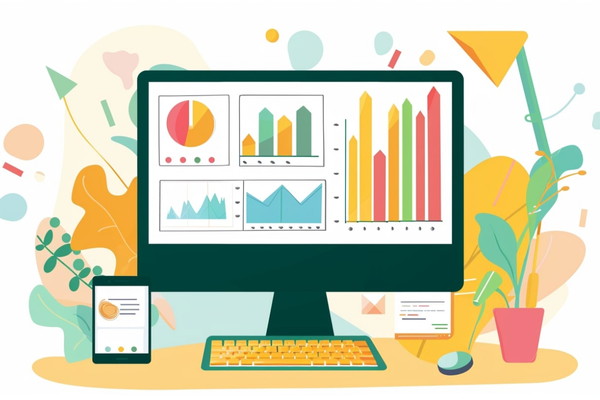
The Display Planner was a tool provided by Google Ads that helped advertisers plan their campaigns on the Google Display Network (GDN) by providing data, targeting ideas, and estimates for reach and performance. It acted as a research and forecasting tool specifically designed to assist advertisers in finding the most relevant targeting options—like placements, keywords, topics, interests, demographics, and websites—where their display ads could be shown.
However, as of 2018, Google retired the Display Planner as a standalone tool and integrated many of its features directly into the Google Ads interface (within audience targeting, keyword planner, and placement tools). So while the “Display Planner” no longer exists in its original form, its core functionalities are still available throughout Google Ads under Campaign Setup, Audience Manager, and Tools & Settings.
Still, understanding what the Display Planner did is useful because similar concepts are now embedded in the modern campaign setup process.
Key Functions of the Display Planner (Before Retirement)
-
Targeting Ideas
It suggested keywords, placements (websites, apps, YouTube channels), topics, and interests that aligned with your product or service. -
Audience Insights
It helped advertisers understand what types of users visited the suggested placements—based on factors like age, gender, interests, and parental status. -
Reach and Impression Estimates
Display Planner provided forecasts on the potential reach and number of impressions based on selected targeting methods. -
Ad Format Recommendations
The tool advised which display ad formats (text, image, video, responsive) would perform best based on your targeting. -
Device and Location Insights
It allowed segmentation of forecasted data by device (mobile, desktop, tablet) and location (country, region, city). -
Budget Forecasting
You could input a budget and the tool would estimate how many clicks, impressions, and conversions you might get with it.
How Advertisers Used Display Planner
Let’s say a fashion brand like ZARA wanted to promote its new winter collection. ZARA’s marketing team used Display Planner to:
-
Discover high-traffic fashion blogs and websites where display ads could appear
-
Find keyword ideas like “winter fashion trends 2025” or “wool coats for women”
-
Understand which topics and interest categories (like “Style & Fashion” or “Women’s Apparel”) their target audience was engaging with
-
Get impression estimates for targeting women aged 18–34 in Delhi and Mumbai
-
Choose placements that matched their branding (like Vogue India or Pinterest Fashion)
Another example: Skechers, launching a new sports shoe, used the Display Planner to find:
-
Fitness and running-related websites and YouTube channels
-
Topics such as “Running Tips,” “Gym Workout Routines,” or “Health & Fitness”
-
Apps frequently used by fitness enthusiasts, like health trackers and running coaches
-
Audience interests like “Health & Wellness,” “Marathon Training,” or “Men’s Athletic Shoes”
This helped Skechers plan an effective campaign by targeting the right websites, apps, and audiences with high relevance to their product.
Where You Can Find Similar Features Today
Even though the Display Planner tool is gone, you can still perform the same tasks using the following sections in Google Ads:
-
Audience Manager
Use this to explore and create custom audiences based on interests, behavior, and demographics. -
Keyword Planner
Originally designed for Search, it now also helps in Display campaigns by suggesting related keywords for targeting. -
Placement Targeting (During Campaign Setup)
When setting up a Display campaign, you can search for specific websites, apps, and YouTube channels to target manually. -
Reach Planner (For YouTube & Video Campaigns)
If you’re planning a video ad campaign, Reach Planner estimates reach and frequency based on your selected audience, budget, and creative types. -
Insights Tab
This provides real-time data on audience segments and trends, helping you understand who is engaging with your ads.
Benefits of What Display Planner Offered
-
Better Targeting Precision
It helped you find exactly where your ideal customer was browsing online. -
Budget Efficiency
Forecasts allowed you to allocate your budget more wisely by focusing on placements and audiences with the highest potential return. -
Time-Saving
You didn’t need to research hundreds of websites manually—the tool did that for you. -
Smarter Campaign Strategy
You could build your campaign around real data—ensuring your ads reached people who were more likely to engage or convert.
Conclusion
Although the Display Planner is no longer available as a separate tool, its core functions live on throughout the Google Ads platform in a more integrated and user-friendly way. Brands like ZARA and Skechers still benefit from these capabilities when planning their Display Network campaigns—using data-driven targeting strategies, audience insights, and performance forecasting tools to improve the efficiency and effectiveness of their ads. By leveraging modern features like custom segments, placement targeting, and the audience manager, advertisers can achieve the same smart, precise planning that the Display Planner once offered.