Cross-device conversion tracking is a feature in Google Ads that allows advertisers to track when a user clicks on an ad on one device (like a smartphone) and completes the conversion on another device (like a laptop or tablet). This technology bridges the gap between multiple devices a user might use in their buying journey, providing a more complete and accurate picture of ad performance.
In today’s digital world, consumers often start researching products on one device and finish the purchase on another. For example, someone may search for a product on their mobile phone while commuting, click on a Google ad, and later, at home, complete the purchase on their desktop computer. Without cross-device tracking, that conversion might not be attributed to the original ad click, which can lead to under-reporting of your ad’s true performance.
Cross-device conversion tracking uses Google’s signed-in data, cookies, and device signals to estimate and connect user behavior across devices while maintaining user privacy.
How It Works:
-
A user is signed into their Google account on multiple devices (like their mobile, tablet, and desktop).
-
They click your Google ad on one device, say a smartphone.
-
Later, using the same Google account, they return to your site on another device, like a laptop, and complete a purchase or conversion.
-
Google identifies this as a cross-device journey and records the conversion in your Google Ads account, attributing it back to the original click.
Why It’s Important:
-
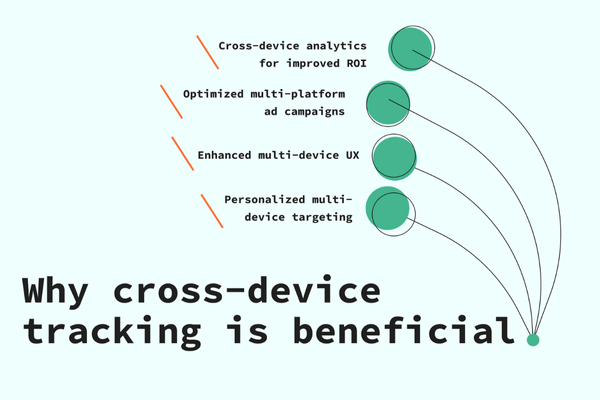
More Accurate Data: Helps advertisers understand the full user journey and attribute conversions correctly.
-
Better Optimization: With accurate data, automated bidding strategies like Maximize Conversions or Target CPA/ROAS perform better.
-
Informed Budget Allocation: Lets you invest in campaigns that are truly driving results—even if those conversions don’t happen on the same device.
-
Performance Insight: Helps you understand how users interact with your brand across devices and optimize your campaigns accordingly.
Example:
Let’s say a customer sees a ZARA Google Search ad on their mobile phone while traveling. They click the ad and browse the summer collection but don’t purchase. Later that evening, they open ZARA’s website again on their laptop at home and place an order for ₹3,000. With cross-device tracking enabled, Google Ads will attribute the conversion to the original mobile ad click, allowing ZARA to understand that their mobile ads are influencing conversions, even when the final action happens elsewhere.
How to Enable Cross-Device Conversion Tracking:
You don’t need to set it up separately—it is automatically included in your “All Conversions” column in Google Ads if:
-
You’ve set up conversion tracking
-
You’re using Google’s global site tag or Google Tag Manager
-
Your campaigns meet a certain traffic threshold for privacy and data accuracy
-
You have enough data for Google to make cross-device connections
To see these conversions:
-
Sign in to Google Ads
-
Go to the Conversions section under Tools & Settings
-
View metrics under the “All Conversions” column
-
You can also add a segment by “Device” to compare conversion sources
Conclusion:
Cross-device conversion tracking is essential for modern advertisers. It provides deeper insights into how people engage with ads across smartphones, tablets, and desktops. It helps brands like ZARA or any business understand the true influence of their ads and make smarter, data-driven decisions about where and how to advertise.