Home Blog Page 17

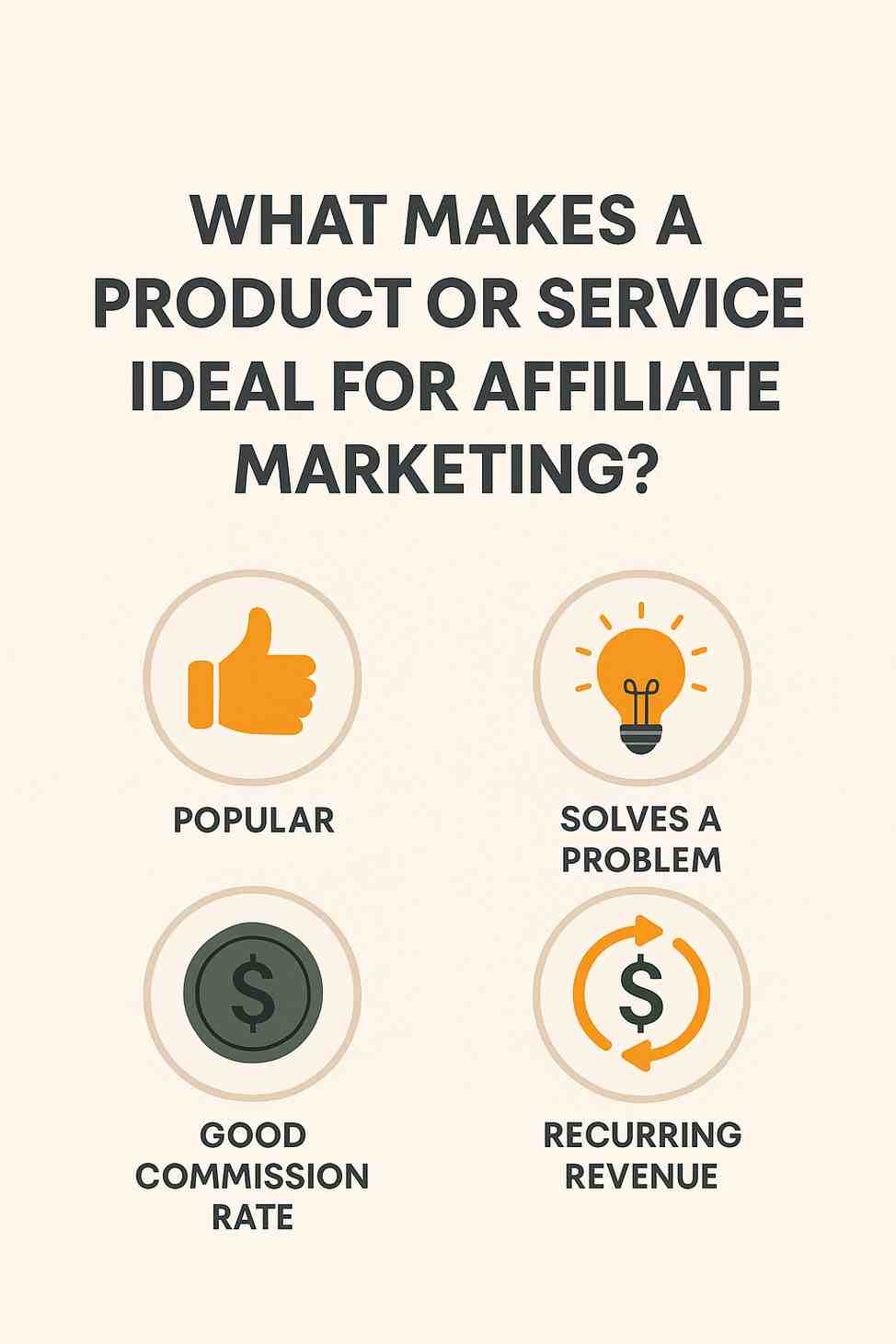
What Makes a Product or Service Ideal for Affiliate Marketing?

Affiliate marketing is a performance-based marketing strategy where businesses reward affiliates—bloggers, influencers, or website owners—for driving traffic or sales through their promotional efforts, typically via referral links or codes. In 2025, affiliate marketing remains a thriving industry, generating over $8 billion annually in the U.S. alone (Statista, 2024), as businesses leverage digital platforms to reach targeted audiences cost-effectively. However, not all products or services are equally suited for affiliate marketing. The success of an affiliate campaign hinges on specific characteristics that make a product or service appealing to affiliates and their audiences. These characteristics include high demand, attractive commissions, digital or scalable delivery, clear value propositions, strong brand reputation, and effective support for affiliates. This essay explores these factors in detail, their importance, and challenges, and provides a real-world example to illustrate an ideal product for affiliate marketing.

Characteristics of an Ideal Product or Service for Affiliate Marketing

1. High Market Demand and Audience Appeal

A product or service ideal for affiliate marketing must have strong consumer demand and resonate with a specific audience:

  • Mechanism: Products addressing popular needs—such as health, wealth, or lifestyle—perform well, as affiliates can tap into existing markets. Niche products with passionate audiences (e.g., fitness gear, eco-friendly goods) are particularly effective, as affiliates can target engaged communities via blogs, social media, or YouTube.

  • Examples: Fitness trackers like Fitbit or online courses for personal finance attract affiliates due to widespread interest. In India, wellness products like ayurvedic supplements have surged, with 60% of consumers prioritizing health post-2024 (Deloitte, 2025).

  • Importance: High demand ensures affiliates can generate traffic and conversions, maximizing earnings. Products with seasonal or trending appeal (e.g., holiday gifts) also attract affiliates for short-term campaigns.

  • Challenges: Oversaturated markets, like weight loss supplements, lead to fierce competition, reducing affiliate margins. Affiliates must differentiate through unique content or niche targeting.

2. Attractive Commission Structures

Competitive commission rates and payout models make a product or service appealing to affiliates:

  • Mechanism: High commissions (e.g., 20–50%) or recurring payouts for subscriptions incentivize affiliates to promote a product. Tiered structures, rewarding top performers, or bonuses for milestones further motivate affiliates. For instance, SaaS platforms often offer 30% recurring commissions for customer subscriptions.

  • Examples: Web hosting services like Bluehost offer $65–$200 per signup, while Amazon Associates provides 1–10% per sale, appealing to high-volume affiliates. In India, fintech apps like Groww offer ₹100–₹500 per account signup (X posts, 2025).

  • Importance: Attractive commissions ensure affiliates prioritize a product over competitors, dedicating resources to promotion. Recurring models sustain long-term partnerships.

  • Challenges: Low-margin products limit commission rates, deterring affiliates. Balancing profitability and incentives requires careful pricing strategies.

3. Digital or Scalable Delivery

Digital products or services with low fulfillment costs are ideal for affiliate marketing due to their scalability:

  • Mechanism: Digital products—such as e-books, software, online courses, or streaming subscriptions—require no physical inventory, enabling instant delivery and global reach. Scalable services, like cloud hosting or VPNs, support unlimited customers without supply constraints.

  • Examples: NordVPN, a digital VPN service, is promoted globally with ease, while physical products like furniture face logistical hurdles. In India, EdTech platforms like BYJU’S leverage digital delivery for affiliate campaigns.

  • Importance: Digital delivery reduces overhead, allowing higher commissions and seamless customer experiences. Affiliates can promote to diverse audiences without geographic limitations.

  • Challenges: Digital products face piracy risks, requiring robust DRM. Physical products with digital components (e.g., smart devices) can bridge scalability but add complexity.

4. Clear and Compelling Value Proposition

A product or service with a strong, easily communicated value proposition attracts affiliates and converts audiences:

  • Mechanism: Products solving specific pain points—such as time-saving tools, cost-effective solutions, or lifestyle enhancements—are easier to market. Clear benefits, supported by testimonials or data, enable affiliates to craft persuasive content (e.g., reviews, tutorials).

  • Examples: Grammarly’s writing tool, with its promise of error-free communication, is ideal for affiliate blogs targeting students and professionals. In India, UPI apps like PhonePe highlight instant payments, appealing to tech-savvy audiences.

  • Importance: A compelling value proposition simplifies affiliate messaging, boosting click-through and conversion rates. Products with unique selling points (USPs) stand out in crowded markets.

  • Challenges: Generic products struggle to differentiate, requiring affiliates to invest in creative marketing. Misleading claims risk reputational damage for affiliates and brands.

5. Strong Brand Reputation and Trust

A reputable brand with a proven track record enhances affiliate marketing success:

  • Mechanism: Trusted brands reduce consumer skepticism, increasing conversion rates for affiliate campaigns. Affiliates prefer partnering with brands known for quality, reliability, and customer satisfaction, as these align with their audience’s expectations and protect their credibility.

  • Examples: ClickBank, a leading affiliate platform, promotes products from trusted vendors with verified reviews. In India, brands like TATA’s Croma gain affiliate traction due to consumer trust in electronics (X posts, 2024).

  • Importance: Trust accelerates purchasing decisions, especially for high-ticket items or subscriptions. Affiliates avoid risky brands to preserve their audience’s loyalty.

  • Challenges: Building brand reputation is time-intensive, and past scandals (e.g., data breaches) deter affiliates. New brands must invest in PR and transparency to gain traction.

6. Effective Affiliate Program Support

Robust affiliate programs with resources and support attract and empower affiliates:

  • Mechanism: Programs offering marketing materials (e.g., banners, email templates), real-time tracking dashboards, and dedicated affiliate managers streamline promotion efforts. Prompt payouts, clear terms, and tools like Impact or ShareASale enhance affiliate engagement.

  • Examples: Shopify’s affiliate program provides $150 per referral, with creative assets and tutorials. In India, Amazon’s affiliate dashboard offers detailed analytics, supporting affiliates across niches.

  • Importance: Comprehensive support reduces affiliate effort, enabling focus on content creation and traffic generation. Transparent programs build long-term partnerships.

  • Challenges: Poorly managed programs with delayed payments or outdated resources frustrate affiliates, leading to churn. High entry barriers (e.g., exclusivity clauses) exclude smaller affiliates.

7. Long Sales Cycle or Recurring Revenue Potential

Products with extended sales cycles or recurring revenue models are highly attractive:

  • Mechanism: Services like SaaS, memberships, or subscriptions (e.g., Netflix, Adobe Creative Cloud) offer recurring commissions, ensuring sustained affiliate earnings. High-ticket items with longer decision periods (e.g., mattresses, insurance) yield higher payouts, justifying affiliate investment.

  • Examples: ConvertKit’s email marketing tool offers 30% recurring commissions, appealing to niche bloggers. In India, mutual fund platforms like Zerodha Coin provide recurring affiliate payouts.

  • Importance: Recurring revenue incentivizes affiliates to build long-term campaigns, while high-ticket items reward intensive promotion efforts.

  • Challenges: Long sales cycles require affiliates to nurture leads, increasing effort. Churn in subscription services reduces recurring payouts.

Challenges in Affiliate Marketing

  • Market Saturation: Popular niches face intense competition, reducing affiliate margins.

  • Fraud Risks: Click fraud or fake conversions erode trust, requiring robust tracking systems.

  • Regulatory Compliance: GDPR, CCPA, and India’s DPDPA mandate transparent data practices, impacting affiliate tracking (fines up to ₹250 crore, DPDPA, 2025).

  • Audience Trust: Over-promotion or misleading claims damage affiliate credibility.

  • Platform Dependence: Changes in affiliate platforms (e.g., Amazon’s 2020 commission cuts) disrupt earnings.

Impacts of Ideal Characteristics

Products or services with these characteristics:

  • Increase Affiliate Engagement: High commissions and support drive affiliate participation.

  • Boost Conversion Rates: Clear value propositions and trust convert audiences, with 15% average conversion rates for top programs (Impact, 2024).

  • Reduce Costs: Digital delivery and scalability lower business overhead, enabling higher payouts.

  • Enhance Brand Reach: Affiliates expand market presence, with 81% of brands using affiliate marketing (Statista, 2024).

  • Ensure Compliance: Trusted brands align with regulations, avoiding penalties.

Case Study: NordVPN Affiliate Program

NordVPN, a leading virtual private network (VPN) service, exemplifies a product ideal for affiliate marketing, with success relevant to 2025.

Background

NordVPN, launched in 2012, offers secure internet access through encrypted connections, serving over 14 million users globally. Its affiliate program, managed via Impact, is a top performer, attracting thousands of affiliates, including bloggers, YouTubers, and review sites.

Why NordVPN Is Ideal

  1. High Market Demand: Growing privacy concerns, with 70% of internet users worried about data tracking (Pew Research, 2024), drive VPN demand. In India, VPN usage surged post-2024 due to cybersecurity awareness (X posts, 2025).

  2. Attractive Commissions: NordVPN offers 40–60% commissions on new subscriptions and 30% on renewals, with payouts up to $100 per sale. Cookie windows of 30 days maximize conversions.

  3. Digital Delivery: As a SaaS product, NordVPN delivers instantly via downloads, supporting global scalability with no inventory costs.

  4. Clear Value Proposition: NordVPN’s promise of “secure, private, and fast internet” resonates with tech-savvy audiences, supported by features like 6,000+ servers and no-logs policy.

  5. Strong Brand Reputation: With endorsements from CNET and PCMag, NordVPN’s trust reduces conversion barriers. Its Panama-based no-logs policy aligns with privacy expectations.

  6. Robust Affiliate Support: NordVPN provides banners, videos, and landing pages, with a dedicated dashboard for tracking. Affiliate managers offer personalized guidance, ensuring success.

  7. Recurring Revenue: Multi-year subscriptions (e.g., 2-year plans) yield recurring commissions, incentivizing long-term promotion.

Affiliate Success

  • Affiliate Reach: Tech bloggers like TechRadar and YouTubers like Linus Tech Tips promote NordVPN, driving millions in sales annually. In India, influencers on X target urban millennials, boosting signups.

  • Conversion Rates: NordVPN’s 10–15% conversion rates, per Impact data, reflect its strong value proposition and trust.

  • Impact: The program generates 30% of NordVPN’s revenue, with affiliates earning $10–$50K monthly (X posts, 2024).

Lessons Learned

  • Target Niche Audiences: Privacy-focused content attracts engaged users.

  • Leverage Trust: Third-party endorsements enhance credibility.

  • Optimize Support: High-quality creatives and tracking boost affiliate efficiency.

  • Offer Recurring Payouts: Sustained commissions build loyalty.

Conclusion

Products or services ideal for affiliate marketing exhibit high market demand, attractive commissions, digital or scalable delivery, clear value propositions, strong brand reputation, effective affiliate support, and recurring revenue potential. These characteristics drive affiliate engagement, boost conversions, and expand brand reach while aligning with regulatory and market trends. NordVPN’s affiliate program exemplifies these traits, leveraging privacy demand, high payouts, and robust support to achieve global success. As affiliate marketing grows in 2025, organizations must design programs with these characteristics to mitigate competition, fraud, and compliance risks, particularly in India’s burgeoning digital market. By aligning products with affiliate needs, businesses can harness this powerful strategy to thrive in the digital ecosystem.
What are Google Smart Ads?

Google Smart Ads refer to automated, AI-powered ad formats in Google Ads designed to simplify the advertising process for businesses—especially small and medium-sized ones—by using Google’s machine learning to handle most campaign tasks. These ads fall under campaign types like Smart Campaigns, Smart Display Campaigns, and Performance Max Campaigns, and they are optimized for conversions with minimal manual input. Advertisers only need to provide basic elements like headlines, descriptions, logos, images, and target goals; Google then automatically creates, tests, and displays the best ad combinations across multiple networks.

How Google Smart Ads Work
You provide creative assets like images, videos, logos, ad text, and your website link.
You select your campaign goal such as getting more calls, website visits, sign-ups, or purchases.
Google’s AI mixes and matches your assets to create the best-performing ad combinations.
The ads are automatically shown across platforms like Google Search, YouTube, Gmail, Google Maps, and the Display Network.
Google optimizes ad placements, bidding, and targeting in real time based on user intent, device, location, and behavior.

Types of Google Smart Ads

  1. Smart Campaigns – These are simplified campaigns for local businesses where Google automates everything including ad creation, targeting, bidding, and optimization based on your selected goal.

  2. Smart Display Campaigns – These automate the targeting, bidding, and ad creatives across the Google Display Network using machine learning to drive the most conversions at the best value.

  3. Performance Max Campaigns – These are advanced smart ads that run across all of Google’s inventory (Search, Display, YouTube, Gmail, Discover, Maps) using automation to maximize performance based on a chosen goal like sales or leads.

  4. Smart Shopping Campaigns (now replaced by Performance Max) – These were used in eCommerce to automatically promote products across Search, Display, YouTube, and Gmail with dynamic product feeds and real-time bidding.

Benefits of Google Smart Ads
Automation – Google handles bidding, targeting, and ad creation, saving you time and effort.
Optimization – Ads are automatically adjusted to drive the best possible results using machine learning.
Reach – Ads appear across all major Google platforms and devices.
Conversion Focused – Smart ads are designed to meet specific goals like sales, leads, or visits.
Ease of Use – No need for in-depth campaign knowledge or constant monitoring.

Example – Zara (Fashion Brand)
Zara wants to promote its summer collection online. They set up a Smart Display campaign by uploading product images, branding elements, and writing short headlines and descriptions. Google automatically generates ad combinations and places them across fashion blogs, YouTube, and shopping-related sites. Machine learning tracks which versions perform best and adjusts bidding to get the most purchases for Zara’s budget.

Example – Zomato (Food Delivery App)
Zomato runs a Performance Max campaign to drive app installs and repeat orders. They provide app links, banner images, and video content. Google serves the ads across YouTube, Gmail, Display Network, and Search to users who are hungry or recently searched for food delivery. Google’s automation identifies high-intent users and serves them the best-performing ad formats at the best time, increasing conversions.

Conclusion
Google Smart Ads are a powerful tool for advertisers who want fast, efficient, and results-driven advertising without deep technical involvement. Whether you’re a small shop looking for local leads or a large brand wanting broad exposure and automation, Smart Ads offer an easy way to advertise across Google’s vast ecosystem. By leveraging machine learning and automated optimizations, Smart Ads allow businesses like Zara and Zomato to scale their digital marketing efforts while focusing on what they do best—serving customers.

What is a smart campaign?

A Smart Campaign is an automated campaign type in Google Ads designed primarily for small businesses and beginners who want to advertise online without managing complex campaign settings. It’s a simplified, goal-based campaign where most of the heavy lifting—like bidding, targeting, and ad creation—is handled automatically by Google’s machine learning systems. Smart campaigns are part of Google Ads’ automation suite, making advertising fast, easy, and accessible for those who don’t have time or expertise to manage full-fledged manual campaigns.

Key Features of Smart Campaigns

  1. Automated Ad Creation – You provide basic business information (like website, business type, ad text, and goals), and Google automatically creates ad combinations to show across its network.

  2. Goal-Based Advertising – You select a business goal—such as getting more calls, website visits, store visits, or form submissions. Google then optimizes your campaign to drive that specific action.

  3. Smart Bidding – Google automatically adjusts your bids in real-time to maximize your results within your budget. There’s no need to manually set cost-per-click (CPC) bids.

  4. Local and Global Reach – Smart campaigns can target customers near your business (local ads) or reach people across a specific country, depending on your goals.

  5. Easy Performance Tracking – You get a simplified dashboard showing how many calls, clicks, views, or conversions your ad received—without advanced metrics or filters.

  6. Ads Appear on Google Search, Google Maps, YouTube, Gmail, and the Google Display Network – This gives your business broad exposure across multiple platforms without needing to manage them individually.

How Smart Campaigns Work
You sign in to Google Ads and choose “Smart Campaign” as your campaign type.
You define your business type, write a few lines of ad copy, and set a daily budget.
Choose your advertising goal (e.g., get more calls, drive visits to your website).
Google automatically selects keywords, audiences, placements, and bids.
Ads begin running across Google platforms.
You track basic performance metrics in your dashboard.

Example – Zara (Fashion Brand)
Let’s say Zara wants to promote its store in Mumbai to drive in-store traffic.
Zara sets up a Smart Campaign targeting “near me” fashion-related searches within 15 km. They choose the goal: Get more store visits.
They enter the business name, upload a few images, write a short ad headline like: “Explore Zara’s Summer Styles – Now in Mumbai!”
Google then automatically manages the rest: when the ad shows, how much to bid, and who to target based on user intent and location.

Example – Zomato (Food Delivery App)
Zomato can run a Smart Campaign targeting users searching for food delivery in specific areas.
They choose the goal: Get more calls and website visits.
They write a short ad: “Order Now – 30% Off First Meal | Zomato”
Google handles the bidding and shows the ad to users searching “food delivery near me” or “pizza in Delhi,” increasing visibility without manual setup.

Advantages of Smart Campaigns
Quick and Easy to Set Up – Ideal for small businesses or first-time advertisers.
Minimal Ongoing Management – Google automates targeting, bidding, and placements.
Goal-Focused Optimization – Campaign is constantly tuned to achieve your selected goal.
Broader Reach – Ads can show across multiple Google channels without extra setup.
Cost Control – You set a daily budget and never spend more than your monthly limit.

Limitations of Smart Campaigns
Limited Control – You can’t choose specific keywords, placements, or audiences.
Basic Reporting – No detailed analytics like you get in Search or Performance Max campaigns.
Not Ideal for Advanced Advertisers – Larger businesses often prefer more control and customization.
Less Flexibility – You cannot use custom scripts, advanced bidding strategies, or detailed segmentation.

Conclusion
A Smart Campaign in Google Ads is a beginner-friendly, automated advertising solution ideal for small businesses looking for fast results without complex settings. It’s perfect if you want to drive specific outcomes like phone calls, visits, or orders—without worrying about keyword research, bid strategies, or A/B testing. While it lacks the granular control of advanced campaign types, it’s a powerful, low-maintenance entry point into Google advertising for local shops, service providers, or small online stores.

How to improve conversion rate in Google Ads?

1. Write Highly Relevant and Engaging Ad Copy
Your ad copy should directly match what users are searching for. Make it clear, concise, and action-oriented.
Tips:

  • Include your target keyword in the headline

  • Use compelling offers like “50% Off,” “Free Shipping,” or “Limited-Time Deal”

  • Highlight unique benefits (e.g., “Organic Cotton,” “Express Delivery”)

  • Add urgency: “Today Only,” “Offer Ends Tonight”

  • Use strong calls-to-action like “Shop Now,” “Order Today,” “Get a Quote”
    Example – Zara: Zara advertises a new dress collection with this copy:
    Headline: Summer Dresses from ₹899 | Free Returns
    Description: Explore the latest Zara styles for women. Shop lightweight, elegant designs. Free shipping on orders above ₹1,999.

2. Match Ads with Landing Pages (Message Match)
Ensure your landing page reflects what’s promised in your ad. If your ad says “Flat 50% Off on Women’s Jackets,” your landing page must prominently display that same offer.
Best Practices:

  • Use the same keywords and offers

  • Show the product or service clearly above the fold

  • Keep the design simple and focused

  • Avoid clutter and distractions

  • Make the CTA button highly visible
    Example – Zomato: If Zomato’s ad offers “30% Off on First Order,” the landing page should immediately show the discount, restaurant list, and an “Order Now” button.

3. Improve Your Landing Page Speed and Mobile Experience
A slow or poorly optimized landing page can ruin even the best ad. If your page doesn’t load quickly, users leave before converting.
Tips:

  • Use Google PageSpeed Insights to identify and fix speed issues

  • Compress images and reduce page load time to under 3 seconds

  • Ensure your page is fully mobile-friendly

  • Use short forms and fast checkout options

4. Use Ad Extensions to Boost Visibility and CTR
Ad extensions make your ads more informative and give users more ways to click.
Useful Extensions:

  • Sitelink Extensions: Link to key pages (e.g., New Arrivals, Contact Us, Sale)

  • Callout Extensions: Add short, catchy benefits like “24/7 Support,” “Free Exchange”

  • Structured Snippets: Showcase product categories or services

  • Price Extensions: Display product prices and boost transparency

  • Call Extensions: Add a clickable phone number for instant calls
    Example – Zara: Sitelinks might include: “New Dresses,” “Women’s Shoes,” “Zara Kids,” “Gift Cards”

5. Use Smart Bidding Strategies
Instead of manual bidding, use automated strategies like Target CPA, Target ROAS, or Maximize Conversions. These use machine learning to optimize your bids for better conversion results.
Benefits:

  • Bids are adjusted in real time based on device, time, location, etc.

  • More efficient use of your budget

  • Better targeting of users likely to convert

6. Use Negative Keywords to Avoid Irrelevant Clicks
Negative keywords prevent your ads from showing for unrelated or low-converting searches.
Tips:

  • Regularly check the Search Terms Report

  • Add irrelevant queries as negative keywords

  • Filter out low-intent keywords like “free,” “cheap,” “reviews,” if not relevant

7. A/B Test Ads and Landing Pages
Test different versions of your ads and landing pages to find what works best.
What to Test:

  • Headlines

  • Descriptions

  • CTA buttons

  • Images or videos

  • Form length and layout
    Tools to Use:

  • Google Ads Experiments

  • Google Optimize

  • Heatmap tools like Hotjar or Crazy Egg

8. Use Remarketing to Re-engage Visitors
Most users don’t convert the first time. Remarketing helps bring them back with personalized ads.
Strategies:

  • Show product-specific ads to users who viewed a page but didn’t buy

  • Offer a discount in remarketing campaigns

  • Use dynamic remarketing for eCommerce sites to show previously viewed items
    Example – Zara: If a user views “Zara Men’s Suits” but doesn’t buy, a remarketing ad could show the same suits with a “10% Off This Week” offer.

9. Schedule Ads at the Right Time
Use ad scheduling to show ads when your audience is most likely to convert.
Tips:

  • Analyze your campaign performance by hour and day

  • Increase bids during peak conversion times

  • Pause low-performing hours to save budget
    Example – Zomato: Zomato may schedule food ads more aggressively during lunch (12–2 PM) and dinner (7–10 PM) when people are more likely to order.

10. Track Conversions Accurately
Set up conversion tracking properly to measure results and optimize.
Track Actions Like:

  • Sales

  • Leads

  • Phone calls

  • App installs

  • Sign-ups
    Use tools like Google Tag Manager, Google Analytics, or Firebase for full tracking accuracy. This helps you identify what’s working and scale it further.

What is conversion rate?

Conversion Rate is a key performance metric in Google Ads (and digital marketing overall) that measures how effectively your ad traffic is turning into valuable actions. A conversion could be a sale, sign-up, form submission, app install, or any other action that you define as a goal for your campaign.

The conversion rate is calculated using the following formula:
Conversion Rate (%) = (Total Conversions ÷ Total Clicks) × 100

This metric shows the percentage of users who clicked your ad and then completed the desired action. It helps you understand how well your landing page, offer, and overall marketing funnel are performing.

Example 1 – Zara (Fashion Brand)
Zara is running a Google Ads campaign to promote its new Spring Collection. In a week, their ad receives 10,000 clicks, and 700 users make a purchase.
Conversion Rate = (700 ÷ 10,000) × 100 = 7%

This means 7% of people who clicked Zara’s ad ended up buying something. A 7% conversion rate is considered very strong in retail.

Example 2 – Zomato (Food Delivery App)
Zomato promotes a new “Flat ₹100 Off” offer using Search Ads. The ad gets 5,000 clicks, and 800 users place an order.
Conversion Rate = (800 ÷ 5,000) × 100 = 16%

Here, Zomato’s conversion rate is 16%, which is high for a food delivery campaign, suggesting that the offer is relevant and persuasive.

Factors Affecting Conversion Rate:

  1. Ad Relevance – Are your keywords aligned with your ad copy and user intent?

  2. Landing Page Quality – Is your landing page mobile-friendly, fast, and persuasive?

  3. Offer Strength – Are you giving users a compelling reason to take action?

  4. Call to Action (CTA) – Is the CTA clear and strong (e.g., “Buy Now,” “Order Today”)?

  5. User Experience – Does your site load fast? Is it easy to navigate?

  6. Device and Timing – Desktop users may convert differently from mobile users. Weekends may outperform weekdays depending on industry.

Why Conversion Rate is Important

It shows how efficiently your ad budget is being used
It highlights the effectiveness of your landing page and user experience
It helps you compare performance across keywords, campaigns, or audiences
It guides your optimization strategy—higher conversion rates usually mean better ROI

Factors That Affect Conversion Rate

Ad relevance – If your ad copy matches user intent, users are more likely to convert
Landing page quality – Fast loading, mobile-friendly, and well-designed pages convert better
Offer strength – Discounts, limited-time offers, and strong value propositions increase conversions
Audience targeting – Ads shown to the right users at the right time improve performance
Device – Mobile users may behave differently than desktop users

How to Improve Conversion Rate

Write compelling, relevant ad copy
Use strong calls-to-action (e.g., Buy Now, Sign Up Today, Get 20% Off)
Test different headlines and descriptions (A/B testing)
Ensure your landing page is fast and matches your ad
Use remarketing to target users who didn’t convert the first time
Make checkout or signup forms short and simple

Conclusion

Conversion Rate is a critical metric that helps advertisers measure how effective their ads and landing pages are at driving actions. A high conversion rate means your traffic is turning into results—sales, leads, or sign-ups. Brands like Zara and Zomato monitor this closely to evaluate the success of their campaigns and improve their return on investment. By continuously optimizing your ads, offers, and landing pages, you can steadily increase your conversion rate and get more value from every click.

What is frequency capping?

Frequency capping is a feature in Google Ads that limits the number of times your ads are shown to the same user within a specific time period (per day, week, or month). This helps advertisers avoid overexposing users to the same ad repeatedly, which can lead to ad fatigue, banner blindness, or even annoyance toward the brand.

It’s especially useful for Display and Video campaigns, where the same users can potentially see your ads many times across the Google Display Network or YouTube. By setting a frequency cap, you ensure your ad impressions are spread more evenly among your audience, improving overall engagement and efficiency.

Why Use Frequency Capping?

Improves User Experience – Prevents ads from becoming intrusive or repetitive
Reduces Wasted Budget – Limits ad spend on users who’ve already seen your message many times
Increases Campaign Effectiveness – Encourages better response by focusing on fresh impressions
Supports Brand Reputation – Helps maintain a positive perception of your brand by avoiding oversaturation

How Frequency Capping Works

You can apply frequency caps at three levels:
Per Ad – Limits how often each individual ad is shown to a user
Per Ad Group – Limits how often any ad in an ad group is shown
Per Campaign – Limits how often any ad from the campaign is shown

You also choose a time frame:
Per Day – e.g., show a maximum of 3 ads per user per day
Per Week – e.g., no more than 10 impressions per user in 7 days
Per Month – e.g., no more than 20 total impressions per user in 30 days

Google tracks impressions using cookies or device IDs, depending on the user and platform.

Example – Zara (Fashion Brand)

Zara is running a Display campaign promoting its Winter Collection on fashion blogs and news websites. To avoid irritating users who visit multiple sites in the same day, Zara sets a frequency cap of 3 impressions per user per day.

This ensures that even if someone visits multiple websites where Zara’s ad is placed, they won’t see it more than 3 times in 24 hours. It helps Zara stay visible but not intrusive, giving potential buyers room to consider the offer without being overwhelmed.

Example – Zomato (Food Delivery App)

Zomato runs a YouTube video campaign to promote its new “Buy One Get One Free” dinner offer. Since this is a time-sensitive deal, Zomato wants users to see it more than once—but not too often.

They set a frequency cap of 2 video views per user per day and 7 views per week. This ensures that users are reminded about the offer during dinner hours, but not repeatedly throughout the day. It balances awareness with respect for the viewer’s experience.

Best Practices for Using Frequency Capping

Start with moderate limits – For example, 2–3 impressions per day is a good balance
Monitor performance – Check if reducing or increasing frequency affects CTR or conversions
Use lower caps for brand awareness – Too many impressions can reduce ad effectiveness over time
Adjust by campaign type – Display ads usually need stricter capping than Search ads
Align with campaign duration – For short-term promotions, allow slightly higher frequency

Benefits of Frequency Capping

Better audience experience
Higher CTR and engagement rates
Reduced wasted impressions and spend
More efficient delivery of budget across your audience
Improved brand perception and recall through non-intrusive exposure

Conclusion

Frequency capping in Google Ads is an essential tool for controlling how often users see your ads, especially across the Display and Video networks. It helps you manage user experience, optimize ad spend, and improve overall campaign performance. Brands like Zara and Zomato use it to stay top-of-mind without overwhelming their audience, ensuring that each ad impression remains valuable and relevant. Proper frequency capping strikes a smart balance between visibility and user comfort, helping your campaigns perform better in the long run.

What is the difference between standard and accelerated delivery?

Introduction:
Delivery methods in Google Ads determine how your ads are shown throughout the day based on your budget. There are two types of delivery: Standard and Accelerated. However, Accelerated delivery has been discontinued for Search and Shopping campaigns. Only Standard delivery is now available for those. Still, understanding the differences is helpful for context and for some Display and Video campaigns where Accelerated delivery might still be an option.

Standard Delivery:
Standard delivery is the default delivery method that Google uses to spread your ad impressions evenly throughout the day. It aims to avoid using up your daily budget too early. It’s the most recommended method, especially for advertisers with limited budgets, as it helps maintain consistent ad visibility from morning to night.

Accelerated Delivery (Deprecated):
Accelerated delivery was a method where Google tried to show your ads as quickly as possible, using your budget faster, often early in the day. This was useful when advertisers had large budgets or urgent promotional goals, but it often resulted in budgets being spent before high-converting time slots (like evenings) even started. This is why Google removed Accelerated delivery for Search and Shopping campaigns in 2019.

Difference Between Standard and Accelerated Delivery – With Zara and Zomato Examples

Feature Standard Delivery Accelerated Delivery (Deprecated)
Purpose Spread ads evenly throughout the day Show ads as fast as possible until budget runs out
Budget Usage Controlled and spread during the day Spent quickly, often in the morning
Performance Balanced reach and conversion chances across day May miss conversions later in the day
Best For Limited budget, long-duration visibility High budget, urgent promotions (if still available)
Availability Available for all campaign types No longer available for Search and Shopping
Risk May miss some early impressions Can miss evening traffic and waste budget early
Example – Zara Runs ad for 7-day fashion sale using Standard delivery to maintain visibility throughout shopping hours If Accelerated was available, Zara might have used it to boost visibility during early-morning launch rush
Example – Zomato Uses Standard delivery to ensure lunch, dinner, and late-night promotions all get visibility Might have used Accelerated (when available) to maximize exposure for a lunch-only limited-time offer

Conclusion:
Standard delivery is now the universal method for Search and Shopping campaigns, ensuring your ads stay active throughout the day. It’s more efficient, especially for advertisers with limited budgets. Accelerated delivery, though no longer widely supported, was useful for quick exposure but risked budget waste. Brands like Zara benefit from Standard delivery by maintaining visibility across various shopping times. Zomato ensures food-related campaigns are visible during all major mealtimes with balanced delivery.

Using the right delivery method (where applicable) ensures you get the best value for your ad budget and reach the right customers at the right time.

How to use Google Ads Keyword Planner?

Google Ads Keyword Planner is a free tool provided by Google that helps advertisers research and discover the best keywords to use in their campaigns. It gives valuable insights such as search volume, competition level, average cost-per-click (CPC), and keyword trends. Whether you’re creating a new campaign or optimizing an existing one, the Keyword Planner helps ensure you’re targeting the right audience with the most relevant search terms.

Step-by-Step Guide to Using Google Ads Keyword Planner

1. Sign In to Your Google Ads Account
Go to https://ads.google.com and sign in with your Google account. If you don’t have a Google Ads account yet, you’ll need to create one.

2. Access the Keyword Planner Tool
Once inside your Google Ads dashboard, click on the Tools and Settings icon (the wrench in the top right).
Under the Planning section, click on Keyword Planner.
You’ll see two main options:
Discover New Keywords – Use this to find new keyword ideas
Get Search Volume and Forecasts – Use this to see historical data and projections for keywords you already have

3. Choose “Discover New Keywords”
This option is ideal for exploring new keyword opportunities. You can:
Enter one or more products, services, or keywords related to your business (e.g., “leather jackets,” “pizza delivery,” or “online grocery store”)
Enter your website or a competitor’s website to find keyword ideas based on site content
Choose the targeting location (e.g., India, Mumbai), language (e.g., English), and Google domain (e.g., Google.com, Google.in)
Click “Get Results”

4. Analyze the Keyword Suggestions
Keyword Planner will now display a list of keyword ideas along with:
Average Monthly Searches – The number of times people search for that keyword
Competition Level – Low, Medium, or High, indicating how many advertisers are bidding for it
Top of Page Bid (Low/High Range) – Estimated cost per click to show up at the top of Google search results
Keyword Trends – See how search volume changes month to month
Sort, filter, and refine the keywords based on volume, CPC, or competition to shortlist the best terms for your campaign

5. Use Filters to Refine Your Results
Click on “Add Filter” to filter results based on:
Competition
Average monthly searches
Top of page bid
Keyword text (to include or exclude specific terms)
You can also add negative keywords to exclude irrelevant terms

6. Add Keywords to Your Plan
Once you find useful keywords, you can click the checkboxes next to them and select “Add to Plan.” This allows you to create keyword lists for future campaigns.
You can also assign them to specific ad groups within a campaign for better organization.

7. View Forecasts
Click on the “Forecast” tab to see how your selected keywords might perform based on your budget.
Forecast data includes:
Estimated clicks and impressions
Estimated cost
CTR (Click-Through Rate)
Average CPC
This helps you plan your campaign budget and bidding strategy before launching.

8. Download or Export Your Keyword List
You can download your keyword ideas, forecasts, and plan as a CSV file or Google Sheets for sharing with your team or importing directly into your Google Ads account.

Example – How Zara Can Use Keyword Planner
Zara is planning a campaign for its new spring fashion collection. Using Keyword Planner, they enter terms like “spring dresses,” “Zara floral skirts,” and “women’s casual wear.”
They discover high-volume keywords like:
“summer dresses for women” – 18,000 avg. monthly searches
“Zara maxi dresses” – 9,000 avg. monthly searches
“ladies cotton tops” – 12,000 avg. monthly searches
Zara’s marketing team shortlists these keywords, reviews the competition and CPC, and then creates ad groups around each product type.

Example – How Zomato Can Use Keyword Planner
Zomato wants to promote its late-night food delivery service. They enter keywords like “order food online,” “midnight snacks delivery,” and “pizza delivery near me.”
They discover trending keywords such as:
“late night food delivery” – 22,000 monthly searches
“Zomato discount code” – 14,000 monthly searches
“food delivery apps” – 35,000 monthly searches
Zomato creates ad groups targeting these keywords with different ad copies and offers to increase app installs and food orders.

Benefits of Using Keyword Planner
Helps discover high-performing keywords with real data
Identifies keywords based on geographic or language targeting
Estimates CPC, helping you set the right budget
Provides competitive insights for better bidding decisions
Great for SEO and content strategy beyond just ads

Conclusion
Google Ads Keyword Planner is a must-use tool for anyone running Google Ads. It gives you a clear understanding of what your audience is searching for and how to reach them with the right keywords. Brands like Zara and Zomato use it to make data-driven decisions in their advertising strategies, ensuring they spend their budget on keywords that truly bring results. Whether you’re launching a new campaign or optimizing an existing one, Keyword Planner is your roadmap to keyword success.

How to Become a Digital Marketing Specialist

Digital marketing is one of the fastest-growing fields today. Many people are interested in building a career in digital marketing, and becoming a digital...

What is SMM in Digital Marketing

SMM, or Social Media Marketing, is one of the most important parts of digital marketing. In simple words, SMM is the process of using...

What is Google Analytics in Digital Marketing

Google Analytics is one of the most important tools in digital marketing. It helps businesses understand how people interact with their websites and online...

What is Google AdWords in Digital Marketing

Google AdWords is one of the most important tools in digital marketing. Many businesses use AdWords to reach their target audience online and increase...

What Is CPM in Digital Marketing

In digital marketing, understanding how your ads are priced and measured is very important. Different advertising models help marketers track performance and control spending....