Home Blog Page 18

What is the Google Ads Editor?

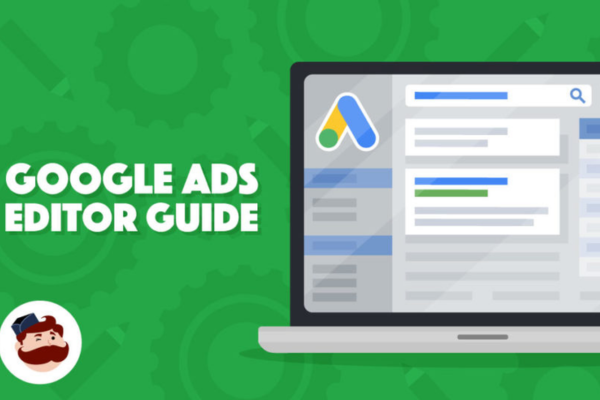
Google Ads Editor is a free downloadable application from Google that allows advertisers to manage their Google Ads campaigns offline, make bulk changes efficiently, and then upload the changes to their online Google Ads account when ready. It’s especially useful for advertisers who handle large-scale campaigns, work with multiple ad groups or accounts, or need to make complex edits quickly.

Unlike managing your ads directly in the Google Ads web interface, which requires an internet connection and often involves editing elements one by one, Google Ads Editor lets you work offline, make mass edits, and preview your changes before applying them live.

Key Features of Google Ads Editor
Work Offline: Once you download your account data, you can edit your campaigns, keywords, ads, bids, and settings offline.
Bulk Editing: You can make changes to thousands of keywords, ads, or campaigns at once using copy-paste, find-and-replace, and import/export options.
Multiple Account Management: Manage and edit multiple Google Ads accounts from a single interface using the account manager.
Drafts and Reviews: Changes can be saved as drafts. You can review, approve, or discard them before posting live.
Advanced Search and Filters: Find and edit specific elements quickly using filters, search queries, or custom rules.
Import/Export Campaigns: You can export campaign data to share with clients or teams and import CSV files with bulk changes.
Error Checking: The tool highlights errors or warnings (like missing ad copy or invalid URLs) before you upload changes, helping you catch mistakes early.
Advanced Bid and Budget Control: Apply bid strategies or adjust daily budgets across many campaigns simultaneously.
Support for Extensions: You can edit ad extensions such as sitelinks, callouts, call extensions, and more.

Example – How Zara Could Use Google Ads Editor
Zara is preparing for its new season launch and wants to update hundreds of ads promoting its latest fashion line across India. Each city has its own set of ad groups, targeting, and keywords. Using the Google Ads web interface for this task would be time-consuming and inefficient. Instead, Zara’s marketing team uses Google Ads Editor to:

Download their existing campaigns and make bulk edits to headlines and descriptions to reflect the new collection
Add new keywords for seasonal terms like “Zara spring dresses” or “latest Zara jackets”
Adjust budgets and bids for specific cities like Mumbai and Delhi
Duplicate successful ad groups and modify them slightly for different regions
Check for any disapproved ads or policy violations in bulk
After making all changes offline, they upload and apply them to their live account with a single click

Example – How Zomato Could Use Google Ads Editor
Zomato wants to run a regional campaign for food delivery discounts in 50+ cities. Their ad teams create individual ad groups for each city, each with its own targeting and promotions. Instead of building each campaign manually in the browser, they use Google Ads Editor to:

Copy an existing campaign structure and modify only city-specific elements (like keywords and ad text)
Apply a fixed ₹500 budget to each city-level campaign
Set ad scheduling rules so ads only show during peak mealtimes
Add call extensions and app install links to all campaigns
Check for duplicate keywords or errors before posting
Review and approve all changes and upload them in one go

Benefits of Using Google Ads Editor
Saves Time: Especially when making changes to large campaigns or managing multiple accounts
Increases Accuracy: Lets you review and test changes before applying them, reducing costly mistakes
Works Offline: Great for working while traveling or during unstable internet access
Streamlines Campaign Management: Ideal for power users and large teams who need more control
Enables Collaboration: Easy to export campaigns and share edits with other team members or clients

When to Use Google Ads Editor
Managing high-volume or complex campaigns
Creating or duplicating multiple campaigns
Making bulk changes across thousands of ads or keywords
Working in an agency setting or managing multiple clients
Operating in places with limited or unstable internet access

Conclusion
Google Ads Editor is a powerful, flexible tool designed to help advertisers manage their Google Ads accounts more efficiently. Brands like Zara and Zomato, which run campaigns across many locations and categories, can save hours of time by using it to make large-scale changes offline, improve workflow, and reduce errors. Whether you’re editing 10 ads or 10,000, Google Ads Editor gives you speed, control, and precision that the web interface alone cannot match.
What is manual CPC bidding?

Manual CPC (Cost-Per-Click) bidding is a bidding strategy in Google Ads that allows advertisers to set individual maximum bids for each keyword, ad group, or placement. In this strategy, you decide how much you’re willing to pay for a single click on your ad, giving you full control over where your budget goes and how aggressively you want to compete in specific auctions.

Unlike automated strategies like Maximize Conversions or Target ROAS, Manual CPC does not rely on Google’s machine learning to adjust your bids. Instead, you or your marketing team manually set the bid amounts, which can be increased or decreased based on performance, competition, and strategy.

Manual CPC is ideal when you:

  • Want full control over your ad spend

  • Are experienced in Google Ads

  • Want to test and optimize performance manually

  • Have a tight or specific keyword strategy

How Manual CPC Bidding Works
When you use Manual CPC bidding, you set a maximum bid (also known as “Max CPC”)—the highest amount you’re willing to pay for a click on a specific ad. Google will never charge you more than this amount for a click, though you may end up paying less depending on the competition in the ad auction.

For example, if you set a max CPC of ₹30 for the keyword “buy red heels,” and your competitors are bidding ₹25, you might win the auction and pay ₹26 or so, depending on Ad Rank and Quality Score.

You can also adjust bids at the device level (mobile, desktop, tablet) and use bid modifiers for location, time of day, and audience.

Example 1 – Zara (Fashion Retail Brand)

Zara wants to promote its new autumn-winter jacket collection through Google Search Ads. The goal is to increase traffic to their product pages for high-intent keywords like:

  • “Zara leather jackets”

  • “Women’s trench coat Zara”

  • “Buy winter coats online India”

Since Zara’s marketing team wants full control over bids on high-performing fashion keywords, they choose Manual CPC bidding. For keywords with high conversion potential, they set a higher bid of ₹40. For broader, less specific terms like “winter fashion,” they bid lower—₹20 per click.

Their ad may look like:

Headline: Zara Winter Collection – Shop Jackets, Coats & More
Description: Explore the new 2025 arrivals. Stylish. Comfortable. Delivered to your door.
Landing Page: https://www.zara.com/in/en/woman-outerwear

If Google estimates that a click on “Zara leather jackets” will cost around ₹35 to appear in the top 3 results, and Zara has set a max CPC of ₹40, they have a good chance of winning that slot.

With this approach, Zara controls exactly which keywords to prioritize, where to spend more, and how to manage budget by product category.

Example 2 – Zomato (Food Delivery App)

Zomato wants to run ads for its meal delivery service in metro cities, targeting users searching for:

  • “Order food online”

  • “Pizza delivery near me”

  • “Zomato coupon code”

Instead of relying on automation, Zomato’s ad team opts for Manual CPC bidding to carefully test performance in different cities and food categories.

For high-demand cities like Mumbai and Bangalore during lunch and dinner hours, they bid ₹25 per click. For low-demand times or cities, they bid just ₹10. For niche food terms like “healthy salad delivery,” they increase the bid to ₹30, knowing that competition is low but conversion intent is high.

Zomato’s ad example:

Headline: Order Delicious Food Online | Zomato
Description: Fast delivery from 5,000+ restaurants. Get ₹100 off your first order.
Landing Page: https://www.zomato.com

By analyzing the click-through rates, conversion rates, and order values from each keyword or region, Zomato can gradually adjust bids manually to focus on high-performing terms and reduce budget on poor performers.

Advantages of Manual CPC Bidding

  • Full control over your bids

  • Allows precise budget allocation by keyword or ad group

  • Easy to test which keywords perform best

  • Ideal for small campaigns with focused targeting

  • Useful for experienced advertisers who want hands-on optimization


Disadvantages of Manual CPC Bidding

  • Time-consuming to manage at scale

  • Doesn’t automatically adjust to real-time auction signals

  • Misses opportunities from automation (like audience intent, device behavior)

  • May result in inefficient spend if not regularly monitored

Conclusion

Manual CPC bidding is a powerful strategy for advertisers who want maximum control over their Google Ads campaigns. It’s especially effective for brands like Zara, where targeting specific fashion products requires adjusting bids based on seasonal demand, and for platforms like Zomato, where local targeting and timing are key to conversion success. While it may require more effort and expertise, Manual CPC can deliver excellent results when carefully managed, particularly in campaigns with well-researched keywords and structured testing.

What is Maximize Conversions bidding?

Maximize Conversions is an automated bidding strategy in Google Ads that uses your daily budget to get the highest possible number of conversions, such as purchases, sign-ups, form fills, app downloads, or any action you’ve defined as a conversion. You don’t need to manually set individual bids—Google handles everything using machine learning and historical data.

It’s one of the most powerful strategies when your main goal is not just to get traffic but to ensure that traffic results in valuable customer actions on your website or app.

How Maximize Conversions Works
When you use Maximize Conversions, you simply define a daily budget, and Google automatically adjusts your bids in real-time across all eligible auctions to try to get the most conversions for that budget. Google’s algorithm evaluates thousands of signals—like user device, time of day, browser, past behavior, location, and more—to predict the likelihood of a user converting. Based on this, it raises or lowers your bid accordingly.

For example, if a user is browsing during lunch hours on a mobile device and has previously visited your site, Google might determine they’re more likely to convert, so it increases the bid. If another user is browsing late at night with no previous engagement, the bid may be lowered to reduce wasteful spend.

Requirements to Use Maximize Conversions

  • You must have conversion tracking set up in your Google Ads account.

  • You should define what counts as a “conversion” (e.g., sale, lead, sign-up).

  • While there’s no minimum data requirement, it works best with sufficient historical conversion data.

Example – Myntra (Fashion eCommerce Brand)
Myntra runs a Google Ads campaign to promote its End of Season Sale, where the goal is to drive as many online purchases as possible before the sale ends. They decide to use Maximize Conversions as the bidding strategy.

They set a daily budget of ₹10,000. Myntra doesn’t need to define a specific cost per acquisition or ROAS goal—Google simply tries to get as many purchases as possible for that ₹10,000 each day.

A user searches for “Myntra men’s formal shirts” on a mobile device during the evening. Based on similar past behavior and the fact that conversion rates are high at that time, Google bids aggressively to show Myntra’s ad. Another user searching at 2 AM on a desktop with a low conversion likelihood gets a much lower bid or is ignored to save budget.

Myntra’s ad might look like:
Headline: End of Season Sale – Flat 60% Off
Description: Shop your favorite brands at unbeatable prices. Limited stock. Hurry!
Landing Page: https://www.myntra.com/end-of-season-sale

By using Maximize Conversions, Myntra doesn’t need to worry about adjusting bids manually or setting target CPA. Google’s automation focuses entirely on getting as many sales as possible within the given daily budget.

Benefits of Maximize Conversions Bidding

  • No manual bidding required—Google does the heavy lifting

  • Focused entirely on performance (conversions), not just traffic

  • Great for time-limited promotions or sales campaigns

  • Uses real-time auction signals for better bid decisions

  • Works well even if you’re not sure about your ideal CPA

Limitations of Maximize Conversions

  • You don’t control the cost per conversion—it may vary widely

  • Can spend your entire budget quickly, especially if conversions are costly

  • Less control over bidding strategy settings compared to Target CPA or ROAS

  • Requires accurate conversion tracking to function correctly

When to Use Maximize Conversions

  • You want to maximize actions like purchases or leads, not just clicks

  • You have a fixed daily budget and want the most out of it

  • You’re running a limited-time offer or sale

  • You don’t yet have a specific target CPA or ROAS in mind

  • Your account has enough conversion history for the algorithm to work effectively

Tips for Using Maximize Conversions

  • Make sure conversion tracking is correctly set up and tested

  • Start with realistic budgets and monitor performance closely

  • Consider using this strategy for remarketing campaigns, where users already showed interest

  • Combine with optimized landing pages to increase conversion chances

  • Regularly review the Search Terms Report and negative keywords to reduce irrelevant traffic

Difference Between Maximize Conversions and Target CPA
While both strategies aim for conversions, they work differently. Maximize Conversions tries to get as many conversions as possible within your budget, without caring about the cost per action. Target CPA, on the other hand, aims to get conversions at a specific cost per action, possibly sacrificing volume to hit cost targets. Maximize Conversions is useful when you want volume, while Target CPA is ideal when you need cost control.

Conclusion
Maximize Conversions is a powerful, fully automated bidding strategy designed for advertisers who want to focus purely on results—getting the highest possible number of conversions within a fixed budget. For performance-driven businesses like Myntra, this strategy is ideal during big sales, promotional launches, or peak shopping seasons when every conversion counts. With the help of Google’s smart bidding technology, brands can focus on optimizing ads and creatives, while the algorithm ensures every rupee is spent on actions that matter.

What is Maximize Clicks bidding?

Maximize Clicks is an automated bidding strategy in Google Ads that aims to get you the highest number of clicks possible within your budget. Instead of manually setting bids for each keyword or ad group, you simply set a daily budget, and Google automatically adjusts your bids in real time to bring in the maximum traffic to your website.

It’s a great option if your primary goal is to increase website visitors, boost awareness, or drive traffic to landing pages, especially when you’re not yet focused on conversions or revenue.

How Maximize Clicks Works
When you select this bidding strategy, you give Google a budget limit (say ₹1,000 per day), and Google uses that budget to bid automatically in a way that brings you the most clicks possible for that amount. It adjusts bids across all eligible auctions, based on real-time data like device, location, and time of day.

For example, if clicks tend to be cheaper during early mornings or late nights, Google may focus more of your budget during those hours. If competition is high during the afternoon and clicks are expensive, it might bid lower to save budget.

Optional Settings
Even though it’s automated, you can set a Maximum CPC limit, which prevents Google from bidding above a certain amount per click. This gives you some control over how much you’re willing to pay for traffic.

Best Use Cases

  • New campaigns aiming to increase traffic

  • Brand awareness campaigns

  • Driving visits to a specific landing page

  • Promotional pages where traffic volume is more important than conversion quality

  • Early-stage campaigns without enough data for conversion-based bidding

Example – Myntra (Fashion eCommerce Brand)
Myntra launches a new campaign to promote its “Monsoon Collection” for men and women. The goal is to bring as many people as possible to the landing page showcasing this collection. Instead of optimizing for purchases right away, Myntra uses Maximize Clicks bidding to generate traffic and test user interest.

They set a daily budget of ₹5,000. Google automatically adjusts bids to get the most clicks within that budget. During weekdays, when click costs are lower, Google bids higher. On weekends, when competition rises and clicks become expensive, Google lowers bids to stretch the budget further.

Ads might appear for searches like:

  • “rain jackets for women”

  • “monsoon footwear online”

  • “Myntra rainwear collection”

The landing page used is: https://www.myntra.com/monsoon-collection

By using Maximize Clicks, Myntra is able to drive a high volume of traffic to the new collection, collect data on user behavior, and retarget those users later with conversion-focused campaigns.

Advantages of Maximize Clicks Bidding

  • Automatically manages bids, saving time

  • Ideal for traffic generation and increasing reach

  • Works well for awareness and retargeting setup

  • Helps test new landing pages or product launches

  • Simple to implement with no complex setup needed

Limitations of Maximize Clicks

  • Doesn’t consider conversion quality—clicks may not lead to sales

  • Can waste budget on irrelevant or low-intent traffic

  • No focus on ROI or cost-per-conversion

  • May result in lower-quality leads if keywords are not tightly targeted

Tips for Using Maximize Clicks Effectively

  • Use tight keyword targeting to avoid low-quality traffic

  • Apply negative keywords to filter out irrelevant searches

  • Monitor performance regularly to make adjustments

  • Use ad scheduling and device targeting to control where your budget goes

  • Consider setting a maximum CPC limit if clicks become too costly

When to Use Maximize Clicks

  • You want to generate traffic fast

  • You’re launching a new website or product

  • You’re collecting audience data for remarketing

  • You don’t have enough conversion data yet

  • Your goal is visibility rather than direct sales

Conclusion
Maximize Clicks bidding is an excellent strategy for advertisers who want to quickly bring more people to their website without spending time on manual bid adjustments. It’s especially useful in the early stages of a campaign, during product launches, or when the focus is on traffic rather than conversions. For brands like Myntra, using Maximize Clicks for seasonal collections or brand promotions helps boost traffic volume, raise awareness, and prepare the ground for performance-focused campaigns like Maximize Conversions or Target ROAS later. When used wisely with proper targeting and tracking, Maximize Clicks can be a powerful tool in your advertising strategy.

What is Target ROAS bidding?

Introduction

Target ROAS (Return on Ad Spend) is one of Google Ads’ automated Smart Bidding strategies that helps advertisers maximize revenue by targeting a specific return on the money they spend on ads. ROAS is a percentage-based metric that tells you how much revenue you want to earn for every ₹1 spent on advertising. For instance, if your target is to earn ₹500 for every ₹100 you spend, your Target ROAS would be 500%. Google uses machine learning to automatically set bids during each auction to help achieve this target.

Unlike other bidding strategies that aim to get the most clicks or conversions, Target ROAS focuses on the value of conversions. This means not all conversions are treated equally—some sales may be worth more than others, and Google considers this while bidding. It’s particularly useful for eCommerce businesses like Myntra, where different products have different prices and profit margins.

How Target ROAS Works

When you set a Target ROAS, you are essentially telling Google how much revenue you want in return for your ad spend. Google then uses historical data and real-time auction signals—like device, location, time of day, browser type, and audience behavior—to automatically adjust your bids for each search. If the system predicts that a user is likely to convert and generate a higher value purchase, it increases your bid. If it predicts a lower-value conversion or low intent, it decreases your bid.

For example, if you set a Target ROAS of 400%, Google will try to get you ₹400 in conversion value for every ₹100 spent. That means your ads will aim for conversions that are profitable according to your ROAS goal. Over time, Google’s machine learning system fine-tunes the strategy to meet your ROAS target as closely as possible.

Why Target ROAS Matters

The Target ROAS bidding strategy is ideal when you’re focused not just on getting conversions but on getting high-value conversions. For instance, selling 10 low-cost items may not be as valuable as selling 2 high-cost items. This is where Target ROAS stands out. Instead of maximizing the number of conversions, it maximizes the revenue generated by each conversion. This helps advertisers get better returns from their budget, especially when product prices vary widely.

Key Requirements for Using Target ROAS

To use Target ROAS effectively, there are some important prerequisites:

You must have conversion tracking set up in Google Ads or Google Analytics
You should be tracking conversion values, not just conversion counts
Your campaign should ideally have at least 15 conversions in the last 30 days for Search or 75 conversions for Shopping
The more data Google has, the more accurately it can predict which auctions are likely to bring valuable conversions

Formula for ROAS

The basic formula used to calculate Return on Ad Spend (ROAS) is:

ROAS = (Revenue from Ads / Cost of Ads) × 100

So, if you spent ₹10,000 on a campaign and earned ₹50,000 in revenue, your ROAS would be (50,000 / 10,000) × 100 = 500%

If you set a Target ROAS of 500%, Google will try to maintain that ratio by adjusting bids dynamically.

Example – Myntra (Fashion eCommerce Brand)

Myntra wants to promote its festive fashion collection, including high-value ethnic wear, branded accessories, and premium footwear. These items have different price points, with some products priced at ₹1,000 and others at ₹5,000 or more. The marketing team launches a Google Ads campaign with a Target ROAS bidding strategy and sets the target at 600%, meaning they want ₹600 in revenue for every ₹100 spent.

Instead of trying to get the most sales or clicks, Google’s Smart Bidding focuses on users who are likely to buy high-value products. A user searching for “designer lehenga online” has a high intent to purchase a premium item. Google may increase the bid for this auction, expecting a high return. On the other hand, a user searching for “cheap t-shirts” may trigger a lower bid because the potential revenue is lower. This ensures Myntra’s budget is focused on more profitable conversions.

The ad may look like this:

Headline: Festive Wear Sale – Up to 50% Off on Myntra
Description: Shop premium ethnic outfits, lehengas, kurtas & more. Free delivery. Easy returns.
Landing Page: https://www.myntra.com/festive-wear

By the end of the campaign, even if Myntra gets fewer conversions than a Maximize Conversions strategy, the overall revenue is higher, and the average ROAS achieved is close to the 600% target.

Benefits of Target ROAS

Optimized for Revenue: Unlike strategies focused on clicks or conversions, Target ROAS optimizes for the actual monetary value of each conversion.
Saves Time and Effort: It’s an automated strategy, so you don’t need to manually adjust bids for every keyword, product, or location.
Smart Auction-Level Bidding: Google adjusts your bid in real time for each auction based on many signals, increasing accuracy.
More Profitable Campaigns: Ensures that every rupee you spend is aimed at bringing the highest possible return.
Useful for eCommerce: Ideal for businesses like Myntra where product values vary and revenue-focused bidding makes more sense than pure volume.

Challenges and Limitations

Needs Conversion Value Tracking: You must set up conversion values in your tracking. Without that, Google won’t know how much each sale is worth.
Data-Heavy: Performs best when there is a decent volume of conversions and historical data. New advertisers or low-volume campaigns may not see immediate results.
Learning Period: Smart Bidding needs some time to learn and optimize. It might take a couple of weeks before you start seeing consistent ROAS results.
ROAS Too High Can Limit Reach: If your Target ROAS is set unrealistically high, Google may restrict your ad visibility, leading to low impressions and clicks.

Best Practices for Target ROAS

Set a Realistic Target: Don’t set the ROAS too high right away. Start with an average based on historical performance and adjust gradually.
Give It Time: Allow at least 2–3 weeks for the strategy to exit the learning phase before making major changes.
Segment High and Low-Value Products: You can create different campaigns for high and low-ticket items with different Target ROAS goals.
Ensure Clean Conversion Data: Check that conversion values are accurate and consistent to help Google make better bidding decisions.
Monitor and Optimize: Even though it’s automated, you should regularly review performance and make necessary tweaks to budget, ad creatives, or keywords.

When to Use Target ROAS

You’re selling products with varying prices or profit margins
You want to maximize revenue, not just the number of conversions
You have enough data (conversions and values) for Google to work with
You have clearly defined revenue goals for your advertising spend
You’re running campaigns for eCommerce platforms, SaaS, or subscription models with known customer lifetime values

Conclusion

Target ROAS is one of the most powerful and revenue-focused bidding strategies available in Google Ads. It allows advertisers to automatically bid in a way that maximizes return on ad spend, rather than just chasing conversions or clicks. For businesses like Myntra, where different products generate different levels of revenue, Target ROAS ensures that their ad budget goes toward the most profitable customer interactions. By leveraging machine learning and real-time auction signals, Google helps you reach people who are most likely to convert at higher value, making every advertising rupee work harder. When used correctly with accurate data and realistic targets, Target ROAS can significantly improve the profitability and efficiency of your online advertising efforts.

What is Target CPA bidding?

Target CPA (Cost Per Acquisition) bidding is a Smart Bidding strategy in Google Ads that automatically sets bids to help you get as many conversions as possible at your target cost per acquisition. Instead of manually adjusting bids for keywords, locations, or devices, Google uses machine learning and historical data to adjust bids in real-time during each auction, aiming to deliver conversions close to your predefined CPA.

For example, if your Target CPA is ₹200, Google Ads will try to get you as many leads, sales, or actions as possible, averaging around ₹200 per conversion over time.

How Target CPA Bidding Works
Google considers various real-time signals—such as user location, device, browser, time of day, and past behavior—to predict the likelihood of a conversion. It will then increase or decrease your bid accordingly. If a user seems likely to convert, Google may bid higher. If a user seems unlikely to convert, Google may lower your bid or skip the auction entirely.

Requirements
To use Target CPA bidding effectively, your campaign should have conversion tracking set up and ideally have at least 30 conversions in the past 30 days so Google has enough data to make smart decisions.

Example – McDonald’s (Fast Food Brand)
McDonald’s launches an ad campaign to get more mobile app installs, as part of a new delivery promotion. Each app install brings potential for ongoing orders, so they set a Target CPA of ₹70 (the cost they are willing to pay for each app install).

Google Ads uses historical data and real-time signals to automatically bid in auctions. A user browsing on a mobile device in a metro city around lunchtime—more likely to install and use the app—might trigger a higher bid, say ₹85. Another user searching late at night on desktop from a rural location might get a bid of only ₹40.

Over time, Google balances high and low bids to deliver as many installs as possible at an average cost of ₹70, aligning with McDonald’s campaign goal while optimizing budget usage.

Example – Myntra (Fashion eCommerce Brand)

Myntra wants to increase sales of its new summer collection through its website and mobile app. To do this efficiently, the marketing team launches a Google Ads campaign and chooses the Target CPA bidding strategy to drive conversions in the form of purchases.

They analyze past data and determine that they’re willing to spend ₹250 per conversion (a completed purchase). So, they set a Target CPA of ₹250 in their campaign settings.

Google then starts optimizing bids automatically. If a user is browsing on their mobile phone on a weekend evening—based on past data showing high likelihood of buying during this time—Google may increase the bid to ₹280 for that user to win the auction. On the other hand, if a user is on desktop during working hours with low purchase intent, Google may lower the bid to ₹180 or even skip bidding.

Myntra’s ad might appear for keywords like:

  • “Buy summer dresses online”

  • “Trendy women’s kurtas”

  • “Men’s cotton shirts Myntra”

Their ad could show:

  • Headline: Summer Sale is Live – Flat 40% Off on Myntra

  • Description: Shop the latest summer collection. Free shipping. Easy returns. Top brands available.

  • Landing Page: https://www.myntra.com/summer-collection

With Target CPA bidding, Myntra doesn’t need to manually adjust bids for each keyword or device. Google automatically manages bidding to bring in the maximum number of sales at an average of ₹250 per order, ensuring efficient ad spend while increasing their seasonal sales.

Benefits of Target CPA Bidding

  • Fully automated bidding based on your conversion goal

  • Saves time and effort in manual bid adjustments

  • Uses machine learning to predict and act on conversion potential

  • Ideal for lead generation, app installs, product purchases, or form submissions

Limitations

  • Requires accurate and consistent conversion tracking

  • Might need time to “learn” and optimize, especially for new campaigns

  • If your Target CPA is too low, it may restrict traffic and reduce visibility

Best Use Cases

  • You know the average value of each lead or sale

  • Your campaign has enough historical conversion data

  • You want to scale conversions while keeping cost per result under control

Conclusion
Target CPA bidding is a powerful, goal-driven strategy in Google Ads that uses Google’s smart automation to help advertisers get more conversions at a fixed cost per result. It’s especially effective for brands like McDonald’s that run app installs, delivery promotions, or lead generation campaigns, allowing them to grow customer actions at a predictable.

What is Enhanced CPC?

What is Enhanced CPC (ECPC)?

Enhanced Cost-Per-Click (ECPC) is a semi-automated bidding strategy in Google Ads that helps increase conversions while giving you partial control over your bids. With ECPC, you still set your maximum CPC bids manually, but Google automatically adjusts those bids in real time during the ad auction—increasing them when a conversion seems more likely, and lowering them when it seems less likely.

ECPC is a great middle ground between full manual bidding and full automation. It works by using machine learning to predict which clicks are more likely to lead to conversions, based on signals like location, device, browser, time of day, and user behavior.

How ECPC Works
Let’s say you set a max bid of ₹50 for the keyword “buy sports shoes”. If Google predicts that a user searching for this term is more likely to convert, it might raise your bid to ₹55 or ₹60 to win the auction. If another user seems less likely to convert, Google might reduce the bid to ₹40 or ₹35, saving your budget.

Example – Skechers (Footwear Brand)
Skechers runs a Google Ads campaign to promote their new walking shoes. They set a manual CPC bid of ₹20 per keyword. By enabling Enhanced CPC, Google detects that certain users—say, those on mobile devices browsing at 9 PM—are more likely to make a purchase. So, it increases the bid to ₹25 for those users. Meanwhile, for users on desktop in the morning with a lower purchase history, Google reduces the bid to ₹15. As a result, Skechers gets more conversions without raising their overall budget, simply by letting Google intelligently tweak their manual bids.

xample – McDonald’s (Fast Food Brand)

McDonald’s runs a Google Ads campaign to promote its new limited-time burger offer available through its mobile app. The marketing team sets a manual CPC bid of ₹10 for keywords like “order burgers online” or “McDonald’s near me.”

They enable Enhanced CPC (ECPC) to allow Google to automatically adjust bids in real time based on how likely a user is to convert (such as placing an order or downloading the app).

Suppose a user searching for “McDonald’s deals” is using a mobile phone, is located near a McDonald’s outlet, and searches during lunch hours—Google predicts this user is highly likely to place an order. So, ECPC increases the bid from ₹10 to ₹13 to win the auction and show the ad at the top of search results.

Another user searching late at night from a desktop in a remote area might be less likely to convert, so Google lowers the bid to ₹7, conserving budget.

By using ECPC, McDonald’s increases high-quality clicks from users who are most likely to take action, such as placing an order or using the app, without increasing the total ad budget. This helps McDonald’s get better value from each click while maximizing conversions for its promotional campaign.

Advantages of Enhanced CPC
Helps increase conversions without switching to full automation
Combines manual control with machine learning
Automatically lowers bids to save money when conversions are unlikely
Easy to implement—just toggle it on in your campaign settings

Disadvantages of Enhanced CPC
Less control than pure manual CPC
May not be as efficient as full smart bidding strategies (like Target CPA or Maximize Conversions)
Needs conversion tracking to work effectively

Best Use Cases for ECPC
You want to improve performance without fully automating your bids
You have conversion tracking set up
You’re using manual CPC and want to test automation
You have low-to-medium campaign volume and want better optimization

Conclusion
Enhanced CPC is a smart upgrade to manual bidding that gives advertisers better chances of converting users without giving up full control. It’s ideal for advertisers who want some automation but aren’t ready to move to full smart bidding. For brands like Skechers, ECPC offers a strategic edge—getting more sales from high-potential customers while managing spend effectively.

What are bidding strategies in Google Ads?

Introduction

In Google Ads, bidding strategies determine how you pay for users to interact with your ads. These strategies help Google decide how much to bid in auctions to get the best possible results based on your campaign goals—whether that’s getting clicks, impressions, conversions, or views. The right bidding strategy ensures you spend your budget efficiently while maximizing return on investment (ROI).

There are two major categories of bidding strategies:

  1. Manual Bidding – You set your own bids.

  2. Automated Bidding (Smart Bidding) – Google sets bids automatically based on data and goals.

Manual CPC (Cost-Per-Click) Bidding
You manually set the maximum amount you’re willing to pay for each click on your ads.
Best for: Advertisers who want full control over their bidding.
Pros: Full control over individual keyword and placement bids. Ideal for experienced advertisers.
Cons: Time-consuming to manage. Doesn’t use real-time data like device, location, or user behavior.

Enhanced CPC (ECPC)
Google adjusts your manual bids up or down to increase conversions. It still gives you control but uses automation to optimize.
Best for: Those using manual CPC but want some automation for better conversion chances.
Pros: Smarter bidding than manual CPC. Helps improve conversions without losing control.
Cons: Less control than pure manual CPC.

Maximize Clicks
An automated strategy that sets bids to get the most clicks within your daily budget.
Best for: Driving website traffic when you have a fixed budget.
Pros: Great for traffic generation. Simple to set up.
Cons: Doesn’t consider conversion quality. Can waste budget on low-quality clicks.

Maximize Conversions
Google automatically sets bids to help get the most conversions possible within your budget.
Best for: Businesses focused on lead generation, sign-ups, or sales.
Pros: Fully automated. Focuses on actual outcomes (conversions).
Cons: Needs conversion tracking set up. Can spend budget quickly.

Maximize Conversion Value
Optimizes for the highest total conversion value rather than just the number of conversions.
Best for: eCommerce businesses that assign different values to conversions (e.g., product purchases).
Pros: Ideal when not all conversions are equal. Maximizes revenue.
Cons: Requires tracking of conversion values. Needs enough historical data to be effective.

Target CPA (Cost-Per-Acquisition)
Sets bids to get as many conversions as possible at a set target cost per conversion.
Best for: Advertisers with a fixed value for each lead or sale.
Pros: Automates bidding to hit cost goals. Smart use of conversion data.
Cons: Requires historical data. May limit traffic if target CPA is too low.

Target ROAS (Return on Ad Spend)
Bids are set to achieve a specific return on ad spend goal.
Best for: Revenue-driven businesses tracking purchase values (like eCommerce).
Pros: Optimizes for revenue, not just conversions. Good for scaling profitable campaigns.
Cons: Requires accurate conversion value tracking. Needs a large amount of data.

Target Impression Share
Sets bids to show your ad on the top of the page, absolute top, or anywhere on the page, based on your impression share goals.
Best for: Brand awareness campaigns that want maximum visibility.
Pros: Great for dominating search results. Helps increase visibility.
Cons: Can be expensive. Doesn’t optimize for conversions.

CPV (Cost-Per-View) for Video Ads
Used in video campaigns where you pay when someone views your video or interacts with it.
Best for: YouTube video campaigns focused on brand awareness or engagement.

CPM & vCPM (Cost-Per-Thousand Impressions / Viewable Impressions)
Used in Display or YouTube campaigns. You pay per 1,000 impressions, or 1,000 viewable impressions in the case of vCPM.
Best for: Branding and awareness where visibility matters more than clicks.

Choosing the Right Bidding Strategy
If your goal is to drive traffic, use Maximize Clicks or Manual CPC. If your goal is to get conversions, use Maximize Conversions or Target CPA. For increasing revenue, use Target ROAS or Max Conversion Value. If you’re focused on brand awareness, use Target Impression Share or vCPM. If you want full control over bids, choose Manual CPC or Enhanced CPC. For video ad engagement, use CPV or Maximize Conversions for video.

Example – Skechers (Footwear Brand)
Skechers uses Google Ads to drive online sales of its latest footwear collections. Suppose Skechers wants to promote a new range of running shoes. They run a campaign with the following goal:

Goal: Increase sales of running shoes at a profitable cost per sale
Strategy: Target ROAS (Return on Ad Spend)
Setup: Skechers sets a Target ROAS of 400%, meaning they want ₹400 in revenue for every ₹100 spent on ads. Google uses machine learning to automatically bid higher in auctions where users are more likely to purchase and bid lower where users show low purchase intent.

The ads include headlines like “Skechers Running Shoes – Shop Official Store” and descriptions such as “Get the latest designs. Free delivery & returns. Comfortable & Stylish.”
The landing page is optimized for conversions with product filters, fast load times, and a mobile-friendly design.
As a result, Skechers’ campaign gets a high volume of qualified traffic, increases sales, and maintains a healthy return on investment, without having to micromanage bids manually.

Conclusion
Bidding strategies in Google Ads play a major role in campaign performance. Choosing the right strategy depends on your business goals, budget, and experience level. Whether you’re aiming for clicks, conversions, revenue, or brand exposure, Google offers a bidding method that can align with your objective. For brands like Skechers, using smart automated bidding strategies like Target ROAS ensures that every rupee spent is optimized for maximum return. Regular monitoring and adjustments can further refine performance and ensure sustainable growth from your paid campaigns.

How to Become a Digital Marketing Specialist

Digital marketing is one of the fastest-growing fields today. Many people are interested in building a career in digital marketing, and becoming a digital...

What is SMM in Digital Marketing

SMM, or Social Media Marketing, is one of the most important parts of digital marketing. In simple words, SMM is the process of using...

What is Google Analytics in Digital Marketing

Google Analytics is one of the most important tools in digital marketing. It helps businesses understand how people interact with their websites and online...

What is Google AdWords in Digital Marketing

Google AdWords is one of the most important tools in digital marketing. Many businesses use AdWords to reach their target audience online and increase...

What Is CPM in Digital Marketing

In digital marketing, understanding how your ads are priced and measured is very important. Different advertising models help marketers track performance and control spending....