Home Blog Page 20

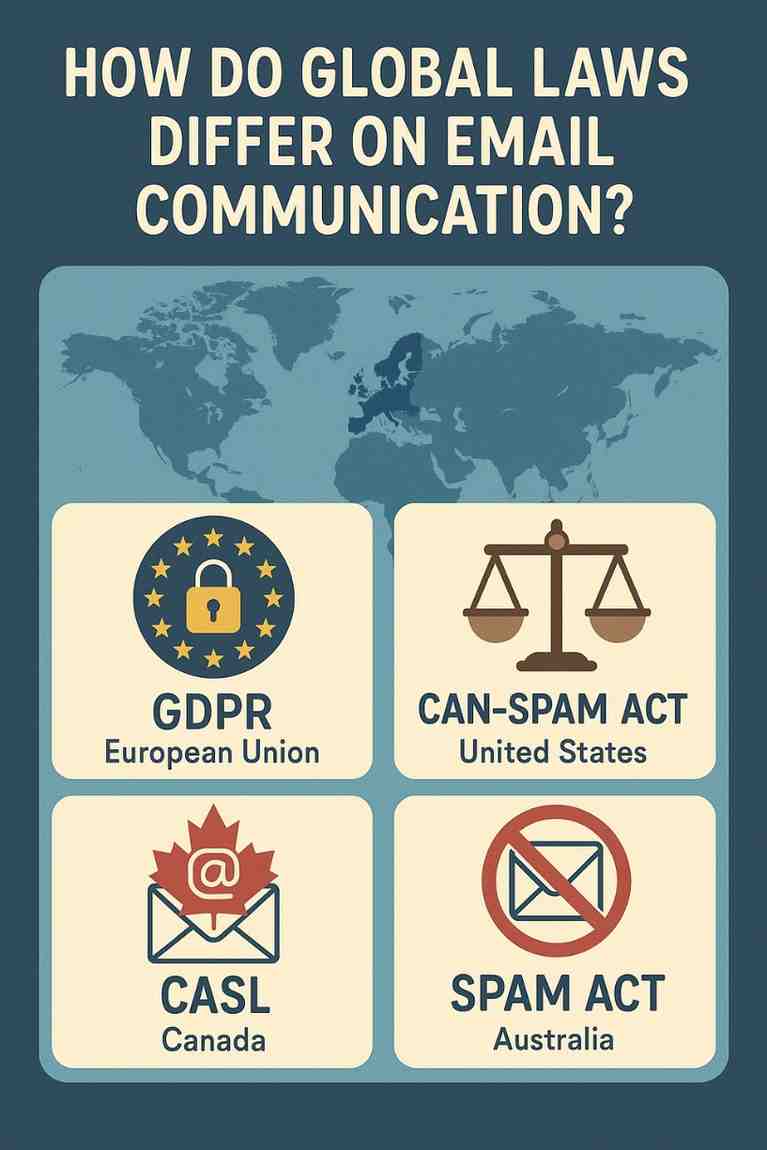
How Do Global Laws Differ on Email Communication?

Email communication has evolved into one of the most important tools for businesses, organizations, and governments worldwide. Whether it’s for marketing, customer service, recruitment, or information dissemination, email is a powerful medium that offers speed, efficiency, and reach. However, the widespread use of email also raises significant privacy, security, and ethical concerns—particularly around unsolicited messages, personal data collection, and user consent.

To address these concerns, countries across the globe have enacted laws and regulations that govern email communication, particularly commercial and marketing emails. While these laws share some similarities—like emphasizing user consent and the right to unsubscribe—they also differ considerably in terms of enforcement, scope, penalties, and consent requirements.

This article delves into how global laws differ on email communication, with comparisons among major regulations such as the General Data Protection Regulation (GDPR) in the European Union, the CAN-SPAM Act in the United States, CASL in Canada, and several others from countries like Australia, India, and Japan. We will also conclude with an example to illustrate how these differences play out in a real-world scenario.


1. Understanding the Need for Email Communication Laws

Unregulated email communication can lead to:

  • Spam and phishing attacks

  • Data misuse

  • Consumer privacy violations

  • Loss of trust in digital communications

To mitigate these risks, most governments have enacted specific laws that:

  • Define what constitutes spam or unlawful communication

  • Establish rules for obtaining consent

  • Mandate clear opt-out mechanisms

  • Impose penalties for non-compliance

However, the nature and strictness of these laws vary greatly depending on the country or region.


2. Key Global Email Communication Laws

A. European Union – General Data Protection Regulation (GDPR)

Effective Date: May 25, 2018
Scope: Applies to any organization processing the personal data of EU residents, regardless of the organization’s location.

Key Features:

  • Opt-in Consent Required: Explicit, informed, and freely given consent is mandatory before sending any marketing emails.

  • Right to Be Forgotten: Users can request deletion of their data.

  • Data Transparency: Users must be told how their data will be used.

  • Severe Penalties: Up to €20 million or 4% of global turnover.

Impact on Email Communication:

Organizations must use double opt-in processes and maintain detailed consent records. Every email must include an easy opt-out mechanism. Simply collecting emails and sending marketing content is illegal without prior consent.


B. United States – CAN-SPAM Act

Effective Date: January 1, 2004
Scope: Applies to all commercial email messages sent to U.S. users.

Key Features:

  • Opt-out Model: No prior consent needed; senders must include opt-out instructions.

  • Identification Required: Emails must include the sender’s physical address and label the content as advertising if applicable.

  • Unsubscribe Compliance: Opt-out requests must be honored within 10 business days.

  • Penalties: Up to $43,792 per email violation.

Impact on Email Communication:

Compared to GDPR, the CAN-SPAM Act is less restrictive. It does not require permission before sending marketing emails, but it does require that users can unsubscribe easily and that email content is truthful.


C. Canada – CASL (Canada’s Anti-Spam Legislation)

Effective Date: July 1, 2014
Scope: Applies to any commercial electronic messages sent to or from Canadian users.

Key Features:

  • Express Consent Required: Marketers must obtain written or oral consent before sending emails.

  • Transparency: Must clearly identify the sender and include contact information.

  • Clear Opt-Out Mechanism: Every email must include an unsubscribe link.

  • Penalties: Fines up to $10 million for corporations.

Impact on Email Communication:

CASL is one of the strictest email laws globally. Like GDPR, it requires opt-in consent. Businesses must track how and when consent was obtained.


D. Australia – Spam Act 2003

Effective Date: April 10, 2004
Scope: Governs commercial email communication within Australia.

Key Features:

  • Consent Mandatory: Either express or inferred consent is required.

  • Identification and Unsubscribe: The sender must be clearly identified, and emails must have an unsubscribe function.

  • Penalties: Up to AUD $2.1 million per day for repeated violations.

Impact on Email Communication:

Australia requires either explicit or inferred consent. Inferred consent includes situations where there’s an ongoing business relationship.


E. India – Information Technology Act (IT Act) and Draft Data Protection Bill

Effective Date: IT Act since 2000; Data Protection Bill is under review.
Scope: Addresses cybercrimes, data breaches, and electronic communication.

Key Features:

  • Limited Email Marketing Guidelines: The current IT Act does not offer detailed regulations on email marketing.

  • Draft Data Protection Bill (2022): Proposes rules similar to GDPR with consent, purpose limitation, and right to erasure.

Impact on Email Communication:

India lacks a dedicated anti-spam law, so enforcement is inconsistent. However, once the Data Protection Bill becomes law, it may significantly change the legal landscape, aligning it more with GDPR.


F. Japan – Act on Regulation of Transmission of Specified Electronic Mail

Effective Date: 2002, amended in 2008
Scope: Applies to email marketing within Japan.

Key Features:

  • Prior Consent Required: Opt-in is necessary before sending emails.

  • Email Identification: Senders must include contact info and label advertisements.

  • Penalties: Administrative action and criminal penalties for violations.

Impact on Email Communication:

Japan follows a strict opt-in model, aligning it with EU and Canadian standards.


3. Key Differences Between Global Email Laws

Feature GDPR (EU) CAN-SPAM (US) CASL (Canada) Spam Act (Australia) India Japan
Consent Requirement Opt-in Opt-out Opt-in Express or Inferred Vague Opt-in
Opt-Out Mechanism Mandatory Mandatory Mandatory Mandatory Not clear Mandatory
Consent Documentation Required Not Required Required Recommended Not Applicable Required
Penalties High (€20M) Moderate (per email) High ($10M CAD) High (AUD $2.1M/day) Under development Administrative & legal
Applies Internationally? Yes Mostly US-based Yes Yes Not clear Yes

4. Example: International Email Campaign and Legal Differences

Scenario:

A UK-based company called GreenEarth Organics plans to launch a global email marketing campaign promoting its eco-friendly products. The email list includes users from:

  • Germany (EU)

  • United States

  • Canada

  • Australia

  • India

  • Japan

How GreenEarth Organics Must Adapt:

  1. Germany (GDPR)

    • Must obtain explicit consent through double opt-in.

    • Store detailed records of consent.

    • Include a privacy policy and unsubscribe link.

  2. United States (CAN-SPAM)

    • Can send emails without prior consent but must include an opt-out link.

    • Must provide the company’s physical address.

    • Clearly label the message as promotional.

  3. Canada (CASL)

    • Must get express written consent.

    • Include identification, contact info, and unsubscribe mechanism.

    • Store consent evidence.

  4. Australia (Spam Act)

    • May use inferred consent (e.g., previous purchase).

    • Must clearly identify sender and provide opt-out options.

  5. India (IT Act + Draft Bill)

    • Currently no strict marketing regulation; proceed cautiously.

    • Include an opt-out link and avoid misleading content.

  6. Japan

    • Must have prior consent before sending any commercial messages.

    • Include sender identification and opt-out option.

Conclusion from Example:

GreenEarth Organics cannot send a one-size-fits-all email. It must tailor its campaign based on regional laws. For instance:

  • Send emails only to consented users in EU, Canada, and Japan.

  • For the U.S., emails can be sent, but must comply with CAN-SPAM labeling and opt-out rules.

  • For Australia, inferred consent might apply, but best practice is to secure express consent.

  • For India, the company should follow ethical best practices while awaiting clear law enforcement.


Conclusion

Global email communication laws are essential for protecting user privacy, maintaining trust, and ensuring responsible digital marketing practices. However, these laws differ in meaningful ways—from consent mechanisms and documentation requirements to enforcement powers and penalties.

Countries like the EU, Canada, and Japan enforce strict opt-in regimes, emphasizing user control and data protection. In contrast, the United States follows a more lenient opt-out model, focusing on transparency and user rights post-contact. Other nations like India are still developing robust frameworks, creating ambiguity for marketers.

For businesses operating internationally, compliance is not optional—it’s a strategic necessity. Understanding these legal differences allows organizations to craft region-specific email strategies, avoid costly penalties, and build long-term trust with their global audiences.

In a world that values data privacy more than ever before, aligning email practices with local laws is both a legal obligation and a mark of respect for your customer’s rights.

You said:
Explain in not less than 1200 words “How can students avoid phishing or scam-like practices in emails?” and give an appropriate example.
ChatGPT said:

How Can Students Avoid Phishing or Scam-Like Practices in Emails?

In the digital age, email has become an essential communication tool for students—used for everything from submitting assignments and receiving updates from institutions to applying for internships, scholarships, and online learning opportunities. However, with its convenience comes a growing risk: phishing and email scams. These malicious practices are not only increasing in number but also growing in sophistication, making it crucial for students to be informed and vigilant.

This article explains how phishing and scam-like practices work in email communication, why students are frequent targets, and—most importantly—how they can protect themselves. With real-world strategies and an appropriate example, we’ll equip students with the tools and knowledge to identify and avoid online traps that can compromise their security, finances, and academic progress.


1. What is Phishing?

Phishing is a cybercrime in which attackers impersonate legitimate organizations or individuals through email (or other communication methods) to trick recipients into:

  • Revealing personal information (passwords, credit card numbers)

  • Clicking malicious links

  • Downloading harmful attachments

  • Transferring money or credentials

These emails often look convincingly real, using logos, professional formatting, and even spoofed addresses.

Types of Phishing Emails Students Might Encounter:

  1. Fake University Notices:
    An email that appears to be from your college administration, saying you need to reset your student portal password.

  2. Scholarship Scams:
    Promising grants or financial aid in exchange for a “processing fee” or bank details.

  3. Job or Internship Offers:
    Fake offers that ask students to pay for background checks or provide ID proof before hiring.

  4. Account Security Alerts:
    Fake alerts from Gmail, Dropbox, or student services claiming your account has been compromised.

  5. Tech Support Impersonation:
    Pretending to be from Microsoft, Google, or your university’s IT department asking for remote access to fix an “issue.”


2. Why Are Students Common Targets?

Students often fall victim to phishing attacks for several reasons:

  • Lack of cybersecurity awareness

  • Regular use of email and online services

  • Tendency to trust authority figures or institutions

  • Financial vulnerability (seeking scholarships, part-time jobs)

  • Multiple account registrations on different platforms

Phishers exploit these factors by crafting emails that appeal to urgency, authority, or emotion—tricking students into making rash decisions.


3. How to Identify Phishing or Scam Emails

The first step in avoiding phishing is recognizing the signs. Here are key indicators that an email might be a scam:

1. Generic Greetings:

  • “Dear user” or “Hello student” instead of your name may indicate a mass phishing attempt.

2. Suspicious Email Addresses:

  • Example: admin@universityportal.com instead of admin@harvard.edu

  • Always double-check domain names. Scammers use similar-looking ones (e.g., “harvard-edu.org” instead of “harvard.edu”).

3. Urgency and Fear Tactics:

  • “Your account will be deactivated in 24 hours!”

  • “Immediate action required!”

Phishers use fear to push you into quick, unthinking action.

4. Unexpected Attachments or Links:

  • Be cautious of .exe, .zip, .docm, or links masked with hyperlink text like “Click here.”

  • Always hover over the link to preview the real URL.

5. Requests for Personal or Financial Information:

  • Legitimate organizations never ask for passwords, SSNs, or bank details via email.

6. Poor Grammar and Spelling:

  • Many phishing emails contain odd sentence structures or spelling errors.


4. Best Practices to Avoid Falling for Phishing Scams

1. Don’t Click Links Blindly

Before clicking on any link in an email:

  • Hover your cursor over it to see where it really leads.

  • If the link doesn’t match the displayed text or seems suspicious, do not click.

2. Never Share Personal Information via Email

Universities, banks, and tech companies never ask for login credentials, OTPs, or full credit card numbers over email.

3. Use Multi-Factor Authentication (MFA)

Always enable 2FA or MFA on email, university accounts, and bank apps. Even if someone gets your password, they can’t log in without the second verification method.

4. Keep Software Updated

Ensure your operating system, antivirus software, and browsers are updated to detect and block known threats.

5. Use Trusted Networks

Avoid logging into your student accounts using public Wi-Fi, especially without a VPN. Public networks can be breeding grounds for man-in-the-middle attacks.

6. Check with the Source

If you receive an email from your university or another organization and something feels off, call or visit the official website to confirm.

7. Report Suspicious Emails

Most universities and email providers have a way to report phishing emails. Doing this helps protect others in your network.


5. Email Safety Tools for Students

1. Spam Filters

Make sure your email client’s spam filter is turned on. Services like Gmail, Outlook, and Yahoo use AI to detect common scam patterns.

2. Google Safe Browsing

If you use Chrome, Google Safe Browsing warns you if you’re about to visit a dangerous site.

3. Email Verification Sites

Use tools like mailtester.com or whois.domaintools.com to verify whether a sender’s email domain is authentic.

4. Antivirus Software

Modern antivirus tools can detect phishing sites, malicious attachments, and fake login pages.


6. Real-Life Example: Phishing Attempt on a Student

Case Study:

Name: Ayesha
Age: 20
University: Delhi University
Incident: Internship Scam via Email

Ayesha received an email from a sender claiming to represent a top consulting firm offering her a remote internship position. The email looked professional, used real company branding, and said she had been shortlisted after a LinkedIn review. She was told she would receive ₹25,000 per month and only needed to complete some onboarding steps.

The catch? She was asked to:

  • Share a scanned copy of her Aadhaar Card

  • Pay a ₹999 “processing fee” through UPI

  • Fill out a Google Form with sensitive data like bank account info

Red Flags Missed:

  • The email domain was consultinterns@gmail.com instead of a company domain like @company.com

  • The offer came without a prior application

  • Payment was requested for a job, which is not standard practice

  • No official company website or contact was mentioned

Ayesha paid the fee and submitted her documents. Later, she realized the offer was fake when she was asked to pay an additional ₹2,000 for “security clearance.” By then, her bank details and ID were compromised, and she had to file a police report and notify her bank.

Lessons Learned:

  • Always verify the sender’s identity

  • Never pay money for internships or jobs

  • Don’t provide personal details unless you’re 100% sure of the recipient’s legitimacy


7. How Institutions Can Help Students Stay Safe

Educational institutions also play a vital role in cybersecurity awareness. They can support students by:

  • Offering awareness workshops

  • Implementing institutional firewalls

  • Flagging suspicious emails sent to campus addresses

  • Sending official email templates for students to compare against scams

  • Creating a reporting system for phishing attempts


8. Final Checklist for Students to Detect Phishing

Before acting on any email, ask yourself:

✅ Do I recognize the sender and their email address?
✅ Am I being asked for personal information or payment?
✅ Is there a sense of urgency that’s pressuring me?
✅ Is the message riddled with spelling or formatting errors?
✅ Can I verify this through the official website or contact?
✅ Does the link look strange when I hover over it?

If any answer raises a red flag, don’t engage. Delete the email or report it.


Conclusion

Phishing and email scams are a real and growing threat—especially for students who are digitally active, often unaware of red flags, and eager for opportunities. These scams can have serious consequences, from financial loss and identity theft to academic disruptions and mental stress.

By understanding the nature of phishing emails, recognizing their warning signs, and adopting proactive safety measures, students can significantly reduce their risk. Being skeptical, verifying sources, avoiding impulsive actions, and using tools like spam filters and two-factor authentication can go a long way in protecting personal data.

Finally, educational institutions must also do their part by raising awareness, providing resources, and fostering a culture of cyber safety. In today’s connected world, email safety is not optional—it’s a critical life skill every student must master.
How Do Global Laws Differ on Email Communication?

Email communication has evolved into one of the most important tools for businesses, organizations, and governments worldwide. Whether it’s for marketing, customer service, recruitment, or information dissemination, email is a powerful medium that offers speed, efficiency, and reach. However, the widespread use of email also raises significant privacy, security, and ethical concerns—particularly around unsolicited messages, personal data collection, and user consent.

To address these concerns, countries across the globe have enacted laws and regulations that govern email communication, particularly commercial and marketing emails. While these laws share some similarities—like emphasizing user consent and the right to unsubscribe—they also differ considerably in terms of enforcement, scope, penalties, and consent requirements.

This article delves into how global laws differ on email communication, with comparisons among major regulations such as the General Data Protection Regulation (GDPR) in the European Union, the CAN-SPAM Act in the United States, CASL in Canada, and several others from countries like Australia, India, and Japan. We will also conclude with an example to illustrate how these differences play out in a real-world scenario.


1. Understanding the Need for Email Communication Laws

Unregulated email communication can lead to:

  • Spam and phishing attacks

  • Data misuse

  • Consumer privacy violations

  • Loss of trust in digital communications

To mitigate these risks, most governments have enacted specific laws that:

  • Define what constitutes spam or unlawful communication

  • Establish rules for obtaining consent

  • Mandate clear opt-out mechanisms

  • Impose penalties for non-compliance

However, the nature and strictness of these laws vary greatly depending on the country or region.


2. Key Global Email Communication Laws

A. European Union – General Data Protection Regulation (GDPR)

Effective Date: May 25, 2018
Scope: Applies to any organization processing the personal data of EU residents, regardless of the organization’s location.

Key Features:

  • Opt-in Consent Required: Explicit, informed, and freely given consent is mandatory before sending any marketing emails.

  • Right to Be Forgotten: Users can request deletion of their data.

  • Data Transparency: Users must be told how their data will be used.

  • Severe Penalties: Up to €20 million or 4% of global turnover.

Impact on Email Communication:

Organizations must use double opt-in processes and maintain detailed consent records. Every email must include an easy opt-out mechanism. Simply collecting emails and sending marketing content is illegal without prior consent.


B. United States – CAN-SPAM Act

Effective Date: January 1, 2004
Scope: Applies to all commercial email messages sent to U.S. users.

Key Features:

  • Opt-out Model: No prior consent needed; senders must include opt-out instructions.

  • Identification Required: Emails must include the sender’s physical address and label the content as advertising if applicable.

  • Unsubscribe Compliance: Opt-out requests must be honored within 10 business days.

  • Penalties: Up to $43,792 per email violation.

Impact on Email Communication:

Compared to GDPR, the CAN-SPAM Act is less restrictive. It does not require permission before sending marketing emails, but it does require that users can unsubscribe easily and that email content is truthful.


C. Canada – CASL (Canada’s Anti-Spam Legislation)

Effective Date: July 1, 2014
Scope: Applies to any commercial electronic messages sent to or from Canadian users.

Key Features:

  • Express Consent Required: Marketers must obtain written or oral consent before sending emails.

  • Transparency: Must clearly identify the sender and include contact information.

  • Clear Opt-Out Mechanism: Every email must include an unsubscribe link.

  • Penalties: Fines up to $10 million for corporations.

Impact on Email Communication:

CASL is one of the strictest email laws globally. Like GDPR, it requires opt-in consent. Businesses must track how and when consent was obtained.


D. Australia – Spam Act 2003

Effective Date: April 10, 2004
Scope: Governs commercial email communication within Australia.

Key Features:

  • Consent Mandatory: Either express or inferred consent is required.

  • Identification and Unsubscribe: The sender must be clearly identified, and emails must have an unsubscribe function.

  • Penalties: Up to AUD $2.1 million per day for repeated violations.

Impact on Email Communication:

Australia requires either explicit or inferred consent. Inferred consent includes situations where there’s an ongoing business relationship.


E. India – Information Technology Act (IT Act) and Draft Data Protection Bill

Effective Date: IT Act since 2000; Data Protection Bill is under review.
Scope: Addresses cybercrimes, data breaches, and electronic communication.

Key Features:

  • Limited Email Marketing Guidelines: The current IT Act does not offer detailed regulations on email marketing.

  • Draft Data Protection Bill (2022): Proposes rules similar to GDPR with consent, purpose limitation, and right to erasure.

Impact on Email Communication:

India lacks a dedicated anti-spam law, so enforcement is inconsistent. However, once the Data Protection Bill becomes law, it may significantly change the legal landscape, aligning it more with GDPR.


F. Japan – Act on Regulation of Transmission of Specified Electronic Mail

Effective Date: 2002, amended in 2008
Scope: Applies to email marketing within Japan.

Key Features:

  • Prior Consent Required: Opt-in is necessary before sending emails.

  • Email Identification: Senders must include contact info and label advertisements.

  • Penalties: Administrative action and criminal penalties for violations.

Impact on Email Communication:

Japan follows a strict opt-in model, aligning it with EU and Canadian standards.


3. Key Differences Between Global Email Laws

Feature GDPR (EU) CAN-SPAM (US) CASL (Canada) Spam Act (Australia) India Japan
Consent Requirement Opt-in Opt-out Opt-in Express or Inferred Vague Opt-in
Opt-Out Mechanism Mandatory Mandatory Mandatory Mandatory Not clear Mandatory
Consent Documentation Required Not Required Required Recommended Not Applicable Required
Penalties High (€20M) Moderate (per email) High ($10M CAD) High (AUD $2.1M/day) Under development Administrative & legal
Applies Internationally? Yes Mostly US-based Yes Yes Not clear Yes

4. Example: International Email Campaign and Legal Differences

Scenario:

A UK-based company called GreenEarth Organics plans to launch a global email marketing campaign promoting its eco-friendly products. The email list includes users from:

  • Germany (EU)

  • United States

  • Canada

  • Australia

  • India

  • Japan

How GreenEarth Organics Must Adapt:

  1. Germany (GDPR)

    • Must obtain explicit consent through double opt-in.

    • Store detailed records of consent.

    • Include a privacy policy and unsubscribe link.

  2. United States (CAN-SPAM)

    • Can send emails without prior consent but must include an opt-out link.

    • Must provide the company’s physical address.

    • Clearly label the message as promotional.

  3. Canada (CASL)

    • Must get express written consent.

    • Include identification, contact info, and unsubscribe mechanism.

    • Store consent evidence.

  4. Australia (Spam Act)

    • May use inferred consent (e.g., previous purchase).

    • Must clearly identify sender and provide opt-out options.

  5. India (IT Act + Draft Bill)

    • Currently no strict marketing regulation; proceed cautiously.

    • Include an opt-out link and avoid misleading content.

  6. Japan

    • Must have prior consent before sending any commercial messages.

    • Include sender identification and opt-out option.

Conclusion from Example:

GreenEarth Organics cannot send a one-size-fits-all email. It must tailor its campaign based on regional laws. For instance:

  • Send emails only to consented users in EU, Canada, and Japan.

  • For the U.S., emails can be sent, but must comply with CAN-SPAM labeling and opt-out rules.

  • For Australia, inferred consent might apply, but best practice is to secure express consent.

  • For India, the company should follow ethical best practices while awaiting clear law enforcement.


Conclusion

Global email communication laws are essential for protecting user privacy, maintaining trust, and ensuring responsible digital marketing practices. However, these laws differ in meaningful ways—from consent mechanisms and documentation requirements to enforcement powers and penalties.

Countries like the EU, Canada, and Japan enforce strict opt-in regimes, emphasizing user control and data protection. In contrast, the United States follows a more lenient opt-out model, focusing on transparency and user rights post-contact. Other nations like India are still developing robust frameworks, creating ambiguity for marketers.

For businesses operating internationally, compliance is not optional—it’s a strategic necessity. Understanding these legal differences allows organizations to craft region-specific email strategies, avoid costly penalties, and build long-term trust with their global audiences.

In a world that values data privacy more than ever before, aligning email practices with local laws is both a legal obligation and a mark of respect for your customer’s rights.

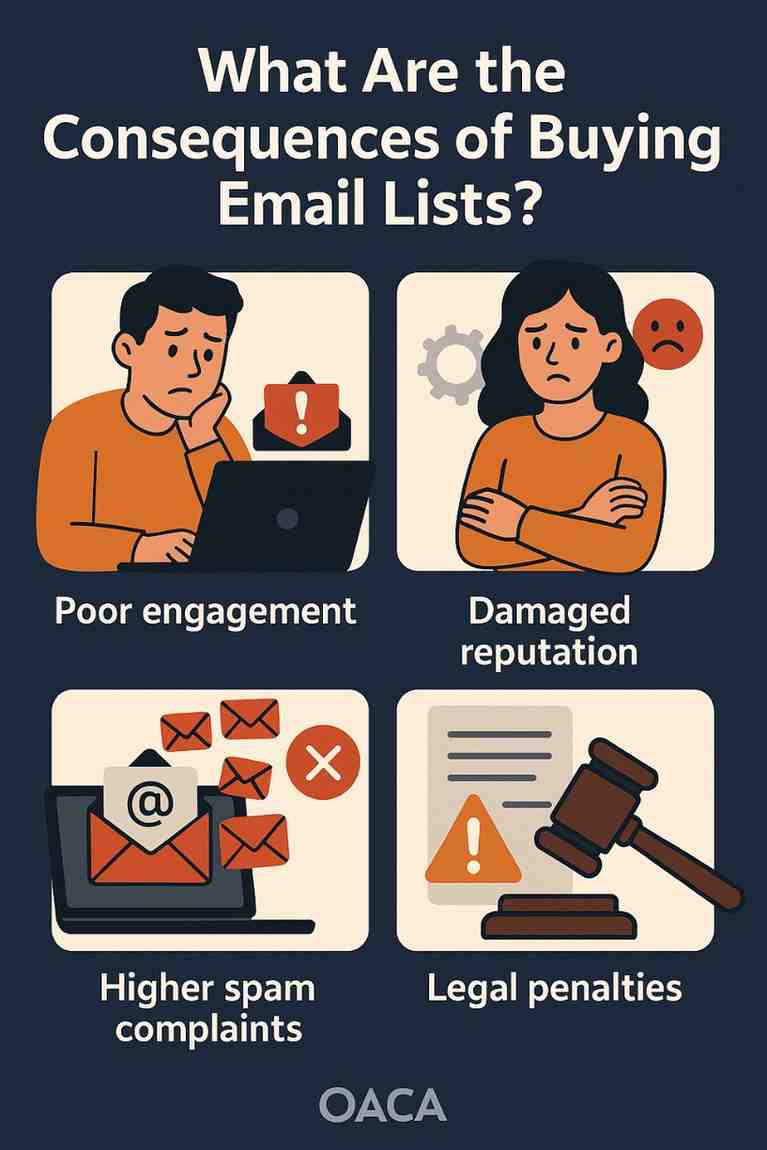
What Are the Consequences of Buying Email Lists?

Purchasing email lists might seem like a quick and cost-effective way to expand a business’s marketing reach, especially for companies eager to grow their customer base rapidly. However, this practice comes with significant risks and consequences that can harm a business’s reputation, financial performance, and legal standing. Below, we explore the multifaceted consequences of buying email lists in detail, covering legal, operational, reputational, and technical implications, and provide an example to illustrate these effects.

Legal Consequences

One of the most severe consequences of buying email lists is the potential violation of data protection and privacy laws. Regulations like the General Data Protection Regulation (GDPR) in the European Union, the California Consumer Privacy Act (CCPA) in the United States, and the Controlling the Assault of Non-Solicited Pornography and Marketing (CAN-SPAM) Act impose strict rules on how businesses collect, store, and use personal data, including email addresses.

Under GDPR, for instance, businesses must obtain explicit consent from individuals before sending them marketing emails. Purchased email lists rarely, if ever, meet this requirement, as the individuals on the list have not opted in to receive communications from the buyer. Violating GDPR can result in fines of up to €20 million or 4% of a company’s annual global turnover, whichever is higher. Similarly, the CAN-SPAM Act requires that recipients have the option to unsubscribe and that senders honor those requests promptly. Non-compliance can lead to penalties of up to $43,792 per email sent.

Beyond fines, legal action from affected individuals or advocacy groups can further damage a business. For example, a class-action lawsuit could arise if consumers feel their privacy has been violated, leading to costly legal battles and settlements.

Reputational Damage

Buying email lists can severely tarnish a company’s reputation. When recipients receive unsolicited emails, they often perceive the sender as untrustworthy or spammy. This negative perception can erode brand credibility and make it harder to build authentic relationships with customers. In an era where consumers value transparency and authenticity, being associated with spam can alienate both existing and potential customers.

Moreover, recipients of unsolicited emails are likely to mark them as spam or report the sender to their email service provider (ESP). High spam complaint rates signal to ESPs like Gmail, Yahoo, or Outlook that the sender is engaging in unethical practices, which can lead to emails being automatically filtered into spam folders or blocked entirely. Once a sender’s reputation is damaged, it can take months or even years to rebuild trust with ESPs and subscribers.

Poor Campaign Performance

Email lists purchased from third-party vendors are often outdated, inaccurate, or filled with low-quality contacts. These lists may include invalid email addresses, fake accounts, or individuals who have no interest in the sender’s products or services. As a result, email campaigns sent to purchased lists typically yield poor performance metrics, such as low open rates, click-through rates, and conversions.

For example, if a business sends 10,000 emails to a purchased list and 30% of the addresses are invalid, 3,000 emails will bounce. High bounce rates not only waste marketing resources but also harm the sender’s email deliverability. Additionally, even if some emails reach valid inboxes, the recipients are unlikely to engage with the content because they have no prior relationship with the brand. This leads to wasted time, money, and effort on campaigns that fail to deliver meaningful results.

Technical and Deliverability Issues

Email deliverability is a critical factor in the success of email marketing campaigns, and buying email lists can significantly undermine it. ESPs use sophisticated algorithms to monitor sender behavior, including bounce rates, spam complaints, and engagement metrics. When a business sends emails to a purchased list, it often triggers red flags, such as:

  • High Bounce Rates: Invalid or outdated email addresses cause emails to bounce, signaling to ESPs that the sender’s list is of poor quality.
  • Spam Traps: Many purchased lists contain spam traps—email addresses set up by ESPs or anti-spam organizations to catch spammers. Sending emails to these addresses can result in the sender being blacklisted.
  • Blacklisting: If a sender’s domain or IP address is flagged for spamming, their emails may be blocked by major ESPs, affecting not only campaigns sent to the purchased list but also legitimate emails sent to opted-in subscribers.

Recovering from blacklisting or poor deliverability is a time-consuming and costly process. Businesses may need to hire email deliverability experts, invest in list-cleaning services, or even switch to a new domain or IP address, all of which disrupt marketing efforts.

Financial Costs

While purchasing an email list may appear inexpensive compared to organic list-building strategies, the hidden costs can quickly add up. These costs include:

  • Wasted Marketing Budget: Low engagement and high bounce rates mean that the money spent on the list and campaign execution is largely wasted.
  • Penalties and Fines: Legal violations can result in hefty fines, as mentioned earlier.
  • Damage Control: Businesses may need to invest in public relations efforts, legal counsel, or deliverability services to mitigate the fallout from using a purchased list.
  • Lost Opportunities: By focusing on low-quality leads from purchased lists, businesses divert resources from more effective strategies, such as content marketing, social media engagement, or opt-in campaigns, which could generate higher returns.

Over time, these costs can far outweigh the initial savings of buying a list, making it a poor investment.

Ethical Considerations

Beyond legal and financial consequences, buying email lists raises ethical questions. Sending unsolicited emails disregards the preferences and privacy of recipients, which can be seen as a breach of trust. Ethical marketing prioritizes building genuine relationships with customers through permission-based strategies, such as opt-in forms or lead magnets. By contrast, purchased lists exploit individuals’ personal information without their consent, undermining the principles of transparency and respect.

Example: A Small Business’s Misstep

To illustrate the consequences of buying email lists, consider the case of “Trendy Boutique,” a small online clothing retailer looking to boost sales. The owner, eager to reach new customers, purchases a list of 50,000 email addresses from a vendor claiming the contacts are “verified” and “targeted” to fashion enthusiasts. The owner invests $500 in the list and another $1,000 in designing and sending an email campaign.

Within days, the campaign results are dismal: only 5% of emails are opened, and the click-through rate is a mere 0.2%. Over 20% of the emails bounce due to invalid addresses, and several recipients mark the emails as spam, frustrated by receiving unsolicited promotions. The high bounce and spam complaint rates trigger Gmail and Outlook to flag Trendy Boutique’s domain, causing future emails—even those sent to legitimate subscribers—to land in spam folders.

Worse, the purchased list contains spam traps, leading to Trendy Boutique’s IP address being blacklisted by a major anti-spam organization. The owner must now spend $2,000 hiring a deliverability consultant to clean up the mess and switch to a new IP address. Meanwhile, a customer in the EU, whose email was included in the purchased list, files a GDPR complaint, resulting in a €10,000 fine for non-compliance.

Social media buzz about Trendy Boutique’s “spammy” emails spreads, prompting several loyal customers to unsubscribe and share negative reviews online. The retailer’s reputation takes a hit, and sales drop by 15% over the next quarter. In total, the decision to buy the email list costs Trendy Boutique over $13,000 in direct expenses and lost revenue, not to mention the long-term damage to its brand.

Alternatives to Buying Email Lists

Instead of resorting to purchased lists, businesses can adopt ethical and effective strategies to build their email lists organically. These include:

  • Opt-In Forms: Place sign-up forms on websites, blogs, or social media pages, offering incentives like discounts or free resources.
  • Lead Magnets: Create valuable content, such as eBooks, webinars, or templates, to encourage visitors to share their email addresses.
  • Social Media Campaigns: Run contests or promotions that require participants to opt in to receive emails.
  • Networking Events: Collect email addresses (with consent) at trade shows, conferences, or in-store events.

These methods take time but yield high-quality, engaged subscribers who are genuinely interested in the brand, leading to better campaign performance and long-term growth.

Conclusion

Buying email lists may seem like a shortcut to marketing success, but the consequences—legal violations, reputational damage, poor campaign performance, technical issues, financial costs, and ethical concerns—far outweigh any short-term benefits. Businesses that prioritize sustainable, permission-based marketing strategies will build stronger relationships with their audience and achieve greater success in the long run. The example of Trendy Boutique underscores the real-world impact of these consequences, serving as a cautionary tale for any business tempted to take this risky path.

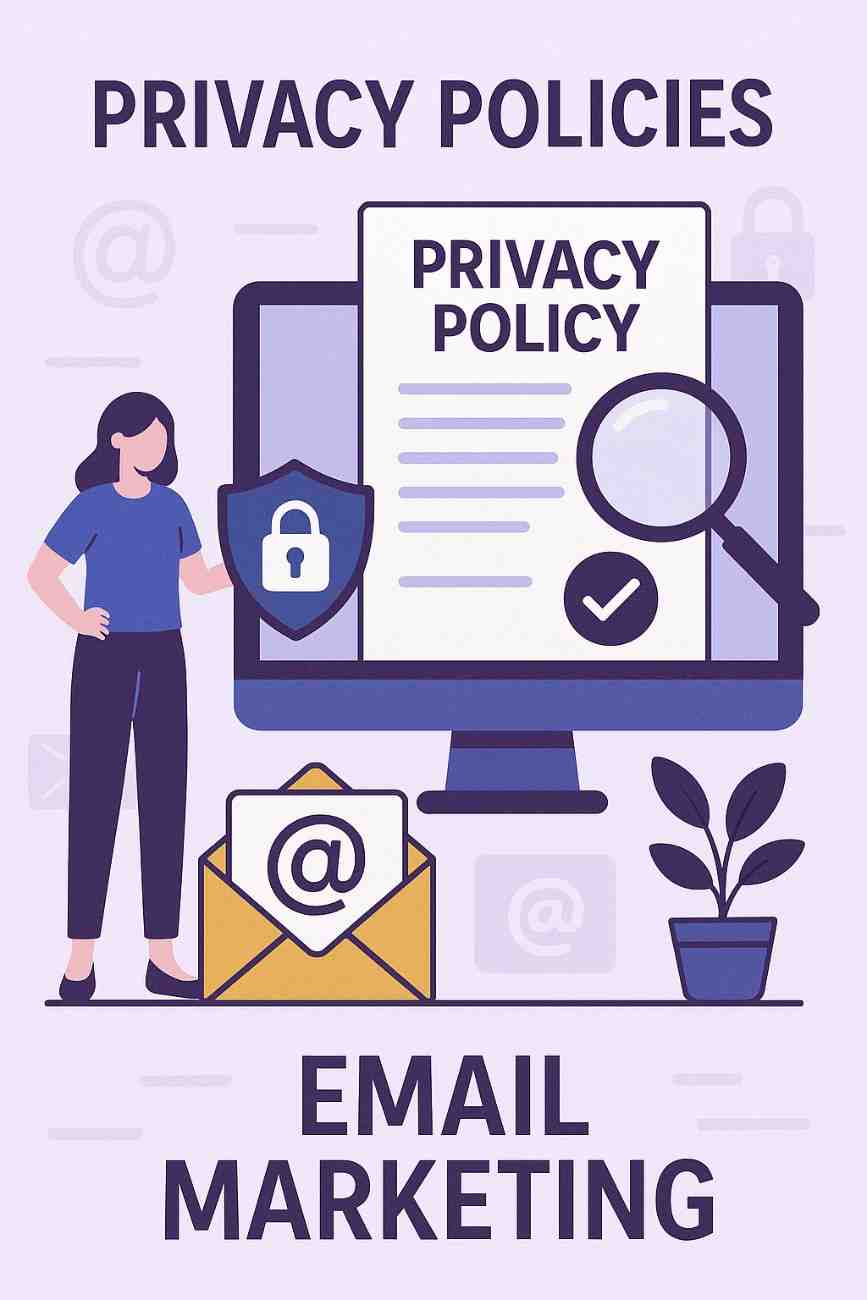
How Do Privacy Policies Relate to Email Marketing?

In the digital age, email marketing remains one of the most effective strategies for businesses to connect with their customers. It allows companies to build relationships, promote products or services, and drive sales. However, with the increasing concerns about data privacy and consumer protection, businesses must operate within the boundaries of laws and ethical standards. This is where privacy policies become fundamentally important. A well-structured privacy policy plays a crucial role in shaping the trust between a brand and its customers, particularly in email marketing practices.

This article explores how privacy policies relate to email marketing, why they are essential, the legal frameworks behind them, and how they influence marketing practices. We will also provide a practical example to illustrate the concepts.


Understanding Privacy Policies

A privacy policy is a legal document that outlines how a company collects, uses, stores, shares, and protects user data. For email marketing, this typically includes information such as:

  • What personal data is collected (e.g., email addresses, names, demographics)

  • How that data is used (e.g., for newsletters, promotional campaigns)

  • Who the data is shared with (e.g., third-party service providers)

  • How users can control their data (e.g., opt-out options)

  • Security measures in place to protect the data

A transparent and comprehensive privacy policy is not just a legal formality—it’s a commitment to protecting consumer rights.


The Link Between Privacy Policies and Email Marketing

Privacy policies and email marketing are deeply connected. Here’s how:

1. Informed Consent

One of the most fundamental principles of privacy is consent. When collecting email addresses for marketing purposes, companies must ensure that users are aware of what they are signing up for. A privacy policy provides a platform to explain this clearly.

Under regulations like the General Data Protection Regulation (GDPR) in Europe or the California Consumer Privacy Act (CCPA) in the United States, businesses are required to:

  • Inform users about data collection

  • Obtain explicit consent before sending marketing emails

  • Allow users to opt-out at any time

If a company collects email addresses via a form and later sends promotional emails without informing the user through a privacy policy or without obtaining consent, it would be violating privacy laws.

2. Transparency in Data Use

Email marketing often involves the use of personal data to segment audiences, personalize emails, and analyze performance metrics. A privacy policy should clearly state:

  • How the collected email data will be used (e.g., personalization, analytics)

  • Whether the data will be shared with third parties (like email service providers or CRM tools)

  • The duration the data will be stored

Transparency helps establish credibility. If users feel that their data is being misused or shared without their knowledge, they may unsubscribe or even file complaints.

3. Legal Compliance and Risk Mitigation

Having a privacy policy ensures compliance with multiple international and regional laws. Some of the key laws that enforce privacy in email marketing include:

  • GDPR (EU): Requires lawful basis for processing data and strict consent protocols.

  • CAN-SPAM Act (USA): Requires clear opt-out options and identification of the sender.

  • CCPA (California): Grants users the right to know what data is collected and to request deletion.

  • CASL (Canada): Demands express consent before sending commercial electronic messages.

Violating these laws can lead to hefty fines. For instance, under GDPR, penalties can be as high as €20 million or 4% of annual global turnover, whichever is higher.

A privacy policy helps demonstrate that a business takes compliance seriously, and it can serve as evidence of due diligence in legal proceedings.

4. Builds Customer Trust and Loyalty

In an age where data breaches and spam are common, consumers are more concerned than ever about how their data is handled. A clearly stated privacy policy assures customers that:

  • Their data will not be sold or misused

  • They have control over their information

  • The company respects their privacy

This can lead to higher engagement rates, fewer unsubscribes, and more positive brand perception. Trust is a critical currency in email marketing, and privacy policies help build that trust.

5. Control and User Rights

A good privacy policy outlines user rights, such as:

  • The right to unsubscribe

  • The right to request data deletion

  • The right to update personal information

These rights are essential for ethical marketing. When users know they have control over their data, they’re more likely to engage. Ignoring these rights can lead to user backlash and reputational damage.


Example: Privacy Policy in Email Marketing

Let’s consider a practical example:

Company: “EcoLiving” – A Sustainable Lifestyle Brand

EcoLiving collects email addresses through a newsletter sign-up form on its website. The form says:
“Sign up to receive eco-friendly living tips, exclusive discounts, and product updates. By subscribing, you agree to our Privacy Policy.”

The linked privacy policy includes:

  • Data Collection: “We collect your email address and name when you subscribe to our newsletter.”

  • Purpose: “This data is used to send promotional emails, updates about new products, and personalized content.”

  • Third Parties: “We use Mailchimp to manage our email list and send messages. Your data is stored securely and not sold to third parties.”

  • User Rights: “You can unsubscribe at any time using the link at the bottom of every email. You may also request that we delete your data by contacting support@ecoliving.com.”

  • Security: “We use encryption and secure servers to protect your information.”

Impact of This Privacy Policy on Their Email Marketing:

  • Legal Compliance: By explicitly stating how data is used and obtaining consent, EcoLiving complies with GDPR and CAN-SPAM.

  • Transparency: Users know exactly what they’re signing up for.

  • Trust Building: By promising not to sell data and offering opt-out rights, the company fosters consumer trust.

  • Efficiency: Only users genuinely interested in their content sign up, improving engagement and conversion rates.

Without such a policy, EcoLiving would risk user complaints, legal action, and a damaged reputation.


Consequences of Ignoring Privacy Policies in Email Marketing

Ignoring privacy policies—or failing to enforce them—can lead to serious consequences:

1. Legal Penalties

Regulatory bodies can impose fines or restrictions. For example, companies like British Airways and Marriott faced multi-million-euro fines for data violations under GDPR.

2. Loss of Consumer Trust

If customers feel deceived, they will likely unsubscribe, block the sender, or report emails as spam.

3. Blacklisting

Email service providers (ESPs) like Gmail or Outlook can mark marketing emails as spam or blacklist your domain if users frequently report your emails. This reduces deliverability rates significantly.

4. Brand Reputation Damage

News about unethical email practices spreads quickly, especially on social media. One privacy breach or scandal can undo years of brand-building.


Best Practices for Aligning Privacy Policies with Email Marketing

To make your privacy policy truly effective for email marketing, follow these practices:

  1. Make It Easy to Understand
    Avoid legal jargon. Use plain language so the average user can understand how their data will be used.

  2. Include a Link During Sign-Up
    Always link your privacy policy at the point of data collection (e.g., on sign-up forms).

  3. State the Purpose Clearly
    Explain what kind of emails the subscriber will receive—newsletters, offers, product updates, etc.

  4. Provide Opt-Out Options
    Include an unsubscribe link in every email and respect user requests promptly.

  5. Keep It Updated
    Privacy regulations evolve. Regularly review and update your privacy policy to stay compliant.

  6. Use Double Opt-In Where Possible
    This confirms that the user truly wants to subscribe and reduces fake or incorrect sign-ups.


Conclusion

Privacy policies and email marketing are intertwined in today’s data-driven world. A clear, comprehensive, and legally compliant privacy policy is essential not only to avoid penalties but also to build trust, respect consumer rights, and ensure the long-term success of email marketing strategies.

It’s no longer enough to simply send emails; businesses must demonstrate responsibility in how they handle customer data. By aligning privacy policies with ethical email marketing practices, companies can create more meaningful connections, improve engagement, and maintain their reputation in a competitive market.

In short, privacy policies are the backbone of responsible email marketing. They don’t just protect consumers—they protect businesses, too.

How do you set up a remarketing campaign?

Introduction

Setting up a remarketing campaign in Google Ads allows you to re-engage people who previously visited your website, interacted with your app, or watched your YouTube videos. These users already know your brand, making them more likely to convert. Whether you’re a fashion brand like ZARA reminding users about the dress they left in their cart, or a travel company retargeting visitors who explored holiday packages, remarketing helps boost conversions and lower acquisition costs.

Below is a step-by-step guide to set up a remarketing campaign in Google Ads for Display and Search

Step 1: Set Up the Google Ads Tag (or Use Google Analytics)

To track and collect users for remarketing, you need to tag your website.

Option 1: Use the Google Ads Remarketing Tag

  1. Go to your Google Ads account.

  2. Click on Tools & Settings (wrench icon) > Shared Library > Audience Manager.

  3. Under the “Your Data Sources” tab, click “Set up tag”.

  4. Choose whether you want to collect:

    • General visitors only (basic)

    • Specific actions (e.g., visited certain pages, added to cart)

  5. Copy the tag code and paste it into every page of your website before the </head> tag, or install it using Google Tag Manager.

Option 2: Use Google Analytics for Remarketing

  1. Link Google Analytics to your Google Ads account.

  2. In Google Analytics, enable Advertising Features.

  3. Create audience lists and import them into Google Ads.

Step 2: Create Remarketing Audience Lists

Go to Tools & Settings > Shared Library > Audience Manager and create your audience lists:

  1. Click + Audience List

  2. Choose the source (Website visitors, App users, Customer list, YouTube users)

  3. Select criteria like:

    • All website visitors

    • People who visited a specific product page

    • Cart abandoners (visited cart but not checkout)

    • Past converters

  4. Set membership duration (e.g., 30 days, 90 days)

  5. Name and save the list

Example (ZARA):

  • Create a list called “Viewed Summer Collection – No Purchase”

  • Set rule: URL contains /summer-dresses

  • Duration: 30 days


Step 3: Create a New Remarketing Campaign

Option A: Display Remarketing Campaign

  1. In Google Ads, click Campaigns > + New Campaign

  2. Choose Goal (e.g., Sales, Leads, Website Traffic) or Create a campaign without a goal

  3. Select “Display” as the campaign type

  4. Choose Standard Display Campaign

  5. Enter your website, campaign name, and other settings

  6. Set your daily budget, bidding strategy (e.g., maximize conversions), and locations

Option B: Search Remarketing (RLSA)

Same steps, but choose “Search” instead of “Display.”
RLSA is useful when users return to Google and search for related terms again.


Step 4: Set Audience Targeting

  1. In the campaign setup, go to Audiences

  2. Under “How they interacted with your business,” select “Website visitors”

  3. Choose the audience list(s) you created earlier

  4. You can add more targeting filters if needed (demographics, location, devices)


Step 5: Create Ads

  1. For Display: Upload responsive display ads or image banners

    • Add logo, images (e.g., product photo), headlines, descriptions, CTA

    • Google adjusts them to fit various placements

  2. For Search: Write text ads targeting returning users

    • Use language like “Still thinking?” or “Pick up where you left off”

Example (ZARA):

  • Headline: “Still Looking at That Summer Dress?”

  • Description: “Get 10% off today only. Limited Stock Available.”

  • CTA: “Shop Now”

Step 6: Review and Launch

  1. Double-check:

    • Budget and bidding

    • Audience list(s)

    • Ad creative

    • Devices and location settings

  2. Click “Publish Campaign”

Step 7: Monitor and Optimize

After launch:

  • Go to Campaigns > Audiences to see how your remarketing audiences perform

  • Adjust frequency capping to avoid ad fatigue

  • Exclude people who already converted (e.g., using a “Converted Users” list)

  • Test new offers or creatives for different audience segments


Optional: Set Up Dynamic Remarketing (for E-commerce Brands like ZARA)

Dynamic Remarketing shows the exact product a user viewed on your site.

To set this up:

  1. Set up a Google Merchant Center account and upload your product feed.

  2. Link it to your Google Ads account.

  3. Enable Dynamic Ads in your campaign.

  4. Add parameters to your site (e.g., product ID, page type, etc.).

  5. Google will automatically generate ads showing the viewed product with price and image.

Conclusion

Setting up a remarketing campaign in Google Ads is a strategic way to re-engage users who’ve already interacted with your business. It’s especially useful for e-commerce and fashion brands like ZARA, where visual product recall and timing are critical for conversions.

By following the steps above—installing the remarketing tag, creating audience lists, launching a display or search campaign, and customizing your ad creatives—you can bring back potential customers and improve your return on investment (ROI). Don’t forget to analyze performance and refine your audience targeting for best results.

What is remarketing in Google Ads?

Introduction

Remarketing in Google Ads is a powerful advertising strategy that allows businesses to re-engage users who have previously interacted with their website, mobile app, or YouTube videos. Instead of targeting brand-new visitors, remarketing focuses on people who already know your brand but didn’t take the desired action—like making a purchase, filling out a form, or subscribing.

With remarketing, you can show tailored ads to these users as they browse other websites, watch videos, or use mobile apps within the Google Display Network (GDN) or as they continue searching on Google. This increases the chance of conversion by bringing them back to your business with personalized, highly relevant ads.

Why Use Remarketing?

Most users don’t convert the first time they visit a website. Remarketing helps to:

  • Stay top-of-mind with potential customers

  • Boost conversions by bringing back warm leads

  • Customize ad messaging based on past behavior

  • Reduce cost-per-conversion since the audience is already engaged

Types of Remarketing in Google Ads

  1. Standard Remarketing
    Shows display ads to past visitors as they browse websites and apps in the Google Display Network.

  2. Dynamic Remarketing
    Goes a step further by showing ads with specific products or services users viewed on your site. Ideal for e-commerce businesses like ZARA, where users might be reminded of a dress or bag they looked at.

  3. Remarketing Lists for Search Ads (RLSA)
    Allows you to customize search ads for previous visitors when they search for related terms again on Google.

  4. Video Remarketing
    Targets users who interacted with your YouTube videos or channel, and shows them ads on YouTube or across the Display Network.

  5. Customer List Remarketing
    Allows you to upload lists of customer emails or phone numbers. Google matches this data with signed-in users and shows them tailored ads.

  6. App Remarketing
    Targets people who have used your mobile app and encourages them to return or complete an action.

How Remarketing Works

Step 1: A user visits your website and triggers a remarketing tag (a snippet of code installed on your site).

Step 2: Google adds that user to a remarketing audience list (e.g., “Cart Abandoners”, “Visited Women’s Section”).

Step 3: You create an ad campaign targeting that specific audience.

Step 4: As that user browses other websites or apps, or searches again on Google, they see your remarketing ads.

This creates multiple “reminder” touchpoints, nudging them back to your site to complete the action.

Example: Remarketing for ZARA

Let’s say ZARA runs a summer campaign for their new dress collection.

  • A customer visits ZARA’s website and views a white linen dress, but leaves without buying.

  • That user is added to a remarketing audience list called “Visited Product Pages – No Purchase”.

  • ZARA launches a dynamic remarketing campaign showing the same white linen dress the customer viewed, along with a 10% discount.

  • The user sees the ad on a fashion blog, clicks, and returns to complete the purchase.

This helps ZARA recover lost conversions, personalize advertising, and boost return on ad spend (ROAS).

Benefits of Remarketing

  • Highly targeted: Reach people already interested in your products or services.

  • Personalized messaging: Show ads based on user behavior (e.g., items viewed, pages visited).

  • Cost-effective: These audiences tend to convert better, reducing cost per acquisition.

  • Flexible: Works across Display, Search, YouTube, and apps.

  • Control over audience duration: Choose how long users stay on your remarketing list (e.g., 7 days, 30 days, 180 days).

  • Segmentation: Create multiple audience lists (e.g., cart abandoners, homepage viewers, converters).

Best Practices for Remarketing

  • Use frequency capping to avoid overexposing ads to the same users.

  • Segment your lists by user behavior (e.g., homepage visitors vs. cart abandoners).

  • Rotate ad creatives to keep your ads fresh and engaging.

  • Offer incentives (e.g., free shipping, limited-time offers) to bring users back.

  • Use exclusions to avoid showing ads to people who already converted.

Tools Required for Remarketing

  • Google Ads Account

  • Google Ads Tag or use Google Tag Manager to install it across your site

  • Remarketing Lists created in Google Ads or Google Analytics

  • Ad creatives tailored to each audience

  • Conversion tracking (for dynamic remarketing or performance evaluation)

Privacy and Compliance

Google follows strict privacy guidelines. You must:

  • Inform users about cookie usage and remarketing in your privacy policy

  • Give users options to opt out (through Ads Settings or browser tools)

Conclusion

Remarketing in Google Ads is a smart, effective way to reconnect with users who’ve already shown interest in your brand. Whether you’re a global fashion brand like ZARA or a small local business, remarketing allows you to deliver timely, personalized ads that increase the chances of conversion. With proper audience segmentation, compelling ad creatives, and a well-planned strategy, remarketing can significantly enhance your campaign performance and maximize your advertising budget.

How do you pause or stop a campaign?

Introduction

Sometimes, you may want to temporarily stop your ads from running—whether it’s to pause a low-performing campaign, stop spending during off-season periods, or re-evaluate your ad strategy. Google Ads gives you complete control over your campaigns, allowing you to pause, resume, or remove them at any time.

Pausing a campaign does not delete it—it simply stops it from showing ads. You can resume it later with all settings, ads, and history intact. Stopping (removing) a campaign is more permanent; the campaign will no longer run and can’t be reactivated, although its performance data will remain accessible.

Here’s how to pause, resume, or remove a campaign step by step.

How to Pause a Campaign in Google Ads

Step 1: Sign In

Step 2: Navigate to Campaigns

  • From the left-hand side menu, click on “Campaigns” to see a list of all your active and paused campaigns.

Step 3: Select the Campaign You Want to Pause

  • Locate the campaign you want to pause in the list.

  • Under the “Status” column, it will show “Enabled” if it’s currently running.

Step 4: Pause the Campaign

  • Hover over the status icon (green dot) next to the campaign name.

  • Click it and select “Pause” from the dropdown menu.

Alternatively:

  • Check the checkbox next to the campaign name.

  • Click the “Edit” dropdown at the top of the table.

  • Select “Pause” from the options.

The status will change to “Paused”, and Google will stop serving ads from that campaign immediately.

How to Resume a Paused Campaign

If you’ve paused a campaign and want to restart it:

  • Follow the same steps to go to your Campaigns list.

  • Look for the campaign with status “Paused.”

  • Click the status icon and select “Enable” or use the Edit > Enable option at the top.

  • Your campaign will become active again, and ads will begin running.

How to Stop (Remove) a Campaign

If you want to permanently stop a campaign:

  • Select the campaign(s) from the campaign table.

  • Click the Edit dropdown.

  • Select “Remove”.

Note: A removed campaign cannot be reactivated. However, you can still view its historical data.

Difference Between Pause and Remove

Action What It Does Can Be Reversed? Keeps Campaign Data?
Pause Temporarily stops ads ✅ Yes ✅ Yes
Remove Permanently stops ads ❌ No ✅ Yes

When Should You Pause a Campaign?

  • You want to take a break from spending

  • The campaign is not performing well and needs re-optimization

  • You’re running seasonal ads and the season has ended

  • You want to shift budget to another campaign temporarily

When Should You Remove a Campaign?

  • The campaign is outdated or irrelevant

  • You’ve created a new improved version of the same campaign

  • You no longer want the campaign to appear in your active list

Pausing Ad Groups, Ads, or Keywords

You don’t have to pause the entire campaign. You can also pause:

  • Ad groups (specific sections within a campaign)

  • Individual ads

  • Keywords

Go to the relevant tab (Ad groups, Ads & assets, or Keywords), find the item, and change the status from “Enabled” to “Paused.”

Conclusion

Pausing or stopping a campaign in Google Ads is quick and easy. Use Pause when you want a temporary break with the option to resume later, and use Remove for permanent shutdowns. Google Ads also allows pausing individual elements like ad groups or keywords, giving you full control to optimize your ad strategy at any time.

How do you access Google Ads reports?

Introduction

Accessing Google Ads reports is essential for measuring the effectiveness of your advertising campaigns. Reports help you analyze performance metrics such as clicks, impressions, conversions, cost-per-click (CPC), return on ad spend (ROAS), and many more. These insights allow you to optimize your campaigns, identify what’s working, and eliminate what isn’t.

Google Ads offers several ways to access, view, and customize reports—from standard campaign performance tables to custom dashboards, downloadable Excel/CSV reports, and even automated scheduled reports.

Below is a complete guide on how to access Google Ads reports.

1. Accessing Reports from the Campaign Dashboard

The most basic way to view reports in Google Ads is through the main campaign dashboard:

  • Sign in to your Google Ads account.

  • On the left-hand menu, click on “Campaigns”.

  • You’ll see a table displaying data such as impressions, clicks, CTR (click-through rate), cost, conversions, and more.

  • You can switch between tabs (Campaigns, Ad groups, Ads & assets, Keywords) to view data at different levels.

From here, you can also customize the columns:

  • Click the “Columns” icon above the data table.

  • Choose “Modify columns” to add or remove metrics (like cost/conversion, quality score, or ROAS).

  • Click Apply to update the view.

2. Using the Reports Menu (Prebuilt and Custom Reports)

Google Ads also offers a dedicated Reports section for deeper insights:

  • In your account, click the “Reports” icon in the top right toolbar (it looks like a graph).

  • You will see three main types of reports:

    • Predefined Reports (Dimensions): Ready-made reports based on specific dimensions like “Time”, “Devices”, “Search terms”, etc.

    • Custom Reports: Create personalized reports with custom metrics and filters.

    • Dashboards: Combine multiple reports in one visual display for monitoring.

Steps to Access Predefined Reports:

  • Click Reports > Predefined reports (Dimensions).

  • Choose from options such as:

    • Time > Day, Week, Month

    • Geography > User location

    • Devices

    • Landing pages

    • Search terms

These reports are especially useful for identifying trends over time or comparing performance across different locations or devices.

3. Creating Custom Reports

If predefined reports don’t meet your needs, you can build a custom report:

  • Go to Reports > Custom.

  • Click the “+” (plus) icon to start a new table, line chart, bar chart, or pie chart.

  • Drag and drop the desired metrics (like conversions, impressions, clicks) and dimensions (campaign name, keyword, device, location).

  • Apply filters and segments to narrow the report (e.g., only mobile traffic, or only ads with more than 100 clicks).

  • Click Save and name your report.

You can also download or schedule this report for regular email delivery.

4. Using Dashboards for Visual Reporting

Dashboards are a great way to visualize your reports:

  • Click on Reports > Dashboards.

  • Click “+ Dashboard” to create a new one.

  • Add cards (tables, charts, scorecards) from existing reports or create new ones.

  • Customize layout and metrics to match your KPIs.

  • Dashboards help in sharing performance snapshots with teams or clients quickly.

5. Downloading and Exporting Reports

Once you have your desired report:

  • Click the “Download” icon (downward arrow above the table).

  • Choose the format: Excel (XLSX), CSV, PDF.

  • You can also choose to schedule the report by selecting “Schedule email”.

  • Enter recipient email(s), select frequency (daily, weekly, monthly), and format.

This feature is especially useful for automating reporting to team members or clients.

6. Using Google Ads Insights Page

Google Ads also provides an Insights Page which gives you automated trends, opportunities, and audience behavior.

To access:

  • Click on “Insights” from the left-hand menu.

  • View data like top search trends, auction insights, predicted demand surges, and more.

  • This page is automatically generated by Google using machine learning and can help you uncover untapped opportunities.

7. Using Google Ads Editor (Offline Tool)

Google Ads Editor is a free offline tool that also lets you download and view performance data, although it’s limited compared to online reports.

  • Download and install Google Ads Editor.

  • Sync your account and download campaigns.

  • Use the “Statistics” section to review performance by date, keyword, ad group, etc.

8. Connecting with Google Looker Studio (Advanced Reporting)

For more advanced reporting and visualization:

  • Use Google Looker Studio (formerly Data Studio).

  • Connect your Google Ads account as a data source.

  • Create interactive reports and dashboards with full customization.

  • Useful for agencies and enterprises that need deep analytics and branded reporting.

Example
Zara’s marketing team effectively uses Google Ads reporting tools to monitor and optimize campaign performance:

  • The campaign table helps track KPIs

  • Predefined reports reveal device trends

  • Custom reports expose geographic strengths

  • Scheduled reports automate updates to leadership

  • Dashboards visualize progress

  • Insights page helps discover keyword trends

By accessing these Google Ads reports regularly, Zara can adjust its campaigns to maximize ROI, stay competitive in the fashion space, and ensure its seasonal promotions reach the right audience at the right time.

Conclusion

Accessing Google Ads reports is simple and flexible. You can quickly view basic performance metrics from the campaign dashboard, use predefined reports for time or device analysis, create custom reports for deep analysis, and export or schedule them for regular updates. Whether you’re managing a single campaign or handling multiple clients, mastering the reporting tools in Google Ads will help you make better data-driven decisions and improve your campaign performance over time.

How to Become a Digital Marketing Specialist

Digital marketing is one of the fastest-growing fields today. Many people are interested in building a career in digital marketing, and becoming a digital...

What is SMM in Digital Marketing

SMM, or Social Media Marketing, is one of the most important parts of digital marketing. In simple words, SMM is the process of using...

What is Google Analytics in Digital Marketing

Google Analytics is one of the most important tools in digital marketing. It helps businesses understand how people interact with their websites and online...

What is Google AdWords in Digital Marketing

Google AdWords is one of the most important tools in digital marketing. Many businesses use AdWords to reach their target audience online and increase...

What Is CPM in Digital Marketing

In digital marketing, understanding how your ads are priced and measured is very important. Different advertising models help marketers track performance and control spending....