Home Blog Page 21

What are billing and payments in Google Ads?

Introduction

Billing and payments in Google Ads refer to how advertisers are charged for their ad spend and how they manage their payments to Google. This system ensures that businesses pay accurately for the ads served, and provides flexibility in how, when, and where they pay. Understanding Google Ads billing and payment processes is crucial for keeping your advertising account active, managing costs, and avoiding interruptions in ad delivery.

Google Ads offers various payment methods, billing setups, and invoice options depending on your business size, location, and preferences. Whether you’re a small business running occasional campaigns or a large enterprise spending lakhs per month, Google Ads has a billing model to suit your needs.

Key Concepts in Google Ads Billing

To understand billing and payments, you first need to know a few key concepts:

1. Billing Thresholds
If you’re using automatic payments, Google charges you once your spending reaches a certain threshold amount or at the end of a 30-day billing cycle—whichever comes first. These thresholds increase over time if payments are successful.

Example: Your initial billing threshold might be ₹500. Once your account spends ₹500, Google charges your payment method. If successful, your threshold may increase to ₹2,000, ₹5,000, and so on.

2. Billing Cycle
The billing cycle is the time between payment charges. In automatic payments, you’re charged either when you hit the threshold or every 30 days, whichever is earlier. In manual payments, you’re charged in advance.

3. Payment Methods
Google Ads accepts various payment methods based on your country. Common options include:

  • Credit or Debit Cards (Visa, MasterCard, RuPay, etc.)

  • Net banking

  • UPI (Unified Payments Interface)

  • Manual bank transfers (for invoiced accounts)

  • Direct debit (for eligible countries)

4. Billing Country and Currency
When setting up your Google Ads account, you must select your billing country and currency. These determine the available payment methods and how Google charges your account.

Types of Payment Settings

Google Ads offers three primary types of billing setups:

1. Automatic Payments (Postpay)
You accrue costs as your ads run, and Google charges you after the fact. Payments happen when:

  • You reach the billing threshold

  • 30 days have passed since your last automatic charge

2. Manual Payments (Prepay)
You add funds to your Google Ads account in advance. Google deducts advertising costs from this prepaid balance. Once the balance is low or exhausted, ads stop running until you add more funds.

3. Monthly Invoicing
This is for large businesses that qualify. With this method, Google extends a credit line and invoices you monthly for the previous month’s ad spend. You pay by bank transfer or cheque according to the net payment terms (e.g., 30 days after invoice).

This option requires a credit check and minimum spending criteria.

How Billing Works: Step-by-Step

Step 1: Ads Run and Accumulate Costs
As your ads are shown, Google tracks every click, impression, or conversion based on your campaign goals and bidding strategy. These costs are recorded in your account under the “Billing” section.

Step 2: Threshold or Time-Based Charges
If you’re on automatic payments, Google charges your selected payment method when either:

  • Your ad spend reaches your current billing threshold (e.g., ₹5,000)

  • 30 days have passed since your last payment

Step 3: Payment Processing
Google processes the charge using your saved payment method. If successful, your balance resets and your ads continue running.

Step 4: Billing Statement and Invoice
You receive a statement or invoice summarizing the transaction, showing campaign spend, taxes (like GST in India), and any adjustments.

Example: Billing for a Campaign

Let’s say you are running a campaign for your online store Lazoro, and you’re on automatic payments with a billing threshold of ₹2,000.

  • Day 1–5: Your ads accumulate ₹1,500 in spend — no charge yet.

  • Day 6: Your spend hits ₹2,000 — Google charges your saved card.

  • You get an invoice showing: Ad spend ₹2,000 + GST ₹360 = ₹2,360

  • Your next threshold is increased to ₹5,000 for smoother billing.

If instead you chose manual payments, you would prepay ₹5,000 and ads would run until the balance runs out. Once depleted, your ads would pause until you recharge your account.

Managing Billing Settings

To manage your billing settings:

  1. Go to your Google Ads account.

  2. Click on the Tools & Settings icon (wrench) in the top menu.

  3. Under Billing, select Settings.

  4. Here, you can update your payment methods, view your transaction history, download invoices, and change billing contacts.

Adding or Changing Payment Methods

You can add multiple payment methods for safety. If one fails, Google automatically tries the backup. This avoids ad disruptions.

To add:

  • Click Payment Methods under Billing.

  • Add a new credit/debit card, UPI ID, or bank account.

  • Set as primary or backup payment method.

GST and Tax Information in India

If you’re advertising from India, Google charges GST (18%) on your ad spend. You can enter your GSTIN in the billing profile to claim Input Tax Credit (ITC) in your GST filings.

For example:

  • Ad spend = ₹1,000

  • GST (18%) = ₹180

  • Total charged = ₹1,180

  • Invoice will show GST breakdown and your GSTIN if entered

Common Billing Issues

1. Payment Declined
A failed transaction can pause your ads. Fix this by updating your card or choosing a different method.

2. Threshold Not Increasing
If you frequently face charges at low thresholds, it may be due to failed or delayed payments. Make sure your card is active and has sufficient balance.

3. Billing Setup Locked
You can’t change your billing country or currency after setup. If needed, you must create a new Google Ads account.

4. Double Charges
This is rare but can happen due to pending charges or bank delays. Google usually adjusts such errors automatically, or you can contact support.

Best Practices for Billing Management

  • Use automatic payments for consistent campaigns with regular spend.

  • Use manual payments if you want tighter control and avoid auto-charges.

  • Monitor billing history regularly to spot issues early.

  • Set up alerts to get notified when charges are made.

  • Keep your payment methods updated to avoid account suspension.

  • Download monthly invoices for tax filing and financial tracking.

Conclusion

Billing and payments in Google Ads are designed to offer flexibility, transparency, and convenience. Whether you prefer paying after your ads run (automatic), prepaying for full control (manual), or getting a monthly invoice (credit billing), Google provides a system that fits your needs.

Understanding how billing thresholds work, how to manage your payment methods, and how to view invoices is crucial to ensuring your campaigns run smoothly and without interruption. Especially for businesses like Lazoro or others running e-commerce ads, a well-managed billing setup supports consistent performance and financial clarity.

What is a shared budget?

Introduction

In Google Ads, managing multiple campaigns can become complex, especially when trying to allocate your advertising budget efficiently across them. This is where a shared budget comes in. A shared budget is a feature that allows advertisers to allocate a single daily budget across multiple campaigns, rather than setting individual budgets for each one. This approach helps maximize performance and simplifies budget management, particularly when you want Google to automatically distribute your spend where it’s most needed.

Definition of Shared Budget

A shared budget is a single daily budget that multiple campaigns can draw from. Instead of assigning a fixed daily budget to each campaign, you create one budget that can be shared across several campaigns. Google Ads will then automatically distribute that budget to the campaigns based on opportunity and performance.

For example, if you set a shared budget of ₹2,000 for three campaigns, Google might spend ₹700 on one campaign, ₹900 on another, and ₹400 on the third—depending on which campaign is getting better results or more traffic on a particular day.

How Shared Budgets Work

When you use a shared budget, Google Ads evaluates each campaign throughout the day and dynamically assigns funds from the shared pool based on performance, ad demand, and available impressions. This automatic distribution allows high-performing campaigns to access more funds if needed while ensuring that low-performing ones do not consume budget unnecessarily.

This is especially useful when:

  • You have multiple campaigns with similar goals (like sales or traffic).

  • You want to simplify budget management.

  • You are unsure which campaign will perform best and prefer to let Google allocate accordingly.

How to Set Up a Shared Budget

  1. Go to your Google Ads account.

  2. Click on Tools & Settings, then select Shared Library.

  3. Choose Shared Budgets.

  4. Click the plus (+) button to create a new shared budget.

  5. Name your budget, set a daily amount, and select the campaigns that should use it.

  6. Save your settings.

Once applied, those campaigns will no longer use individual budgets and instead pull from the shared pool.

Benefits of Using a Shared Budget

1. Simplified Budget Management
Managing several campaigns can be time-consuming. A shared budget reduces the hassle by allowing you to control one budget for multiple campaigns instead of adjusting each one separately.

2. Better Budget Utilization
Some campaigns may not always use their full budget, while others may need more. Shared budgets make sure unused funds from one campaign can be used by another, preventing waste.

3. Improved Campaign Flexibility
If traffic or engagement shifts during the day or week, Google can automatically reallocate the budget to the campaign that’s performing best, boosting your overall results.

4. Ideal for Similar Goals
When multiple campaigns are aimed at the same business objective (like lead generation or brand awareness), shared budgets help balance spending efficiently across them.

Example of a Shared Budget

Suppose you run an e-commerce store like Lazoro, selling handcrafted metal wall art. You create three campaigns:

  • Campaign A: Promotes Home Decor products

  • Campaign B: Targets Office Wall Art

  • Campaign C: Runs Remarketing Ads

Instead of setting:

  • ₹1,000/day for Campaign A

  • ₹1,000/day for Campaign B

  • ₹1,000/day for Campaign C

You set a shared budget of ₹3,000/day for all three.

On a particular day:

  • Campaign A performs strongly and spends ₹1,500

  • Campaign B spends ₹1,200

  • Campaign C only needs ₹300

The full ₹3,000 is used, but in a flexible, performance-driven way—maximizing your ad ROI.

Limitations and Considerations

1. Lack of Control
While convenient, shared budgets offer less granular control. If you want to ensure a specific campaign always gets a fixed budget, shared budgets may not be the best option.

2. Uneven Performance
High-performing campaigns may dominate the shared budget, limiting visibility for newer or experimental campaigns.

3. No Shared Budget for Performance Max or Smart Campaigns
Certain campaign types like Performance Max may not be compatible with shared budgets, requiring separate budget setups.

Conclusion

A shared budget in Google Ads is a powerful tool that allows advertisers to manage funds more efficiently across multiple campaigns. It saves time, optimizes performance, and reduces the chance of budget underuse or overspending.

What is a daily budget?

Introduction

In the digital marketing world, managing ad expenses efficiently is crucial for success. Whether you’re running a small business or managing a large-scale marketing campaign, you need to control how much you spend on ads each day. This is where the concept of a daily budget comes in, especially in platforms like Google Ads, Facebook Ads, and other paid advertising networks. A daily budget helps advertisers stay within financial limits while still reaching their marketing goals.

When using Google Ads, the daily budget determines how much you are willing to spend on a given campaign per day. This amount influences how frequently your ads are shown, to whom they are shown, and how long your campaign will run. Properly setting and managing a daily budget is essential to optimizing performance while avoiding overspending.

What is a Daily Budget in Google Ads?

A daily budget is the average amount of money you’re willing to spend per day on a single advertising campaign in Google Ads. It tells Google how much to aim for when delivering your ads throughout the day. Your actual daily spending can vary—some days may go slightly over the budget, and other days may go under. However, Google ensures that by the end of the month, your overall spend will not exceed your monthly budget limit.

For instance, if you set a daily budget of ₹1,000, Google may spend ₹1,200 on one day and ₹800 on another. But by the end of the month, the system ensures that the average remains within limits. The monthly spend is calculated by multiplying your daily budget by the average number of days in a month, which is 30.4.

So in this example: ₹1,000 × 30.4 = ₹30,400/month. Even if some days exceed ₹1,000, Google will not charge you more than ₹30,400 in total. This flexibility allows Google to optimize your ad delivery on days with higher traffic or more conversion potential.

How Daily Budgets Work

To better understand daily budgets, it’s important to grasp how Google distributes your ads and spending.

Ad Auction Participation
Every time someone searches on Google, an ad auction happens in milliseconds. Your daily budget affects how often you can participate in these auctions. If your budget is too low, you might miss out on many valuable ad impressions.

Bid Strategy Influence
Your chosen bid strategy (Manual CPC, Maximize Conversions, Target CPA, etc.) interacts with your budget to determine how much Google will spend per click or conversion. For example, if you’re using “Maximize Conversions,” Google tries to get the most conversions for your budget by bidding smartly.

Campaign Type Impact
Search campaigns tend to use up budget more quickly due to higher intent, while Display and Video campaigns may spread the budget out over a broader audience. This affects how fast your daily budget is consumed.

Delivery Optimization
Google automatically paces your budget across the day using standard delivery to ensure it doesn’t get spent all in the morning and leave no budget for the afternoon or evening. This pacing helps ensure balanced exposure throughout the day.

Monthly Spending Limit

Although the term is “daily budget,” Google looks at the bigger picture monthly. The monthly spending limit is your daily budget multiplied by 30.4. This safeguards advertisers from massive overspending due to spikes in daily performance.

For example, if your daily budget is ₹500: ₹500 × 30.4 = ₹15,200 is the maximum you’ll be charged for that campaign in a calendar month. Even if Google spends more than ₹500 on some days, it balances things out by spending less on other days.

Why Daily Budgets Vary Daily

You might wonder why Google doesn’t stick to the exact amount daily. That’s because user behavior changes throughout the month. Some days see higher search volume or better performance. By spending more on those days, Google helps you capitalize on high-opportunity moments.

This concept is called overdelivery. It’s especially useful during holidays, sales, or weekends when users are more likely to convert. Google compensates for overspending on those days by reducing spend on days with lower engagement.

Choosing the Right Daily Budget

Setting the right daily budget depends on your business goals, campaign type, and expected return on ad spend (ROAS). Here are some factors to consider:

Campaign Objective
If your goal is awareness, you might want broad reach and a slightly higher daily budget. If you’re focused on conversions, you might prefer a tighter budget with smart bidding strategies.

Target Audience Size
Larger audiences may require bigger budgets to maintain visibility. A local campaign targeting a small city can operate with a lower budget than a nationwide campaign.

CPC or CPA Estimate
If you know your average cost per click (CPC) or cost per acquisition (CPA), you can back-calculate your ideal daily budget.
For example, if CPC is ₹10 and you want 100 clicks/day: ₹10 × 100 = ₹1,000 daily budget

Testing and Scaling
Start with a modest budget during your testing phase. Once you identify what’s working (ads, keywords, audiences), you can gradually increase your daily budget for scaling.

Example: Daily Budget for Lazoro (Handcrafted Metal Wall Art)

Let’s say Lazoro is an Indian brand that sells handcrafted metal wall art online. The marketing team wants to run a Google Search campaign targeting the keyword “buy metal wall art online.”

After some research, they estimate:
Average CPC = ₹15
Desired clicks/day = 100
Therefore, Daily Budget = ₹15 × 100 = ₹1,500

They set ₹1,500 as the daily budget for their “Metal Wall Art” campaign. Google may spend ₹1,800 on high-traffic weekends and ₹1,200 on slower weekdays. At the end of the month, the maximum spend would still stay within: ₹1,500 × 30.4 = ₹45,600/month

Lazoro can monitor performance weekly. If the campaign performs well—good CTR, low CPC, high conversions—they might increase the budget to ₹2,000/day to scale results.

Benefits of a Well-Managed Daily Budget

Cost Control
You’ll never spend more than your preset monthly limit, ensuring financial discipline in your campaigns.

Performance Consistency
Even if performance varies daily, Google balances the spend over the month to ensure consistent exposure.

Opportunity Optimization
On days when your target audience is more active or more likely to convert, Google automatically increases spend within safe limits.

Easy Testing
Daily budgets allow you to test multiple campaigns simultaneously with smaller investments before deciding which ones to scale.

Flexibility
You can pause, increase, or decrease your daily budget anytime based on performance data and marketing priorities.

Common Mistakes to Avoid

Setting Budget Too Low
If your budget is too small, your ads may not be shown often enough, leading to poor visibility and fewer results.

Not Aligning Budget with Bid Strategy
If you’re using high CPC bids with a low daily budget, you may run out of budget after just a few clicks.

Ignoring Overdelivery
Advertisers sometimes panic when they see daily spend exceed the set budget. Understand that it’s part of Google’s algorithm and doesn’t mean you’re being overcharged.

Forgetting to Monitor
Regular performance tracking is essential. If a campaign underperforms, it’s better to reduce its budget or pause it and shift funds to better campaigns.

Conclusion

A daily budget in Google Ads is a powerful tool for advertisers to manage spending, control campaign reach, and optimize ROI. It determines how much you’re willing to spend each day, and Google uses it flexibly to adjust ad delivery based on opportunity. By understanding how daily budgets work, you can make smarter decisions about your campaigns—whether you’re a startup promoting handcrafted goods like Lazoro or a large brand running nationwide campaigns.

How do budgets work in Google Ads?

Introduction

In Google Ads, the budget determines how much you’re willing to spend on your advertising campaigns over a period of time. It’s a financial control setting that helps advertisers manage costs while reaching their marketing goals. Understanding how budgets work in Google Ads is essential for effective campaign planning, performance monitoring, and ensuring that your ad spend aligns with your business objectives.

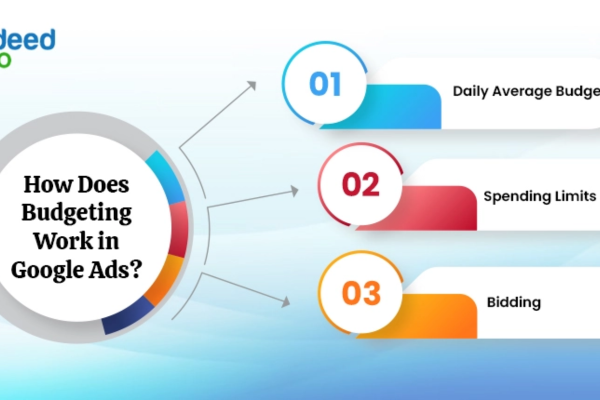
There are two main types of budgets in Google Ads: daily budgets and shared budgets. These budgets influence how often your ads appear, the number of people they reach, and the overall success of your campaigns.

Daily Budget

A daily budget is the average amount you’re willing to spend per day on a specific campaign. When you set a daily budget, Google Ads aims to deliver your ads throughout the day in a way that maximizes performance within your budget.

However, Google Ads may slightly exceed your daily budget on high-traffic days if it predicts better results. This is called overdelivery. But even with overdelivery, Google will not charge you more than your monthly spending limit, which is calculated as:

Daily Budget × 30.4 (average days per month)

For example:
If your daily budget is ₹500, the maximum you can be charged in a month is:
₹500 × 30.4 = ₹15,200

This system allows Google to optimize ad delivery. On days with high traffic or conversion opportunities, Google may spend more than ₹500, and on other days, it may spend less—balancing out by month-end.


Shared Budget

A shared budget is used when you have multiple campaigns and want to allocate a combined budget across them. Instead of setting separate daily budgets for each campaign, you can use a shared budget to let Google allocate funds dynamically where they are needed most.

For example:
If you run 3 campaigns and set a shared budget of ₹1,000/day, Google Ads may spend ₹300 on one campaign, ₹500 on another, and ₹200 on the third—depending on performance and opportunity.

Shared budgets are useful for advertisers with limited budgets who want to maximize performance without micromanaging each campaign.

How Google Spends Your Budget

1. Standard vs. Accelerated Delivery
Previously, Google Ads allowed two delivery methods—Standard (even pacing) and Accelerated (spend quickly). As of recent updates, only Standard Delivery is available, which means your budget is paced throughout the day to avoid early exhaustion.

2. Bid Strategy Impact
Your bidding strategy (Manual CPC, Maximize Clicks, Target CPA, etc.) also affects how your budget is spent. For instance, “Maximize Conversions” will try to get the most conversions within your set daily budget.

3. Campaign Performance
Google uses machine learning to identify times of day or audiences likely to convert. It may slightly overspend on high-opportunity days, as long as monthly budget limits are respected.


Budget Allocation Tips

  • Start with a realistic daily budget based on your overall monthly marketing budget.

  • Monitor performance metrics like Cost Per Click (CPC), impressions, clicks, and conversions to assess if your budget is sufficient.

  • Adjust your budget as needed based on campaign goals—brand awareness, lead generation, sales, etc.

  • Use shared budgets if you manage multiple campaigns with flexible spending.

  • Avoid extremely low daily budgets (like ₹50) as they may limit ad visibility and impact results.

Example: Budget Setup for Lazoro (Metal Wall Art Store)

Let’s say your business Lazoro wants to promote handcrafted metal wall art through Google Ads. You set a campaign to promote a product category and assign a daily budget of ₹1,000.

  • Google may spend ₹1,200 on high-traffic days like weekends or during festive promotions.

  • On slower days, it may spend only ₹800.

  • Over the month, the total spend will not exceed ₹1,000 × 30.4 = ₹30,400

If you run three campaigns (Home Décor, Office Wall Art, and Custom Art), you can use a shared budget of ₹3,000/day, letting Google allocate the budget dynamically across whichever category is performing best.

Aspect Explanation
What is a Budget in Google Ads? The amount you’re willing to spend on your ads, usually set on a daily basis for each campaign. Helps control overall ad costs.
Daily Budget The average amount you want to spend per day on a campaign. Google may spend more or less on any day, but won’t exceed the monthly limit.
Monthly Spending Limit Calculated as Daily Budget × 30.4 (average number of days in a month). Ensures you never overspend in a month.
Overdelivery Google may spend up to twice your daily budget on high-opportunity days but adjusts by spending less on other days, balancing over a month.
Shared Budget A single budget shared across multiple campaigns. Google dynamically distributes it to the campaigns performing better on a given day.
Budget Delivery Method Only Standard Delivery is available. It spreads your budget evenly throughout the day to avoid early depletion.
Impact of Bid Strategy Smart bidding strategies like Maximize Conversions or Target CPA may influence how budget is spent based on conversion potential.
Budget Adjustment Tips Monitor CPC, CTR, and conversion rates; increase budget for high-performing campaigns; reduce or pause underperformers.

Example Table: Budget Setup for Lazoro (Handcrafted Metal Wall Art)

Campaign Name Campaign Type Daily Budget (₹) Estimated Monthly Spend (₹) Goal
Home Décor Ads Search Campaign 1,000 30,400 Drive traffic to home décor products
Office Art Ads Display Campaign 800 24,320 Increase brand awareness among office decorators
Custom Art Ads Search + Remarketing 1,200 36,480 Retarget visitors and promote custom wall art
Shared Budget Option Across All Above 3,000 91,200 Allow Google to distribute funds flexibly to the best-performing campaign

Conclusion

Budgets in Google Ads are a flexible and powerful way to control your spending while optimizing ad delivery. By understanding how daily and shared budgets work, how Google may overdeliver, and how your bid strategies influence budget consumption, you can manage your campaigns more effectively. Set realistic budgets, review performance regularly, and adjust as your goals or market dynamics evolve. Proper budget management ensures that your ad investments drive meaningful results without overspending.

What is audience targeting?

Introduction
Audience targeting is a digital advertising strategy that allows advertisers to show ads specifically to users who meet certain characteristics, behaviors, interests, or past actions. Instead of showing ads to everyone, audience targeting helps businesses focus on users who are most likely to be interested in their product or service—improving engagement, click-through rate (CTR), conversions, and overall return on investment (ROI).

Platforms like Google Ads, Facebook Ads, Instagram Ads, LinkedIn, and others offer advanced audience targeting options to help advertisers reach specific segments of users.

How Audience Targeting Works
When setting up a campaign, advertisers define the audience they want to reach by selecting from various criteria such as:

  • Demographics: Age, gender, income, education, marital status, etc.

  • Interests: Categories like fitness, fashion, travel, technology, etc.

  • Behaviors: Purchase intent, website visits, app usage, or past buying behavior

  • Location: Country, city, ZIP code, or radius around a location

  • Custom Segments: User-defined audiences based on specific keywords, URLs, or apps

  • Remarketing Lists: Users who previously visited your website, watched your videos, or interacted with your ads

The ad platform then matches your ad to users who meet the defined criteria and shows it to them at the right time and place.

Example: Lenskart Using Audience Targeting
Let’s say Lenskart is promoting its latest “Blue Light Blocking Glasses.” To get better results, they don’t want to show the ad to everyone. Instead, they define a targeted audience like this:

  • Age Group: 22 to 45 years

  • Location: Top metro cities in India

  • Interests: Technology, digital marketing, online gaming, or office jobs (since these people spend more time on screens)

  • Behavior: Recently searched for “eye strain,” “blue light glasses,” or “anti-glare glasses”

  • Device: Mobile users

  • Remarketing: Also include users who visited the product page on the Lenskart website but didn’t purchase

Now, only the users who fit this audience profile will see Lenskart’s ad. For example, a 28-year-old digital marketer from Mumbai who searched “best blue light glasses” last week will see an ad like:
“Block Screen Glare with Lenskart Blu Glasses – Stylish, Lightweight & Effective – Try at Home Now!”

This focused approach leads to higher relevance, better ad performance, and more conversions.

Types of Audience Targeting

  1. Affinity Audiences – Users with long-term interests (e.g., fashion lovers, fitness freaks)

  2. In-Market Audiences – Users actively searching for products or ready to buy (e.g., looking for eyeglasses)

  3. Custom Audiences – Based on your selected keywords, URLs, or app usage

  4. Remarketing Audiences – Users who already interacted with your brand (visited your website, app, or YouTube channel)

  5. Lookalike or Similar Audiences – New users who have similar traits to your existing customers

  6. Demographic Targeting – Age, gender, income, etc.

Benefits of Audience Targeting

  • Higher Relevance: Your ad appears only to users who are likely to care about it

  • Better ROI: Budget is spent on quality traffic instead of random impressions

  • Improved Engagement: Ads are tailored to user interests, increasing CTR and time spent

  • Greater Conversion Rate: Targeting users already interested or familiar with your brand leads to more sales

  • Personalization: Messaging can be adjusted based on user intent, stage in the funnel, or behavior

Factors Affecting Audience Targeting Strategy

  • Product Type: Mass products (like eyeglasses) may need broader targeting, while niche products need detailed segmentation

  • Campaign Goal: Awareness campaigns may use broader audiences; conversion campaigns use remarketing or in-market targeting

  • Budget: More targeted audiences often perform better with smaller budgets

  • Platform Used: Facebook offers detailed interest targeting, while Google excels in intent-based targeting

  • Available Data: Brands with website traffic can create remarketing and lookalike audiences easily

Best Practices for Audience Targeting

  • Use Analytics: Study user behavior in Google Analytics or Meta Insights before defining your audience

  • Start with Broad Segments, Then Narrow Down: This helps you test and optimize audience combinations

  • Layer Multiple Filters: Combine demographics, interests, and behaviors for sharper targeting

  • Use Remarketing Lists: Always retarget users who visited product pages but didn’t convert

  • Create Separate Ad Sets for Each Audience: This makes it easier to track performance and control budget

  • Test and Refine: Monitor which audience segments perform best and shift budget accordingly

Conclusion
Audience targeting is a powerful tool in digital advertising that enables businesses to connect with the right people, at the right time, with the right message. Instead of wasting money on a general audience, brands like Lenskart can focus their ad spend on users who are most likely to show interest in specific products like blue light glasses or reading specs. With accurate audience selection and continuous optimization, audience targeting can significantly improve ad efficiency, engagement, and overall campaign success.

The AI-Driven SERP: Adapting Your Approach for Prominence in Featured Snippets


Introduction: A New Era in Search Interfaces

Search Engine Results Pages (SERPs) are undergoing a dramatic transformation. With advances in AI—such as Google’s generative models, RankBrain, and BERT—SERPs are now AI-driven, prioritizing enhanced user experience through featured snippets, rich snippets, carousels, and AI Overviews. These AI-centric formats appear at the top of the SERP, offering direct answers, often without requiring clicks (gryffin.com, mangools.com).

While such changes benefit users seeking instant answers, they pose new challenges for SEO and content marketing: how do you maintain visibility—let alone traffic—when users often don’t click?

The answer lies in adapting your approach to grab those coveted snippet spots. Let’s explore how.


1. Why Featured Snippets Matter More Than Ever

A. Dominating the AI-First SERP Landscape

Featured snippets, often called “position zero,” are prime real estate. They:

  • Deliver a concise response at the top of the SERP (searchengineland.com, seoai.com).
  • Frequently feed into voice search outputs—Google Assistant and Alexa read them aloud about 40% of the time (purevisibility.com).
  • Form the foundation of AI Overviews, which synthesize multiple sources into a single summary (gomega.ai).

B. Boosting Brand Authority

Even if a snippet doesn’t generate a click, being quoted directly reinforces your brand as a trusted source (seoai.com). This enhances awareness, credibility, and influence.


2. The AI‑Driven SERP: What’s Changed?

AI is changing SERPs in fundamental ways:

  • Natural language understanding via BERT and improved NLP enables more human-like interpretations of queries (searchengineland.com).
  • Semantic comprehension (or entity-first indexing) is replacing keyword matching (reddit.com).
  • AI Overviews combine multiple sources into synthesized summaries, often citing 5–6 domains (gomega.ai).
  • Rich results—like tables, carousels, and FAQs—are increasingly displayed based on structured data, extending more predictive SERP features (seomasterz.com).

To succeed, your content must be AI-optimized, structured, semantic, and authoritative.


3. Strategy to Shine in Featured Snippets

3.1 Understand Searcher Intent

AI-driven SERPs favor content that directly satisfies intent:

Example query:
For a podcasting site:

  • “How do I start a podcast in 2025?”
  • “Best microphones for beginners?”
    Target your content to answer these upfront.

3.2 Structure Content for Snippets

Make your content machine-extractable:

  • Begin with a concise answer (40–60 words) to match snippet structures .
  • Use lists and tables for step-by-step guides or comparisons (seoai.com).
  • Include sub-questions with question-form headers (H2/H3).
  • Keep paragraphs short and topics topical and pointed.

3.3 Implement Structured Data

Use schema for markup clarity:

  • FAQPage, HowTo, Article, Product, Recipe, Speakable
  • Structured data doesn’t guarantee snippets but greatly supports SERP feature eligibility (flyrank.com, seo.ai).

AI Overviews extract content more easily from schema-annotated pages (reddit.com).

3.4 Leverage Topical Authority

Google’s generative AI looks for domain-wide expertise:

  • Build pillar pages and content clusters.
  • Cover broad topics and link internally for depth.
  • Include multiple perspectives for AI to synthesize.

An example cluster:

  • Pillar: “Sustainable Gardening Basics”
  • Cluster: “Composting Explained,” “Best Native Plants,” “Water-Saving Techniques”

AI Overviews that reference your domain across multiple linked articles signal authority.

3.5 Boost E-E-A-T Signals

Expertise, Experience, Authoritativeness, Trustworthiness (E-E-A-T) are critical:

  • Provide author bios with credentials.
  • Cite reputable sources and datasets.
  • Include case studies or experiential content.
  • Showcase social proof, such as testimonials or media mentions.

AI contexts prioritize credible content, especially on YMYL (medical, financial) subjects (reddit.com, reddit.com).

3.6 Use Entity Optimization

Entity-first indexing requires careful use of entities:

  • Clearly name and define key entities: e.g., “podcast hosting platforms,” “soil pH levels.”
  • Match your headings and content to formal names in Google’s Knowledge Graph (reddit.com).

This supports AI’s interpretation and domain association for your content.


4. Real-World Example: Featured Snippet Strategy for “How to Brew Cold Brew Coffee”

Let’s build content that can dominate the AI-driven SERP:

1. Target Query: “How to make cold brew coffee at home”

2. Structure & Format:

  • H1: How to Make Cold Brew Coffee at Home (Easy 5-Step Guide)
  • Intro snippet (50 words):

    To make cold brew coffee, grind coarse coffee beans in a 1:8 ratio to cold water, steep in the fridge for 12–18 hours, then strain. Serve over ice or dilute to taste. It’s smooth, low-acid coffee perfect for summer months.

  • H2: Step-by-Step Cold Brew Instructions
    1. Measure and grind
    2. Combine coffee and water
    3. Steep in fridge
    4. Strain
    5. Serve/store
  • H2: FAQ
    • Q: How long does cold brew last?
      A: Keeps well in the fridge for up to 2 weeks.
    • Add FAQ schema.
  • Table: Coffee-to-water ratios comparison

3. Schema Markup:

{
  "@context": "https://schema.org",
  "@type": "HowTo",
  "name": "How to Make Cold Brew Coffee",
  "step": [ ... ],
  "totalTime": "PT720M",
  "tool": "French press or mesh strainer",
  "schema:FAQPage": { ... }
}

4. Content Cluster Support:

  • Internal links:
    • “Best beans for cold brew”
    • “Cold brew vs iced coffee”
    • “Storing homemade cold brew”

5. E-E-A-T Enhancements:

  • Authored by a certified coffee specialist
  • Links out to study on caffeine and GI benefits
  • Includes “I’ve made over 100 batches…”

6. Outcome Metrics:

  • Featured snippet capture within weeks for target query.
  • Served in Google Assistant and Bing voice searches.
  • Drive branded searches for “Cold Brew Pro” site for future product promotions.

5. Measuring Featured Snippet Impact

With AI-driven SERPs, your success metrics must evolve:

  • Snippet impressions and wins (via tools like Ahrefs, SEMrush)
  • Search Console: impressions vs clicks
  • Voice visibility: ask your smart speaker
  • Direct and branded search growth
  • Backlink acquisition from snippet exposure

6. Pitfalls to Avoid

  1. Over-reliance on schema without substance—markups must match quality content.
  2. Too much detail in snippet paragraphs—keep the snippet answer short.
  3. Forgetting to update—AI Overviews refresh, so outdated data can lose snippets.
  4. Neglecting entity optimization—inconsistent naming reduces AI relevance.

7. The Bigger Picture: AI‑Driven SERP Domination

Your ultimate goal isn’t just to rank first—it’s to be the answer:

In 2025, SERP real estate has expanded beyond blue links. To stay visible, your content must be:

  • Scannable and structured
  • Precisely responsive to user intent
  • Readable by machines, yet personable to humans
  • Credible, timely, and entity-aware

The AI-driven SERP isn’t a threat—it’s a chance. Those who master Featured Snippets will own the answers, establish authority—and ultimately, win in an AI-first search world.


Summary of Key Steps

Strategy Tactic
Intent-focus Map questions via keyword tools
Structured formatting Short intro, list steps, table data
Schema markup Use HowTo, FAQ, and Article JSON-LD
Topical clusters Pillars, subpages, interlinking
E-E-A-T Author credentials, citations, UX
Entity optimization Consistent terminology
Monitoring Tools, manual tests, branded metrics

By aligning your content with how AI and humans understand and use information, you aren’t just earning clicks—you’re earning trust, visibility, and relevance at the top of tomorrow’s search results.

Decoding Google’s AI: What Overviews Mean for Your SEO and Content Marketing.

🔍 Introduction: Google’s AI Overviews Are Redefining Search

Since 2024, Google has been rolling out AI Overviews—AI-generated summaries that now frequently appear atop search results. These serve as bite-sized briefing, handing users concise answers without requiring them to click through to any site (techtarget.com, serverspace.us).

While users appreciate this immediacy, publishers are seeing dramatic shifts:

  • Click-through rates (CTR) for informational queries have dropped from ~36% to ~23%, and in some cases below (serverspace.us, rampiq.agency).
  • Organic traffic losses average 24%, with some hitting 45% or more (serverspace.us).

This isn’t just a trend—it’s a clear signal that SEO and content marketing must evolve. Being a top-ranked page no longer guarantees visibility; instead, being a source within AI Overviews is what now matters.


1. What Are AI Overviews?

AI Overviews combine two powerful search features:

  • Featured snippets: Direct, snippet-style answers to queries like “how to fix a leaky faucet.”
  • Multi-source generative summaries: AI-understood responses, contextualized, and with multiple citations.

Key characteristics:

  • Displayed at the top of SERPs (techtarget.com).
  • Use concise summaries, often legible in one or two sentences .
  • Show source links, sometimes ones that didn’t rank organically (webspero.com).
  • Feature follow-on questions to explore deeper (webfx.com).

They’re designed for speed, clarity, and direct relevance—and they dominate search visibility.


2. Why They Matter (and Why They Threaten Traditional SEO)

A. Radical Decline in Organic CTR

Data shows drop offs of 24–45% in clicks for pages previously ranking in featured snippets (serverspace.us). This is especially alarming for publishers reliant on informational search traffic.

B. Shifts in Traffic Attribution

Only 12% of AI Overview sources are the page currently ranking #1 (serverspace.us). AI-overview trafficking may even bypass SERP ranking altogether.

C. Internet Ecosystem Disruption

Media giants like Business Insider, Chegg, and TripAdvisor reported major traffic declines post-AI Overview deployment (viserx.com, barrons.com). As one analyst described, it isn’t just evolution—it’s a paradigm shift.


3. Reframing SEO into AEO (Answer Engine Optimization)

Traditional SEO emphasized rankings, CTRs, backlinks—but AI Overviews call for something new:

  • AEO (Answer Engine Optimization) focuses on content that AI can understand, trust, and cite (en.wikipedia.org).
  • It prioritizes structured, authoritative, and semantically aligned content over simple rankings.

4. Strategic Shifts You Must Make

4.1 Write with AI in Mind: Concise, Structured, Answer-Focused

Prioritize the answer. Begin with a clear definition or response before diving deeper.

  • Use bullet points and numbered lists.
  • Answer the question in the first 40–60 words.
  • Introduce TL;DR sections, summaries, and FAQ blocks.
  • Use intent-focused headers like “How to save on groceries” (reddit.com, reddit.com).

4.2 Focus on Long-Tail, Conversational Queries

AI Overviews increasingly respond to natural language queries—e.g., “How do I start intermittent fasting safely?”

  • Use tools like AnswerThePublic, People Also Ask, etc.
  • Craft headlines and FAQs to mirror spoken language (webfx.com, reddit.com, thetimes.co.uk).
  • Optimize for “how to”, “why does”, “can I”, “what is…” style questions.

4.3 Use Structured Data (Schema) Everywhere

Structured data assists machines in understanding content:

  • FAQPage, HowTo, Article, Product, etc.
  • Many AI Overview sources pull schema markup to segment their summaries (viserx.com).
  • Implement JSON‑LD schema, validate via tools like Google’s Rich Results Tester.

4.4 Build Topical Authority with Clusters

AI seeks not just answers, but context and authority:

  • Create pillar pages around core topics and link to deep-dive cluster content.
  • Example: For pet nutrition, have dedicated articles on dogs, cats, food types, supplements, etc.
  • AI Overviews often reference multiple pages, so internal context matters (rso-consulting.com, firebrand.marketing).

4.5 Prioritize Expertise & Trust (E-E-A-T)

AI and Google rely on Expertise, Experience, Authoritativeness, Trustworthiness:

  • Show author credentials and bio details.
  • Cite reputable sources (e.g., academic institutions, professional bodies).
  • Offer first-person experiences, case studies, and real metrics (webfx.com).

4.6 Monitor New Metrics: Visibility Over Clicks

Since traffic numbers may drop:

  • Track AI Overview citations via manual AI queries.
  • Monitor featured snippet presence and long-tail keyword gains.
  • Use Google Search Console to compare impressions vs clicks.
  • Watch for boosts in branded search or social engagement.

5. Example: AEO in Action — “How to Start a Plant-Based Diet”


Goal:

Rank within AI Overviews for queries like:

  • “How do I start a plant-based diet?”
  • “What should I eat on a plant-based meal plan?”

Step-by-Step Strategy:

  1. Keyword Research & Intent
    • Use PeopleAlsoAsked: find real questions (meal plans, nutrient sources, cost).
    • Map queries like: “Is plant-based diet healthy?”, “Easy plant-based breakfast ideas.”
  2. Article Outline
    • H1: “How to Start a Plant-Based Diet: Step-by-Step Guide”
    • TL;DR bullets summarizing core steps (choose foods, plan meals, supplement B12).
    • Sections using H2s structured as questions:
      • “What is a plant-based diet?”
      • “How do I meal plan for plant-based eating?”
      • “Will I get enough protein?”
  3. Answer-Focused, Conversational Tone

    “A plant‑based diet focuses on foods that come from plants—think veggies, fruits, grains, beans. Start by swapping a meat-based meal multiple times per week, then gradually phase in more plant meals.”

  4. Structured Data
    • Add FAQPage with 5–6 common questions/answers.
    • Use Article schema with published & updated dates, author info.
    • Add HowTo schema if detailing step-by-step meal prep.
  5. Internal Content Clusters
    • Pillar: “Comprehensive Guide to Plant-Based Eating”
    • Clusters: “Best protein sources on plant‑based diets,” “Plant-based shopping list,” “Supplements for vegans.”
    • Link related content within the main article.
  6. E-E-A-T Signals
    • Author is Certified Nutritionist (bio).
    • Cites Harvard Health, Journal of Nutrition, etc.
    • Includes personal case study: “I transitioned in 2023 and lost 10 lbs while keeping energy high.”
  7. Ongoing Monitoring & Iteration
    • Use Search Console to watch impressions and CTR.
    • Ask Google or Bing AI: “How to start a plant‑based diet” — see if excerpted.
    • Update article quarterly with new nutrition guidelines and link fresh sources.

Potential Results in 2025

When someone asks via Google Assistant or types “how to start a plant-based diet,” the AI Overview may respond with:

“Here’s how to start a plant‑based diet:

  1. Choose foods like whole grains, legumes, fruits, and vegetables.
  2. Plan meals in advance to balance protein and nutrients.
  3. Monitor vitamin B12 intake—consider supplements.

Studies show plant-based diets may reduce heart disease risk (Harvard Health).” [Source: YourDomain.com]

Even without a click, your site is quoted and visible. That boosts brand exposure, perceived expertise, and user trust.


6. Handling Challenges & Pitfalls

  • Misinformation Risks: Early AI Overviews have shown “hallucinations” (eg. putting glue in pizza) (reddit.com, reddit.com, viserx.com, goinflow.com, reddit.com, firebrand.marketing, nogood.io, en.wikipedia.org). Ensure your content is factual, precise, and cites sources.
  • Zero-Click Reality: Accept that many users won’t click. Strategies must focus on brand recall, authority, and cross-channel presence.
  • Platform Diversification: As AI pulls responses from varied platforms, bolster your presence on YouTube, podcasts, social posts, and voice apps.
  • Paid Search Complements: Brands are turning to ads to maintain visibility where organic links are pushed below AI Overviews (firebrand.marketing).

7. The New Metrics of Success

Organic traffic is no longer the sole KPI. Instead, focus on:

  • Mentions in AI Overviews, Bing Chat, etc.
  • Featured snippet inclusion
  • Serp impressions & click ratios
  • Branded search volume growth
  • Cross-channel engagement: Social shares, podcast downloads, video subscriptions

These metrics reflect visibility and authority, not just visits.


🔚 Conclusion: Embrace AI Overviews or Get Left Behind

Google’s AI Overviews represent a seismic tech shift—search is no longer a road to your website; for many queries, the answer is the destination itself.

To thrive:

  • Shift from rankings to answers—be precise, structured, and authoritative.
  • Write in a conversational tone that AI can interpret.
  • Prioritize Answer Engine Optimization (AEO) over traditional SEO.
  • Invest in structured data, topical clusters, E-E-A-T signals, and cross-channel visibility.
  • Track new metrics that reward visibility—even without clicks.

If you adapt, your content won’t just be seen—it will be the answer. And that’s the future of search in the age of AI Overviews.

Content Strategy for AI Search: Prioritizing Direct Answers and Conversational Tone.

Introduction: AI Is Changing the Rules of Search

The emergence of AI-powered search tools such as Google’s Search Generative Experience (SGE), Bing Chat, Perplexity AI, and voice assistants has fundamentally altered how users interact with search engines. Instead of displaying a list of links, these tools provide direct answers using natural language processing and large language models (LLMs). The user experience has shifted from searching to asking and conversing.

In this new paradigm, the traditional SEO approach—focusing on keywords, backlinks, and rankings—is not enough. To succeed, brands and publishers must adapt their content strategy to prioritize concise, direct answers and embrace a conversational tone that aligns with how AI understands and generates responses.

This article explores how to craft a content strategy designed for AI-driven search interfaces, explains why this matters, and offers practical tactics and examples to help you stay ahead in 2025 and beyond.


The Rise of Conversational Search and AI Responses

AI search engines aim to provide helpful, human-like responses to natural language questions. Users no longer type “best vitamin C serum 2025”; they ask, “What’s the best vitamin C serum for sensitive skin in 2025?” These full-sentence, intent-rich queries require content that is clear, relevant, and immediately useful.

AI Overviews and featured snippets generate answers by:

  • Pulling from well-structured content that directly addresses common questions
  • Synthesizing information from multiple authoritative sources
  • Responding in a friendly, human tone that matches the user’s conversational query

To be featured in this new format, your content needs to align with how AI reads, understands, and relays information.


Why Direct Answers and Conversational Tone Matter

1. Speed and Simplicity

Today’s users expect instant gratification. They want immediate answers without having to click or scroll. AI systems favor content that gets to the point quickly.

2. Improved AI Interpretation

LLMs prioritize content that mirrors natural language patterns. Content that mimics how people speak — simple, direct, and structured — is easier for AI to summarize or quote.

3. Better Engagement

Conversational tone resonates with users. It creates a sense of trust, especially when content feels personal, empathetic, or helpful — which also reflects Google’s Helpful Content guidelines.

4. Higher Visibility in AI Overviews

When your content delivers exactly what users (and AI systems) need, it’s more likely to be used in AI-generated responses, whether on search pages, voice assistants, or chat-based platforms.


Key Elements of an AI-Optimized Content Strategy

1. Understand User Intent at a Deeper Level

Today’s searchers aren’t looking for vague, keyword-filled content. They’re asking specific questions with real intent, such as:

  • “How can I fix a leaking faucet myself?”
  • “What are the pros and cons of a plant-based diet?”
  • “What’s the difference between an LLC and an S corp?”

Your job is to understand and predict the question behind the keyword, and then answer it directly.

Tactic:

  • Use tools like Answer the Public, AlsoAsked, and Google’s People Also Ask to find real queries.
  • Map content ideas to questions, not keywords.

2. Prioritize Direct Answers First

Start each piece of content by answering the main question clearly and concisely. Then provide depth, examples, or related information afterward. This inverted pyramid style is ideal for both AI and users.

Example:

Question: What is the 80/20 rule in time management?

Direct Answer (First 2-3 lines): The 80/20 rule, or Pareto Principle, states that 80% of your results come from 20% of your efforts. In time management, it means focusing on tasks that yield the greatest impact.

Follow-up Content: Offer examples, use cases, and productivity tips.


3. Embrace a Conversational Tone

Drop the corporate jargon. Write like you’re speaking to a curious, intelligent friend.

Techniques:

  • Use first- and second-person language (I, we, you)
  • Add questions, rhetorical or real
  • Use short sentences, contractions, and casual transitions
  • Explain concepts with examples and analogies

Example:

Instead of:
“Hydration is essential for cognitive performance.”
Try:
“Your brain is 75% water. No wonder it gets foggy when you’re dehydrated, right?”

AI understands and replicates authentic-sounding language, so if your content feels like a helpful guide, not a textbook, it’s more likely to be included in AI summaries.


4. Structure Content for Skimmability and Machine Parsing

Well-structured content helps both humans and machines.

Tactics:

  • Use H2/H3 headers that match common search questions
  • Include bullet points and numbered lists
  • Break up paragraphs
  • Add a TL;DR or summary section at the top
  • Incorporate FAQ sections

These formats make your content easy to summarize by AI and increase chances of being used in AI Overviews, featured snippets, or voice search results.


5. Use Schema Markup to Reinforce Structure

Structured data helps search engines identify content types like:

  • FAQs
  • How-Tos
  • Reviews
  • Recipes
  • Articles

Adding appropriate schema (using tools like Schema.org or plugins like Yoast SEO) gives your content machine-readable context, which boosts its inclusion in rich results and AI summaries.


6. Keep Content Fresh and Factually Accurate

AI tools prioritize trustworthy and current sources. Outdated or unsupported claims are more likely to be ignored — or worse, penalized.

Tips:

  • Update posts regularly (and mark them as updated)
  • Link to trusted sources
  • Back up statements with data, examples, or citations

Putting It All Together: A Real-World Example

Let’s say you run a website about personal finance — MoneySmartNow.com. You write a blog post titled:

“What Is a Roth IRA and How Does It Work?”

Here’s how you’d structure it for AI Search:


Title (H1): What Is a Roth IRA and How Does It Work?

Opening Paragraph (Direct Answer):

A Roth IRA is a retirement savings account where you contribute after-tax income. Unlike traditional IRAs, your withdrawals during retirement are tax-free, including earnings. It’s ideal for people who expect to be in a higher tax bracket in the future.

Section Headings:

  • Who qualifies for a Roth IRA?
  • What are the contribution limits in 2025?
  • Roth IRA vs Traditional IRA: Which is better?
  • How to open a Roth IRA
  • Common Roth IRA mistakes to avoid

FAQ Section:

  • Can I withdraw early from a Roth IRA?
  • Is a Roth IRA better than a 401(k)?

Tone: Friendly and informative:

“Think of it like planting a money tree. You pay the taxes now, but later, when you’re ready to relax, you won’t owe a dime when you pluck those dollars off.”

Schema: Add FAQPage, Article, and FinancialProduct schema

Result:
When a user asks, “What’s the benefit of a Roth IRA?” to Google or Alexa, the AI Overview pulls your opening paragraph. Your brand is cited in the summary, increasing your credibility — even if the user doesn’t click through.


Measuring Success Beyond Clicks

In an AI-dominated search landscape, click-through rates (CTR) are no longer the sole indicator of success. You must track:

  • AI citations (using tools like Perplexity, Bing Chat, or manual prompts)
  • Featured snippet appearances
  • Search visibility in Google Search Console
  • Direct and branded traffic increases
  • Engagement across platforms (social media, YouTube, etc.)

The focus is shifting from just “getting traffic” to owning the conversation.


Tools to Help You Optimize Content

  • Surfer SEO / Clearscope – Optimize content based on NLP and top-ranking pages
  • AnswerThePublic – Discover natural-language questions people ask
  • Google Search Console – Identify which queries you already rank for
  • ChatGPT or Gemini – Test how AI summarizes your content
  • Schema Markup Validator – Ensure structured data accuracy

Final Thoughts: Conversational Content Is the New SEO

AI search isn’t replacing search engines — it’s redefining them. In this evolving landscape, answering questions clearly and conversationally is your competitive edge.

Your content must not only rank well, but also read well aloud, summarize well, and resonate with both humans and machines. That means:

✅ Start with the answer
✅ Write like a helpful human
✅ Structure your content
✅ Refresh and support your claims
✅ Speak the language of your audience — and of AI


In summary, the brands that succeed in AI-powered search are those who understand this shift: The new SEO is about being the best answer, not just the top result. Prioritize clarity, empathy, structure, and voice — and you’ll earn more visibility in tomorrow’s AI-d

How to Become a Digital Marketing Specialist

Digital marketing is one of the fastest-growing fields today. Many people are interested in building a career in digital marketing, and becoming a digital...

What is SMM in Digital Marketing

SMM, or Social Media Marketing, is one of the most important parts of digital marketing. In simple words, SMM is the process of using...

What is Google Analytics in Digital Marketing

Google Analytics is one of the most important tools in digital marketing. It helps businesses understand how people interact with their websites and online...

What is Google AdWords in Digital Marketing

Google AdWords is one of the most important tools in digital marketing. Many businesses use AdWords to reach their target audience online and increase...

What Is CPM in Digital Marketing

In digital marketing, understanding how your ads are priced and measured is very important. Different advertising models help marketers track performance and control spending....