Home Blog Page 23

How can Pinterest help students with career exploration?


🎯 1. Pinterest as a Career Discovery Engine

Unlike social media focused on personal updates, Pinterest operates as a visual search engine and idea-curation platform—making it perfect for career exploration. Students can search vague career ideas—e.g. “careers in psychology,” “day in the life of a UX designer,” or “women in engineering”—and instantly discover infographics, videos, interviews, and career journey boards. This offers a visually engaging, low-pressure way to connect interests with real-world professions (psychologytoday.com).


📚 2. Building Career Boards as Digital Resumes & Learning Hubs

a. Career Interest Boards

Students should create public boards per field—e.g. “Careers in Psychology,” “Product Design,” or “Data Science Journey.” Pin items like:

  • “What it’s really like to work at XYZ company”
  • “10 skills every data analyst needs”
  • “Day in the life: UX Designer” videos

These boards effectively serve as a digital portfolio and research tool that reflects evolving interests (psychologytoday.com).

b. Academic & Skill-Building Boards

Pin resources like skill guides, certification info, relevant workshops, and industry-standard tools (e.g. coding bootcamp tips, Figma tutorials, writing for psychologists), and group them under boards like “Skill-Building” or “Certifications.” This helps academically shape the path toward a career .

c. Project & Portfolio Showcases

Students can make boards like “My UX Projects” or “Research Methodology Projects” and pin their own work—slides, sketches, reports—creating a visual resume that’s more impressive than a simple document (christasathish.com).


🤝 3. Networking, Mentorship & Employer Insight

a. Follow Thought Leaders & Organizations

Follow professionals, university career services, or firms in fields of interest. Their Pins (articles, interviews, infographics) appear in the feed, revealing insider perspectives .

b. Research Employers

Many companies have Pinterest pages. Students can follow these to learn about corporate culture, recruiting processes, employee benefits, and visual branding—useful for interview prep and tailoring application materials .

c. Engage Politely

Repinning or engaging with content from employers can subtly put you on their radar—sharing mutual interests and showing early engagement (salary.com).


🔎 4. Job Search & Interview Preparation

Pinterest isn’t just for inspiration—it’s a practical job hunt resource.

  • Search terms like “resume tips,” “behavioral interview questions,” or “nurse interview answers” to uncover checklists, templates, and articles (psychologytoday.com).
  • Create boards like “Interview Prep” or “Resume Templates” pinning useful infographics and professional advice (studyian.com).

Many university career centers maintain Pinterest boards; following them ensures tailored guidance (psychologytoday.com).


đź§­ 5. Visual Planning & Goal Setting

By visually pinning career goals and milestones—like degrees, portfolio pieces, networking events, and certifications—students create a visual roadmap of their career journey.

  • A board called “5-Year Career Plan” can include Pins like “UX Researcher Path,” “LinkedIn Profile Tips,” “Internship application timeline.”
  • These visual cues help students stay motivated, track progress, and adjust goals as they evolve.

🌟 6. Inspiration from Role Model Paths

Pinterest enables students to learn from others’ career trajectories:

  • Search “women in AI,” “first-gen college students in finance,” or “product managers under 30.”
  • Students might encounter Pinboards documenting someone’s first job, resume evolution, interview experience, or life balance—offering real-world examples to guide them.

🛠️ 7. Skill-Building via Visual Tutorials

Career readiness is more than theory—it’s practical skills. Pinterest provides tutorials that:

  • Teach industry skills like video editing, UI design, public speaking, or resume crafting.
  • Offer visual step-by-step guides that are more digestible than academic texts .

Students can pin tutorials to their academic boards like “UI Design Practice,” helping them apply skills concretely.


đź§© 8. Career Projects & Collaborative Learning

Group boards are ideal for team projects: students pin designs, research articles, branding palettes, or pitch videos on a board dedicated to a class assignment or competition, facilitating visual collaboration and peer feedback .


đź“… 9. Career Preparation Milestones

Students can visually structure their journey:

  • First semester: “Skill Development—Python course”
  • Second semester: “Portfolio Project—App UI mockups”
  • Next summer: “Internship hunt—targeted companies”
  • Final year: “Job Interview Materials—typical questions, LinkedIn layout”

Visualizing these steps helps maintain momentum and gives clear direction.


✅ Practical Example: Emma’s Tech-Design Journey

Meet Emma, a tech-focused product design major seeking a tech-industry career.

Step 1: Create focused boards

  • “Product Design Careers” – UX/UI roles with Pins about day-in-the-life, portfolios, industry paths
  • “Skill Tutorials” – Figma, Adobe XD, design-thinking processes
  • “Company Research” – Tiles for Google/Meta design culture, team-building processes
  • “Job Prep” – UX portfolio layout ideas, hiring process visuals, LinkedIn customization

Step 2: Pin thoughtfully

  • She pins free Figma UX kit tutorials, UX portfolio reviews, and “How to land FAANG UX internship” infographics
  • Her “Company Research” board includes articles like “Working as a PM at Google” and “Design culture at startup vs big tech”

Step 3: Follow & engage

  • She follows top designers, UX thought leaders, and university career pages
  • Occasionally repins helpful advice like “Common product design case study prompts”

Step 4: Research & job prep

  • She searches “UX design interview questions” to find actionable tips and adds them to “Job Prep”
  • Uses pins to craft her own portfolio, referencing aesthetic and storytelling best practices

Step 5: Use group and project boards

  • She joins “UX Portfolio Peer Review” group board, adding portfolio mockups and receiving feedback

Step 6: Reflect and apply

  • By senior year, Emma’s journey is visualized. Publicly sharing her boards with LinkedIn and educators showcases her journey, skills, and professional identity

🎓 Benefits Summary

Feature How It Helps Students
Discovery & Career Exploration Learn about roles, lifestyles, and paths visually without overwhelm
Skill Curation & Tutorials Visually bookmark skill-building materials and resources
Personal Portfolio Boards Create a shareable visual resume demonstrating projects and soft capabilities
Employer Insights & Networking Follow and interact with companies and thought leaders for real-world context
Job Prep Resources Collect interview tips, resume guides, and psychometric insights in one place
Collaborative Learning Group boards support shared pinning and critique for projects and study groups
Visual Goals & Milestones Use visuals to map out career steps and keep motivated over time

đź§­ Getting Started: How Students Should Use Pinterest

  1. Sign up for a Business account—needed for Analytics and professional use.
  2. Create targeted boards with professional names and actionable descriptions.
  3. Pin from credible sources—industry publications, verified professionals, reputable universities.
  4. Upload personal work properly—add context, describe goals, and link to your broader portfolio.
  5. Follow professionals & organizations to learn about current industry trends and practices.
  6. Engage safely—like, repin, and comment thoughtfully. Avoid oversharing.
  7. Incorporate group boards for projects, peers, and shared learning.
  8. Use Analytics to measure pin engagement and refine career-relevant content over time.

Conclusion

Pinterest is far more than a hobby site—it’s a powerful visual tool for career exploration, skill development, personal branding, and networking. For students, it becomes:

  • A visual map of possible career trajectories
  • A learning hub for skills and accreditation
  • A personal portfolio displaying real work and accomplishments
  • A research space for companies and job prep
  • A collaborative educational canvas for projects and peer learning

When used intentionally, Pinterest allows students to design and own their future, turning visual inspiration into real-world career outcomes.
What is device targeting?

Introduction
Device targeting is a feature in digital advertising that allows advertisers to show ads based on the type of device a user is using—such as mobile phones, tablets, or desktop computers. This helps businesses tailor their ad campaigns to different user behaviors, screen sizes, and browsing contexts, ultimately improving ad performance and user experience.

In platforms like Google Ads, Facebook Ads, or Instagram Ads, advertisers can monitor how users interact with ads on various devices and adjust their strategy accordingly. Device targeting is especially useful for optimizing ads for mobile users, adjusting bids by device type, or prioritizing one device over another based on performance data.

How Device Targeting Works
When setting up a campaign, advertisers can choose:

  • Which devices to target (e.g., only mobile, only desktop, or all devices)

  • Adjust bids by device (e.g., increase bid by 20% for mobile users)

  • Exclude certain devices if the ads or landing pages are not optimized for them

Google Ads, for instance, lets you set bid adjustments for each device type. If mobile users convert more, you can increase bids for mobile clicks. If desktop users spend more, you can reduce mobile bids and allocate more budget to desktop.

Example: Lenskart Using Device Targeting
Let’s say Lenskart runs a campaign for promoting free home eye tests, and their data shows that most appointments are booked via mobile phones. They also notice that mobile users engage more during lunch hours and late evenings.

So, Lenskart adjusts their ad strategy like this:

  • Target all devices, but set a +30% bid adjustment for mobile devices

  • Show a mobile-optimized landing page with a quick booking form

  • Use click-to-call ad extensions for mobile, allowing users to call directly

  • Reduce bids by -20% for desktop since conversions are lower there

This helps Lenskart increase mobile engagement, improve conversions, and reduce cost on devices with lower performance.

Benefits of Device Targeting

  • Better ROI: Focuses your ad budget on devices that bring higher results.

  • Improved User Experience: Ensures ads and landing pages are suitable for the user’s device.

  • More Personalization: Allows different messaging for mobile, tablet, or desktop users.

  • Campaign Control: You can control where your ads appear and optimize each device’s performance individually.

  • Enhanced Conversions: Increases likelihood of converting users by targeting the devices they use most often.

Factors Influencing Device Targeting Strategy

  • Audience Behavior: Some audiences prefer browsing or shopping on mobile, while others use desktops during work.

  • Product Type: Complex purchases (e.g., laptops or property) may happen on desktop; impulse buys often occur on mobile.

  • Landing Page Design: If the website isn’t mobile-friendly, running mobile ads could hurt performance.

  • Time of Day: Users might browse on mobile in the evening and desktop during office hours.

  • Conversion Patterns: Study analytics to understand which device delivers more conversions or higher value.

Best Practices for Device Targeting

  • Use a Mobile-Friendly Landing Page: If you’re targeting mobile, make sure your site loads fast and has easy navigation.

  • Analyze Device Reports: Use Google Ads and Analytics to review performance by device and adjust bids accordingly.

  • Test Device-Specific Ads: Create ad versions with mobile-focused CTAs like “Tap to Call” or “Shop Now from Your Phone.”

  • Bid Strategically: Increase bids where you see more value and reduce bids where performance is weak.

  • Don’t Ignore Tablets: Monitor tablet traffic as it may be significant depending on your audience and product.

Conclusion
Device targeting is a powerful tool in digital advertising that allows businesses to deliver more relevant ads based on the user’s device. Whether it’s optimizing for mobile convenience, desktop detail browsing, or tablet browsing behavior, device targeting ensures that ads are shown where they are most likely to perform. For a brand like Lenskart, which sees high engagement from mobile users booking eye tests or shopping online, device targeting helps improve campaign effectiveness and enhances the overall customer experience.

What is ad scheduling?

Introduction
Ad scheduling, also known as dayparting, is a feature in advertising platforms like Google Ads and Facebook Ads that allows advertisers to choose specific days of the week and times of day when their ads should appear. This helps businesses show their ads when their target audience is most active, more likely to engage, or most likely to convert—maximizing return on ad spend (ROAS) and reducing wasted impressions.

How Ad Scheduling Works
When setting up a campaign, advertisers can choose whether their ads should run:

  • All day (24/7)

  • Only on specific days (e.g., Monday to Friday)

  • Only during specific hours (e.g., 9 AM to 9 PM)

  • Different times for different days (e.g., longer hours on weekends)

Ad scheduling is usually set at the campaign level, and it works based on the account’s time zone. If your target customers are active during certain hours (like during lunch breaks or after office hours), you can tailor your ad delivery accordingly.

Some platforms also allow bid adjustments during specific time blocks, meaning you can increase or decrease your bids based on when your audience is most responsive.

Example: Lenskart Using Ad Scheduling
Let’s say Lenskart notices that most of its website traffic and conversions happen between 10 AM and 9 PM, and that weekends see higher engagement than weekdays. Based on this insight, Lenskart sets up ad scheduling as follows:

  • Monday to Friday: Run ads from 11 AM to 8 PM

  • Saturday & Sunday: Run ads from 10 AM to 9 PM

  • Midnight to 9 AM: No ads are shown

In addition, they apply a 20% bid increase between 6 PM and 9 PM on weekends because this is the peak time for online shopping.

This ensures that the ads are displayed when users are actively browsing for eyeglasses and are more likely to buy, while avoiding times when ad views would be less effective—like late at night.

Benefits of Ad Scheduling

  • Improved Efficiency: Ads are only shown when users are most likely to click or convert.

  • Better Use of Budget: Avoid spending on off-hours with low ROI.

  • Time-Based Targeting: Align ads with business hours, customer behavior, or service availability.

  • Higher CTR and Conversion Rate: Ads served during high-engagement periods usually perform better.

  • Custom Strategy: Allows different strategies for weekdays vs. weekends or peak vs. non-peak hours.

Factors Affecting Ad Scheduling Decisions

  • Business Type: Retail stores may advertise during open hours, while e-commerce platforms can run 24/7 with focus on high-conversion times.

  • Audience Behavior: Analyze when users engage with your website or app most often.

  • Time Zones: Important for national or international businesses targeting users in different regions.

  • Device Usage Trends: Some users browse on desktop during work hours, while others use mobile at night.

  • Budget Constraints: Ad scheduling can help stretch a limited budget by concentrating it on high-performing hours.

Best Practices for Ad Scheduling

  • Review Historical Data: Use Google Ads reports or Google Analytics to find out when your audience is most active.

  • Start Broad, Then Refine: If unsure, run ads all day for a few weeks, then analyze performance and schedule accordingly.

  • Test Bid Adjustments: Increase bids during top-performing hours to boost visibility and results.

  • Avoid Dead Zones: Don’t spend budget during hours when users are least likely to convert.

  • Align With Store Hours: For local businesses like Lenskart outlets, ensure ads run when the store is open for walk-ins or calls.

Conclusion
Ad scheduling is a smart advertising strategy that helps businesses control when their ads are shown, based on real-time user behavior, business hours, or specific marketing goals. For brands like Lenskart, using ad scheduling ensures their ads appear when their audience is online and ready to buy, while avoiding wasted impressions during low-engagement times. With proper analysis and setup, ad scheduling leads to higher engagement, better conversions, and more efficient use of ad budgets.

How does geotargeting work?

Introduction
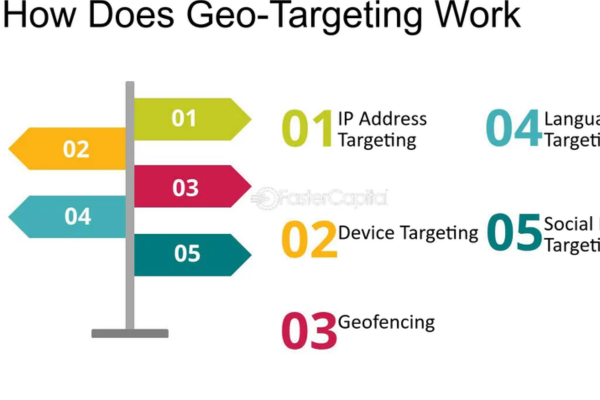
Geotargeting is a digital advertising strategy that involves displaying ads to users based on their geographic location. This feature is commonly used in platforms like Google Ads, Facebook Ads, and Instagram Ads. By targeting specific locations, advertisers can ensure their ads are seen by the most relevant audience—people who are within a specific city, region, postal code, or radius. This helps in optimizing ad spend, improving click-through rates, and increasing the chances of conversions, especially for local or location-specific businesses.

How Geotargeting Works
Geotargeting works by detecting a user’s location through various methods such as IP address, GPS signals, Wi-Fi networks, and mobile device location services. Once the platform identifies the user’s geographic location, it compares it with the advertiser’s targeting preferences. If the user is within the targeted area, the ad will be shown; if not, the ad will be withheld. Advertisers can also exclude locations where they do not want their ads to appear. This makes it easier to deliver hyper-localized and relevant messages.

Types of Location Targeting
There are several types of location targeting options advertisers can choose from:

  • Country-Level Targeting: Shows ads to users across an entire country.

  • Region/City-Level Targeting: Targets specific states, cities, or localities.

  • Pin Code/ZIP Code Targeting: Useful for targeting smaller zones within a city.

  • Radius Targeting: Shows ads to users within a defined distance (e.g., 10 km) from a specific location.

  • Location Exclusions: Prevents ads from showing in selected areas.

Example – Lenskart Store Offer
Let’s take the example of Lenskart, which has many retail outlets in India. Suppose Lenskart is hosting a special weekend event at its store in Sector 18, Noida. They want to show ads only to people nearby who are likely to visit the store. To do this, Lenskart sets up a geotargeted campaign that shows ads only to users located within a 10 km radius of Sector 18, Noida.
Now, if a user searches for “eyeglasses store near me” and they’re physically located within that 10 km radius, they’ll see an ad such as:
Headline: “Buy 1 Get 1 Free – Lenskart Noida”
Description: “Free Eye Test at Sector 18 Store. Visit Today and Avail the Offer.”
This ensures that only relevant local users see the ad, making the campaign more cost-effective and actionable.

Benefits of Geotargeting

  • Improved Relevance: Shows ads only to people in relevant locations.

  • Higher ROI: Reduces wasted ad spend on users outside your target area.

  • Personalization: Allows for location-specific messages and promotions.

  • Increased Foot Traffic: Helps drive people to physical stores.

  • Better Campaign Control: Makes it easier to test and scale campaigns by city or region.

Factors Affecting Geotargeting Performance

  • Accuracy of User Location: Depends on device settings, network, and permissions.

  • Ad Relevance to Local Audience: Messages should mention local terms, offers, or landmarks.

  • Landing Page Match: The page users land on should also be relevant to their location.

  • Competition in the Area: High competition in popular cities can drive up ad costs.

  • Exclusion of Irrelevant Areas: Helps prevent clicks from people who are not likely to convert.

Best Practices

  • Use local keywords in headlines and descriptions (e.g., “Eyeglasses in Mumbai”).

  • Match landing pages with targeted locations for better user experience.

  • Combine geotargeting with mobile targeting for on-the-go users.

  • Exclude areas where you don’t offer services to avoid wasted clicks.

  • Monitor campaign performance by location and optimize accordingly.

Conclusion
Geotargeting is a vital tool for advertisers who want to show their ads only to people in specific areas. It is especially useful for local businesses, service providers, and retail stores like Lenskart that run region-specific promotions. By delivering ads to users in the right place at the right time, geotargeting helps improve ad performance, reduce costs, and increase the chances of driving real-world actions such as store visits and purchases.

What is A/B testing in ads?

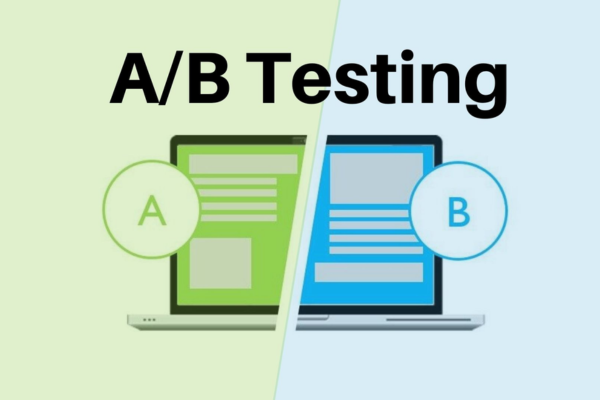
A/B testing in ads—also known as split testing—is a method of comparing two different versions of an advertisement to determine which one performs better. The goal is to optimize your ad campaigns by testing variables like headlines, descriptions, images, calls-to-action (CTAs), or audience targeting, and then using the winning version to get better results like higher click-through rates (CTR), conversions, or return on ad spend (ROAS).

In A/B testing, version A is your current or original ad (called the “control”), and version B is a slightly different variation (called the “variant”). Both versions are shown to different segments of your audience at the same time, and their performance is tracked and compared using metrics like clicks, impressions, conversions, or cost-per-click.

Why A/B Testing is Important in Advertising

  1. Improves Performance: Identifies the best-performing version of your ad to drive more results with the same budget.

  2. Data-Driven Decisions: Removes guesswork and bases ad improvements on actual user behavior.

  3. Optimizes Conversions: Helps increase sign-ups, sales, or any other goal by testing what messaging or visuals work best.

  4. Reduces Waste: Avoids spending on poorly performing ads by identifying what works early.

What Can You Test in A/B Testing?

You can A/B test almost any element in an ad, depending on the platform:

  • Text Ads (e.g., Google Search Ads):

    • Headlines

    • Description lines

    • Display URLs

    • Call-to-action (e.g., “Shop Now” vs. “Buy Today”)

    • Keywords

  • Image or Video Ads (e.g., Facebook, Instagram, YouTube):

    • Creative visuals (different images or videos)

    • Background color or layout

    • Headlines or captions

    • Button color or design

    • Video thumbnail

  • Audience Targeting:

    • Demographics (age, gender)

    • Interests or behaviors

    • Geographic locations

  • Landing Pages:

    • Different page layouts

    • Offer positioning

    • Button placements

How A/B Testing Works – Example from Lenskart

Let’s say Lenskart is running a Google Search Ad campaign to promote their “Buy 1 Get 1 Free” offer on eyeglasses.

They want to test which ad copy gets more clicks.

Ad A (Control):
Headline: Buy 1 Get 1 Free Eyeglasses
Description: Shop 5000+ styles. Stylish frames starting at ₹799. Free home try-on.
CTA: Shop Now

Ad B (Variant):
Headline: Get 2 Eyeglasses for the Price of 1
Description: Explore Lenskart’s best offers on eyewear. Book free eye test today!
CTA: Try Now

Google Ads shows both versions to users searching similar keywords. After a few days, the results are compared:

  • Ad A: 2.5% CTR, 100 conversions

  • Ad B: 3.2% CTR, 130 conversions

Since Ad B performs better, Lenskart decides to pause Ad A and allocate more budget to Ad B.

Steps to Run an A/B Test

  1. Identify the Goal: Do you want to improve CTR, conversions, sales, or another metric?

  2. Choose One Variable to Test: For clean results, test only one change at a time (e.g., headline, CTA).

  3. Create Two Versions: Keep everything else constant except the one element being tested.

  4. Run the Test Simultaneously: Serve both ads to a similar audience during the same time frame.

  5. Measure Results: Use tools like Google Ads dashboard, Meta Ads Manager, or analytics software.

  6. Analyze and Act: Choose the winning version and apply its insights to future ads.

Best Practices for A/B Testing in Ads

  • Test one element at a time: Don’t change multiple things in one test or you won’t know what made the difference.

  • Run the test for long enough: Let the test run until you have statistically significant data (at least a few hundred impressions or clicks).

  • Use consistent timing: Don’t compare ads run at different times of day or seasons unless time is your testing variable.

  • Segment your audience evenly: Make sure both ads reach similar types of users for accurate comparison.

  • Document everything: Keep track of what you tested, why, and the results, so you can build smarter campaigns over time.

Platforms That Support A/B Testing

  • Google Ads: Use the “Ad Variations” tool for search ad A/B testing or create multiple ad copies in each ad group.

  • Facebook/Instagram Ads: Use A/B Test tool in Meta Ads Manager.

  • YouTube Ads: Use different video ads and measure performance through experiments or brand lift studies.

  • Email Campaigns and Landing Pages: Use tools like Google Optimize, Unbounce, or Mailchimp for split testing CTAs, headlines, or designs.

Conclusion

A/B testing in ads is a powerful method to optimize ad performance using real user data. By testing elements like headlines, descriptions, visuals, or targeting, you can continuously improve your ad’s effectiveness and reduce wasted spend. For a brand like Lenskart, which runs large-scale ad campaigns across multiple products, A/B testing helps identify which messages drive more conversions and boost ROI—ensuring that their advertising strategy is always evolving and improving.

How to write effective ad copy?

Writing effective ad copy is essential to attract clicks, drive traffic, and generate conversions from your ads—whether on Google Ads, social media, or other platforms. Your ad copy must be relevant, persuasive, and action-driven, while also addressing the intent of your target audience.

Here’s a detailed guide on how to write ad copy that performs well:

1. Understand Your Audience

Before writing anything, know who your customers are:

  • What are their needs and pain points?

  • What solutions are they looking for?

  • What motivates them to take action?

Tailor your message to speak directly to your ideal customer. Use language and benefits that resonate with them.

2. Highlight the Unique Selling Proposition (USP)

Your ad should clearly answer: “Why should someone choose your product over others?”
Include your USP, which could be:

  • A special offer (e.g., 50% off, Buy 1 Get 1 Free)

  • Unique features (e.g., scratch-resistant lenses, lifetime warranty)

  • Free services (e.g., free shipping, free eye tests)

  • Quality or trust factors (e.g., 10M+ happy customers, ISO-certified)

Example (Lenskart):
Buy 1 Get 1 Free on Eyeglasses – 100% UV Protection – Trusted by 10 Million+ Users

3. Include Keywords (for Search Ads)

If you’re writing Google Search Ads, include target keywords in your headlines and descriptions. This improves your Quality Score, makes the ad more relevant, and can increase your click-through rate (CTR).

For example, if your keyword is “blue light glasses,” your ad copy could be:

Blue Light Glasses – Starting ₹799 – Lenskart Blu Collection

4. Use a Clear Call-to-Action (CTA)

Tell users exactly what you want them to do after seeing the ad. Strong CTAs include:

  • Shop Now

  • Book Your Free Test

  • Try at Home Today

  • Order Now

  • Sign Up Free

  • Get Offer

A strong CTA improves conversion by guiding the next step.

5. Focus on Benefits, Not Just Features

Features tell what a product has; benefits show what the user gains.

Feature: Anti-glare coating
Benefit: Reduces eye strain during screen time

Feature: 5000+ styles available
Benefit: Choose eyewear that matches your personal style

Make sure your ad copy communicates how the product makes the customer’s life better.

6. Use Emotional or Persuasive Language

People often make decisions emotionally and justify them logically. Use powerful emotional triggers:

  • Urgency/Scarcity: Limited stock. Hurry!

  • Trust: Rated 4.9/5 by 1M+ users

  • Relief: Say goodbye to headaches from screen glare

  • Desire: Upgrade your look with designer frames

7. Match the Ad to the Landing Page

Make sure the message in your ad is aligned with what users will see on the landing page. If your ad says “Buy 1 Get 1 Free,” the landing page must also highlight that exact offer. This improves user experience and conversion rate.

8. Use Numbers and Stats

Specific numbers catch attention and add credibility.

Examples:

  • 24-Hour Delivery Available

  • Up to 50% Off

  • 10M+ Happy Customers

  • ₹999 Starting Price

9. A/B Test Different Variations

Never rely on one version. Test multiple versions of your ad copy to find what performs best. Try variations in:

  • Headline formats

  • CTA phrases

  • Offers

  • Emotional triggers vs. factual claims

Over time, analyze performance metrics like CTR, conversion rate, and ROI to determine the most effective copy.

10. Keep It Clear and Concise

You have very limited space in ads. Avoid jargon or filler words. Get straight to the point, especially in search ads.

Bad Example: Our amazing range of high-quality eyewear will definitely impress you.

Good Example: 5000+ Eyeglasses – Buy 1 Get 1 Free – Shop Lenskart Now

Bonus Tips for Writing Google Search Ads:

  • Use all available space: Include all 3 headlines and 2 descriptions

  • Use title case: Capitalize each major word for better readability

  • Utilize ad extensions: Add sitelinks, callouts, and structured snippets for more visibility

Example of a Well-Written Search Ad (Lenskart)

Headline 1: Buy 1 Get 1 Eyeglasses Online
Headline 2: Stylish Frames for Men & Women
Headline 3: Free Eye Test at Home
Description 1: Choose from 5000+ styles. Anti-glare, UV-protection lenses available.
Description 2: Shop at Lenskart – Trusted by 10M+ Customers. Try at Home Now.
Display URL: www.lenskart.com/buy-1-get-1

Conclusion

Effective ad copywriting is all about understanding your audience, emphasizing your value, and driving action with clarity and persuasion. Whether you’re advertising with Google, Facebook, or any other platform, these principles will help you write ads that not only attract attention but also generate results. Use real data, test often, and keep refining your copy to get the best performance from your campaigns.

What are expanded text ads?

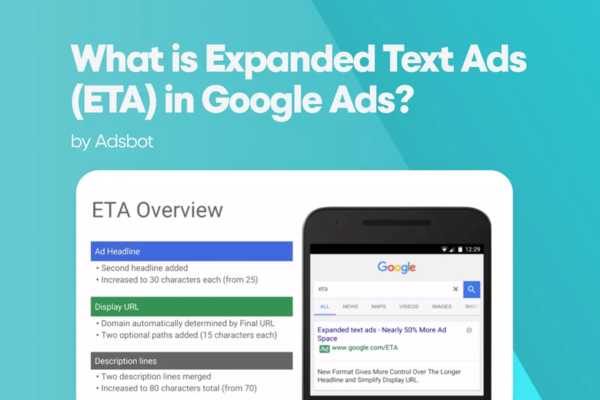
Expanded Text Ads (ETAs) were a popular ad format in Google Ads that allowed advertisers to create longer, more descriptive ads for the Search Network. They were designed to give more space to showcase products, services, and calls-to-action directly in the search results. Although Google officially stopped allowing the creation or editing of ETAs as of June 30, 2022, many businesses still have ETAs running in their older campaigns, and it’s important to understand how they worked.

Expanded Text Ads offered more space than the older standard text ads and allowed you to provide additional information to attract user clicks. Unlike Responsive Search Ads (RSAs), which automatically test multiple headline and description combinations, ETAs were static, meaning the same version of the ad would show every time unless you changed it manually.

Structure of Expanded Text Ads

An Expanded Text Ad included:

  • 3 Headlines (each up to 30 characters)

  • 2 Description lines (each up to 90 characters)

  • Display URL (with customizable path fields)

So in total, advertisers had 270 characters (not counting the display URL) to highlight benefits, offers, keywords, and calls-to-action.

How They Worked in Practice – Example from Lenskart

Let’s say Lenskart wanted to promote its “Buy 1 Get 1 Free” eyeglasses offer using an Expanded Text Ad.

Headline 1: Buy 1 Get 1 Eyeglasses
Headline 2: Lenskart – India’s Top Eyewear Brand
Headline 3: Free Home Try-On Available
Description 1: Choose from 5000+ stylish eyeglasses. Best price guaranteed.
Description 2: Book your free eye test at home today. Trusted by 10M+ customers.
Display URL: www.lenskart.com/eyeglasses-offer

When users searched for keywords like “buy eyeglasses online”, this ad would appear on the search results page. The message remains the same for everyone who sees it, unlike Responsive Search Ads which automatically rotate different headlines and descriptions.

Key Features of Expanded Text Ads

  1. Fixed Structure: You manually enter headlines and descriptions, and they always appear in the same order unless truncated.

  2. More Ad Space: More room than earlier standard text ads, allowing for more detailed messaging.

  3. Manual Control: Gives advertisers complete control over what users see, ideal for campaigns where consistent messaging is important.

  4. Keyword Relevance: Good for ensuring exact match between keywords and ad copy, improving Quality Score.

Limitations of Expanded Text Ads

  • They lack the flexibility and automation of Responsive Search Ads.

  • Cannot be edited or created anymore after June 2022, though existing ETAs still run.

  • Not ideal for advertisers wanting to test different message combinations automatically.

  • Less adaptable to variations in user intent and device type.

Why Google Replaced ETAs with RSAs

Google shifted its focus to Responsive Search Ads (RSAs) to help advertisers leverage machine learning for better ad performance. RSAs allow more flexibility, automatically testing different headlines and descriptions to find the best-performing combinations. Over time, RSAs have shown better results in terms of click-through rate and conversion optimization, which is why Google now encourages all advertisers to use RSAs instead.

When ETAs Were Most Useful

  • When consistent branding or messaging was needed across all users

  • For promotions with strict wording (legal, financial, or compliance-focused industries)

  • For campaigns with highly refined A/B testing strategies

  • When advertisers wanted complete control over the exact structure of the ad

Expanded Text Ads (ETAs) along with examples, especially using Lenskart as a reference:

Aspect Expanded Text Ads (ETAs) Example (Lenskart)
Definition A static text ad format with fixed headlines and descriptions shown in the same order A fixed ad promoting eyeglasses with a “Buy 1 Get 1 Free” message
Ad Components – 3 Headlines (30 characters each)
– 2 Descriptions (90 characters each)
Headline 1: Buy 1 Get 1 Eyeglasses
Headline 2: Lenskart – Top Brand
Headline 3: Free Home Try-On
Customization Manual — you write the full ad and it shows as is Fixed message used across all users without variation
Display URL Editable path fields added to your domain name www.lenskart.com/eyeglasses-offer
Control High — you have full control over the message order and appearance Ensures consistent promotion of a specific offer like “Buy 1 Get 1 Free”
Flexibility Low — same ad shown to everyone Not adaptable to individual user searches or variations
Machine Learning Use Not used No automated optimization
Status in Google Ads Deprecated since June 30, 2022 (cannot be created or edited) Older ETAs may still be running in existing Lenskart campaigns
Use Case Fit Best for static messages, legal content, or controlled messaging Good for sales like Buy 1 Get 1 where messaging must stay consistent
Comparison to RSAs Less flexible, no automatic testing, lower performance in dynamic environments RSAs now preferred due to real-time testing and learning

Conclusion

Expanded Text Ads were a key evolution in Google Ads that allowed advertisers to communicate more effectively through search results with longer, more detailed ad formats. Although they are no longer supported for new creation or edits, understanding how ETAs worked helps advertisers appreciate the shift toward automation and dynamic ad generation seen in Responsive Search Ads. For businesses like Lenskart, ETAs provided a fixed and consistent way to promote offers like “Buy 1 Get 1 Free,” while RSAs now provide more flexibility and data-driven optimization.

What are dynamic search ads?

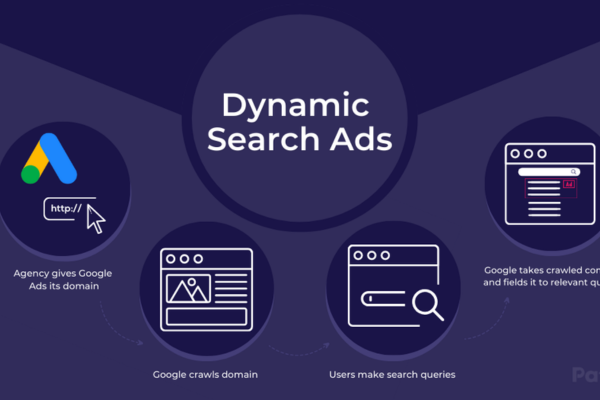
Dynamic Search Ads (DSAs) are a type of Google Ads format that automatically generates ad headlines and landing pages based on the content of your website, instead of relying on predefined keywords. They are ideal for advertisers with large websites or a wide range of products and services, where creating separate ads for each product or keyword would be time-consuming and difficult to manage.

Instead of selecting keywords manually, Google uses your website content to match search queries to relevant pages. When a user searches for something closely related to what’s on your site, Google dynamically generates a headline and selects the best landing page, helping you capture traffic you might otherwise miss.

How Do Dynamic Search Ads Work?

When you create a DSA campaign, you provide:

  • A domain name (your website)

  • Ad description lines (you write these)

  • Page feed or target categories (optional, but recommended for better control)

Google then scans your website to understand what each page is about. When someone searches for a term relevant to your site, Google dynamically:

  • Chooses a landing page from your website

  • Generates an ad headline based on the content of that page

  • Combines the generated headline with your predefined ad description

  • Shows the final ad to the user

Example of Dynamic Search Ads – Lenskart

Let’s say Lenskart has thousands of pages for different eyeglasses, sunglasses, and lenses.

Instead of manually creating ads for each product page, they launch a Dynamic Search Ads campaign targeting the website www.lenskart.com.

Now imagine a user searches for “blue light blocking glasses for office use.”

Google scans Lenskart’s site and finds a relevant product category page for Lenskart Blu – Computer Glasses. It then automatically generates an ad like this:

Ad Example:
Headline: Blue Light Blocking Glasses – Lenskart Blu Range
Description: Protect your eyes from screen strain. Explore 5000+ styles. Free home try-on available.
URL: www.lenskart.com/blue-light-glasses

Lenskart didn’t create this ad manually. Google dynamically created it by scanning the website and matching the content to the search query.

Benefits of Dynamic Search Ads

  1. Time-Saving: No need to create separate ads or keyword lists for every product or service.

  2. Comprehensive Reach: Helps capture searches you might not have thought to target with traditional keywords.

  3. Highly Relevant Ads: Google crafts headlines that directly reflect the content on your site, improving relevance and click-through rate.

  4. Better Coverage for Inventory Changes: If you add or remove products, DSAs automatically adjust to include or exclude those pages.

  5. Ideal for Large Websites: Especially effective for e-commerce sites with hundreds or thousands of pages like Lenskart.

Best Practices for Using DSAs

  • Make sure your website is well-structured and optimized for search engines so Google can accurately scan and understand your content.

  • Use page feeds to give Google better control over which pages to target. This lets you prioritize high-converting or best-selling pages.

  • Regularly review search term reports to see what queries are triggering your ads. This helps identify new opportunities or irrelevant traffic.

  • Combine with negative keywords to prevent your ads from showing for unrelated searches.

  • Test DSA campaigns alongside regular Search campaigns for broader reach and better performance data.

When to Use Dynamic Search Ads

  • When you have a large inventory and don’t want to manually build ads for each product.

  • When your website content is regularly updated.

  • When you want to discover new keyword opportunities that your current campaigns might be missing.

  • When you want to run efficient and flexible search campaigns without spending too much time on manual keyword targeting.

Conclusion

Dynamic Search Ads are a powerful automation feature in Google Ads that help businesses reach more potential customers by using the actual content of their website. For a large e-commerce brand like Lenskart, DSAs make it easier to promote thousands of product pages without manually writing individual ads. By letting Google handle the matching of search queries to relevant pages and creating headlines dynamically, DSAs save time, increase coverage, and drive higher relevance and better results.

How to Become a Digital Marketing Specialist

Digital marketing is one of the fastest-growing fields today. Many people are interested in building a career in digital marketing, and becoming a digital...

What is SMM in Digital Marketing

SMM, or Social Media Marketing, is one of the most important parts of digital marketing. In simple words, SMM is the process of using...

What is Google Analytics in Digital Marketing

Google Analytics is one of the most important tools in digital marketing. It helps businesses understand how people interact with their websites and online...

What is Google AdWords in Digital Marketing

Google AdWords is one of the most important tools in digital marketing. Many businesses use AdWords to reach their target audience online and increase...

What Is CPM in Digital Marketing

In digital marketing, understanding how your ads are priced and measured is very important. Different advertising models help marketers track performance and control spending....