Home Blog Page 7

What is ad rotation setting?

Introduction
Ad rotation is a setting in Google Ads that determines how your ads are shown when you have multiple ads in the same ad group. If you’ve written several versions of ads to test different messaging or calls to action, ad rotation decides how often each version appears in auctions. This setting plays a key role in A/B testing, optimizing performance, and managing user experience.

How Ad Rotation Works
When you create multiple ads within a single ad group, Google Ads needs to decide which one to show each time your ad is eligible. The ad rotation setting instructs Google on whether to prioritize the best-performing ad or to distribute impressions more evenly.

Types of Ad Rotation Settings

  1. Optimize (default setting)
    Google uses machine learning to prioritize ads that are more likely to perform better based on past click-through rates, conversion rates, device, browser, location, and other signals. Over time, better-performing ads get more impressions.

  2. Do Not Optimize: Rotate Ads Indefinitely
    This option gives equal preference to all ads in the ad group, showing them more evenly over time. It’s most useful for advertisers who want to run controlled A/B tests or have specific compliance requirements where each ad must be shown equally.

When to Use “Optimize”
– You want Google’s algorithm to automatically prioritize high-performing ads
– You’re focused on conversions or CTR
– You have many responsive search ads or dynamic ads
– You don’t want to manually monitor ad performance

When to Use “Rotate Indefinitely”
– You’re conducting strict A/B testing to compare ad variations
– You need consistent impression distribution for reporting or legal compliance
– You want full manual control over optimization decisions
– You’re running experiments where you want fair exposure for each ad

Example:
Let’s say Zara is testing two ads for a summer dress collection:
– Ad A: “Shop Zara Summer Dresses – Lightweight & Trendy”
– Ad B: “Zara Summer Styles – New Arrivals in Store Now”

If “Optimize” is selected, and Ad A gets more clicks over time, Google will start favoring Ad A more in auctions. If “Rotate Indefinitely” is selected, both ads will be shown roughly equally regardless of performance.

Best Practices
– Start with “Rotate Indefinitely” when A/B testing to ensure fair comparison
– Switch to “Optimize” after identifying top performers to maximize conversions
– Always monitor CTR, conversions, and ROAS of each ad
– Don’t test too many ads at once—2 to 3 per ad group is ideal for meaningful results
– Use Responsive Search Ads in combination with ad rotation for better automation and scale

Conclusion
Ad rotation settings give advertisers control over how Google distributes impressions across multiple ads. “Optimize” leverages Google’s AI to maximize performance, while “Rotate Indefinitely” gives you full control for testing or compliance. By choosing the right setting based on your goals, you can improve ad relevance, boost campaign results, and run more effective experiments in your account.

What is the best practice for naming conventions?

Introduction

In Google Ads, naming conventions are not just labels—they are the foundation for efficient campaign management, smooth team collaboration, and streamlined reporting. Whether you’re managing one brand or handling multiple clients, clear and consistent naming conventions help you stay organized, reduce human error, and gain visibility into your campaign structure at a glance. Without a systematic naming approach, even a small account can quickly become chaotic, especially when scaled to include multiple product lines, geographic targets, bid strategies, or ad formats.

This guide explains the best practices for naming conventions in Google Ads and includes two detailed examples—one for Zara (a global fashion brand) and another for MakeMyTrip (a leading online travel company in India).

Why Naming Conventions Matter

  1. Clarity Across Teams
    Marketing teams, analysts, media buyers, and clients often collaborate in the same Google Ads account. If campaign names are unclear or inconsistent, it becomes harder to find and understand what each campaign is doing. Proper naming conventions save time, reduce questions, and ensure alignment.

  2. Faster Filtering and Reporting
    Google Ads allows you to filter and group campaigns using naming elements. If all your campaigns for “Summer Sale” begin with “SUMMER2025_,” you can filter by that prefix and instantly review performance metrics. Similarly, automated scripts or data studio reports rely on structured names.

  3. Error Reduction in Optimization
    Well-named campaigns reduce the risk of applying wrong changes—like pausing the wrong campaign, applying incorrect bidding strategies, or mixing up languages or markets. It acts as a quick reference point without diving deep into campaign settings.

  4. Scalability
    As you add new products, regions, offers, and languages, the account grows. A naming system that works with 5 campaigns should also work with 50. A scalable system saves time during onboarding, auditing, and scaling.

Core Elements to Include in Naming Conventions

A strong naming convention includes specific variables that clearly describe the campaign’s purpose, target, and structure. The most common naming components include:

  1. Campaign Type or Objective – Search, Display, Video, Shopping, Performance Max, App

  2. Brand or Product/Service Name – Your brand or what you’re promoting (e.g., Zara, Flights)

  3. Target Audience or Geography – Demographics, regions, cities, states, countries

  4. Device Targeting (Optional) – Mobile, Desktop, AllDevices

  5. Language or Market (Optional) – If you’re targeting multilingual users

  6. Bidding Strategy or Goal – MaxConv, tCPA, tROAS, Manual CPC

  7. Date, Season, or Promo Type – Diwali2025, SummerSale, Q4, BackToSchool

Recommended Format Template

You can follow a structured format like this:
[Objective][Brand/Product][Geo/Market][Device][Bidding]_[Promo/Season]

Example 1: Zara Campaign (Fashion Brand)
Search_Zara_WomenTops_IND_AllDevices_MaxConv_Summer2025

Breakdown:
Search: Campaign type
Zara: Brand
WomenTops: Product category
IND: Target geography (India)
AllDevices: Targets both desktop and mobile
MaxConv: Bidding strategy
Summer2025: Seasonal relevance

This naming convention helps instantly recognize that this is a Search campaign for Zara’s women’s tops in India, targeting all devices, using Maximize Conversions bidding, and focused on the summer 2025 collection.

If Zara also wants to run a campaign for men’s shirts in Canada for Fall 2025, it could look like:
Search_Zara_MenShirts_CAN_AllDevices_MaxConv_Fall2025

Example 2: MakeMyTrip Campaign (Travel Brand)
PMax_MMT_ThailandHoliday_Mumbai_ROAS20_Diwali2025

Breakdown:
PMax: Performance Max campaign type
MMT: Brand short form for MakeMyTrip
ThailandHoliday: Product or destination focus
Mumbai: Target city or region
ROAS20: Target ROAS of 20
Diwali2025: Seasonal promotion campaign for Diwali

With just a glance, your team can determine the objective, brand, destination, geo-focus, and performance goal without diving into campaign settings. For retargeting ads, you could use a variation like:
Display_MMT_Retargeting_HotelViewers_IND_AllDevices_MaxConv_Q4

Best Practices for Naming Conventions

  1. Be Consistent
    Decide on one format and follow it for every campaign, ad group, and asset. Inconsistency defeats the purpose of naming conventions. Document your naming rules in a shared internal guide.

  2. Use Common Abbreviations and Prefixes
    Use well-known abbreviations such as “MMT” for MakeMyTrip, “ROAS” for Return on Ad Spend, “tCPA” for Target CPA. Avoid obscure codes unless your whole team understands them.

  3. Avoid Special Characters
    Stick to underscores (_) or dashes (–) for separation. Avoid slashes (/), percentage signs (%), or hashtags (#) as they may conflict with tools or systems used later (like reports or APIs).

  4. Use CamelCase or TitleCase for Readability
    Examples:
    – Use “Search_Zara_Shoes_IN” instead of “searchzarashoesin”
    – This makes scanning through names much easier in long lists

Conclusion

A clean, logical, and consistent naming convention makes Google Ads accounts easier to manage, scale, and report on. Whether you’re handling 10 campaigns or 100, the way you name them directly impacts clarity, performance tracking, and efficiency. By using a standardized format that includes campaign type, product or service, geography, bidding strategy, and seasonal elements, you ensure that everyone on your team—from account managers to analysts—knows what each campaign is about without second-guessing. As shown in the Zara and MakeMyTrip examples, adopting clear naming structures pays off in long-term campaign performance, especially in fast-moving digital marketing environments.

How to manage brand vs non-brand campaigns?

Introduction
Effectively managing brand vs non-brand campaigns in Google Ads is essential for performance clarity, efficient budget control, and long-term growth. Whether you’re running campaigns for a fashion brand like Zara, a travel portal like MakeMyTrip, or a tech business like Accosoft India, separating branded and non-branded traffic helps ensure that each campaign has a focused goal and delivers measurable results. This detailed guide explains why this separation matters, how to structure and optimize each type, and how to measure performance clearly.

What Are Brand and Non-Brand Campaigns?

Brand Campaigns target keywords that include your business or product name. These users are already familiar with your brand and are likely lower in the funnel, closer to conversion.
Examples:
– “Zara women’s dresses”
– “MakeMyTrip Bali package”
– “Accosoft CRM pricing”

Non-Brand Campaigns target broader, more generic keywords that do not include your brand name. These help acquire new customers and expand your reach.
Examples:
– “summer dresses for women”
– “holiday packages to Bali”
– “best CRM for small business”


Why You Should Separate Brand and Non-Brand Campaigns

1. Clearer Budget Allocation
When brand and non-brand keywords are in the same campaign, budget can be consumed quickly by branded terms (which typically have higher Quality Scores and lower CPCs). This can starve non-brand terms of impressions. By separating campaigns, you can assign dedicated budgets and ensure each has a fair opportunity to perform.

2. Distinct Performance Metrics
Brand keywords often generate higher click-through rates (CTR), lower CPCs, and better conversion rates because they attract warm audiences. Non-brand terms have lower performance initially but are critical for discovery and growth. Measuring them together distorts data. Separate campaigns give you accurate insights.

3. Better Optimization Control
Separating campaigns lets you set different bidding strategies, ad copy, and landing pages tailored to intent. For example, you may use Target CPA for non-brand campaigns and Maximize Conversions for brand campaigns. You can also use different negative keyword strategies and schedule ad delivery more strategically.

4. Funnel-Specific Targeting
Brand campaigns are often used at the bottom of the funnel for converting users who are already familiar with your offerings. Non-brand campaigns are typically top- or mid-funnel, generating awareness and bringing in users researching or comparing options. Each needs different messaging, creatives, and user journey.

Step-by-Step: How to Set Up and Manage Brand vs Non-Brand Campaigns

Step 1: Keyword Research and Segmentation
Use tools like Google Keyword Planner or SEMrush to build separate keyword lists.
Brand Keywords: Include your brand name, variations, misspellings, product names (e.g., “Zara sale,” “MakeMyTrip offers”)
Non-Brand Keywords: Focus on generic or competitor terms (e.g., “cheap travel sites,” “best CRM in India”)

Step 2: Create Separate Campaigns
In Google Ads, set up two different campaigns:
Brand Campaign: Use brand-specific keywords only
Non-Brand Campaign: Use generic or high-intent terms that exclude brand mention

Step 3: Use Negative Keywords to Prevent Overlap
To prevent cannibalization and keyword overlap:
– Add your brand name as a negative keyword in the non-brand campaign
– This ensures branded searches go only to the brand campaign, keeping reporting and performance clean

Step 4: Customize Ad Copy for Intent
Brand Campaign Ads:
– Use trust and urgency (e.g., “Official Site,” “Shop the Zara Sale Today,” “Free Returns”)
– Highlight brand strengths, loyalty offers, and ease of use

Non-Brand Campaign Ads:
– Focus on features, benefits, USPs
– Example for MakeMyTrip: “Compare Holiday Packages – Flights + Hotels from ₹24,999. No Hidden Fees.”
– Speak to new users who don’t yet trust or know your brand

Step 5: Adjust Bidding Strategy
Brand campaigns are usually cheaper and convert better, so you can use manual bidding or maximize conversions to save costs.
Non-brand campaigns often require higher bids and more experimentation. Consider using Smart Bidding strategies like Target CPA or Target ROAS to drive performance.

Step 6: Assign Separate Budgets
Keep separate daily budgets for each campaign based on your goals.
– Brand campaigns: Lower budget but ensure always-on presence to protect your brand from competitors bidding on your name
– Non-brand campaigns: Higher budget allocation for reach, testing, and growth

Step 7: Create Matching Landing Pages
Make sure each campaign sends users to a relevant landing page:
– Brand campaign traffic can be directed to the homepage, loyalty program page, or featured product
– Non-brand traffic should land on specific category pages or product collections that match their search (e.g., “floral summer dresses”)

Step 8: Measure and Optimize Separately
Analyze performance by campaign type:
– Track metrics like CTR, conversion rate, impression share, ROAS
– Brand campaigns will usually outperform non-brand in raw numbers, but non-brand campaigns are critical for growth
– Use different KPIs for each: ROI and CPA for brand, traffic growth and new users for non-brand


Examples: Brand vs Non-Brand Campaign in Action

Zara Brand Campaign
– Keywords: Zara dresses, Zara online shopping, Zara store near me
– Ad Copy: “Official Zara India – Shop the Latest Collection Online”
– CTA: “Free Shipping on Orders Above ₹2,000”
– Result: High CTR, low CPC, strong brand protection

Zara Non-Brand Campaign
– Keywords: trendy women’s dresses, floral maxi dresses India, affordable fashion
– Ad Copy: “New Season Dresses – Fresh Trends Starting ₹999”
– CTA: “Shop Now on Zara.com”
– Result: Brings new users who may not know the brand yet

MakeMyTrip Brand Campaign
– Keywords: MakeMyTrip Bali package, MMT Goa flights, MakeMyTrip app
– Ad Copy: “Official MakeMyTrip – Best Travel Deals & 24/7 Support”
– Result: High ROAS, repeat customers, app downloads

MakeMyTrip Non-Brand Campaign
– Keywords: international holiday packages, cheap flights to Thailand, honeymoon deals India
– Ad Copy: “Book Affordable Holidays with Flights + Hotels. Compare & Save Now”
– Result: New customer acquisition, lower initial ROI but builds audience pool


Bonus Tips for Managing Brand vs Non-Brand

Use Labels or Naming Conventions: Clearly label campaigns as “BRAND” or “NON-BRAND” in Google Ads for easier filtering and reporting
Monitor Impression Share: Protect your brand by ensuring 90%+ impression share in brand campaigns
Test Audience Layers: Add audience segments (like in-market or affinity) to non-brand campaigns in observation mode for deeper insights
Use RLSA (Remarketing Lists for Search Ads): Boost non-brand campaigns by retargeting visitors who didn’t convert but searched generic terms
Split Mobile/Desktop Performance: Brand traffic often performs better on mobile; optimize bidding accordingly


Conclusion
Separating and managing brand vs non-brand campaigns in Google Ads is one of the most important structures for maintaining campaign clarity and efficiency. Brand campaigns protect your name, capture high-intent traffic, and deliver consistent results. Non-brand campaigns fuel growth, expand your customer base, and drive awareness. With distinct structures, tailored creatives, and performance-focused strategies, you can make the most of both and scale your business sustainably—whether you’re Zara selling fashion, MakeMyTrip booking travel, or any other brand looking to balance loyalty with discovery.
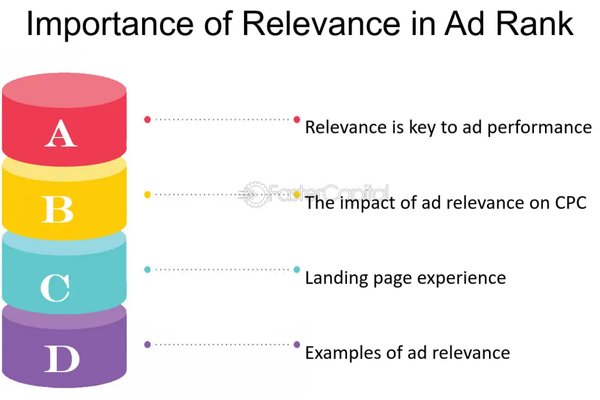
What is the impact of ad relevance?

Introduction
Ad relevance is a key component in the success of any Google Ads campaign. It measures how closely your ad copy and keywords match what a user is searching for. A highly relevant ad increases the chances that a user will click, engage, and ultimately convert. Google uses ad relevance as one of the main factors to determine your Quality Score, which directly affects your Ad Rank and Cost-Per-Click (CPC). When your ad is more relevant, you not only improve user experience but also gain better placement and pay less per click. In short, ad relevance impacts visibility, efficiency, and profitability.

Why Ad Relevance Matters in Google Ads

  1. Improves Quality Score
    Google assigns a Quality Score from 1 to 10 based on three components: expected click-through rate (CTR), ad relevance, and landing page experience. A highly relevant ad boosts this score, which makes your campaign more competitive and cost-effective.

  2. Reduces Cost Per Click (CPC)
    With a higher Quality Score, you can achieve a better ad position without having to bid as much as your competitors. Google rewards relevance by giving you discounts on your CPC. This means more traffic for less cost.

  3. Increases Click-Through Rate (CTR)
    If users see an ad that matches exactly what they’re looking for, they’re more likely to click. Higher CTRs further improve your Quality Score, creating a positive performance loop.

Example:
Let’s say a user searches “cheap Goa flights.”
Low Relevance Ad: “Explore Destinations Around India – Book Now.”
High Relevance Ad: “Cheap Flights to Goa from ₹2,999 – Book with MakeMyTrip.”

The second ad is more relevant, increasing the chance of clicks, and sending signals to Google that the ad is useful—leading to higher Quality Score and better placement at a lower cost.

  1. Boosts Conversion Rate
    When the ad matches both the user’s intent and the landing page content, the user is more likely to complete the desired action—whether it’s booking a flight, buying a product, or filling a form. Relevance reduces confusion and friction, making the user journey smooth.

Example:
If someone searches for “honeymoon packages to Maldives,” and sees an ad that says “Luxury Honeymoon in Maldives – MakeMyTrip Packages with Flights & Stay,” they’re more likely to click and book compared to a generic travel ad.

  1. Improves Ad Rank and Visibility
    Ad Rank determines where your ad appears on the search results page. It’s based on your bid amount, Quality Score (including ad relevance), and other factors like extensions and expected impact. A more relevant ad improves Ad Rank, allowing it to show in top positions more often—even against competitors with higher bids.

  2. Increases Return on Ad Spend (ROAS)
    With better positioning, lower CPC, and higher conversions, your overall ROAS improves. You pay less for better results, making your budget go further and driving more value from every rupee spent.

  3. Enhances User Experience
    Ad relevance ensures users see useful, personalized ads. Google wants to keep its platform valuable for both advertisers and searchers. Highly relevant ads improve trust, satisfaction, and likelihood of repeat interaction.

Best Practices to Improve Ad Relevance

– Use tightly themed ad groups with focused keywords
– Include the main keyword in the headline and description
– Align ad copy with user intent (informational vs transactional)
– Ensure the landing page mirrors the ad messaging and offer
– Regularly A/B test different ad versions to see what resonates
– Use Responsive Search Ads to allow Google to mix and match best-performing headlines and descriptions

Example: MakeMyTrip Ad Group – “Goa Holiday Packages”
Keywords: Goa vacation, Goa package, beach resorts in Goa
Ad Copy Headline: “Affordable Goa Holiday Packages – Book Beach Resorts with Flights”
Description: “MakeMyTrip Offers Customizable Goa Trips. Save on Flights + Stay. 24×7 Support.”
Landing Page: www.makemytrip.com/goa-packages

This ensures all elements—keyword, ad, and landing page—are fully aligned, creating a high ad relevance score.

Conclusion
Ad relevance is not just a quality metric—it’s the foundation of a successful Google Ads campaign. It directly affects your costs, visibility, engagement, and conversions. Advertisers who prioritize relevance benefit from higher Quality Scores, lower CPCs, better ad positions, and stronger return on investment. Whether you’re promoting travel offers on MakeMyTrip or fashion deals on Zara, ensuring your ads are closely matched to user intent will give your campaigns the edge they need to win in a competitive digital landscape.

What are best practices for seasonal campaigns?

Introduction
Seasonal campaigns are time-sensitive marketing efforts aligned with specific events or seasons—such as holidays, festivals, travel seasons, end-of-season sales, or shopping events like Black Friday. Running effective seasonal campaigns requires proactive planning, audience targeting, ad customization, and bidding strategy optimization. Brands like MakeMyTrip, Zara, or Myntra often run powerful seasonal campaigns around summer vacations, Diwali, New Year travel, or end-of-season fashion sales. Below are proven best practices to execute successful seasonal campaigns in Google Ads.

1. Start Early with Planning and Forecasting
Begin planning at least 4–6 weeks in advance of the seasonal peak. This includes budgeting, setting campaign objectives, analyzing past seasonal data, and reserving ad inventory where needed. Use Google Trends to identify the seasonality curve and adjust your strategy accordingly.

Example: MakeMyTrip starts planning for the summer vacation season in April. Based on past data, they know travel searches spike mid-May, so they launch teaser ads early May to capture top-of-funnel audiences and peak conversion ads in late May.

2. Tailor Campaigns to the Seasonal Intent
Customize your ad copy, creatives, landing pages, and product offerings to match the specific season or event. Use urgency, limited-time offers, countdowns, and seasonal keywords to attract intent-driven users.

Example: Zara runs a “Monsoon Sale” campaign with ad headlines like “Up to 50% Off This Monsoon – Limited Time!” and landing pages featuring monsoon collections and waterproof items.

3. Use Historical Data to Guide Strategy
Analyze past seasonal campaign performance to identify top-performing keywords, ad groups, audience segments, placements, devices, and creatives. Optimize bids, budgets, and targeting based on these insights.

Example: Myntra notices from last year’s Diwali campaign that display ads featuring ethnic wear had a high CTR and conversion rate on mobile, so this year they increase budget for mobile display ads targeting ethnic categories.

4. Create a Funnel-Based Campaign Structure
Segment campaigns into awareness (Display, YouTube), consideration (Search, Discovery), and conversion (Shopping, Search with high intent keywords). This ensures you capture users at every stage of the decision-making process.

Example: MakeMyTrip launches a full-funnel Christmas campaign. YouTube video ads promote “Christmas getaways,” remarketing display ads show special holiday hotel offers, and exact match search ads bid on “Book Goa flight for Christmas.”

5. Use Countdown Ads and Promotion Extensions
Google Ads allows dynamic countdowns in headlines and ad descriptions. Promotion extensions let you highlight sales with start/end dates, discounts, and promo codes. These features drive urgency and improve click-through rates.

Example: Zara uses countdown ads for its “End of Season Sale” with messaging like “Only 3 Days Left – Shop Now” and includes a 30% off promotion extension valid till Sunday.

6. Increase Budgets and Use Smart Bidding
During peak periods, user competition and click volume rise. Allocate higher budgets and use Smart Bidding strategies like Target ROAS or Maximize Conversions to stay competitive and efficient during the seasonal rush.

Example: During the New Year travel rush, MakeMyTrip increases daily budget by 40% and switches to Maximize Conversions bidding for hotel campaigns to capture high intent traffic without manual adjustments.

7. Build and Use Custom Audiences
Leverage custom intent and custom affinity audiences based on seasonal keywords, competitor URLs, or seasonal behaviors. Also, create remarketing lists based on previous seasonal visitors or recent site engagement.

Example: Myntra creates a custom intent audience targeting users searching for “winter jackets sale,” “December fashion trends,” and “Zara winter collection” to drive traffic to their winter collection.

8. Optimize Landing Pages for Seasonal Relevance
Ensure your landing pages reflect the seasonal theme, have fast loading speed (especially on mobile), and match your ad message precisely. Include clear CTAs, visible discounts, and simple navigation.

Example: MakeMyTrip creates a separate Diwali-themed landing page for domestic holiday packages with festive banners, highlighted discounts, and regional offers like “Diwali in Kerala,” “Dussehra in Mysore.”

9. A/B Test Creatives and Ad Variants
Test different ad creatives, formats, and headlines early in the season to identify top performers. Use Responsive Search Ads and Responsive Display Ads to automatically optimize for the best-performing combinations.

Example: Zara tests two creative versions—one featuring models wearing winter coats, and one with product flat lays. The ad with models performs better and is scaled across all winter campaigns.

10. Monitor Performance Daily and Be Flexible
During the seasonal period, monitor your KPIs daily—CTR, conversion rate, ROAS, CPA. Be ready to pause underperforming ads, reallocate budget to best-performing campaigns, and adjust bidding based on real-time performance.

Example: MakeMyTrip sees that hotel bookings in Goa are converting 2x better than other destinations in their Christmas campaign, so they increase budget for Goa ads and pause low-performing city campaigns.

11. Build Hype Pre-Season and Re-Engage Post-Season
Start with pre-launch teasers to build excitement and audience pools for remarketing. After the season ends, re-engage recent converters with loyalty offers, thank-you campaigns, or upsell opportunities.

Example: Myntra runs a teaser campaign a week before its End of Season Sale using YouTube Shorts and Display Ads. Post-sale, it retargets buyers with a thank-you message and a 10% discount coupon for their next purchase.

Conclusion
Seasonal campaigns are a powerful way to capitalize on high-intent traffic and consumer urgency, but they require careful planning, customization, and flexibility. Brands like MakeMyTrip, Zara, and Myntra succeed because they start early, align ads with user intent, segment campaigns by funnel stages, use smart automation, and optimize daily. By applying these best practices, you can maximize visibility, drive conversions, and improve ROI during your peak seasonal windows.

How to segment audiences by behavior?

Introduction
Audience segmentation by behavior is the process of dividing users into groups based on how they interact with your website, app, ads, or content. Instead of relying only on demographics like age or gender, behavioral segmentation focuses on what users do—what they search for, how they browse, what they click, and how often they visit. In Google Ads, segmenting by behavior helps you deliver more personalized ads, increase engagement, and improve conversions.

For a platform like MakeMyTrip, which serves travelers with a wide range of preferences, behaviors like “frequent trip planner,” “abandoned booking,” or “viewed international packages” can be powerful signals to create highly targeted campaigns.

Why Behavioral Segmentation Matters

– Helps you understand the user journey
– Enables personalized targeting and messaging
– Improves conversion rates and reduces ad spend waste
– Allows you to build stronger remarketing and lookalike audiences
– Supports full-funnel campaign structure (awareness → consideration → conversion)


Key Behavioral Segmentation Categories

  1. Website Activity Behavior
    – Users who visited specific pages (e.g., “Thailand Packages” or “Visa Services”)
    – Users who started but didn’t complete a booking
    – Users who viewed hotel details but didn’t select dates
    – Users who bounced quickly (low engagement)

    Example:
    MakeMyTrip creates an audience list of users who visited pages related to Goa beach resorts in the last 7 days but didn’t book. These users are retargeted with Display Ads showing discounted Goa packages.

  2. App Usage Behavior
    – Installed but not opened the app in 7 days
    – Opened the app 3+ times in a week
    – Added a trip to the wishlist
    – Booked a flight but didn’t book a hotel

    Example:
    Users who installed the MakeMyTrip app but haven’t used it in a week are shown a mobile-only discount to re-engage them.

  3. Search and Click Behavior
    – Searched for specific keywords like “cheap Europe flights”
    – Clicked on ads related to family vacations
    – Engaged with specific ad extensions (e.g., clicked on “travel insurance”)

    Example:
    If users repeatedly search for “last-minute holiday deals,” they can be segmented and targeted with dynamic search ads showing time-sensitive offers.

  4. Purchase/Conversion Behavior
    – Converted in the past (buyers, leads, subscribers)
    – Abandoned the cart at checkout
    – Purchased a product or service within a date range
    – Repeat customers vs first-time buyers

    Example:
    Users who previously booked an international flight but have not booked hotels are shown ads for hotel combos at the destination they flew to.

  5. Engagement Behavior
    – Time spent on site (e.g., more than 3 minutes = high intent)
    – Number of pages viewed in one session
    – Watched 75% or more of a YouTube video ad
    – Scrolled 80% of a landing page

    Example:
    Users who spent more than 5 minutes reading about honeymoon destinations but didn’t click “Book Now” are shown personalized remarketing ads featuring best honeymoon deals.

  6. Transaction Value Behavior
    – High spenders vs low spenders
    – Searched only for premium hotels or business class flights
    – Booked only low-budget trips or one-star hotels

    Example:
    High-spending users are segmented and targeted with luxury vacation campaigns, while price-conscious users see budget travel deals.


How to Create Behavioral Segments in Google Ads

  1. Using Website Tags & Google Ads Audience Manager
    – Go to Tools & Settings > Shared Library > Audience Manager
    – Click Segments > Website Visitors
    – Create segments based on conditions like “visited URL includes /goa-packages” or “time on site > 3 minutes”
    – Name the segment clearly, e.g., “Goa package visitors – 7 days”

  2. Using Google Analytics (GA4)
    – Open GA4 > Audiences > Create New Audience
    – Set behavioral rules (e.g., users who viewed hotel booking page but didn’t reach the payment page)
    – Publish this audience to Google Ads for targeting
    – Create segments based on session duration, scroll depth, conversion events, and engagement levels

  3. Using App Engagement (Firebase)
    – For mobile apps, use Firebase to track in-app events (e.g., flight search started, hotel added to cart)
    – Sync Firebase audiences to Google Ads
    – Run App Engagement or Display campaigns for each behavioral group

  4. Using YouTube and Video Engagement
    – Segment users who watched specific videos or channels
    – Retarget based on how much of the video was watched (25%, 50%, 75%, or complete)
    – Useful for travel inspiration videos or destination highlights


Campaign Use Cases for Behavioral Segmentation

Top of Funnel (TOFU):
– Users who visited the blog or travel guides section
– People who watched a destination teaser video
Campaign goal: Awareness

Middle of Funnel (MOFU):
– Users who viewed product pages but didn’t convert
– Visitors who compared prices or searched specific itineraries
Campaign goal: Engagement and consideration

Bottom of Funnel (BOFU):
– Cart abandoners or people who clicked “Book Now”
– Repeat visitors within last 3 days
Campaign goal: Conversion

Post-Purchase:
– Users who booked in the last 30 days
– Users who booked a flight but no hotel
Campaign goal: Cross-sell, upsell, loyalty


Tips to Effectively Use Behavior-Based Segmentation

– Always exclude recent converters from TOFU campaigns to avoid wasted spend
– Use RFM (Recency, Frequency, Monetary) principles to prioritize audiences
– Personalize ad copy based on previous behavior
– Create lookalike audiences based on high-performing behavioral segments
– Use “observation” mode in campaigns to measure segment value before bidding aggressively
– Test different creatives for each behavioral segment (e.g., urgency for cart abandoners vs inspiration for dreamers)

Conclusion
Behavioral audience segmentation in Google Ads allows advertisers to move beyond generic targeting and deliver personalized messages based on how users actually behave. For travel brands like MakeMyTrip, segmenting users by behavior—whether it’s browsing Goa beach resorts, searching for Europe flights, or abandoning a cart—means reaching the right person with the right message at the right time. This improves relevance, reduces wasted spend, and drives more profitable conversions throughout the funnel.

How to use audience insights?

Introduction
Audience Insights in Google Ads help advertisers understand more about the people interacting with their campaigns—what their demographics are, what they’re interested in, how they behave online, and how likely they are to convert. These insights are critical for making data-driven decisions around targeting, messaging, bid adjustments, and budgeting.

Using Audience Insights effectively can improve campaign performance, lower acquisition costs, and boost return on ad spend (ROAS). For a business like MakeMyTrip, which serves a variety of traveler profiles (students, families, business travelers, solo tourists), audience insights help tailor offerings and communication based on user behavior and intent.

What Are Audience Insights?
Audience Insights are analytics and data available within Google Ads and Google Analytics that reveal:
– Who your audience is (age, gender, location, device)
– What they’re interested in (affinities, in-market categories, life events)
– How they interact with your ads and website (engagement, conversions)
– Which segments convert better or are more cost-efficient

These insights come from aggregated Google data across billions of searches, video views, browsing behavior, and ad interactions.

Where to Find Audience Insights in Google Ads

  1. Go to your Google Ads dashboard

  2. Click on Tools & Settings > Shared Library > Audience Manager

  3. Select the Audience Insights tab

  4. Choose your Customer List, Website Visitors, or App Users as the base audience

  5. Google will then show insights about similar users and potential segments to target

You can also use Audience Segmentation Reports under Reports > Predefined reports > Audience to analyze performance by demographic groups and segments.

Types of Insights You Can Use

1. Demographics
– Age, gender, parental status, household income
– Identify which groups have the highest CTR or conversion rate
Example: MakeMyTrip may notice that users aged 25–34 convert best for international packages, while users 45+ click more on domestic hotel ads but convert less frequently.

2. Affinity Audiences
– Broad interest categories like “Travel Buffs,” “Luxury Shoppers,” “Outdoor Enthusiasts”
– Useful for upper-funnel campaigns focused on awareness
Example: If a large portion of MakeMyTrip visitors belong to the “Beach Travel Enthusiasts” affinity group, they can run display campaigns for beach destinations like Goa or Maldives.

3. In-Market Audiences
– Users actively researching or intending to buy specific products or services
– High purchase intent, perfect for middle- and bottom-funnel targeting
Example: MakeMyTrip finds a strong in-market audience for “Vacation Packages” and “International Flights,” so they allocate more budget to Performance Max campaigns targeting these users.

4. Life Events
– Audiences going through major life changes (e.g., graduation, marriage, new job)
– These users often plan travel soon after life events
Example: MakeMyTrip targets users recently engaged with honeymoon packages or flight + hotel deals in romantic destinations.

5. Device and Location Behavior
– Analyze performance by mobile vs desktop
– See which regions drive more conversions
Example: MakeMyTrip sees most bookings happen on mobile devices from tier-1 cities like Delhi, Mumbai, and Bangalore. They then increase mobile bids and create geo-targeted ads.

How to Apply Audience Insights

1. Create Custom Audiences
Use the insights to build Custom Segments based on:
– Interests (e.g., people searching for “cheap Europe trips”)
– URLs visited (competitor sites or travel blogs)
– Apps used (other travel or booking apps)

2. Refine Targeting in Campaigns
– Adjust your campaign targeting based on top-performing audience groups
– Exclude underperforming segments to save budget
– Add high-value audiences as “Observation” in Search and Shopping campaigns, then analyze performance

3. Bid Adjustments
– Increase bids for audiences that convert better (e.g., increase bid for users 25–34 if they show 3X ROI)
– Lower bids for devices or age groups that show poor return
– Use smart bidding but monitor audience-level data for refinements

4. Tailor Ad Messaging
– Use different ad copy based on audience behavior
– Highlight luxury features for high-income segments
– Show discount-oriented messages to value-conscious users
Example: For “Budget Travelers,” MakeMyTrip may highlight “lowest-price guaranteed” messaging, while for “Luxury Shoppers,” the ads focus on premium resorts and exclusive experiences.

5. Inform Creative Strategy
– Use insights to decide what images or videos to show in Display and Video campaigns
– Target interest-based creatives (beach, mountains, cityscapes) to matching audiences
– Match landing page content with what your top audiences care about

6. Build Remarketing Lists
– Segment past users based on interaction level (visited hotel pages, added to cart, searched flights)
– Create funnel-specific remarketing lists
– Use Dynamic Remarketing for users who saw specific products or packages

7. Combine with Google Analytics
– Use GA4 audience insights to find engaged users, drop-off points, and behavior flows
– Sync GA4 audiences into Google Ads for sharper targeting
– Identify which audiences come back after multiple visits and build campaigns to speed up their journey

8. Use Insights to Test and Expand
– Identify new segments to test: If you’ve been targeting families, try testing “solo travelers” or “students”
– Test new channels (e.g., Discovery or Gmail) with insights on where your audience spends time
– Expand into new markets or devices based on top-performing audience regions

Conclusion
Audience Insights are a powerful tool in Google Ads that allow you to understand who your users are, how they behave, and what drives their actions. For a platform like MakeMyTrip, where travel decisions involve multiple touchpoints and audience types, leveraging audience insights helps improve targeting accuracy, personalize ad messages, and increase campaign efficiency. By analyzing and applying this data smartly, advertisers can build high-performing strategies that connect with the right user at the right time with the right message.

How to build a full-funnel strategy with Google Ads?

Introduction
A full-funnel strategy in Google Ads means designing your campaigns to target users across all stages of the customer journey—from awareness to consideration to conversion. Instead of focusing only on getting immediate sales, this approach nurtures users over time, guiding them through relevant and strategic touchpoints. For a travel platform like MakeMyTrip, where users take time to explore destinations, compare hotels, check flights, and make bookings, a full-funnel strategy is essential to capture attention, build trust, and convert users effectively.

What Is a Full-Funnel Strategy in Google Ads?
A full-funnel strategy typically includes three main stages:

Top of Funnel (TOFU): Awareness
Here, users are not actively looking to book yet. The goal is to make them aware of your brand and offerings.
Middle of Funnel (MOFU): Consideration
Users are exploring and comparing options. The goal is to re-engage them with detailed information and build trust.
Bottom of Funnel (BOFU): Conversion
Users are ready to book. The goal is to drive action—flight booking, hotel reservation, or holiday package purchase.

Step-by-Step: Full-Funnel Google Ads Strategy Using MakeMyTrip as an Example

1. Top of Funnel: Build Awareness

Campaign Objective: Reach new audiences who might travel soon but haven’t yet chosen a platform or destination.
Campaign Types: Display Ads, YouTube Ads, Discovery Ads, Performance Max (reach-focused setup)
Targeting Methods:
– Custom affinity audiences (e.g., people interested in travel, airlines, hotels)
– In-market audiences for travel-related behaviors
– Location-based targeting (e.g., users in metro cities likely to travel abroad)
– Broad keywords like “best travel destinations 2025” or “top places to visit in summer”

Example Campaign:
MakeMyTrip runs a YouTube video campaign showcasing “Top 10 Exotic International Holiday Destinations Under ₹50,000” targeted at users aged 25–40 who watch travel content. This builds brand awareness and encourages people to explore the MMT website or app.

Ad Copy Example:
“Explore the world with MakeMyTrip. Budget-friendly holidays to Thailand, Bali, Dubai & more! Watch now.”
Landing Page: Blog or destination guide page with visual storytelling, not direct booking yet.

Goal: Introduce the brand, generate interest, drive traffic to the site, grow remarketing audience lists.

2. Middle of Funnel: Drive Consideration

Campaign Objective: Engage users who interacted with your site or content and help them explore your offerings in more detail.
Campaign Types:
– Remarketing via Display, Search, YouTube
– Search Campaigns with mid-intent keywords
– Gmail Ads (now Discovery campaigns)
– App engagement campaigns

Targeting Methods:
– Remarketing lists (users who visited destination pages but didn’t book)
– Custom intent audiences (searched for “cheap flights to Bali”)
– Similar audiences based on converters
– Users who watched the YouTube ad from TOFU stage

Example Campaign:
MakeMyTrip targets users who visited its Bali package page but didn’t book. They see a Display Ad showcasing a limited-time 15% off Bali travel packages with a “Check Dates” CTA.
Another campaign targets users searching keywords like “best honeymoon places in Asia” or “cheap flights to Bali” with Search Ads showing the most affordable deals.

Ad Copy Example:
“Bali Getaway for 2 – Flights + Hotels from ₹42,999. Limited time. Book with MakeMyTrip now!”
Landing Page: Specific package or flight listing page with transparent pricing and reviews.

Goal: Keep MakeMyTrip top of mind, provide more details, compare options, and get users to consider booking.

3. Bottom of Funnel: Drive Conversions

Campaign Objective: Convert high-intent users into customers.
Campaign Types:
– Standard Search Ads with high-converting keywords
– Shopping-style ads for hotel inventory
– Dynamic remarketing for abandoned bookings
– Call-only ads for last-minute support
– Performance Max optimized for conversions

Targeting Methods:
– Exact match keywords like “book Bangkok flight today”
– Users who added a hotel to cart but didn’t complete booking
– High-intent segments (people who clicked “Book Now” in the last 7 days)
– Mobile users during peak travel season

Example Campaign:
MakeMyTrip runs a Dynamic Search Campaign targeting users who abandoned the cart at the payment stage for a Goa hotel. The ad copy includes a reminder: “Still planning your Goa holiday? Book now & get free breakfast!”
They also use Performance Max with data feeds from their hotel inventory and Smart Bidding to reach people most likely to convert based on signals like device, time, and behavior.

Ad Copy Example:
“Last Minute Flight Deals to Goa – ₹3,599 Onwards. Book Now!”
Landing Page: Pre-filled booking page or limited offer page to reduce friction.

Goal: Push the final action—booking, payment, confirmation. Maximize ROI.

4. Post-Purchase Funnel: Loyalty and Re-engagement

Campaign Objective: Bring users back for future trips or upsell related services.
Campaign Types:
– App engagement campaigns
– Email remarketing via Customer Match
– Remarketing Display campaigns with hotel suggestions or cab booking
– YouTube remarketing: “Your next vacation idea” series

Example Campaign:
MakeMyTrip shows hotel offers in Goa to users who booked flights to Goa two days ago. Another campaign promotes international SIM cards or local cab packages to customers who booked international travel.

Goal: Increase customer lifetime value, encourage repeat usage, improve app engagement.

Measurement and Optimization Strategy
– Use Google Analytics and Google Ads conversion tracking to monitor funnel drop-off points
– Set up micro and macro conversions for tracking (e.g., viewing destination = micro; booking = macro)
– Use Google’s attribution reports to analyze the impact of each funnel stage
– Allocate budgets based on funnel gaps (e.g., if awareness is strong but conversions are low, invest more in MOFU + BOFU)
– Use remarketing audience segments across each stage with exclusions (e.g., exclude converters from TOFU campaigns)

Conclusion
A full-funnel Google Ads strategy helps platforms like MakeMyTrip guide users from dreaming about their next vacation to actually booking it. By mapping campaigns to the funnel—awareness, consideration, and conversion—you not only attract the right audience but nurture them efficiently through smart targeting, relevant messaging, and optimized bidding. For travel, where decisions involve comparison, planning, and trust, a full-funnel strategy ensures you stay in front of users at every critical moment and convert interest into action.

How to Become a Digital Marketing Specialist

Digital marketing is one of the fastest-growing fields today. Many people are interested in building a career in digital marketing, and becoming a digital...

What is SMM in Digital Marketing

SMM, or Social Media Marketing, is one of the most important parts of digital marketing. In simple words, SMM is the process of using...

What is Google Analytics in Digital Marketing

Google Analytics is one of the most important tools in digital marketing. It helps businesses understand how people interact with their websites and online...

What is Google AdWords in Digital Marketing

Google AdWords is one of the most important tools in digital marketing. Many businesses use AdWords to reach their target audience online and increase...

What Is CPM in Digital Marketing

In digital marketing, understanding how your ads are priced and measured is very important. Different advertising models help marketers track performance and control spending....