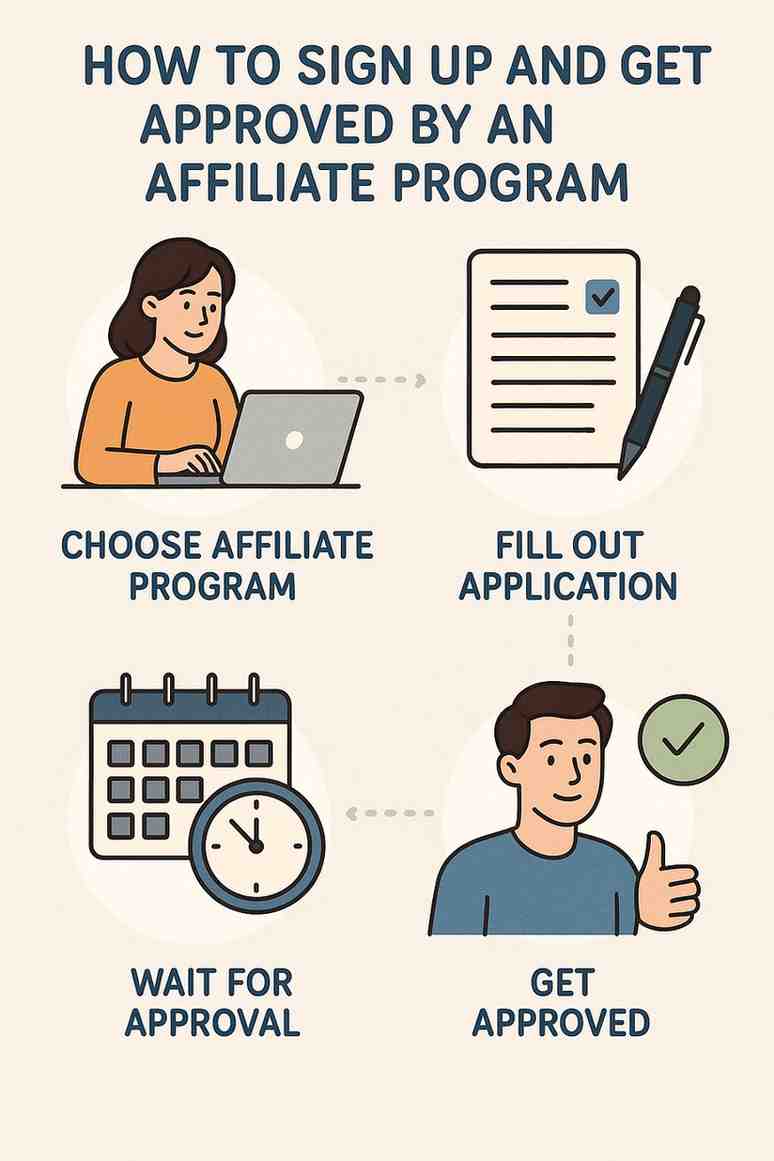
Home Blog Page 11

Elevating Your E-E-A-T: Practical Steps to Prove Your Content’s Credibility to Google.


Introduction

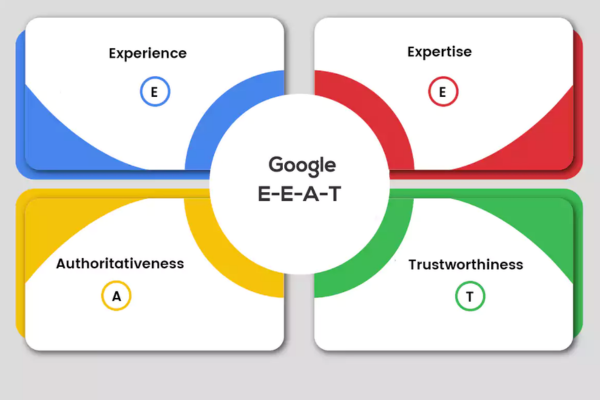
In today’s search ecosystem—driven by AI summaries and informed by Google’s E‑E‑A‑T framework—your content must prove its credibility to users and algorithms alike. Google uses automated systems alongside human “quality raters” to assess Experience, Expertise, Authoritativeness, and Trustworthiness (E‑E‑A‑T). Strong E‑E‑A‑T isn’t just best practice—it’s vital for excelling in competitive search, reducing click dependency, and establishing lasting user trust.

This guide offers actionable steps to elevate your E‑E‑A‑T, backed by official guidelines, industry research, and a real-world case study from the health-tech space.


1. Experience: Showcase Firsthand Knowledge

What it means:
Experience involves firsthand insights—gained by practice, research, or personal use of products and services.

Why it matters:
Google’s guidelines stress authentic content created by those with genuine background or involvement (developers.google.com, reddit.com, junhammer.com).

How to implement:

  • Include case studies, user stories, or personal anecdotes (“After using Product X…”).
  • Share original media (photos, screenshots) to evidence your experience (reddit.com, junhammer.com).
  • Detail your methods when reviewing or testing—outline how many items you tested, steps followed, etc. .

2. Expertise: Prove You Know Your Stuff

What it means:
Expertise requires author credentials, qualifications, or professional acknowledgment relevant to the topic.

Why it matters:
Expert authorship boosts credibility, especially in YMYL (Your Money or Your Life) domains (developers.google.com).

How to implement:

  • Feature detailed author bios: academic degrees, certifications, roles.
  • Use Author Schema markup to communicate this to Google (viralgraphs.com).
  • Include expert review notes (“Reviewed by Dr. Patel, Endocrinologist”) to demonstrate oversight (junhammer.com).

3. Authoritativeness: Establish Your Reputation

What it means:
Authoritativeness reflects how the web perceives your brand or authors—as a recognized, valuable source.

Why it matters:
Google rewards content cited, linked, or referenced by other valuable sites (linkedin.com, viralgraphs.com).

How to implement:

  • Conduct original research or surveys, and publish unique findings (junhammer.com).
  • Secure quality backlinks from reputable sites, academic papers, and industry leaders (reddit.com).
  • Collaborate with thought leaders—co-author content, quote them, or appear in guest interviews .

4. Trustworthiness: Prove Your Integrity

What it means:
Trustworthiness means being transparent, accurate, honest, and reliable in your content and site practices.

Why it matters:
Trust is foundational—search quality raters prioritize it above all when assessing E‑E‑A‑T (developers.google.com).

How to implement:

  • Ensure your site runs on HTTPS, with clear Privacy Policy, Terms, and Contact Info .
  • Display user reviews, testimonials, or ratings where relevant (viralgraphs.com).
  • Cite credible, external sources (government, university, medical journals) inline (junhammer.com).
  • Keep content up to date, with timestamps and revisions noted (junhammer.com).

5. How to Integrate All Four Pillars

A) Audit Your Content

  • Who: Does each piece list the author and credentials?
  • How: Are hands‑on experiences, testing methods, or personal involvement noted?
  • Citations: Do you link out to authoritative sources?
  • Trust: Is your site secure and transparent?

B) Improve Underperforming Pages

  • Add author bios and credentials.
  • Introduce first‑hand examples or visual proof.
  • Embed structured data (Author, Article, Review).
  • Cite credible sources and include publication dates.

C) Amplify Your Authority

  • Publish exclusive reports or data-driven content.
  • Earn guest posts on respected domains.
  • Grow engagement through testimonials or comments.

D) Maintain and Refresh


Case Study: “PureHealth India”

Background

PureHealth India offers wellness advice and sells herbal supplements. They faced low rankings on queries like “best immunity boosters in India” despite competitive content.

Strategy Focused on E‑E‑A‑T

  1. Experience
    • Shared case studies of 200 participants trying their supplements.
    • Posted photos of lab testing and dosage results.
  2. Expertise
    • Brought on Dr. Riya Sharma (PhD in Ayurveda). Every health post is authored or reviewed by her.
    • Implemented Author JSON‑LD schema and displayed credentials clearly.
  3. Authority
    • Surveyed effectiveness of supplements and published findings.
    • Gained citations from wellness blogs, agro sector sites, and a local research journal.
  4. Trustworthiness
    • Displayed HTTPS certification, refund and quality guarantee policies.
    • Cited studies from NCBI, AYUSH Ministry and World Health Organization.
    • Updated advisories every quarter with version histories.

Results (in 6 months)

  • Featured in AI-generated answer boxes for queries like “how to boost immunity naturally” with quotes from their report.
  • Backlinks doubled; mentions in two major health portals.
  • Organic traffic rose 40%, with affiliate supplement sales increasing 55%.
  • Decreased bounce rate by 25%, longer dwell times, and higher repeat visits.

Summary Table

E‑E‑A‑T Pillar Key Actions Impact on SEO & Users
Experience Case studies, visuals, testing logs Signals authentic knowledge; boosts engagement
Expertise Author bios, credentials, schema markup Demonstrates real authority; builds trust
Authority Unique research, quality backlinks, expert mentions Signals topical leadership; improves domain strength
Trustworthiness HTTPS, policies, source citations, transparency Enhances credibility; supports conversions

Conclusion

Elevating E‑E‑A‑T isn’t a superficial exercise—it involves demonstrating real-world knowledge, validated skills, industry recognition, and unshakeable trust. Each pillar reflects Google’s core requirement: content must be created to help people, not manipulate rankings (reddit.com, reddit.com, firstpagedigital.sg, viralgraphs.com, junhammer.com, reddit.com, seobusiness.co.uk, whitepress.com, developers.google.com).

Brands that integrate experience, expertise, authority, and trust systematically gain powerful visibility—capturing AI summary slots, securing meaningful backlinks, and building long-term audience trust.

If you’re interested, I can help audit your site, optimize your author profiles, craft experience-led case studies, or guide you through structured data implementation. Let’s raise your credibility to its peak!
What is a shared budget strategy?

Introduction
A Shared Budget Strategy in Google Ads is a budgeting method that allows advertisers to allocate a single budget across multiple campaigns in the same account. Rather than setting individual daily budgets for each campaign, you create a shared budget pool, and Google automatically distributes that budget across your selected campaigns based on which ones are performing best or have the potential to get more traffic.

This strategy is especially helpful for businesses that want to simplify budget management and make sure their ad spend is used efficiently across several campaigns. For example, brands like Myntra, Zara, or Skechers, which often run multiple campaigns for different products or seasonal offers, can benefit from using a shared budget to ensure they are not over- or under-spending on any individual campaign.

How It Works
When multiple campaigns are grouped under a shared budget:

  • Google monitors all the campaigns using that shared budget

  • Each day, it automatically reallocates the budget based on performance and demand

  • If one campaign doesn’t use its portion of the budget (due to low traffic or low spend), Google can shift those unspent funds to another campaign that can make better use of it

For example, if you assign a shared budget of ₹2,000/day across three campaigns — Campaign A, B, and C — and on a particular day:

  • Campaign A only uses ₹500

  • Campaign B uses ₹700

  • Campaign C uses ₹800
    Then the entire ₹2,000 is spent without any budget being wasted or unspent.

Benefits of Using a Shared Budget

  1. Simplifies Budget Management
    Instead of manually assigning budgets to each campaign, you can manage everything from one shared pool.

  2. Maximizes Budget Efficiency
    Google automatically shifts unused budget from underperforming campaigns to high-performing ones, helping you get the most out of your daily spend.

  3. Reduces Underspending
    If one campaign is low on traffic, the remaining budget isn’t wasted — it’s used where it’s needed.

  4. Improves Campaign Flexibility
    You can run multiple related campaigns (like for different product categories) under one budget without micromanaging each individually.

  5. Helpful for Seasonal Campaigns
    During sales, events, or product launches, shared budgets let you react faster to performance shifts without daily manual adjustments.

How to Set Up a Shared Budget

  1. Log in to your Google Ads account

  2. Click on Tools & Settings (wrench icon)

  3. Under Shared Library, select Shared budgets

  4. Click the + button to create a new shared budget

  5. Name your shared budget (e.g., “Zara Women’s Apparel Budget”)

  6. Set a daily budget amount for the shared group

  7. Choose the campaigns you want to include

  8. Click Save

From that point, the selected campaigns will all draw from the shared pool instead of using their previous individual budgets.

Example: Zara Shared Budget Strategy
Suppose Zara is running three campaigns:

  • Campaign 1: Dresses

  • Campaign 2: Footwear

  • Campaign 3: Accessories

Rather than assigning ₹800 to each, they create a shared budget of ₹2,400 for all three. If Campaign 2 is getting higher traffic due to a flash sale, Google can allocate ₹1,200 to it for the day while reducing the others. This ensures Zara doesn’t miss out on valuable clicks just because one campaign hit a fixed budget limit.

When to Use Shared Budgets

  • When you’re running multiple campaigns targeting similar products or goals

  • When you want Google to automatically allocate spend based on performance

  • When your campaigns have similar priority and you don’t want to limit one unnecessarily

  • When you have a limited daily budget and want to ensure it’s spent effectively

  • When managing a large-scale account with many campaigns and minimal manual intervention

When Not to Use Shared Budgets

  • If you want precise control over how much each campaign spends

  • If your campaigns serve very different goals, audiences, or regions

  • If you use automated bidding strategies that require separate budgets

  • If you’re testing performance separately, like in campaign experiments

Tips for Optimizing Shared Budgets

  • Group only similar campaigns together — campaigns targeting the same country, similar product lines, or similar goals

  • Monitor performance daily, especially at the beginning, to ensure one campaign isn’t hogging the budget

  • Use portfolio bid strategies together with shared budgets to maximize performance

  • Regularly evaluate if certain campaigns have grown and now need their own individual budgets again

  • If a campaign is underperforming, pause it or remove it from the shared budget pool to prevent it from using valuable budget

Conclusion
A Shared Budget Strategy is a smart and efficient way to manage multiple campaigns under a single spending umbrella in Google Ads. It ensures that your daily budget is fully utilized and automatically adjusted based on demand and performance. For large retail brands like Zara, Skechers, and Myntra, shared budgets help simplify account management, improve ad spend efficiency, and enhance campaign flexibility — all while reducing the risk of underspending or over-prioritizing low-performing ads. When implemented wisely, shared budgets can contribute significantly to more agile, cost-effective, and profitable advertising campaigns.

What is campaign draft and experiments?

Introduction
In Google Ads, Campaign Drafts and Experiments is a powerful feature that allows advertisers to test changes to their existing campaigns in a controlled environment before applying them permanently. Think of it as a “safe testing lab” where you can try different strategies, bidding options, keywords, ad copy, or settings — without affecting the original campaign’s performance until you’re sure the change works. This is extremely useful for advertisers who want to improve campaign performance based on data rather than assumptions.

This tool is especially important when running large-scale or high-budget campaigns for brands like Zara, Skechers, or Myntra, where making the wrong change could impact thousands of impressions or conversions. With Drafts and Experiments, you can test ideas like using a different bidding strategy, targeting a new geographic location, or changing ad schedules — and then only roll them out fully if the test results show improvement.

What Is a Campaign Draft?
A Campaign Draft is an editable version of an existing campaign. It mirrors all of the current settings, including keywords, ads, budgets, and targeting. You can then modify this draft without affecting the original campaign.

The purpose of a draft is to allow you to plan and prepare changes, which you can either:

  • Apply to the original campaign after review

  • Convert into an experiment to test against the original campaign

For example, if Zara wants to test a new bidding strategy (switching from Manual CPC to Target ROAS) on their “Women’s Summer Collection” campaign, they can first create a draft, make the bidding strategy change in the draft, and then either apply it or run an experiment with it.

What Is a Campaign Experiment?
A Campaign Experiment takes the draft you’ve created and runs it alongside your original campaign to test performance. Google splits the budget and traffic between your original campaign and the experiment based on a percentage you choose (like 50/50 or 70/30).

Both versions run simultaneously, and Google provides separate data on performance so you can compare the results. Once the experiment runs for a sufficient time (usually 2–4 weeks), you can decide whether to:

  • Apply the changes to the original campaign

  • Convert the experiment into a new campaign

  • End the experiment if it underperforms

How to Set Up a Campaign Draft and Experiment

Step 1: Create a Draft

  1. Go to your Google Ads dashboard

  2. Navigate to the campaign you want to test

  3. Click on “Drafts” from the left-hand menu

  4. Click the “+” to create a new draft

  5. Name your draft (e.g., “Zara – Target ROAS Test”)

  6. Click “Create”

  7. You’ll now be in the draft view — make the changes you want (e.g., change bidding strategy, edit ads, adjust location targeting)

  8. Save your changes

Step 2: Set Up an Experiment

  1. Go back to the Drafts screen

  2. Next to your draft, click on “Apply” → “Run an experiment”

  3. Name your experiment

  4. Choose the percentage of traffic and budget to allocate to the experiment

  5. Set a start and end date

  6. Launch the experiment

Now, Google will run both the original campaign and the experiment in parallel, and you can monitor both using separate reporting views.

What Can You Test With Experiments?

  • Bidding strategies (Manual CPC vs. Target CPA or Target ROAS)

  • Keyword match types

  • Ad copy and extensions

  • Audience targeting

  • Geographic targeting

  • Ad scheduling

  • Landing pages

Example: Zara India Campaign Experiment
Zara wants to test whether switching to Smart Bidding (Target ROAS) improves the conversion value from its “Women’s Summer Collection” campaign.

  1. They duplicate the campaign using a draft

  2. In the draft, they change the bidding from Manual CPC to Target ROAS

  3. They run an experiment, splitting traffic 50/50 between the original and the draft

  4. After 3 weeks, the experiment shows 25% more revenue per rupee spent

  5. Zara then applies the experiment to the original campaign

Benefits of Using Campaign Experiments

  • Risk-Free Testing: Test major changes without hurting your existing performance

  • Data-Driven Decisions: Make informed decisions based on actual performance metrics

  • Controlled Environment: Run tests for specific durations with clear traffic splits

  • Flexibility: End, apply, or convert experiments at any time

  • Detailed Reporting: Compare results like clicks, impressions, CTR, conversions, cost, ROAS side-by-side

Best Practices for Drafts and Experiments

  • Test only one major change at a time to clearly understand what’s affecting performance

  • Run experiments for at least 2 weeks (ideally 4) to collect enough data

  • Use a balanced traffic split like 50/50 for fair comparison

  • Monitor key metrics such as Conversion Rate, Cost/Conversion, ROAS, and CTR

  • Avoid making changes to the original campaign during the experiment to maintain accuracy

  • Name your drafts and experiments clearly (e.g., “Myntra – New Ad Copy Test”) for easy tracking

Limitations of Campaign Drafts and Experiments

  • Only available for Search and Display campaigns (not for Performance Max or Shopping campaigns)

  • Can only test changes within the same campaign type

  • May not show results quickly if your campaign has low traffic or budget

  • Multiple experiments can’t run simultaneously on the same campaign

Conclusion
Campaign Drafts and Experiments in Google Ads give advertisers a powerful and structured way to test changes before implementing them live. Instead of guessing what might work better, you can use data to confirm whether your new strategy improves performance. For large retail brands like Zara, Skechers, or Myntra, this feature is incredibly valuable because it reduces risk and increases ROI. Whether you want to test new bidding, keywords, ads, or targeting, Campaign Experiments let you validate your ideas in a real-world setting — and only commit to what truly works. This makes your advertising smarter, safer, and more strategic

How to optimize for Quality Score?

Introduction
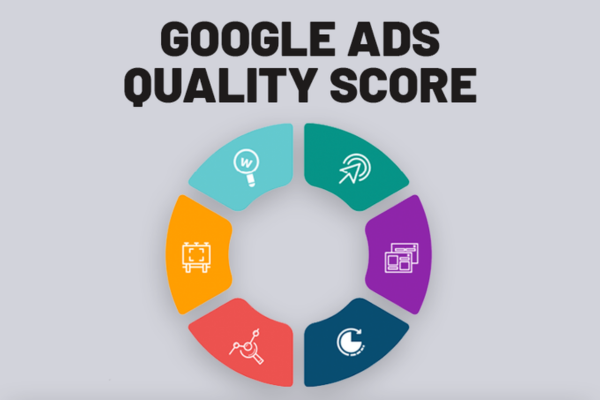
Quality Score is one of the most critical components in Google Ads. It is a metric Google uses to evaluate the quality and relevance of your ads, keywords, and landing pages. It directly affects your Ad Rank, Cost Per Click (CPC), and overall campaign performance. The better your Quality Score, the less you pay per click, and the better your ad positions are. Google assigns a Quality Score from 1 to 10 (with 10 being the best) based on real-time and historical performance data.

To run effective and cost-efficient campaigns, advertisers must understand how to improve and optimize their Quality Score. Here is a complete guide with steps, examples, and best practices.

Three Core Components of Quality Score

  1. Expected Click-Through Rate (CTR)
    This is how likely users are to click your ad when they see it. It’s a prediction based on your past performance, your keyword, your ad’s appeal, and the ad’s historical CTR.

  2. Ad Relevance
    This measures how closely your ad matches the intent behind the user’s search query. The closer your keywords align with the ad copy and message, the higher your ad relevance.

  3. Landing Page Experience
    This refers to how relevant and useful your landing page is to people who click your ad. It considers factors like loading speed, mobile friendliness, relevance, original content, and ease of navigation.

Step-by-Step Optimization Techniques

1. Improve Expected CTR

  • Write Highly Relevant Ad Copy
    Make sure your ad headlines and descriptions match the user’s search intent. Use dynamic keyword insertion (DKI) where possible to mirror the exact query.

Example: For Zara’s winter jacket campaign, if your keyword is “buy women’s winter jackets”, then a strong headline would be:
“Shop Women’s Winter Jackets – New Arrivals from Zara India”

  • Use Strong Call-to-Actions (CTAs)
    CTAs such as “Shop Now”, “Explore Collection”, “Limited Stock Available”, “Get 30% Off” improve engagement and CTR.

  • Use Ad Extensions
    Sitelinks, callouts, structured snippets, and image extensions give your ad more space and visibility, improving CTR.

  • Test Multiple Ads
    Run A/B tests on different versions of your ads. Keep rotating and testing ads to see which ones perform best.

2. Increase Ad Relevance

  • Tightly Group Your Keywords
    Don’t throw all your keywords into one ad group. Create tightly themed ad groups so that your ad copy can match your keywords more precisely.

Example: If you’re running ads for Skechers shoes:
Group 1: Skechers Sports Shoes
Group 2: Skechers Casual Shoes
Group 3: Skechers Running Shoes

Each group should have custom-tailored ads using the exact keyword theme.

  • Match Your Keywords in Headlines
    Always include your primary keyword in the ad headline or first line of the description. This signals to users (and Google) that your ad is highly relevant.

  • Avoid Generic Ads
    Generic, broad, or vague ads lower your relevance. Instead of saying “Great Deals Online”, say “Buy Skechers Running Shoes – Up to 40% Off”.

3. Enhance Landing Page Experience

  • Ensure Relevance and Consistency
    If your ad talks about “Skechers Running Shoes”, don’t send users to the homepage. Send them directly to the Skechers running shoes product page.

  • Use Mobile-Friendly Design
    Your landing page must load fast and look great on mobile. A poor mobile experience negatively affects Quality Score.

  • Improve Page Speed
    Use tools like Google PageSpeed Insights. Optimize images, reduce server response time, and enable browser caching.

  • Create Original, Valuable Content
    Make sure the content clearly describes the product, has pricing, images, specs, and answers user questions. Avoid thin or duplicate content.

  • Clear Navigation and CTA
    Help users easily complete the action you want — like “Add to Cart” or “Get 10% Off”. Use clear, visible buttons and clean design.

Additional Tips to Improve Quality Score

  • Use Negative Keywords
    By excluding irrelevant queries, you reduce wasted impressions and improve CTR. For example, Zara may exclude terms like “Zara job openings” from product ad campaigns.

  • Monitor Search Terms Report
    Regularly review the search terms that triggered your ads. Add high-performing ones as keywords and remove irrelevant ones.

  • Adjust Match Types
    Use phrase and exact match where appropriate to maintain high relevancy. Broad match should be used carefully and usually with audience targeting.

  • Optimize for Conversions
    Although Quality Score is not directly based on conversions, campaigns with strong performance metrics often see better Quality Scores due to better user engagement.

  • Use Google Ads Recommendations
    Review the “Recommendations” tab inside Google Ads for optimization ideas. Often Google suggests actions that can directly improve Quality Score.

Real Brand Example – Zara

Suppose Zara is advertising their “Summer Dresses” collection. They use the keyword “buy summer dresses online”. Their ad says:

Headline: Shop Zara Summer Dresses – Upto 50% Off
Description: Explore the latest collection of women’s summer dresses. Free shipping over ₹2,000.

If the landing page leads directly to the Zara summer dresses product page with filters, high-quality images, reviews, and fast mobile loading, then all three components of Quality Score are optimized — resulting in better rankings and lower CPC.

Real Brand Example – Skechers

Skechers India wants to promote its “Running Shoes for Men”. They create a focused ad group with only keywords like “skechers men’s running shoes”, “buy skechers running shoes”, “skechers go run”. The ad copy directly includes these keywords, and the user is directed to a page with just those running shoes. This focused strategy improves relevance and user experience, raising the Quality Score.

Tools to Monitor Quality Score

  • In Google Ads, go to the Keywords tab

  • Add columns for “Quality Score”, “Expected CTR”, “Ad Relevance”, “Landing Page Experience”

  • Scores are shown as “Below Average”, “Average”, or “Above Average”

Monitor these regularly to see which keywords need attention.

Conclusion
Quality Score is a powerful factor that influences how your ads perform, where they appear, and how much you pay. By optimizing your ads for better CTR, increasing relevance, and delivering a smooth landing page experience, you can improve your Quality Score significantly. Brands like Zara, Myntra, and Skechers use these techniques to ensure their ads stay competitive, cost-effective, and aligned with user expectations. Quality Score optimization is not a one-time task but a continuous process of refinement. Regularly testing ad creatives, tightening keyword groupings, improving pages, and reviewing performance metrics will lead to higher scores, better ad placements, and more conversions at lower costs.

What are Google Ads policies?

What are Google Ads Policies?

Introduction
Google Ads policies are a comprehensive set of rules and guidelines created by Google to ensure that all advertisements running on its platform are safe, appropriate, and compliant with local laws and industry standards. These policies govern what advertisers can promote, how they can promote it, and the types of content and behaviors that are restricted or prohibited. Google’s aim with these policies is to protect users, promote a trustworthy advertising ecosystem, and maintain the integrity of its ad services. Advertisers who violate these policies risk ad disapproval, account suspension, or permanent bans. Therefore, understanding and complying with Google Ads policies is essential for any business or brand running advertising campaigns on Google.

Types of Google Ads Policies
Google Ads policies are broadly categorized into several key areas. Each area addresses specific rules around content, behavior, technical requirements, and legal compliance.

  1. Prohibited Content
    These are categories of content that are not allowed under any circumstances on Google Ads.
    Examples include:

  • Counterfeit goods: Ads for fake branded products that imitate the original

  • Dangerous products or services: Weapons, explosives, recreational drugs

  • Inappropriate content: Hate speech, graphic violence, harassment

  • Tobacco, recreational drugs, or unapproved pharmaceuticals

Example: If a website attempts to promote counterfeit Zara clothing items claiming to be original, Google will disapprove the ad for violating its counterfeit goods policy.

  1. Prohibited Practices
    These are manipulative or dishonest advertising practices that are not allowed.
    Examples include:

  • Misrepresentation: Providing misleading information about products or services

  • Cloaking: Showing different content to users and Google

  • Data collection without consent: Harvesting user data without proper disclosures

Example: If an advertiser claims that a Zara dress is 100% cotton but sends users to a landing page with synthetic materials, this is considered misrepresentation.

  1. Restricted Content and Features
    This content is allowed but with limitations, and may be subject to country-specific laws, age restrictions, or certifications.
    Examples include:

  • Alcohol-related ads: Only allowed in certain regions with specific rules

  • Gambling-related content: Requires pre-approval and is limited by geography

  • Healthcare and medicines: Only approved advertisers can run these ads

  • Financial services: Must comply with transparency requirements

Example: A company promoting a Zara credit card offer must meet Google’s financial services policies, including identity verification and full disclosure of terms.

  1. Editorial and Technical Requirements
    Google expects ads to be clear, professional, and technically functional.
    Key rules include:

  • Proper grammar and spelling

  • Clear and relevant landing pages

  • Functioning URLs with no broken links

  • No excessive use of capital letters or punctuation

Example: An ad saying “BUY ZARA SHOES!!!!” in all caps with excessive punctuation would be disapproved for violating editorial standards.

  1. Destination Requirements
    The destination or landing page of the ad must follow certain rules.
    Examples include:

  • Must work properly and not contain malicious software

  • Must match the ad’s message

  • Must not initiate automatic downloads or redirects

  • Must have a clear purpose and provide valuable content

Example: If a Skechers ad links users to a blank page or redirects them to unrelated content, the ad would be disapproved for violating destination quality policies.

Examples of Policy Violations and Consequences

Let’s say a fashion reseller is running ads for Zara and Skechers products.

  • If the seller is offering fake Zara bags, the ad will be removed under the counterfeit goods policy.

  • If the landing page says “Buy Now” but there’s no option to purchase or lacks price information, the ad may be disapproved for misrepresentation.

  • If the ad redirects users to another unrelated website, that’s a violation of destination mismatch.

  • If the business uses hidden text or cloaking to manipulate what Google’s systems see, it could result in a suspension.

  • If the advertiser runs ads without disclosing finance charges on a Skechers EMI offer, it may violate the financial services policy.

Each of these violations can lead to warnings, temporary disapprovals, or full account suspensions depending on severity and repetition.

Account Suspension

Google may suspend accounts that engage in egregious or repeated violations of policy. Once suspended, the account can no longer run any ads or create new ones. Suspensions may be due to:

  • Repeat violations even after warnings

  • Serious breaches such as fraud or phishing

  • Use of malware or harmful content

  • Circumventing systems by creating new accounts to bypass disapprovals

Recovering a suspended account involves submitting an appeal and proving compliance with all Google Ads policies. However, not all appeals are accepted.

Appealing Disapprovals

If your ad is disapproved, you’ll receive a notification in your Google Ads dashboard with the reason. You can:

  1. Fix the violation by editing your ad or landing page

  2. Resubmit the ad for review

  3. Appeal if you believe the ad was wrongly flagged

It’s important to understand the specific policy violated before taking corrective action. You can access the full policy center from the “Policies” tab in your account.

Best Practices to Stay Compliant

To avoid policy issues and maintain a healthy account, follow these best practices:

  1. Always ensure your ads match your landing page content

  2. Use professional, grammatically correct ad text

  3. Avoid making exaggerated or false claims

  4. Don’t promote restricted products without permission

  5. Regularly review your campaigns for compliance

  6. Use only verified and approved product feeds

  7. Ensure your website has a privacy policy, contact info, and clear user flow

Tools Google Provides to Help with Compliance

  • Policy Manager: Helps you monitor disapproved ads and provides reasons

  • Ad Preview and Diagnosis Tool: Lets you test how your ads appear without affecting metrics

  • Tag Assistant: Helps verify that tracking and remarketing tags comply with technical standards

  • Google Ads Help Center: Offers detailed explanations of each policy with examples

Updates and Notifications
Google frequently updates its policies to reflect changes in laws, market practices, or platform behavior. Advertisers receive advance notices about upcoming changes. Keeping up to date with these updates is critical for businesses running long-term ad campaigns.

For example, in 2023, Google updated policies related to personalized advertising, requiring more transparency around targeting practices. Advertisers targeting user behavior or demographics had to ensure they disclosed relevant details and used the correct ad format.

Conclusion
Google Ads policies are essential rules that maintain a safe, trustworthy, and effective advertising environment. They protect users from harmful or misleading content and ensure that advertisers maintain a high standard of quality and transparency. These policies cover everything from the type of content you can advertise, how your ads are written, where they lead, and how user data is collected. Brands like Zara, Skechers, and Myntra must adhere strictly to these policies to maintain their ad presence and avoid disapprovals or suspensions. Understanding and following Google Ads policies is not just about compliance — it’s about creating better user experiences, building trust, and ensuring long-term success in digital advertising.

Experience, Expertise, Authority, Trustworthiness: The Pillars of Modern SEO Success.

Introduction: SEO in the AI-Driven Information Age

The digital landscape has evolved profoundly. Gone are the days when stuffing keywords and building backlinks guaranteed visibility. Today, with AI-powered search engines like Google’s SGE, Bing Copilot, and ChatGPT, quality has become paramount. These systems value content evaluated by Experience, Expertise, Authority, and Trustworthiness—collectively known as E‑E‑A‑T.

Why is E‑E‑A‑T critical now? Because search engines are delivering precise, AI-curated answers that reflect users’ desire for content that is not only topically relevant but also credible and well-grounded. In this guide, we’ll examine each E‑E‑A‑T pillar, explore why it matters for SEO, and illustrate the principles through a real-world example from the Indian healthcare sector.


1. Experience: Demonstrating Real-World Knowledge

Definition:
Experience means firsthand familiarity with the subject—beyond theoretical knowledge—rooted in real actions, observations, or experiments.

Why it matters:
Search engines and users alike value genuine, experience-driven insights. AI’s quality raters check for content derived from real experience. Signal phrases like “In my experience” or “We tested…” show lived credibility.

How to implement:

  • Include case studies, user testimonials, and real-life examples.
  • Use photos, screenshots, or data from experiments you conducted.
  • Share anecdotes to make content relatable and authentic.

2. Expertise: Proving Credibility Through Credentials

Definition:
Expertise refers to demonstrable skill or knowledge in a field, backed by credentials, experience, or in-depth study.

Why it matters:
Earning the trust of search engines—especially for YMYL (Your Money or Your Life) topics—requires authoritative contributors. Algorithms assess content creator credentials, such as education, certifications, or proven record in the industry.

How to implement:

  • Add detailed author bios with qualifications (e.g., “Dr. Meera Singh, Nutritionist, MBBS”).
  • Use quote-based or expert-reviewed content to strengthen credibility.
  • Link to external professional profiles (LinkedIn, research portals).

3. Authority: Earning Respect and Recognition

Definition:
Authority is measured by how others perceive your brand or content: via citations, backlinks, mentions, or by your presence offline (media, conferences).

Why it matters:
AI systems prefer sources widely referenced by experts, industry publications, and credible institutions. It’s a social proof KPI.

How to implement:

  • Conduct unique research or data-driven studies that others will cite.
  • Earn backlinks from reputable sources (e.g., academic journals, government websites).
  • Collaborate with recognized thought leaders in your field.

4. Trustworthiness: Building a Safe, Reliable Experience

Definition:
Trustworthiness reflects a site’s safety, transparency, accuracy, and respect for users.

Why it matters:
Secure, accurate sources are essential, especially for sensitive topics. Users—and search engines—expect transparency, multiple references, and safe browsing.

How to implement:

  • Use HTTPS security and display SSL certificates.
  • Include accessible contact information, privacy policy, and disclaimers.
  • Cite reliable sources like government portals, official statistics, or peer-reviewed papers.
  • Keep content current—dates and version history signal freshness and diligence.

E‑E‑A‑T in Action: A Real-World Example

Let’s consider an Indian company, WellnessAid India, that provides teleconsultation and wellness content.

Challenge:

Despite ranking on page one for terms like “teleconsultation in India,” WellnessAid struggled to appear in Google’s AI overviews. Traffic was okay, but brand perception lacked weight.

E‑E‑A‑T-Driven Strategy:

  1. Experience:
    • Launched a month-long trial campaign with 200 users. Shared real patient stories (anonymized), screenshots, and outcomes.
    • Produced videos showing the consultation process and follow-ups.
  2. Expertise:
    • Appointed Dr. Rajiv Patel (MBBS, MD) as Chief Medical Advisor. Each article now carries his bio and signature.
    • Added peer-review stamps (“Reviewed by Dr. Patel, MD in Family Medicine”) to YMYL pages.
  3. Authority:
    • Released a whitepaper, “Teleconsultation in Urban India 2025,” based on their trial data.
    • Earned mention in national newspapers and earned backlinks from medical journals.
  4. Trustworthiness:
    • Displayed full privacy policy, terms of service, and secure data encryption badges.
    • Provided transparent consultation fees, consultation flowcharts, and disclaimers.

Results Over Six Months

Metric Before After Change
Google AI Overview Citations 0 12 +100%
Page One Rankings 15 22 +47%
Backlinks 75 150 +100%
Teleconsult Bookings 180/month 340/month +89%
User Session Duration 2.4 minutes 4.1 minutes +71%

Users increasingly trusted WellnessAid because its content aligned with E‑E‑A‑T signals—demonstrated experience, medical endorsements, authoritative research, and transparent policies.


How to Embed E‑E‑A‑T in Your Strategy

A) Content Creation Blueprint

  • Experience: Start articles with a case example or user story.
  • Expertise: Feature bios, credentials, and expert quotes upfront.
  • Authority: Cite high-quality external sources; produce original research.
  • Trustworthiness: Maintain up-to-date info, legal compliance, and technical site hygiene.

B) Website Technical Health

  • Use HTTPS and SSL
  • Maintain clean site architecture and use clear navigation
  • Add pages like “About Us,” “Contact,” and “Privacy Policy”
  • Ensure accessible, fast-loading design with mobile responsiveness

C) Visibility and Outreach Strategy

  • Generate data-driven reports or original insights for PR
  • Engage in guest blogging, webinars, and medical/public forums
  • Leverage media mentions and industry collaborations

D) Measurement & Optimization

  • View AI overview presence via Google Search Console insights
  • Monitor backlink growth and new domain referrals
  • Track branded search volume
  • Watch engagement signals: session duration, page depth, bounce rate

E‑E‑A‑T: Not Just a Buzzword, but a Competitive Advantage

In the AI-influenced SEO ecosystem of 2025, content must pass stringent quality signals. E‑E‑A‑T isn’t just about qualification—it elevates your brand’s ability to earn prime positions, like AI summaries or featured snippets. It builds resilience against algorithm updates and drives conversions rooted in trust and authority.

By embedding real-world experience, verified expertise, well-earned authoritativeness, and unquestionable trustworthiness, you transform your brand into a reliable knowledge hub—and reap compounding SEO and business benefits.

Ready to elevate your content with E‑E‑A‑T excellence? I can help craft expert-led content, implement trust signals, or audit your SEO strategy for E‑E‑A‑T compliance. Just let me know!

What is the Google Tag Manager?

Introduction
Google Tag Manager (GTM) is a free tool provided by Google that allows marketers, advertisers, and developers to easily manage and deploy marketing tags (snippets of code) on a website or mobile app — without having to modify the website code every time. Tags can include scripts for Google Ads conversion tracking, Google Analytics, Facebook Pixel, Hotjar, remarketing tags, and more.

Before GTM, every time you needed to add or update a tag (like a tracking pixel or a JavaScript snippet), you had to involve a web developer. With GTM, you can do this yourself through an easy-to-use web interface. It increases efficiency, reduces the chance of error, and speeds up marketing implementation.

How It Works
At its core, GTM works by placing a single container tag on your website. This container acts as a shell that holds all your other tags. Instead of manually placing multiple tracking codes on every page of your website, you insert the GTM container code once, and then manage all tags from the GTM interface.

Here’s how GTM operates:

  1. You install the GTM container code on your website (once).

  2. Inside your GTM account, you create tags — like Google Ads, Google Analytics, or other third-party tools.

  3. You assign triggers to these tags — when should they fire? For example, on page load, button click, form submission, or conversion.

  4. GTM loads the tags and executes them based on the defined rules, without needing code changes to your website every time.

Key Components of Google Tag Manager

  1. Tags
    A tag is a piece of code or a script that sends information to a third-party tool, like Google Ads, Google Analytics, or Facebook. GTM supports many tag types:

    • Google Ads Conversion Tracking

    • Google Analytics 4 (GA4)

    • Facebook Pixel

    • LinkedIn Insight Tag

    • Custom HTML/JavaScript

  2. Triggers
    Triggers define when and where tags should fire. For example:

    • All pages

    • Click on a “Buy Now” button

    • Form submission

    • Page view of a thank-you page
      GTM won’t fire a tag unless its associated trigger is activated.

  3. Variables
    Variables are used to store information that GTM can use in triggers or tags. For example:

    • Page URL

    • Click Text

    • Form ID

    • Custom variables like transaction value or user ID
      These allow you to pass dynamic data like purchase value into your conversion tracking.

  4. Data Layer
    The Data Layer is a JavaScript object that stores information GTM can use to pass values dynamically. For example, you can store a product name, transaction value, or user email in the Data Layer and use it in your tags.

Example: Using GTM for Zara’s Website

Suppose Zara wants to:

  • Track purchases and send revenue data to Google Ads

  • Record button clicks on “Add to Cart”

  • Push data to Google Analytics 4

  • Implement Facebook Pixel

Using GTM:

  • The website developer places the GTM container code once

  • The marketing team logs into GTM and creates tags:

    • Google Ads conversion tag (fires on the purchase confirmation page)

    • GA4 event tag (fires on add-to-cart clicks)

    • Facebook Pixel tag (fires on page view and purchase)

  • Triggers are set for each: “page URL contains /order-confirmation” or “Click ID = add_to_cart_button”

  • The data layer sends transaction value dynamically for purchases

Now Zara can run multiple tracking setups without constantly editing the website code.

Advantages of Google Tag Manager

  1. No Developer Dependency After Setup
    Once the GTM container is installed, marketers can add or update tags without needing IT support every time.

  2. Centralized Tag Management
    You can manage all your tracking and scripts in one place, improving organization and reducing errors.

  3. Fast Deployment of Marketing Tools
    Quickly launch or adjust tags for tools like Google Ads, Facebook Pixel, Hotjar, etc.

  4. Improved Website Speed
    GTM loads asynchronously, meaning it doesn’t block other content from loading. This improves page speed compared to multiple hard-coded tags.

  5. Built-in Debugging Tools
    GTM has a Preview mode and Tag Assistant that lets you test whether your tags are working before publishing them.

  6. Version Control
    Every time you make a change, GTM saves a version. You can roll back to previous versions if something breaks.

  7. Security and Permissions
    GTM allows role-based access so your team can collaborate safely. You can give editing access to marketers and view-only access to other stakeholders.

Limitations of Google Tag Manager

  1. Initial Setup Requires Technical Skill
    While GTM is user-friendly after setup, installing the container code and configuring advanced tags may still require a developer initially.

  2. Misuse Can Break Tracking
    Incorrect triggers or JavaScript errors in custom tags can interfere with tracking accuracy.

  3. Learning Curve
    Non-technical users may take time to understand the concepts of triggers, data layers, and event tracking.

Conclusion
Google Tag Manager is an essential tool for modern digital marketers. It allows fast, flexible, and centralized tag deployment without needing to modify the source code of your website every time. Whether you want to track conversions, measure user behavior, or run retargeting ads, GTM gives you the power to do it efficiently. For brands like Zara, Myntra, or Skechers, it simplifies marketing implementation across various platforms and ensures accurate, scalable tracking that can support aggressive online advertising strategies. Once set up correctly, GTM saves time, reduces developer dependency, and ensures your tracking is always up to date and firing as expected.

Explain how to sign up and get approved by an affiliate program.

Affiliate marketing is a performance-based strategy where individuals promote products or services through unique referral links, earning commissions for driving sales or traffic. In 2025, the global affiliate marketing industry is valued at over $17 billion, with a 25% growth rate in emerging markets like India (Statista, 2025). Signing up and getting approved by an affiliate program is a critical first step for beginners and seasoned marketers alike, requiring careful selection, preparation, and adherence to program requirements. This process involves researching programs, meeting eligibility criteria, crafting a compelling application, and optimizing post-approval strategies. This essay provides a detailed guide on how to sign up and secure approval for an affiliate program, addressing key steps, challenges, and best practices, and includes a real-world example to illustrate the process.

Step-by-Step Guide to Signing Up and Getting Approved

Step 1: Research Affiliate Programs

Choosing the right affiliate program is foundational to success, aligning with your niche, audience, and goals:

  • Mechanism: Affiliate programs are offered by merchants (e.g., Amazon, NordVPN) or networks (e.g., ShareASale, CJ Affiliate). Research programs that match your niche—health, tech, finance, or lifestyle—using criteria like commission rates (10–50% is ideal), cookie duration (30–90 days), and product relevance.

  • Action: Use Google searches (e.g., “fitness affiliate programs 2025”), X posts, or directories like AffiliatesDirectory.com to identify programs. Evaluate:

    • Commission Structure: High payouts (e.g., Bluehost’s $65–$200 per signup) or recurring commissions (e.g., ConvertKit’s 30% recurring).

    • Product Quality: Trusted brands with strong reviews (e.g., Amazon’s 4-star products).

    • Support: Programs offering banners, tracking tools, and dedicated managers.

    • Reputation: Check X or Trustpilot for affiliate feedback on payouts and reliability.

  • Popular Programs: Amazon Associates (1–10% commissions), ClickBank (20–75%), ShareASale (diverse niches), and in India, Flipkart Affiliate (2–12% commissions).

  • Challenges: Oversaturated programs (e.g., Amazon) have low commissions, while niche programs may require established platforms for approval.

  • Example: A beginner in the fitness niche finds Amazon Associates for workout gear and NordicTrack’s program (8% commissions) via Google and X searches.

Step 2: Build a Platform or Online Presence

Most affiliate programs require a platform—blog, website, YouTube channel, or social media account—to evaluate your ability to drive traffic:

  • Mechanism: Programs assess platforms for quality, audience engagement, and relevance. A basic website or social media profile with 500–1,000 followers can suffice for beginner-friendly programs like Amazon Associates or ClickBank.

  • Action:

    • Website/Blog: Purchase a domain ($10–$15/year via Namecheap) and hosting ($5–$10/month via Hostinger). Install WordPress with a free theme (e.g., Astra) and create 5–10 niche-specific posts (e.g., “Best Yoga Mats for Beginners”). Ensure a professional design with an “About” page and contact form.

    • YouTube: Start a channel with 3–5 videos (e.g., “Top Fitness Gadgets 2025”). Use a $50 microphone for quality audio and optimize descriptions with keywords.

    • Social Media: Build an Instagram or TikTok account with 10–20 posts in your niche (e.g., fitness tips with #HomeWorkout). Engage followers via comments and stories.

    • Content Quality: Include a privacy policy and affiliate disclosure to comply with FTC guidelines and India’s DPDPA (fines up to ₹250 crore for non-compliance, 2025).

  • Tools: Use Canva for visuals, Yoast for SEO, and Linktree for social media links.

  • Challenges: Building a platform takes 1–3 months, and low-quality content risks rejection. Programs like ShareASale may require 1,000+ monthly visitors.

  • Example: The beginner launches “FitHomeVibes.com” with 8 blog posts reviewing fitness gear, an Instagram account with 600 followers, and a YouTube channel with 3 videos.

Step 3: Select and Apply to Affiliate Programs

Once a platform is established, apply to programs that align with your niche and audience:

  • Mechanism: Applications typically require your name, contact details, platform URL, traffic sources, and promotional methods (e.g., content marketing, social media). Some programs auto-approve (e.g., Amazon), while others (e.g., ShareASale merchants) review manually.

  • Action:

    • Find Application Links: Visit merchant websites (e.g., amazon.com/associates) or network dashboards (e.g., shareasale.com). Search “affiliate program” on the merchant’s site or check footer links.

    • Complete Application:

      • Provide accurate platform details (e.g., FitHomeVibes.com, Instagram handle).

      • Describe your audience (e.g., “Fitness enthusiasts, 18–35, interested in home workouts”).

      • Outline promotion plans (e.g., “Blog reviews, YouTube tutorials, Instagram Reels”).

      • Be honest about traffic (e.g., “100 monthly visitors, growing via SEO”).

    • Apply to Multiple Programs: Start with 3–5 programs to diversify (e.g., Amazon, NordicTrack, Decathlon). Beginner-friendly programs like ClickBank require minimal traffic.

    • Compliance: Disclose promotional methods and adhere to program terms (e.g., no paid ads for Amazon Associates).

  • Challenges: Manual reviews may reject new platforms with low traffic or poor content. Some programs require tax forms (e.g., W-9 for U.S.-based programs).

  • Example: The beginner applies to Amazon Associates (auto-approved) and NordicTrack (manual review), submitting FitHomeVibes.com and Instagram details, emphasizing fitness content.

Step 4: Optimize Your Application for Approval

Crafting a compelling application increases approval chances, especially for selective programs:

  • Mechanism: Programs evaluate platform quality, niche relevance, and compliance with guidelines. A professional, niche-focused platform with consistent content signals reliability.

  • Action:

    • Enhance Platform: Ensure 5–10 high-quality posts with images, SEO optimization, and affiliate disclosures. Avoid placeholder text or broken links.

    • Demonstrate Relevance: Tailor applications to the program’s niche (e.g., highlight fitness content for NordicTrack). Show audience engagement via comments or analytics.

    • Be Transparent: Disclose traffic sources (e.g., organic search, social media) and promotional methods. Avoid spammy tactics (e.g., cloaking links).

    • Follow Up: If rejected, email the affiliate manager for feedback, improve your platform, and reapply after 1–2 months.

  • Best Practices: Use a professional email (e.g., contact@fithomevibes.com), proofread applications, and align content with the merchant’s brand (e.g., health-focused for NordicTrack).

  • Challenges: Low traffic or generic content leads to rejections. Programs like Rakuten require 1,000+ followers or established sites.

  • Example: The beginner optimizes FitHomeVibes.com with 10 SEO-optimized fitness posts, a privacy policy, and engagement stats (50 comments/month on Instagram), securing NordicTrack approval.

Step 5: Set Up Tracking and Compliance Post-Approval

After approval, configure tracking and ensure compliance to maintain good standing:

  • Mechanism: Programs provide unique affiliate links or codes via dashboards. Tracking cookies (e.g., 30-day duration) record clicks and conversions. Compliance with FTC, GDPR, and DPDPA ensures transparency.

  • Action:

    • Access Dashboard: Log into the program’s portal (e.g., Amazon Associates Central) to retrieve links, banners, or widgets.

    • Integrate Links: Embed links in content (e.g., blog posts, YouTube descriptions) using tools like Pretty Links for short URLs. Test links to ensure tracking works.

    • Disclose Affiliations: Add “This post contains affiliate links” to content, per FTC and DPDPA guidelines. Use clear, visible disclosures to avoid penalties.

    • Monitor Performance: Use program analytics to track clicks, conversions (1–5% average, Impact, 2024), and earnings. Adjust strategies based on high-performing links.

  • Tools: Google Analytics for traffic insights, Bitly for link tracking, and Yoast for SEO compliance.

  • Challenges: Incorrect link setup leads to lost commissions. Non-compliance risks program termination or fines (e.g., ₹250 crore under DPDPA).

  • Example: The beginner embeds Amazon and NordicTrack links in blog posts and YouTube descriptions, adds disclosures, and tracks clicks via Amazon’s dashboard.

Step 6: Create Content and Drive Traffic

Post-approval, focus on content creation and traffic generation to maximize earnings:

  • Mechanism: High-quality content (e.g., reviews, tutorials, listicles) drives clicks and conversions. Traffic sources include SEO, social media, and email marketing.

  • Action:

    • Content: Publish 2–3 weekly pieces (e.g., “Top 5 Treadmills for Home Use”) with natural link placement. Use visuals (Canva) and CTAs (e.g., “Check Price”).

    • Traffic: Optimize for SEO using Google Keyword Planner (e.g., “best fitness gear 2025”). Share content on Instagram, X, and niche forums (e.g., Reddit’s r/Fitness). Build an email list with Mailchimp for newsletters.

    • Engagement: Respond to comments and join X fitness groups to boost visibility.

  • Challenges: Building traffic takes 3–6 months. Low-quality content or spammy promotion risks program bans.

  • Example: The beginner publishes “Best Home Gym Equipment” on FitHomeVibes.com, shares Reels on Instagram (#FitnessIndia), and joins X fitness discussions, driving 1,000 monthly visits.

Step 7: Maintain and Scale

Sustain program approval and scale efforts for long-term success:

  • Mechanism: Adhere to program rules (e.g., no incentivized clicks) and optimize based on performance data. Scale by joining more programs or expanding platforms.

  • Action:

    • Compliance: Regularly review program terms and update disclosures. Avoid prohibited tactics (e.g., Amazon bans direct email links).

    • Optimization: Analyze dashboard data to focus on high-converting products (e.g., NordicTrack’s 3% conversion vs. Amazon’s 1%). Test new content formats (e.g., YouTube Shorts).

    • Scaling: Apply to additional programs (e.g., Fitbit, Peloton) and add platforms (e.g., TikTok). Invest earnings in ads ($5–$10/day) or tools (SEMrush, $120/year).

  • Challenges: Scaling too fast risks quality decline. Regulatory changes (e.g., DPDPA enforcement) require ongoing compliance.

  • Example: The beginner maintains Amazon and NordicTrack compliance, joins Fitbit’s program, and earns ₹10,000/month after 6 months by scaling to TikTok.

Challenges in Signing Up and Getting Approved

  • Platform Requirements: Selective programs reject new sites with low traffic or poor content.

  • Competition: Saturated niches require unique platforms to stand out.

  • Compliance: FTC, GDPR, and DPDPA mandate transparent disclosures, with non-compliance risking fines.

  • Learning Curve: Understanding program terms and tracking takes time.

  • Rejections: Manual reviews may delay or deny approval, requiring persistence.

Case Study: Joining Amazon Associates

An Indian beginner, Arjun, successfully joined Amazon Associates in 2024, with lessons applicable to 2025.

Background

Arjun, a tech enthusiast, launched a blog, “TechBit,” targeting budget gadgets, leveraging India’s $100 billion e-commerce market (Statista, 2025).

Steps Taken

  1. Research: Arjun found Amazon Associates via Google and X, noting 2–10% commissions and beginner-friendly auto-approval.

  2. Platform: He built TechBit.com ($12/year domain, $7/month hosting) with 8 posts (e.g., “Best Earbuds Under ₹5,000”). He started an Instagram account (@TechBitIndia) with 500 followers.

  3. Application: Arjun applied via amazon.in/associates, submitting TechBit.com, describing his audience (tech-savvy youth), and outlining SEO and social media promotion. He was auto-approved within hours.

  4. Optimization: He added a privacy policy, affiliate disclosure, and 5 more SEO-optimized posts. Amazon required 3 sales within 180 days for full approval, which Arjun met with earbud reviews.

  5. Tracking: He embedded links in blog posts and Instagram bio, using Amazon’s dashboard to track 2% conversions.

  6. Content/Traffic: Arjun posted weekly reviews, shared Reels with #TechIndia, and joined X tech groups, reaching 2,000 monthly visitors in 4 months.

  7. Scaling: He joined Flipkart Affiliate (5–12% commissions), earning ₹8,000/month by month 6.

Impact and Lessons

  • Earnings: Arjun earned ₹96,000 annually, reinvesting in ads.

  • Audience: TechBit.com gained 5,000 monthly visitors, with 1,200 Instagram followers.

  • Lessons: A niche-focused platform, compliance, and SEO drove approval and success.

  • Relevance: Amazon’s accessibility suits India’s growing affiliate market (25% CAGR, X posts, 2025).

Conclusion

Signing up and getting approved by an affiliate program involves researching programs, building a niche-focused platform, applying strategically, optimizing for approval, setting up tracking, creating content, and scaling efforts. These steps, while time-intensive (3–6 months for traction), leverage low-cost tools and digital platforms. Arjun’s success with Amazon Associates demonstrates the effectiveness of a professional platform and compliance in India’s booming e-commerce landscape. In 2025, beginners must navigate competition, regulatory requirements (e.g., DPDPA), and program rules to succeed. With persistence and strategic execution, affiliate marketing offers a viable path to generating income in the digital economy.

How to Become a Digital Marketing Specialist

Digital marketing is one of the fastest-growing fields today. Many people are interested in building a career in digital marketing, and becoming a digital...

What is SMM in Digital Marketing

SMM, or Social Media Marketing, is one of the most important parts of digital marketing. In simple words, SMM is the process of using...

What is Google Analytics in Digital Marketing

Google Analytics is one of the most important tools in digital marketing. It helps businesses understand how people interact with their websites and online...

What is Google AdWords in Digital Marketing

Google AdWords is one of the most important tools in digital marketing. Many businesses use AdWords to reach their target audience online and increase...

What Is CPM in Digital Marketing

In digital marketing, understanding how your ads are priced and measured is very important. Different advertising models help marketers track performance and control spending....