Home Blog Page 26

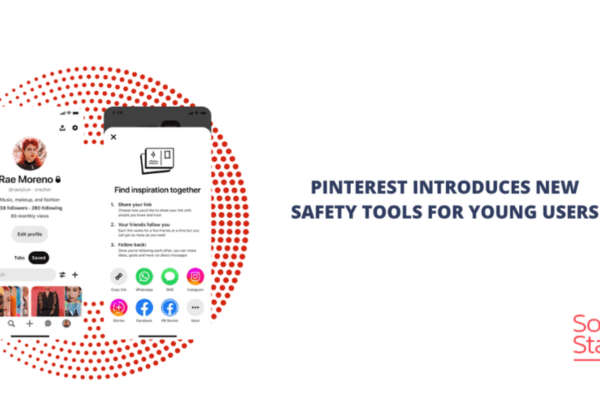
What are some safety features available on Pinterest?

Pinterest is a powerful and popular platform where users explore, discover, and share visual content ranging from fashion inspiration to home décor, recipes, DIY projects, wellness tips, and more. As the platform has grown, so has the importance of maintaining a safe, respectful, and inclusive environment for its users. Pinterest has taken this responsibility seriously by implementing a robust range of safety features aimed at protecting its community from harmful content, misinformation, harassment, and emotional distress.


Why Safety Features Matter on Pinterest

Pinterest is unique compared to other social media platforms because it’s largely focused on positive exploration and creative inspiration. Most users go to Pinterest to plan weddings, discover hobbies, improve their lifestyle, or gain knowledge—not to debate or argue. However, like any digital space, Pinterest must still contend with:

  • Misinformation (e.g., health myths or fake news)
  • Inappropriate or explicit content
  • Online harassment or bullying
  • Self-harm or sensitive topics
  • Spam and misleading advertising

To ensure Pinterest remains a safe and welcoming space, the platform has implemented a number of features and policies to protect users and promote well-being.


1. Content Moderation and Community Guidelines

Pinterest uses both automated systems and human moderators to enforce its Community Guidelines, which clearly outline what is and isn’t allowed. These guidelines prohibit:

  • Hate speech
  • Harassment and bullying
  • Graphic violence or explicit content
  • Misinformation (especially related to health and elections)
  • Harmful or dangerous acts (e.g., promoting self-harm or eating disorders)

Content that violates these rules is removed. Repeat offenders may have their accounts suspended or permanently banned.

Example:
If someone uploads a Pin encouraging unsafe diet practices or shares misinformation about mental health, Pinterest’s AI may flag it automatically. If reported by another user, the moderation team reviews it and removes it if it breaks the rules.


2. Safe Search and Content Filters

Pinterest offers Safe Search features that filter out inappropriate or potentially triggering content from search results, particularly for sensitive topics.

Sensitive Topic Interventions:

When users search for topics such as “self-harm,” “suicide,” or “eating disorders,” Pinterest does not return content related to the behavior. Instead, it displays a compassionate message and offers support resources, such as:

  • Contact information for local helplines
  • Tips on coping mechanisms
  • Links to professional mental health resources

Example:
A user searching “how to stop cutting” will not be shown graphic images. Instead, Pinterest will display a screen offering mental health resources and positive coping strategies from verified health organizations.


3. Reporting and Blocking Tools

Pinterest gives users the ability to report Pins, Boards, or profiles that violate guidelines or feel inappropriate. The reporting tool is easy to access—users simply click on the three-dot icon next to a Pin or profile and select a reason for reporting.

Types of Reports Include:

  • Spam
  • Misinformation
  • Harassment
  • Nudity or sexual content
  • Promotion of violence or hate

Once reported, the content is reviewed by Pinterest’s moderation team, which may remove it and take further action against the account responsible.

Additionally, users can block other accounts to prevent interaction. When you block someone:

  • They can no longer follow you or interact with your Pins.
  • You won’t see their content in your feed.

Example:
If a user is receiving repeated inappropriate messages or comments from another user, they can block that person and report their behavior to Pinterest. This helps create a safer environment.


4. Comment Controls and Moderation Tools

While Pinterest isn’t as comment-heavy as platforms like Instagram or Twitter, it still allows users to engage through comments on Idea Pins and standard Pins. To prevent harassment or spam in comments, Pinterest has introduced moderation tools, including:

  • Comment filtering: Users can hide or report offensive or spammy comments.
  • Turn off comments: Creators can disable comments on specific Pins or Idea Pins.
  • Keyword moderation: Users can filter comments based on selected words or phrases.

Example:
A content creator posting about body positivity can filter out derogatory or triggering words and turn off comments on posts that might invite negativity.


5. Verified Health and Wellness Content

To combat the spread of health misinformation, Pinterest has partnered with trusted organizations such as:

  • World Health Organization (WHO)
  • Centers for Disease Control and Prevention (CDC)
  • National Eating Disorders Association (NEDA)

Verified health Pins from these sources appear at the top of search results for related queries. These verified Pins have a checkmark badge and are prioritized over unverified content.

Example:
If a user searches for “COVID-19 vaccine,” Pinterest will prioritize content from WHO or CDC instead of blog posts or personal opinions. This ensures users get accurate, science-based information.


6. Parental Controls and Age Restrictions

Pinterest has a minimum age requirement of 13, and it uses technology to help enforce this. While not foolproof, Pinterest also works to ensure the content viewed by teens is safe, respectful, and aligned with the platform’s values.

For parents and guardians, Pinterest can be used in conjunction with device-level parental controls (like screen time or content filtering tools) to limit inappropriate access.

Example:
A teenager using Pinterest to search for fashion inspiration is unlikely to come across sexualized or violent content, especially with Safe Search enabled and the absence of mature advertisements.


7. Anti-Spam Technology

Pinterest uses machine learning to detect and remove spammy Pins, fake accounts, and misleading links. This helps protect users from scams and phishing attempts.

Features include:

  • Removing Pins with deceptive URLs
  • Banning bots that create fake engagement
  • Preventing mass-following or message spamming behavior

Example:
A fake account promoting “miracle weight-loss pills” may upload several misleading Pins. Pinterest’s AI would likely flag and remove the content, and suspend the account.


8. Emotional Well-Being Tools

Pinterest is one of the few platforms to actively promote mental well-being through built-in emotional health tools. These tools are private and not visible to other users.

Features Include:

  • Interactive well-being activities: Short exercises that promote gratitude, deep breathing, and mindfulness
  • Self-help content: Coping mechanisms for stress, anxiety, sadness
  • No data sharing: These activities are not tracked or tied to your Pinterest account history

Example:
If a user searches for “feeling overwhelmed” or “coping with anxiety,” Pinterest may show a self-guided activity such as journaling prompts, positive affirmations, or breathing techniques.


9. Transparent Privacy and Data Controls

Pinterest provides users with tools to control their data and privacy, such as:

  • Turning off search history personalization
  • Clearing browsing and search data
  • Setting Pins or Boards to Private
  • Managing ad preferences and data sharing settings

These tools empower users to take control over what information Pinterest uses to shape their experience.

Example:
If a user doesn’t want their wedding planning Board to be public, they can set it to Secret, ensuring only they (and invited collaborators) can view it.


Real-Life Example: How a User Can Stay Safe

Let’s consider the case of Leah, a 17-year-old student who uses Pinterest to explore DIY crafts, fitness routines, and body positivity content.

One day, Leah comes across a Pin promoting a “miracle detox tea for rapid weight loss.” The Pin includes unverified claims and before/after images that make her uncomfortable.

Here’s how Pinterest’s safety features help Leah:

  1. Content Moderation: The Pin may already be flagged or demoted in the feed due to violating health misinformation guidelines.
  2. Reporting: Leah clicks the three-dot icon and reports the Pin for “misinformation about health.”
  3. Support Resources: If Leah searches for weight loss or eating disorder-related content, Pinterest shows resources from NEDA and positive self-image articles instead.
  4. Privacy: Leah sets her body-positive inspiration board to Private, so no one else can see it or comment.
  5. Comment Control: If Leah posts her own Idea Pin and receives unwanted comments, she can filter, delete, or turn them off entirely.

This ensures that Pinterest remains a safe space for creativity and self-expression for users like Leah.


Conclusion

Pinterest has become a model platform when it comes to promoting safety, positivity, and well-being. Through advanced moderation systems, sensitive content filters, user-controlled privacy settings, and partnerships with health organizations, Pinterest ensures that its users can engage in discovery without being exposed to harmful or misleading content.

From helping a teen stay safe online to supporting users’ mental health, Pinterest’s safety features go far beyond standard social media tools. For those who use Pinterest not just to dream, but to plan and grow, these features are vital to building a healthier, more supportive digital environment.
Why is unsubscribe functionality legally important?

In the realm of email marketing, the unsubscribe functionality is a critical component that ensures compliance with legal regulations, fosters user trust, and enhances campaign effectiveness. As of 2025, laws such as the CAN-SPAM Act (U.S.), General Data Protection Regulation (GDPR) (EU), Canada’s Anti-Spam Legislation (CASL), and California Consumer Privacy Act (CCPA) mandate that email marketers provide recipients with an easy and accessible way to opt out of receiving further commercial emails. The unsubscribe functionality is not just a technical feature but a legal obligation that protects consumer rights, maintains sender reputation, and mitigates severe financial and reputational risks. This article explores the legal importance of unsubscribe functionality, its implications for email marketers, the consequences of non-compliance, and best practices for implementation. It concludes with a practical example of a small business ensuring compliance through effective unsubscribe mechanisms.

The Legal Importance of Unsubscribe Functionality

Unsubscribe functionality refers to the mechanism that allows email recipients to opt out of receiving future commercial emails, typically through a link or button in the email footer. Its legal significance stems from its role in upholding consumer privacy, ensuring consent-based communication, and aligning with global data protection regulations. Below are the key reasons why unsubscribe functionality is legally critical in 2025:

1. Compliance with Global Email Regulations

Major privacy laws worldwide require marketers to provide a clear and functional unsubscribe option to respect recipient autonomy and consent.

  • CAN-SPAM Act (U.S.):
    • The CAN-SPAM Act, enacted in 2003, mandates that all commercial emails include a visible and operational unsubscribe mechanism, such as a link or reply option, that remains functional for at least 30 days after the email is sent.
    • Opt-out requests must be honored within 10 business days, and no further commercial emails can be sent to opted-out recipients.
    • Example: Failing to include an unsubscribe link or delaying opt-out processing beyond 10 days violates CAN-SPAM, risking fines of up to $51,744 per email.
  • GDPR (EU):
    • GDPR, effective since 2018, emphasizes the right to withdraw consent at any time, requiring an easy and immediate opt-out process.
    • Marketers must provide clear instructions for opting out and process requests promptly, aligning with the principle of user control.
    • Example: An unsubscribe link that redirects to a complex form violates GDPR’s requirement for simplicity.
  • CASL (Canada):
    • CASL requires explicit or implied consent for commercial emails and mandates a clear unsubscribe mechanism that is “readily performed.”
    • Opt-outs must be processed within 10 business days, similar to CAN-SPAM.
    • Example: A hidden unsubscribe link buried in fine print could lead to CASL violations.
  • CCPA (California):
    • The CCPA, effective since 2020, grants consumers the right to opt out of data sharing, including for marketing purposes, requiring accessible opt-out mechanisms.
    • Businesses must provide a “Do Not Sell My Personal Information” link, which can extend to email opt-outs.
    • Example: A California-based subscriber requesting email opt-out must be honored promptly to avoid CCPA penalties.

2. Avoiding Severe Financial Penalties

Non-compliance with unsubscribe requirements can lead to significant fines, which vary by regulation but are substantial enough to cripple businesses, especially small ones.

  • Fines:
    • CAN-SPAM: Up to $51,744 per non-compliant email, with no cap on total penalties.
    • GDPR: Up to €20 million or 4% of annual global turnover, whichever is higher, for violations like failing to honor opt-out requests.
    • CASL: Up to CAD $10 million for organizations or $1 million for individuals per violation.
    • CCPA: Up to $7,500 per intentional violation, with additional consumer lawsuits possible.
  • Impact: A single non-compliant campaign sent to 10,000 subscribers could result in millions in fines under GDPR or CAN-SPAM, making unsubscribe functionality a critical safeguard.
  • Example: In 2023, a U.S. retailer was fined $1.2 million under CAN-SPAM for sending emails without functional unsubscribe links.

3. Protecting Sender Reputation and Deliverability

Unsubscribe functionality directly impacts sender reputation, which Internet Service Providers (ISPs) like Gmail use to determine whether emails land in inboxes or spam folders.

  • Impact:
    • Without an unsubscribe option, frustrated recipients may mark emails as spam, increasing complaint rates (>0.1% is risky).
    • High complaint rates or failure to honor opt-outs can lead to blacklisting by anti-spam organizations like Spamhaus, blocking emails entirely.
    • A functional unsubscribe link reduces complaints, maintaining low bounce rates (<2%) and high deliverability (80–90% inbox placement).
  • Example: A marketer with a clear unsubscribe link maintains a 0.05% complaint rate, ensuring emails reach inboxes.

4. Respecting Consumer Rights and Building Trust

Unsubscribe functionality empowers recipients to control their communication preferences, aligning with the ethical principle of user autonomy.

  • Impact:
    • Providing an easy opt-out fosters trust, reducing unsubscribe rates (<0.5% ideal) and enhancing brand reputation.
    • Forcing recipients to remain subscribed or making opt-out difficult (e.g., requiring login) can alienate users and damage loyalty.
    • Trust drives engagement, with compliant campaigns achieving higher open rates (20–30%) and click-through rates (3–5%).
  • Example: A preference center allowing users to choose email types (e.g., promotions vs. newsletters) reduces full opt-outs by 30%.

5. Mitigating Legal and Reputational Risks from Third Parties

Marketers using third-party vendors (e.g., agencies, email platforms) are liable for their compliance, including unsubscribe functionality.

  • Impact:
    • GDPR and CAN-SPAM hold businesses accountable for vendor actions, requiring Data Processing Agreements (DPAs) and audits.
    • Non-compliant vendors (e.g., omitting unsubscribe links) can trigger fines and reputational damage.
    • Example: A company auditing its agency’s emails ensures unsubscribe links are included, avoiding shared liability.

6. Aligning with Global Privacy Trends

The global shift toward stricter privacy laws, inspired by GDPR, emphasizes user control, making unsubscribe functionality a universal standard.

  • Impact:
    • Marketers targeting global audiences must adopt GDPR-like standards (e.g., immediate opt-outs) to comply with multiple regulations.
    • Non-compliance risks exclusion from markets with strict laws (e.g., EU, Canada).
    • Example: A U.S. marketer implements GDPR-compliant opt-outs for EU subscribers, also meeting CCPA and CASL requirements.

7. Reducing Operational and Legal Costs

A robust unsubscribe system minimizes the need for manual intervention and legal disputes.

  • Impact:
    • Automated opt-out processing via platforms like Mailchimp or Brevo reduces staff workload.
    • Compliance prevents costly lawsuits or investigations by Data Protection Authorities (DPAs).
    • Example: A business saves 10 hours weekly by automating opt-outs, avoiding legal reviews.

Challenges of Implementing Unsubscribe Functionality

  1. Technical Complexity: Ensuring links remain functional for 30 days (CAN-SPAM) or process instantly (GDPR) requires reliable platforms.
  2. Cost: Small businesses may face expenses for compliant email tools (e.g., $50–$200/month for Brevo).
  3. User Experience: Overly complex opt-out processes (e.g., multiple steps) can frustrate users, increasing complaints.
  4. Global Compliance: Balancing varying requirements (e.g., GDPR’s immediate opt-out vs. CAN-SPAM’s 10-day window) complicates workflows.
  5. Vendor Oversight: Monitoring third-party compliance adds administrative burden.

Best Practices for Unsubscribe Functionality in 2025

  1. Include Visible Unsubscribe Links: Place a clear link (e.g., “Unsubscribe”) in the email footer, compliant with CAN-SPAM and GDPR.
  2. Use Preference Centers: Allow users to customize email types or frequency, reducing full opt-outs.
  3. Process Opt-Outs Promptly: Automate instant processing (GDPR) or within 10 days (CAN-SPAM).
  4. Choose Compliant Platforms: Use tools like HubSpot, Klaviyo, or ActiveCampaign with built-in opt-out features.
  5. Validate Lists: Use NeverBounce or ZeroBounce to remove invalid emails, reducing failed opt-outs.
  6. Audit Vendors: Ensure agencies include functional unsubscribe links via DPAs.
  7. Educate Recipients: Inform users about opt-out options in welcome emails.
  8. Monitor Metrics: Track unsubscribe rates (<0.5%) and complaints (<0.1%) to assess compliance.
  9. Stay Global-Compliant: Align with the strictest standards (e.g., GDPR) for multi-jurisdictional campaigns.
  10. Test Functionality: Regularly test unsubscribe links across devices to ensure accessibility.

Example: Unsubscribe Functionality for a Small Ecommerce Business

Scenario: “EcoWear,” a small ecommerce business selling sustainable clothing, uses Brevo to send email campaigns to 6,000 subscribers, including 1,200 EU residents and 500 California residents. They aim to promote a new eco-friendly jacket line while ensuring compliance with CAN-SPAM, GDPR, and CCPA through robust unsubscribe functionality.

Implementation:

  1. Unsubscribe Mechanism:
    • EcoWear includes a prominent “Unsubscribe” link in the footer of every email, labeled “Stop receiving our emails” to meet CAN-SPAM and GDPR requirements.
    • They implement a preference center via Brevo, allowing users to opt out of specific email types (e.g., promotions, newsletters) or all emails, aligning with CCPA’s opt-out rights.
    • The link remains functional for 60 days, exceeding CAN-SPAM’s 30-day requirement.
  2. Prompt Processing:
    • Brevo’s CRM instantly updates contact statuses upon opt-out, ensuring GDPR’s immediate processing and CAN-SPAM’s 10-day compliance.
    • EcoWear monitors opt-out requests weekly to confirm no delays occur.
  3. Transparency and Consent:
    • The signup form uses double opt-in, with a checkbox: “I agree to receive marketing emails from EcoWear.” A confirmation email verifies consent.
    • The form links to a privacy policy explaining opt-out options and data rights, meeting GDPR and CCPA transparency rules.
    • Welcome emails inform users: “You can unsubscribe anytime via the link in our emails.”
  4. Data Security and Validation:
    • EcoWear uses Brevo’s GDPR-compliant platform with EU-based servers, encryption, and two-factor authentication.
    • They integrate NeverBounce to validate emails, removing 300 invalid addresses (e.g., user@fake.com), maintaining a 1% bounce rate.
  5. Third-Party Oversight:
    • EcoWear signs a DPA with Brevo and a marketing agency designing templates, ensuring unsubscribe links are included.
    • They audit agency emails monthly to verify compliance with CAN-SPAM, GDPR, and CCPA.
  6. Campaign Execution:
    • EcoWear launches a 4-email series promoting the jacket line:
      • Email 1: Introduces the jackets with a “Shop Now” CTA.
      • Email 2: Highlights sustainability with a video link.
      • Email 3: Offers a 15% discount code.
      • Email 4: Reminds users of the discount’s expiration.
    • Each email includes the unsubscribe link, preference center, and privacy policy link, ensuring compliance.
  7. Analytics and Monitoring:
    • Metrics (after 1 month):
      • Open Rate: 29% (industry average: 20–30%).
      • CTR: 6% (industry average: 3–5%).
      • Conversion Rate: 4% (240 sales, $7,200 revenue).
      • Bounce Rate: 1%.
      • Unsubscribe Rate: 0.3% (<0.5% ideal).
      • Complaint Rate: 0.02% (<0.1% threshold).
    • The preference center reduces full opt-outs by 25%, with 100 users choosing fewer emails.
    • EcoWear tests Email 3’s subject line (“15% Off Eco Jackets!”), increasing opens to 31%.
    • Compliance ensures 92% inbox placement and no legal investigations.

Results:

  • The campaign generates $7,200 in revenue, surpassing the goal of $5,000.
  • Robust unsubscribe functionality avoids fines and maintains trust, with zero complaints.
  • Double opt-in and validation ensure a high-quality list, supporting deliverability.
  • DPAs and audits prevent third-party violations, aligning with CAN-SPAM, GDPR, and CCPA.

Key Takeaways:

  • Brevo’s unsubscribe features simplified compliance across regulations.
  • Preference centers and transparency reduced opt-outs and enhanced engagement.
  • Validation and vendor oversight ensured list health and legal adherence.

Conclusion

Unsubscribe functionality is legally important in 2025 due to its role in complying with global regulations like CAN-SPAM, GDPR, CASL, and CCPA, which mandate easy and prompt opt-out mechanisms. Non-compliance risks severe fines (e.g., $51,744 per email under CAN-SPAM, €20 million under GDPR), blacklisting, and reputational damage, while proper implementation protects sender reputation, ensures deliverability, and fosters trust. Challenges like technical complexity and global compliance variations are mitigated by using compliant platforms, validating lists, and monitoring vendors. The EcoWear example demonstrates how a small business can leverage Brevo to implement robust unsubscribe functionality, achieving $7,200 in revenue while maintaining compliance and trust. By adopting best practices like visible links, preference centers, and prompt processing, email marketers can meet legal requirements, enhance user experience, and drive sustainable success in a privacy-conscious digital landscape.

Describe how Pinterest supports content creators.

In the modern digital ecosystem, content creators—bloggers, influencers, artists, educators, and entrepreneurs—are constantly seeking platforms where they can grow their audience, express creativity, and generate income. While Pinterest has traditionally been seen as a visual search engine or idea board, it has evolved into a powerful platform that actively supports content creators through various tools, monetization opportunities, and a highly engaged user base.

Unlike feed-based platforms that prioritize fleeting content, Pinterest fosters long-term visibility and traffic. This makes it a uniquely valuable space for content creators aiming to build sustainable digital presences. Let’s explore exactly how Pinterest supports content creators, from tools and features to community-building and monetization—along with a real-world example.


1. Pinterest as a Visual Discovery Engine

At its core, Pinterest is a visual search platform where users come to find ideas, plan future projects, and discover new interests. This mindset benefits creators because:

  • Users are intent-driven, often ready to click, save, or buy.
  • Content on Pinterest is evergreen—pins can continue to gain traction months or even years after being posted.
  • Discovery is algorithmically based, not limited to followers. Good content can reach millions without a massive following.

Pinterest is fundamentally different from platforms like Instagram or TikTok, where content lifespans are short and visibility is tied to followers or virality.


2. Creator Accounts and Tools

Pinterest offers creator-specific profiles designed to help individuals grow, showcase content, and engage audiences more deeply. A creator account provides access to:

a. Pinterest Analytics

Creators get detailed insights on:

  • Impressions
  • Outbound clicks
  • Engagement rate
  • Saves
  • Audience demographics

This data helps creators understand what content resonates and refine their strategy.

b. Pinterest Business Hub

Within the business dashboard, creators can:

  • Track performance
  • See monetization options
  • Access Pinterest Academy (for tutorials and platform guidance)

c. Pinterest Trends

This tool shows what topics are trending among Pinterest users, which helps creators time and tailor their content effectively.


3. Pinterest Idea Pins (Now Part of Video Pins)

Pinterest introduced Idea Pins to allow creators to share multi-page, tappable content, similar to Stories on Instagram or Reels on Facebook. As of 2024–2025, Idea Pins have been merged into Video Pins, expanding their utility for creators.

Benefits for creators:

  • Non-expiring content: Unlike Stories, these remain visible.
  • Multi-slide storytelling: Great for tutorials, step-by-step guides, or showcasing a creative process.
  • Clickable tags and product links: Creators can tag tools, ingredients, or items used in their posts.
  • Engagement features: Stickers, music, and text overlays increase user interaction.

This feature is especially useful for creators in niches like cooking, DIY, fashion, travel, and education.


4. Direct Monetization Support

Pinterest has recognized the growing role of creators and has launched several initiatives to help them earn money directly:

a. Creator Rewards Program (phased out in 2023, but replaced with other tools)

Although the original Creator Rewards program is no longer active, it was an early attempt to compensate creators based on engagement. Pinterest is now focusing on brand partnerships, affiliate linking, and product tagging as core monetization strategies.

b. Product Tagging and Affiliate Marketing

Content creators can now:

  • Tag products in their pins (using affiliate links)
  • Link to their own products on platforms like Etsy, Shopify, or Amazon
  • Earn commissions on product sales

This allows influencers and bloggers to monetize their content organically through recommendations and tutorials.

c. Pinterest Shopping Features

Pinterest has deepened its investment in social commerce. Creators with their own shops or products can:

  • Upload catalogs
  • Create shoppable pins
  • Integrate with Shopify

This empowers content creators who sell courses, books, crafts, or products to generate income right from their pins.


5. Long-Term Content Value

Unlike social media platforms where content is quickly buried, Pinterest supports long-term content visibility. For content creators, this means:

  • Consistent traffic to websites, blogs, or shops
  • Passive income through affiliate links or ads
  • Evergreen reach, where high-performing pins continue to circulate without re-promotion

For example, a food blogger might create a pin for “10-Minute Vegan Tacos.” That pin could continue driving traffic to the blog post for years—something that rarely happens on Instagram or TikTok.


6. Content Collaboration and Group Boards

Pinterest supports collaborative content creation through group boards, where creators can:

  • Co-curate themed content (e.g., “Healthy Living Tips” or “DIY Home Decor”)
  • Share their audiences with other creators
  • Expand reach by contributing to niche-specific boards

This community-driven format builds relationships and fosters shared growth among creators.


7. Pinterest Creator Community and Support

Pinterest actively nurtures a creator-friendly environment:

  • Pinterest Creator Festival: Annual event featuring tutorials, success stories, and platform updates.
  • Official Blog and YouTube Channel: Offers tutorials and strategy guides.
  • Creator Newsletter: Delivers tips, trends, and platform changes.

Pinterest has also increased its efforts to spotlight diverse voices and promote underrepresented creators through featured content and partnerships.


Real-World Example: How a Creator Uses Pinterest for Growth

Creator: Sophia Green – DIY & Lifestyle Blogger

Niche: Budget-friendly home decor, crafts, and sustainable living

Platform Goals:

  • Drive traffic to her blog
  • Grow her email list
  • Monetize through affiliate links and her own eBooks

Step 1: Optimize Profile

Sophia switches to a Pinterest Creator Account:

  • Adds a keyword-rich bio: “DIY home decor | Upcycled crafts | Eco-living tips”
  • Links her blog and Etsy shop
  • Verifies her domain and sets up Rich Pins

Step 2: Develop High-Quality Pins

For each blog post, she creates 3–5 different pin designs. For example:
Post: “7 DIY Planters Using Recycled Materials”
Pin Title: “Upcycle Old Jars Into Beautiful Indoor Planters”
Description: Includes keywords like “eco-friendly decor,” “budget DIY,” and “sustainable home ideas”

Each pin links to the blog post and includes product tags for recommended tools and supplies (via affiliate links).

Step 3: Use Idea Pins

Sophia creates Idea Pins to show step-by-step videos of each planter project:

  • Each slide includes text overlays and voiceover
  • Tags tools she uses (e.g., glue gun, paint, planters)
  • Adds music and encourages users to follow for more eco-living tips

Step 4: Monetize and Grow

  • Pinterest traffic grows her blog visitors
  • Email list grows via free downloads offered in blog posts
  • Etsy sales increase due to shoppable pins
  • She partners with eco-friendly brands to create sponsored content on Pinterest

Over time, Pinterest becomes her top traffic and income source, outperforming Instagram and Facebook.


8. Best Practices for Creators on Pinterest

To maximize Pinterest’s support, creators should follow these best practices:

✅ Optimize Pin Design

  • Use vertical images (2:3 aspect ratio)
  • Add readable text overlays
  • Use brand colors and logos for consistency

✅ Write SEO-Friendly Descriptions

Use relevant keywords naturally in pin titles and descriptions for better discoverability.

✅ Post Consistently

Pin regularly. Use schedulers like Tailwind to maintain activity and momentum.

✅ Focus on Quality Over Quantity

Fewer high-quality, engaging pins perform better than mass posting.

✅ Link Strategically

Each pin should lead to a meaningful landing page—blog post, product, or signup form.


Conclusion

Pinterest is a uniquely powerful platform for content creators—combining the searchability of Google, the visual appeal of Instagram, and the longevity of evergreen content. Whether you’re a blogger, maker, digital artist, or educator, Pinterest offers tools, visibility, and monetization pathways that make it an ideal platform for long-term growth.

By offering robust analytics, creative tools like Idea Pins, affiliate and product tagging, and a supportive creator ecosystem, Pinterest enables creators to build sustainable brands, connect with audiences, and earn income in authentic ways.

In a digital world that’s increasingly noisy and competitive, Pinterest provides a calm, searchable, high-intent space where good content continues to shine—and where creators can thrive.


How Can You Ethically Collect and Use Email Data?

In 2025, email marketing remains a powerful tool for businesses, educators, and organizations to connect with audiences, but the ethical collection and use of email data have become paramount due to heightened privacy concerns and stringent regulations like GDPR, CAN-SPAM, and CCPA. Ethically collecting and using email data involves obtaining consent, ensuring transparency, protecting data security, and respecting user preferences while delivering value. Ethical practices not only ensure compliance with legal standards but also build trust, enhance engagement, and improve long-term campaign success. This article explores the principles, strategies, and best practices for ethically collecting and using email data, addressing challenges and providing a practical example of a small business implementing these principles.

What is Ethical Email Data Collection and Use?

Ethical email data collection involves gathering email addresses and related personal data (e.g., names, preferences) in a way that respects user autonomy, obtains explicit consent, and aligns with legal and moral standards. Ethical use of email data refers to processing, storing, and leveraging this data to deliver relevant, consensual communications while safeguarding privacy and offering control to subscribers. Ethical practices prioritize user trust over short-term gains, avoiding tactics like purchasing lists, misleading opt-ins, or excessive emailing.

Why Ethics Matter in Email Marketing

  • Trust and Reputation: Ethical practices foster trust, reducing unsubscribe rates (<0.5% ideal) and spam complaints (<0.1%).
  • Legal Compliance: Non-compliance with laws like GDPR can result in fines up to €20 million or 4% of annual turnover.
  • Engagement: Consented, engaged subscribers drive higher open rates (20–30%) and click-through rates (3–5%).
  • Deliverability: Ethical practices maintain sender reputation, ensuring 80–90% inbox placement.

Principles of Ethical Email Data Collection and Use

  1. Consent: Obtain explicit, informed, and freely given permission before collecting or using email data.
  2. Transparency: Clearly communicate how data is collected, used, stored, and shared.
  3. Data Minimization: Collect only the data necessary for the intended purpose.
  4. Security: Protect data against breaches using encryption and secure platforms.
  5. User Control: Provide easy opt-out options and honor user preferences promptly.
  6. Value Exchange: Offer meaningful content or benefits in return for data.
  7. Accountability: Maintain records of consent and compliance, and monitor third-party vendors.

Strategies for Ethically Collecting Email Data

1. Use Double Opt-In Processes

Double opt-in requires users to confirm their subscription via a follow-up email, ensuring explicit consent and reducing fake or mistyped emails.

  • How to Implement:
    • Include a checkbox on signup forms (unselected by default) for marketing emails.
    • Send a confirmation email with a “Verify Subscription” link.
    • Store consent timestamps in a CRM (e.g., HubSpot, Brevo).
  • Benefits: Verifies intent, reduces spam traps, and complies with GDPR and CAN-SPAM.
  • Example: A signup form asks, “Join our newsletter for tips?” with a checkbox, followed by a confirmation email.

2. Offer Clear Value Propositions

Provide incentives like eBooks, discounts, or exclusive content to encourage voluntary signups.

  • How to Implement:
    • Promote lead magnets (e.g., “Free Guide to Digital Marketing”) on websites or social media.
    • Ensure the incentive aligns with the audience’s interests.
    • Deliver the promised value immediately after signup.
  • Benefits: Attracts engaged subscribers, increasing open rates and trust.
  • Example: A blog offers a free SEO checklist in exchange for email signups.

3. Be Transparent About Data Usage

Clearly explain why and how email data will be used, linking to a privacy policy.

  • How to Implement:
    • Add a privacy notice on forms: “We use your email for newsletters and promotions. See our Privacy Policy.”
    • Include a privacy policy link in emails, detailing data processing and rights.
    • Disclose third-party sharing (e.g., with email platforms like Mailchimp).
  • Benefits: Builds trust, ensures GDPR and CCPA compliance, and reduces complaints.
  • Example: A form states, “Your email is used for weekly updates. Unsubscribe anytime.”

4. Avoid Deceptive Tactics

Steer clear of practices like pre-ticked boxes, hidden opt-ins, or purchasing email lists.

  • How to Implement:
    • Use unticked checkboxes for consent.
    • Avoid vague language like “By browsing, you agree.”
    • Source emails organically via forms, events, or campaigns.
  • Benefits: Prevents spam complaints, maintains list health, and avoids legal risks.
  • Example: A retailer removes pre-ticked boxes from checkout forms, ensuring voluntary signups.

5. Validate Email Addresses

Use validation tools to ensure emails are legitimate, reducing bounces and spam traps.

  • How to Implement:
    • Integrate real-time validation (e.g., NeverBounce, ZeroBounce) with signup forms.
    • Clean existing lists quarterly to remove invalid or inactive emails.
  • Benefits: Keeps bounce rates <2%, improves deliverability, and ensures data accuracy.
  • Example: A business validates 5,000 emails, removing 500 invalid ones before a campaign.

Strategies for Ethically Using Email Data

1. Personalize Content Responsibly

Use data to tailor emails without overstepping privacy boundaries.

  • How to Implement:
    • Use merge tags (e.g., {FirstName}) for basic personalization.
    • Segment audiences based on consented data (e.g., purchase history, interests).
    • Avoid overly intrusive personalization (e.g., referencing unshared details).
  • Benefits: Increases CTR (3–5%) and engagement while respecting privacy.
  • Example: An email greets “Hi Sarah” and recommends products based on her past purchases.

2. Provide Easy Opt-Out Options

Offer clear, instant unsubscribe mechanisms to respect user preferences.

  • How to Implement:
    • Include a visible unsubscribe link in every email (e.g., “Unsubscribe here”).
    • Use preference centers to let users adjust email frequency or types.
    • Process opt-outs within 24 hours (GDPR requires immediate action; CAN-SPAM allows 10 days).
  • Benefits: Reduces complaints, complies with regulations, and maintains trust.
  • Example: A newsletter includes a preference center link, lowering unsubscribes to 0.3%.

3. Limit Data Retention

Delete data no longer needed for the original purpose, aligning with GDPR’s storage limitation principle.

  • How to Implement:
    • Set retention policies (e.g., delete inactive subscribers after 12 months).
    • Automate data deletion in CRMs for opted-out or unengaged users.
    • Respond to data deletion requests within 30 days (GDPR requirement).
  • Benefits: Reduces security risks and ensures compliance.
  • Example: A CRM auto-deletes 1,000 inactive emails after a year of no engagement.

4. Secure Data Storage and Transmission

Protect email data against breaches using robust security measures.

  • How to Implement:
    • Choose GDPR-compliant platforms (e.g., ActiveCampaign, Klaviyo) with encryption and EU-based servers.
    • Enable two-factor authentication and regular security audits.
    • Report breaches within 72 hours (GDPR requirement).
  • Benefits: Prevents fines, protects user trust, and ensures data integrity.
  • Example: A business migrates to Brevo’s secure platform, avoiding a potential breach.

5. Monitor Third-Party Vendors

Ensure agencies, affiliates, or platforms handling email data comply with ethical and legal standards.

  • How to Implement:
    • Sign Data Processing Agreements (DPAs) with vendors (GDPR requirement).
    • Audit vendor practices for consent, security, and opt-out compliance.
    • Include compliance clauses in contracts.
  • Benefits: Reduces liability and ensures end-to-end ethical data handling.
  • Example: A retailer verifies its agency uses GDPR-compliant templates.

6. Deliver Value-Driven Content

Use email data to send relevant, high-quality content that respects the value exchange.

  • How to Implement:
    • Craft emails with actionable insights, promotions, or educational content.
    • Use A/B testing to optimize subject lines and CTAs for engagement.
    • Avoid excessive emailing (e.g., limit to 1–2 emails per week).
  • Benefits: Boosts open rates (20–30%) and ROI ($45 per $1 spent).
  • Example: A blog sends weekly tips, achieving a 7% CTR.

Challenges and Considerations

  1. Cost: Ethical practices require investment in tools (e.g., CRMs, validation services) and training.
  2. Complexity: Compliance with GDPR, CAN-SPAM, and CCPA demands technical and legal expertise.
  3. List Size Reduction: Double opt-in and data minimization may shrink lists, though quality improves.
  4. User Fatigue: Overuse of data for personalization can feel intrusive, requiring balance.
  5. Global Variations: Differing laws (e.g., GDPR vs. CCPA) complicate multi-jurisdictional campaigns.

Best Practices in 2025

  1. Prioritize Consent: Use double opt-in and clear checkboxes for all signups.
  2. Be Transparent: Link to a detailed privacy policy in forms and emails.
  3. Validate Regularly: Clean lists with tools like EmailListVerify quarterly.
  4. Secure Data: Use platforms with encryption and two-factor authentication.
  5. Offer Control: Provide preference centers and instant opt-outs.
  6. Deliver Value: Focus on relevant, engaging content to justify data use.
  7. Monitor Vendors: Ensure third parties comply via DPAs and audits.
  8. Stay Updated: Track evolving privacy laws (e.g., GDPR, CCPA, CASL).
  9. Train Staff: Educate teams on ethical data practices and compliance.
  10. Track Metrics: Monitor open rates, CTR, bounces, and complaints to assess ethical impact.

Example: Ethical Email Data Collection and Use for a Small Online Course Provider

Scenario: “LearnEasy,” a small online course provider offering digital marketing tutorials, uses HubSpot to manage email campaigns for 4,000 subscribers, including 800 EU residents. They aim to promote a new SEO course while ethically collecting and using email data, ensuring GDPR and CAN-SPAM compliance.

Implementation:

  1. Ethical Collection:
    • Double Opt-In: LearnEasy’s website form offers a free “SEO Starter Guide” with a checkbox: “I agree to receive marketing emails about digital marketing courses.” Users receive a confirmation email to verify subscription.
    • Transparency: The form states, “We use your email for course updates and promotions. See our Privacy Policy.” A link to a GDPR-compliant policy details data usage and rights.
    • Validation: HubSpot integrates with NeverBounce’s real-time API, rejecting invalid emails (e.g., user@gmial.com) and removing 200 invalid addresses, keeping bounce rates at 1%.
  2. Value Proposition:
    • LearnEasy promotes the free guide via their blog and social media, attracting 500 new signups in a month.
    • Subscribers receive the guide instantly post-confirmation, fulfilling the value exchange.
  3. Ethical Use:
    • Personalization: Emails use merge tags (“Hi {FirstName}”) and segment subscribers by interest (e.g., SEO vs. social media) based on form data. They avoid overly intrusive tactics.
    • Opt-Out Mechanism: Every email includes a preference center link (“Manage Preferences”), allowing users to unsubscribe or choose email types (e.g., newsletters, promotions). Opt-outs are processed instantly.
    • Content: A 5-email series promotes the SEO course:
      • Email 1: Welcome with guide download link.
      • Email 2: SEO basics with a blog link.
      • Email 3: Case study with a video.
      • Email 4: 10% discount on the course.
      • Email 5: Discount expiration reminder.
      • Each email offers value (tips, resources) and complies with GDPR and CAN-SPAM.
  4. Data Security:
    • LearnEasy uses HubSpot’s GDPR-compliant platform with EU-based servers, encryption, and two-factor authentication.
    • They conduct quarterly security audits to prevent breaches.
  5. Third-Party Oversight:
    • LearnEasy signs a DPA with HubSpot and a design agency, ensuring GDPR-compliant data handling.
    • They audit agency templates for consent notices and unsubscribe links.
  6. Data Retention:
    • LearnEasy sets a policy to delete inactive subscribers (no engagement for 12 months) after a re-engagement campaign.
    • They process a user’s data deletion request within 15 days via privacy@learneasy.com.
  7. Analytics and Monitoring:
    • Metrics (after 1 month):
      • Open Rate: 32% (industry average: 20–30%).
      • CTR: 8% (industry average: 3–5%).
      • Conversion Rate: 5% (200 course enrollments, $10,000 revenue).
      • Bounce Rate: 1%.
      • Unsubscribe Rate: 0.2%.
      • Complaints: 0%.
    • Ethical practices ensure 95% inbox placement and no legal issues.
    • LearnEasy tests Email 4’s subject line (“Save 10% on SEO Training!”), boosting opens to 35%.

Results:

  • The campaign generates $10,000 in revenue, exceeding the goal of $7,500.
  • Ethical collection (double opt-in, validation) builds a high-quality list, supporting future campaigns.
  • Transparency and user control foster trust, with zero complaints.
  • Secure platforms and DPAs ensure compliance with GDPR and CAN-SPAM.

Key Takeaways:

  • HubSpot’s features streamlined ethical data collection and use.
  • Double opt-in and validation enhanced list quality and deliverability.
  • Value-driven content and user control boosted engagement and ROI.

Conclusion

Ethically collecting and using email data in 2025 is essential for building trust, ensuring compliance, and maximizing email marketing success. By prioritizing consent, transparency, security, and user control, marketers can create engaged, high-quality email lists that drive open rates, conversions, and deliverability. Strategies like double opt-in, validation, and value-driven content, combined with secure platforms and vendor oversight, align with GDPR, CAN-SPAM, and CCPA while fostering long-term relationships. Despite challenges like cost and complexity, ethical practices yield significant benefits, as shown in the LearnEasy example, where a small business leveraged HubSpot to promote a course, achieving $10,000 in revenue while maintaining trust and compliance. By adopting best practices, email marketers can navigate the privacy-conscious landscape ethically and effectively, ensuring sustainable success in a competitive digital world.

How can Pinterest be used to organize personal hobbies and goals?

Pinterest, a popular visual discovery and bookmarking platform, is much more than just a place to browse pretty pictures or find home décor inspiration. It’s a powerful and versatile tool for organizing personal hobbies and goals, making it ideal for individuals who want to stay creative, focused, and productive. Whether you’re a hobbyist looking to improve a skill, someone planning a life goal like fitness or travel, or a creative professional working on a personal project, Pinterest offers a unique way to gather, structure, and act on your interests.


Understanding Pinterest as a Tool for Personal Organization

At its core, Pinterest functions as a visual bookmarking tool. Instead of saving links or jotting down ideas in notebooks, users can save images and videos—known as “Pins”—onto categorized “Boards.” Each Board can represent a hobby, interest, or goal. Pins can come from anywhere on the internet, or be uploaded directly, and often include links to tutorials, blogs, shops, or videos.

This highly visual and structured system helps users:

  • Collect and organize ideas
  • Track progress and stay motivated
  • Create a digital vision board
  • Plan projects step-by-step
  • Explore inspiration tailored to personal interests

Key Features That Support Hobbies and Goals

1. Boards and Sections

Pinterest Boards act like digital folders. You can create as many Boards as you want and organize them by hobby (e.g., Gardening, Baking, Knitting) or by goal (e.g., Fitness Plan, Dream Home, Travel Bucket List). Within each Board, you can also create Sections to further divide content.

Example:
In a “Fitness Journey” Board, you might create Sections like:

  • Strength Training
  • Yoga
  • Healthy Meals
  • Motivational Quotes

This layered organization allows for clear, structured planning and easy retrieval of ideas.


2. Search and Discovery

Pinterest’s algorithm curates a feed based on what you Pin, search, and engage with. This means your account becomes more personalized over time, helping you discover new and relevant ideas related to your hobbies or goals.

Example:
If you pin content related to digital art techniques, Pinterest will suggest tutorials, brushes, and artist inspiration in your feed.


3. Pin Descriptions and Notes

Each Pin can be saved with a description or note. You can use this feature to add personal reminders, plans, or observations.

Example:
In a recipe Pin, you might write: “Try this for Sunday dinner—substitute almond milk for cream.”

This turns your Pinterest account into an interactive planning tool, not just a static inspiration board.


4. Idea Pins for Progress and Tutorials

Idea Pins, Pinterest’s multi-page, story-like format, are great for documenting progress or learning new skills. They can be used to save mini-tutorials or record your own experiences with a hobby.

Example:
If you’re learning embroidery, you might Pin a series of Idea Pins showing basic stitches, then advanced patterns.


5. Private and Collaborative Boards

Pinterest allows users to create Private Boards (visible only to you) and Collaborative Boards (shared with friends or family). This is useful for personal goal tracking or planning with others.

Example:
A couple planning a wedding might create a shared Board where both partners add ideas for themes, venues, and outfits.


Organizing Hobbies on Pinterest

Pinterest can be a virtual toolbox for hobbyists. Here’s how you can organize different types of hobbies:

1. Creative Arts (Painting, Photography, Crafting)

Pinterest is rich in how-to guides, technique videos, and inspiration galleries.

  • Create Boards: Painting Tutorials, Color Palettes, DIY Craft Ideas, Weekend Photography
  • Use Sections: Separate techniques from finished projects
  • Pin from multiple sources: YouTube, Etsy, Instagram, or your own uploads

2. Cooking and Baking

Pinterest is one of the most popular platforms for recipes.

  • Create Boards: Healthy Meals, Vegan Baking, Party Snacks, Quick Dinners
  • Add Notes: Mention substitutions, meal planning ideas, or ratings after trying recipes
  • Use Idea Pins: Save quick recipe videos for visual reference

3. Gardening

Use Pinterest to track seasonal planting guides, garden layouts, and DIY compost methods.

  • Create Boards: Herb Garden, Indoor Plants, Sustainable Gardening
  • Sections: Spring Planting, Tools & Equipment, Pest Control

4. Writing and Journaling

Writers can use Pinterest to gather character inspiration, story prompts, or self-publishing tips.

  • Create Boards: Story Ideas, Writing Prompts, Book Marketing
  • Pin Infographics: Grammar tips, outlining techniques, creative writing advice

Organizing Goals on Pinterest

Pinterest also supports long-term planning and personal development goals.

1. Fitness and Health

Pinterest can serve as your digital fitness planner.

  • Create Boards: Home Workouts, Nutrition Plans, Fitness Motivation
  • Pin Progress Ideas: 30-day challenges, transformation stories, before/after templates
  • Visual Vision Board: Use motivational quotes and goal photos to stay inspired

2. Career Development

Use Pinterest to organize professional goals such as career transitions, job hunting, or skill-building.

  • Create Boards: Resume Tips, Public Speaking, Coding Tutorials
  • Track Progress: Pin completed certifications or feedback posts

3. Travel Planning

Pinterest is ideal for researching and organizing travel plans.

  • Create Boards: Europe 2026, Solo Backpacking, Beach Getaways
  • Sections: Hotels, Packing Lists, Restaurants, Travel Tips
  • Pin Itinerary Ideas: Save maps, budget guides, and reviews

4. Home Renovation or Decoration

Many users use Pinterest for interior design and home improvement inspiration.

  • Create Boards: Dream Kitchen, Small Space Solutions, DIY Projects
  • Pin Product Links: Furniture, wallpaper, paint colors
  • Upload Photos: Document your own renovations

Example: Using Pinterest to Organize a Personal Goal

Scenario: Starting a Sustainable Lifestyle

Let’s say Alex, a 30-year-old marketing professional, wants to transition to a sustainable lifestyle. Pinterest becomes a central hub for organizing this goal.

Step 1: Creating Boards

Alex creates a Board titled “Sustainable Living.” Within this, he creates several Sections:

  • Eco-Friendly Home
  • Zero Waste Tips
  • Vegan Recipes
  • Ethical Fashion
  • Gardening & Composting

Step 2: Pinning Resources

Alex starts pinning:

  • Infographics about composting
  • Product lists for sustainable kitchen tools
  • DIY cleaning products
  • Capsule wardrobe examples
  • Tutorials on making beeswax wraps

Step 3: Adding Notes

He adds descriptions to certain Pins:

  • “Try this recipe next month—easy and cheap.”
  • “Buy this compost bin after payday.”

Step 4: Using Idea Pins

Alex finds an Idea Pin showing a step-by-step guide on organizing a pantry using refillable glass jars. He saves this to a new sub-section called “Plastic-Free Kitchen.”

Step 5: Progress Tracking

Over time, Alex starts adding his own Pins—photos of his reorganized pantry, links to blog posts about his journey, and reviews of products he’s tried. This creates a visual log of his progress, reinforcing motivation.


Benefits of Using Pinterest for Hobbies and Goals

  • Highly Visual: Ideal for right-brain thinkers and creatives
  • Customizable: Boards and Sections offer flexible organization
  • Motivational: Seeing visual representations of your goals can increase follow-through
  • Collaborative: Great for group projects, family planning, or shared hobbies
  • Accessible Anywhere: Cloud-based and mobile-friendly
  • Inspiration + Action: Combines aspirational content with practical how-to resources

Limitations and Considerations

While Pinterest is incredibly useful, it does have some limitations:

  • Information Overload: You can get overwhelmed if you pin too much without organizing.
  • No Calendar/Deadline Integration: It’s not a task manager, so you’ll need to complement it with apps like Trello or Google Calendar for actionable steps.
  • Time Sink: Browsing can be addictive; it’s important to stay focused on purpose.

Conclusion

Pinterest isn’t just a place to gather ideas—it’s a dynamic platform for planning, organizing, and executing your personal hobbies and life goals. By creating Boards and Sections, curating Pins from various sources, and using features like notes and Idea Pins, users can transform Pinterest into a personal development and creativity dashboard.

Whether you’re learning to cook, remodeling your home, planning a trip, starting a garden, or building new habits, Pinterest helps turn intentions into visually organized, achievable plans. It serves as both a source of inspiration and a functional tool for progress, making it a unique and powerful ally in anyone’s personal growth journey.


What are group boards, and how do they promote collaboration?

Pinterest has evolved beyond being just a digital pinboard for personal interests—it’s become a platform where users, brands, and creators can actively collaborate, share ideas, and build communities. One of the key tools for collaboration on Pinterest is the group board.

Group boards allow multiple users to contribute pins to a shared board. These boards are powerful for businesses, bloggers, influencers, and even casual users who want to work together around a common theme, niche, or goal.

This article explores what group boards are, how they function, and how they foster collaboration with a detailed example.


What Are Group Boards on Pinterest?

A group board on Pinterest is a shared board that allows multiple contributors to add content. It works just like a regular board but with one important distinction: the board owner can invite others to contribute pins, making it a collaborative space.

Group boards appear on the profiles of all contributors (unless marked as secret), and all members can pin to it as long as the owner permits. The board can be about any theme or topic—from fashion inspiration to travel itineraries, marketing tips, or wedding planning ideas.


Features of Group Boards

  1. Multiple Contributors: You can invite collaborators by Pinterest username or email address.
  2. Visibility: Group boards can be public (visible to everyone) or secret (visible only to contributors).
  3. Board Owner Control: The owner sets permissions, approves contributors, and can remove pins or members.
  4. Notifications: Contributors are notified when new pins are added or when invited to join.
  5. Commenting and Engagement: Members can interact with pins by liking, commenting, or re-pinning.

How Group Boards Work

Creating a group board is simple:

  1. Create a New Board (or use an existing one).
  2. Go to the board and click the “+” button to invite collaborators.
  3. Enter the usernames or emails of the people you want to invite.
  4. Once they accept, they can begin contributing pins.

You can assign permissions such as:

  • Can only add pins
  • Can comment
  • Can invite others (optional)

This creates a shared content space that multiple people can contribute to and benefit from.


Benefits of Group Boards

Group boards offer numerous collaborative and strategic benefits, especially when used intentionally:

1. Shared Inspiration and Ideas

Group boards allow teams or individuals with similar interests to pool creative resources. Whether you’re planning a wedding, curating a brand aesthetic, or compiling recipe ideas, everyone can share what they find and build off each other’s ideas.

2. Extended Reach and Exposure

Pins on a group board can be seen by the followers of all contributors, not just the board’s owner. This broadens the audience and helps drive more visibility to everyone’s content.

3. Traffic Growth

If you’re a blogger or business owner, contributing to active group boards can help drive more traffic to your website or shop, since pins often include clickable links.

4. Niche Authority and Networking

Being part of a high-quality group board within your niche increases your authority and helps you connect with like-minded creators and potential collaborators.

5. Collaboration on Projects

Group boards are ideal for team collaboration—think mood boards, product launches, seasonal marketing campaigns, or educational resources.


Example: Collaborative Use of a Group Board

Scenario: A Marketing Agency Planning a Product Launch

Let’s say a marketing agency called Creative Spark Co. is planning a campaign for a new eco-friendly water bottle brand, EcoSip. The team consists of:

  • Marketing Strategists
  • Graphic Designers
  • Social Media Managers
  • Product Developers

Instead of emailing images and ideas back and forth, they decide to create a Pinterest group board titled “EcoSip Launch Ideas.”

How They Use the Group Board:

  1. Moodboard Inspiration
    Designers pin photos with color schemes, typography ideas, and branding concepts. Everyone can comment on what fits the EcoSip identity best.
  2. Packaging Concepts
    Product developers upload pins showing unique eco-friendly packaging styles they find.
  3. Ad Style Examples
    The marketing team pins Instagram ads, product photo shoots, and influencer content that reflects the vibe they want.
  4. Social Media Content Ideas
    Social media managers pin content examples and inspirational layouts for reels, pins, and carousel posts.
  5. Collaboration with Influencers
    The team invites select brand ambassadors to pin photos and posts that align with the EcoSip brand, helping shape the campaign direction.

By pinning, commenting, and saving content in one place, the whole team stays aligned. Even remote team members in different time zones can contribute asynchronously.


How Group Boards Promote Collaboration

Group boards foster collaborative creativity, whether between friends, co-workers, influencers, or brands. Here are key ways they support collaboration:

1. Centralized Visual Communication

Pinterest is a visual platform, and visuals are often more effective than words when brainstorming ideas. Group boards act as a central hub where everyone can visually communicate their ideas and inspirations.

2. Asynchronous Work and Time Efficiency

Since Pinterest is not real-time, collaborators can contribute at any time, making it ideal for remote teams or global partners. This removes the pressure of instant feedback and allows for thoughtful contributions.

3. Real-Time Updates and Organization

As pins are added, others are notified and can instantly view the content. Boards can be organized into sections (e.g., “Color Palette,” “Typography,” “Product Photos”) to keep things tidy and accessible.

4. Encouragement of Diverse Input

By inviting a range of people—designers, marketers, influencers—a business or project leader can gather a diverse mix of ideas. This creative cross-pollination often leads to better outcomes.

5. Engagement and Relationship Building

For influencers or entrepreneurs, contributing to a group board builds relationships with peers. It’s a form of community engagement that can lead to partnerships, collaborations, or even client leads.


Tips for Using Group Boards Effectively

✅ Be Strategic with Invitations

Only invite contributors who are aligned with the board’s theme or goals. Avoid overcrowding the board with unrelated content.

✅ Set Clear Guidelines

Whether you’re using a board for team collaboration or community curation, set rules:

  • Types of pins allowed
  • Frequency of contributions
  • Standards for image quality

✅ Use Sections to Stay Organized

If your board covers multiple themes (e.g., product shots, packaging ideas, social content), create sections for easy navigation.

✅ Engage with Contributors

Like and comment on pins. Use the platform’s messaging feature to give feedback. This strengthens collaboration and improves group dynamics.

✅ Regularly Review and Clean Up

Remove outdated or irrelevant pins to keep the board fresh and aligned with its goals. This ensures ongoing usefulness.


Group Boards for Business and Marketing

Group boards are also excellent for marketing outreach and community engagement. For example:

  • E-commerce businesses might invite loyal customers to pin their favorite outfits or product uses.
  • Bloggers can co-manage boards with other bloggers to increase reach.
  • Brands might run a Pinterest contest where followers are invited to pin their dream outfit, moodboard, or travel destination using the brand’s products.

This kind of user-generated content and interaction builds brand loyalty and drives engagement.


Pinterest Alternatives: Tailwind Communities

Though not exactly group boards, Tailwind Communities (formerly Tailwind Tribes) offer a similar concept. It’s a Pinterest scheduling tool that allows users to share pins within a group focused on a specific topic. This can also be used for collaboration and content distribution.


Conclusion

Group boards on Pinterest are a powerful feature that allows individuals, teams, and businesses to collaborate visually and strategically. Whether used for personal planning, professional projects, or marketing campaigns, group boards bring people together in a shared creative space.

By inviting others to contribute, setting clear goals, and staying organized, group boards can serve as centralized hubs of inspiration, planning, and productivity. They not only make collaboration easier but also expand content reach, foster networking, and build community across the Pinterest platform.

Whether you’re an entrepreneur, part of a design team, or an influencer looking to connect with others in your niche, using group boards can elevate your Pinterest strategy and fuel better collaborative results.


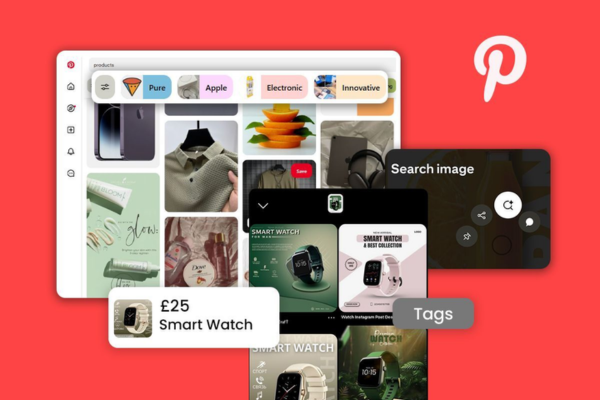
How does Pinterest’s visual search technology work?

Pinterest, known for its vast collection of inspiring images, is not just a platform for browsing aesthetic content—it is also a pioneer in visual search technology. In fact, Pinterest’s visual search engine is one of the most sophisticated tools of its kind, enabling users to search for and discover new ideas using images rather than words. This is particularly useful when users don’t have the exact vocabulary to describe what they’re looking for.


What Is Visual Search?

Visual search is a method of searching using an image instead of text. Instead of typing “blue patterned dress with floral print,” a user can simply upload or click on an image of a dress and find visually similar items, ideas, or even shopping links. Visual search bypasses the need for language and taps into a more intuitive, image-based form of discovery.

Pinterest’s visual search tool is often used for:

  • Identifying objects or items within an image
  • Finding visually similar Pins
  • Shopping for products directly from an image
  • Discovering new styles or trends

Key Components of Pinterest’s Visual Search Technology

1. Object Detection and Recognition

When a user uses Pinterest’s visual search tool, the system begins by scanning the selected image for recognizable elements or “objects.” These might include:

  • Furniture (e.g., chairs, lamps, tables)
  • Fashion items (e.g., dresses, shoes, handbags)
  • Decor pieces (e.g., vases, curtains, wall art)
  • Food, plants, pets, and more

Pinterest uses computer vision, a subfield of artificial intelligence (AI), to detect and identify these components. The AI model has been trained on millions of images to understand how various objects appear, their textures, colors, and shapes.

Technology used:

  • Convolutional Neural Networks (CNNs)
  • Region-based Convolutional Neural Networks (R-CNNs)
  • Object segmentation models

These models identify the coordinates and boundaries of objects within the image.


2. Feature Extraction

Once the object is detected, Pinterest’s algorithm analyzes it for specific visual features such as:

  • Color
  • Texture
  • Shape
  • Pattern
  • Size

These features are turned into mathematical values (vectors) using deep learning models. These vectors act as a unique “signature” of the image or object.

This step allows the platform to go beyond simply identifying what the object is and begin comparing it with other visually similar content.


3. Matching and Retrieval

The extracted features are then compared against Pinterest’s vast index of billions of images. The algorithm quickly finds other images with similar visual characteristics using a technique called nearest neighbor search in a high-dimensional space.

Pinterest organizes its image data into a visual embedding space, where images with similar appearances are grouped close together. This enables the system to recommend visually similar Pins even if they come from completely unrelated sources.

Example:
If a user selects a mustard-colored armchair with wooden legs, the visual search might return other mustard armchairs, similar silhouettes, or even complementary interior design styles—regardless of whether the same keywords or tags were used.


4. Lens – Pinterest’s Visual Search Tool

The most user-friendly implementation of this technology is Pinterest Lens, a feature available in the Pinterest app.

With Lens, users can:

  • Point their phone camera at any object (e.g., a houseplant, a jacket, a painting)
  • Snap a photo
  • Instantly get search results based on what Pinterest’s algorithm visually identifies

Lens also allows users to upload screenshots or photos from their gallery, making the tool especially useful when they come across something interesting in real life or online.


5. Shopping Integration

Pinterest’s visual search tool is not just for inspiration—it is also tied into shopping. When users perform a visual search, Pinterest may return:

  • Shoppable Pins with direct links to retailers
  • Price comparisons
  • Product reviews or availability

This is powered by Pinterest’s Product Catalogs and integration with e-commerce platforms like Shopify, making it easier for users to move from discovery to purchase.

Pinterest uses a combination of visual match + product metadata to ensure shopping results are both relevant and actionable.


User Experience: How Visual Search Works in Practice

Here’s how a typical user might experience Pinterest’s visual search:

  1. Step 1: Browsing Pinterest
    While scrolling, the user sees an image of a living room and notices a stylish coffee table.
  2. Step 2: Activating Visual Search
    The user taps the magnifying glass icon in the corner of the Pin, which launches the visual search tool.
  3. Step 3: Selecting an Area
    A movable and resizable box appears over the image. The user adjusts the box to focus just on the coffee table.
  4. Step 4: Viewing Matches
    Pinterest immediately returns visually similar items—other coffee tables with similar design, color, or materials.
  5. Step 5: Discovering or Shopping
    The user can save these results, explore further Pins with similar aesthetics, or click a shoppable Pin to buy a similar table.

This seamless experience helps users turn inspiration into reality, even if they don’t know how to describe what they want in words.


Real-Life Example: Using Visual Search for Fashion Inspiration

Let’s say Emily, a university student, is interested in upgrading her wardrobe with trendy streetwear. While walking around town, she sees someone wearing a pair of stylish white sneakers with a pastel stripe design.

Here’s what she does:

  1. She opens the Pinterest app and launches Lens.
  2. She points her camera at the sneakers and snaps a photo.
  3. Pinterest Lens analyzes the image and returns visually similar sneakers from various brands.
  4. It also displays Pins with related streetwear outfits, giving her inspiration for how to style the sneakers.
  5. Emily saves a few Pins and even clicks a link to purchase a similar pair online.

This process took less than a minute and gave her style inspiration, product options, and outfit ideas—without having to search for the right keywords.


Technological Advancements Behind Pinterest’s Visual Search

Pinterest has invested heavily in AI research to improve its visual search capabilities. Some notable aspects include:

  • Real-Time AI Optimization: Results load within milliseconds due to high-performance data centers and optimized search algorithms.
  • Semantic Understanding: Pinterest not only looks at images but also combines visual data with context—captions, tags, and user behavior—to improve relevance.
  • Machine Learning Feedback Loops: The more users interact with visual search, the more data Pinterest gathers to improve its predictions and refine its results.

Impacts and Benefits

  1. Removes Language Barriers: Users don’t need to know what something is called—they can just search visually.
  2. Encourages Discovery: Helps users find unexpected or new styles that match their preferences.
  3. Boosts Shopping Conversion: Users are more likely to purchase when they see what an item looks like in real-life contexts.
  4. Enhances Creativity: Artists, designers, and creators can discover patterns, textures, and design inspirations instantly.

Limitations and Challenges

While Pinterest’s visual search is powerful, it’s not without challenges:

  • Contextual Misunderstandings: It may misidentify an object in a cluttered image.
  • Dependency on Visual Quality: Blurry or poorly lit images yield less accurate results.
  • Incomplete Shopping Integration: Not all visually similar items are shoppable, though this is improving.

Conclusion

Pinterest’s visual search technology is transforming the way people interact with digital content. By shifting the focus from textual queries to image-based discovery, Pinterest allows users to search in a more intuitive, creative, and visually driven way. Whether you’re redecorating your home, planning a wedding, searching for a specific fashion item, or just browsing for inspiration, Pinterest’s visual search can help you find exactly what you’re looking for—even when you don’t have the words to describe it.

Through innovations like Lens, object recognition, AI-powered feature extraction, and seamless shopping integration, Pinterest is not only helping people dream but also helping them act on those dreams in a tangible, productive way.


How do businesses use Pinterest for marketing?

Pinterest is more than just a place for finding recipes, home decor, and DIY crafts. For businesses, it represents a powerful visual discovery engine—essentially a hybrid of a social media platform and a search engine. With over 450 million monthly active users globally (as of 2025), Pinterest provides businesses with the unique opportunity to reach consumers who are actively looking for inspiration, products, and services.

This makes Pinterest especially effective for content marketing, product discovery, brand building, and driving traffic to websites. Unlike fast-paced platforms like Twitter or Instagram, Pinterest pins have long lifespans, often generating traffic for months or even years after being published.

Let’s explore how businesses harness the power of Pinterest for marketing purposes.


1. Pinterest as a Visual Search Engine

Pinterest functions much like a visual Google. When users search for “minimalist office decor” or “affordable wedding dresses,” Pinterest surfaces pins (posts) that match those queries. Businesses can optimize their content for these search terms to attract potential customers.

Because users come to Pinterest with the intent to discover and plan, they’re already closer to the purchasing decision than users on other platforms.


2. Key Benefits of Pinterest Marketing for Businesses

a. Long Content Lifespan

Unlike posts on Twitter or Facebook, Pinterest pins continue to circulate for weeks, months, or even years. This makes it excellent for evergreen content—content that stays relevant over time.

b. High Purchase Intent

Many users on Pinterest use the platform to plan purchases. According to Pinterest data, over 80% of weekly users have discovered a new brand or product through Pinterest.

c. Referral Traffic

Pinterest is one of the highest drivers of referral traffic among social platforms. This means it’s highly effective at getting users to click through to a brand’s website, blog, or online store.

d. Visual Branding

Because Pinterest is visually driven, it allows businesses to build a strong, consistent brand identity through imagery, colors, fonts, and themes.


3. Setting Up a Pinterest Business Account

To effectively market on Pinterest, a business must first set up a Pinterest Business Account. This provides access to:

  • Pinterest Analytics: Track impressions, clicks, and engagement.
  • Pinterest Ads Manager: Create promoted pins and track performance.
  • Rich Pins: Automatically sync metadata (like price, availability, etc.) from your website.
  • Claimed Website: Helps verify your site and connect your Pinterest activity to your domain.

Once the business account is set up, the real strategy begins.


4. Marketing Strategies Businesses Use on Pinterest

a. Content Strategy with High-Quality Pins

A business should create beautiful, vertical pins (aspect ratio 2:3, such as 1000 x 1500 px) with compelling images and engaging text overlays. Good pins include:

  • High-resolution images
  • Clear text describing the content (like “10 Summer Fashion Essentials”)
  • Branding (logo or website subtly included)

Each pin should link back to a relevant landing page, blog post, or product.

b. Keyword Optimization

Pinterest is driven by search. Businesses must use relevant keywords in:

  • Pin titles and descriptions
  • Board names and descriptions
  • Profile bio

This helps pins surface when users search for related topics. For instance, a skincare brand should use keywords like “natural skincare routine,” “anti-aging serum,” or “sensitive skin tips.”

c. Organized and Niche Boards

Businesses create boards to categorize their content. Boards should be organized by theme or topic, such as:

  • “Vegan Meal Prep Ideas”
  • “Boho Home Decor”
  • “Holiday Gift Guides”

Each board should have a clear, keyword-rich description. Regularly adding new pins to these boards keeps content fresh and signals activity to the Pinterest algorithm.

d. Rich Pins

Rich Pins automatically pull metadata from your website and enhance your pins with real-time information. Types of Rich Pins include:

  • Product Pins: Show pricing, availability, and product details.
  • Recipe Pins: Include ingredients, cook time, and servings.
  • Article Pins: Show the blog post’s title, author, and description.

Rich Pins help businesses drive more qualified clicks and improve user trust.

e. Pinterest Ads (Promoted Pins)

Pinterest Ads are known as Promoted Pins. Businesses can boost visibility by paying to promote their pins to targeted audiences based on:

  • Keywords
  • Interests
  • Demographics
  • Location
  • Custom audiences (email lists, site visitors)

Ad formats include:

  • Standard Pins
  • Carousel Pins (multiple images)
  • Video Pins
  • Shopping Pins (linked directly to product catalogs)

Pinterest ads are particularly effective for e-commerce, lifestyle, and home improvement brands.

f. Seasonal and Trend-Based Campaigns

Pinterest trends are highly seasonal. Businesses align their content with seasonal demand—examples include:

  • Back to school in August
  • Holiday gift guides in November
  • Wedding ideas in spring/summer
  • Fitness tips in January

Pinterest Trends (a free tool) helps marketers understand what’s trending and when to post.


5. Example: How a Small Business Uses Pinterest for Marketing

Business: GreenGlow Skincare – A Natural Skincare Brand

Objective: Drive traffic to the company’s blog and increase sales of its “Vitamin C Serum.”

Step 1: Optimize Profile

  • Business Account created
  • Bio includes keywords: “natural skincare, clean beauty, plant-based products”
  • Website claimed and Rich Pins activated

Step 2: Create Boards

  • “Natural Skincare Routines”
  • “DIY Skincare Tips”
  • “Glowing Skin Hacks”
  • “Serum Benefits Explained”

Step 3: Create Content

  • Blog post: “5 Reasons Why Vitamin C Serum Is a Must in Your Skincare Routine”
  • Pin Design: Vertical image showing the serum bottle with a clean, minimalist background
  • Text overlay: “Why You Need Vitamin C in Your Skincare Routine”
  • Description: “Discover the benefits of vitamin C serum, including skin brightening, anti-aging, and collagen production. Perfect for all skin types! #cleanbeauty #vitamincserum”
  • Keywords used: vitamin C serum, glowing skin, skincare tips, anti-aging routine

Step 4: Promote Key Pins

  • Promote the serum pin using Pinterest Ads
  • Target audience: women aged 25–45, interested in skincare and clean beauty
  • Budget: $10/day
  • Result: Higher click-through rates, increased blog traffic, and conversions via Shopify

Step 5: Analyze and Repeat

  • Check Pinterest Analytics
  • See that “Vitamin C Serum” pins perform best
  • Decide to create more content about skincare ingredients

This ongoing Pinterest marketing campaign helps GreenGlow Skincare build brand authority, connect with an engaged audience, and drive steady web traffic.


6. Measuring Success on Pinterest

Businesses can measure their marketing effectiveness through Pinterest Analytics, which tracks:

  • Impressions: How many times your pins were shown
  • Saves: How many users saved your pins to their boards
  • Outbound Clicks: How many users clicked through to your site
  • Engagement Rate: How users interact with your content

Using these insights, businesses can refine their content strategy to focus on what works.


7. Best Practices for Businesses on Pinterest

  • Consistency Matters: Pin regularly (daily or weekly) to stay visible.
  • Use Fresh Pins: Repeating the same pin can hurt reach. Always create new visuals or text overlays.
  • Follow the Seasons: Schedule content ahead of seasonal peaks.
  • Engage with Your Audience: Follow similar accounts, comment on pins, and respond to users.
  • Optimize for Mobile: Most Pinterest users are on mobile—ensure your images and websites are mobile-friendly.

Conclusion

Pinterest is a unique and highly effective platform for businesses looking to drive traffic, build brand awareness, and reach consumers during the planning and purchasing phases of their journey. By leveraging visual content, strategic keyword use, rich pins, and Pinterest Ads, businesses can position themselves as go-to sources for ideas and inspiration in their niche.

Whether you’re a blogger, small shop owner, e-commerce brand, or service provider, Pinterest marketing offers long-term value. With its high user intent, visual discovery format, and evergreen content capabilities, Pinterest isn’t just a “nice-to-have” channel—it can be a core pillar of your digital marketing strategy.


How to Become a Digital Marketing Specialist

Digital marketing is one of the fastest-growing fields today. Many people are interested in building a career in digital marketing, and becoming a digital...

What is SMM in Digital Marketing

SMM, or Social Media Marketing, is one of the most important parts of digital marketing. In simple words, SMM is the process of using...

What is Google Analytics in Digital Marketing

Google Analytics is one of the most important tools in digital marketing. It helps businesses understand how people interact with their websites and online...

What is Google AdWords in Digital Marketing

Google AdWords is one of the most important tools in digital marketing. Many businesses use AdWords to reach their target audience online and increase...

What Is CPM in Digital Marketing

In digital marketing, understanding how your ads are priced and measured is very important. Different advertising models help marketers track performance and control spending....