Home Blog Page 27

What are idea pins and how are they different from normal pins?

Pinterest is a powerful platform for visual discovery and creative inspiration. Among its features, one innovation that stands out is the Idea Pin. Introduced to encourage more immersive and interactive content creation, Idea Pins differ significantly from regular Pins in both form and function.


What Are Idea Pins?

Idea Pins are a multi-page, story-like format on Pinterest designed for creators to share more comprehensive and engaging content. Unlike regular Pins, which typically link out to external websites or blogs, Idea Pins are native content—meaning the full experience lives within Pinterest. Think of them as Pinterest’s answer to Instagram Stories or TikTok videos, but with a focus on evergreen content rather than fleeting, short-term visibility.

Each Idea Pin can include up to 20 pages of content. These pages can contain:

  • Images
  • Videos
  • Text overlays
  • Stickers
  • Music
  • Voiceovers
  • Interactive elements like tags or lists

This makes them ideal for tutorials, step-by-step guides, storytelling, showcasing products, or building a brand presence.


Key Characteristics of Idea Pins

  1. Multi-Page Format:
    Idea Pins are composed of multiple slides, each contributing to a larger narrative or instructional guide. This makes them ideal for telling a story or explaining a process.
  2. No External Links (Initially):
    Originally, Idea Pins did not allow clickable links to external websites, which set them apart from regular Pins. This was designed to keep users engaged within Pinterest. However, as of recent updates, verified creators and businesses can now add product tags and affiliate links.
  3. Lasting Visibility:
    Unlike Stories on Instagram or Snapchat, Idea Pins don’t disappear after 24 hours. They remain searchable and discoverable, giving them more long-term value.
  4. Rich Editing Tools:
    Pinterest provides creators with tools like background music, voice recording, and animated transitions, enabling polished, high-quality content creation.
  5. Engagement Tools:
    Users can react to Idea Pins with emojis, follow creators, or save the Pins to boards—though they can’t comment on them publicly (as with regular Pins).
  6. Created In-App:
    Idea Pins are often made within Pinterest’s mobile app, reinforcing the platform’s shift toward becoming a creator-focused space.

How Are Idea Pins Different from Regular Pins?

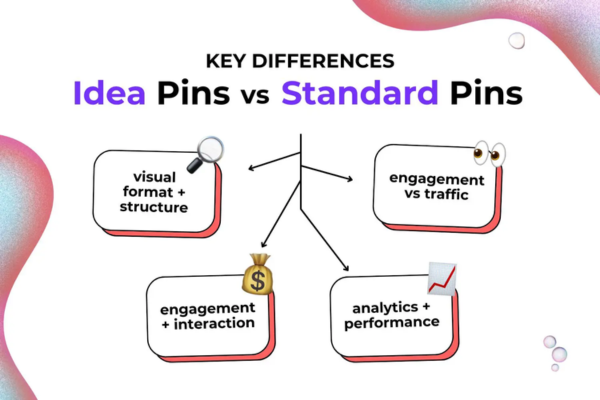
While both types of Pins aim to inspire and engage users, they are fundamentally different in structure, purpose, and user interaction. Below is a detailed comparison:

Feature Regular Pins Idea Pins
Format Single image or video Multi-page (up to 20 pages)
Content Style Static or simple visual with a caption Interactive, narrative-driven, and multimedia-rich
Links Often links to external sites (blogs, shops) Originally no links, now limited to product tagging or affiliate links
Purpose Drive traffic to a website Encourage in-app engagement and inspiration
Lifespan Evergreen, searchable Also evergreen, but designed for deeper interaction
Creation Tool Can be uploaded via desktop or mobile Best created in the Pinterest mobile app
User Interaction Save, comment, click-through Save, react, follow (no public comments)
Analytics Basic stats: saves, link clicks, impressions In-depth analytics for creators (engagement, views, followers gained)

Why Did Pinterest Introduce Idea Pins?

Pinterest has been evolving from a passive inspiration platform to a creator-first ecosystem. While regular Pins work well for linking to external content, Pinterest wanted a feature that allowed creators to build their brand directly on the platform.

Here’s why Idea Pins are so important:

  1. Increased Engagement:
    Idea Pins offer more room for storytelling, which naturally leads to longer user engagement.
  2. Retention within Platform:
    Without outbound links (initially), users stay within Pinterest, browsing more content and exploring further.
  3. Better for Mobile Users:
    With TikTok and Instagram dominating mobile engagement, Pinterest needed a mobile-first format that supports vertical video, editing tools, and dynamic content.
  4. More Opportunities for Creators:
    Idea Pins give creators the ability to share tutorials, guides, and showcases without needing a website or blog.

Use Cases for Idea Pins

Idea Pins can be applied across countless niches. Here are a few examples:

  • Food & Recipes: Step-by-step cooking videos or slides
  • DIY & Crafts: Visual instructions for making homemade goods
  • Fashion & Style: Outfit inspiration over several days
  • Beauty: Skincare routines or makeup tutorials
  • Fitness: Weekly workout plans or form demonstrations
  • Education: Mini-lessons or summaries of key concepts

Example: How a Food Blogger Can Use Idea Pins

Let’s take a deep-dive example of a food blogger named Sarah, who uses Pinterest to grow her audience and inspire home cooks.

Scenario:

Sarah wants to share a recipe for her “One-Pot Creamy Garlic Pasta.” Normally, she would post a photo with a link to her blog where the full recipe lives. Instead, she decides to create an Idea Pin.

Here’s how she does it:

Page 1:
A short vertical video introducing the dish – a close-up shot of the creamy garlic pasta being served in a bowl. Overlay text says, “One-Pot Creamy Garlic Pasta – Ready in 20 Minutes!”

Page 2:
Photo of the ingredients neatly arranged. She adds text:

  • 200g pasta
  • 3 garlic cloves
  • 1 cup cream
  • Salt, pepper, herbs

Page 3-8:
Short clips showing each step:

  • Boiling pasta
  • Sautéing garlic
  • Adding cream and spices
  • Combining everything in one pot

Each slide has brief text overlays and helpful tips (“Reserve pasta water for a silkier sauce!”).

Page 9:
Final result with a video clip of her twirling the pasta with a fork. The text reads: “Perfect for busy weeknights!”

Page 10:
Call-to-action: “Save this Pin for later! Follow me for more 20-minute meals!”

Result:

  • Sarah gains 500 new followers.
  • The Pin is saved 1,200 times.
  • People begin commenting on her other Pins asking for variations or gluten-free alternatives.
  • Even though she didn’t link out to her blog, her brand recognition grows significantly.

Later, Pinterest’s analytics show her that her audience is most active on weekends, leading her to post new Idea Pins on Saturdays.


Benefits of Using Idea Pins

  • Increased Visibility: Idea Pins often get priority placement in Pinterest’s home feed and search results.
  • More Followers: Because users can’t click out, they are more likely to follow creators they enjoy.
  • Better Storytelling: Ideal for multi-step content that can’t be captured in one image.
  • Engagement Tools: Music, voiceovers, and tags make Idea Pins feel alive and modern.
  • Monetization Potential: Through product tagging and Pinterest’s Creator Rewards programs (in select countries), creators can earn directly from high-performing Idea Pins.

Limitations of Idea Pins

Despite their benefits, there are a few limitations to keep in mind:

  • Fewer Outbound Traffic Opportunities: Unlike regular Pins, you can’t easily drive blog traffic (unless you use product tags or affiliate links).
  • More Time-Consuming to Create: Idea Pins require more effort to produce compared to static Pins.
  • Not Always Search-Optimized: Idea Pins may not rank as effectively as keyword-optimized regular Pins unless accompanied by well-crafted titles and descriptions.

Conclusion

Idea Pins represent a major evolution in how Pinterest fosters creativity and community on its platform. They offer a rich, multimedia format designed to inspire, educate, and engage. While they don’t replace traditional Pins, they offer a new dimension of interaction—perfect for creators, influencers, educators, and brands looking to deepen their relationship with their audience.

Whether you’re a food blogger, fashion stylist, teacher, or business owner, Idea Pins give you a tool to connect with your audience in a more authentic, storytelling-driven way. As Pinterest continues to prioritize creator content, those who learn to use Idea Pins effectively can find themselves at the forefront of a new era of visual content.
What is GDPR and Its Implications on Email Marketing?

The General Data Protection Regulation (GDPR) is a comprehensive data protection law enacted by the European Union (EU) on May 25, 2018, to safeguard the personal data and privacy of EU residents. As of 2025, GDPR remains a global benchmark for data privacy, significantly influencing email marketing practices worldwide. For email marketers, GDPR imposes strict rules on how personal data is collected, stored, processed, and used, with severe penalties for non-compliance. This article provides a detailed explanation of GDPR, its key principles, its implications for email marketing, enforcement mechanisms, and best practices for compliance. It concludes with a practical example illustrating how a small business ensures GDPR-compliant email marketing.

What is GDPR?

GDPR is a regulation that governs the processing of personal data of individuals within the EU and the European Economic Area (EEA), regardless of where the data processor or controller is located. It aims to give individuals control over their personal data while harmonizing data protection laws across EU member states. GDPR applies to any organization—businesses, nonprofits, or public entities—that processes personal data of EU residents, making it relevant for email marketers globally.

Scope of GDPR

  • Personal Data: Defined as any information relating to an identified or identifiable individual (e.g., names, email addresses, IP addresses, purchase history).
  • Applicability: Applies to organizations targeting EU residents, even if based outside the EU (e.g., a U.S. company emailing EU subscribers).
  • Exemptions: Does not apply to purely personal or household activities (e.g., sending emails to friends).

Key Principles of GDPR

GDPR is built on seven core principles that guide data processing, directly impacting email marketing:

  1. Lawfulness, Fairness, and Transparency: Data must be processed legally, fairly, and transparently, with clear communication about how data is used.
  2. Purpose Limitation: Data must be collected for specific, explicit, and legitimate purposes and not used beyond those purposes.
  3. Data Minimization: Only data necessary for the stated purpose should be collected.
  4. Accuracy: Data must be accurate and kept up to date, with mechanisms to correct inaccuracies.
  5. Storage Limitation: Data should be retained only as long as necessary for the stated purpose.
  6. Integrity and Confidentiality: Data must be protected against unauthorized access, loss, or damage using appropriate security measures.
  7. Accountability: Organizations must demonstrate compliance through policies, records, and audits.

Key GDPR Requirements for Email Marketing

GDPR imposes specific obligations on email marketers handling personal data:

  1. Explicit Consent:
    • Marketers must obtain freely given, specific, informed, and unambiguous consent before collecting or processing email addresses.
    • Pre-ticked boxes or implied consent (e.g., “By browsing, you agree”) are invalid.
    • Example: A signup form requiring users to check a box agreeing to receive marketing emails complies with GDPR.
  2. Transparent Information:
    • Marketers must provide clear information about who is collecting the data, why, how it’s used, and recipients’ rights (e.g., to access or delete data).
    • This is typically provided via a privacy policy linked in emails or signup forms.
    • Example: An email footer linking to a privacy policy detailing data usage meets this requirement.
  3. Right to Opt-Out:
    • Recipients must have an easy, free way to withdraw consent (e.g., an unsubscribe link) at any time, with immediate effect.
    • Example: An unsubscribe link that instantly removes a user from the mailing list complies with GDPR.
  4. Data Subject Rights:
    • Individuals have rights to access, rectify, erase, restrict, or port their data, and to object to processing.
    • Marketers must respond to these requests within 30 days.
    • Example: A user requesting deletion of their email from a list must be processed promptly.
  5. Data Security:
    • Marketers must implement technical and organizational measures to protect email data (e.g., encryption, secure servers).
    • Data breaches must be reported to authorities within 72 hours.
    • Example: Using a secure email platform like Brevo with encryption ensures compliance.
  6. Data Processing Agreements (DPAs):
    • Marketers using third-party vendors (e.g., email platforms, CRMs) must have DPAs ensuring GDPR compliance.
    • Example: A contract with Mailchimp specifying data protection responsibilities meets this requirement.
  7. Record-Keeping:
    • Organizations must maintain records of consent, data processing activities, and compliance measures.
    • Example: Storing timestamps of user opt-ins in a CRM complies with this rule.

Implications of GDPR on Email Marketing

GDPR has reshaped email marketing by prioritizing user consent, transparency, and data security. Below are the key implications for email marketers in 2025:

1. Requiring Explicit Consent

GDPR’s consent requirement eliminates practices like purchasing email lists or assuming opt-in without proof.

  • Impact:
    • Marketers must use double opt-in (e.g., sending a confirmation email) to verify consent, reducing spam complaints and ensuring engaged subscribers.
    • Existing lists pre-2018 needed re-consent, shrinking lists but improving quality.
    • Non-compliant consent practices risk fines and reputational damage.
  • Example: A marketer switches from single to double opt-in, increasing open rates from 15% to 25% due to engaged subscribers.

2. Enhancing Transparency

GDPR mandates clear communication about data usage, forcing marketers to rethink signup forms and email content.

  • Impact:
    • Signup forms must include detailed privacy notices and consent checkboxes.
    • Emails must link to privacy policies and explain data processing (e.g., “We use your email to send promotions”).
    • Transparency builds trust, reducing unsubscribe rates (<0.5% ideal).
  • Example: A retailer adds a privacy policy link in email footers, boosting subscriber trust and compliance.

3. Streamlining Opt-Out Processes

The right to withdraw consent requires user-friendly unsubscribe mechanisms.

  • Impact:
    • Marketers must include visible unsubscribe links in every email, processed instantly.
    • Preference centers allow users to customize email frequency, reducing full opt-outs.
    • High unsubscribe rates may prompt content or segmentation improvements.
  • Example: A marketer uses Klaviyo’s preference center, lowering unsubscribe rates from 1% to 0.3%.

4. Strengthening Data Security

GDPR’s security requirements push marketers to adopt robust platforms and practices.

  • Impact:
    • Marketers invest in secure email tools (e.g., HubSpot, ActiveCampaign) with encryption and two-factor authentication.
    • Data breaches, if mishandled, can lead to fines and loss of trust.
    • Regular audits and validation (e.g., NeverBounce) maintain list health, reducing bounce rates (<2%).
  • Example: A business migrates to Brevo’s GDPR-compliant platform, avoiding a potential breach.

5. Managing Third-Party Vendors

GDPR holds marketers accountable for vendors’ compliance, requiring DPAs and oversight.

  • Impact:
    • Marketers must vet email platforms and CRMs for GDPR compliance (e.g., EU-based servers).
    • Contracts with agencies or affiliates must include data protection clauses.
    • Non-compliant vendors increase liability risks.
  • Example: A company signs a DPA with Mailchimp, ensuring GDPR-compliant data processing.

6. Increasing Compliance Costs

GDPR compliance requires investment in tools, training, and legal resources.

  • Impact:
    • Small businesses face costs for GDPR-compliant platforms, validation tools, and legal reviews.
    • Staff training on GDPR rules is essential to avoid violations.
    • Fines (up to €20 million or 4% of annual global turnover) pose significant risks.
  • Example: A startup budgets $1,000 monthly for Zoho CRM and legal consultations to ensure compliance.

7. Improving List Quality and Engagement

GDPR’s focus on consent and minimization leads to smaller, more engaged email lists.

  • Impact:
    • Removing unengaged or non-consented subscribers improves open rates (20–30%) and CTR (3–5%).
    • Segmentation based on consent or behavior enhances campaign relevance.
    • Engaged lists boost deliverability (80–90% inbox placement).
  • Example: A marketer cleans their list, reducing it from 10,000 to 7,000 but increasing conversions by 20%.

8. Encouraging Global Compliance

GDPR’s extraterritorial reach influences marketers worldwide, aligning practices with stricter laws.

  • Impact:
    • Non-EU marketers adopt GDPR standards to target EU audiences, harmonizing global campaigns.
    • GDPR-inspired laws (e.g., CCPA in California, LGPD in Brazil) reinforce compliance needs.
    • Tools like CRMs manage multi-jurisdictional consent.
  • Example: A U.S. marketer implements GDPR-compliant forms for EU subscribers, also meeting CCPA requirements.

Enforcement and Penalties

GDPR is enforced by Data Protection Authorities (DPAs) in each EU member state, coordinated by the European Data Protection Board (EDPB).

  • Fines: Up to €20 million or 4% of annual global turnover (whichever is higher) for serious violations (e.g., lack of consent, data breaches).
  • Corrective Measures: DPAs can order data deletion, restrict processing, or mandate audits.
  • Examples of Enforcement:
    • In 2023, a retailer was fined €1.7 million for sending marketing emails without valid consent.
    • A tech company paid €50 million for inadequate transparency in data processing.

Best Practices for Email Marketers in 2025

  1. Implement Double Opt-In: Require users to confirm subscriptions to verify consent.
  2. Provide Clear Privacy Notices: Include detailed data usage information in signup forms and emails.
  3. Offer Easy Opt-Outs: Use visible unsubscribe links or preference centers.
  4. Secure Data: Choose GDPR-compliant platforms with encryption and regular audits.
  5. Sign DPAs with Vendors: Ensure third parties comply with GDPR via contracts.
  6. Validate Lists: Use tools like ZeroBounce to remove invalid or unengaged emails.
  7. Maintain Consent Records: Store timestamps and consent details in a CRM.
  8. Respond to Data Requests: Process access or deletion requests within 30 days.
  9. Train Staff: Educate teams on GDPR compliance to prevent errors.
  10. Monitor Global Laws: Align with GDPR and similar regulations (e.g., CCPA, CASL).

Example: GDPR-Compliant Email Marketing for a Small Online Store

Scenario: “PureLeaf,” a small online store selling organic teas, uses ActiveCampaign to send email campaigns to 5,000 subscribers, including 1,000 EU residents. They aim to promote a new tea blend while ensuring GDPR compliance to avoid fines and maintain trust.

Implementation:

  1. Explicit Consent:
    • PureLeaf uses double opt-in for their website signup form, requiring users to confirm subscriptions via a confirmation email.
    • The form includes a checkbox: “I agree to receive marketing emails from PureLeaf,” with a link to their privacy policy.
    • They store consent timestamps in ActiveCampaign’s CRM, ensuring proof of opt-in.
  2. Transparent Information:
    • The signup form explains: “We collect your email to send promotions and updates. See our Privacy Policy for details.”
    • Emails include a footer linking to a GDPR-compliant privacy policy outlining data usage, rights, and contact details.
  3. Opt-Out Mechanism:
    • Every email includes an unsubscribe link labeled “Manage Your Preferences,” directing to a preference center where users can opt out or adjust email types (e.g., promotions, newsletters).
    • Opt-outs are processed instantly, updating contact statuses in ActiveCampaign.
  4. Data Security:
    • PureLeaf uses ActiveCampaign’s GDPR-compliant platform, with EU-based servers, encryption, and two-factor authentication.
    • They integrate with NeverBounce to validate emails, removing 300 invalid addresses (e.g., user@dead-domain.com), keeping bounce rates at 1%.
  5. Data Processing Agreements:
    • PureLeaf signs a DPA with ActiveCampaign, ensuring GDPR-compliant data processing.
    • They hire a design agency for email templates, including a GDPR compliance clause in the contract.
  6. Data Subject Rights:
    • PureLeaf sets up a process to handle data requests (e.g., access, deletion) via a dedicated email (privacy@pureleaf.com).
    • They respond to a user’s deletion request within 15 days, removing their data from ActiveCampaign.
  7. Campaign Execution:
    • PureLeaf launches a 4-email series promoting their new chamomile blend to 4,700 validated subscribers:
      • Email 1: Introduces the blend with a “Shop Now” CTA.
      • Email 2: Shares health benefits with a video link.
      • Email 3: Offers a 15% discount code.
      • Email 4: Reminds users of the discount’s expiration.
    • Each email includes consent notices, unsubscribe links, and a privacy policy link.
  8. Analytics and Compliance Monitoring:
    • Metrics (after 1 month):
      • Open Rate: 30% (industry average: 20–30%).
      • CTR: 7% (industry average: 3–5%).
      • Conversion Rate: 4% (188 sales, $5,640 revenue).
      • Bounce Rate: 1%.
      • Unsubscribe Rate: 0.2% (<0.5% ideal).
      • Complaints: 0%.
    • PureLeaf’s compliance ensures 90% inbox placement and no DPA investigations.
    • They test Email 3’s subject line (“Save 15% on Chamomile Today!”), increasing opens to 32%.

Results:

  • The campaign generates $5,640 in revenue, surpassing the goal of $4,000.
  • GDPR compliance avoids fines and builds trust, with zero complaints.
  • Double opt-in and validation maintain a high-quality list, supporting future campaigns.
  • DPAs and secure platforms ensure third-party compliance.

Key Takeaways:

  • ActiveCampaign’s GDPR features simplified compliance.
  • Transparent consent and opt-outs enhanced engagement.
  • Validation and audits protected data and deliverability.

Conclusion

GDPR, enacted in 2018, is a transformative regulation that governs personal data processing, profoundly impacting email marketing in 2025. Its principles of consent, transparency, and security require marketers to obtain explicit opt-ins, provide clear data usage information, and protect subscriber data. While compliance increases costs and complexity, it improves list quality, engagement, and trust, enhancing deliverability and ROI. Non-compliance risks severe fines (€20 million or 4% of turnover), making adherence critical. The PureLeaf example shows how a small business can leverage tools like ActiveCampaign to run GDPR-compliant campaigns, driving revenue while maintaining trust. By adopting best practices like double opt-in, validation, and DPAs, email marketers can navigate GDPR effectively, ensuring successful, ethical campaigns in a privacy-conscious world.

How do hashtags and keywords work on Pinterest?

Pinterest is a powerful visual discovery platform used by millions of users worldwide to explore ideas, inspiration, and products. Unlike traditional social media platforms, Pinterest functions more like a search engine than a feed-based network. This unique setup emphasizes the importance of keywords and, to a lesser degree, hashtags, to optimize content for discovery.

Understanding how both keywords and hashtags work on Pinterest is critical for content creators, bloggers, small businesses, and marketers who want to boost visibility and engagement on the platform.


Part 1: Understanding Keywords on Pinterest

What Are Keywords on Pinterest?

Keywords on Pinterest are words or phrases that describe the content of your pins, boards, and profiles. These are the search terms users type into the Pinterest search bar when they’re looking for content. Pinterest’s algorithm uses keywords to understand what your content is about and match it to relevant user searches.

For example, if someone is searching for “easy vegan dinner recipes,” Pinterest will show pins that include those keywords prominently in their title, description, board name, and alt text.

Where to Use Keywords on Pinterest

To make the most of keywords, they need to be strategically placed throughout your Pinterest content:

  1. Pin Titles: Use descriptive and keyword-rich titles. E.g., “10 Easy Vegan Dinner Recipes for Beginners.”
  2. Pin Descriptions: Add relevant keywords that reflect what your content is about. Include secondary keywords as well.
  3. Board Titles: Boards should be clearly named with straightforward keywords like “Healthy Meal Ideas” or “Home Office Decor.”
  4. Board Descriptions: Similar to pin descriptions, these help Pinterest understand what kinds of pins you’ll be saving to a board.
  5. Profile Bio: Incorporate niche keywords to help Pinterest match your account with related interests.
  6. Image Alt Text: Although not visible on Pinterest, using alt text on your website images when using rich pins can help with SEO.
  7. Pinterest Text Overlay: Text over the image (on the pin itself) also contributes to the keyword signal.

How Pinterest Uses Keywords

Pinterest’s algorithm uses a combination of machine learning and contextual analysis to interpret pins. It considers the image, text overlay, and keywords in the title and description to categorize your content.

Once Pinterest understands your content, it indexes your pins and makes them eligible to appear in user searches and home feeds. It works similarly to Google’s algorithm but is more visually focused.

Keyword Research on Pinterest

To find the right keywords:

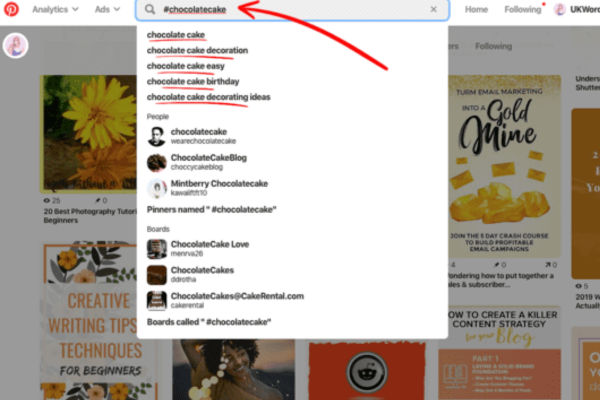
  • Use the Pinterest search bar. Start typing a topic, and Pinterest will auto-suggest related search terms.
  • Look at popular pins and see what words they use in their titles and descriptions.
  • Use Pinterest Trends (trends.pinterest.com) to see what users are currently searching for.
  • Analyze your analytics to see which keywords are driving traffic.

Part 2: Understanding Hashtags on Pinterest

What Are Hashtags on Pinterest?

Hashtags on Pinterest are words or phrases preceded by a hash sign (#), such as #DIYprojects or #summerfashion. They function similarly to hashtags on other platforms in that they can be used to group similar content.

However, Pinterest does not rely heavily on hashtags in the way platforms like Instagram or X (formerly Twitter) do. Their importance has fluctuated over time.

The Current Role of Hashtags on Pinterest

As of recent updates (2024–2025), Pinterest does not emphasize hashtags as much as it once experimented with. While they are still technically functional, they are not as useful or prioritized in search algorithms compared to traditional keywords.

When you click on a hashtag, Pinterest may show a feed of pins that have used the same hashtag. However, this isn’t guaranteed to show only the most relevant or most recent pins, unlike platforms like Instagram, where recency and hashtag relevance are highly weighted.

Should You Use Hashtags on Pinterest?

You can use hashtags, but you should not rely on them for traffic. If used:

  • Limit the number of hashtags (1–3 per pin is plenty).
  • Use broad, relevant hashtags rather than overly specific ones.
  • Treat hashtags as a light supplement to your keyword strategy—not a core strategy.

Pinterest’s own advice has at times shifted to recommend focusing on writing natural, keyword-rich descriptions instead of packing pins with hashtags.


Example: Using Keywords and Hashtags Effectively on Pinterest

Let’s say you are a food blogger who just wrote a blog post titled “10 Easy Vegan Dinner Recipes for Busy Weeknights.” You want to promote this blog post on Pinterest.

Step-by-Step Example:

1. Create a Pin Image

  • Use an appealing image of a vegan dish.
  • Add a text overlay that says: “10 Easy Vegan Dinner Recipes.”

2. Optimize the Pin Title

  • Title: “10 Easy Vegan Dinner Recipes for Busy Weeknights”

This includes your main keyword phrase (“vegan dinner recipes”) and a modifier (“easy,” “for busy weeknights”) to help with long-tail keyword searches.

3. Write a Keyword-Rich Description

“Looking for easy vegan dinner recipes you can make after a long day? These 10 delicious, plant-based meals are perfect for busy weeknights. Whether you’re new to veganism or a seasoned cook, you’ll find something to love—from chickpea curry to zucchini noodles. Great for families and meal prep!”

Keywords used: easy vegan dinner recipes, plant-based meals, chickpea curry, zucchini noodles, veganism, meal prep.

4. Add to a Relevant Board

  • Board Name: “Easy Vegan Recipes”
  • Board Description: “Discover quick and easy vegan recipes, from dinner ideas to meal-prep-friendly dishes. Perfect for busy weeknights and healthy eating.”

This reinforces keyword consistency and improves the contextual relevance of the pin.

5. Include 1–2 Hashtags (Optional)

In your pin description, you might include:

  • #VeganDinner
  • #PlantBasedMeals

These hashtags can help marginally in surfacing your content but are not the main discovery mechanism.


Keywords vs. Hashtags on Pinterest: A Comparison

Feature Keywords Hashtags
Role in Search Primary discovery method Supplementary role
Placement Titles, descriptions, boards In pin descriptions (optional)
Best Practices Natural integration, no stuffing Use sparingly and relevantly
Algorithm Priority High Low to Medium (contextual only)
Use Case SEO, content categorization Trend highlighting (rarely used)

Final Thoughts: Best Practices for Pinterest Optimization

  1. Prioritize Keywords: Conduct keyword research and incorporate relevant phrases throughout your content. This helps Pinterest categorize your pins and match them with user intent.
  2. Optimize Every Pin: Make sure every pin has a clear, compelling image, a keyword-rich title, and a detailed description. Don’t underestimate the power of board names and descriptions.
  3. Use Hashtags Sparingly: If you do use hashtags, keep them highly relevant and limited in number. Avoid overloading your pin with them, as it can appear spammy and won’t necessarily improve visibility.
  4. Consistency Is Key: Use consistent branding and keyword themes across your boards and pins to reinforce your niche and build Pinterest SEO authority over time.
  5. Monitor Analytics: Pinterest Business accounts offer analytics tools to track which pins perform best. This data can help refine your keyword strategy.

Conclusion

While hashtags may play a minimal role on Pinterest, keywords are the backbone of content discovery on the platform. Pinterest behaves more like a search engine than a social feed, which means strategic keyword use is critical for reaching your audience. By optimizing your pins, boards, and profiles with relevant, well-researched keywords, you position your content for long-term visibility and engagement. Hashtags can add a small boost but should never replace the foundational use of keywords in a Pinterest strategy.


Describe how Pinterest helps with creative inspiration.

Pinterest is one of the most popular platforms for discovering and organizing creative inspiration. Launched in 2010, it functions as a visual discovery engine, helping users find and save ideas for a wide range of interests—be it fashion, home décor, recipes, travel, art, event planning, or personal development. The platform is structured around “Pins” and “Boards.” Users save Pins (which are usually images, videos, or links to websites) to their personalized Boards, which can be sorted by category, theme, or project. Pinterest is designed not only for casual browsing but also for deeper exploration of specific ideas. This makes it a unique tool for creative inspiration, serving artists, designers, students, professionals, and hobbyists alike.

How Pinterest Encourages Creativity

Pinterest plays a vital role in enhancing creative thinking by combining visual aesthetics with personalized organization. Here’s how Pinterest supports creative inspiration:


1. Visual Discovery Engine

Pinterest’s foundation is built on visual discovery. Unlike search engines that rely heavily on text, Pinterest emphasizes imagery. This is important for creative people who are often visually inclined. Seeing an image of a unique flower arrangement or interior design setup can spark ideas more effectively than reading a description.

Example:
A graphic designer looking for typography inspiration might search “modern font design” on Pinterest. Instead of getting just articles or downloadable fonts, they are shown a feed of visual designs using modern typography—magazine covers, posters, business cards, and branding kits. These visuals help the designer see real-world applications and styles, triggering ideas for their own work.


2. Curated Content Based on User Interests

Pinterest uses algorithms to learn about a user’s preferences over time. By analyzing what users save, search for, or engage with, Pinterest recommends more relevant content. This personalization deepens the well of inspiration by continually exposing users to new ideas related to their interests.

Example:
An aspiring baker starts searching for “chocolate cake decoration.” As they pin more related images, Pinterest begins suggesting cake decorating ideas, fondant sculpting tips, color combinations, and even bakery business startup guides. This snowballing of information not only gives the baker creative direction but also helps them refine their skill set.


3. Organization Through Boards

Pinterest allows users to create “Boards” to categorize their saved Pins. Boards can be public, private, or collaborative. This system of organization is particularly helpful for creative projects that involve many ideas, stages, or elements.

Example:
A couple planning their wedding may create separate boards titled “Wedding Dresses,” “Venue Ideas,” “Floral Arrangements,” “Wedding Photography,” and “Reception Décor.” Within each board, they pin images or articles that represent their vision. This structure turns a potentially overwhelming process into a well-organized and inspiring journey.


4. Idea Generation and Mood Boarding

Pinterest functions as a digital mood board. For many creatives, especially in fields like design, fashion, and filmmaking, mood boards help define the tone, style, and color palette of a project. Pinterest allows users to build these boards without needing to cut out magazine clippings or print images.

Example:
A filmmaker working on a sci-fi short film might create a board titled “Futuristic Aesthetic.” They pin images of space, neon cities, costume designs, lighting styles, and sci-fi concept art. This board helps them communicate their vision to the production team and keep the creative tone consistent throughout the project.


5. Exposure to Global Trends and Diverse Styles

Pinterest is used globally, so it exposes users to a wide variety of design aesthetics, cultural inspirations, and global trends. This broadens a user’s creative perspective and helps avoid creative stagnation.

Example:
A fashion student in Paris looking for “streetwear inspiration” may find Pins from Tokyo, New York, and London fashion influencers. This exposure to international styles might inspire them to blend Eastern and Western fashion elements, resulting in a unique, cross-cultural clothing line.


6. Creative Tutorials and DIY Guides

In addition to inspiration, Pinterest often links to tutorials or step-by-step guides. Many Pins connect to blogs or YouTube videos where the user can learn how to recreate what inspired them. This makes Pinterest both a tool for ideation and practical learning.

Example:
An artist looking to learn watercolor techniques searches “watercolor flower tutorial.” They find Pins that link to blogs or videos with step-by-step guides. Inspired by what they see, they replicate the art and begin experimenting with their own variations. This transforms passive inspiration into active creation.


7. Collaboration and Group Boards

Pinterest allows users to invite others to contribute to Boards. This collaborative feature is especially useful for group projects, design teams, or planning events.

Example:
A marketing team is brainstorming ideas for a new product launch. They create a group board titled “Campaign Aesthetics” where team members pin visual references for branding, social media ads, and packaging design. This board becomes a visual brainstorming space, aligning everyone’s creative direction.


8. Search Filters and Keyword Tagging

Pinterest’s search function allows users to refine searches using categories, colors, types of Pins (videos, images, products), and related keywords. This helps users dig deeper into niche topics and discover ideas they might not have thought to search for directly.

Example:
An interior designer might type in “small apartment ideas” and then filter by “Scandinavian style” or “storage solutions.” They can narrow the aesthetic and find exactly the type of inspiration suited to their client’s needs.


9. Mobile Accessibility and On-the-Go Inspiration

Pinterest’s mobile app makes it easy to collect inspiration on the go. Creative inspiration can strike at any moment, and having a tool to quickly search or save ideas is highly beneficial.

Example:
A travel blogger sees a unique mural while walking through a city. They search for similar murals or “urban wall art” on Pinterest, save what they find, and later use the inspiration in a blog post or video.


10. Evolving as a Search-Driven Social Network

While not a social media platform in the traditional sense, Pinterest does allow users to follow others, share Boards, and engage through comments. By following artists, designers, or influencers in specific niches, users receive a curated feed of creative inspiration. Unlike other platforms where social validation (likes, shares) dominate, Pinterest prioritizes discovery and curation.


Conclusion

Pinterest is more than just a platform for browsing pretty pictures—it’s a dynamic tool for discovering, organizing, and executing creative ideas. Its visual-first interface caters to the way many creatives think, and its organizational features make it a practical workspace. Whether you’re an artist, designer, entrepreneur, student, or hobbyist, Pinterest can be a deeply valuable tool for finding inspiration and transforming it into tangible outcomes.

By curating a personalized visual library, collaborating on projects, and exploring an expansive range of topics, users can turn abstract ideas into real-world creations. In an era where creativity is both a passion and a profession, Pinterest stands out as a reliable companion for nurturing and executing creative visions.


Summary Example:

Case Study: Interior Design Project

Imagine an interior designer tasked with renovating a 600-square-foot apartment. The client wants a minimalist Scandinavian theme with hints of green plants and wooden textures. The designer creates a Pinterest board titled “Scandinavian Small Apartment.” She begins pinning images of similar interiors—clean lines, neutral tones, clever storage solutions, plant arrangements, and sustainable materials.

She also pins links to blog posts on “DIY floating shelves,” “budget-friendly IKEA hacks,” and “lighting for small spaces.” Over time, this board evolves into her digital workspace. When she presents ideas to the client, she shares the Pinterest board, ensuring alignment and transparency. The result is a streamlined, inspired, and visually cohesive renovation—all sparked and shaped by Pinterest.


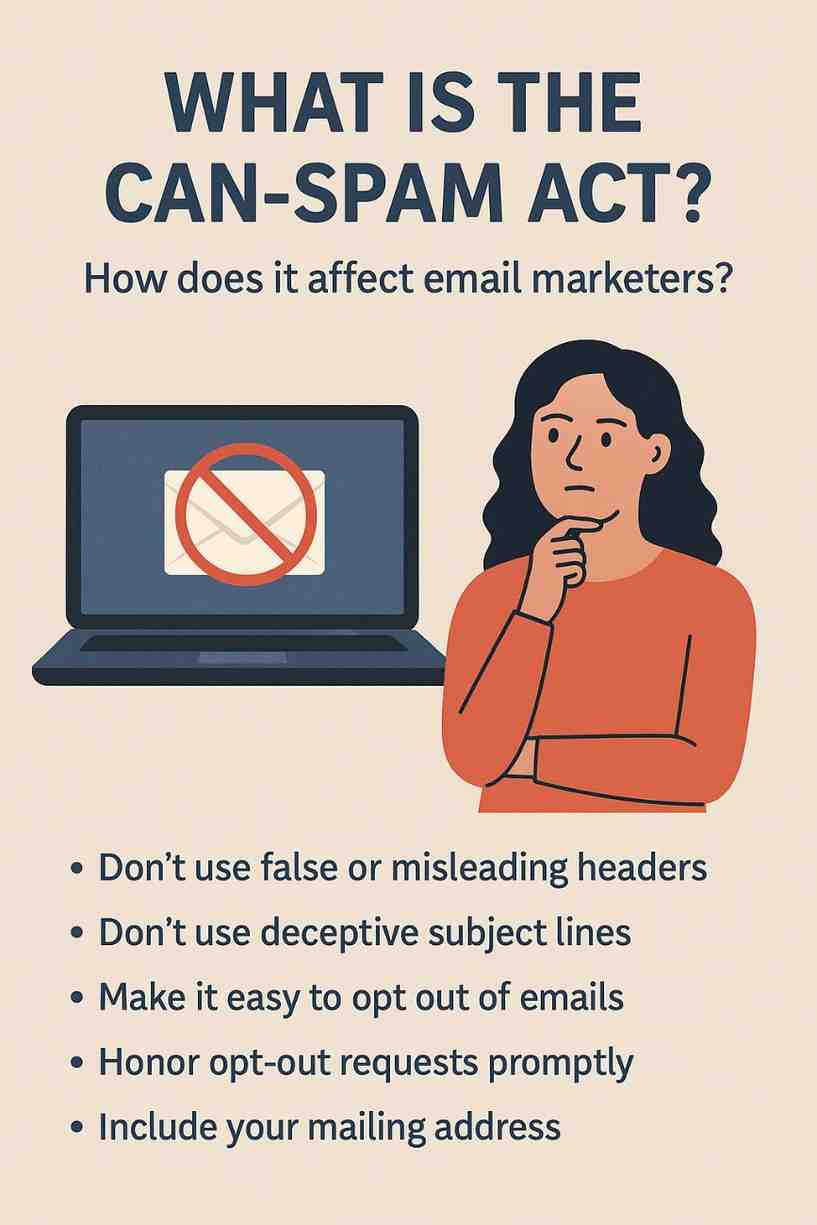
What is the CAN-SPAM Act and How Does It Affect Email Marketers?

The CAN-SPAM Act (Controlling the Assault of Non-Solicited Pornography and Marketing Act) is a U.S. federal law enacted in 2003 to regulate commercial email communications and combat spam. As of 2025, it remains a cornerstone of email marketing compliance, setting standards for transparency, consent, and user control in email campaigns. For email marketers, understanding and adhering to the CAN-SPAM Act is critical to avoid hefty fines, maintain sender reputation, and build trust with audiences. This article provides a comprehensive explanation of the CAN-SPAM Act, its key requirements, its impact on email marketers, enforcement mechanisms, and best practices for compliance. It concludes with a practical example illustrating how a small business ensures compliance while running an email campaign.

What is the CAN-SPAM Act?

The CAN-SPAM Act is a U.S. law designed to protect consumers from unsolicited commercial emails while establishing clear guidelines for businesses sending marketing messages. Signed into law on December 16, 2003, it applies to all commercial emails—defined as messages whose primary purpose is to advertise or promote a product, service, or business opportunity. The law aims to reduce spam, enhance transparency, and give recipients control over their inboxes.

Scope of the CAN-SPAM Act

  • Applicability: Applies to any commercial email sent to U.S. recipients, regardless of where the sender is located.
  • Exemptions: Does not cover transactional or relationship emails (e.g., order confirmations, account updates), unless they include commercial content.
  • Enforcement: Overseen by the Federal Trade Commission (FTC), with additional authority granted to the Federal Communications Commission (FCC), state attorneys general, and internet service providers (ISPs).

Key Requirements of the CAN-SPAM Act

The CAN-SPAM Act outlines seven primary requirements for commercial emails:

  1. Don’t Use False or Misleading Header Information:
    • The email’s “From,” “To,” “Reply-To,” and routing information (including domain and email address) must be accurate and identify the sender.
    • Example: Using a “From” name like “Your Bank” when the sender is a third-party marketer is prohibited.
  2. Don’t Use Deceptive Subject Lines:
    • Subject lines must reflect the email’s content and not mislead recipients about the purpose or offer.
    • Example: A subject line like “You Won a Free Vacation!” for an email promoting a timeshare purchase violates this rule.
  3. Identify the Message as an Advertisement:
    • If the email is commercial, it must clearly indicate its promotional nature, though no specific wording is required.
    • Example: Including a note like “This is a promotional message” in the email footer ensures transparency.
  4. Provide a Valid Physical Postal Address:
    • The email must include the sender’s physical mailing address, which can be a street address, a registered post office box, or a commercial mail receiving agency.
    • Example: A footer with “123 Main St, Suite 100, Anytown, USA” meets this requirement.
  5. Offer a Clear Opt-Out Mechanism:
    • Recipients must be given a way to unsubscribe from future commercial emails, such as a link or reply option.
    • The opt-out process must be free, easy, and functional for at least 30 days after the email is sent.
    • Example: An unsubscribe link at the bottom of the email that instantly removes the recipient from the list complies with this rule.
  6. Honor Opt-Out Requests Promptly:
    • Senders must process unsubscribe requests within 10 business days and cannot send further commercial emails to opted-out recipients.
    • Example: Failing to remove a user from the mailing list after they unsubscribe within 10 days violates the law.
  7. Monitor Third-Party Compliance:
    • Businesses are responsible for ensuring that third-party marketers (e.g., agencies, affiliates) hired to send emails on their behalf comply with the CAN-SPAM Act.
    • Example: A company hiring a marketing firm must verify that the firm uses accurate headers and provides opt-out options.

Additional Considerations

  • Mobile Messaging: The FCC extends CAN-SPAM rules to commercial text messages, requiring prior consent and opt-out options.
  • Penalties: Violations can result in fines of up to $51,744 per email (as of 2025, adjusted for inflation), with potential criminal penalties for egregious offenses (e.g., using harvested email addresses).
  • Preemption: The CAN-SPAM Act preempts most state anti-spam laws, but some state laws (e.g., California’s) impose stricter requirements.

How the CAN-SPAM Act Affects Email Marketers

The CAN-SPAM Act significantly shapes email marketing practices by enforcing transparency, accountability, and respect for recipient preferences. Below are the key ways it impacts email marketers in 2025:

1. Ensuring Transparency and Trust

The requirement for accurate headers, truthful subject lines, and clear identification of promotional content forces marketers to prioritize transparency. This builds trust with recipients, which is critical in an era where consumers are wary of spam and phishing.

  • Impact: Marketers must craft honest subject lines and sender names that align with their brand, avoiding clickbait tactics that could trigger complaints or spam filters.
  • Example: Instead of “Free iPhone Giveaway!” for a promotional email, marketers use “Explore Our New Smartphone Deals!” to accurately reflect the content.

2. Mandating Opt-Out Mechanisms

The opt-out requirement ensures recipients have control over their inboxes, reducing spam complaints and maintaining list health.

  • Impact:
    • Marketers must include functional unsubscribe links in every commercial email, even for transactional messages with promotional content.
    • They must invest in email platforms (e.g., Brevo, Mailchimp) that automate opt-out processing within 10 days.
    • High unsubscribe rates may signal irrelevant content, prompting marketers to refine segmentation or content strategies.
  • Example: A marketer using Klaviyo ensures every campaign includes an unsubscribe link that instantly updates the contact’s status in the CRM.

3. Requiring Physical Address Inclusion

Including a postal address enhances accountability but can pose challenges for remote or small businesses.

  • Impact:
    • Marketers must secure a valid address, such as a P.O. box, and include it in email footers.
    • This requirement may deter some businesses due to privacy concerns or logistical costs.
  • Example: A freelancer uses a commercial mail receiving agency address to comply without exposing their home address.

4. Influencing List Acquisition and Consent

While the CAN-SPAM Act does not require explicit opt-in consent (unlike GDPR), it implicitly encourages permission-based marketing to minimize opt-outs and complaints.

  • Impact:
    • Marketers avoid purchasing email lists, as these often lead to high bounce rates, complaints, and violations (e.g., sending to harvested addresses).
    • Double opt-in processes, though not mandatory, are adopted to ensure engaged subscribers and reduce spam traps.
    • Email validation tools (e.g., NeverBounce) are used to maintain list health and comply with header accuracy rules.
  • Example: A marketer implements double opt-in via HubSpot to confirm subscribers’ interest, reducing the risk of spam complaints.

5. Increasing Accountability for Third-Party Vendors

Marketers hiring agencies or affiliates must ensure compliance, adding a layer of oversight.

  • Impact:
    • Contracts with third parties must include CAN-SPAM compliance clauses.
    • Marketers must audit vendor practices, such as header accuracy and opt-out functionality.
    • Non-compliance by vendors can result in shared liability, prompting due diligence.
  • Example: A retailer reviews its agency’s email templates to confirm they include a valid address and unsubscribe link.

6. Affecting Campaign Costs and Resources

Compliance requires investment in tools, processes, and training, impacting budgets.

  • Impact:
    • Small businesses may face costs for email platforms, validation tools, or legal reviews.
    • Staff training on CAN-SPAM rules is necessary to avoid accidental violations.
    • Non-compliance fines ($51,744 per email) pose a significant financial risk, especially for high-volume campaigns.
  • Example: A startup allocates $500 monthly for Brevo and ZeroBounce to ensure compliance and list health.

7. Shaping Sender Reputation and Deliverability

Compliance with CAN-SPAM enhances sender reputation, which ISPs use to determine inbox placement.

  • Impact:
    • Low complaint rates (<0.1%) and bounce rates (<2%) signal a compliant sender, improving deliverability (80–90% inbox placement).
    • Violations (e.g., misleading headers) can lead to blacklisting by anti-spam organizations like Spamhaus, blocking emails.
  • Example: A compliant marketer maintains a 1% bounce rate, ensuring emails reach Gmail inboxes instead of spam folders.

8. Encouraging Global Compliance Awareness

While CAN-SPAM is U.S.-specific, it prompts marketers to consider stricter international laws like GDPR (EU) or CASL (Canada).

  • Impact:
    • Marketers targeting global audiences adopt stricter standards (e.g., explicit consent) to comply with multiple regulations.
    • Tools like CRMs (e.g., ActiveCampaign) help manage consent across jurisdictions.
  • Example: A U.S. marketer targeting EU subscribers implements GDPR-compliant opt-in forms to align with both CAN-SPAM and GDPR.

Enforcement and Penalties

The FTC is the primary enforcer of the CAN-SPAM Act, with authority to investigate violations and impose fines. ISPs, state attorneys general, and the FCC (for mobile messages) can also pursue legal action.

  • Fines: Up to $51,744 per non-compliant email, with no cap on total penalties.
  • Criminal Penalties: Apply to severe violations, such as using harvested lists or spoofing headers, with up to 7 years in prison.
  • Examples of Enforcement:
    • In 2023, a company paid $1.2 million for sending emails with misleading subject lines and no opt-out options.
    • ISPs like Google have blocked non-compliant senders, citing CAN-SPAM violations.

Best Practices for Email Marketers in 2025

  1. Use Transparent Headers and Subject Lines: Ensure “From” names reflect the brand and subject lines match content.
  2. Implement Easy Opt-Outs: Include visible unsubscribe links in every email, processed within 10 days.
  3. Include a Physical Address: Add a valid postal address in email footers, even for small businesses.
  4. Adopt Permission-Based Marketing: Use double opt-in and avoid purchased lists to reduce complaints.
  5. Validate Email Lists: Use tools like EmailListVerify to remove invalid addresses and maintain deliverability.
  6. Monitor Third-Party Vendors: Audit agencies or affiliates for compliance.
  7. Leverage Email Platforms: Use tools like Mailchimp or Brevo with built-in CAN-SPAM compliance features.
  8. Train Staff: Educate teams on CAN-SPAM rules to prevent accidental violations.
  9. Track Metrics: Monitor complaint rates, bounce rates, and unsubscribes to assess compliance and list health.
  10. Stay Global-Minded: Align with stricter laws like GDPR for international campaigns.

Example: CAN-SPAM Compliance for a Small Ecommerce Business

Scenario: “GreenGlow,” a small ecommerce business selling eco-friendly skincare products, uses Klaviyo to send email campaigns to 3,000 subscribers. They aim to promote a new product line while ensuring CAN-SPAM compliance to avoid penalties and maintain deliverability.

Implementation:

  1. Transparent Headers and Subject Lines:
    • GreenGlow sets the “From” name as “GreenGlow Skincare” with the email address hello@greenglow.com.
    • They craft subject lines like “Discover Our New Eco-Friendly Moisturizer!” to accurately reflect the email’s promotional content, avoiding misleading phrases like “Free Product Inside!”
  2. Advertisement Identification:
    • Each email includes a footer note: “This is a promotional email from GreenGlow Skincare,” ensuring transparency.
  3. Physical Address:
    • GreenGlow includes their office address in the footer: “GreenGlow, 456 Eco Lane, Suite 200, Portland, OR 97201.”
    • They verify the address is registered and valid with the U.S. Postal Service.
  4. Opt-Out Mechanism:
    • Klaviyo automatically adds an unsubscribe link to every email, labeled “Unsubscribe from our emails.”
    • The link directs to a preference center where users can opt out instantly or adjust email frequency.
    • GreenGlow tests the link to ensure it remains functional for 30 days post-send.
  5. Prompt Opt-Out Processing:
    • Klaviyo’s CRM updates contact statuses in real-time, ensuring opted-out users are removed from lists within 24 hours (well within the 10-day requirement).
    • GreenGlow monitors opt-out requests weekly to confirm compliance.
  6. List Acquisition and Validation:
    • GreenGlow uses double opt-in for website signups, requiring users to confirm subscriptions via a confirmation email.
    • They integrate Klaviyo with NeverBounce to validate emails, removing 200 invalid addresses (e.g., user@nonexistent.com), reducing bounce rates to 1%.
  7. Third-Party Oversight:
    • GreenGlow hires a marketing agency to design email templates but includes a CAN-SPAM compliance clause in the contract.
    • They review templates to ensure accurate headers, opt-out links, and address inclusion.
  8. Campaign Execution:
    • GreenGlow launches a 3-email series promoting their new moisturizer:
      • Email 1: Introduces the product with a “Shop Now” CTA.
      • Email 2: Shares customer testimonials and a 10% discount code.
      • Email 3: Reminds users of the discount’s expiration.
    • Each email complies with CAN-SPAM, with clear headers, subject lines, and opt-out options.
  9. Analytics and Compliance Monitoring:
    • Metrics (after 1 month):
      • Open Rate: 28% (industry average: 20–30%).
      • CTR: 6% (industry average: 3–5%).
      • Conversion Rate: 3% (90 sales, $4,500 revenue).
      • Bounce Rate: 1%.
      • Complaint Rate: 0.05% (<0.1% threshold).
      • Unsubscribe Rate: 0.4% (<0.5% ideal).
    • GreenGlow’s low complaint and bounce rates confirm compliance, ensuring 95% inbox placement.
    • They adjust Email 3’s subject line (“Last Chance: 10% Off Ends Tonight!”) to boost opens to 30%.

Results:

  • The campaign drives $4,500 in revenue, exceeding the goal of $3,000.
  • Compliance avoids fines and maintains sender reputation, with no spam folder issues.
  • Double opt-in and validation ensure a healthy list, supporting future campaigns.
  • Oversight of the agency prevents third-party violations.

Key Takeaways:

  • Klaviyo’s compliance features simplified adherence to CAN-SPAM.
  • Transparent headers, opt-outs, and validation enhanced trust and deliverability.
  • Monitoring metrics ensured ongoing compliance and campaign success.

Conclusion

The CAN-SPAM Act of 2003 remains a critical framework for email marketers in 2025, enforcing transparency, recipient control, and accountability in commercial email campaigns. Its requirements—accurate headers, truthful subject lines, opt-out mechanisms, and physical addresses—shape how marketers design, send, and manage emails, impacting costs, deliverability, and audience trust. While compliance requires investment in tools and processes, it protects against severe penalties ($51,744 per email) and enhances sender reputation. The GreenGlow example demonstrates how a small business can leverage platforms like Klaviyo to comply with CAN-SPAM, drive revenue, and maintain list health. By adopting best practices like double opt-in, validation, and third-party oversight, email marketers can navigate the CAN-SPAM Act effectively, ensuring successful, compliant campaigns in a competitive digital landscape.

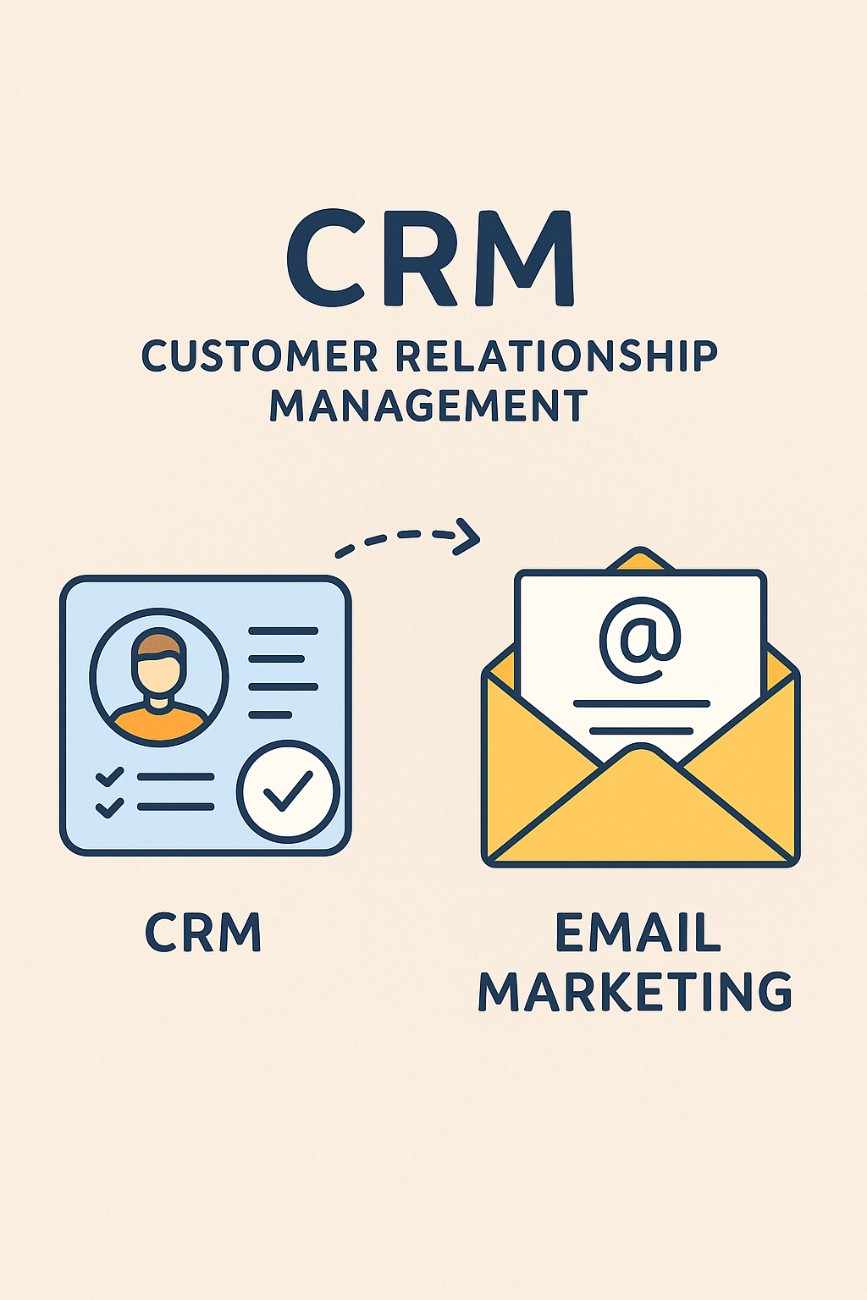
What is a CRM and How is it Related to Email Marketing?

In the fast-evolving world of digital marketing in 2025, Customer Relationship Management (CRM) systems have become indispensable tools for businesses, organizations, and marketers aiming to build and maintain strong relationships with their audiences. CRMs are closely intertwined with email marketing, serving as a backbone for managing customer data, personalizing campaigns, and driving conversions. This article provides a comprehensive explanation of what a CRM is, its core functionalities, how it integrates with email marketing, the benefits of this synergy, and potential challenges. It concludes with a practical example illustrating how a small business leverages a CRM and email marketing to achieve its goals.

What is a CRM?

A Customer Relationship Management (CRM) system is a software platform designed to manage and analyze interactions with customers, prospects, and leads throughout their lifecycle. It centralizes customer data, streamlines communication, and automates processes to enhance relationships, improve customer satisfaction, and drive business growth. CRMs are used across industries—by businesses, educational institutions, nonprofits, and even freelancers—to organize customer interactions and optimize sales, marketing, and support efforts.

Core Functionalities of a CRM

  1. Contact Management: Stores detailed customer profiles, including names, email addresses, phone numbers, purchase history, preferences, and interactions.
  2. Lead Management: Tracks potential customers (leads) through the sales funnel, from initial contact to conversion.
  3. Segmentation: Groups contacts based on criteria like demographics, behavior, or engagement for targeted marketing.
  4. Automation: Automates repetitive tasks, such as sending follow-up emails, assigning leads to sales reps, or updating contact records.
  5. Analytics and Reporting: Provides insights into customer behavior, campaign performance, and sales metrics.
  6. Integration: Connects with other tools (e.g., email platforms, websites, social media) to streamline workflows.
  7. Sales Pipeline Management: Visualizes the stages of the sales process, helping teams prioritize and close deals.
  8. Customer Support: Manages support tickets, inquiries, and follow-ups to enhance customer experience.

Popular CRM platforms in 2025 include HubSpot, Salesforce, Zoho CRM, Brevo (formerly Sendinblue), and ActiveCampaign, each offering varying levels of features tailored to different business sizes and needs.

How CRM is Related to Email Marketing

Email marketing, a strategy for engaging audiences through targeted email campaigns, relies heavily on CRM systems to manage data, automate workflows, and deliver personalized content. The integration of CRMs with email marketing platforms creates a powerful synergy that enhances campaign effectiveness and customer relationships. Below are the key ways CRMs and email marketing are interconnected:

1. Centralized Customer Data for Personalization

CRMs act as a single source of truth for customer data, collecting information from multiple touchpoints (e.g., website forms, purchases, support interactions). This data fuels personalized email campaigns, which are critical for engagement in 2025.

  • How It Works:
    • CRMs store detailed contact profiles (e.g., name, purchase history, browsing behavior).
    • Email platforms pull this data to personalize emails using merge tags (e.g., {FirstName}) or dynamic content (e.g., product recommendations based on past purchases).
    • Segmentation in CRMs allows email campaigns to target specific groups (e.g., “High-Value Customers” who spent >$100).
  • Example: A CRM like HubSpot syncs with its email tool to send a personalized email offering a discount to users who abandoned their cart on a website.

2. Automation of Email Workflows

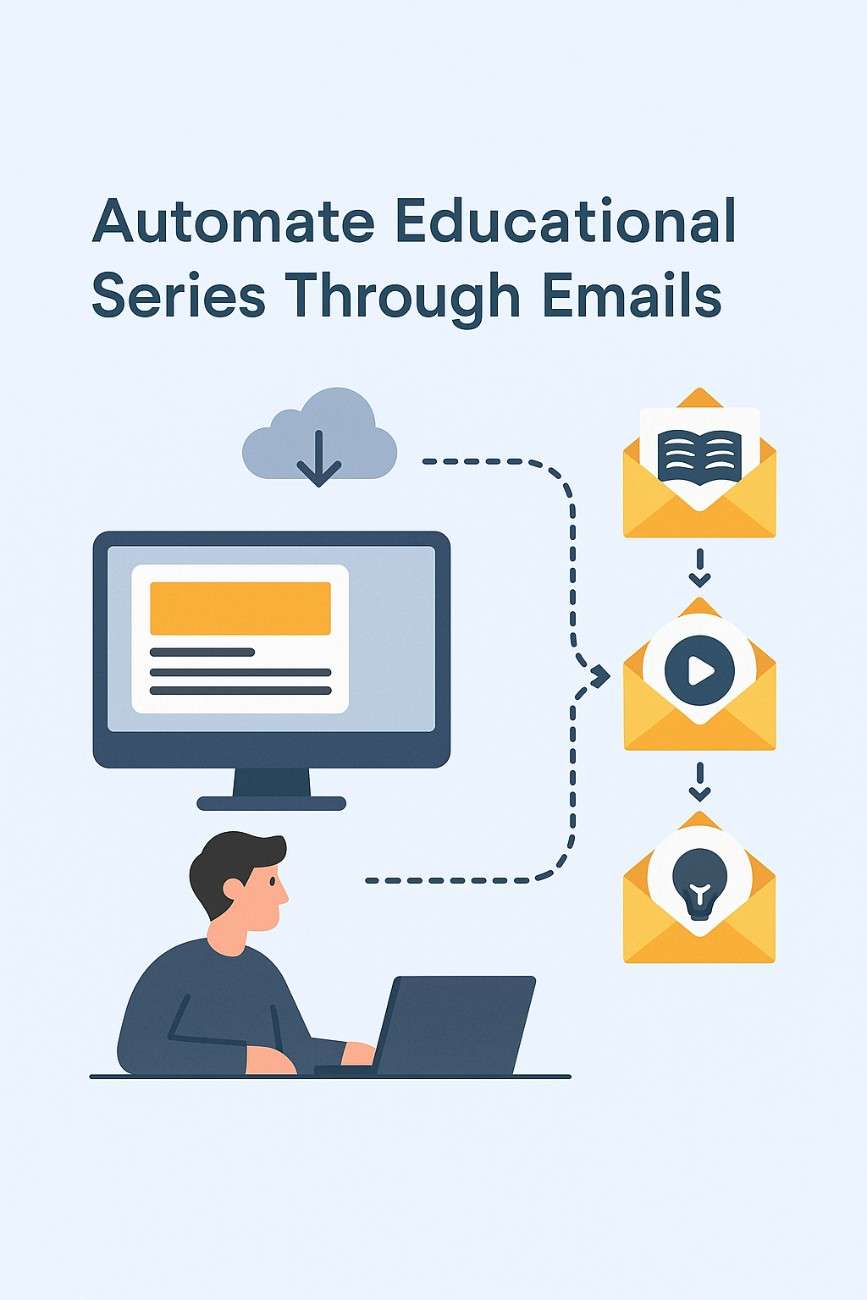
CRMs enable the automation of email sequences, such as welcome series, abandoned cart reminders, or re-engagement campaigns, based on user actions or predefined triggers.

  • How It Works:
    • CRMs track user behavior (e.g., form submissions, purchases) and trigger emails via integrated email tools.
    • Workflows are set up to send emails at specific intervals or based on conditions (e.g., “If user opens email, send follow-up in 2 days”).
    • Automation reduces manual effort and ensures timely communication.
  • Example: ActiveCampaign’s CRM triggers a 5-email onboarding series when a user signs up for a free trial, guiding them through product features.

3. Segmentation for Targeted Campaigns

CRMs allow marketers to segment audiences based on detailed criteria, ensuring emails are relevant and effective.

  • How It Works:
    • CRMs categorize contacts by attributes (e.g., location, interests) or behaviors (e.g., clicked a link, attended a webinar).
    • Email platforms use these segments to send targeted campaigns, improving open rates (20–30% industry average) and click-through rates (3–5%).
  • Example: Zoho CRM segments users who viewed a product page but didn’t purchase, enabling a targeted email with a limited-time offer.

4. Tracking and Analytics

CRMs provide robust analytics that complement email marketing metrics, offering a holistic view of customer interactions.

  • How It Works:
    • CRMs track email performance (open rates, CTR, conversions) alongside other touchpoints (e.g., website visits, support tickets).
    • Integrated analytics dashboards reveal how email campaigns contribute to sales or engagement goals.
    • Attribution models show the customer journey from email to conversion.
  • Example: Salesforce integrates with its email tool, Pardot, to show that an email campaign drove 10% of total sales for a product launch.

5. Lead Nurturing and Sales Conversion

CRMs are designed to nurture leads through the sales funnel, and email marketing is a key channel for this process.

  • How It Works:
    • CRMs score leads based on engagement (e.g., email opens, website visits) to prioritize high-potential prospects.
    • Email campaigns deliver educational content, promotions, or follow-ups to move leads toward conversion.
    • Sales teams use CRM data to personalize outreach based on email interactions.
  • Example: Brevo’s CRM identifies leads who opened three emails in a series and assigns them to a sales rep for a personalized call.

6. Compliance and List Management

CRMs help ensure email campaigns comply with regulations like GDPR, CAN-SPAM, and CCPA by managing consent and list health.

  • How It Works:
    • CRMs store opt-in records and consent preferences, ensuring only authorized contacts receive emails.
    • Integration with validation tools (e.g., NeverBounce) removes invalid emails, reducing bounce rates (<2% industry standard).
    • CRMs facilitate unsubscribe management and data deletion requests.
  • Example: HubSpot’s CRM flags non-compliant contacts (e.g., no opt-in) before syncing with its email tool, ensuring GDPR compliance.

7. Integration with Other Channels

CRMs integrate email marketing with other channels (e.g., social media, SMS, websites), creating a unified customer experience.

  • How It Works:
    • CRMs sync data across platforms (e.g., Shopify, WordPress, LinkedIn) to inform email strategies.
    • Multi-channel campaigns combine email with SMS or social ads, coordinated through the CRM.
  • Example: Klaviyo’s CRM syncs with Shopify to send an email and SMS reminder to users who abandoned their cart.

Benefits of CRM-Email Marketing Integration

  1. Personalization at Scale: Delivers tailored content to thousands of contacts, boosting engagement.
  2. Time Efficiency: Automates repetitive tasks, freeing marketers to focus on strategy.
  3. Improved ROI: Targeted campaigns increase conversions, with email marketing yielding up to $45 per $1 spent.
  4. Holistic Customer Insights: Combines email and CRM data for a 360-degree view of customer behavior.
  5. Scalability: Handles growing contact lists and complex workflows without manual intervention.
  6. Compliance: Ensures adherence to data protection laws, reducing legal risks.

Challenges and Considerations

  1. Cost: CRM and email platform subscriptions can be expensive, especially for advanced features.
  2. Complexity: Setting up integrations and workflows requires technical knowledge or training.
  3. Data Quality: Inaccurate or outdated data in the CRM can lead to ineffective campaigns.
  4. Over-Reliance on Automation: Generic or excessive emails can disengage audiences.
  5. Integration Issues: Platform updates or API changes may disrupt data flow, requiring maintenance.

Best Practices in 2025

  • Choose Integrated Platforms: Opt for CRMs with built-in email tools (e.g., HubSpot, Brevo) for seamless integration.
  • Validate Data: Use tools like ZeroBounce to clean email lists regularly.
  • Segment Strategically: Create dynamic segments based on real-time behavior (e.g., recent purchases).
  • Leverage AI: Use AI-driven features (e.g., Brevo’s send-time optimization) to enhance personalization.
  • Monitor Metrics: Track open rates, CTR, conversions, and bounce rates to optimize campaigns.
  • Ensure Compliance: Implement double opt-in and clear unsubscribe options.

Example: CRM and Email Marketing for a Small Fitness Studio

Scenario: “FitFlow,” a small fitness studio, uses Brevo’s CRM and email marketing platform to engage 1,500 subscribers, including current members and leads from a free trial signup form on their WordPress site. Their goal is to increase class bookings and convert trial users into paid members.

Implementation:

  1. CRM Setup:
    • FitFlow uses Brevo’s CRM to store contact details (name, email, membership status, class history).
    • They import 1,500 contacts from their website form and in-studio signups, ensuring double opt-in for GDPR compliance.
  2. Integration:
    • Brevo integrates with FitFlow’s WordPress site via a plugin, syncing form submissions in real-time.
    • Zapier connects Brevo to their booking system (Mindbody), updating contact profiles with class attendance data.
  3. Segmentation:
    • FitFlow creates segments in Brevo’s CRM:
      • “Active Members”: Attended a class in the last 30 days.
      • “Trial Users”: Signed up for a free trial but haven’t converted.
      • “Inactive Members”: No activity in 60 days.
    • Segments are updated dynamically based on behavior (e.g., class bookings).
  4. Automated Email Series:
    • Welcome Series (Trial Users):
      • Trigger: User signs up for a free trial.
      • Sequence: 5 emails over 10 days:
        • Email 1: Welcome with trial details and class schedule.
        • Email 2: Tips for first class with a booking link.
        • Email 3: Success story of a member.
        • Email 4: Reminder to book before trial ends.
        • Email 5: 20% off first month’s membership.
    • Re-Engagement Series (Inactive Members):
      • Trigger: No activity in 60 days.
      • Sequence: 3 emails over 6 days, offering a free class to return.
    • Personalization: Emails use merge tags ({FirstName}) and dynamic content (e.g., recommend yoga classes to yoga attendees).
  5. Validation:
    • FitFlow uses Brevo’s integration with NeverBounce to validate emails, removing 100 invalid addresses (e.g., user@dead-domain.com), reducing bounce rates to 1%.
  6. Analytics and Optimization:
    • Metrics (after 1 month):
      • Welcome Series: 32% open rate, 8% CTR, 10% conversion rate (150 trial users join paid memberships).
      • Re-Engagement Series: 25% open rate, 5% CTR, 5% conversion rate (30 inactive members return).
      • Bounce Rate: 1%.
      • Revenue: $7,500 from new memberships ($50/month).
    • Adjustments: FitFlow tests a new subject line for Email 4 (“Last Chance: Book Your Free Class!”), increasing CTR to 10%.

Results:

  • The CRM-email integration drives 180 new memberships, exceeding the goal of 150.
  • Automation saves 15 hours weekly, allowing staff to focus on in-studio operations.
  • Segmentation and personalization boost engagement, with 90% inbox placement.
  • Compliance ensures no GDPR violations, maintaining trust.

Key Takeaways:

  • Brevo’s CRM centralizes data for targeted, automated campaigns.
  • Integration with WordPress and Mindbody ensures real-time updates.
  • Validation and analytics optimize performance and list health.

Conclusion

A CRM is a vital tool for managing customer relationships, and its integration with email marketing in 2025 amplifies the effectiveness of both. By centralizing data, enabling automation, supporting segmentation, and providing analytics, CRMs empower marketers to deliver personalized, timely, and compliant email campaigns. Benefits like improved ROI, scalability, and customer insights outweigh challenges like cost and complexity when best practices are followed. The FitFlow example illustrates how a small business can leverage a CRM like Brevo to automate email marketing, nurture leads, and drive conversions, making this synergy a cornerstone of modern digital marketing strategies.

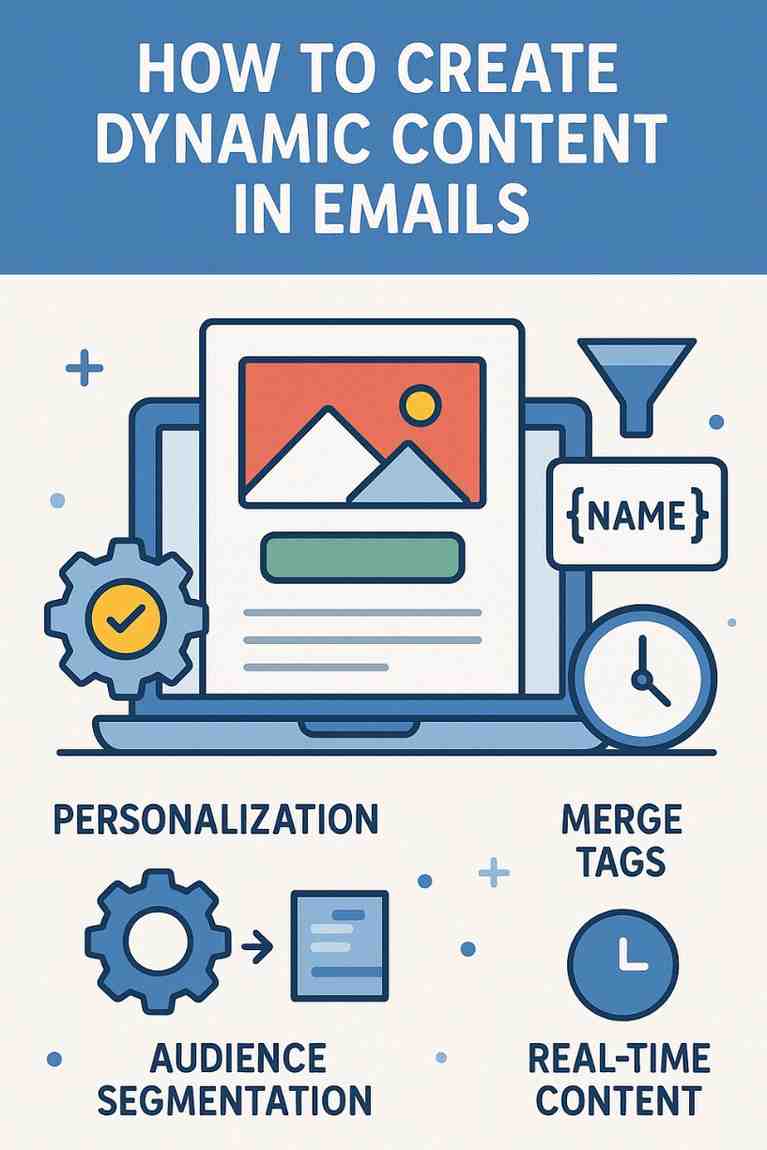
How Can You Create Dynamic Content in Emails?

Introduction

Email marketing has evolved far beyond generic, one-size-fits-all newsletters. In today’s digital landscape, users expect personalized, relevant, and timely communication. This is where dynamic content in emails comes into play. It enables marketers to create tailored experiences for individual subscribers based on their behavior, preferences, demographics, or interactions with your brand.

Dynamic content transforms static email messages into adaptive, smart messages that shift depending on who the reader is. Whether it’s displaying different product recommendations, location-specific offers, or using the recipient’s name and preferences — dynamic content significantly boosts engagement, click-through rates (CTR), and conversions.

In this in-depth guide, we’ll explain what dynamic content is, how it works, the tools you need, best practices for implementation, and a real-world example to show how dynamic content enhances performance.


What is Dynamic Content in Emails?

Dynamic content refers to elements within an email that change automatically based on the recipient’s data, behaviors, or characteristics. Unlike static content, which remains the same for everyone, dynamic content allows marketers to tailor email content for individual subscribers in real time.

This technique uses placeholders or conditional logic to display different content blocks to different users, all within the same email campaign.

Examples of Dynamic Content Include:

  • First names in subject lines or greetings (Hi John!)

  • Location-specific promotions (Free shipping in California)

  • Gender-specific product displays

  • Recommendations based on browsing or purchase history

  • Membership level offers (Basic vs Premium)

  • Time-sensitive or real-time elements (live countdowns, dynamic stock status)


Why Use Dynamic Content?

Dynamic content significantly improves the effectiveness of your email marketing campaigns. Here’s why:

  1. Personalization Boosts Engagement: Personalized emails get 29% higher open rates and 41% higher click-through rates.

  2. Improved User Experience: Dynamic content delivers information users care about, reducing unsubscribes and spam complaints.

  3. Increased Conversions: When emails are tailored to needs and behavior, they’re more likely to lead to action.

  4. Efficient Campaign Management: One email campaign can serve multiple audiences with fewer resources.

  5. Stronger Brand Relationships: Customers feel valued and understood when messaging reflects their preferences.


How Does Dynamic Content Work?

Dynamic content is powered by conditional logic, similar to “if-then” statements in programming. Here’s a simplified example:

html
IF user.gender = "male"
THEN show men's jacket section
ELSE show women's jacket section

These rules are managed by your Email Service Provider (ESP) using user data fields, such as:

  • Name

  • Gender

  • Location

  • Interests

  • Purchase history

  • Email activity (opens, clicks)

  • Device type

Types of Dynamic Content Elements:

  1. Text: Personalized names, city names, or loyalty points.

  2. Images: Show different visuals based on location, gender, or interests.

  3. CTAs: Customize based on purchase stage (e.g., “Buy Now” vs “Learn More”).

  4. Blocks or Sections: Entire sections of an email that appear only to a certain segment.

  5. Real-Time Data Widgets: Countdown timers, weather updates, or stock levels.


Tools That Help Create Dynamic Content in Emails

Several platforms support dynamic content creation. Here are some top tools that marketers use:

1. Mailchimp

  • Conditional content blocks

  • Merge tags for personalization

  • Dynamic product recommendations (with eCommerce integration)

2. ActiveCampaign

  • Dynamic content with automation

  • Conditional visibility settings for content blocks

  • Integrations with CRMs and web behavior tracking

3. HubSpot

  • Smart content based on contact lists and lifecycle stages

  • Personalization tokens

  • Real-time segmentation

4. Klaviyo

  • Dynamic product blocks based on purchase history

  • Customer behavior segmentation

  • Dynamic coupon codes

5. Salesforce Marketing Cloud

  • AMPscript and dynamic content blocks

  • Deep CRM integration

  • High-level customization and testing

6. Litmus Personalize (formerly Kickdynamic)

  • Real-time content rendering

  • Countdown timers, live pricing, and weather-based content


Steps to Create Dynamic Content in Emails

Creating effective dynamic content involves both planning and execution. Below is a step-by-step guide:


Step 1: Define Your Audience Segments

Start by identifying key segments in your audience based on:

  • Demographics (age, gender, location)

  • Behavioral data (purchase history, email engagement)

  • Psychographics (interests, values)

Example segments might include:

  • New subscribers

  • First-time buyers

  • VIP customers

  • Inactive users

  • Users from specific regions


Step 2: Choose What to Personalize

Determine which parts of the email should change for different users. This can include:

  • Subject line

  • Header image

  • Main promotional content

  • CTAs

  • Recommendations

  • Footer info (e.g., local store addresses)


Step 3: Gather Data

Effective dynamic content depends on reliable, up-to-date data. Make sure your email platform is integrated with:

  • Your CRM

  • Website analytics

  • Purchase history logs

  • Behavioral tracking tools


Step 4: Use Conditional Logic

Set conditions based on user attributes. For example:

html
IF location = "New York" THEN show “NYC Store Offer”
ELSE IF location = "Los Angeles" THEN show “LA Special Deal”

Most ESPs use a visual builder or tags to implement these rules without code.


Step 5: Test the Content

Preview your dynamic email for multiple user types. Make sure each variation renders properly across devices and platforms.

Tools like Litmus or Email on Acid can help test across:

  • Gmail, Outlook, Yahoo

  • iOS and Android

  • Desktop vs Mobile


Step 6: Monitor and Optimize

After sending the campaign, track:

  • Open rates

  • Click-through rates (CTR)

  • Conversion rates

  • Revenue per email

Refine your segments and rules based on performance data.


Example: Dynamic Email Campaign for an Online Clothing Store

Let’s look at a practical example:

Brand: UrbanWear
Goal: Increase seasonal sales for winter clothing
Audience Segments:

  • Location (cold vs warm regions)

  • Gender

  • Purchase history (frequent vs infrequent buyers)


Email Components:

Subject Line (Dynamic):

  • IF user.location = “North” → “Stay Warm, North! ❄️ Check Out Our Winter Collection”

  • IF user.location = “South” → “Cool Breezes? See What’s New This Season”

Hero Image (Dynamic):

  • IF user.gender = “male” → Show men’s winter jackets

  • IF user.gender = “female” → Show women’s winter fashion

Product Recommendations:

  • IF frequent buyer → Show VIP winter bundle with discount

  • IF first-time buyer → Show popular items with “Free Shipping” banner

CTA (Dynamic):

  • IF user.cart.abandoned = TRUE → “Complete Your Order Now and Save 10%”

  • ELSE → “Explore the Collection”


Results:

  • 28% higher click-through rate compared to static version

  • 2.5x more purchases from warm regions (thanks to tailored messaging)

  • 22% of abandoned carts recovered through dynamic CTAs

This is a clear example of how dynamic content leads to higher engagement, more sales, and better customer experiences.


Best Practices for Dynamic Email Content

  1. Start Simple: Begin with basic personalization like names and regions before diving into complex logic.

  2. Don’t Over-Personalize: Too much personalization can feel creepy or forced.

  3. Test Thoroughly: Preview each version of the email across devices and segments.

  4. Keep Content Modular: Design your email in content blocks to easily apply conditions.

  5. Monitor Data Quality: Dynamic content is only as good as your data. Keep your CRM clean and updated.

  6. Provide a Fallback: Always include default content in case user data is missing (e.g., “Hi there” instead of “Hi [First Name]”).


Conclusion

Dynamic content in emails is a powerful strategy that brings relevance, personalization, and context to every interaction. As inboxes get increasingly crowded, businesses must go beyond standard email blasts to create experiences that feel custom-made for each recipient.

By leveraging data, conditional logic, and intelligent design tools, marketers can deliver the right message to the right person at the right time — increasing engagement, building trust, and driving revenue.

With the help of tools like Mailchimp, ActiveCampaign, and Klaviyo, even small businesses can harness dynamic content without coding knowledge. As long as you have a clear strategy and quality data, you can create sophisticated email experiences that delight your audience and grow your business.

Dynamic content isn’t just the future of email marketing — it’s already here. And those who adopt it today will stay miles ahead in the competition tomorrow.

How to Automate Educational Series Through Emails: A Comprehensive Guide

Automating an educational email series, often referred to as a drip campaign or email course, is a powerful strategy for delivering structured, informative content to an audience over time. In 2025, with advancements in email marketing platforms and AI-driven automation, creating an educational series is an accessible and effective way to engage students, customers, or subscribers while minimizing manual effort. This approach is widely used by educators, businesses, and content creators to teach skills, share knowledge, or nurture leads. This article provides a detailed explanation of how to automate an educational email series, including planning, setup, execution, and optimization, with a focus on modern tools and best practices. It concludes with a practical example illustrating its application for a small online learning platform.

What is an Educational Email Series?

An educational email series is a sequence of automated emails designed to deliver valuable content in a structured, sequential manner. Each email builds on the previous one, guiding recipients through a learning journey. The series can teach a specific topic, onboard users, or provide step-by-step guidance, often with the goal of increasing engagement, building trust, or driving conversions.

Key Features of an Educational Email Series

  • Sequential Delivery: Emails are sent in a predefined order, typically over days or weeks.
  • Automated Triggers: Emails are triggered by user actions (e.g., signing up) or time-based schedules.
  • Educational Content: Focuses on delivering value through tutorials, tips, case studies, or resources.
  • Personalization: Tailors content to the recipient’s interests or behavior using data.
  • Goal-Oriented: Aims to achieve specific outcomes, such as course completion, engagement, or sales.

Steps to Automate an Educational Email Series

Automating an educational email series involves planning, creating content, setting up automation workflows, and monitoring performance. Below is a step-by-step guide tailored for 2025, leveraging modern email marketing platforms like Brevo, Mailchimp, Klaviyo, and ActiveCampaign.

1. Define Goals and Audience

  • Purpose: Clearly outline the series’ objectives, such as teaching a skill, onboarding users, or promoting a course. Common goals include increasing engagement, building authority, or driving conversions.
  • Audience: Identify the target audience (e.g., students, professionals, hobbyists) and segment them based on interests, skill levels, or behaviors.
  • Example: A goal might be to teach beginner coders the basics of Python, targeting new subscribers to an online coding platform.

2. Plan the Content Structure

  • Series Length: Decide on the number of emails (e.g., 5–10 emails over 1–4 weeks) based on the topic’s complexity.
  • Content Outline: Break the topic into digestible lessons, each covered in one email. Include actionable steps, resources, or quizzes.
  • Content Types: Use tutorials, videos, infographics, case studies, or downloadable resources to enhance learning.
  • Example: A 7-email series on Python might cover: (1) Introduction, (2) Variables, (3) Loops, (4) Functions, (5) Data Structures, (6) Debugging, (7) Next Steps.

3. Choose an Email Marketing Platform

  • Select a platform with robust automation features, such as:
    • Brevo: Affordable, with CRM integration and automation workflows.
    • Mailchimp: User-friendly, with AI-driven content suggestions.
    • Klaviyo: Ideal for ecommerce and data-driven personalization.
    • ActiveCampaign: Advanced automation for complex workflows.
  • Ensure the platform supports triggers, segmentation, and analytics.

4. Set Up the Automation Workflow

  • Trigger: Define the action that starts the series, such as subscribing to a list, downloading a resource, or registering for a webinar.
  • Sequence:
    • Create a workflow in the platform’s automation builder (e.g., Mailchimp’s “Customer Journeys”).
    • Schedule emails at intervals (e.g., daily, every 3 days) or based on user actions (e.g., opening the previous email).
    • Add conditions, such as “If user clicks link, send next email sooner.”
  • Personalization: Use merge tags (e.g., {FirstName}) and dynamic content to tailor emails based on user data.
  • Example: In Brevo, set a trigger for “User signs up for Python course” to start a 7-email sequence, with each email sent every 2 days.

5. Create Engaging Email Content

  • Subject Lines: Craft compelling, curiosity-driven subject lines (e.g., “Master Python Loops in 10 Minutes!”).
  • Content:
    • Start with a welcome email to set expectations and build excitement.
    • Structure each email with a clear introduction, lesson, actionable steps, and a CTA (e.g., “Try this code snippet” or “Watch this video”).
    • Use visuals (e.g., screenshots, videos) and concise text for accessibility.
  • Design: Use responsive templates optimized for mobile devices, ensuring readability.
  • AI Tools: Leverage AI features (e.g., Mailchimp’s Intuit Assist) to generate content, optimize send times, or suggest CTAs.

6. Integrate with Other Tools

  • Connect the email platform with websites, CRMs, or learning management systems (LMS) for seamless data flow.
  • Examples:
    • Use Zapier to sync form submissions from a WordPress site to Brevo.
    • Integrate with Teachable to trigger emails when users enroll in a course.
  • Ensure data like user progress or quiz results feeds into the email platform for personalization.

7. Segment and Personalize

  • Segmentation: Group users based on behavior (e.g., “Completed Lesson 1”), demographics, or interests to deliver relevant content.
  • Personalization: Use dynamic content to tailor lessons (e.g., beginner vs. advanced tracks) or include user-specific data (e.g., course progress).
  • Example: In ActiveCampaign, segment users who completed a quiz successfully to receive advanced lessons, while others get review content.

8. Test and Optimize

  • A/B Testing: Test subject lines, CTAs, or send times to maximize open rates (20–30% industry average) and CTR (3–5%).
  • Pre-Send Checks: Preview emails on multiple devices and test links to ensure functionality.
  • Validation: Use tools like NeverBounce to verify email addresses, reducing bounces (<2%).

9. Monitor and Analyze Performance

  • Metrics to Track:
    • Open Rate: Measures subject line effectiveness.
    • Click-Through Rate (CTR): Gauges content engagement.
    • Conversion Rate: Tracks desired actions (e.g., course completion, purchases).
    • Bounce Rate: Ensures list health (<2% is ideal).
    • Unsubscribe Rate: Monitors audience retention (<0.5% is ideal).
  • Tools: Use platform analytics (e.g., Klaviyo’s dashboard) or Google Analytics 4 for conversion tracking.
  • Adjustments: Refine content or timing based on low-performing emails (e.g., rewrite a subject line with a 15% open rate).

10. Ensure Compliance

  • Adhere to regulations like GDPR, CAN-SPAM, and CCPA:
    • Use double opt-in to confirm subscriptions.
    • Include clear unsubscribe links.
    • Obtain consent for data collection and personalization.
  • Example: Add a footer in emails stating, “You received this because you signed up for our Python course. Unsubscribe here.”

Benefits of Automating Educational Email Series

  1. Efficiency: Automation eliminates manual sending, saving time for large audiences.
  2. Scalability: Handles thousands of subscribers without additional effort.
  3. Engagement: Delivers consistent, valuable content, fostering trust and retention.
  4. Personalization: Tailors lessons to user needs, improving learning outcomes.
  5. Revenue Potential: Encourages upsells (e.g., premium courses) through strategic CTAs.
  6. Data-Driven Insights: Analytics guide content optimization and audience segmentation.

Challenges and Considerations

  1. Content Quality: Poorly designed lessons can disengage users, requiring careful planning.
  2. Technical Setup: Students may need guidance to configure workflows or integrations.
  3. List Decay: Email lists degrade by 20–30% annually, necessitating regular validation.
  4. Over-Automation: Too many emails can overwhelm recipients, increasing unsubscribes.
  5. Compliance: Non-compliance risks fines and reputational damage.

Best Practices in 2025

  • Start with Value: Focus on delivering actionable, high-quality content to build trust.
  • Keep It Concise: Limit emails to 200–500 words with clear visuals and CTAs.
  • Optimize Timing: Use AI-driven send-time optimization (e.g., Brevo’s AI) for maximum opens.
  • Engage Early: Send the first email within 24 hours of signup to capitalize on interest.
  • Test Iteratively: Run A/B tests for each email to refine performance.
  • Maintain List Health: Validate emails regularly and remove inactive subscribers.

Example: Automating a Python Course Email Series

Scenario: “CodeEasy,” a small online learning platform, uses Brevo to automate a 7-part educational email series teaching Python basics to 2,000 new subscribers who signed up via a website form offering a free Python eBook.

Implementation:

  1. Goal and Audience:
    • Goal: Teach Python basics, increase engagement, and upsell a premium course.
    • Audience: Beginner coders who downloaded the eBook, segmented by skill level (beginner vs. intermediate).
  2. Content Planning:
    • Series Structure (7 emails over 14 days, sent every 2 days):
      • Email 1: Welcome and eBook download link.
      • Email 2: Variables and data types (with code snippet).
      • Email 3: Loops and conditionals (with video tutorial).
      • Email 4: Functions (with interactive quiz link).
      • Email 5: Lists and dictionaries (with downloadable cheat sheet).
      • Email 6: Debugging tips (with case study).
      • Email 7: Next steps and upsell to premium course.
    • Each email is 300–400 words, with visuals and a CTA (e.g., “Try this code,” “Join our course”).
  3. Setup in Brevo:
    • Trigger: Users who submit the eBook signup form are added to a “Python Beginners” list.
    • Workflow:
      • Create an automation workflow in Brevo’s “Automation” tab.
      • Set Email 1 to send immediately, with subsequent emails every 2 days.
      • Add a condition: “If user completes quiz in Email 4, send advanced content; else, send review material.”
    • Personalization: Use merge tags ({FirstName}) and dynamic content (e.g., beginner vs. intermediate tips).
  4. Integration:
    • Brevo integrates with CodeEasy’s WordPress site via a plugin, syncing form submissions.
    • Zapier connects quiz completions (via Google Forms) to Brevo, updating user profiles.
  5. Validation and Testing:
    • CodeEasy uses NeverBounce’s real-time API to validate emails at signup, rejecting invalid addresses (e.g., user@gmial.com).
    • They A/B test subject lines for Email 1 (“Start Coding Today!” vs. “Your Python Journey Begins!”), selecting the latter for a 32% open rate.
  6. Performance Monitoring:
    • Metrics (after 1 month):
      • Open Rate: 30% average (Email 1: 35%, Email 7: 25%).
      • CTR: 7% average (highest for quiz link in Email 4: 10%).
      • Conversion Rate: 5% (100 subscribers purchase the premium course).
      • Bounce Rate: 1% (after validation).
      • Unsubscribe Rate: 0.3%.
    • Revenue: $5,000 from course sales ($50/course).
    • Adjustments: Shorten Email 6 (debugging) due to a 20% open rate, adding a video to boost engagement.

Results:

  • The series engages 1,800 active subscribers, with 600 completing all lessons.
  • The upsell in Email 7 drives 100 premium course purchases, exceeding the goal of 80.
  • Automation saves 20 hours weekly, allowing CodeEasy to focus on content creation.
  • List health remains strong, with validation ensuring low bounces and high deliverability.

Key Takeaways:

  • Brevo’s automation streamlined delivery and personalization.
  • Clear, actionable content and visuals boosted engagement.
  • Validation and A/B testing optimized performance.

Conclusion

Automating an educational email series in 2025 is a strategic way to deliver valuable content, engage audiences, and achieve goals like education or conversions. By leveraging platforms like Brevo, Mailchimp, or ActiveCampaign, students and businesses can create efficient, scalable workflows that deliver personalized lessons with minimal effort. Key steps include defining goals, planning content, setting up triggers, and monitoring metrics, while best practices like validation and A/B testing ensure success. Despite challenges like content quality and compliance, automation empowers marketers to build trust and drive results. The CodeEasy example demonstrates how a well-executed series can educate beginners, boost engagement, and generate revenue, making it a vital tool in the modern digital marketing landscape.

How to Become a Digital Marketing Specialist

Digital marketing is one of the fastest-growing fields today. Many people are interested in building a career in digital marketing, and becoming a digital...

What is SMM in Digital Marketing

SMM, or Social Media Marketing, is one of the most important parts of digital marketing. In simple words, SMM is the process of using...

What is Google Analytics in Digital Marketing

Google Analytics is one of the most important tools in digital marketing. It helps businesses understand how people interact with their websites and online...

What is Google AdWords in Digital Marketing

Google AdWords is one of the most important tools in digital marketing. Many businesses use AdWords to reach their target audience online and increase...

What Is CPM in Digital Marketing

In digital marketing, understanding how your ads are priced and measured is very important. Different advertising models help marketers track performance and control spending....