Home Blog Page 28

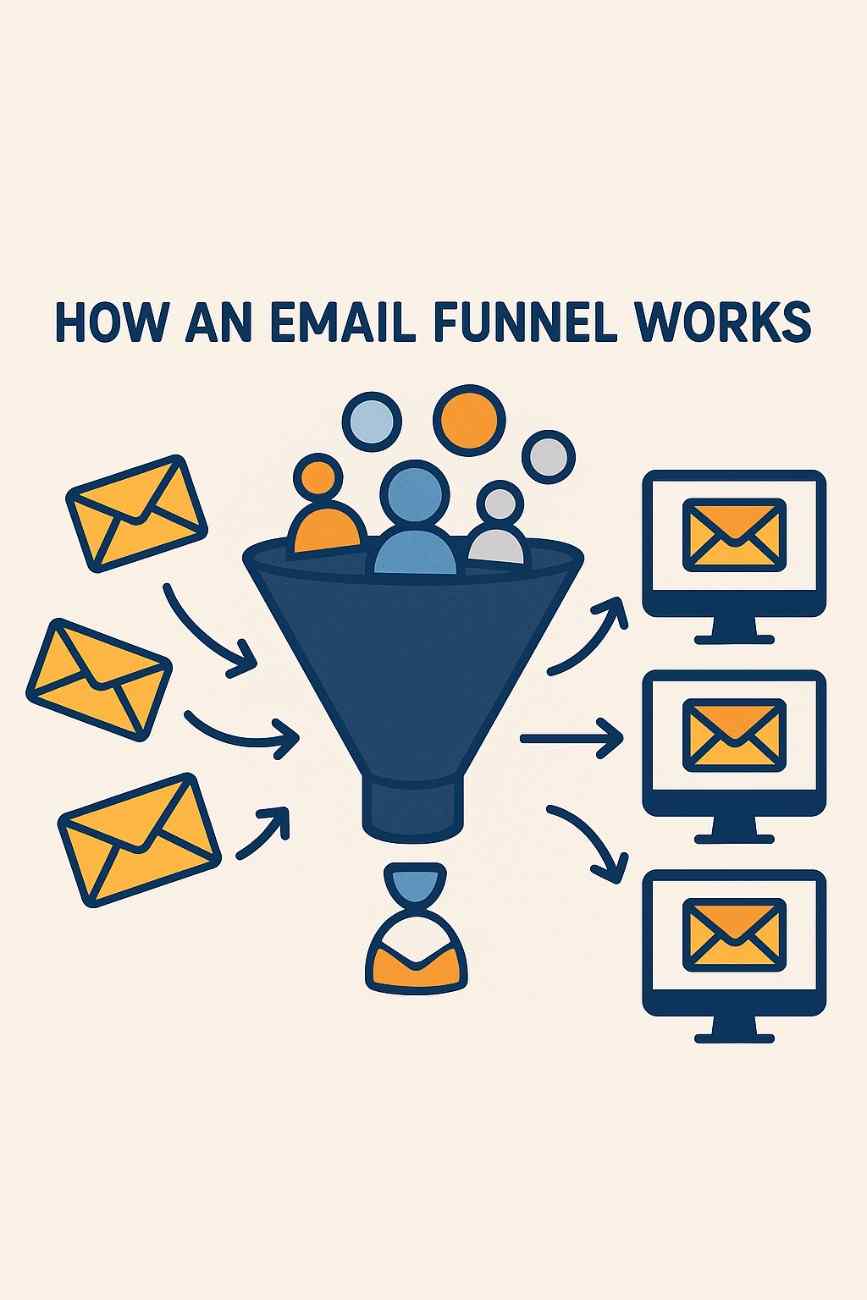
What is an Email Funnel and How Does It Work?

Introduction

Email marketing remains one of the most powerful and cost-effective digital marketing strategies available to businesses today. While social media and SEO strategies grab headlines, email marketing continues to deliver a high return on investment (ROI), with studies showing an average ROI of $42 for every $1 spent. One of the most effective systems within this domain is the email funnel — a structured and strategic approach to converting leads into customers through a series of targeted emails.

In this detailed guide, we will explore what an email funnel is, how it functions at each stage of the customer journey, and how businesses can implement one effectively. We’ll also provide an appropriate real-world example to show how an email funnel works in practice.


What is an Email Funnel?

An email funnel, also known as an email marketing funnel, is a systematic sequence of automated emails designed to guide a potential customer through the buyer’s journey — from awareness to decision and ultimately to action (purchase or conversion). The funnel metaphor is used because many people enter the top of the funnel (awareness), but only a smaller portion makes it through to the bottom (conversion).

The primary goal of an email funnel is to nurture leads, build trust, and educate potential customers so they are more likely to take the desired action, whether it’s making a purchase, signing up for a service, downloading a resource, or attending a webinar.


Why Email Funnels Are Important

Email funnels are essential because:

  1. They automate the buyer’s journey. Instead of sending random or one-off emails, funnels automate a personalized path for each user.

  2. They build trust over time. You don’t ask someone to buy immediately — you nurture the relationship gradually.

  3. They save time and resources. After setting up the funnel, it can run indefinitely with little manual input.

  4. They provide measurable results. Each stage can be tracked and optimized.

  5. They align with user intent. People receive different messages depending on where they are in the customer journey.


Stages of an Email Funnel

An email funnel generally follows the stages of the traditional marketing funnel. These stages are:


1. Awareness Stage (Top of the Funnel – TOFU)

Objective: Introduce your brand or solution to the subscriber.

At this stage, people may have signed up for a newsletter, downloaded a freebie, or filled out a lead form. They’re not ready to buy yet. The focus here is on providing value and establishing credibility.

Types of Emails:

  • Welcome emails

  • Brand introduction

  • Educational content (blogs, guides)

  • Free downloads (eBooks, templates)

  • Problem-identifying content

Key Features:

  • No hard selling

  • Strong storytelling

  • Clear branding

  • Helpful resources


2. Consideration Stage (Middle of the Funnel – MOFU)

Objective: Nurture the lead by solving specific pain points and offering solutions.

Now that the lead is familiar with your brand, the next step is to provide more targeted content that shows how your product or service can help them. This is where you can start gently introducing your offerings.

Types of Emails:

  • Product guides or feature explanations

  • Case studies or testimonials

  • FAQs or industry comparisons

  • Webinar or demo invitations

Key Features:

  • Educational with a hint of sales intent

  • Showcasing value and benefits

  • Increasing user engagement


3. Decision Stage (Bottom of the Funnel – BOFU)

Objective: Convert the lead into a customer.

This is where the recipient is ready to buy or take action. At this stage, emails should include strong calls-to-action (CTAs), compelling offers, and limited-time deals to encourage immediate conversions.

Types of Emails:

  • Discount or promo codes

  • Product trials

  • Consultations or demos

  • Testimonials and success stories

  • Scarcity-driven messages (“only 2 left!”)

Key Features:

  • Urgency and exclusivity

  • Clear next steps

  • Persuasive CTAs


4. Post-Purchase Stage (Retention and Advocacy)

Objective: Build loyalty and turn customers into repeat buyers or brand advocates.

The funnel doesn’t end after a purchase. Retention emails are essential for customer satisfaction, referrals, upsells, and long-term revenue.

Types of Emails:

  • Thank-you and confirmation emails

  • How-to guides for product use

  • Feedback requests

  • Referral programs

  • Upsell/cross-sell emails

  • Loyalty program invitations

Key Features:

  • Personal touches

  • Opportunities for engagement

  • Customer-first mindset


Automation and Tools

Modern email funnels are powered by email marketing automation platforms that allow businesses to trigger emails based on user actions and behavior. Common tools include:

  • Mailchimp

  • ConvertKit

  • Klaviyo

  • ActiveCampaign

  • HubSpot

  • GetResponse

Trigger examples:

  • A user signs up for a newsletter → triggers a welcome sequence.

  • A user clicks on a product link → triggers a product information email.

  • A user abandons their cart → triggers a reminder with a discount.

These tools let marketers create workflow maps (also called drip campaigns), ensuring timely delivery and consistent messaging.


Real-World Example: The Email Funnel of a Fitness Coaching Business

Let’s walk through a real-world example to understand how an email funnel functions.

Business: FitLife Coaching

Product: 12-week online personal training program


Stage 1: Awareness

A user lands on FitLife’s website via a blog post titled “5 Easy Workouts for Beginners.” There, they are invited to download a free PDF guide titled “Home Workout Plan for Busy People” in exchange for their email.

Email 1: Welcome Email

  • Thank you for downloading

  • Brief intro to the brand and founder

  • Link to follow social media accounts

Email 2: Educational Email

  • “Top 5 Mistakes Beginners Make While Working Out”

  • Includes link to another blog

Email 3: Personal Story

  • The founder shares a transformation story

  • Ends with “Want to know how we help people like this? Stay tuned.”


Stage 2: Consideration

Email 4: Free Video Series Invitation

  • “Want to get started today? Watch our 3-part video series.”

Email 5: Case Study

  • “How Sarah Lost 10 kg in 12 Weeks with Our Program”

Email 6: Program Introduction

  • Detailed explanation of the 12-week coaching program

  • No hard CTA yet — just awareness


Stage 3: Decision

Email 7: Early-Bird Offer

  • “Get 20% off if you enroll in the next 3 days”

  • Strong CTA: “Reserve Your Spot Now”

Email 8: Testimonials

  • Video reviews from past clients

Email 9: Final Reminder

  • “Offer ends tonight — don’t miss your chance!”


Stage 4: Post-Purchase

Email 10: Thank You Email

  • Welcome to the program

  • What to expect next

  • Access to onboarding materials

Email 11: Weekly Motivation

  • Fitness tips and encouragement every Monday

Email 12: Referral Program

  • “Refer a friend, get 1 free coaching session!”

Email 13: Upsell

  • “Interested in 1-on-1 Nutrition Coaching?”


Results:

  • Lead-to-customer conversion rate: 12%

  • Revenue from funnel: ₹3,00,000 in the first 2 months

  • Increase in social media engagement by 20%

  • High customer retention through post-purchase emails


Best Practices for Creating Effective Email Funnels

  1. Define Your Goal: Are you nurturing leads, increasing sales, or launching a product?

  2. Segment Your List: Send tailored content to different audience groups.

  3. Write for Value: Focus on solving problems, not just selling.

  4. Use Strong CTAs: Each email should guide the user to the next logical step.

  5. Test and Optimize: A/B test subject lines, content, and send times.

  6. Personalize: Use names, locations, and behaviors to make emails feel personal.

  7. Ensure Mobile Optimization: More than 60% of users open emails on their phones.


Conclusion

An email funnel is much more than a series of emails — it’s a strategic communication journey designed to build trust, educate, nurture, and convert leads into loyal customers. From awareness to decision and beyond, email funnels can automate relationships and increase revenue without constant manual effort.

Using powerful tools and segmentation, marketers can tailor each email to resonate with the recipient’s needs and behaviors. By aligning with the buyer’s journey, delivering the right message at the right time, and optimizing each stage, businesses can turn cold leads into hot sales.

Whether you run an eCommerce store, offer digital products, or provide services, an effective email funnel is one of the smartest investments you can make in your marketing strategy. It’s your silent salesman — working day and night to grow your business.

How Email Validation Helps Maintain List Health: A Comprehensive Guide

Email validation is a critical process in email marketing that ensures the accuracy, deliverability, and quality of an email list by verifying that email addresses are valid, active, and capable of receiving messages. In 2025, maintaining a healthy email list is more important than ever, as email service providers (ESPs) like Gmail, Outlook, and Yahoo enforce stringent anti-spam measures, and businesses rely on high deliverability to maximize campaign ROI. A healthy email list—characterized by low bounce rates, high engagement, and compliance with regulations—directly impacts sender reputation and campaign success. This article explores how email validation contributes to list health, its mechanisms, benefits, challenges, and best practices. It concludes with a practical example demonstrating its application for a small business.

What is Email Validation?

Email validation, also known as email verification, is the process of checking email addresses to confirm their legitimacy and deliverability. It involves multiple checks to identify invalid, inactive, or risky email addresses, such as those that are syntactically incorrect, non-existent, or associated with spam traps. Validation can be performed in real-time (e.g., during form submissions) or in bulk (e.g., cleaning an existing list).

Types of Email Validation Checks

  1. Syntax Check: Verifies that the email address follows the correct format (e.g., user@domain.com). It flags errors like missing “@” symbols or invalid characters.
  2. Domain Check: Confirms that the domain exists and has active DNS records (e.g., MX records for mail servers).
  3. Mailbox Check: Pings the mail server to verify if the specific email address exists without sending an actual email.
  4. Role-Based Account Check: Identifies generic or role-based emails (e.g., info@company.com), which often have lower engagement.
  5. Disposable Email Detection: Flags temporary or disposable email addresses (e.g., from services like Temp-Mail) used to avoid engagement.
  6. Spam Trap Detection: Identifies addresses set by ISPs to catch spammers, which can harm sender reputation if emailed.
  7. Catch-All Server Check: Detects domains that accept all emails, making it hard to verify individual addresses.
  8. Typo Correction: Suggests corrections for common misspellings (e.g., user@gmial.com to user@gmail.com).

Tools for Email Validation

In 2025, students and businesses use tools like NeverBounce, ZeroBounce, BriteVerify, EmailListVerify, and QuickEmailVerification. Many email marketing platforms (e.g., Brevo, Mailchimp, Klaviyo) integrate with these tools or offer built-in validation features.

How Email Validation Maintains List Health

Email validation plays a pivotal role in maintaining list health by addressing key factors that affect deliverability, engagement, and compliance. Below are the primary ways it contributes:

1. Reducing Bounce Rates

Bounces occur when emails cannot be delivered, either due to invalid addresses (hard bounces) or temporary issues (soft bounces). High bounce rates signal poor list quality to ESPs, damaging sender reputation.

  • How Validation Helps:
    • Removes invalid or non-existent email addresses before sending.
    • Identifies domains without active mail servers.
    • Reduces hard bounces by ensuring only verified addresses are used.
  • Impact: Keeping bounce rates below 2% (industry standard) protects sender reputation and ensures emails reach inboxes.
  • Example: Validation removes user@nonexistentdomain.com, preventing a hard bounce.

2. Improving Deliverability

Deliverability—the percentage of emails that reach the inbox—depends on sender reputation, which is influenced by list quality. Invalid or risky addresses increase the likelihood of emails being flagged as spam.

  • How Validation Helps:
    • Eliminates spam traps, which can lead to blacklisting.
    • Removes disposable emails that skew engagement metrics.
    • Ensures emails are sent to active, engaged users, boosting positive signals (e.g., opens, clicks).
  • Impact: Validated lists achieve 80–90% inbox placement compared to 20–40% for unvalidated lists.
  • Example: By removing a spam trap (honeypot@isp.com), validation prevents blacklisting.

3. Enhancing Engagement Metrics

Engagement metrics like open rates and click-through rates (CTR) reflect how recipients interact with emails. Sending to inactive or uninterested users lowers these metrics, signaling low relevance to ESPs.

  • How Validation Helps:
    • Filters out role-based or generic accounts with low engagement.
    • Identifies inactive addresses (e.g., unused for years) for re-engagement or removal.
    • Ensures emails reach users likely to interact, improving open rates (20–30% industry average) and CTR (3–5%).
  • Impact: Higher engagement strengthens sender reputation and campaign performance.
  • Example: Validation flags support@company.com as low-engagement, allowing targeted re-engagement campaigns.

4. Minimizing Spam Complaints

Spam complaints occur when recipients mark emails as spam, often due to unsolicited or irrelevant messages. Complaint rates above 0.1% can trigger ESP penalties.

  • How Validation Helps:
    • Verifies opt-in status, ensuring emails are sent to consenting users.
    • Removes risky addresses (e.g., spam traps, disposable emails) that may lead to complaints.
    • Supports compliance with regulations like CAN-SPAM and GDPR, reducing unsolicited email risks.
  • Impact: Low complaint rates maintain sender trust and avoid spam folder placement.
  • Example: Validation removes a disposable email (temp123@10minutemail.com), preventing a potential complaint.

5. Ensuring Compliance with Regulations

Regulations like GDPR, CAN-SPAM, and CCPA require businesses to obtain consent, provide unsubscribe options, and protect user data. Non-compliance can result in fines and reputational damage.

  • How Validation Helps:
    • Confirms opt-in status during real-time validation (e.g., at signup forms).
    • Removes unauthorized or purchased email addresses, which violate regulations.
    • Supports data hygiene by maintaining accurate, consented lists.
  • Impact: Compliance builds trust with users and ESPs, ensuring long-term list health.
  • Example: Validation flags a purchased list address (random@domain.com) as unverified, preventing GDPR violations.

6. Optimizing Campaign ROI

Email marketing offers a high ROI (up to $45 per $1 spent), but only if emails reach engaged users. Invalid or low-quality addresses waste resources and dilute results.

  • How Validation Helps:
    • Reduces costs by avoiding sends to undeliverable addresses.
    • Improves conversion rates by targeting verified, active users.
    • Enhances segmentation accuracy, enabling personalized campaigns.
  • Impact: Validated lists increase revenue per email sent, maximizing marketing budgets.
  • Example: Removing 500 invalid addresses from a 5,000-contact list saves sending costs and boosts conversions.

7. Preventing Blacklisting

Blacklisting occurs when a domain or IP is flagged by anti-spam organizations (e.g., Spamhaus) for suspicious activity, blocking emails across ESPs.

  • How Validation Helps:
    • Avoids spam traps and risky addresses that trigger blacklists.
    • Maintains low bounce and complaint rates, key factors in blacklisting decisions.
    • Supports sender reputation management through clean lists.
  • Impact: Avoiding blacklists ensures uninterrupted campaign delivery.
  • Example: Validation removes a spam trap, preventing a domain from being blacklisted.

8. Supporting Long-Term List Growth

A healthy list grows sustainably through organic opt-ins and engaged subscribers. Validation ensures new additions are high-quality, preventing degradation over time.

  • How Validation Helps:
    • Validates emails at signup to capture only legitimate addresses.
    • Periodically cleans existing lists to remove inactive or risky contacts.
    • Enables re-engagement campaigns for dormant subscribers before removal.
  • Impact: Sustainable growth maintains list quality, supporting scalable campaigns.
  • Example: Real-time validation at a signup form rejects invalid@temp.com, ensuring list quality.

Challenges and Considerations

  1. Cost: Validation services charge per verification (e.g., $0.01–$0.05 per email), which can be expensive for large lists.
  2. False Positives: Overzealous validation may flag valid addresses as risky, requiring manual review.
  3. Frequency: Lists decay at 20–30% annually due to churn, necessitating regular validation.
  4. Privacy Concerns: Validation must comply with data protection laws, requiring transparent consent.
  5. Integration Complexity: Students may need technical support to integrate validation tools with email platforms.

Best Practices in 2025

  • Validate at Signup: Use real-time validation (e.g., ZeroBounce’s API) to verify emails during form submissions.
  • Clean Lists Regularly: Validate lists quarterly or before major campaigns to remove invalid addresses.
  • Use Double Opt-In: Require users to confirm subscriptions, ensuring consent and accuracy.
  • Segment Inactive Users: Validate and re-engage dormant subscribers before removing them.
  • Integrate with Platforms: Use tools like Brevo’s NeverBounce integration for seamless validation.
  • Monitor Metrics: Track bounce rates, open rates, and complaints to assess list health post-validation.
  • Choose Reputable Tools: Opt for trusted services with high accuracy (e.g., BriteVerify, EmailListVerify).

Example: Email Validation for a Small Business

Scenario: “EcoCraft,” a small ecommerce business selling handmade eco-friendly crafts, uses Omnisend to manage its email marketing. With a list of 4,000 subscribers collected from website signups, social media giveaways, and in-store promotions, EcoCraft notices declining open rates (15%) and high bounce rates (5%). To improve list health, they implement email validation using NeverBounce.

Implementation:

  1. Initial Assessment:
    • EcoCraft exports its 4,000-contact list from Omnisend as a CSV file.
    • They notice issues: purchased list segments, disposable emails from giveaways, and inactive subscribers.
    • Omnisend’s analytics show a 5% bounce rate and 0.2% complaint rate, risking sender reputation.
  2. Validation Setup:
    • EcoCraft signs up for NeverBounce and integrates it with Omnisend via API for bulk and real-time validation.
    • They upload the CSV list to NeverBounce, which performs syntax, domain, mailbox, and spam trap checks.
    • NeverBounce processes the list in 10 minutes, costing $40 (1 cent per email).
  3. Validation Results:
    • Findings:
      • 3,200 valid emails (80%).
      • 400 invalid emails (10%), including user@dead-domain.com.
      • 200 disposable emails (5%), e.g., temp@trashmail.com.
      • 100 risky emails (2.5%), including spam traps and role-based accounts (admin@company.com).
      • 100 inactive emails (2.5%), unused for over a year.
    • Actions:
      • Remove 700 invalid, disposable, and risky emails.
      • Segment 100 inactive emails for a re-engagement campaign.
      • Update the list in Omnisend to 3,300 contacts (3,200 valid + 100 inactive).
  4. Real-Time Validation:
    • EcoCraft enables NeverBounce’s real-time API for Shopify signup forms, rejecting invalid emails (e.g., user@gmial.com) and suggesting corrections.
    • New subscribers are verified instantly, ensuring only valid addresses enter the list.
  5. Re-Engagement Campaign:
    • EcoCraft sends a re-engagement email to the 100 inactive subscribers with the subject “We Miss You! Come Back for 10% Off.”
    • 20 subscribers open and click, rejoining the active list; the rest are removed after 30 days.
  6. Post-Validation Campaign:
    • EcoCraft launches a campaign to the 3,220 validated contacts promoting a new craft collection.
    • Metrics:
      • Bounce rate drops to 1% (from 5%).
      • Open rate rises to 25% (from 15%).
      • CTR increases to 6% (from 3%).
      • Complaint rate falls to 0.05% (from 0.2%).
      • Revenue: $2,500, with a 10% conversion rate for a 5% discount offer.

Results:

  • List health improves, with a 98% deliverability rate and strengthened sender reputation.
  • Email-driven revenue grows by 30%, and campaign costs decrease due to fewer undeliverable sends.
  • Real-time validation ensures future signups maintain list quality, supporting sustainable growth.

Key Takeaways:

  • NeverBounce’s comprehensive checks removed 700 problematic addresses, boosting metrics.
  • Real-time validation prevented list degradation.
  • Re-engagement salvaged 20 subscribers, maximizing list value.

Conclusion

Email validation is a cornerstone of maintaining list health in 2025, ensuring high deliverability, engagement, and compliance while protecting sender reputation and maximizing ROI. By reducing bounce rates, eliminating risky addresses, and supporting sustainable list growth, validation addresses the core challenges of email marketing. Despite costs and technical considerations, tools like NeverBounce and integrations with platforms like Omnisend make it accessible for students and businesses. The EcoCraft example illustrates how validation transforms a struggling list into a high-performing asset, driving revenue and engagement. By adopting best practices like real-time verification and regular cleaning, marketers can maintain healthy email lists that power successful campaigns in a competitive digital landscape.

How can students use Pinterest to plan school projects?

Pinterest, known as a visual discovery and planning platform, is often associated with crafts, recipes, and home decor. However, its potential goes far beyond lifestyle inspiration. For students, Pinterest can be a powerful educational tool that supports research, planning, organization, and collaboration for school projects. With its image-based interface, link-sharing capabilities, and easy-to-use boards and pins, Pinterest offers a unique way to manage academic assignments creatively and effectively.

This essay explores the ways students can leverage Pinterest to plan and execute school projects—whether they’re working on history presentations, science fair models, group assignments, or creative writing portfolios. An example is also included to show how Pinterest can be applied in a real academic context.


1. Understanding Pinterest as a Planning Tool

Pinterest functions like a digital pinboard where users “pin” images, links, or videos they find interesting, useful, or inspiring. Each pin can link to a website, article, infographic, YouTube video, PDF, or blog, making it ideal for collecting information and resources.

The two main features students need to understand are:

a. Pins

  • Pins are visual bookmarks that can be saved from around the internet or uploaded by users.
  • Each pin can include a short description and a clickable link to the original source.
  • Pins make it easy to visually organize information by topics.

b. Boards

  • Boards are digital folders where students can save and organize pins by topic.
  • For school projects, boards can be categorized by subject (e.g., “Civil War Project” or “Science Fair Ideas”).
  • Boards can be public (shared with classmates or teachers) or secret (for private research and notes).

2. Why Use Pinterest for School Projects?

a. Visual Learning

Many students are visual learners. Pinterest’s image-based format helps them quickly absorb ideas, designs, and key facts.

b. Idea Generation

Pinterest can spark inspiration for project themes, layouts, and creative presentation techniques by showing what others have done.

c. Organization

Pinterest allows students to organize their research, ideas, and sources in one place, reducing clutter and increasing productivity.

d. Collaboration

With group boards, students working in teams can share research and updates, making group work more efficient and interactive.

e. Resource Curation

Instead of bookmarking multiple websites in a browser, students can pin all their helpful resources to a single board for easy reference.


3. Step-by-Step: Using Pinterest to Plan a School Project

Step 1: Create an Account

Students sign up for a free Pinterest account using their email. They can also log in through Google or Facebook.

Step 2: Define the Project Goal

Before jumping into Pinterest, the student should clearly define:

  • The subject of the project
  • The objective or research question
  • The format (poster, essay, slide show, model, etc.)

Step 3: Create a Board

Give the board a relevant name, such as:

  • “Solar System Science Fair”
  • “Civil Rights Movement Presentation”
  • “Literature Character Analysis – Hamlet”

Boards can be secret or public depending on preference or teacher instructions.

Step 4: Start Pinning

Search Pinterest using keywords like:

  • “Photosynthesis infographic”
  • “Revolutionary War timeline”
  • “Creative history project ideas”
  • “Biology model project high school”

Each useful pin can be saved to the board. Students can also pin:

  • YouTube tutorials
  • Templates
  • Printable worksheets
  • Diagrams and charts

Step 5: Organize Pins

Add sections within a board to categorize pins. For example:

  • A “Biology Project” board can have sections for “Research,” “Experiment Ideas,” “Diagrams,” and “Presentation Tips.”

Step 6: Add Notes and Descriptions

Students can edit each pin’s description to include why it’s useful, what part of the project it applies to, or a to-do note.

Step 7: Collaborate (Optional)

For group assignments, students can invite team members to the board. Everyone can add pins, leave comments, and stay aligned.

Step 8: Use the Pins

Once the planning phase is complete, students use the saved resources and ideas to write their report, build their model, or create their presentation.


4. Real-Life Example: “Emma’s Environmental Science Project”

Background:

Emma, a 10th-grade student, is assigned an environmental science project about renewable energy sources. She must present a 10-minute slideshow and build a small model or demonstration.

Using Pinterest:

a. Creating a Board:

Emma names her board “Renewable Energy School Project.”

b. Research and Idea Collection:

She searches Pinterest using terms like:

  • “Wind turbine model school project”
  • “Solar energy facts”
  • “Infographics on clean energy”
  • “Climate change statistics for teens”

She finds a pin showing how to make a miniature windmill with household items and another pin linking to a government website with renewable energy data.

c. Organizing Pins:

Emma creates board sections:

  • Research and Facts
  • Model Ideas
  • Presentation Design
  • Infographics

d. Pinning from Other Websites:

Emma also finds useful charts on NASA’s and National Geographic’s websites. She pins these directly to her Pinterest board using the browser extension.

e. Collaboration:

She invites her class partner to the board. Together, they add project ideas, comment on pins, and decide on how to divide the work.

f. Final Outcome:

Emma uses the saved infographics in her slide presentation. The DIY windmill pin helps them build a functioning model for class. They present confidently, using Pinterest as a reference and inspiration throughout the process.

Result:

Their teacher praises their organization, visual aids, and originality. They earn an A on the project—and they’ve learned how to use a digital tool for academic planning.


5. Advanced Tips for Students Using Pinterest

a. Use Descriptive Pin Titles

Change pin titles to make them easier to understand during revision. Instead of “great idea,” rename it “DIY Water Cycle Model with Cotton Balls.”

b. Use Pinterest Lens

Take a photo of a textbook image or classroom poster to find related pins and ideas using Pinterest’s visual search tool.

c. Look for Templates

Pinterest is full of free templates for poster boards, essays, and PowerPoint slides.

d. Explore “Pinterest for Education”

Search for teacher accounts or educational influencers who curate content for students. Many educators share project ideas tailored to school subjects.

e. Follow Educational Boards

Follow boards or creators in your subject area to stay updated on new ideas and trending topics.


6. Educational Benefits of Pinterest

  • Enhances Creativity: Pinterest offers design inspiration, helping students present their projects more creatively.
  • Improves Research Skills: Students learn to search, filter, and evaluate resources visually.
  • Encourages Organization: Having a digital, centralized resource board helps students stay focused and plan effectively.
  • Supports Collaboration: Group boards foster real-time teamwork and discussion.
  • Makes Learning Enjoyable: The colorful, visual platform engages students more than traditional tools.

7. Conclusion

Pinterest is more than a hobbyist’s tool—it is a powerful educational resource for students of all ages. By using pins and boards, students can brainstorm ideas, research content, organize materials, and collaborate with peers. From science fairs to English projects, Pinterest provides the visual clarity, structure, and creative spark that students need to plan successful school assignments.

Through platforms like Pinterest, education becomes more interactive, organized, and engaging. As digital tools increasingly shape modern classrooms, students who learn to use Pinterest wisely are not only enhancing their schoolwork—they’re developing valuable planning and research skills for life.


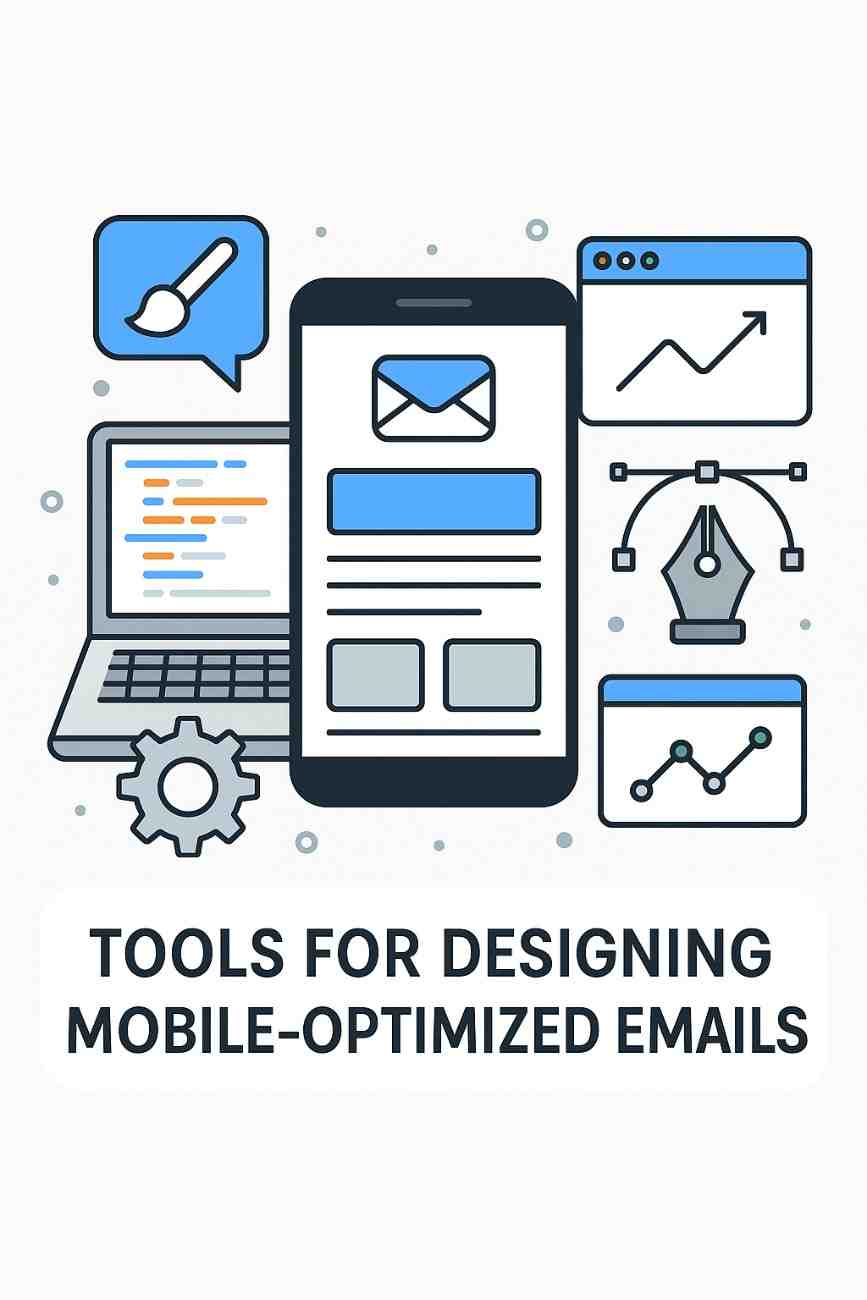
What Tools Help Design Mobile-Optimized Emails?

Introduction

Email marketing remains one of the most effective communication and conversion tools in digital marketing. However, with the rise of smartphones and mobile internet usage, there has been a significant shift in how emails are consumed. According to recent studies, over 60% of emails are now opened on mobile devices. This trend makes mobile optimization not just optional but essential for successful email marketing campaigns.

An email that isn’t optimized for mobile can appear broken, disorganized, or unreadable. Poorly formatted emails lead to high bounce rates, low engagement, and missed sales opportunities. To address these challenges, marketers now rely on specialized tools and platforms to design emails that are responsive, visually appealing, and functional across various screen sizes and devices.

This essay explores the importance of mobile-optimized emails, features that define them, and top tools that help marketers design such emails effectively. A real-world example is included to illustrate how mobile-optimized email design improves performance.


What Is a Mobile-Optimized Email?

A mobile-optimized email is an email that is specifically designed to render correctly and be user-friendly on mobile devices such as smartphones and tablets. It should:

  • Load quickly

  • Display readable text without zooming

  • Be easy to navigate with finger taps

  • Adapt to various screen sizes (responsive design)

  • Include touch-friendly buttons and CTAs

Failing to optimize for mobile can mean your email is:

  • Cut off

  • Unreadable

  • Difficult to click on

  • Frustrating for the user

The result? Lower engagement, reduced conversions, and potential damage to your brand’s credibility.


Features of Mobile-Optimized Emails

Before discussing the tools, it’s important to understand what makes an email mobile-friendly. Tools are only effective if they help implement these core elements:

  1. Responsive Design: The layout adjusts automatically based on the screen size.

  2. Single-Column Layouts: Easier to read and scroll through on narrow screens.

  3. Large Fonts: Minimum font size of 14px for body text and 22px+ for headlines.

  4. Touch-Friendly Buttons: CTA buttons should be large (44×44 pixels minimum) and spaced appropriately.

  5. Short Subject Lines: Mobile devices truncate long subject lines; aim for 30-50 characters.

  6. Concise Content: Attention spans are shorter on mobile; keep the message brief and clear.

  7. Optimized Images: Images should be compressed to load quickly but retain visual clarity.

  8. Preview Text: This short line of text next to the subject line can increase open rates.

With these principles in mind, let’s explore the best tools available for designing mobile-optimized emails.


Top Tools for Designing Mobile-Optimized Emails

1. Mailchimp

Overview:
Mailchimp is one of the most popular email marketing platforms globally, known for its user-friendly drag-and-drop editor and responsive design features.

Mobile Optimization Features:

  • Auto-responsive templates that adapt to device screen sizes

  • Mobile preview mode to test design

  • Drag-and-drop editor for layout customization

  • CTA and button blocks with touch-friendly design

  • A/B testing for subject lines and content

Why It’s Effective:
Mailchimp simplifies email design for marketers with little or no coding experience. Templates are pre-optimized, ensuring emails display correctly across devices.


2. Litmus

Overview:
Litmus is a powerful email testing and analytics platform that helps marketers test and optimize emails for over 100 different email clients and devices.

Mobile Optimization Features:

  • Live previews on popular devices (iPhone, Android, iPad)

  • Rendering tests for Gmail, Outlook, Yahoo, etc.

  • Spam testing and accessibility checks

  • Device-specific insights

  • Code editor with instant preview

Why It’s Effective:
Litmus allows detailed QA (quality assurance) and ensures emails render perfectly before sending. It’s ideal for developers and marketers who want complete control over testing and analytics.


3. Stripo

Overview:
Stripo is an email design platform with a focus on interactive and responsive email templates. It integrates with major ESPs (Email Service Providers).

Mobile Optimization Features:

  • Built-in responsive templates

  • Ability to set different styles for desktop and mobile

  • Mobile preview window

  • One-click export to Mailchimp, HubSpot, SendGrid, etc.

  • AMP support for dynamic content

Why It’s Effective:
Stripo’s dual view (desktop and mobile) editing ensures mobile compatibility without switching platforms. It’s suitable for agencies and eCommerce teams.


4. BeeFree (now BEE Pro)

Overview:
BEE Pro is an easy-to-use email builder that provides hundreds of mobile-responsive templates and integrates with major ESPs.

Mobile Optimization Features:

  • Mobile-first design templates

  • Toggle to preview desktop and mobile views

  • Customizable button sizes, images, and font settings

  • Undo/redo and history tracking for changes

  • Real-time collaborative editing

Why It’s Effective:
BEE Pro is perfect for marketers and small businesses who want to design beautiful mobile-optimized emails without coding.


5. Moosend

Overview:
Moosend is an affordable email marketing and automation platform with strong design capabilities.

Mobile Optimization Features:

  • Drag-and-drop editor with responsive design

  • Real-time preview for different devices

  • AI-powered content suggestions

  • Optimized content blocks and dynamic images

  • Auto-adjusting CTA buttons

Why It’s Effective:
Moosend balances functionality with ease of use, making it ideal for startups and growing businesses.


6. Campaign Monitor

Overview:
Campaign Monitor offers robust email design tools and automation workflows. It’s particularly favored for its aesthetic templates and responsive layouts.

Mobile Optimization Features:

  • Automatically responsive templates

  • Previews for different screen sizes

  • Analytics on mobile open rates

  • Personalized dynamic content blocks

  • Accessible design for visually impaired users

Why It’s Effective:
Campaign Monitor combines responsive design with advanced personalization, making emails more effective on mobile and across user segments.


7. HubSpot Email Marketing

Overview:
HubSpot’s free email marketing tool is part of its broader CRM platform. It offers marketing automation and mobile-optimized designs.

Mobile Optimization Features:

  • Customizable mobile-optimized templates

  • Personalization tokens from CRM data

  • Drag-and-drop email editor

  • A/B testing and send-time optimization

  • Integration with workflows

Why It’s Effective:
For businesses using CRM, HubSpot offers seamless data-driven mobile email campaigns.


Best Practices When Using These Tools

Regardless of which tool you choose, following these best practices ensures mobile optimization:

  1. Test Before Sending: Always preview and send test emails to check rendering.

  2. Use Mobile-First Design: Start with mobile layout before adapting for desktop.

  3. Compress Images: Large image files slow down mobile loading.

  4. Limit Columns: Stick to a one-column layout for simplicity.

  5. Use Bullet Points and Short Paragraphs: Make content skimmable.

  6. Prioritize the CTA: Place it near the top and make it bold and tappable.

  7. Enable Dark Mode Compatibility: With more users using dark mode, ensure email readability in both light and dark themes.


Real-World Example: Airbnb’s Mobile Email Campaign

The Challenge:
Airbnb wanted to increase bookings from mobile users by promoting seasonal discounts and destination recommendations.

What They Did:

  • Used BEE Pro and Litmus for designing and testing mobile-responsive templates.

  • Personalized emails with the recipient’s recent search data (e.g., “Still thinking about Goa?”).

  • Included large, tappable CTA buttons (e.g., “Book Now”) near the top of the email.

  • Kept subject lines short: “A beach getaway? Yes, please! 🏖️”

  • Tested rendering across devices using Litmus.

The Result:

  • 35% higher open rates on mobile

  • 50% faster load time for emails

  • 28% increase in mobile bookings within a 6-week period

Why It Worked:
The email was optimized for mobile from top to bottom — concise content, clean design, dynamic images, and finger-friendly navigation.


Conclusion

As mobile devices become the primary way users access emails, mobile optimization is not a luxury—it is a necessity. Designing mobile-optimized emails requires attention to detail, smart content structuring, and, most importantly, the right tools.

Tools like Mailchimp, Litmus, Stripo, BEE Pro, Moosend, HubSpot, and Campaign Monitor provide all the features marketers need to create emails that look great and function flawlessly on mobile devices. These platforms offer responsive templates, visual editors, A/B testing, mobile previews, and integration with analytics tools to ensure success.

In today’s fast-paced digital world, an email that doesn’t load properly on a smartphone is as good as not sent. With the help of these tools and a strong understanding of mobile-first design principles, businesses can ensure their emails reach — and engage — users wherever they are.

By embracing mobile-optimized email tools, marketers can boost open rates, increase click-throughs, drive conversions, and build stronger, more personal connections with their audience — all from the convenience of the user’s palm.

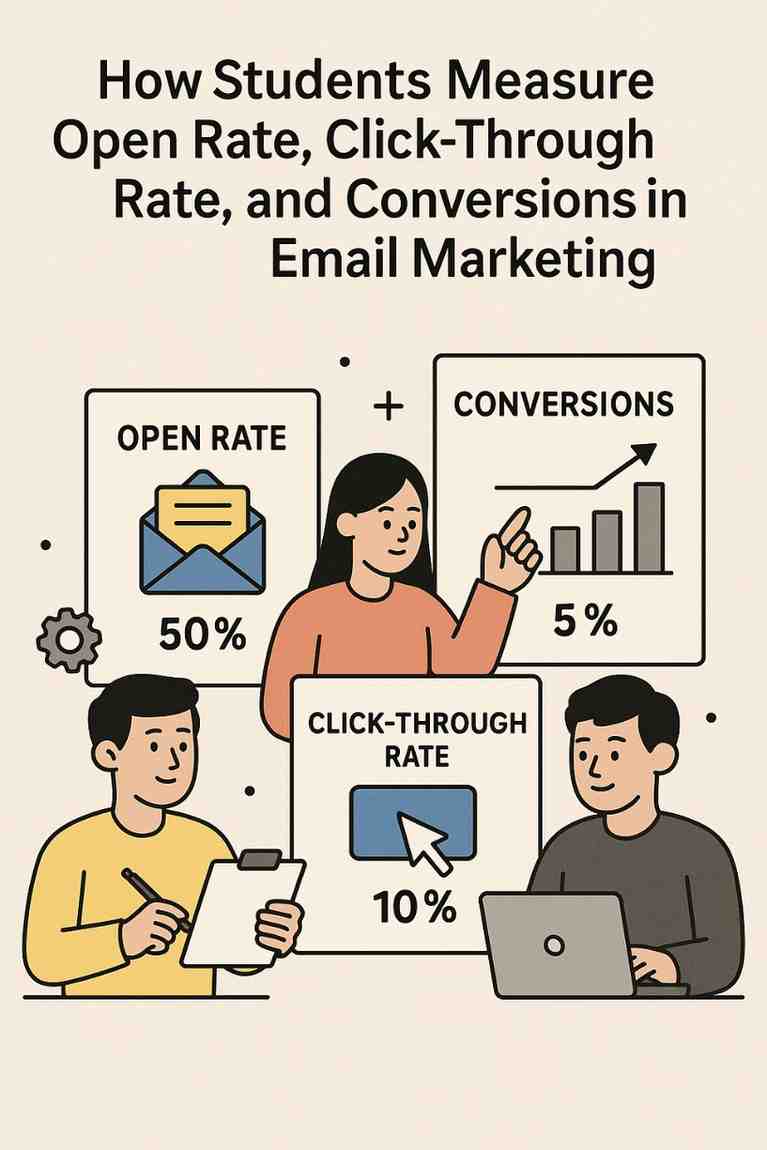
How Students Measure Open Rate, Click-Through Rate, and Conversions in Email Marketing

In the realm of digital marketing, particularly email marketing, understanding key performance metrics is essential for evaluating campaign success and optimizing future efforts. For students learning email marketing—whether in academic settings, internships, or personal projects—three fundamental metrics stand out: open rate, click-through rate (CTR), and conversions. These metrics provide insights into audience engagement, content effectiveness, and campaign outcomes. This article explains in detail how students can measure these metrics, the tools and methods involved, the significance of each, and potential challenges. It concludes with a practical example demonstrating their application in a student-led email campaign. The discussion reflects the state of email marketing in 2025, incorporating modern platforms and practices.

Understanding the Metrics

1. Open Rate

Definition: Open rate is the percentage of recipients who open an email out of the total number of emails successfully delivered. It indicates how compelling the subject line, sender name, and preheader text are in enticing recipients to engage.

  • Formula: Open Rate(%)=(Number of Emails OpenedNumber of Emails Delivered)×100\text{Open Rate} (\%) = \left( \frac{\text{Number of Emails Opened}}{\text{Number of Emails Delivered}} \right) \times 100
  • Example: If 1,000 emails are delivered and 250 are opened, the open rate is: (2501000)×100=25%\left( \frac{250}{1000} \right) \times 100 = 25\%

2. Click-Through Rate (CTR)

Definition: CTR is the percentage of recipients who click on at least one link within an email out of the total number of emails delivered. It measures the effectiveness of the email’s content, design, and calls-to-action (CTAs).

  • Formula: CTR(%)=(Number of ClicksNumber of Emails Delivered)×100\text{CTR} (\%) = \left( \frac{\text{Number of Clicks}}{\text{Number of Emails Delivered}} \right) \times 100
  • Example: If 1,000 emails are delivered and 50 recipients click a link, the CTR is: (501000)×100=5%\left( \frac{50}{1000} \right) \times 100 = 5\%

3. Conversions

Definition: Conversions represent the percentage of recipients who complete a desired action (e.g., making a purchase, registering for an event, filling out a form) after clicking a link in the email. The conversion rate measures the email’s ability to drive meaningful outcomes.

  • Formula: Conversion Rate(%)=(Number of ConversionsNumber of Emails Delivered)×100\text{Conversion Rate} (\%) = \left( \frac{\text{Number of Conversions}}{\text{Number of Emails Delivered}} \right) \times 100 Alternative Formula (based on clicks):(Number of ConversionsNumber of Clicks)×100\text{Alternative Formula (based on clicks)}: \left( \frac{\text{Number of Conversions}}{\text{Number of Clicks}} \right) \times 100
  • Example: If 1,000 emails are delivered and 20 recipients complete a purchase, the conversion rate is: (201000)×100=2%\left( \frac{20}{1000} \right) \times 100 = 2\% If 50 clicks lead to 20 conversions, the click-to-conversion rate is: (2050)×100=40%\left( \frac{20}{50} \right) \times 100 = 40\%

How Students Measure These Metrics

Students can measure open rate, CTR, and conversions using email marketing platforms, analytics tools, and manual calculations. Below is a detailed breakdown of the process for each metric.

Measuring Open Rate

  1. Email Marketing Platform Analytics:
    • Most email tools (e.g., Brevo, Mailchimp, Klaviyo, HubSpot) provide built-in dashboards displaying open rates for each campaign.
    • Platforms track opens using a tiny, invisible pixel (tracking pixel) embedded in the email. When the email is opened, the pixel loads, registering an open.
    • Students access the campaign report (e.g., in Mailchimp’s “Reports” tab) to view the open rate, total opens, and delivered emails.
    • Example: In Brevo, students navigate to “Campaigns” > “Reports” to see a 25% open rate for a sent email.
  2. Manual Verification:
    • If raw data is exported (e.g., as a CSV file), students calculate open rate using the formula above.
    • Steps:
      • Obtain the number of emails delivered (total sent minus bounces).
      • Obtain the number of unique opens (platforms distinguish unique opens from multiple opens by the same recipient).
      • Apply the formula.
    • Challenge: Some recipients disable image loading, underreporting opens. Students should note this limitation.
  3. Best Practices:
    • Test subject lines using A/B testing features in platforms like Klaviyo to optimize open rates.
    • Monitor sender reputation to ensure emails reach the inbox, as spam folder emails skew open rates.
    • Use preheader text to complement subject lines, increasing open likelihood.

Measuring Click-Through Rate (CTR)

  1. Email Platform Analytics:
    • Email tools track clicks by appending unique tracking parameters to URLs in the email (e.g., ?utm_source=email).
    • Campaign reports show CTR, total clicks, and the most-clicked links.
    • Example: In HubSpot, students view the “Performance” tab to see a 5% CTR and identify which CTA (e.g., “Shop Now”) performed best.
  2. Manual Calculation:
    • Export campaign data to a spreadsheet.
    • Steps:
      • Collect the number of unique clicks (platforms track unique clicks per recipient).
      • Use the number of emails delivered.
      • Apply the CTR formula.
    • Note: Some platforms report “click-to-open rate” (clicks divided by opens), which students should distinguish from CTR.
  3. Best Practices:
    • Design clear, compelling CTAs to boost clicks.
    • Use responsive email templates to ensure links are clickable on mobile devices.
    • Analyze which links perform best to refine content placement (e.g., buttons vs. text links).

Measuring Conversions

  1. Defining Conversions:
    • Students must first define the desired action (e.g., purchase, form submission, event registration).
    • This action typically occurs on a website after a recipient clicks an email link.
  2. Tracking Conversions:
    • Email Platform Tracking:
      • Many platforms (e.g., Klaviyo, ActiveCampaign) integrate with websites to track conversions using UTM parameters or JavaScript snippets.
      • Students set up “goals” or “events” in the platform (e.g., “Purchase Completed” in Brevo) linked to website actions.
      • Conversion data appears in campaign reports, showing the number of conversions and conversion rate.
    • Website Analytics Integration:
      • Tools like Google Analytics 4 (GA4) track conversions when users arrive via email links with UTM parameters (e.g., utm_medium=email).
      • Students create goals in GA4 (e.g., “Form Submission”) and attribute conversions to email campaigns.
    • Ecommerce Platforms:
      • For ecommerce, platforms like Shopify integrate with email tools (e.g., Omnisend) to track purchases directly, reporting revenue and conversion rates.
    • Example: In Klaviyo, students set up a “Placed Order” event for Shopify purchases, seeing a 2% conversion rate in the campaign report.
  3. Manual Tracking:
    • If platforms lack direct tracking, students use unique landing pages or promo codes in emails to track conversions.
    • Steps:
      • Create a dedicated landing page (e.g., website.com/email-offer) for email recipients.
      • Track completions (e.g., form submissions, purchases) via website analytics or CRM.
      • Calculate conversion rate using the formula.
    • Challenge: Manual tracking is prone to errors if multiple traffic sources use the same landing page.
  4. Best Practices:
    • Use clear, trackable CTAs leading to conversion-focused landing pages.
    • Integrate email and website analytics for accurate attribution.
    • Test email content (e.g., discounts vs. free resources) to optimize conversion rates.

Significance and Challenges

Significance

  • Open Rate: Reflects initial engagement and subject line effectiveness. A low open rate suggests poor sender reputation, weak subject lines, or unengaged audiences.
  • CTR: Indicates content relevance and CTA strength. A high CTR suggests compelling design and messaging.
  • Conversions: Measures campaign ROI and goal achievement. High conversion rates validate the entire email strategy.

Challenges

  • Data Accuracy: Open rates may be underreported due to image-blocking or privacy features (e.g., Apple’s Mail Privacy Protection).
  • Attribution: Multi-channel campaigns (e.g., email + social media) complicate conversion attribution.
  • List Quality: Poorly maintained lists (e.g., inactive subscribers) lower all metrics.
  • Technical Barriers: Students may struggle with setting up tracking codes or integrations without technical support.
  • Interpretation: Metrics must be contextualized (e.g., a 20% open rate is average for retail but low for nonprofits).

Tools and Platforms in 2025

Students can use the following platforms to measure these metrics:

  • Email Tools: Brevo, Mailchimp, Klaviyo, HubSpot, Omnisend, ActiveCampaign, MailerLite.
  • Analytics Tools: Google Analytics 4, Shopify Analytics, WordPress plugins (e.g., MonsterInsights).
  • Integration Platforms: Zapier, Make, to connect email tools with websites or CRMs.
  • List Hygiene Tools: NeverBounce, ZeroBounce to ensure accurate data.

Example: Student-Led Email Campaign for a University Event

Scenario: A group of marketing students at a university uses Mailchimp to promote a sustainability conference. They have a list of 1,500 opted-in students and alumni and aim to drive registrations (conversions).

Implementation:

  1. Campaign Setup:
    • Students create an email campaign in Mailchimp with the subject line “Join Our Sustainability Conference!” and a preheader: “Learn from eco-experts.”
    • The email includes a CTA button (“Register Now”) linking to a unique landing page (university.com/conference-email) with a registration form.
    • They embed Mailchimp’s tracking pixel and UTM parameters (utm_source=mailchimp&utm_medium=email) for analytics.
  2. Measuring Open Rate:
    • After sending, Mailchimp’s “Reports” tab shows 1,450 emails delivered (50 bounced) and 435 opened.
    • Calculation: (4351450)×100=30%\left( \frac{435}{1450} \right) \times 100 = 30\%
    • Insight: The 30% open rate is above the education industry average (20–25%), indicating a strong subject line.
  3. Measuring Click-Through Rate:
    • Mailchimp reports 87 unique clicks on the “Register Now” button.
    • Calculation: (871450)×100=6%\left( \frac{87}{1450} \right) \times 100 = 6\%
    • Insight: The 6% CTR suggests effective email design, but students note the CTA button’s placement (below the fold) may limit clicks.
  4. Measuring Conversions:
    • Students integrate Mailchimp with Google Analytics 4, setting a “Form Submission” goal for the landing page.
    • GA4 reports 29 registrations from email traffic (tracked via UTM parameters).
    • Conversion rate: (291450)×100=2%\left( \frac{29}{1450} \right) \times 100 = 2\%
    • Click-to-conversion rate: (2987)×100≈33.3%\left( \frac{29}{87} \right) \times 100 \approx 33.3\%
    • Insight: The 2% conversion rate is solid for a free event, but the 33.3% click-to-conversion rate suggests the landing page is effective once users arrive.
  5. Optimization:
    • Students run an A/B test with a new subject line (“Save Your Spot at the Sustainability Summit!”), achieving a 32% open rate.
    • They move the CTA button above the fold, increasing CTR to 7.5%.
    • They simplify the landing page form, boosting conversions to 35 registrations (2.4% conversion rate).
    • Results: The optimized campaign drives 100 total registrations, exceeding the goal of 80.

Key Takeaways:

  • Mailchimp’s analytics simplified metric tracking for students.
  • A/B testing and design tweaks improved all metrics.
  • Integration with GA4 ensured accurate conversion attribution.

Conclusion

Measuring open rate, click-through rate, and conversions is a foundational skill for students learning email marketing in 2025. Open rate reflects initial engagement, CTR gauges content effectiveness, and conversions measure campaign success. Students can leverage email platforms like Mailchimp, Brevo, and Klaviyo, alongside analytics tools like Google Analytics, to track these metrics accurately. Challenges like data accuracy and attribution require careful consideration, but best practices—such as A/B testing, clear CTAs, and list hygiene—enhance results. The university conference example illustrates how students can apply these metrics to real-world campaigns, optimizing performance and achieving goals. By mastering these measurements, students equip themselves to create impactful, data-driven email marketing strategies in a competitive digital landscape.

What is the educational value of Pinterest for students?

Introduction

In the digital age, learning is no longer confined to textbooks and lecture halls. Technology has opened doors to countless online tools that can enhance the educational experience in creative, visual, and interactive ways. One such platform that’s often overlooked in education but holds significant value is Pinterest.

Primarily known as a visual discovery tool used for inspiration in areas like fashion, cooking, and home decor, Pinterest is increasingly being embraced in educational contexts. Its ability to serve as a curated hub of knowledge and a personalized learning tool makes it particularly useful for students at all levels. This essay explores the educational value of Pinterest for students, its unique features that support learning, and offers a real-world example to illustrate its application in education.


1. What Is Pinterest? A Quick Overview

Pinterest is a visual bookmarking and discovery platform where users can find, collect, and organize content using “Pins” saved to “Boards.” Each Pin is a link to an image, article, video, or webpage that offers information, ideas, or how-tos.

Though Pinterest is often associated with lifestyle content, it also contains millions of resources related to:

  • Study tips
  • Educational infographics
  • Subject-specific resources (e.g., science diagrams, math tricks)
  • Academic tools (e.g., citation guides, writing prompts)
  • Career planning (e.g., resume tips, interview strategies)

This makes Pinterest a searchable, visual, and student-friendly platform for learning.


2. Why Pinterest Works for Students

2.1 Visual Learning Style Support

A significant portion of students are visual learners. Pinterest thrives on visual content—infographics, diagrams, charts, and educational videos—that helps students understand complex topics more quickly than text alone.

For example, instead of reading a paragraph about photosynthesis, a student might find a colorful diagram that explains it in 30 seconds. This not only enhances comprehension but also aids memory retention.

2.2 Organization and Planning

Pinterest Boards allow students to organize content by subject, project, or interest:

  • A student can create Boards like “Biology Notes,” “Essay Writing Tips,” or “SAT Prep.”
  • This organization fosters self-directed learning and helps students manage their academic workflow visually.

This is especially valuable for high school and college students who juggle multiple subjects or projects at once.

2.3 Resource Discovery Beyond the Classroom

Pinterest acts like a visual search engine. Students can explore a wide range of educational blogs, teacher resources, video tutorials, and academic tips not always available through traditional educational platforms.

This provides access to diverse perspectives, encourages exploration, and promotes curiosity.

2.4 Creativity and Expression

For art students, language learners, and others in creative disciplines, Pinterest is a source of inspiration. They can use it to:

  • Collect references for artwork
  • Explore new styles or techniques
  • Build vocabulary lists in new languages with visual flashcards
  • Practice storytelling using visual cues

It’s a platform where education and creativity meet.

2.5 Study Motivation and Productivity

Pinterest offers hundreds of ideas related to:

  • Study hacks (e.g., Pomodoro Technique)
  • Desk organization for a better learning environment
  • Motivational quotes and printable planners

These Pins help students stay organized, inspired, and productive, especially during exam seasons.


3. Educational Uses of Pinterest Across Subjects

3.1 Language Arts and Writing

  • Writing prompts and story starters
  • Grammar guides and infographics
  • Essay structures and citation formats
  • Reading lists by genre or academic level

3.2 Science and Math

  • Periodic tables and formulas
  • Lab experiment ideas and safety guides
  • Step-by-step math problem-solving guides
  • Physics concepts explained through visuals

3.3 History and Social Studies

  • Historical timelines
  • Maps and political cartoons
  • Primary source visuals and documentary links
  • Infographics about historical events or government systems

3.4 Art and Design

  • Art history summaries
  • Style inspirations from various movements
  • How-to tutorials for different mediums
  • Visual portfolios or mood boards

3.5 Career and College Prep

  • Resume and cover letter templates
  • Interview tips and dressing guides
  • Study tips for standardized tests
  • College application advice

4. Pinterest as a Collaboration and Sharing Tool

Pinterest also allows students to collaborate with peers or instructors by creating shared Boards. Group work can include:

  • Collecting resources for a team project
  • Organizing research material for joint presentations
  • Sharing helpful study tools among classmates

This encourages collaborative learning and allows teachers to monitor student engagement in an organized, accessible way.


5. Real-Life Example: Using Pinterest for a High School History Project

Scenario:

Maria, a 17-year-old high school student, is assigned a project on the Civil Rights Movement in the United States. Her task is to present a timeline of key events, incorporate primary source documents, and connect the historical relevance to today’s world.

How Pinterest Helped:

  1. Initial Research:
    Maria searched for “Civil Rights Movement timeline” on Pinterest. She found multiple infographics that outlined key events from the Montgomery Bus Boycott to the passing of the Civil Rights Act.
  2. Visual Aids and Primary Sources:
    She discovered Pins that included photos of protests, newspaper clippings, and Martin Luther King Jr.’s speeches. She pinned these to her “Civil Rights Project” Board.
  3. Presentation Planning:
    Maria used ideas from Pins to structure her PowerPoint presentation, including design tips for visual storytelling and formatting advice.
  4. Reflection and Modern Connections:
    She found resources that compared the Civil Rights Movement to modern social justice campaigns, which helped her draw parallels for her class discussion.
  5. Collaboration:
    Maria invited two classmates to the Board, allowing them to add Pins they found for the project. Together, they created a more comprehensive and engaging presentation.

Result:

Maria’s group earned an A on the project. The visuals kept the class engaged, and the historical content was accurate and well-researched—all thanks to the rich resources Pinterest provided.


6. Benefits for Teachers and Educators

While this essay focuses on students, it’s worth noting that educators also use Pinterest:

  • To find teaching strategies
  • Discover classroom decor ideas
  • Share educational content
  • Build visual lesson plans

This makes it a collaborative tool for both students and teachers, fostering a more dynamic classroom environment—even virtually.


7. Addressing Concerns and Limitations

Pinterest is not a traditional academic resource, so students should:

  • Verify content accuracy from external sources
  • Avoid using Pinterest as their sole research tool
  • Be mindful of distractions from non-educational Pins (e.g., fashion or memes)

Despite these limitations, when used strategically, Pinterest is a powerful supplement to traditional study tools.


8. Conclusion

Pinterest’s role in education is often underestimated, but it offers immense value to students as a visual search engine, organizational tool, and creative outlet. Whether used for independent study, collaborative projects, or career planning, Pinterest can enhance learning, improve retention, and inspire academic success.

By integrating visuals with ideas and encouraging self-directed learning, Pinterest aligns with how many students engage best: through exploration, visualization, and interactivity. In today’s education landscape, where students are more tech-savvy and visually oriented than ever before, Pinterest deserves a spot in their academic toolkit.


Summary Example

Maria’s successful high school history project, built using Pinterest’s visual resources and collaborative features, illustrates how the platform empowers students to research, organize, and present complex information creatively and effectively.


How is AI Used in Email Marketing Campaigns?

Introduction

Email marketing continues to be one of the most effective digital marketing strategies, offering direct communication with customers, high ROI, and measurable results. However, as customer expectations evolve and the volume of marketing messages increases, traditional methods of email marketing are becoming less effective. Marketers now face the challenge of standing out in a crowded inbox while delivering timely, relevant, and personalized content.

Enter Artificial Intelligence (AI) — a revolutionary force reshaping the way businesses approach email marketing. AI enables marketers to create smarter, data-driven campaigns that adapt to customer behavior in real time. By automating repetitive tasks, analyzing massive datasets, predicting user preferences, and personalizing communication at scale, AI is transforming email marketing into a highly strategic and dynamic tool.

In this comprehensive essay, we will explore how AI is used in email marketing campaigns, including the technologies involved, key applications, benefits, challenges, and a real-world example that demonstrates its impact.


Understanding AI in the Context of Email Marketing

Artificial Intelligence (AI) refers to the ability of computer systems to mimic human intelligence through machine learning, natural language processing, data analysis, and predictive algorithms. When applied to email marketing, AI uses customer data to:

  • Understand behavior patterns

  • Predict future actions

  • Customize content

  • Optimize send times

  • Increase engagement and conversions

AI empowers marketers not just to send emails, but to send the right message, to the right person, at the right time — at scale.


Key Areas Where AI is Used in Email Marketing

Let’s break down the main areas where AI is revolutionizing email marketing:


1. Personalization at Scale

Traditional personalization (e.g., using a subscriber’s name) is no longer sufficient. AI goes beyond by:

  • Analyzing user behavior (clicks, time spent on site, past purchases)

  • Predicting what content will resonate with each recipient

  • Delivering dynamic content blocks within emails based on preferences

For instance, a fashion retailer using AI can send different clothing recommendations to two users within the same campaign — one may see formal wear, while another sees casual outfits — all automated based on their browsing history.

AI tools used: Persado, Phrasee, Dynamic Yield


2. Predictive Analytics and Customer Segmentation

AI helps marketers create intelligent segments by analyzing:

  • Purchase frequency

  • Cart abandonment history

  • Browsing behavior

  • Demographics

  • Past email interactions

These insights help build predictive models such as:

  • Likelihood to purchase

  • Likelihood to unsubscribe

  • Lifetime value prediction

  • Next best offer

Instead of manually segmenting users, AI enables the system to create dynamic segments that update in real time.

AI tools used: Salesforce Einstein, Adobe Sensei, Klaviyo AI


3. Optimizing Send Times

Knowing when to send an email can be the difference between a high open rate and being buried in the inbox. AI analyzes each user’s past behavior to determine:

  • The best day and time for email delivery

  • Device usage patterns (mobile vs. desktop)

  • Frequency preferences (daily, weekly, monthly)

By sending emails at individualized optimal times, AI helps maximize engagement.

AI tools used: Seventh Sense, Sendinblue, Mailchimp AI Send Time Optimization


4. Subject Line Generation and Content Creation

AI tools are now capable of writing subject lines, headlines, and even entire email copies using natural language processing (NLP). These tools evaluate:

  • Past open rates

  • Emotional tone

  • Keyword relevance

  • Engagement history

The system tests and learns what works best, producing high-performing subject lines tailored to each user segment.

AI tools used: Phrasee, Jasper AI, Copy.ai


5. A/B Testing Automation

Instead of manually setting up A/B tests, AI can:

  • Generate multiple content variants

  • Automatically test headlines, images, CTAs, layouts

  • Analyze results in real time

  • Implement the best-performing version dynamically

This is called multivariate testing with AI, allowing much more complex and accurate optimization compared to traditional A/B testing.

AI tools used: Mailchimp AI, ActiveCampaign, HubSpot AI


6. Email Retargeting and Behavioral Triggers

AI tracks user interactions and sets up automated email workflows based on real-time behavior. For example:

  • If a user abandons a cart, they receive a follow-up email within hours

  • If a user downloads a guide, they are entered into a drip campaign with relevant follow-ups

  • If a user hasn’t opened the last 5 emails, AI pauses campaigns or sends re-engagement emails

This approach helps reduce unsubscribes and increase conversions by aligning communication with user intent.

AI tools used: Drip, Omnisend, Klaviyo, GetResponse


7. Spam Filter Avoidance

AI can help reduce the chances of emails being flagged as spam by analyzing:

  • Email structure

  • Subject line phrasing

  • Content-to-code ratio

  • User engagement levels

It suggests changes to improve inbox placement, thereby enhancing deliverability and reputation.

AI tools used: GlockApps, MailGenius, Postmark AI


8. AI Chatbots in Email Funnels

While not traditional email marketing, AI chatbots are often integrated within emails or linked through CTAs to handle:

  • FAQs

  • Appointment scheduling

  • Product recommendations

  • Upselling or cross-selling

These bots continue the customer journey, making email campaigns interactive and customer-focused.

AI tools used: Drift, ManyChat, Tars


Benefits of Using AI in Email Marketing

The integration of AI provides numerous advantages:

  1. Hyper-Personalization: Tailors emails down to individual user behavior and preferences.

  2. Increased Engagement: Leads to higher open and click-through rates.

  3. Efficiency: Reduces manual work through automation and smart scheduling.

  4. Scalability: Enables customized communication for thousands or millions of users.

  5. Real-Time Adaptation: Reacts to behavior changes instantly with dynamic content and actions.

  6. Better ROI: Improves customer experience, retention, and conversion rates.


Challenges of AI in Email Marketing

Despite its benefits, AI implementation comes with hurdles:

  1. Data Privacy Concerns: Over-personalization may feel intrusive if not transparently managed. Compliance with GDPR and CCPA is crucial.

  2. Integration Complexity: AI tools must sync with CRMs, ESPs, websites, and analytics platforms.

  3. High Cost for Advanced AI Systems: Some AI platforms are expensive for small businesses.

  4. Need for Quality Data: Poor data leads to poor AI results. Data hygiene and structure are critical.

  5. Lack of Human Touch: Automated content may feel robotic if not properly guided by human creativity.


Real-World Example: Netflix Email Campaigns Powered by AI

Netflix is known for leveraging AI in almost every aspect of its business, including email marketing. When a subscriber logs into Netflix and begins watching content, the system starts learning their preferences. That behavior is used to:

  • Generate personalized viewing recommendations.

  • Send customized emails suggesting new releases similar to the user’s taste.

  • Use dynamic images and subject lines tied to favorite genres or actors.

For example, a user who watches a lot of thriller series may receive an email with the subject line:
“Your next binge-worthy thriller is here 🔥”
The email might include thumbnails of new thriller shows, automatically selected and arranged by AI.

Netflix uses AI to:

  • Optimize send times based on user habits

  • Adapt email frequency based on engagement

  • Automatically stop sending to unengaged users (protecting sender reputation)

As a result, Netflix’s emails feel personal and timely, leading to higher open rates, more clicks, and better customer retention.


Future Trends in AI-Powered Email Marketing

As AI technology continues to evolve, expect the following advancements:

  • Voice-Enabled Email Interactions: With smart speakers, AI may allow users to interact with email content via voice.

  • Emotion-Aware Personalization: Sentiment analysis can tailor content based on user mood and language tone.

  • Visual Recognition: AI may detect which images a user engages with most and tailor future content accordingly.

  • Cross-Channel AI: Emails will be synchronized with other channels like SMS, push notifications, and social ads for a unified experience.

  • Autonomous Campaigns: Fully AI-driven campaigns that manage, optimize, and even create themselves based on performance.


Conclusion

Artificial Intelligence is revolutionizing email marketing by enabling a level of personalization, optimization, and automation that was previously unimaginable. From crafting compelling subject lines to determining the perfect send time and delivering dynamic, user-specific content, AI empowers marketers to reach the inbox — and the hearts — of their audience more effectively.

Businesses that adopt AI-driven email marketing will not only gain a competitive edge but will also provide better experiences for their customers. As AI becomes more accessible and advanced, even small businesses and creators can harness its power to build smarter, more meaningful email campaigns.

In a world flooded with digital messages, AI is the key to standing out, fostering trust, and achieving lasting results through email marketing.

How does Pinterest work, and what are pins and boards?

In the age of social media and visual discovery, Pinterest has carved out a unique niche by serving as a platform for inspiration, creativity, and planning. Unlike other platforms that prioritize direct social interaction, Pinterest focuses on ideas. Whether it’s home decor, recipes, travel destinations, fashion trends, or DIY crafts, Pinterest is the place people go to find and save ideas visually.

In this essay, we will explore how Pinterest works, what pins and boards are, and how users—from casual browsers to content creators and businesses—can use Pinterest to achieve their personal or professional goals. We’ll also present an example that demonstrates how someone uses Pinterest effectively in real life.


1. What Is Pinterest?

Pinterest is a visual discovery engine designed to help users find inspiration and ideas for a wide range of interests and projects. Launched in 2010, Pinterest allows users to discover, save, and organize content—primarily images and short videos—on virtual pinboards.

Unlike social platforms focused on sharing daily updates or engaging in conversation (like Facebook or Twitter), Pinterest is more search-focused, functioning similarly to a visual search engine. Users typically come to Pinterest with a purpose—like planning a wedding, redecorating a room, or learning a new recipe.

As of 2024, Pinterest has over 450 million active users globally, with a significant portion of its audience being women, although male and younger users are growing.


2. How Does Pinterest Work?

Pinterest works through a combination of content discovery, visual curation, and organization. Here’s a step-by-step overview of how it functions:

a. Creating an Account

To use Pinterest, a user creates a free account using an email address or by signing in with Google or Facebook. Once registered, users are prompted to select topics of interest—like travel, fashion, cooking, fitness, etc.

b. Discovering Content

Pinterest offers several ways for users to discover content:

  • Home Feed: A personalized feed of pins based on a user’s interests, past activity, and followed boards.
  • Search Bar: Users can type in keywords (e.g., “vegan dinner ideas”) and view a wide array of relevant pins.
  • Explore and Trends: Pinterest curates popular or seasonal pins and themes (e.g., “Back-to-School,” “Holiday Decor”).
  • Pinterest Lens: A visual search tool where users can upload a photo, and Pinterest will suggest visually similar pins.

c. Saving Content: Pins and Boards

The platform’s main features—pins and boards—enable users to organize ideas for future reference (explained in detail in the next sections).

d. Creating Content

Users can also create their own pins by uploading images or videos, adding a description, and linking to a website or blog. This is especially useful for bloggers, entrepreneurs, and brands.


3. What Are Pins?

Definition:

A pin is the core piece of content on Pinterest. It typically includes:

  • An image or video (the visual anchor).
  • A title or headline.
  • A short description (optional).
  • A link to the source (e.g., a blog, online store, YouTube video, or website).

Purpose of Pins:

Pins serve as visual bookmarks for ideas, projects, or products users want to explore later. For example, if someone finds a pin showing “10 minimalist bedroom ideas,” they can click through to the blog post or website to learn more.

Types of Pins:

  • Standard Pins: Simple image-based pins linking to a source.
  • Video Pins: Short videos showcasing ideas or tutorials.
  • Rich Pins: Pins that include additional data from the linked site, like product prices or ingredients.
  • Idea Pins: Multi-page video and image pins ideal for storytelling or how-to tutorials.

4. What Are Boards?

Definition:

A board is a digital folder where users can save and organize related pins. Each board typically focuses on a specific theme or topic.

For instance, a user might have boards like:

  • “Healthy Meal Ideas”
  • “Wedding Inspiration”
  • “Home Office Makeover”
  • “Books to Read”
  • “DIY Holiday Crafts”

Boards help users categorize and revisit saved ideas easily. Users can create as many boards as they like, give them custom names, add descriptions, and even choose a cover image.

Secret Boards:

Pinterest also allows users to create secret boards, which are private and visible only to the user (or collaborators). This is helpful for personal planning (e.g., gift lists, personal goals) or professional projects that aren’t ready to go public.

Group Boards:

Users can collaborate on group boards by inviting others. These are popular for planning events like weddings or home renovations.


5. Real-Life Example: Using Pinterest to Plan a Wedding

Let’s consider an example of how Pinterest is used in a real-life scenario.

User: Emily, a newly engaged bride-to-be.

Step 1: Signing Up and Setting Preferences

Emily signs up for Pinterest and selects interests like “Wedding Planning,” “Bridal Dresses,” “Floral Arrangements,” and “Event Decor.”

Step 2: Creating Boards

She creates the following boards:

  • “Wedding Dresses” – where she saves pins of styles she loves.
  • “Venue Ideas” – featuring barns, beaches, and gardens.
  • “DIY Wedding Decor” – with tutorials for handmade centerpieces.
  • “Bridesmaid Looks” – color palettes and dress styles.
  • “Cake Designs” – showcasing trendy cake ideas.

Step 3: Saving Pins

As she browses Pinterest, she clicks the “Save” button to pin ideas to her boards. Each pin includes a source link, so she can visit bridal boutiques or blogs for more information.

Step 4: Using Secret and Group Boards

Emily creates a secret board to brainstorm honeymoon ideas with her partner and a group board with her wedding planner to discuss venue decorations.

Step 5: Sharing and Executing

When the big day approaches, Emily shares her boards with vendors, helping them understand her vision. Her makeup artist, florist, and event designer all reference her boards during consultations.

This organized, visual approach saves Emily time, reduces stress, and makes communication easier—all thanks to Pinterest.


6. Pinterest for Businesses and Creators

Pinterest isn’t just for personal use—it’s also a powerful platform for brands, bloggers, artists, and influencers.

Business Applications:

  • Driving Traffic: Bloggers and websites use pins to drive clicks back to their content.
  • E-commerce: Retailers post product pins that link directly to online stores.
  • Brand Awareness: Visual storytelling helps companies connect emotionally with audiences.
  • Advertising: Pinterest Ads (Promoted Pins) boost reach and conversion.

Content Strategy:

Creators often use Pinterest trends to understand what their audience is looking for, and then produce relevant content. For example, a food blogger noticing a spike in searches for “gluten-free dessert” might create new pins linking to their recipes.


7. Key Pinterest Features That Enhance User Experience

  • Visual Search (Lens): Users can take a photo of something they like and find similar ideas on Pinterest.
  • Shopping Integration: Product pins with pricing and buying links make it easier to shop directly from Pinterest.
  • Pinterest Trends: Shows real-time data on what users are searching for.
  • Analytics (for creators): Insight into pin performance, audience engagement, and click-through rates.

8. Conclusion

Pinterest is more than just a collection of pretty pictures—it’s a powerful platform for discovering, organizing, and acting on ideas. With its unique visual and search-based format, it helps users plan projects, express creativity, and bring inspiration to life. The foundational elements—pins and boards—allow for structured, personalized idea curation, whether you’re planning a wedding, redecorating your home, or launching a business.

Through features like visual search, trend insights, and content creation tools, Pinterest continues to evolve as both a personal inspiration hub and a business tool. In a world driven by visuals and quick information access, Pinterest stands as a bridge between discovery and action—helping users not just see possibilities but bring them to life.


How to Become a Digital Marketing Specialist

Digital marketing is one of the fastest-growing fields today. Many people are interested in building a career in digital marketing, and becoming a digital...

What is SMM in Digital Marketing

SMM, or Social Media Marketing, is one of the most important parts of digital marketing. In simple words, SMM is the process of using...

What is Google Analytics in Digital Marketing

Google Analytics is one of the most important tools in digital marketing. It helps businesses understand how people interact with their websites and online...

What is Google AdWords in Digital Marketing

Google AdWords is one of the most important tools in digital marketing. Many businesses use AdWords to reach their target audience online and increase...

What Is CPM in Digital Marketing

In digital marketing, understanding how your ads are priced and measured is very important. Different advertising models help marketers track performance and control spending....