Home Blog Page 29

What is Pinterest, and what makes it different from other platforms?

Introduction

In the crowded world of social media platforms, each network offers unique ways to engage users. Instagram promotes polished images and lifestyle content, Twitter encourages real-time updates and discussion, LinkedIn supports professional networking, and Facebook connects friends and family through life updates and news. Among these, Pinterest stands out with a distinct purpose: inspiration through visual discovery.

Pinterest is not just another social network—it’s a hybrid of search engine, mood board, and idea catalog, used primarily for discovering, organizing, and planning. This essay will explore what Pinterest is, how it functions, and what makes it fundamentally different from other digital platforms. A real-world example will illustrate how Pinterest’s unique model benefits users in practical, creative ways.


1. What is Pinterest?

Pinterest is a visual discovery and bookmarking platform launched in 2010. Unlike traditional social networks focused on connection and conversation, Pinterest is designed to help users find and save ideas. These ideas are saved in the form of “Pins,” which can be images, videos, or links, and they are organized into thematic “Boards.”

Common uses of Pinterest include:

  • Finding home decor ideas
  • Planning weddings or events
  • Discovering fashion trends
  • Learning new recipes
  • Creating DIY projects
  • Collecting professional design inspiration

Users create personal collections of Pins based on their interests, effectively building visual mood boards for anything they want to plan, learn, or create.


2. Key Features of Pinterest

2.1 Pins and Boards

  • A Pin is a visual bookmark. It can be a photo, a video, or an image with an embedded link.
  • Users can save Pins to Boards, which are collections organized by theme or category (e.g., “Bedroom Ideas” or “Vegan Recipes”).
  • Boards can be public or private, making them flexible for both personal inspiration and social sharing.

2.2 Visual Search

Pinterest is often referred to as a visual search engine. Users can type in keywords like “minimalist living room” or “easy chicken dinner,” and Pinterest will return hundreds or thousands of visual results.

It also offers a visual search tool: users can zoom into an image to search for similar items—useful for fashion, furniture, or design.

2.3 Personalized Recommendations

Pinterest uses algorithms to analyze user behavior and interests, offering curated suggestions in the home feed. The more a user engages, the more personalized the suggestions become.

2.4 Idea Pins

Similar to Stories on Instagram or Facebook, Pinterest’s Idea Pins are multi-page videos or images that users can swipe through. They are ideal for tutorials, recipes, or how-to content and remain visible permanently, unlike disappearing stories on other platforms.

2.5 Buyable Pins and Shopping Integration

Pinterest is increasingly integrating e-commerce features, allowing users to buy products directly through Pins, making it a key platform for discovery-to-purchase behavior.


3. How Pinterest Differs from Other Platforms

While Pinterest may share surface-level similarities with platforms like Instagram, its underlying purpose and functionality are significantly different. Here are some major differences:

3.1 It’s a Search Engine, Not a Social Network

  • Pinterest is used more like Google than Facebook.
  • Users search for ideas, not people.
  • The focus is on content discovery, not social interaction.
  • Most Pinterest interactions are with content from strangers, not friends or followers.

3.2 Planning vs. Sharing

  • Instagram, Facebook, and TikTok are used for broadcasting life events or sharing moments.
  • Pinterest is a planning platform—people use it to prepare for future activities like home renovation, travel, or meal prep.
  • It’s forward-thinking, not focused on the present or past.

3.3 Long-Term Content Life

  • A Pin can remain relevant and continue receiving traffic for years.
  • In contrast, posts on Instagram, Facebook, or Twitter usually fade in visibility after a day or two.
  • Pinterest’s algorithm favors evergreen content, making it ideal for long-term content marketing.

3.4 User Intent Is Different

  • People on Pinterest are actively seeking solutions. Their intent is high—they are researching or ready to act.
  • This contrasts with passive scrolling on Instagram or casual commenting on Facebook.
  • This makes Pinterest especially valuable for e-commerce, DIY, education, and inspiration-based businesses.

3.5 Less About Followers, More About Content

  • On Instagram and TikTok, follower count and engagement are critical.
  • On Pinterest, even users with few followers can go viral if they create useful, searchable Pins.
  • Pinterest democratizes visibility—quality content matters more than popularity.

4. Example: How Pinterest Is Used Differently

Real-World Scenario: Sarah’s Wedding Planning Journey

Sarah, a 26-year-old professional, is engaged and planning her wedding. Instead of relying solely on Instagram influencers or Google searches, she turns to Pinterest.

Here’s how Sarah uses Pinterest:

  • She types “Rustic outdoor wedding ideas” into the Pinterest search bar.
  • The platform instantly delivers thousands of images—from flower arrangements and dresses to invitation templates and venue ideas.
  • She creates Boards like “Wedding Dress Ideas,” “DIY Centerpieces,” and “Reception Decor.”
  • Each time she finds a Pin she likes, she saves it to a Board.
  • Many Pins are linked to blogs or online shops, allowing her to buy products or read detailed tutorials.
  • As Sarah saves more Pins, Pinterest refines its suggestions, showing her content that matches her preferred color palette and style.

Unlike Instagram or Facebook, where she’d have to scroll through unrelated personal posts, Pinterest gives Sarah an organized, focused, and user-friendly experience tailored to her goal: planning a beautiful wedding.


5. Pinterest’s Role in Business and Marketing

Pinterest isn’t just for personal inspiration—it’s a powerful platform for businesses.

  • Brands use Pinterest to showcase products, tutorials, and how-to content.
  • Since users are in a discovery and planning mindset, they are more likely to make purchases.
  • Pinterest drives significant referral traffic to blogs, online stores, and websites.

For example, a small bakery can post Pins linking to recipes or products. When someone searches “gluten-free cupcakes,” their Pin could show up—even if the user doesn’t follow them.


6. Who Uses Pinterest?

Pinterest appeals to a broad range of users but is especially popular among:

  • Creative individuals (designers, artists, event planners)
  • DIYers and crafters
  • Homeowners and renters looking for decor ideas
  • Food lovers searching for recipes
  • Shoppers looking for fashion, accessories, or home goods
  • Students and professionals organizing study ideas or workspaces

Its appeal lies in how visually satisfying and goal-oriented it is.


7. Limitations and Challenges

Pinterest has its limitations:

  • It is not the best platform for real-time interaction or breaking news.
  • It’s more one-sided—there’s less engagement through comments or messaging.
  • Discovery is image-based, so text-heavy content may be less effective.

Still, these aren’t flaws—they reflect Pinterest’s unique role in the digital ecosystem.


8. Conclusion

Pinterest is a visual discovery and planning platform that sets itself apart from traditional social media through its emphasis on ideas, inspiration, and intent-driven usage. It functions more like a search engine than a social network, focusing on long-term content value, organization, and creativity.

Whether someone is planning a wedding, redesigning a kitchen, or launching a product line, Pinterest serves as a personalized, visual roadmap for bringing ideas to life.


Summary Example

Sarah, a bride-to-be, uses Pinterest to visually organize her entire wedding planning process. Unlike Instagram, which serves her random photos, Pinterest helps her discover, save, and act on ideas with precision—turning inspiration into action.
How Integrations Between Websites and Email Tools Work: A Comprehensive Guide

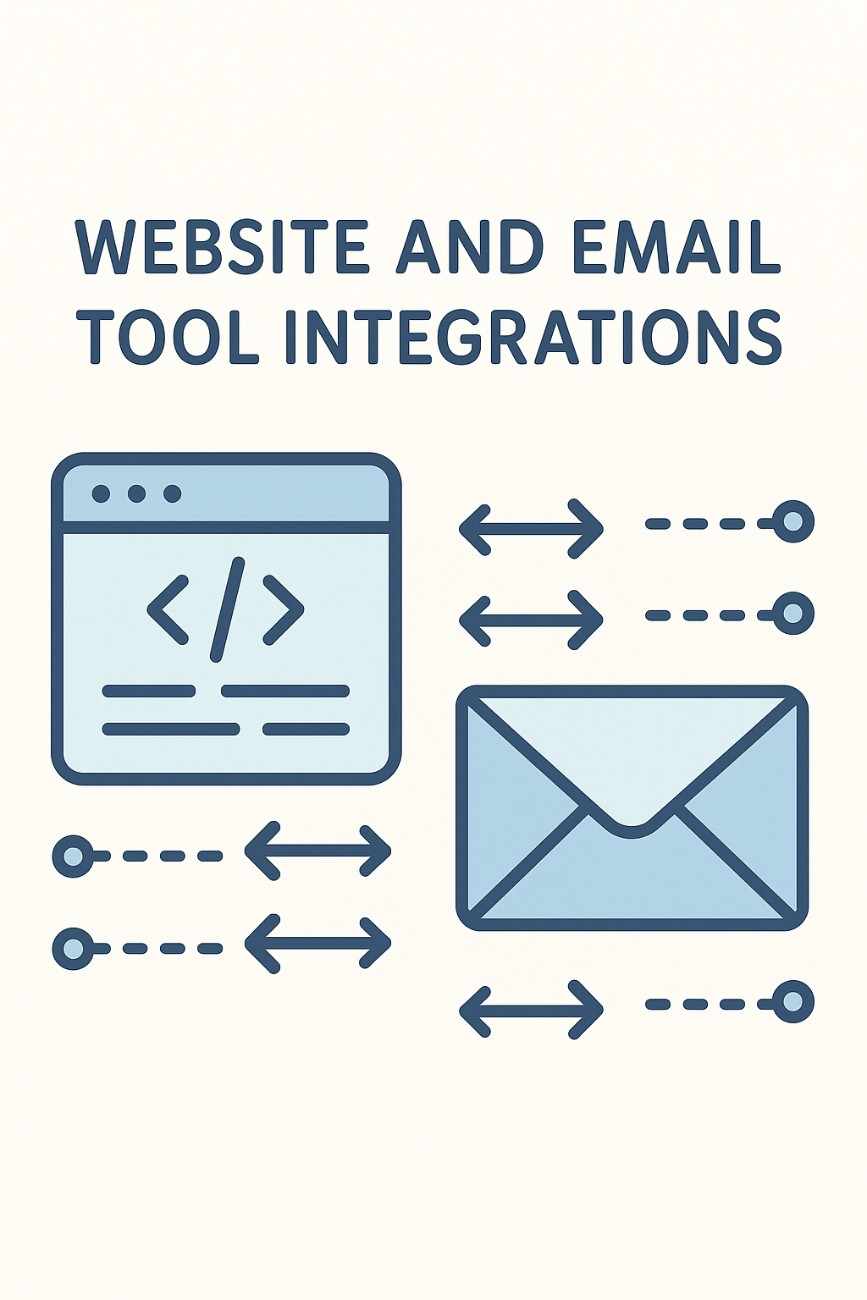
In the dynamic landscape of digital marketing in 2025, integrations between websites and email tools have become a cornerstone for businesses aiming to streamline operations, enhance customer engagement, and drive conversions. These integrations allow websites to communicate seamlessly with email marketing platforms, enabling automated data exchange, personalized campaigns, and real-time user interactions. This article provides an in-depth explanation of how these integrations function, their technical underpinnings, benefits, challenges, and best practices. It concludes with a practical example illustrating their application for an ecommerce business.

What Are Website-Email Tool Integrations?

Integrations between websites and email tools refer to the technical connections that enable data and actions to flow between a website (e.g., a content management system like WordPress, an ecommerce platform like Shopify, or a custom-built site) and an email marketing platform (e.g., Brevo, Mailchimp, Klaviyo). These integrations facilitate the synchronization of user data, trigger automated email campaigns based on website interactions, and enhance marketing efforts through personalized, data-driven communication.

Core Objectives of Integrations

  1. Data Synchronization: Transfer user information (e.g., email addresses, purchase history, preferences) from the website to the email tool for campaign targeting.
  2. Automation Triggers: Initiate email workflows (e.g., welcome emails, abandoned cart reminders) based on user actions on the website.
  3. Personalization: Use website data to tailor email content, improving engagement and conversions.
  4. Analytics and Insights: Combine website and email data to track user behavior and campaign performance.
  5. Efficiency: Reduce manual tasks by automating data entry and campaign execution.

How Integrations Work: Technical Mechanics

Integrations between websites and email tools rely on a combination of APIs, webhooks, plugins, and server-side processes. Below is a step-by-step breakdown of the technical mechanics:

1. API-Based Connections

Application Programming Interfaces (APIs) are the backbone of most integrations. An API is a set of rules and tools that allows different software applications to communicate. Email platforms provide APIs that websites can use to send or retrieve data.

  • Process:
    • The website sends a request to the email tool’s API (e.g., “Add this user’s email to a list”).
    • The API authenticates the request using an API key or OAuth token to ensure security.
    • The email tool processes the request (e.g., adds the user to a list) and sends a response confirming success or reporting an error.
  • Example: When a user signs up via a form on a WordPress site, the site’s integration with Mailchimp’s API sends the user’s email and name to a specified Mailchimp list.

2. Webhooks

Webhooks are event-driven notifications that enable real-time data transfer. Unlike APIs, which require polling, webhooks push data to a predefined URL when a specific event occurs.

  • Process:
    • The website or email tool defines a webhook URL (e.g., a Brevo endpoint for receiving data).
    • When an event occurs (e.g., a user abandons a cart on Shopify), the website sends a JSON payload to the webhook URL.
    • The email tool processes the payload and triggers an action (e.g., sends an abandoned cart email).
  • Example: Klaviyo uses webhooks to receive real-time data from Shopify when a user adds an item to their cart, triggering a personalized email.

3. Plugins and Connectors

For non-technical users, plugins or connectors simplify integrations by providing pre-built interfaces. These are available for popular website platforms (e.g., WordPress, Shopify, Wix) and email tools.

  • Process:
    • Install a plugin (e.g., Mailchimp for WooCommerce) on the website.
    • Configure the plugin by entering API keys or connecting accounts via OAuth.
    • Map data fields (e.g., website form fields to email tool fields) and set automation rules.
  • Example: The Brevo WooCommerce plugin syncs customer data and order history to Brevo, enabling automated purchase follow-up emails.

4. Server-Side Scripts

For custom websites, developers may use server-side scripts (e.g., PHP, Node.js, Python) to handle integrations. These scripts interact directly with the email tool’s API or process webhook data.

  • Process:
    • A script on the website’s server captures user actions (e.g., form submissions).
    • The script formats data and sends it to the email tool’s API or processes incoming webhook data.
    • Error handling ensures failed requests are retried or logged.
  • Example: A custom Node.js script on a website sends user signup data to HubSpot’s API, adding the user to a CRM list.

5. Third-Party Integration Platforms

Tools like Zapier, Make (formerly Integromat), and Pabbly Connect act as middleware, connecting websites and email tools without coding.

  • Process:
    • Create a “zap” or workflow in Zapier (e.g., “When a user submits a Typeform, add them to a MailerLite list”).
    • Authenticate both platforms using API keys or OAuth.
    • Map data fields and test the workflow.
  • Example: Zapier connects a Wix form to Omnisend, automatically adding new subscribers to a welcome email sequence.

6. Data Synchronization and Mapping

Integrations require mapping data fields between the website and email tool to ensure accurate transfer. For example, a website’s “First Name” field must map to the email tool’s “First Name” field.

  • Process:
    • Define mappings during setup (e.g., via a plugin or API configuration).
    • Handle custom fields (e.g., “Favorite Product Category”) to enrich email personalization.
    • Ensure data formats (e.g., dates, phone numbers) are compatible.
  • Example: Shopify’s integration with Klaviyo maps order details (product name, price) to Klaviyo’s contact profiles for segmented campaigns.

7. Security and Compliance

Integrations must adhere to security standards and regulations like GDPR, CAN-SPAM, and CCPA.

  • Measures:
    • Use secure protocols (HTTPS) for data transfer.
    • Authenticate requests with API keys or OAuth.
    • Obtain user consent for data collection and email subscriptions.
    • Regularly audit integrations for vulnerabilities.
  • Example: Brevo’s API requires OAuth 2.0 for secure data exchange, ensuring compliance with GDPR.

Benefits of Website-Email Tool Integrations

  1. Automation Efficiency: Automate tasks like adding subscribers, sending welcome emails, or recovering abandoned carts, saving time and resources.
  2. Personalized Campaigns: Use website data (e.g., browsing history, purchases) to tailor emails, boosting engagement (e.g., 25–35% higher open rates).
  3. Real-Time Triggers: Respond instantly to user actions (e.g., form submissions, purchases), improving conversion rates.
  4. Data-Driven Insights: Combine website and email analytics to optimize campaigns and understand user behavior.
  5. Scalability: Handle growing subscriber lists and complex workflows without manual intervention.
  6. Enhanced Customer Experience: Deliver timely, relevant emails that align with website interactions, fostering loyalty.

Challenges and Considerations

  1. Technical Complexity: Custom integrations require developer expertise, and misconfigurations can lead to data errors.
  2. Data Privacy: Compliance with regulations demands robust consent management and secure data handling.
  3. Cost: Some integrations (e.g., premium plugins, Zapier subscriptions) incur additional fees.
  4. Maintenance: APIs or plugins may break due to platform updates, requiring ongoing monitoring.
  5. Data Overload: Poorly managed integrations can clutter email lists with irrelevant data, reducing campaign effectiveness.

Best Practices in 2025

  • Choose Native Integrations: Opt for built-in connectors (e.g., Shopify-Klaviyo) for reliability and ease of use.
  • Test Thoroughly: Validate data transfer and automation triggers before launching campaigns.
  • Clean Data Regularly: Use tools like NeverBounce to remove invalid emails and maintain list hygiene.
  • Leverage AI: Platforms like Brevo and HubSpot offer AI-driven personalization and send-time optimization via integrations.
  • Monitor Performance: Track metrics (open rates, conversions, errors) using analytics dashboards in both platforms.
  • Ensure Compliance: Implement double opt-in and clear unsubscribe options to meet regulatory requirements.

Example: Shopify-Klaviyo Integration for an Ecommerce Business

Scenario: “GreenVibe,” an ecommerce store selling eco-friendly home goods, uses Shopify as its website platform and Klaviyo as its email marketing tool. With a subscriber list of 3,000, GreenVibe wants to boost sales through automated, personalized email campaigns.

Implementation:

  1. Setup:
    • GreenVibe installs the Klaviyo app from the Shopify App Store, connecting the platforms via OAuth.
    • Klaviyo syncs Shopify data (customer profiles, order history, product catalog) using APIs and webhooks.
    • Data fields are mapped (e.g., Shopify’s “Email” to Klaviyo’s “$email,” “Last Purchase Date” to a custom Klaviyo property).
  2. Data Synchronization:
    • When a user signs up via a Shopify popup form, Klaviyo’s API adds them to a “Newsletter Subscribers” list with tags like “New Subscriber.”
    • Purchase data (e.g., product name, price) is synced to Klaviyo’s contact profiles, enabling segmentation.
    • Browsing behavior (e.g., viewed products) is tracked via Klaviyo’s JavaScript snippet embedded in Shopify’s theme.
  3. Automation Workflows:
    • Welcome Series: A webhook triggers a welcome email sequence when a user signs up, offering a 10% discount. The series includes three emails over 7 days, introducing the brand and eco-friendly products.
    • Abandoned Cart Recovery: When a user abandons a cart, Shopify sends a webhook to Klaviyo, triggering a reminder email after 1 hour, followed by a 5% discount offer after 24 hours. Dynamic content pulls cart items into the email.
    • Post-Purchase Follow-Up: After a purchase, Klaviyo sends a thank-you email with product care tips and cross-sell recommendations based on order data.
  4. Segmentation and Personalization:
    • GreenVibe creates segments in Klaviyo:
      • “High-Value Customers”: Purchased >$100 in the last 90 days.
      • “Engaged Prospects”: Viewed products but haven’t purchased in 30 days.
    • Emails are personalized using Klaviyo’s AI, inserting product recommendations and dynamic content (e.g., “Based on your interest in bamboo cutlery…”).
  5. Analytics and Optimization:
    • Klaviyo’s dashboard tracks campaign performance: 28% open rate, 6% click rate, and $5,000 in email-driven revenue.
    • Shopify’s analytics show a 12% increase in repeat purchases attributed to Klaviyo’s post-purchase emails.
    • GreenVibe refines segments (e.g., tightening “High-Value Customers” to >$150) and tests subject lines to improve open rates.

Results:

  • Within 3 months, GreenVibe increases email-driven revenue by 20%, with abandoned cart emails recovering 15% of lost sales.
  • The integration saves 10 hours weekly by automating subscriber management and campaigns.
  • Klaviyo’s real-time data sync ensures timely, relevant emails, boosting customer satisfaction.

Key Takeaways:

  • The Shopify-Klaviyo integration leverages APIs and webhooks for seamless data flow.
  • Automation and personalization drive engagement and conversions.
  • Regular monitoring and compliance ensure long-term success.

Conclusion

Integrations between websites and email tools in 2025 enable businesses to harness the power of data-driven marketing, automation, and personalization. By leveraging APIs, webhooks, plugins, and third-party platforms like Zapier, these integrations facilitate real-time data exchange, trigger targeted campaigns, and enhance customer experiences. Despite challenges like technical complexity and compliance, best practices such as native connectors, thorough testing, and AI-driven personalization ensure effective implementation. The GreenVibe example demonstrates how a Shopify-Klaviyo integration can transform an ecommerce business by automating workflows, recovering sales, and boosting ROI. As digital marketing evolves, these integrations remain essential for staying competitive and building meaningful customer relationships.

What is Deliverability, and How Can It Be Improved?

Introduction

In the world of digital communication, particularly email marketing, the term “deliverability” plays a critical role. While sending emails to subscribers, customers, or prospects might seem straightforward, the reality is much more complex. Simply pressing the “send” button doesn’t guarantee that the intended recipient will actually see the email in their inbox. This is where deliverability comes into play.

Deliverability refers to the success rate at which your emails reach your recipients’ inboxes, rather than getting filtered into spam folders or being rejected entirely. It determines the effectiveness of your email marketing campaigns, affects your sender reputation, and influences how well your messages connect with your audience.

In this comprehensive guide, we will explore:

  • What deliverability is and how it differs from delivery rate

  • Why it matters for email marketers and businesses

  • The key factors that influence deliverability

  • Practical strategies to improve it

  • A real-world example to illustrate best practices


What is Email Deliverability?

Deliverability, often referred to as email deliverability, is the percentage of emails that actually land in the inbox of recipients, as opposed to being filtered into spam, rejected by the email server, or lost in transmission.

It is often confused with email delivery, which merely refers to whether the email was accepted by the recipient’s mail server. Deliverability takes it one step further — it measures whether the email appeared in the primary inbox and was accessible and visible to the user.

For example:

  • If you send 1,000 emails and 990 are accepted by recipient servers, your delivery rate is 99%.

  • But if only 600 go to inboxes, and the rest go to spam, your deliverability rate is 60%.

This distinction is critical. High delivery doesn’t mean high visibility or engagement — which is ultimately what marketers aim for.


Why Deliverability Matters

Deliverability is crucial because:

  • Inbox placement impacts open and click rates. If emails land in spam folders, they are less likely to be seen or engaged with.

  • Poor deliverability damages sender reputation, making future campaigns even less effective.

  • Revenue is directly tied to visibility. Especially for eCommerce, SaaS, affiliate marketers, and content creators, emails that aren’t seen translate into lost opportunities.

  • Regulatory compliance (GDPR, CAN-SPAM) requires clean and permission-based email marketing. Ignoring deliverability can lead to legal issues.

In short, deliverability affects every step of your email marketing funnel — from message visibility to conversion rates and return on investment (ROI).


Factors That Affect Deliverability

Deliverability depends on a complex interplay of technical, behavioral, and content-based factors. Below are some of the most influential:


1. Sender Reputation

Internet Service Providers (ISPs) assign a sender score or reputation to your IP address and domain. If you have a high complaint rate, send to invalid addresses, or spam your users, your reputation drops.

Key issues that affect reputation:

  • High bounce rates

  • Spam complaints

  • Blacklisting by anti-spam organizations

  • Low engagement (opens, clicks)


2. Email Authentication

ISPs verify that you are a trusted sender using email authentication protocols:

  • SPF (Sender Policy Framework): Validates the sender’s IP address.

  • DKIM (DomainKeys Identified Mail): Verifies that the email content hasn’t been altered.

  • DMARC (Domain-based Message Authentication, Reporting & Conformance): Instructs ISPs on how to handle unauthorized messages.

Lack of authentication is one of the top reasons for poor deliverability.


3. List Hygiene

Maintaining a clean email list is vital. This means:

  • Removing hard bounces (invalid emails)

  • Unsubscribing inactive users

  • Segmenting users based on behavior

Continuing to email unengaged users can lead to higher spam complaints and ISP filtering.


4. Content Quality

Email content that looks spammy can trigger filters. Consider:

  • Using too many exclamation marks (!!!)

  • All-caps subject lines

  • Misleading subject lines

  • Too many images and not enough text

  • No unsubscribe link

Filters use advanced AI to analyze your message. Even certain phrases (e.g., “Get Rich Quick”) can flag your content.


5. Engagement Metrics

ISPs like Gmail or Yahoo observe how users interact with your emails:

  • Do users open them?

  • Do they reply?

  • Do they move them from spam to inbox?

Higher engagement rates tell ISPs that your emails are wanted, which improves future deliverability.


6. Sending Behavior

How and when you send emails affects your reputation. Sudden volume spikes, sending too many emails at once, or emailing large lists from new IPs/domains can lead to blocks.

Best practices include:

  • Warm-up schedules for new domains

  • Consistent sending patterns

  • Avoiding spam traps


How to Improve Email Deliverability

Now that we’ve covered what affects deliverability, let’s look at actionable steps to improve it.


1. Use a Reputable Email Marketing Platform

Platforms like Mailchimp, ConvertKit, Sendinblue, or ActiveCampaign have built-in features to manage deliverability. They handle authentication, maintain IP reputation, and provide bounce handling systems.


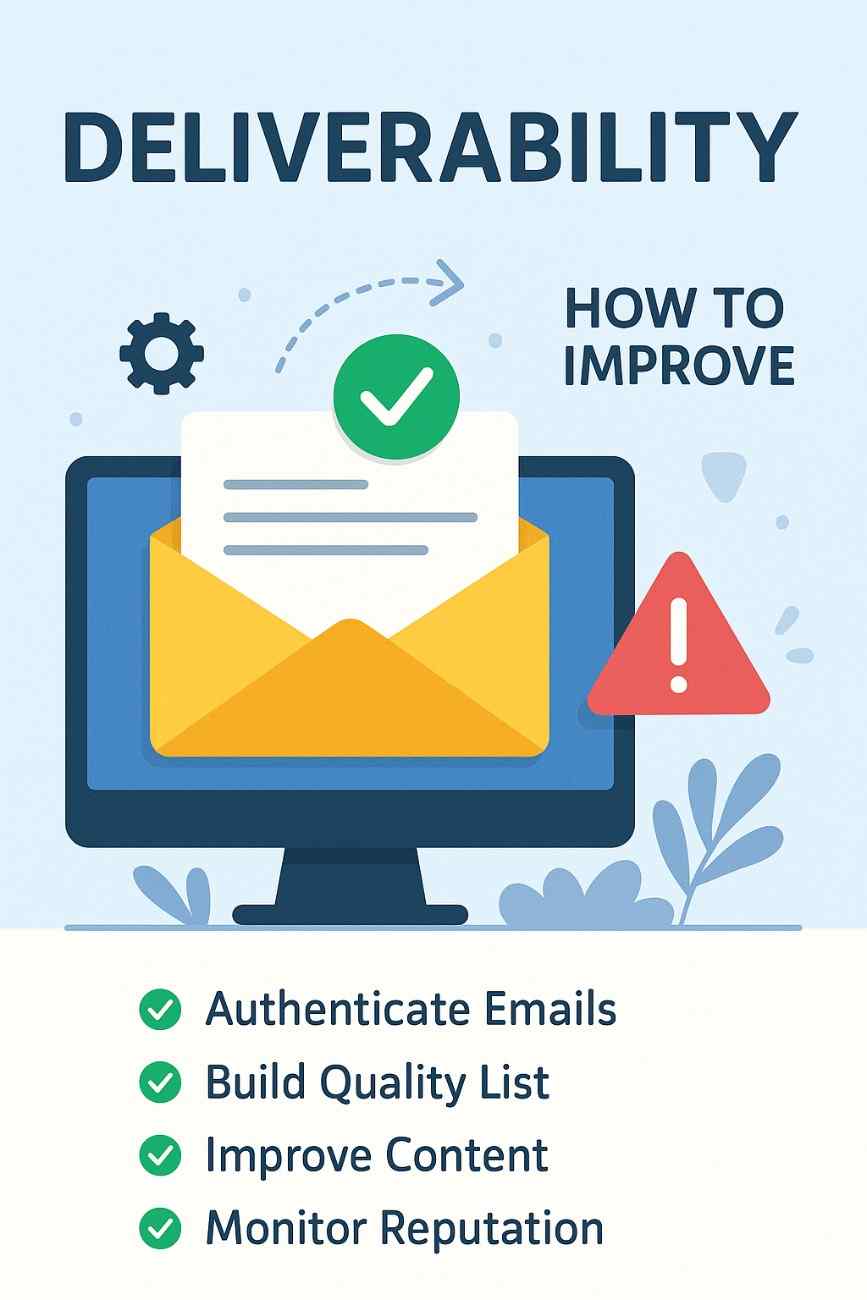
2. Authenticate Your Emails

Set up:

  • SPF and DKIM records on your domain

  • A DMARC policy to reduce spoofing
    This ensures ISPs can trust your emails.


3. Maintain List Hygiene

  • Use double opt-in to validate subscribers

  • Remove users who haven’t engaged in 3–6 months

  • Use list cleaning tools (e.g., NeverBounce, ZeroBounce)

  • Segment users based on activity levels


4. Optimize Content for Deliverability

  • Avoid spam-trigger words like “Free Money,” “Act Now,” “Click Here!”

  • Keep a good text-to-image ratio (avoid image-only emails)

  • Use mobile-responsive templates

  • Always include an unsubscribe link

  • Avoid attachments in mass emails


5. Monitor Engagement

  • Track open, click, and bounce rates

  • Test subject lines with A/B testing

  • Re-engage inactive users with win-back campaigns

  • Stop emailing completely inactive users


6. Warm Up New Domains and IPs

If you’ve just created a new domain, don’t start with 10,000 emails. Instead:

  • Send small batches (e.g., 100 emails per day)

  • Gradually increase volume over weeks

  • Monitor reputation and engagement closely

This process, known as “warming up,” signals to ISPs that you’re a legitimate sender.


7. Avoid Purchased Lists

One of the worst deliverability practices is sending emails to purchased, scraped, or third-party lists. These are often filled with:

  • Inactive or outdated emails

  • Spam traps

  • People who never opted in

Sending to such lists leads to instant reputation damage.


8. Regularly Test and Monitor

Use tools like:

  • Mail-Tester.com: Checks spam score and authentication.

  • Postmark, SendForensics, or GlockApps: Analyze deliverability metrics.

  • Google Postmaster Tools: See how Gmail users interact with your emails.

Continuous testing ensures you’re adapting to evolving spam filters and ISP behaviors.


Example: An eCommerce Brand Improving Deliverability

Let’s consider the example of EcoWear, a small eCommerce brand selling sustainable clothing online. Initially, their email campaigns had:

  • A 25% open rate

  • A 4% click-through rate

  • A high bounce rate of 8%

  • Many emails landing in spam folders

Steps EcoWear took to improve deliverability:

  1. Authentication Setup:
    They worked with their email service provider to set up SPF, DKIM, and DMARC on their domain.

  2. List Cleanup:
    They removed unengaged users and verified emails using a cleaning service.

  3. Segmentation:
    They created separate lists for active, dormant, and VIP customers, and tailored emails accordingly.

  4. Content Overhaul:
    They revamped email templates to include less aggressive language, added plain-text alternatives, and ensured clear branding and CTA.

  5. Warm-up Strategy:
    When switching to a new ESP, they gradually increased send volumes and tracked engagement closely.

  6. Engagement Campaigns:
    They ran a win-back campaign titled “We Miss You — Here’s 20% Off” targeting inactive users.

  7. Monitoring:
    They used Postmark to track deliverability and inbox placement, and used Google Postmaster Tools for sender reputation.

Results after 3 months:

  • Open rate improved to 42%

  • Click-through rate reached 9%

  • Bounce rate dropped to 0.7%

  • Spam complaints reduced significantly

The improved deliverability directly led to a 23% increase in sales from email marketing, showing the real business impact of good practices.


Conclusion

Deliverability is more than a technical concept — it’s the backbone of successful email marketing. When your emails don’t land in the inbox, you lose visibility, engagement, and revenue. By understanding the factors that influence deliverability and implementing best practices — from authentication and list hygiene to content quality and engagement tracking — businesses and creators can ensure their messages reach the right audience at the right time.

Improving deliverability is not a one-time task but an ongoing process. As spam filters evolve and user behavior changes, marketers must remain vigilant, ethical, and data-driven. The difference between an email being seen or ignored can mean the success or failure of an entire campaign.

In a world where competition for inbox space is fierce, deliverability is your ticket to attention, trust, and results.

Understanding Email Warm-Up: Process, Importance, and Practical Application

Email warm-up is a critical process in email marketing that involves gradually building a positive reputation for a new email account, domain, or IP address to ensure high deliverability rates. As email service providers (ESPs) like Gmail, Outlook, and Yahoo increasingly prioritize sender reputation to filter spam, email warm-up has become essential for businesses, marketers, and individuals launching email campaigns in 2025. This article provides a comprehensive explanation of what email warm-up entails, why it is indispensable, the risks of skipping it, and how to implement it effectively. It concludes with a practical example demonstrating its application for an ecommerce business.

What is Email Warm-Up?

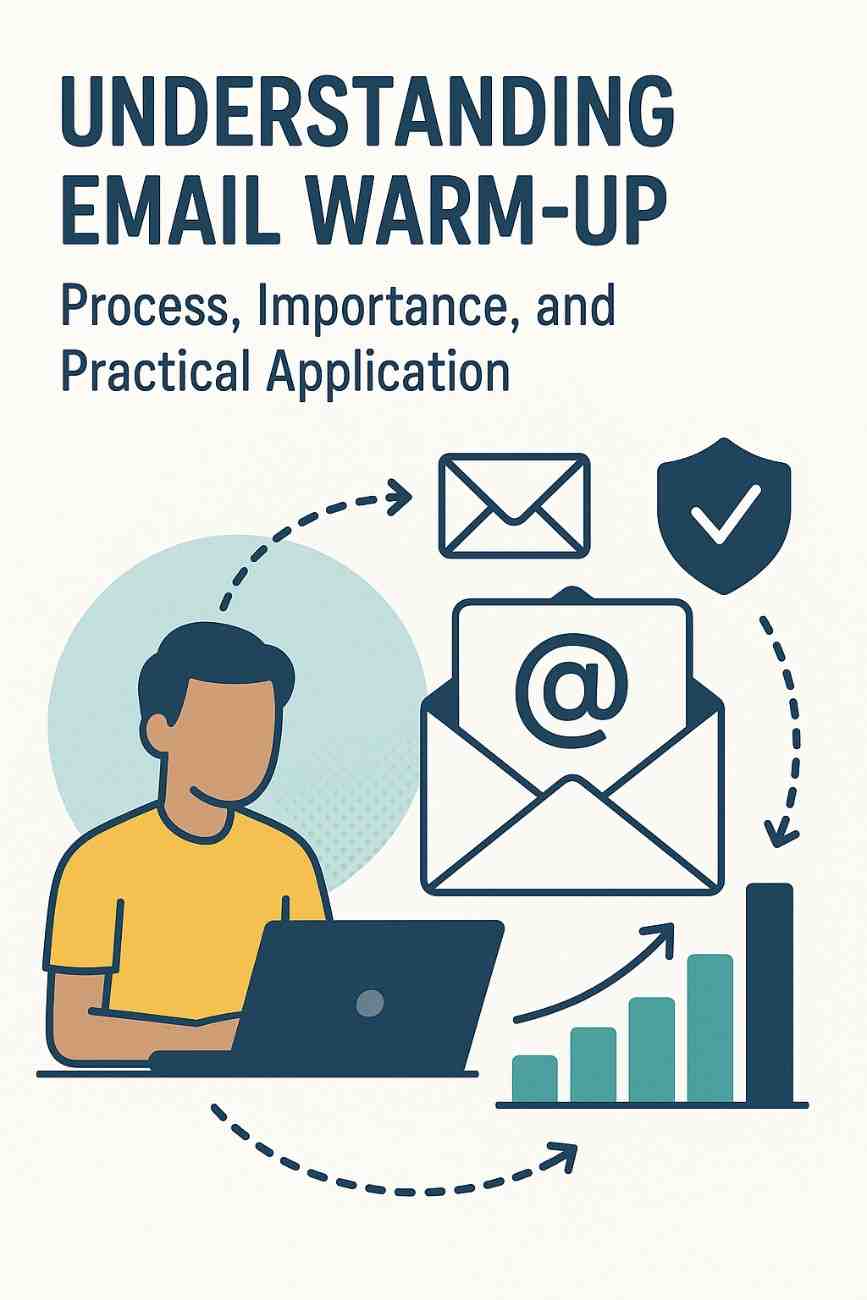
Email warm-up is the process of incrementally increasing the volume of emails sent from a new or previously unused email account, domain, or IP address over a period of time—typically 2 to 8 weeks—to establish trust with ESPs and Internet Service Providers (ISPs). The goal is to demonstrate to these providers that the sender is legitimate, engages recipients authentically, and adheres to best practices, thereby improving the likelihood that emails land in the inbox rather than the spam folder or get blocked entirely.

Key Components of Email Warm-Up

  1. Gradual Volume Increase: Start with a low number of emails (e.g., 10–50 per day) and slowly ramp up over weeks, doubling or increasing by a small percentage daily or weekly.
  2. Engagement-Focused Interactions: Send emails to highly engaged, opted-in contacts who are likely to open, reply, or interact positively, as these actions signal trustworthiness to ESPs.
  3. Domain and IP Authentication: Implement protocols like SPF (Sender Policy Framework), DKIM (DomainKeys Identified Mail), and DMARC (Domain-based Message Authentication, Reporting, and Conformance) to verify sender identity.
  4. Consistent Sending Patterns: Maintain regular, predictable sending schedules to avoid sudden spikes that may trigger spam filters.
  5. Monitoring Metrics: Track deliverability, open rates, bounce rates, and spam complaints to adjust the warm-up strategy as needed.

Manual vs. Automated Warm-Up

  • Manual Warm-Up: Involves manually sending emails to small groups of contacts, gradually increasing volume, and monitoring engagement. This is time-intensive but offers full control.
  • Automated Warm-Up: Uses tools like Instantly, Lemlist, Warmbox, or Mailwarm to automate the process. These tools simulate human-like interactions (e.g., sending, opening, replying) and integrate with ESPs to scale volume systematically.

In 2025, automated warm-up tools are prevalent due to their efficiency, with platforms like Brevo, Klaviyo, and HubSpot offering built-in warm-up features or integrations with third-party tools.

Why is Email Warm-Up Important?

Email warm-up is crucial for several reasons, each tied to the mechanics of email deliverability and sender reputation in a highly regulated digital ecosystem.

1. Building Sender Reputation

ESPs and ISPs evaluate sender reputation based on metrics like engagement (opens, clicks, replies), bounce rates, spam complaints, and adherence to authentication protocols. A new domain or IP starts with a neutral reputation, and sudden high-volume sending can flag it as suspicious, leading to spam filtering or blacklisting. Warm-up establishes a positive reputation by demonstrating consistent, legitimate behavior.

  • Example: A new domain sending 10,000 emails on day one is likely to be flagged, whereas sending 50 emails daily, with 30% open rates, builds trust over time.

2. Ensuring Inbox Placement

Deliverability—the percentage of emails that reach the inbox—depends on sender reputation. Poor reputation increases the chance of emails landing in spam folders or being rejected. Warm-up maximizes inbox placement by fostering positive engagement signals.

  • Data Point: Studies in 2025 show that warmed-up domains achieve 80–90% inbox placement compared to 20–40% for unwarmed domains.

3. Protecting Brand Credibility

Emails landing in spam or failing to deliver can damage a brand’s credibility, as recipients may perceive the sender as untrustworthy. Warm-up ensures professional, reliable communication, enhancing brand perception.

4. Complying with ESP Regulations

ESPs like Gmail and Yahoo have tightened anti-spam measures in 2025, requiring senders to authenticate domains and maintain low complaint rates (below 0.1%). Warm-up aligns with these standards by prioritizing opted-in, engaged recipients.

5. Maximizing Campaign ROI

Email marketing offers a high ROI (up to $45 per $1 spent), but only if emails reach the intended audience. Warm-up ensures campaigns are effective by reducing bounces and improving engagement, directly impacting conversions and revenue.

6. Avoiding Blacklists and Penalties

Sending high volumes without warm-up risks landing on blacklists (e.g., Spamhaus), which can block emails across multiple ESPs. Recovering from blacklisting is time-consuming and costly. Warm-up mitigates this risk.

7. Supporting Scalability

For businesses planning large-scale campaigns, warm-up lays the foundation for sending high volumes reliably. A well-warmed domain can handle thousands of emails daily without triggering filters.

Risks of Skipping Email Warm-Up

Neglecting email warm-up can lead to severe consequences:

  • Low Deliverability: Emails may be filtered to spam or blocked, reducing campaign effectiveness.
  • Blacklisting: Sudden high-volume sending can flag the domain or IP, leading to blacklisting.
  • High Bounce Rates: Sending to unengaged or invalid contacts increases bounces, harming reputation.
  • Spam Complaints: Unwarmed accounts risk higher complaint rates, as recipients may mark unsolicited emails as spam.
  • Lost Revenue: Poor deliverability translates to fewer conversions, undermining marketing goals.
  • Delayed Recovery: Fixing a damaged reputation can take months, delaying campaigns and growth.

How to Implement Email Warm-Up

Step-by-Step Process

  1. Set Up Authentication: Configure SPF, DKIM, and DMARC records for your domain to verify sender identity. Use tools like MXToolbox to validate setup.
  2. Choose Engaged Contacts: Start with a small list (50–100) of opted-in, active subscribers (e.g., recent sign-ups or loyal customers) to ensure high engagement.
  3. Start Small: Send 10–50 emails daily, focusing on personalized, relevant content (e.g., welcome emails, educational content).
  4. Monitor Metrics: Use your ESP’s analytics (e.g., Brevo, Mailchimp) to track open rates (aim for >20%), bounce rates (<2%), and spam complaints (<0.1%).
  5. Gradually Increase Volume: Increase daily volume by 10–20% or double weekly, depending on performance. For example, move from 50 to 75 emails daily after a week of consistent 25% open rates.
  6. Encourage Engagement: Include clear calls-to-action (CTAs), ask for replies, or incentivize clicks to boost positive signals.
  7. Diversify Recipients: Gradually include less-engaged contacts, but prioritize quality over quantity to maintain reputation.
  8. Use Warm-Up Tools: For automation, tools like Instantly or Warmbox can simulate interactions and scale volume systematically.
  9. Maintain Consistency: Send emails regularly (e.g., daily or 3–4 times weekly) to establish predictable patterns.
  10. Adjust Based on Feedback: If bounce rates rise or open rates drop, pause increases and refine your list or content.

Timeline

  • Week 1–2: 10–100 emails/day, targeting highly engaged contacts.
  • Week 3–4: 100–500 emails/day, expanding to moderately engaged contacts.
  • Week 5–8: 500–5,000+ emails/day, depending on list size and performance.

Best Practices in 2025

  • Use Dedicated IPs: For high-volume senders (>10,000 emails/day), a dedicated IP allows full control over reputation.
  • Clean Your List: Remove invalid or inactive emails using tools like NeverBounce or ZeroBounce.
  • Personalize Content: AI-driven personalization (available in platforms like Klaviyo) boosts engagement.
  • Avoid Spam Triggers: Steer clear of spammy words (e.g., “free,” “urgent”) and excessive links.
  • Leverage AI Tools: Platforms like Brevo and HubSpot offer AI-driven warm-up guidance, optimizing send times and content.

Example: Email Warm-Up for an Ecommerce Business

Scenario: “EcoTrend,” a new ecommerce store selling sustainable fashion, launches an email marketing campaign using Brevo to promote its spring collection. They have a new domain (ecotrend.com) and a list of 2,000 opted-in subscribers from a recent giveaway. To ensure high deliverability, they implement email warm-up.

Implementation:

  1. Setup (Day 1):
    • EcoTrend configures SPF, DKIM, and DMARC for ecotrend.com, verified via Brevo’s domain authentication tools.
    • They select 100 highly engaged subscribers (recent sign-ups who confirmed opt-in) for initial emails.
    • They integrate Brevo with Instantly for automated warm-up.
  2. Week 1 (Days 1–7):
    • EcoTrend sends 20–50 emails daily, starting with a welcome email introducing the brand and a 5% discount CTA.
    • Content is personalized using Brevo’s AI tools, addressing recipients by name and recommending eco-friendly products.
    • Instantly simulates 10–15 replies daily to boost engagement signals.
    • Metrics: 30% open rate, 5% click rate, 0% bounce rate, 0 complaints.
  3. Week 2 (Days 8–14):
    • Volume increases to 75–150 emails/day, adding 50 more engaged subscribers.
    • Emails include educational content about sustainable fashion, encouraging replies (e.g., “What’s your favorite eco-friendly brand?”).
    • Metrics: 28% open rate, 4% click rate, 1% bounce rate, 0 complaints.
    • EcoTrend pauses volume increase for one day to clean bounced emails using Brevo’s list hygiene tools.
  4. Week 3–4 (Days 15–28):
    • Volume scales to 150–500 emails/day, incorporating moderately engaged subscribers.
    • Campaigns include product showcases and abandoned cart reminders (triggered via Shopify integration).
    • Metrics: 25% open rate, 3.5% click rate, 1.5% bounce rate, 0.05% complaints.
    • EcoTrend adjusts content to reduce bounces by targeting active subscribers.
  5. Week 5–8 (Days 29–56):
    • Volume reaches 500–2,000 emails/day, covering the full list.
    • Campaigns promote the spring collection with segmented offers (e.g., 10% off for “VIP Subscribers”).
    • Metrics: 22% open rate, 3% click rate, 1% bounce rate, 0.03% complaints.
    • Deliverability reaches 90% inbox placement, verified via Brevo’s analytics.

Results:

  • After 8 weeks, EcoTrend’s domain achieves a strong sender reputation, enabling 5,000+ emails weekly without spam issues.
  • The spring collection campaign generates $10,000 in revenue, with 15% attributed to email marketing.
  • Engagement metrics remain healthy, and the domain avoids blacklists, ensuring long-term deliverability.

Key Takeaways:

  • EcoTrend’s gradual approach and focus on engagement built trust with ESPs.
  • Automation via Instantly saved time while maintaining authenticity.
  • Regular monitoring and list cleaning prevented reputation damage.

Conclusion

Email warm-up is a vital process for establishing a strong sender reputation, ensuring high deliverability, and maximizing the success of email marketing campaigns in 2025. By gradually increasing email volume, prioritizing engagement, and adhering to authentication standards, businesses can avoid spam filters, protect brand credibility, and achieve significant ROI. The risks of skipping warm-up—low deliverability, blacklisting, and lost revenue—underscore its importance. Tools like Brevo, Klaviyo, and Instantly, combined with best practices like personalization and list hygiene, make warm-up accessible and effective. The EcoTrend example illustrates how a strategic warm-up process can lay the foundation for successful, scalable email campaigns, empowering businesses to connect with audiences in a competitive digital landscape.

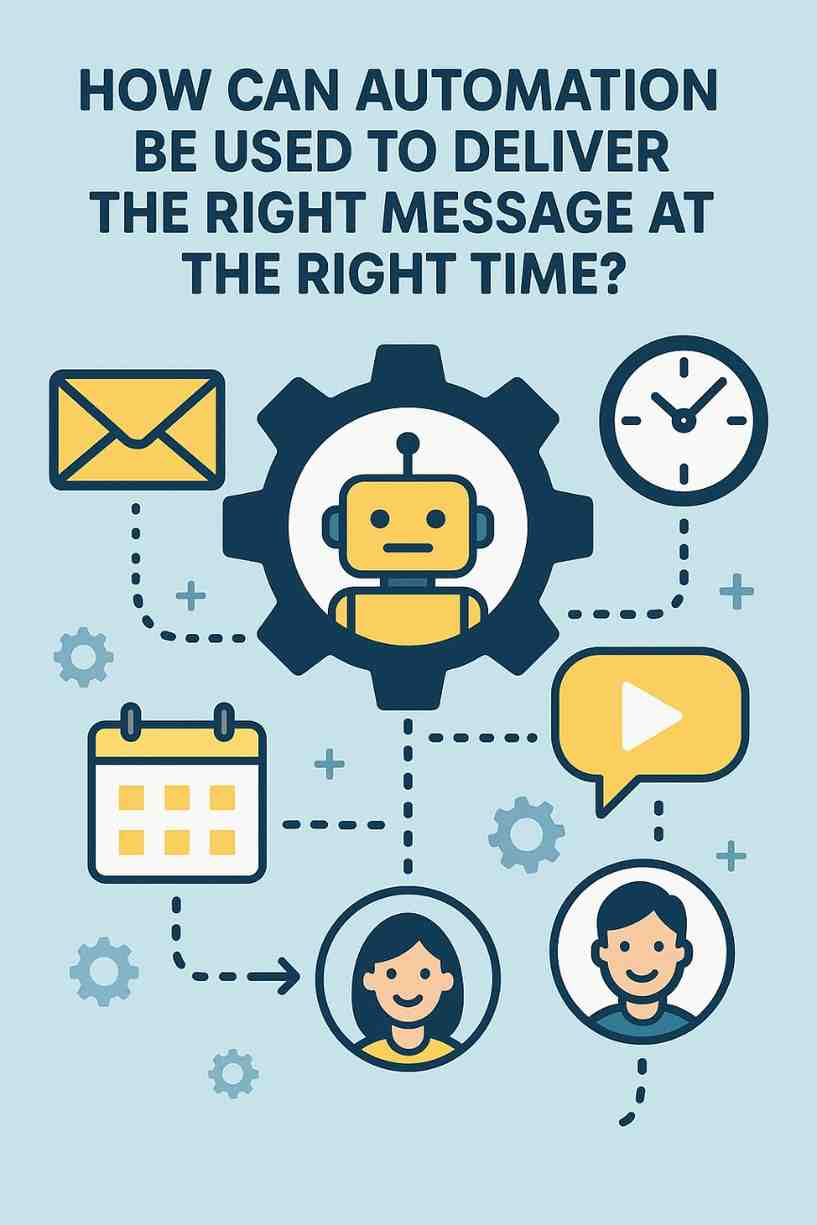
How Can Automation Be Used to Deliver the Right Message at the Right Time?

In the ever-evolving digital landscape, delivering personalized communication to the right audience at the right time is no longer optional—it is essential. Today’s consumers expect seamless, relevant, and timely interactions with brands. This level of efficiency and personalization would be impossible to maintain manually at scale, which is where automation steps in as a game-changer. Automation in marketing—especially in email marketing and customer relationship management (CRM)—allows businesses to send highly targeted and contextually relevant messages based on a variety of triggers, behaviors, and data points.

This article explores how automation can be used to deliver the right message at the right time, why it matters, the technology behind it, practical strategies for implementation, and a real-world example that demonstrates its effectiveness.


Understanding Marketing Automation

Marketing automation is the process of using software tools and systems to streamline, automate, and measure marketing tasks and workflows. The primary goal is to increase efficiency, provide a better user experience, and ultimately, boost conversions and revenue.

One of the most powerful applications of automation is in message delivery—sending emails, SMS, push notifications, or even social media messages that are highly relevant to the individual recipient’s journey. These messages are triggered by actions or conditions such as signups, purchases, inactivity, browsing behavior, birthdays, location, or expressed interests.


Why Delivering the Right Message at the Right Time Matters

Delivering a message at the perfect moment can dramatically enhance its impact. Here’s why timing and relevance are crucial:

  1. Increased Engagement: People are more likely to engage with content that resonates with their immediate needs or interests.

  2. Improved Customer Experience: Timely communication fosters trust and loyalty by showing the brand understands and anticipates the customer’s needs.

  3. Higher Conversion Rates: Strategic timing and personalization increase the likelihood of conversions, whether that means making a purchase, signing up for a webinar, or downloading a guide.

  4. Reduced Churn: Customers who feel understood are less likely to unsubscribe or disengage.

To achieve this, businesses need to go beyond static content and adopt behavior-driven, automated communication strategies.


How Automation Delivers the Right Message at the Right Time

The heart of successful marketing automation lies in data, triggers, and personalized workflows. Let’s explore how automation is applied step-by-step:


1. Collecting and Analyzing Customer Data

Before delivering messages, businesses need to gather comprehensive data about their customers. This can include:

  • Demographic data (age, location, gender)

  • Behavioral data (website visits, product views, email opens, click-throughs)

  • Transactional data (purchase history, average order value)

  • Engagement data (content consumed, frequency of interaction)

  • CRM data (lifecycle stage, sales interactions)

Modern tools like Customer Data Platforms (CDPs), CRM software, and email marketing tools collect, organize, and analyze this data to create user profiles or segments.


2. Defining Triggers

Triggers are specific actions or conditions that initiate an automated message. These include:

  • A user signing up for a newsletter

  • Abandoning a shopping cart

  • Viewing a particular product page

  • Being inactive for a set period (e.g., 30 days)

  • Completing a purchase

  • Reaching a loyalty milestone

  • Birthday or anniversary date

Each of these triggers reflects a moment of opportunity when a message can be sent to move the user closer to conversion or re-engagement.


3. Setting Up Automated Workflows

Using email marketing tools like HubSpot, ActiveCampaign, Klaviyo, Mailchimp, or Drip, businesses can create automated workflows. These workflows are essentially “if-this-then-that” scenarios that define:

  • What the trigger is

  • What message to send

  • When to send it

  • Whether to send follow-ups

  • How to segment responses and adjust future messages

For instance, if a user clicks on a pricing page but doesn’t buy, a follow-up email with a discount or case study might be triggered after 24 hours.


4. Personalizing the Message

Automation systems allow for deep personalization using dynamic content. You can personalize:

  • Subject lines (“[First Name], here’s a 20% discount just for you!”)

  • Email body content

  • Product recommendations based on browsing or purchase history

  • Offers or incentives

  • Language, tone, and visuals

Advanced platforms can use AI-driven recommendations to further tailor messages based on past behaviors and predicted preferences.


5. Testing and Optimization

Automation platforms often come with A/B testing tools, allowing marketers to test subject lines, content, call-to-actions (CTAs), and timing to see which version performs best. This continuous optimization ensures the messages remain effective and impactful.


Example: Automation in Action—An eCommerce Scenario

Let’s illustrate how automation helps deliver the right message at the right time with an example from the eCommerce sector.

Business: An online fashion retailer.

Goal: Increase sales, reduce cart abandonment, and improve customer retention.

Step 1: Data Collection

The retailer uses website analytics and customer behavior tracking. They track:

  • Pages visited (e.g., dresses, shoes, accessories)

  • Items added to cart

  • Checkout abandonment

  • Past purchase history

  • Email open and click rates

Step 2: Create Segments and Triggers

The retailer identifies several key triggers:

  • User adds an item to the cart but does not check out within 1 hour

  • User visits a specific category three times in a week

  • User hasn’t purchased in 60 days

  • User’s birthday is approaching

Step 3: Set Up Automated Campaigns

Campaign 1: Cart Abandonment

  • Trigger: Cart abandoned for 1 hour

  • Message 1: Reminder email with a photo of the item and free shipping

  • Message 2 (after 24 hours): Email offering 10% off if the purchase is completed within 48 hours

Campaign 2: Browsing Behavior

  • Trigger: User views “summer dresses” category multiple times

  • Message: Email with top-rated summer dresses and a style guide

Campaign 3: Win-Back Campaign

  • Trigger: Inactive user for 60 days

  • Message: “We miss you!” email with a special loyalty discount and a new arrivals catalog

Campaign 4: Birthday Automation

  • Trigger: Birthday in 7 days

  • Message: Email with a birthday greeting and a 20% discount code valid for the user’s birthday week

Step 4: Monitor and Optimize

The retailer tracks:

  • Open and click rates

  • Conversion rate from emails

  • Overall revenue generated from automation

  • Which email sequences perform best

They continue to refine their timing, content, and segmentation based on this data.


Channels Where Automation Delivers Messages

Automation isn’t limited to emails. Brands now use multi-channel marketing automation to ensure the right message reaches users where they’re most active. Common channels include:

  • Email

  • SMS

  • Push Notifications

  • In-app Messaging

  • Social Media DMs (via bots)

  • Web Popups

  • Retargeting Ads

For example, if a user browses a product but doesn’t act, they might receive:

  1. An email within an hour

  2. A reminder SMS the next day

  3. A push notification via mobile app two days later

  4. A retargeting ad on Facebook after three days

Each of these is automated and timed precisely based on user behavior.


Benefits of Automated, Timed Messaging

  1. Scalability: Engage thousands or millions of users without manual work.

  2. Consistency: Ensure every user receives timely and brand-consistent messages.

  3. Precision: Tailor messages based on real-time actions and data.

  4. ROI Boost: Automation increases conversion rates and reduces missed opportunities.

  5. Customer Satisfaction: Personalization and timing enhance user experience and brand loyalty.


Common Mistakes to Avoid

Despite its advantages, poor implementation can reduce automation’s effectiveness. Pitfalls include:

  • Over-automation: Sending too many messages can annoy users.

  • Poor segmentation: One-size-fits-all messaging leads to low engagement.

  • Lack of testing: Failing to A/B test and refine strategies reduces impact.

  • Ignoring timing preferences: Sending messages at odd hours can result in unsubscriptions.

  • Not updating workflows: User preferences and trends change—automations should evolve too.


Conclusion

Delivering the right message at the right time isn’t just a marketing cliché—it’s a critical strategy enabled and perfected through automation. With the power to analyze behavior, segment audiences, personalize content, and schedule messages with pinpoint precision, automation transforms how businesses engage their audiences. Whether it’s a welcome email, a timely reminder, or a re-engagement campaign, automation ensures that each message lands at the moment it matters most.

By implementing intelligent automation workflows, businesses can meet their customers’ expectations, drive higher engagement, and ultimately, increase revenue. It’s not about sending more messages—it’s about sending the right messages, to the right people, at the right time.

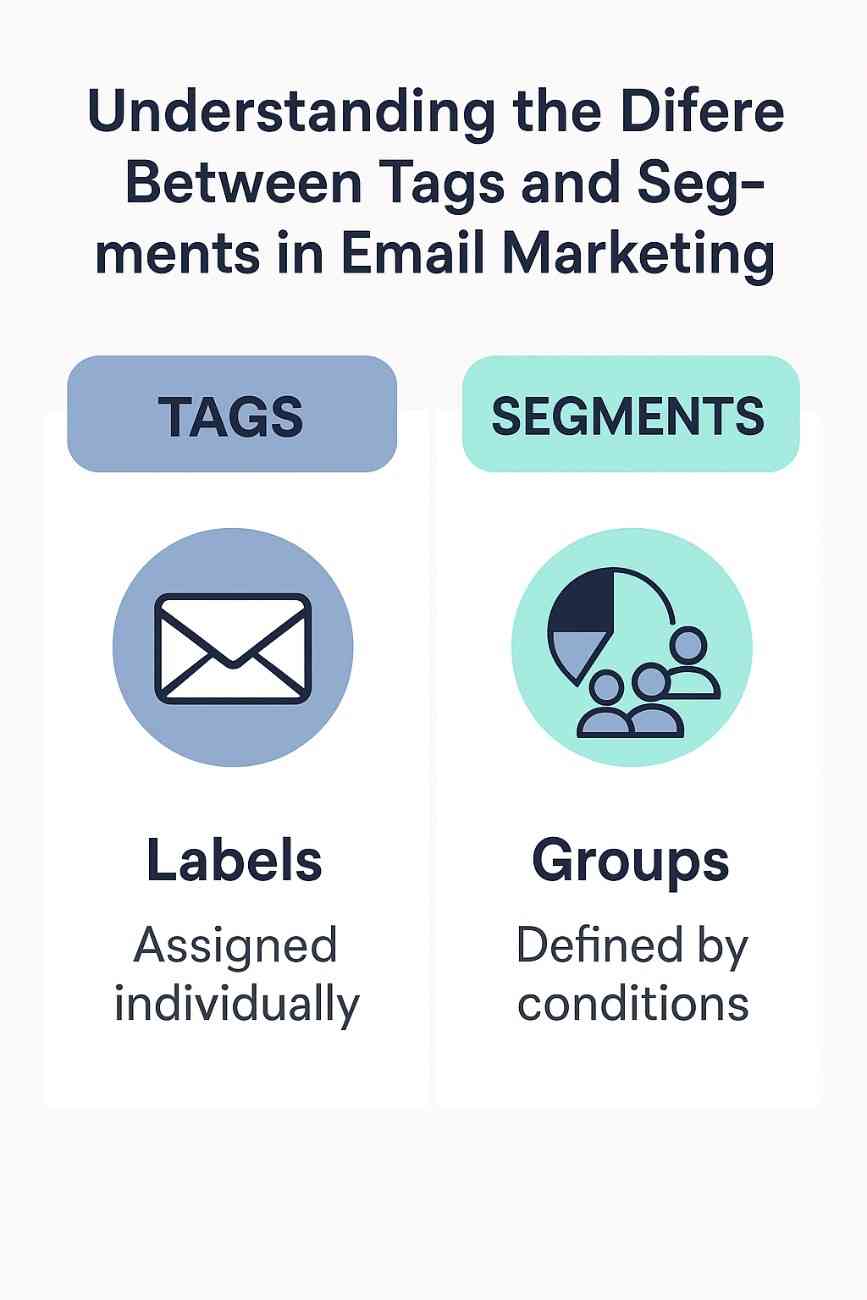
Understanding the Difference Between Tags and Segments in Email Marketing

In email marketing, effectively managing and communicating with your audience hinges on organizing contacts in a way that allows for targeted, relevant messaging. Two fundamental tools for achieving this are tags and segments. While both are used to categorize and manage contacts, they serve distinct purposes, have different functionalities, and are applied in unique ways to optimize email campaigns. This article provides a comprehensive explanation of the differences between tags and segments, their use cases, benefits, and limitations, and concludes with a practical example to illustrate their application in a real-world scenario. The discussion is tailored to reflect the state of email marketing platforms in 2025, incorporating insights from modern tools and practices.

Defining Tags and Segments

Tags

Tags are descriptive labels or identifiers assigned to individual contacts in an email marketing platform. They act as metadata, providing specific, often qualitative, information about a contact’s behavior, preferences, or characteristics. Tags are typically applied manually or through automation rules based on specific actions or attributes, such as a purchase, form submission, or engagement with a campaign.

  • Purpose: Tags categorize contacts based on specific actions, traits, or events, allowing for flexible and granular organization.
  • Characteristics:
    • Static and Individual: Tags are applied to individual contacts and remain until removed or updated.
    • Flexible and Cumulative: A single contact can have multiple tags, each representing different attributes or actions (e.g., “VIP Customer,” “Attended Webinar,” “Interested in Product X”).
    • Action-Based: Tags are often tied to specific interactions, such as clicking a link, making a purchase, or signing up for a newsletter.
    • Non-Exclusive: Contacts can have overlapping tags without conflict, as tags are independent of one another.
  • Use Cases:
    • Identifying customers who completed a specific action (e.g., “Downloaded eBook”).
    • Labeling contacts based on interests or preferences (e.g., “Prefers Eco-Friendly Products”).
    • Tracking engagement with specific campaigns (e.g., “Opened Black Friday Email”).
  • Example in Platforms: In tools like Brevo or Mailchimp, tags can be added via automation triggers (e.g., tagging a contact as “Lead” after they fill out a form) or manually during data import.

Segments

Segments are dynamic groups of contacts created based on predefined criteria or conditions. These criteria can include tags, demographic data, behavioral data, or other attributes stored in the contact database. Segments are essentially filtered lists that update automatically as contacts meet or no longer meet the specified conditions.

  • Purpose: Segments enable marketers to group contacts for targeted campaigns based on shared characteristics or behaviors.
  • Characteristics:
    • Dynamic and Rule-Based: Segments update in real-time as contacts’ data changes (e.g., a contact enters or exits a segment when their behavior or attributes change).
    • Conditional: Segments are defined by rules, such as “Contacts who opened an email in the last 30 days” or “Contacts with a purchase history over $100.”
    • Group-Oriented: Segments apply to groups of contacts rather than individuals, though they rely on individual data points.
    • Temporary: Contacts can move in and out of segments as their data evolves.
  • Use Cases:
    • Sending targeted campaigns to contacts meeting specific criteria (e.g., “All subscribers in California who purchased in the last 60 days”).
    • Analyzing audience behavior, such as identifying inactive subscribers for re-engagement campaigns.
    • Personalizing content for groups with shared traits, like age or location.
  • Example in Platforms: In Klaviyo or ActiveCampaign, segments can be created using filters like “Has purchased Product X” AND “Lives in New York” to dynamically group contacts for a campaign.

Key Differences Between Tags and Segments

To fully grasp the distinction between tags and segments, let’s break down their differences across several dimensions:

1. Nature and Application

  • Tags: Applied directly to individual contacts, often as a result of a specific action or manual input. For example, a contact who signs up for a webinar might be tagged “Webinar Attendee.” Tags are static and persist unless deliberately removed.
  • Segments: Created by defining rules that filter contacts into groups. For instance, a segment might include “All contacts tagged ‘Webinar Attendee’ who also live in Europe.” Segments are dynamic and adjust automatically as contact data changes.

2. Flexibility

  • Tags: Highly flexible, as multiple tags can be applied to a single contact to describe various attributes or actions. They allow for granular customization without predefined structure.
  • Segments: Less flexible in terms of individual customization, as they rely on predefined conditions. However, they are powerful for creating broad groups based on complex, multi-criteria filters.

3. Automation

  • Tags: Often used within automation workflows to label contacts based on triggers. For example, in Omnisend, a contact who abandons a cart might be tagged “Abandoned Cart” to trigger a follow-up email.
  • Segments: Used to target groups in automation or campaigns. For instance, a segment like “Abandoned Cart in Last 24 Hours” can be used to send a time-sensitive recovery email to all qualifying contacts.

4. Scalability

  • Tags: Can become unwieldy with large contact lists if not managed properly, as too many tags may lead to disorganization. However, they are excellent for micro-targeting.
  • Segments: Scale well for large audiences, as they dynamically group contacts based on rules, reducing manual management. They are ideal for broad, recurring campaigns.

5. Use in Campaigns

  • Tags: Best for one-off or highly specific campaigns targeting contacts with particular labels. For example, sending a thank-you email to all contacts tagged “Recent Purchaser.”
  • Segments: Ideal for ongoing, dynamic campaigns targeting groups that evolve over time, such as “Engaged Subscribers” (contacts who opened emails in the last 30 days).

6. Data Management

  • Tags: Require careful management to avoid clutter. For instance, a contact might accumulate dozens of tags over time, making it harder to prioritize relevant ones.
  • Segments: Automatically manage group membership based on rules, reducing manual upkeep but requiring precise criteria to avoid over- or under-inclusion.

7. Examples in 2025 Platforms

  • In Mailchimp, tags are used to label contacts (e.g., “VIP Customer”), while segments are created using filters like “Contacts with tag ‘VIP Customer’ who spent over $500.”
  • In Klaviyo, tags might mark a contact as “Clicked Summer Sale Link,” while a segment could group “All contacts who clicked Summer Sale Link and made a purchase.”
  • In HubSpot, tags (or custom properties) can denote specific actions, while segments (lists) are used for dynamic campaign targeting.

Benefits and Limitations

Tags

  • Benefits:
    • Granular and specific, allowing for precise tracking of individual actions or traits.
    • Easy to apply via automation or manual input.
    • Versatile for ad-hoc targeting or niche campaigns.
  • Limitations:
    • Can lead to tag overload if not managed systematically.
    • Requires manual cleanup to maintain relevance.
    • Less efficient for large-scale, recurring campaigns.

Segments

  • Benefits:
    • Dynamic and self-updating, reducing manual effort.
    • Ideal for large-scale, recurring campaigns with clear criteria.
    • Supports complex filtering for precise audience targeting.
  • Limitations:
    • Requires accurate data and well-defined rules to be effective.
    • Less suited for one-off, highly specific targeting.
    • May exclude contacts if criteria are too restrictive.

Example: Using Tags and Segments for an Ecommerce Campaign

Scenario: “GreenLiving,” an ecommerce store selling eco-friendly home products, uses Brevo to manage its email marketing. The store has a subscriber list of 5,000 and wants to launch a campaign to promote a new line of sustainable kitchenware.

Implementation:

  1. Tagging Contacts:
    • GreenLiving sets up automation in Brevo to tag contacts based on specific actions:
      • Customers who purchase kitchenware are tagged “Kitchenware Buyer.”
      • Visitors who browse the kitchenware category but don’t purchase are tagged “Kitchenware Interest.”
      • Subscribers who sign up via a newsletter popup are tagged “Newsletter Subscriber.”
    • After a promotional email campaign, contacts who click a link to view the new kitchenware line are tagged “Clicked Kitchenware Promo.”
    • Result: Individual contacts now have tags reflecting their interactions, such as “Kitchenware Buyer” or “Clicked Kitchenware Promo.”
  2. Creating Segments:
    • GreenLiving creates segments to target specific groups for their campaign:
      • Segment 1: High-Value Kitchenware Buyers – Criteria: “Tagged ‘Kitchenware Buyer’ AND spent over $100 in the last 90 days.” This segment dynamically includes loyal customers who have made significant kitchenware purchases.
      • Segment 2: Engaged Prospects – Criteria: “Tagged ‘Kitchenware Interest’ OR ‘Clicked Kitchenware Promo’ AND opened an email in the last 30 days.” This segment targets potential buyers who have shown interest but haven’t purchased.
      • Segment 3: New Subscribers – Criteria: “Tagged ‘Newsletter Subscriber’ AND joined in the last 14 days.” This segment focuses on welcoming new subscribers with a promotional offer.
    • Result: Segments are automatically populated and updated as contacts meet or cease to meet the criteria (e.g., a contact who makes a purchase moves from “Engaged Prospects” to “High-Value Kitchenware Buyers”).
  3. Campaign Execution:
    • High-Value Kitchenware Buyers: GreenLiving sends a loyalty discount email offering 15% off the new kitchenware line, leveraging their purchase history to personalize the message.
    • Engaged Prospects: A series of three emails is sent, starting with an educational email about sustainable kitchenware, followed by a product showcase, and ending with a limited-time 10% discount to encourage purchases.
    • New Subscribers: A welcome email introduces the brand and offers a 5% discount on any kitchenware purchase, tagged with “Welcome Offer Sent” for tracking.
    • Result: The campaign achieves a 30% open rate and 8% conversion rate, with segments ensuring relevant messaging and tags tracking individual interactions.
  4. Analytics and Refinement:
    • GreenLiving uses Brevo’s analytics to monitor performance. The “High-Value Kitchenware Buyers” segment generates $3,000 in revenue, while “Engaged Prospects” converts 10% of contacts into buyers.
    • Tags like “Clicked Kitchenware Promo” help identify engaged contacts for future campaigns, while segments are adjusted (e.g., tightening criteria to “spent over $150” for higher-value targeting).

Outcome: By combining tags and segments, GreenLiving delivers targeted campaigns that increase engagement and sales. Tags provide granular insights into individual behaviors, while segments enable scalable, dynamic targeting.

Conclusion

Tags and segments are complementary tools in email marketing, each serving a unique role in audience management. Tags offer granular, static labels for tracking individual actions or traits, while segments provide dynamic, rule-based groups for targeted campaigns. In 2025, platforms like Brevo, Mailchimp, and Klaviyo make it easy to leverage both, with automation and AI enhancing their effectiveness. The GreenLiving example demonstrates how tags and segments work together to create personalized, efficient campaigns. By understanding their differences and applying them strategically, marketers can maximize engagement, conversions, and ROI in a competitive digital landscape.

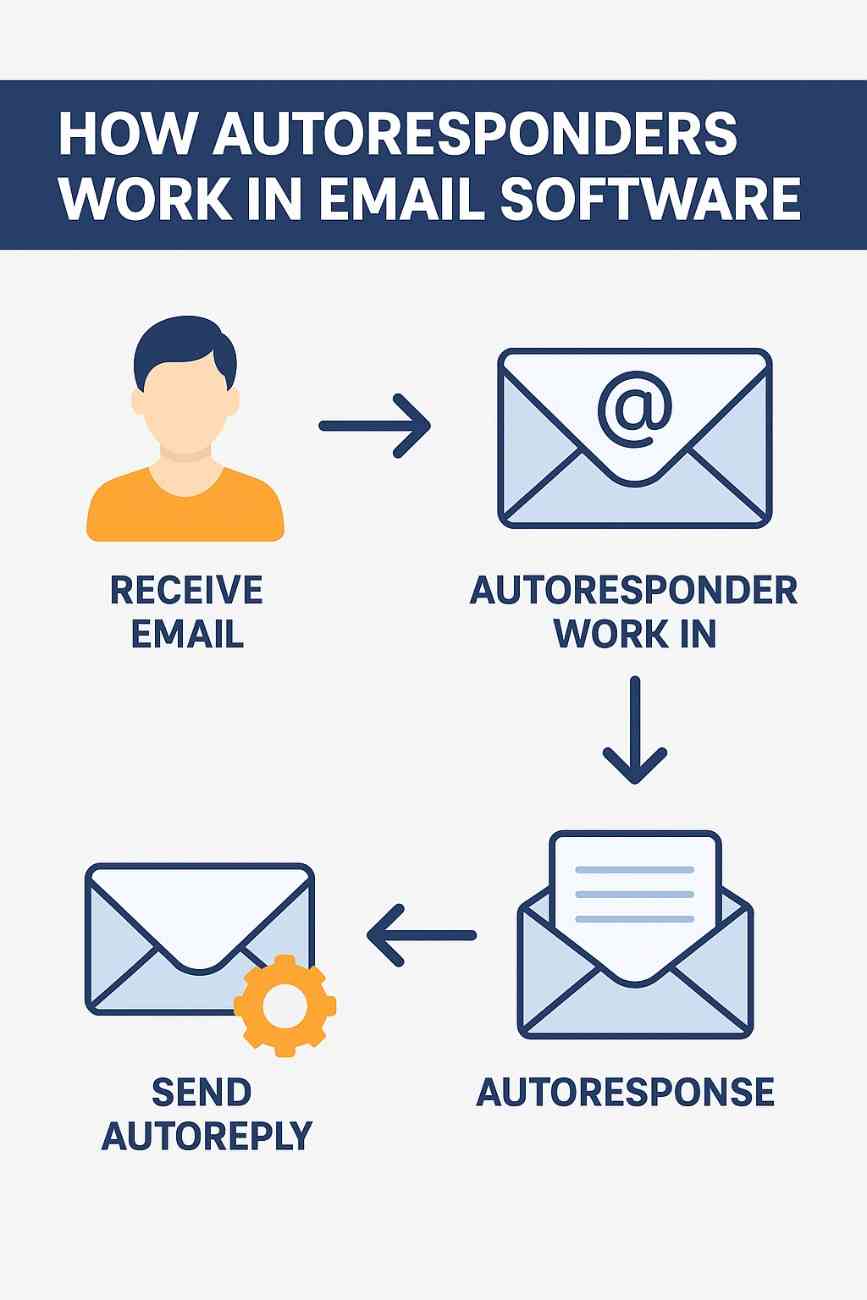
How Do Autoresponders Work in Email Software?

Autoresponders are among the most powerful tools in email marketing, allowing marketers and businesses to automatically send emails to subscribers based on specific triggers or events. These messages are usually pre-written and scheduled to go out in a sequence or immediately after an action, providing consistent communication without requiring manual intervention. This functionality enhances user experience, improves customer retention, and allows businesses to scale their email marketing efforts efficiently.


What is an Autoresponder?

An autoresponder is an email marketing feature that automatically sends pre-designed emails to subscribers based on predefined rules or triggers. It functions as an automated communication system that can send out welcome emails, follow-ups, thank-you notes, product recommendations, reminders, or promotional messages without requiring any manual action after the initial setup.

Autoresponders are built into most email marketing platforms such as Mailchimp, ConvertKit, GetResponse, ActiveCampaign, AWeber, and others. They help nurture leads, maintain relationships, and move subscribers along the marketing funnel.


The Core Mechanism of Autoresponders

To understand how autoresponders work, let’s explore their components and how they are configured within an email marketing platform.

1. Trigger Event

The autoresponder begins when a trigger event takes place. A trigger is the specific action or condition that initiates the sending of an automated email. Common triggers include:

  • A user subscribes to a mailing list

  • A customer makes a purchase

  • A subscriber clicks on a specific link in a previous email

  • A cart is abandoned in an eCommerce store

  • A specific date is reached (e.g., birthday or subscription anniversary)

These triggers are defined by the user (business or marketer) based on the goals of the email sequence.

2. Email Content Creation

Once the trigger is defined, the next step is creating the email content. The email may include text, images, links, product recommendations, or attachments. Some platforms offer templates to speed up this process, and emails can be personalized using fields like the recipient’s name, location, or behavior history.

For example:

Subject: Welcome to Our Family, [First Name]!
Body: Thank you for joining us! We’re excited to have you here. Here’s a 10% discount just for signing up. Use code WELCOME10 at checkout.

This personalized content increases engagement and builds stronger relationships with subscribers.

3. Timing and Scheduling

Autoresponders allow marketers to define the timing of when emails are sent. There are generally two types of autoresponders:

  • Immediate Autoresponders: Sent right after the trigger event. For example, a welcome email sent immediately after someone signs up.

  • Drip Campaigns (Sequential Autoresponders): A series of emails sent over a specific time interval. For instance, an onboarding sequence that delivers one email per day for a week.

This ensures subscribers receive relevant information at the right time, increasing the likelihood of interaction and conversion.

4. Email List Segmentation

Most email software platforms offer segmentation features, allowing autoresponders to target specific groups within a list based on user behavior, demographics, or other criteria. For instance, users who clicked a link in a past email may be segmented into a “high-engagement” group and sent more targeted messages.

Segmentation improves open and click-through rates by sending the most relevant content to each subset of subscribers.

5. Automation Rules and Logic

Advanced autoresponders incorporate conditional logic or automation workflows. These allow you to set “if/then” scenarios. For example:

  • If a user opens the first email and clicks a link → send Email 2A.

  • If the user doesn’t open → send a reminder email 2B after 48 hours.

This intelligent logic helps customize the subscriber journey and optimize engagement.

6. Delivery and Monitoring

Once an autoresponder is triggered, the email is sent through the platform’s email server. Afterward, most software platforms provide detailed analytics such as:

  • Open rate

  • Click-through rate (CTR)

  • Bounce rate

  • Unsubscribes

  • Conversion metrics (like purchases or downloads)

This feedback loop helps marketers refine their campaigns, improve subject lines, adjust content, or modify timing.


Example: Autoresponder for an Online Course

Let’s imagine an online business offering a free 7-day email course on digital marketing. Here’s how the autoresponder would work:

Step 1: Trigger

A user visits the website and signs up for the free course using a subscription form.

Step 2: Email Series Creation

The business prepares 7 emails covering different aspects of digital marketing:

  • Day 1: Welcome + Introduction

  • Day 2: Understanding SEO Basics

  • Day 3: Content Marketing Strategies

  • Day 4: Social Media for Branding

  • Day 5: Email Marketing Tips

  • Day 6: Analytics and Performance

  • Day 7: Advanced Tools and Final Thoughts

Step 3: Automation and Scheduling

The autoresponder is configured to send:

  • Email 1 immediately after signup

  • The next six emails once every 24 hours

Step 4: Personalization and Segmentation

Each email includes the user’s first name, and users who click on specific tools or links are tagged to receive additional recommendations at the end of the course.

Step 5: Reporting and Optimization

The business monitors the campaign to identify which days have the highest open rates, which topics generate the most clicks, and whether the final call-to-action (e.g., purchasing a full course) is converting effectively.


Benefits of Using Autoresponders

Autoresponders offer several benefits for businesses of all sizes:

1. Save Time and Effort

Once configured, autoresponders operate automatically, reducing the need for manual follow-ups. This allows marketing teams to focus on strategy, content, and customer engagement.

2. Ensure Consistent Communication

With autoresponders, you can ensure that every new subscriber receives the same onboarding experience. It standardizes communication and ensures important messages are not forgotten.

3. Boost Engagement and Nurture Leads

Autoresponders help you build relationships by providing useful and relevant information over time. You can educate, entertain, and inform users in a gradual, non-intrusive manner.

4. Increase Sales and Conversions

Autoresponders can guide users through the sales funnel with timely and persuasive messages. By building trust and showcasing value, they increase the likelihood of purchase or conversion.

5. Improve User Experience

When users receive timely responses—such as a thank-you email, confirmation of an order, or a follow-up with relevant content—it enhances their experience and perception of your brand.


Types of Autoresponder Use Cases

Here are several real-world uses of autoresponders in various sectors:

1. Welcome Series

Sent after a new user subscribes. It typically introduces the brand, offers an incentive (like a discount or free eBook), and sets expectations.

2. Abandoned Cart Emails

For eCommerce businesses, autoresponders can remind users who added products to their cart but didn’t complete the purchase.

3. Lead Nurturing Series

Used in B2B marketing, a sequence of educational emails can nurture leads over several weeks until they are ready to convert.

4. Product Recommendations

Based on previous purchases or browsing behavior, autoresponders can suggest similar or complementary products.

5. Re-engagement Campaigns

If a user has not interacted with emails in a long time, an autoresponder series can attempt to re-capture their interest with new offers or surveys.

6. Event Reminders and Follow-ups

Autoresponders can remind users about upcoming webinars, workshops, or events, and send thank-you emails or recordings afterward.


Challenges and Best Practices

While autoresponders are powerful, they must be used strategically to avoid pitfalls.

Challenges

  • Over-automation: Users may feel disconnected if the emails are too robotic or generic.

  • Spam filters: Poorly designed autoresponders may be marked as spam.

  • Unsubscribes: Irrelevant or too-frequent emails can annoy users.

  • Complex setup: Setting up workflows with multiple conditions can be confusing for beginners.

Best Practices

  • Personalize emails as much as possible.

  • Keep emails concise, valuable, and engaging.

  • Use clear calls-to-action (CTAs).

  • Test subject lines and content.

  • Monitor metrics and optimize accordingly.

  • Respect unsubscribe requests and stay compliant with laws like GDPR and CAN-SPAM.


Conclusion

Autoresponders are a fundamental tool in modern email marketing, enabling marketers to communicate efficiently and personally with their audience. By using triggers, personalized content, timing controls, and automation logic, businesses can deliver timely and relevant messages that drive engagement, improve customer retention, and boost conversions.

Whether it’s welcoming a new subscriber, nurturing a lead, reminding someone about an abandoned cart, or simply wishing them a happy birthday—autoresponders automate it all. Their ability to function silently in the background while adding immense value to the user experience makes them indispensable in any digital marketing strategy. With proper setup and thoughtful execution, autoresponders can become one of the most effective assets in any business’s marketing toolkit.

Top Email Marketing Platforms in 2025: A Comprehensive Overview

Email marketing remains one of the most effective digital marketing channels in 2025, offering businesses a direct, cost-efficient way to engage audiences, nurture leads, and drive conversions. With a reported ROI of up to $45 for every $1 spent, email marketing continues to evolve, driven by advancements in AI, automation, and personalization. The landscape is crowded with platforms catering to diverse business needs, from small startups to large enterprises. This article explores the top email marketing platforms in 2025, highlighting their key features, strengths, and ideal use cases, while providing an example of how one platform can be applied in a real-world scenario. The platforms discussed include Brevo, Mailchimp, Klaviyo, Omnisend, ActiveCampaign, HubSpot, MailerLite, Constant Contact, GetResponse, and EmailElement, based on their performance, features, and relevance in 2025.

Criteria for Selecting Top Platforms

Choosing the right email marketing platform depends on several factors: ease of use, automation capabilities, segmentation, integrations, deliverability, pricing, and scalability. In 2025, AI-driven features like predictive analytics, content generation, and send-time optimization are critical, as are multichannel marketing options (e.g., SMS, push notifications). Platforms must also comply with regulations like GDPR and CAN-SPAM while ensuring high inbox placement rates through robust deliverability tools. The following platforms excel in these areas, as evidenced by industry reviews, user feedback, and expert analyses.

1. Brevo

Overview: Brevo, formerly Sendinblue, tops many lists due to its intuitive interface, robust CRM, and comprehensive feature set. It’s ideal for small to medium-sized businesses (SMBs) seeking an all-in-one solution. Key Features:

  • Drag-and-drop email builder with 40+ templates.
  • Advanced CRM for managing leads and sales pipelines.
  • Multichannel support (email, SMS, WhatsApp, web push).
  • AI-powered automation for personalized workflows.
  • Free plan: 300 emails/day (unlimited contacts).
  • Paid plans start at $20/month for 500 contacts. Strengths: Brevo’s CRM integration streamlines sales and marketing, while its free plan is generous for startups. High deliverability is ensured through SPF, DKIM, and DMARC protocols. Weaknesses: Advanced automation may require technical expertise for complex setups. Best For: SMBs and ecommerce businesses needing integrated CRM and marketing tools.

2. Mailchimp

Overview: Mailchimp remains a leader due to its user-friendly interface and AI-powered tools, making it a go-to for small businesses and creators. Key Features:

  • AI-driven content generator (Intuit Assist) for emails and headlines.
  • Advanced segmentation based on behavior and demographics.
  • 900+ customizable templates and A/B testing.
  • Free plan: 500 contacts, 1,000 emails/month.
  • Paid plans start at $20/month for enhanced features. Strengths: Mailchimp’s ease of use and extensive template library suit beginners. Its analytics provide actionable insights, and integrations with Shopify and WordPress are seamless. Weaknesses: Free plan lacks automation, and costs rise with larger lists. Best For: Small businesses, bloggers, and startups focused on simplicity.

3. Klaviyo

Overview: Klaviyo is a powerhouse for ecommerce, offering advanced segmentation and analytics tailored to online retailers. Key Features:

  • 350+ integrations with ecommerce platforms (Shopify, WooCommerce).
  • AI-driven product recommendations and predictive analytics.
  • Multichannel marketing (email, SMS, push notifications).
  • Free plan: 250 contacts, 500 emails/month.
  • Paid plans start at $20/month for 500 contacts. Strengths: Klaviyo’s focus on ecommerce ensures tailored automation (e.g., abandoned cart emails). Its analytics are among the best for tracking ROI. Weaknesses: Pricing can be steep for high-volume senders, and it’s less suited for non-ecommerce businesses. Best For: Ecommerce brands prioritizing data-driven campaigns.

4. Omnisend

Overview: Omnisend is a favorite for ecommerce businesses due to its omnichannel automation and generous free plan. Key Features:

  • Pre-built ecommerce workflows (cart abandonment, welcome series).
  • Multichannel support (email, SMS, web push).
  • Drag-and-drop editor with customizable templates.
  • Free plan: 500 contacts, 500 emails/month.
  • Paid plans start at $16/month. Strengths: Omnisend’s automation workflows are ecommerce-specific, boosting conversions. Its free plan includes premium features like A/B testing. Weaknesses: Limited advanced reporting compared to Klaviyo. Best For: Ecommerce SMBs seeking affordable automation.

5. ActiveCampaign

Overview: ActiveCampaign excels in automation and contact management, ideal for businesses needing sophisticated workflows. Key Features:

  • Advanced automation with conditional workflows.
  • CRM for lead scoring and sales tracking.
  • 125+ integrations with CRMs and ecommerce platforms.
  • Paid plans start at $29/month for 1,000 contacts. Strengths: Its automation capabilities are unmatched for complex campaigns, and CRM integration supports B2B marketing. Weaknesses: No free plan, and the learning curve can be steep. Best For: B2B companies and businesses needing advanced automation.

6. HubSpot

Overview: HubSpot’s Marketing Hub is a comprehensive martech platform, integrating email marketing with CRM, sales, and content tools. Key Features:

  • Full-featured CRM with lead scoring and tracking.
  • AI-powered personalization and A/B testing.
  • Multichannel campaign management (email, social, web).
  • Free plan: 2,000 emails/month (limited features).
  • Paid plans start at $50/month. Strengths: HubSpot’s all-in-one approach eliminates silos, making it ideal for scaling businesses. Its analytics are enterprise-grade. Weaknesses: High costs and complexity may deter small teams. Best For: Mid-sized to large businesses seeking integrated solutions.

7. MailerLite

Overview: MailerLite is a budget-friendly, user-friendly platform for SMBs and creators. Key Features:

  • Drag-and-drop editor with HTML support.
  • Automation for welcome emails and sequences.
  • Landing page and popup builders.
  • Free plan: 1,000 contacts, 12,000 emails/month.
  • Paid plans start at $10/month. Strengths: Affordable pricing and a clean interface make it accessible. The free plan is feature-rich. Weaknesses: Limited advanced automation and integrations. Best For: Freelancers, bloggers, and small businesses.

8. Constant Contact

Overview: Constant Contact is beginner-friendly, with tools for events and nonprofits. Key Features:

  • 100+ templates and drag-and-drop editor.
  • Event management and donation tools.
  • Social media integration for cross-channel campaigns.
  • Paid plans start at $12/month for 500 contacts. Strengths: Easy setup and nonprofit-friendly features like donation tools. Weaknesses: No free plan, and automation is basic. Best For: Small businesses and nonprofits.

9. GetResponse

Overview: GetResponse offers a broad suite, including webinars and funnel builders, alongside email marketing. Key Features:

  • 120+ templates and drag-and-drop editor.
  • Webinar hosting and conversion funnels.
  • Automation for segmentation and autoresponders.
  • Free plan: 500 contacts, 2,500 emails/month.
  • Paid plans start at $19/month. Strengths: Versatile for businesses needing webinars or funnels. Affordable pricing. Weaknesses: Automation can be complex for beginners. Best For: Startups and businesses with diverse marketing needs.

10. EmailElement

Overview: EmailElement is a 2025 standout for its unified data management and scalability, targeting agencies and affiliates. Key Features:

  • Centralized hub for multiple ESPs and data sources.
  • Customizable real-time analytics.
  • AI-driven automation and segmentation.
  • Pricing: Custom, based on volume. Strengths: Streamlines complex campaigns across multiple ESPs. Ideal for data-heavy operations. Weaknesses: Custom pricing may not suit small budgets. Best For: Agencies and large teams with complex workflows.

Example: Using Omnisend for an Ecommerce Business

Scenario: A small ecommerce store, “EcoWear,” sells sustainable clothing and wants to boost sales through email marketing. With a subscriber list of 1,000, they need an affordable platform with ecommerce-specific automation.

Why Omnisend?: EcoWear chooses Omnisend for its free plan (500 contacts, 500 emails/month), ecommerce integrations (Shopify), and pre-built automation workflows.

Implementation:

  1. Setup: EcoWear connects Omnisend to their Shopify store, syncing customer data and product catalogs.
  2. Welcome Series: They create a welcome email series using Omnisend’s drag-and-drop editor, offering a 10% discount to new subscribers. The workflow triggers automatically when someone signs up via a website popup.
  3. Abandoned Cart Recovery: Omnisend’s pre-built abandoned cart workflow sends a reminder email 1 hour after a cart is abandoned, followed by a discount offer after 24 hours. This recovers 15% of abandoned carts.
  4. Segmentation: EcoWear segments subscribers based on purchase history (e.g., “repeat buyers” vs. “one-time buyers”) and sends targeted promotions, like a loyalty discount for repeat customers.
  5. Analytics: Omnisend’s dashboard tracks open rates (25%), click-through rates (5%), and revenue ($2,000/month from email campaigns), helping EcoWear refine subject lines and content.

Results: Within 3 months, EcoWear increases email-driven revenue by 20%, with minimal manual effort due to automation. The free plan meets their needs, and they plan to upgrade as their list grows.

Conclusion

In 2025, the best email marketing platforms cater to diverse needs: Brevo and HubSpot for integrated CRM, Klaviyo and Omnisend for ecommerce, Mailchimp and MailerLite for simplicity, ActiveCampaign for automation, Constant Contact for nonprofits, GetResponse for versatility, and EmailElement for complex campaigns. Selecting the right platform depends on your business size, budget, and goals. Omnisend’s example illustrates how a tailored platform can drive results with minimal investment. By leveraging AI, automation, and analytics, these platforms empower businesses to build meaningful customer relationships and maximize ROI in a competitive digital landscape.

How to Become a Digital Marketing Specialist

Digital marketing is one of the fastest-growing fields today. Many people are interested in building a career in digital marketing, and becoming a digital...

What is SMM in Digital Marketing

SMM, or Social Media Marketing, is one of the most important parts of digital marketing. In simple words, SMM is the process of using...

What is Google Analytics in Digital Marketing

Google Analytics is one of the most important tools in digital marketing. It helps businesses understand how people interact with their websites and online...

What is Google AdWords in Digital Marketing

Google AdWords is one of the most important tools in digital marketing. Many businesses use AdWords to reach their target audience online and increase...

What Is CPM in Digital Marketing

In digital marketing, understanding how your ads are priced and measured is very important. Different advertising models help marketers track performance and control spending....