Home Blog Page 32

What is LinkedIn Learning, and how does it help in skill development?

In an era defined by rapid technological advancements and ever-evolving job markets, the ability to learn continuously and adapt new skills is critical for professional success. Traditional education alone often cannot keep pace with these changes, leading many professionals and students alike to seek alternative, flexible learning methods. One such powerful resource is LinkedIn Learning, an online learning platform integrated with the LinkedIn ecosystem.

This essay explores what LinkedIn Learning is, its features, and how it significantly aids individuals in acquiring and refining skills. We will also discuss its role in career advancement, adaptability, and lifelong learning, supported by a real-life example.


1. What is LinkedIn Learning?

LinkedIn Learning is an online educational platform that offers thousands of courses covering a broad range of professional skills. It was formerly known as Lynda.com before being acquired and integrated into LinkedIn in 2015. The platform provides video-based courses created by industry experts across various domains such as technology, business, creative arts, and personal development.

Key Features of LinkedIn Learning:

  • Extensive Course Library: Over 16,000 courses on topics ranging from software development, data analysis, leadership, graphic design, marketing, and more.
  • Expert Instructors: Courses are taught by professionals with deep industry knowledge and real-world experience.
  • Flexible Learning: Self-paced learning allows users to study anytime, anywhere, fitting education into busy schedules.
  • Interactive Content: Many courses include quizzes, exercise files, and practice sessions to reinforce learning.
  • Certification: Users receive certificates of completion which can be added directly to their LinkedIn profiles, showcasing skills to potential employers.
  • Personalized Recommendations: Using data from your LinkedIn profile and learning history, the platform suggests relevant courses tailored to your career goals.
  • Mobile Accessibility: LinkedIn Learning is accessible via mobile apps, enabling learning on the go.

2. How Does LinkedIn Learning Support Skill Development?

Skill development refers to the process of acquiring new abilities or improving existing ones that are essential for job performance and career growth. LinkedIn Learning supports skill development in multiple ways:

a. Addressing the Skills Gap

Many industries face a “skills gap” where the demand for certain abilities outpaces the available workforce’s competency. LinkedIn Learning helps bridge this gap by offering targeted courses that teach in-demand skills such as:

  • Programming languages like Python, JavaScript, or SQL
  • Data science and analytics
  • Project management methodologies (Agile, Scrum)
  • Digital marketing and SEO
  • Soft skills such as communication, leadership, and time management

This allows learners to stay relevant and competitive in their fields.

b. Continuous Learning & Lifelong Development

Unlike traditional education, LinkedIn Learning promotes lifelong learning. Users can continually update their skills as industries evolve without having to commit to long-term programs. This agility is critical in today’s fast-paced world.

c. Practical, Hands-on Learning

Many courses focus on practical, real-world applications rather than just theory. This approach ensures learners gain immediately usable skills that they can apply on the job or in personal projects.

d. Customizable Learning Paths

LinkedIn Learning offers curated learning paths — a series of courses designed to build comprehensive expertise in a specific domain. For example, a “Become a Data Analyst” path includes courses on Excel, data visualization, SQL, and statistics, providing structured guidance.

e. Enhancing Employability

Certificates earned through LinkedIn Learning can be displayed on users’ LinkedIn profiles, instantly demonstrating verified competencies to recruiters and hiring managers. This visibility can improve job prospects and promotions.

f. Self-Paced and Flexible

The platform’s flexibility accommodates various learning preferences and schedules, making it accessible to working professionals, students, and anyone looking to upgrade skills.


3. Who Can Benefit from LinkedIn Learning?

  • Students: Supplement their formal education by acquiring practical skills that may not be covered in traditional curricula.
  • Working Professionals: Learn new technologies or methodologies to stay competitive and advance in their careers.
  • Career Changers: Acquire skills necessary to transition into new industries.
  • Entrepreneurs: Gain knowledge in areas like finance, marketing, or leadership to manage their businesses more effectively.
  • Companies: Many organizations use LinkedIn Learning to upskill their workforce and ensure employees are aligned with evolving business needs.

4. Real-World Example: How LinkedIn Learning Helped a Student Develop Marketable Skills

Let’s consider the story of Aisha Khan, a recent computer science graduate from India.

The Challenge:

Aisha graduated with a solid theoretical background but lacked practical experience with the latest technologies used in the software industry, especially in data science and machine learning — fields she was passionate about but hadn’t explored deeply during her degree.

How LinkedIn Learning Helped:

  • Identifying Skill Gaps: Aisha used LinkedIn Learning’s course recommendations to identify key skills she needed to develop, such as Python programming, data visualization, and machine learning fundamentals.
  • Taking Courses: She completed a series of beginner to intermediate courses on Python, data science basics, and an introductory machine learning course. These courses included hands-on exercises, projects, and quizzes that helped her grasp concepts effectively.
  • Applying Learning: Aisha applied her new skills to build a simple data analysis project and shared it on her LinkedIn profile.
  • Certification and Profile Building: She added the LinkedIn Learning certificates to her profile, boosting her credibility.
  • Networking and Job Search: With an enhanced LinkedIn profile showcasing her new skills and projects, Aisha connected with industry professionals and applied for entry-level data analyst roles.

Outcome:

Within three months, Aisha secured a data analyst internship at a tech startup, which later turned into a full-time position. Her proactive use of LinkedIn Learning not only filled critical knowledge gaps but also helped her stand out to recruiters.


5. Advantages Over Traditional Learning Methods

Accessibility and Convenience

Unlike physical classrooms or university courses with fixed schedules, LinkedIn Learning can be accessed anywhere at any time, making skill acquisition more convenient.

Up-to-date Content

LinkedIn Learning continuously updates its courses to reflect the latest industry trends, tools, and best practices, ensuring learners get current knowledge.

Cost-Effectiveness

Many universities or professional certification courses can be expensive and time-consuming. LinkedIn Learning offers affordable subscriptions and free trials, making education more accessible.


6. LinkedIn Learning’s Role in the Broader LinkedIn Ecosystem

LinkedIn Learning integrates seamlessly with users’ LinkedIn profiles. When a user completes a course:

  • Their profile is automatically updated with certificates.
  • The platform suggests connections and job opportunities aligned with newly acquired skills.
  • Users can follow influencers and industry leaders who also promote relevant courses or learning content.

This integration enhances not only skill development but also career networking and opportunity discovery, creating a holistic professional development experience.


7. Tips for Maximizing LinkedIn Learning for Skill Development

  • Set Clear Goals: Define what skills you want to acquire or improve before starting.
  • Create a Learning Schedule: Dedicate regular time slots to study to build consistency.
  • Apply What You Learn: Practice skills through projects or volunteer work.
  • Engage with the Community: Join LinkedIn groups or discussions related to your learning area.
  • Track Progress: Use LinkedIn Learning’s tools to monitor course completion and revisit difficult topics.
  • Showcase Your Learning: Share completed certificates and projects on your LinkedIn feed to gain visibility.

Conclusion

LinkedIn Learning is a transformative platform that democratizes access to professional education, enabling individuals to develop skills aligned with modern workplace demands. By offering expert-led courses, flexible learning paths, and integration with the LinkedIn professional network, it empowers students, professionals, and organizations alike to embrace lifelong learning.

The example of Aisha Khan illustrates how LinkedIn Learning can bridge the gap between academic knowledge and industry requirements, helping learners transition smoothly into rewarding careers. As industries evolve, platforms like LinkedIn Learning will continue to play a critical role in preparing the workforce of tomorrow, making continuous skill development not just an option but a necessity.

Describe how companies use LinkedIn for recruitment.

Introduction

In the modern era of digital transformation, recruitment strategies have evolved beyond traditional methods like newspaper ads, career fairs, and basic job boards. Today, LinkedIn has emerged as a dominant platform for recruitment, revolutionizing how companies identify, attract, and hire talent globally. With over one billion professionals worldwide, LinkedIn offers unparalleled access to a vast pool of candidates across industries, roles, and experience levels.

This essay explores the ways companies leverage LinkedIn for recruitment, the tools and features that enable effective hiring, and the strategic benefits of using this platform. It also highlights a real-world example demonstrating how a company successfully used LinkedIn to fulfill its hiring needs.


1. The Shift to Digital Recruitment

Before diving into LinkedIn-specific tactics, it’s important to understand the context of digital recruitment. Traditional recruitment methods often suffered from limited reach, time-consuming processes, and difficulties in vetting candidates effectively. LinkedIn, as a professional networking platform, allows companies to:

  • Access passive candidates who may not be actively job hunting but are open to opportunities.
  • Use advanced search filters to find candidates that meet specific criteria.
  • Evaluate candidates based on detailed profiles, endorsements, recommendations, and activity.
  • Communicate directly with potential hires, shortening the recruitment cycle.

2. How Companies Use LinkedIn for Recruitment

2.1. Job Posting and Advertising

Companies can post job openings on LinkedIn via the LinkedIn Jobs feature. This allows them to:

  • Describe the role, required skills, qualifications, company culture, and benefits.
  • Target job ads to specific audiences based on location, industry, experience, and more.
  • Promote job posts to appear prominently on LinkedIn feeds, increasing visibility.

LinkedIn also offers paid job ads that amplify reach, ensuring posts attract quality candidates faster.

2.2. Talent Search with LinkedIn Recruiter

LinkedIn Recruiter is a premium tool that enables recruiters to conduct highly refined searches. Features include:

  • Advanced filters for skills, experience, education, location, current employer, and more.
  • Access to a vast database of profiles beyond your immediate connections.
  • The ability to send InMail messages directly to candidates, even if they aren’t connected.
  • Saving and organizing candidate profiles for easy tracking.

This tool helps recruiters proactively search for the best-fit candidates, rather than waiting passively for applications.

2.3. Employer Branding

Companies use LinkedIn not just for hiring but also for building their employer brand to attract talent. By maintaining an active LinkedIn Company Page, organizations:

  • Share updates about company culture, employee stories, and achievements.
  • Showcase workplace values and diversity initiatives.
  • Post videos and photos from events, highlighting the work environment.
  • Publish thought leadership articles to position the company as an industry leader.

A strong employer brand makes job seekers more likely to apply, improving the quality of applicants.

2.4. Engaging Passive Candidates

Not all great candidates are actively looking for a job. LinkedIn allows companies to identify and approach these passive candidates through:

  • Networking with industry professionals.
  • Inviting promising candidates to follow the company page.
  • Sending personalized InMail messages highlighting opportunities.
  • Engaging candidates by commenting on posts or sharing relevant content.

This approach widens the talent pool beyond traditional active job seekers.

2.5. Screening and Evaluation

LinkedIn profiles often serve as an initial screening tool. Recruiters can:

  • Review detailed work history, education, and skills.
  • Check endorsements and recommendations for validation.
  • Observe candidate engagement and contributions to the professional community.
  • Use LinkedIn Skill Assessments results (if available) to verify capabilities.

This data helps recruiters decide whether to proceed with interviews.

2.6. Networking and Referrals

Companies encourage employees to share job postings and refer connections, leveraging the power of social networks for recruitment. Employee referrals typically result in:

  • Higher quality candidates.
  • Faster hiring processes.
  • Increased employee retention.

LinkedIn facilitates referral tracking and provides tools to incentivize sharing job openings within networks.


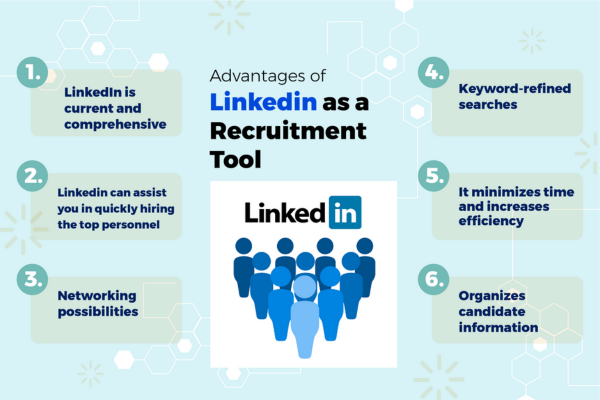
3. Benefits of Using LinkedIn for Recruitment

  • Efficiency: Automates much of the search and initial screening process.
  • Reach: Access to millions of professionals worldwide.
  • Data-Driven: Rich candidate profiles provide insights beyond resumes.
  • Branding: Opportunities to showcase company culture and values.
  • Proactivity: Ability to engage passive candidates and build pipelines.
  • Cost-Effective: Reduces reliance on external recruitment agencies.

4. Challenges and Considerations

While LinkedIn is powerful, companies should be aware of challenges such as:

  • Competition: Many companies vie for top talent on the platform.
  • Profile Authenticity: Some profiles may exaggerate skills or experience.
  • Overwhelming Responses: Popular postings can attract many unqualified applicants.
  • Bias: Algorithms may favor certain candidates, so recruiters must stay objective.

Effective recruiters combine LinkedIn tools with human judgment to maximize results.


5. Example: How a Tech Startup Used LinkedIn for Recruitment

Context:
“BrightCode,” a growing tech startup specializing in AI software, needed to hire 10 skilled software engineers within three months to meet a critical product launch deadline.

Actions Taken:

  • BrightCode created a compelling LinkedIn Company Page, regularly posting about their innovative projects and company culture.
  • They posted detailed job descriptions for software engineer roles, using targeted job ads to reach candidates with specific skills like Python, machine learning, and cloud computing.
  • The HR team used LinkedIn Recruiter to search for candidates who matched their criteria, focusing on those with experience at similar companies or industries.
  • Personalized InMail messages were sent to promising candidates, highlighting the opportunity and company vision.
  • Current BrightCode employees were encouraged to share job posts and refer qualified contacts.
  • The company reviewed candidates’ LinkedIn profiles thoroughly, assessing skills and recommendations before scheduling interviews.

Outcome:

  • Within two months, BrightCode had interviewed over 50 qualified candidates.
  • They hired all 10 engineers ahead of schedule, attributing the success to LinkedIn’s ability to reach passive and active candidates efficiently.
  • BrightCode’s employer brand improved significantly, attracting more followers and engagement on their LinkedIn page.
  • The new hires integrated smoothly, motivated by the company’s transparent and engaging recruitment process.

6. Conclusion

LinkedIn has become an indispensable platform for recruitment, offering companies a multifaceted approach to finding and hiring the best talent. Through job postings, advanced search tools, employer branding, and networking features, companies can attract both active and passive candidates efficiently. While challenges exist, the benefits of LinkedIn recruitment — including its reach, data-rich profiles, and proactive communication — far outweigh them.

The example of BrightCode highlights how startups and established companies alike can leverage LinkedIn to meet ambitious hiring goals and build a strong employer brand. For any company aiming to thrive in today’s competitive talent market, investing in LinkedIn recruitment strategies is a smart, effective choice.


What are LinkedIn posts and articles, and how do they help build thought leadership?

In today’s digital-first world, professionals, entrepreneurs, and academics increasingly use online platforms to build their personal brands and establish themselves as thought leaders. LinkedIn, the premier professional networking platform, offers powerful tools — specifically posts and articles — that enable individuals to share knowledge, insights, and experiences with a broad audience.

This essay will explore what LinkedIn posts and articles are, their differences and purposes, and how they serve as essential vehicles for building thought leadership. We will conclude with a practical example demonstrating their effectiveness in establishing authority and influence in a professional field.


1. Understanding LinkedIn Posts

What Are LinkedIn Posts?

LinkedIn posts are short-form content pieces that users share on their feed. They resemble social media updates but with a professional and industry-focused twist. Posts can include:

  • Text (from a few words to a few hundred)
  • Images and videos
  • Polls
  • Document uploads (PDFs, presentations)
  • Links to external websites or resources

Characteristics of LinkedIn Posts

  • Brevity: Posts are generally brief and designed to be easily consumed.
  • Engagement: They encourage interaction through likes, comments, and shares.
  • Timeliness: Posts often reflect current events, questions, quick tips, or opinions.
  • Frequency: Users can post multiple times a week or even daily to stay visible.

Purpose of LinkedIn Posts

Posts are ideal for:

  • Sharing quick insights or industry news
  • Asking questions to engage your network
  • Celebrating wins or milestones
  • Promoting events or resources
  • Sparking discussions or debates

Because posts appear in the feeds of your connections and followers, they provide immediate visibility and engagement opportunities.


2. Understanding LinkedIn Articles

What Are LinkedIn Articles?

LinkedIn articles are long-form content pieces published on the platform. They resemble blog posts or opinion pieces and are hosted directly on LinkedIn’s publishing platform.

Characteristics of LinkedIn Articles

  • Length and Depth: Articles are typically between 500 to 2000+ words, allowing for detailed exploration of topics.
  • Permanent Content: Articles remain accessible on your profile under the “Articles” section, offering lasting value.
  • Formatting Options: Users can include headings, images, videos, hyperlinks, and bullet points for better readability.
  • SEO Friendly: Articles can be indexed by search engines, helping authors reach beyond their immediate network.

Purpose of LinkedIn Articles

Articles are best suited for:

  • In-depth analyses or tutorials
  • Sharing case studies and research findings
  • Offering thought-provoking perspectives
  • Demonstrating expertise through storytelling or data
  • Building a professional portfolio of knowledge

Since articles stay accessible over time, they serve as a professional writing archive that showcases the author’s knowledge and expertise.


3. How Posts and Articles Complement Each Other

Both posts and articles serve distinct but complementary roles in building a professional presence on LinkedIn.

  • Posts provide frequent, bite-sized engagement that keeps your audience updated and connected.
  • Articles offer a platform for deep dives and long-term visibility that establishes you as a serious thinker or expert.

Together, they create a balance between staying top-of-mind and demonstrating substantial expertise.


4. Building Thought Leadership Through LinkedIn Posts and Articles

What Is Thought Leadership?

Thought leadership is the practice of positioning oneself or one’s organization as an authority in a particular field by sharing innovative ideas, insights, and knowledge that inspire others.

Why LinkedIn?

LinkedIn is the world’s largest professional network, making it an ideal platform for thought leadership. It hosts millions of professionals from all industries, enabling targeted sharing with peers, decision-makers, and potential collaborators.

How Posts Help Build Thought Leadership

  • Frequent Engagement: Regular posting keeps you visible to your network, fostering trust and familiarity.
  • Stimulating Conversations: Asking questions and sharing opinions invite dialogue, positioning you as an active participant in your field.
  • Sharing Industry News: Curating and commenting on relevant news shows you are informed and up-to-date.
  • Showcasing Personality: Posts let your authentic voice shine through, humanizing your professional persona.

How Articles Help Build Thought Leadership

  • Showcasing Expertise: In-depth articles demonstrate your knowledge and ability to analyze complex topics.
  • Educational Content: Providing valuable, actionable insights helps your audience learn and grow, reinforcing your authority.
  • Establishing Credibility: High-quality articles build a professional portfolio that can be referenced by peers and employers.
  • Long-Term Impact: Articles continue attracting views and engagement long after posting, extending your influence.

The Synergy of Using Both

Using posts to drive traffic and engagement to your articles can amplify your reach. For example, a post can tease a new article, inviting your network to read and comment, thereby increasing visibility and thought leadership impact.


5. Best Practices for Using LinkedIn Posts and Articles to Build Thought Leadership

For Posts:

  • Post regularly but maintain quality over quantity.
  • Use clear, concise language.
  • Incorporate visuals like images or videos to boost engagement.
  • Use hashtags strategically to reach a broader audience.
  • Engage promptly with comments to build community.

For Articles:

  • Choose topics that resonate with your target audience.
  • Use storytelling to make complex ideas relatable.
  • Include data, examples, and references to support claims.
  • Optimize for readability with headings, bullet points, and images.
  • Promote your articles via posts, groups, and external channels.

6. Real-Life Example: How LinkedIn Posts and Articles Built Thought Leadership

Consider Sarah Johnson, a marketing consultant specializing in digital branding.

Sarah’s Challenge:

Sarah was new to LinkedIn but wanted to position herself as an expert to attract clients and speaking opportunities.

Her Strategy:

  • Posting: Sarah began sharing daily posts about digital marketing tips, commenting on industry news, and asking questions to her followers.
  • Articles: She wrote monthly articles analyzing marketing trends, case studies from her projects, and how-to guides on building brands online.
  • Engagement: Sarah actively responded to comments, joined LinkedIn groups for marketers, and connected with influencers.

Outcome:

Within six months, Sarah’s posts consistently received hundreds of likes and comments. One of her articles, “The Future of Digital Branding in 2025,” went viral, gaining thousands of views and shares. She was invited to speak at conferences and secured consulting contracts with several mid-sized companies.

Sarah’s LinkedIn presence effectively established her as a go-to expert in digital branding, demonstrating how posts and articles work together to build thought leadership.


7. Conclusion

LinkedIn posts and articles are powerful tools for professionals to build and amplify their thought leadership. While posts facilitate frequent, engaging conversations and quick sharing of insights, articles provide a platform for deep exploration of ideas and lasting professional credibility. Together, they allow individuals to connect authentically with their network, educate their audience, and showcase expertise.

For anyone seeking to grow their influence in their industry, mastering LinkedIn posts and articles is a strategic move. By sharing valuable content regularly and thoughtfully, users can establish themselves as trusted voices and leaders in their fields — much like Sarah Johnson did in marketing.


Explain the importance of building a professional network on LinkedIn.

Introduction

In today’s fast-paced, digitally connected professional world, networking has become more vital than ever. The old adage, “It’s not what you know, but who you know,” has evolved into a fundamental truth of career growth and business success. Among the various platforms available for professional networking, LinkedIn stands out as the preeminent digital hub. Launched in 2003, LinkedIn has transformed from a simple online resume repository into a powerful global professional community with over one billion users.

Building a professional network on LinkedIn is no longer optional; it’s essential. A well-curated network can unlock job opportunities, foster career development, encourage knowledge sharing, and even enable business growth. This essay explores the importance of building a professional network on LinkedIn, detailing its many benefits and explaining how strategic networking can elevate your career or business. The discussion concludes with an illustrative example to highlight the practical advantages of a strong LinkedIn network.


1. What Does “Building a Professional Network” Mean on LinkedIn?

Before diving into the importance, it’s crucial to define what professional networking on LinkedIn entails. It means:

  • Connecting with professionals in your industry, alumni, colleagues, mentors, clients, and even potential employers.
  • Engaging through comments, messages, posts, and participation in groups.
  • Sharing knowledge, achievements, and relevant industry content.
  • Expanding relationships beyond physical meetings, allowing a global reach.

In essence, building a professional network on LinkedIn is creating and nurturing relationships that can support your career or business ambitions.


2. Why Is Building a Professional Network on LinkedIn Important?

2.1. Access to Opportunities

One of the primary reasons professionals use LinkedIn is to gain access to job openings, freelance projects, collaborations, and partnerships. Many recruiters and hiring managers use LinkedIn as their first tool to find candidates through keyword searches and profile reviews. Having a broad, active network:

  • Increases visibility: Your profile and posts appear in the feeds and searches of your connections and their networks.
  • Creates referrals: Many jobs and projects are filled through referrals. A strong network increases the chances someone will recommend you.
  • Provides early information: You can learn about openings or industry trends before they become public knowledge.

2.2. Building and Strengthening Your Personal Brand

Your LinkedIn network plays a significant role in shaping your personal brand. Through your interactions and content shared, your connections develop an impression of your professionalism, expertise, and values. This visibility can:

  • Help establish you as a thought leader or expert in your niche.
  • Increase trust among peers and potential clients.
  • Support career advancement by showcasing your achievements and insights.

2.3. Knowledge Sharing and Professional Development

LinkedIn is a rich platform for learning and exchanging ideas. Being connected to a diverse set of professionals exposes you to:

  • Industry news and trends.
  • Innovative practices and tools.
  • Opportunities for mentorship and collaboration.
  • Discussions and expert opinions in LinkedIn Groups and comment sections.

This continual flow of knowledge helps you stay relevant and adaptable in a competitive job market.

2.4. Expanding Global Reach and Diversity

Unlike traditional networking that depends on geographic proximity, LinkedIn allows you to build a global network. This diversity is critical in today’s interconnected world as it:

  • Broadens your understanding of different markets and cultures.
  • Creates opportunities for international collaborations or remote jobs.
  • Connects you with professionals across industries, fostering innovation through diverse perspectives.

2.5. Support and Confidence Boost

A strong network is a source of emotional and professional support. Engaging with your connections allows you to:

  • Seek advice during career transitions or challenging projects.
  • Gain feedback on your ideas or work.
  • Celebrate successes and milestones.

This social capital can enhance your confidence and motivation.


3. How to Build a Professional Network on LinkedIn Effectively

Building a network is not just about adding connections indiscriminately. The quality and engagement of your network matter most.

3.1. Start with People You Know

Begin by connecting with:

  • Current and former colleagues.
  • Classmates and alumni.
  • Clients and business partners.

These people are more likely to accept your request and engage with your content.

3.2. Personalize Connection Requests

Always send a personalized note explaining why you want to connect. This increases acceptance rates and establishes a positive first impression.

3.3. Engage Consistently

Regularly post relevant content, comment on others’ posts, and participate in LinkedIn groups related to your field. Engagement keeps you visible and strengthens relationships.

3.4. Offer Value

Share insights, articles, or helpful resources. Help others by endorsing skills or writing recommendations. Networking is reciprocal.

3.5. Expand Thoughtfully

Gradually expand your network by connecting with:

  • Industry leaders.
  • Influencers.
  • Professionals you admire or want to collaborate with.

Always aim for meaningful connections.


4. Example: How Building a LinkedIn Network Helped James Advance His Career

James Patel, a mid-level software engineer, illustrates the power of a well-built LinkedIn network.

Situation

James had been working at a mid-sized company for five years and wanted to move into a senior role at a larger tech firm. Despite his skills and experience, he struggled to get noticed by recruiters and often felt stuck.

Action

James committed to actively building his LinkedIn network and personal brand:

  • He connected with colleagues, university alumni, and industry professionals.
  • He posted weekly about his projects, coding tips, and emerging tech trends.
  • He joined LinkedIn groups for software developers and participated in discussions.
  • He reached out personally to recruiters and hiring managers, providing a customized introduction.
  • He sought and gave endorsements and recommendations to build credibility.

Result

Within six months:

  • His profile views tripled.
  • He was contacted by multiple recruiters about senior roles.
  • He was invited to speak on a webinar for an industry group.
  • He landed a senior developer role at a large tech company, citing LinkedIn connections as key influencers in the hiring process.

James’ example shows how strategic networking can transform career prospects by opening doors that might otherwise remain closed.


5. Challenges and Best Practices

5.1. Avoiding Network Overload

Having thousands of irrelevant connections dilutes value. Focus on quality over quantity.

5.2. Maintaining Relationships

Networking is ongoing. Stay in touch through messaging or engagement.

5.3. Privacy and Professionalism

Maintain professional etiquette and respect privacy when reaching out or sharing content.


Conclusion

Building a professional network on LinkedIn is one of the most strategic moves a professional or business owner can make in today’s digital economy. It grants access to opportunities, enhances your personal brand, facilitates learning, and connects you to a global, diverse community. By cultivating meaningful connections and engaging thoughtfully, you can transform LinkedIn from a static profile into a dynamic career and business growth engine.

James Patel’s journey underscores the tangible benefits that result from dedication to LinkedIn networking—more visibility, credibility, and ultimately, success. Whether you are a job seeker, entrepreneur, freelancer, or seasoned executive, investing in your LinkedIn network is a smart, forward-thinking career strategy.


How can students benefit from using LinkedIn early in their academic life?

In today’s digital and highly connected world, students need more than just classroom knowledge to succeed academically and professionally. Building a strong online presence, networking with the right people, and continuously learning new skills have become crucial parts of a student’s journey. LinkedIn, the world’s largest professional networking platform, offers students a powerful tool to support and enhance their academic life.

This essay will explain in detail how students can leverage LinkedIn for academic development. It will highlight various features and opportunities the platform offers — from showcasing achievements and networking to discovering internships and accessing educational resources. The essay will conclude with a real-world example that demonstrates the tangible benefits of LinkedIn for a student.


1. Creating a Professional Digital Profile

The first step for any student is to build a LinkedIn profile — essentially an online CV that presents one’s academic achievements, skills, and experiences. Unlike traditional resumes, LinkedIn profiles are dynamic and interactive, allowing students to continuously update and expand their academic journey.

Benefits:

  • Showcasing academic accomplishments: Students can list their degrees, courses, projects, research papers, scholarships, and awards.
  • Highlighting extracurricular activities: Leadership roles, clubs, volunteer work, and internships all add depth to a student’s profile.
  • Adding multimedia elements: Students can upload presentations, videos, or links to portfolios and personal websites.
  • Presenting a professional image: Having a polished profile photo and well-written summary helps students create a positive first impression.

This digital presence can be shared with professors, potential employers, or graduate schools, offering a convenient way to present one’s academic and personal brand.


2. Building and Expanding Academic Networks

Networking is a cornerstone of both academic and career success. LinkedIn allows students to connect with a wide range of individuals, including:

  • Classmates and peers: Collaborate on projects and share study resources.
  • Professors and mentors: Seek guidance, recommendations, and academic advice.
  • Alumni from their university: Gain insights into different career paths and academic opportunities.
  • Industry professionals: Learn about real-world applications of academic concepts and get career advice.
  • Recruiters and internship providers: Stay updated on potential job and internship openings.

Unlike casual social media, LinkedIn encourages meaningful professional connections. Students can send personalized messages to initiate conversations, join academic groups, and participate in discussions related to their fields.


3. Finding Academic Opportunities and Internships

LinkedIn’s Jobs and Internships sections provide a curated list of opportunities tailored to students’ interests and academic backgrounds.

Advantages for students include:

  • Access to internships related to their study fields.
  • Notifications of scholarships, fellowships, or academic competitions.
  • Opportunities for part-time research assistant roles.
  • Direct application to companies and institutions without the need for intermediaries.

LinkedIn’s “Easy Apply” feature simplifies the application process, enabling students to submit their LinkedIn profiles directly, which can speed up their chances of getting noticed.


4. Learning and Skill Development

LinkedIn Learning is a valuable resource offering thousands of courses on a variety of subjects, from technical skills like coding and data analysis to soft skills like communication and leadership.

For students, this means:

  • Supplementing academic curriculum with up-to-date practical knowledge.
  • Preparing for exams or certifications by taking relevant courses.
  • Earning certificates of completion that can be added to their LinkedIn profiles, demonstrating initiative and expertise.
  • Learning at their own pace, anytime and anywhere.

The continuous learning culture fostered by LinkedIn Learning helps students stay competitive in their fields and align academic knowledge with industry standards.


5. Publishing and Sharing Academic Content

LinkedIn allows users to publish long-form articles or posts. For students, this feature is a unique way to:

  • Share research findings or academic projects.
  • Reflect on their learning experiences.
  • Discuss current developments or debates in their field of study.
  • Build thought leadership and visibility among peers and professionals.

Publishing content boosts a student’s confidence in communicating complex ideas and can attract valuable feedback and connections.


6. Receiving Endorsements and Recommendations

LinkedIn provides a mechanism where peers, professors, or internship supervisors can endorse a student’s skills or write recommendations.

Why this matters:

  • Endorsements validate skills like research, writing, public speaking, or coding.
  • Recommendations add credibility and attest to the student’s work ethic, character, and academic abilities.
  • These social proofs can influence internship recruiters or graduate school admission committees.

7. Staying Updated with Academic and Industry Trends

By following universities, academic groups, thought leaders, and relevant companies on LinkedIn, students can stay informed about:

  • Emerging research topics and technological advances.
  • Academic events like conferences, webinars, or workshops.
  • Trends in their desired career fields.
  • Scholarship announcements or academic funding news.

This ongoing engagement helps students remain intellectually curious and better prepared for future academic or professional challenges.


8. Example: How LinkedIn Helped a Student Excel Academically

Let’s consider the story of Nina Patel, a final-year environmental science student from the University of California.

Nina’s Challenge:

Nina wanted to gain research experience but was unsure how to connect with professors or find research assistant positions. She also wanted to build her network to explore graduate school opportunities.

How Nina Used LinkedIn:

  • Profile Creation: Nina created a detailed LinkedIn profile, highlighting her coursework, volunteer work in sustainability, and a research project on water conservation.
  • Networking: She connected with her professors, university alumni working in environmental science, and professionals in NGOs focused on climate change.
  • Content Sharing: Nina regularly posted summaries of her class projects and shared interesting articles about environmental policy.
  • Engagement: She joined several LinkedIn groups on environmental issues and participated actively in discussions.
  • Job Search: Nina used LinkedIn Jobs to find a summer research internship at a local environmental consultancy, applying through the platform.
  • Learning: She completed courses on data analysis and GIS (Geographic Information Systems) via LinkedIn Learning, adding certificates to her profile.

Result:

Nina’s efforts led to multiple internship offers, enhanced her resume, and expanded her academic and professional network. Her LinkedIn presence even caught the attention of a professor at a prestigious graduate program, who invited her to apply with a recommendation.


Conclusion

LinkedIn is much more than a job-search website; it’s a comprehensive platform that empowers students to actively shape their academic journey and future careers. By building a professional profile, networking strategically, accessing academic and internship opportunities, and continuously learning new skills, students can significantly enhance their academic experience.

The platform bridges the gap between classroom learning and real-world professional environments, enabling students like Nina to not only succeed academically but also position themselves strongly for career success. For students today, using LinkedIn is no longer optional but an essential component of academic and professional development.


What are endorsements and recommendations on LinkedIn?

Introduction

In the ever-evolving landscape of professional networking, LinkedIn stands as the world’s most popular platform for career development, job search, and industry engagement. It allows users to showcase their skills, experience, and achievements, much like a digital resume or portfolio. Among its many features, endorsements and recommendations offer users powerful tools to boost credibility, highlight strengths, and build professional trust.

These features serve as forms of social proof, validating a person’s skills and character through the input of colleagues, managers, clients, or collaborators. In a world where people often make judgments based on online profiles, endorsements and recommendations can play a pivotal role in shaping how others perceive you professionally.

This essay explores the definitions, purposes, structures, and strategic uses of endorsements and recommendations on LinkedIn, supported by a practical example demonstrating their real-world impact.


1. Understanding Endorsements on LinkedIn

1.1. What Are Endorsements?

Endorsements on LinkedIn are simple, one-click affirmations of your listed skills by your connections. When someone endorses you for a skill—such as “Project Management,” “Graphic Design,” or “Data Analysis”—they are essentially vouching that you are proficient in that area.

Endorsements are shown in the Skills & Endorsements section of your LinkedIn profile, and each skill lists the number of times it has been endorsed by others.

1.2. How Do They Work?

  • Users can add up to 50 skills to their profile.
  • Other LinkedIn users (usually 1st-degree connections) can endorse you for any of these skills.
  • Skills with the most endorsements rise to the top of the list.
  • Endorsements may be prompted by LinkedIn’s algorithms based on mutual connections, shared job titles, or profile activity.

1.3. Why Are Endorsements Important?

  • They act as public validation of your professional abilities.
  • Recruiters often use keyword searches that include skills; having endorsed skills helps your profile appear in search results.
  • High endorsement counts can add weight to a skill, showing consistency and relevance in a field.
  • They contribute to your overall profile strength and credibility.

Limitations of Endorsements

  • They require minimal effort, and some users endorse without firsthand knowledge of your work.
  • Not all endorsements carry equal weight; an endorsement from a direct manager means more than from a casual acquaintance.
  • They are less detailed than recommendations.

2. Understanding Recommendations on LinkedIn

2.1. What Are Recommendations?

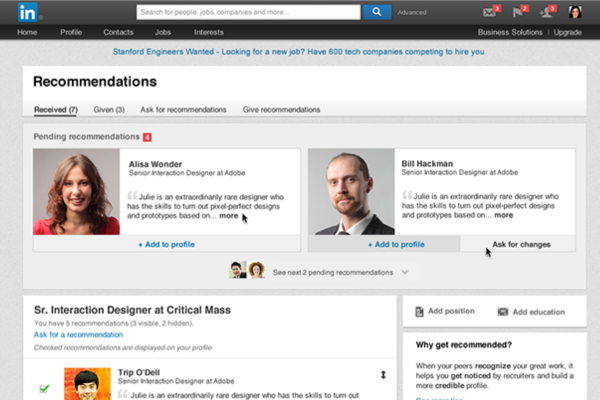
Recommendations are written testimonials from other LinkedIn users. They appear in the Recommendations section of your profile and are typically longer-form endorsements that provide context, examples, and detailed praise about your work ethic, personality, and impact.

You can both receive and give recommendations on LinkedIn. These are typically exchanged between:

  • Colleagues and peers
  • Supervisors or direct reports
  • Clients and service providers
  • Mentors and mentees

2.2. Structure of a LinkedIn Recommendation

A strong recommendation typically includes:

  • Context: How the recommender knows the person.
  • Role description: What role or project the person was involved in.
  • Specific praise: Strengths, achievements, or qualities observed.
  • Conclusion: A summary endorsement or recommendation for future roles.

2.3. Why Are Recommendations Valuable?

  • They provide rich, qualitative feedback on a person’s professional impact.
  • They show that others are willing to publicly associate with and endorse your work.
  • They are highly visible on your profile and often read by hiring managers and recruiters.
  • They create a lasting professional footprint, especially for job seekers or freelancers.

3. Key Differences Between Endorsements and Recommendations

Feature Endorsements Recommendations
Format One-click confirmation Written testimonial
Effort Required Minimal High
Value Surface-level validation In-depth proof of performance
Visibility Listed under “Skills” Appears in the “Recommendations” section
Customizability Pre-listed skills only Fully customizable written feedback
Use Cases Skills confirmation Performance review, testimonials

Both serve useful but distinct functions in validating your professional profile. While endorsements improve searchability and reinforce skills, recommendations offer narrative depth and personal testimony.


4. How to Gain Endorsements and Recommendations

4.1. For Endorsements

  • List relevant and up-to-date skills that align with your industry and career goals.
  • Endorse others; often, they will return the favor.
  • Engage with your connections regularly—endorsements often arise from familiarity.
  • Add new skills as your experience grows or as industry demands change.

4.2. For Recommendations

  • Request recommendations from colleagues or clients who know your work well.
  • Customize your request with a brief note: explain why you’re asking and suggest specific accomplishments or projects to mention.
  • Give recommendations proactively—generosity often results in reciprocity.
  • Make sure your recommendations are diverse: gather them from different roles, industries, or projects for well-rounded credibility.

5. Real-World Example: Emma the UX Designer

Let’s consider the example of Emma Chen, a freelance UX designer looking to land more corporate clients.

Emma’s Profile Before

  • Listed skills: User Research, Wireframing, Adobe XD, Prototyping.
  • Only 2 endorsements and no recommendations.
  • Her profile looked plain and unverified.

Actions Emma Took:

  1. She reached out to past clients and asked for recommendations.
  2. She gave 4 recommendations to collaborators, 3 of whom returned the favor.
  3. She participated in LinkedIn discussions on UX trends, increasing visibility.
  4. She endorsed colleagues she’d worked with, prompting mutual endorsements.
  5. She added new skills such as “Figma,” which reflected current tools in demand.

Emma’s Profile After:

  • 25+ endorsements for her top skills.
  • 4 recommendations: 2 from clients, 1 from a former team lead, 1 from a design mentor.
  • Her recommendation from a startup founder highlighted her role in increasing product engagement by 30% due to better UX design.
  • As a result, Emma’s profile appeared in more searches, and she secured two long-term contracts with tech companies who mentioned her recommendations as part of their decision-making process.

6. Ethical and Strategic Considerations

Authenticity Matters

  • Do not exchange fake endorsements or write exaggerated recommendations.
  • Recommendations should reflect genuine experience and performance.

Balance

  • Aim for a mix of endorsements and recommendations.
  • Too many endorsements without any written feedback can appear superficial.

Keep it Current

  • Request new recommendations periodically, especially after completing major projects.
  • Refresh your skill list to reflect evolving roles or technologies.

7. The Role in Career Advancement

Both endorsements and recommendations can:

  • Make you stand out in a crowded job market.
  • Increase your chances of being contacted by recruiters.
  • Support your personal brand and communicate your values and work style.
  • Serve as lasting digital references, visible 24/7.

For freelancers and entrepreneurs, they function like public reviews, improving trust with potential clients.


Conclusion

Endorsements and recommendations are two essential components of a strong LinkedIn profile. While endorsements validate specific skills in a quick and visual way, recommendations offer in-depth insights into your working style, achievements, and personal attributes. Together, they form a robust system of social proof that strengthens your online professional identity.

In the digital-first world of hiring and business networking, these features can tip the scales in your favor—whether you’re seeking a new job, trying to win a client, or aiming to build a professional reputation. Like in Emma’s case, using endorsements and recommendations wisely can significantly enhance your visibility, trustworthiness, and opportunities.

By investing time in cultivating these features—and by offering them to others—you not only elevate your own profile but contribute positively to a culture of appreciation and support in the professional community.


How does LinkedIn help in career and academic development?

In the digital age, professional and academic growth is increasingly influenced by how individuals present themselves and network online. LinkedIn, the world’s largest professional networking platform, has become a crucial tool for career and academic development. With more than 1 billion users globally as of 2025, LinkedIn is not just a platform for job seekers or professionals — it is a dynamic ecosystem where students, researchers, educators, and professionals alike can learn, grow, connect, and succeed.

This essay explores in depth how LinkedIn contributes to both career advancement and academic development. We will break down its various tools and features, discuss how different user groups can benefit, and conclude with a real-life example that illustrates the power of LinkedIn in transforming a person’s professional and academic journey.


1. What Is LinkedIn? A Quick Overview

LinkedIn is a social network designed specifically for the professional world. Unlike platforms such as Instagram or Facebook, LinkedIn emphasizes professional content, industry discussions, educational accomplishments, career development, and networking.

Its key components include:

  • User profiles (like digital résumés)
  • Networking tools (connect, follow, message)
  • Job listings and internship opportunities
  • Content sharing and publishing
  • Skill development through LinkedIn Learning
  • Company pages and industry news

With this broad range of features, LinkedIn serves as both a professional showcase and a learning environment.


2. LinkedIn and Career Development

LinkedIn has revolutionized how people build their careers, find jobs, and connect with industry professionals. Below are key ways LinkedIn supports career development:

a. Building a Personal Brand

Your LinkedIn profile is more than a résumé; it’s your personal brand. A well-optimized profile showcases:

  • Career goals
  • Work experience
  • Skills
  • Certifications
  • Endorsements and recommendations
  • Volunteer experiences
  • Achievements

For job seekers, this visibility is crucial. Recruiters search LinkedIn daily for potential candidates using keywords and filters based on these profile elements.

b. Job and Internship Opportunities

LinkedIn has a dedicated Jobs section where users can:

  • Search for jobs by keyword, title, location, or company
  • Set job alerts
  • Apply directly through LinkedIn
  • See how they compare with other applicants

Companies increasingly use LinkedIn as their primary recruitment tool. By tailoring job recommendations to your profile, LinkedIn helps you find more relevant opportunities faster.

c. Networking and Referrals

Networking is one of the most powerful tools in career development. On LinkedIn, users can:

  • Connect with colleagues, mentors, and industry leaders
  • Join professional groups or forums
  • Comment on posts to gain visibility
  • Ask for or offer referrals for jobs

Referrals often lead to better hiring outcomes. Being connected to someone inside a company significantly increases your chances of getting hired.

d. Learning and Skill Development

LinkedIn Learning provides thousands of courses in various fields, including:

  • Business
  • Data science
  • Graphic design
  • Marketing
  • Programming
  • Leadership

These courses come with certificates that can be added to your profile. This not only enhances your skills but also shows initiative and continuous learning — qualities that employers value.


3. LinkedIn and Academic Development

Beyond job search and career-building, LinkedIn also offers immense value for students, researchers, and academics.

a. Showcasing Academic Achievements

Students can use LinkedIn to display:

  • Academic qualifications
  • GPA (if strong)
  • Projects and research papers
  • Scholarships or awards
  • Extracurricular and leadership roles

This creates a holistic picture for future employers or academic institutions reviewing profiles for internships, jobs, or graduate school admissions.

b. Networking with Academia

Students can connect with:

  • Professors and mentors
  • Alumni from their universities
  • Researchers and PhD scholars
  • Professionals in their field of interest

This builds a strong academic network. For example, connecting with alumni can lead to valuable advice about career paths or academic programs.

c. Finding Internships and Academic Jobs

Many academic institutions and research organizations post internships, assistantships, and entry-level research roles on LinkedIn. Students interested in gaining practical experience can use LinkedIn to apply for these roles.

d. Educational Content and Thought Leadership

LinkedIn is full of content shared by industry leaders, professors, and institutions. Students and educators can:

  • Follow pages of top universities
  • Read and publish articles
  • Join discussions in academic groups
  • Stay updated with research trends

This keeps users intellectually engaged and informed about innovations in their field.

e. Publishing and Sharing Research

LinkedIn allows users to publish long-form articles. This is useful for:

  • Sharing research insights
  • Publishing academic summaries
  • Writing opinion pieces on education policy or science
  • Creating academic visibility

Students aiming to build a scholarly identity before graduate school or those interested in policy advocacy can benefit immensely from this feature.


4. LinkedIn for Educators and Researchers

Professors, scholars, and researchers can use LinkedIn to:

  • Share their publications and conference presentations
  • Recruit students or research assistants
  • Network with colleagues across the globe
  • Collaborate on multi-institutional projects
  • Stay visible in policy and education circles

Some researchers also use LinkedIn to explain complex ideas to the general public, promoting science communication and building public trust.


5. How Students Can Maximize LinkedIn

Here’s a practical strategy for how students can use LinkedIn for academic and career growth:

Step 1: Optimize Your Profile

  • Use a professional photo
  • Write a clear headline (e.g., “Economics Undergraduate | Research Intern | Data Analysis Enthusiast”)
  • Fill in your education, projects, and relevant skills

Step 2: Post Regularly

  • Share learnings from a course or internship
  • Talk about events attended or competitions won
  • Share your resume or personal project

Step 3: Build a Network

  • Connect with professors, alumni, and industry professionals
  • Personalize connection requests with a short message

Step 4: Engage

  • Like and comment on posts from professionals
  • Join groups related to your field of study

Step 5: Learn and Certify

  • Take LinkedIn Learning courses and add certifications to your profile

6. A Real-Life Example: LinkedIn and Career Breakthrough

Name: Aman Kapoor
Background: Final-year Computer Science student in India
Interest: Artificial Intelligence (AI) and Machine Learning

Problem:

Aman had strong academic scores but lacked professional experience. He wanted to get into a competitive AI internship program abroad but didn’t have the right network or exposure.

Action:

  1. Profile Setup: Aman created a compelling LinkedIn profile, adding projects, coding certifications, and online courses.
  2. Content Sharing: He began posting weekly updates about the AI models he was building and explained them in simple language.
  3. Networking: He reached out to AI researchers, alumni, and engineers on LinkedIn with thoughtful messages. He engaged in discussions on AI ethics and innovations.
  4. Learning: He completed 6 AI-related LinkedIn Learning courses and added the certifications.
  5. Visibility: One of his posts — an explanation of a deep learning model — went viral in the AI community on LinkedIn.

Result:

A hiring manager from a Canadian AI startup noticed his post and offered him an internship. This opportunity opened doors for Aman, who is now pursuing a Master’s degree in AI with a full scholarship.


7. Final Thoughts: Why LinkedIn Is a Must-Use Tool

Whether you are a high school student planning your future, a university student searching for internships, or a professor building a scholarly network, LinkedIn offers value at every step of the academic and professional journey.

Its unique blend of networking, learning, visibility, and opportunities makes it a powerful platform for:

  • Personal branding
  • Career advancement
  • Academic growth
  • Research promotion
  • Professional visibility

Unlike other social media platforms that may distract or entertain, LinkedIn helps you focus, grow, and succeed — if used intentionally.


Conclusion

LinkedIn is no longer just a job-hunting website — it is a multifaceted professional ecosystem that empowers individuals to take charge of their career and academic paths. Through strategic use of its tools — from profile building and networking to learning and content creation — users can unlock doors that traditional résumés or university degrees alone cannot.

In a world where personal branding and visibility are key to success, LinkedIn acts as a bridge between potential and opportunity. Whether you’re a student, job seeker, academic, or professional, the earlier you start using LinkedIn wisely, the sooner you’ll experience its profound impact on your growth journey.

Describe the purpose and structure of a LinkedIn profile.

Introduction

In today’s digitally connected professional world, having an online presence is no longer optional—it is essential. LinkedIn, a social network dedicated to business and career professionals, plays a central role in how individuals market themselves, build networks, and seek new opportunities. Launched in 2003, LinkedIn has grown to host more than 1 billion users globally as of 2025, ranging from students and recent graduates to CEOs and entrepreneurs.

At the heart of LinkedIn lies the user profile—a digital resume, portfolio, and personal brand all rolled into one. The structure and content of a LinkedIn profile can significantly impact how a person is perceived by recruiters, colleagues, and potential collaborators.

This essay explores the purpose of a LinkedIn profile and explains the key structural elements that make a profile effective. It also includes a real-world example to highlight how a well-optimized LinkedIn profile can open professional doors.


1. The Purpose of a LinkedIn Profile

A LinkedIn profile serves multiple professional purposes. It is more than just a resume; it is a dynamic personal brand tool that allows users to showcase their skills, achievements, goals, and personality. The main objectives include:

1.1. Online Professional Identity

Your LinkedIn profile acts as your professional identity on the internet. It is often the first link that appears in search engines when someone looks up your name. A well-crafted profile creates a positive first impression and reflects your credibility and experience.

1.2. Networking and Connections

LinkedIn enables users to build professional relationships by connecting with colleagues, classmates, industry peers, and mentors. Your profile serves as your introduction, helping others understand your background and encouraging collaboration or mentorship.

1.3. Job Search and Recruitment

For job seekers, LinkedIn is a powerful platform. Recruiters use it to find candidates through keyword searches and job postings. A profile optimized with relevant skills and keywords can lead to job offers, internships, or freelance gigs.

1.4. Industry Visibility and Thought Leadership

Professionals can share content, write articles, and engage in discussions, building industry credibility. A compelling profile helps position you as a thought leader, especially in niche industries.

1.5. Business Development and Sales

Entrepreneurs and sales professionals use LinkedIn to find leads, pitch services, and promote their brand. A complete profile builds trust and can support business outreach efforts.


2. The Structure of a LinkedIn Profile

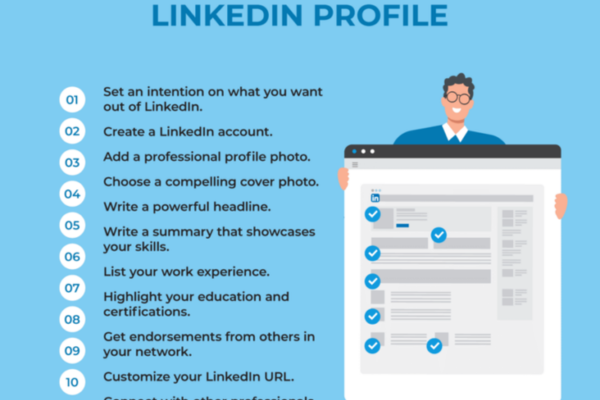
A LinkedIn profile is divided into several key sections, each serving a unique function. Understanding these components is critical to crafting a profile that accurately represents your professional brand.


2.1. Profile Photo and Banner

  • Profile Photo: A professional headshot helps humanize your profile and makes it more approachable. It should be high quality, well-lit, and reflect your industry tone.
  • Background Banner: This customizable banner at the top of your profile provides a visual branding opportunity. It can include company branding, personal slogans, or industry-relevant imagery.

Tip: Profiles with a photo are 14 times more likely to be viewed.


2.2. Headline

  • The headline appears just below your name. By default, it shows your current job title, but it can be customized.
  • It should be a concise statement (up to 220 characters) that summarizes your role or value proposition.

Example: “Digital Marketing Strategist | Helping brands grow with data-driven campaigns | SEO & SEM Expert”


2.3. About (Summary) Section

This is one of the most important parts of your profile. It provides a narrative summary of your professional journey, goals, values, and unique selling points.

  • Should be written in the first person for authenticity.
  • Ideal length: 3–5 short paragraphs (2,000-character limit).
  • Include key achievements, passions, industries of interest, and a call to action (e.g., “Open to consulting opportunities”).

Example: A software developer might describe their journey from hobbyist coder to full-stack engineer, highlight key projects, and mention their passion for AI.


2.4. Featured Section

The Featured section allows you to pin content like:

  • Blog posts
  • Project links
  • Certifications
  • Portfolio items
  • Resume or personal website

This area brings attention to your top work samples or career highlights.


2.5. Experience

This section is similar to a resume and lists current and past jobs.

  • Include the job title, company name, dates of employment, and a detailed description of responsibilities and achievements.
  • Use bullet points and metrics when possible (e.g., “Increased website traffic by 40% in 6 months”).
  • Tag the company’s official LinkedIn page for brand credibility.

Pro Tip: Use action verbs like “led,” “designed,” “managed,” “developed.”


2.6. Education

List educational institutions, degrees, certifications, and dates attended.

  • Include honors, relevant coursework, or student societies.
  • Adding your university automatically connects you to that alumni network.

2.7. Licenses & Certifications

This section highlights professional certifications, both online and formal.

  • Examples: Google Ads, Microsoft Azure, PMP, or Coursera credentials.
  • Linking to the issuing organization adds credibility.

2.8. Skills & Endorsements

You can list up to 50 skills, which can be endorsed by connections.

  • Choose a mix of technical, soft, and industry-specific skills.
  • Recruiters often search for these keywords when scouting talent.

✅ Tip: Keep the top 3 skills updated, as they are displayed prominently.


2.9. Recommendations

These are written testimonials from colleagues, clients, managers, or mentors.

  • They provide social proof of your expertise and work ethic.
  • You can request recommendations and give them in return.

2.10. Accomplishments and Projects

This section includes:

  • Publications
  • Languages
  • Honors and Awards
  • Projects
  • Patents
  • Courses

It allows you to highlight specific achievements that may not fit into work experience.


2.11. Interests and Following

You can follow companies, thought leaders, groups, and educational institutions.

  • This helps personalize your feed and shows what you care about professionally.

3. Real-World Example: Maria the Marketing Manager

Let’s look at a fictional but realistic example of how a professional can benefit from a well-structured LinkedIn profile.

Maria Gonzalez is a Digital Marketing Manager with 8 years of experience working in e-commerce. She is looking for a senior role in a larger company and wants to stand out to recruiters.

Maria’s Profile Highlights:

  • Photo: A clear, confident, professional headshot.
  • Headline: “Digital Marketing Manager | Driving Growth Through SEO, Email, and Paid Media | Open to Opportunities”
  • About Section: Maria tells her story: how she moved from journalism to marketing, the campaigns she’s proud of, and her goal to lead a digital team.
  • Experience: Lists three jobs with measurable achievements (e.g., “Boosted email open rates by 30% with A/B testing”).
  • Featured Section: Includes a case study of a campaign, her portfolio site, and a webinar recording.
  • Skills: Top 3 are SEO, Google Analytics, and Campaign Strategy, with over 50 endorsements.
  • Recommendations: Two glowing testimonials from her previous supervisor and a freelance client.
  • Certifications: Google Ads and HubSpot Content Marketing.
  • Engagement: Maria regularly comments on marketing trends and shares content from HubSpot and Forbes.

As a result of her optimized profile, Maria was contacted by multiple recruiters within a month and was eventually hired as a Senior Growth Marketing Lead at a major tech firm.


4. Tips for Optimizing Your LinkedIn Profile

  • Keep it updated: Refresh job roles, skills, and accomplishments regularly.
  • Use keywords: Think like a recruiter—what would they search for?
  • Engage with content: Share articles, write posts, and comment to stay visible.
  • Proofread: Grammar and spelling mistakes harm credibility.
  • Be authentic: Avoid buzzwords without substance—show your real strengths.

Conclusion

A LinkedIn profile is your digital business card, personal brand, and career passport all in one. Whether you are a job seeker, entrepreneur, student, or professional, investing time into crafting a strong, authentic, and strategic profile can open doors to new opportunities.

The platform’s structure offers plenty of room to showcase your experience, skills, accomplishments, and personality. By leveraging each section thoughtfully, you can not only increase your visibility but also build meaningful professional relationships and advance your career.

As Maria’s example shows, a great LinkedIn profile is not just about listing jobs—it’s about telling your story, making an impression, and being seen by the right people at the right time.


How to Become a Digital Marketing Specialist

Digital marketing is one of the fastest-growing fields today. Many people are interested in building a career in digital marketing, and becoming a digital...

What is SMM in Digital Marketing

SMM, or Social Media Marketing, is one of the most important parts of digital marketing. In simple words, SMM is the process of using...

What is Google Analytics in Digital Marketing

Google Analytics is one of the most important tools in digital marketing. It helps businesses understand how people interact with their websites and online...

What is Google AdWords in Digital Marketing

Google AdWords is one of the most important tools in digital marketing. Many businesses use AdWords to reach their target audience online and increase...

What Is CPM in Digital Marketing

In digital marketing, understanding how your ads are priced and measured is very important. Different advertising models help marketers track performance and control spending....