Home Blog Page 34

What is Click-Through Rate (CTR)?

Introduction
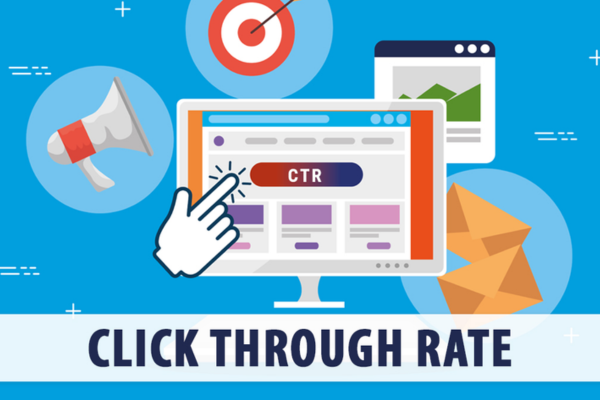
Click-Through Rate, commonly known as CTR, is one of the most important performance metrics in Google Ads. It measures the percentage of users who click your ad after seeing it. CTR is a direct indicator of how relevant and appealing your ad is to the audience. A high CTR generally means that your ad is effective, engaging, and well-targeted, while a low CTR suggests that your ad might need improvement.

Definition of CTR
CTR stands for Click-Through Rate and is calculated using the following formula:

CTR = (Total Clicks on Ad ÷ Total Impressions) × 100

For example, if your ad had 1,000 impressions and received 50 clicks, your CTR would be:

(50 ÷ 1,000) × 100 = 5% CTR

This means that 5% of the people who saw your ad clicked on it.

Why CTR Matters
CTR is a key performance indicator for several reasons:
It helps measure ad relevance – a higher CTR indicates that your ad matches user intent.
It affects your Quality Score, which impacts Ad Rank and cost-per-click (CPC).
It gives insight into how well your keywords, ad copy, and targeting are performing.
It helps you evaluate and optimize your campaigns more effectively.

Factors That Influence CTR

1. Ad Relevance
Ads that are closely related to the keywords or user intent tend to have higher CTRs. Make sure your ad copy directly answers what the user is searching for.

2. Ad Copy and Headlines
A well-written ad with a strong, clear headline and call-to-action (CTA) will encourage more clicks. Use phrases like “Shop Now,” “Free Shipping,” or “Limited Time Offer” to catch attention.

3. Display URL
A clean and relevant display URL can help users trust the ad more and click on it. For example, www.lazoro.in/wall-art looks more trustworthy and specific than www.lazoro.in/home.

4. Ad Extensions
Using extensions like sitelinks, callouts, and structured snippets gives users more reasons to click. They also make your ad take up more space, which increases visibility.

5. Keyword Match Type
Exact match and phrase match keywords usually result in a higher CTR compared to broad match, which may trigger ads for less relevant searches.

6. Targeting
Location, device, audience segment, and timing can all influence CTR. For example, an ad may perform better on mobile in the evening than on desktop in the morning.

7. Position of the Ad
Ads in top positions on the SERP generally get more clicks. However, top placement alone doesn’t guarantee a high CTR—it must still be relevant and appealing.

Types of CTR in Google Ads

1. Search CTR
This is the click-through rate for search ads. A strong Search CTR often indicates your keyword targeting and ad text are well-aligned with user queries.

2. Display CTR
This is usually lower than Search CTR since display ads appear on websites and apps, often to users not actively searching for your product or service.

3. Video CTR
Used in YouTube campaigns, this measures how often people click on your video ad or its call-to-action overlays.

4. Gmail CTR
For Gmail ads, CTR includes clicks to expand the ad and clicks to your website after expansion.

What Is a Good CTR?
CTR benchmarks vary by industry, campaign type, and network:
Search Network: A good CTR is usually 3% or higher.
Display Network: A good CTR is around 0.5% to 1%.
Video Ads: A good CTR can be 0.5% to 1.5%, depending on engagement.
However, context is important. A “good” CTR in one industry (like e-commerce) may be average in another (like B2B services).

How CTR Affects Quality Score
Google uses CTR to estimate ad relevance. Higher CTR usually leads to a higher Quality Score. A high Quality Score can result in:
Better ad placements
Lower cost-per-click (CPC)
Higher impression share
Therefore, improving CTR not only gets you more traffic—it can also reduce your advertising costs.

How to Improve CTR in Google Ads

1. Write Better Ad Copy
Use power words, numbers, benefits, and urgency. Speak directly to the user’s intent.

2. Use Relevant Keywords
Group related keywords into tightly themed ad groups, and create tailored ads for each.

3. Add Ad Extensions
Include sitelinks, callouts, structured snippets, and call extensions. These improve both visibility and engagement.

4. Optimize Landing Pages
Make sure the ad and landing page are consistent. When users see what they expect after clicking, they’re more likely to trust and engage with your business.

5. Test and Optimize Regularly
Run A/B tests on different headlines, descriptions, CTAs, and extensions. Monitor performance and adjust based on what gets more clicks.

Example of CTR in Action
Imagine you’re running a Google Ads campaign for your business Lazoro, which sells metal wall art.
Your ad reads:
Headline: “Modern Metal Wall Art – 30% Off Today”
Description: “Handcrafted Designs | Free Shipping | Unique Wall Decor for Every Room”
Impressions: 5,000
Clicks: 250
CTR = (250 ÷ 5,000) × 100 = 5%
A 5% CTR is very strong for a search ad. It tells you that your headline and offer are working well and people are interested.

Conclusion
Click-Through Rate (CTR) is a vital metric in Google Ads that shows how effectively your ad encourages users to click. A higher CTR means your ad is relevant, well-targeted, and engaging. It directly influences your Quality Score, ad position, and cost. By focusing on improving your ad copy, keywords, targeting, and using ad extensions, you can raise your CTR and achieve better results from your Google Ads campaigns.
What are impressions in Google Ads?

Introduction
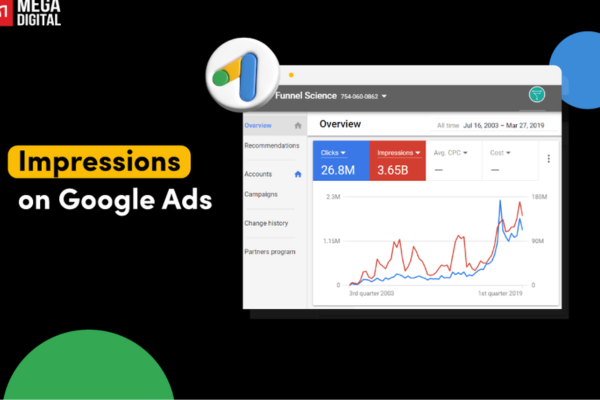
In Google Ads, impressions refer to the number of times your ad is shown on a user’s screen. Every time your ad appears—whether on Google Search, YouTube, Gmail, or a website in the Google Display Network—it counts as one impression. Impressions are one of the most basic and important metrics in advertising because they help you understand how often your ad is being viewed by potential customers.

Definition of Impressions
An impression occurs when your ad is fetched and displayed on a webpage or app, even if the user doesn’t click it. For example, if your ad appears on a search result page or within a banner on a website, that counts as an impression—even if the user scrolls past it or doesn’t interact.

Why Impressions Matter
Impressions are important because they tell you how visible your ad is. High impressions mean your ad is being shown frequently, which can be good for brand awareness. However, impressions alone don’t tell you how effective your ad is—you also need to look at other metrics like click-through rate (CTR), conversions, and cost-per-click (CPC) to understand performance.

Where Impressions Occur
Your ad can generate impressions in the following places:

  • Google Search Network: When users search for keywords related to your business

  • Google Display Network: When your ad is shown on websites, blogs, and apps

  • YouTube Ads: When your video ad appears before, during, or beside a video

  • Gmail Ads: When ads appear in the Promotions or Social tab

  • Google Shopping: When product ads are displayed to users

Types of Impressions

1. Search Impressions
These occur when your ad appears on a Google search results page. It’s often the result of a keyword matching the user’s search query.

2. Display Impressions
These are served on websites and apps in Google’s Display Network. The ad may appear on a banner, sidebar, or embedded content area.

3. Video Impressions
These happen when a video ad is shown to a viewer on YouTube or other video partners.

4. Viewable Impressions (VImps)
Google also measures viewable impressions, which means your ad appeared at least 50% on screen for at least one second (for display ads) or two seconds (for video ads). This helps advertisers better gauge how much of their ad actually got seen.

Impressions vs. Other Metrics

Impressions vs. Clicks

  • Impression = Your ad was seen (or at least shown).

  • Click = The user interacted with the ad.
    Many impressions with few clicks can mean your ad isn’t compelling, or your targeting isn’t accurate.

Impressions vs. Conversions

  • Impression is at the top of the funnel—just being seen.

  • Conversion happens after a user interacts with the ad and completes a goal, such as a purchase or signup.

Impression Share
Another related concept is Impression Share, which is the percentage of impressions your ad received compared to the total available impressions for that keyword or audience.
For example, if your ad had 5,000 impressions, and there were 10,000 total opportunities for it to show, your Impression Share is 50%.

Formula:
Impression Share = (Your Ad’s Impressions / Total Eligible Impressions) × 100%

How to Use Impression Data

1. Measure Brand Awareness
If your goal is visibility or reach (like in branding campaigns), impressions are the most important metric.

2. Analyze Ad Reach
If impressions are low, it may indicate that your budget is too small, your targeting is too narrow, or your bids are too low.

3. Evaluate Ad Fatigue
Too many impressions over time with a decreasing CTR might suggest that users are getting tired of seeing your ad—this is called ad fatigue. Refreshing your ad creative can help.

4. Improve Impression Share
To increase impression share:

  • Increase your daily budget

  • Raise your bids

  • Improve your Quality Score

  • Use more relevant keywords

  • Expand your ad targeting

Example of an Impression
Let’s say you run an ad for your website selling handmade wall art. A user searches for “modern metal wall decor” and your Google Search Ad appears at the top of the page. That counts as 1 impression.
Now, imagine your ad appears 1,000 times in a day but only gets 30 clicks. You would have:

  • 1,000 Impressions

  • 30 Clicks

  • Click-through rate (CTR) = (30 ÷ 1,000) × 100 = 3%

Conclusion
Impressions in Google Ads represent the number of times your ad is displayed to users. They’re a foundational metric used to measure visibility and brand exposure. While impressions alone don’t indicate success, they provide context for analyzing how often your ad is being shown. For advertisers focusing on reach and awareness, impressions are key. To maximize their effectiveness, pair impression data with click, CTR, and conversion insights to optimize your campaigns and improve performance.

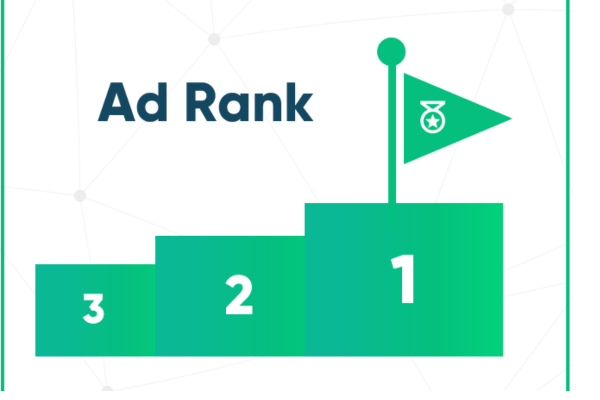
How is Ad Rank calculated?

Introduction
Ad Rank is a value that Google Ads uses to determine the position of your ad on the search engine results page (SERP) and whether your ad will appear at all. Understanding how Ad Rank is calculated is essential because it affects both your ad visibility and cost-per-click (CPC). Contrary to common belief, the highest bidder doesn’t always win the top spot. Instead, Google rewards advertisers who deliver relevant and valuable experiences to users.

Let’s explore the formula, key factors, and a real-world example to help you understand how Ad Rank is calculated.

Basic Formula for Ad Rank
While Google doesn’t disclose the exact formula, Ad Rank is generally calculated based on this logic:

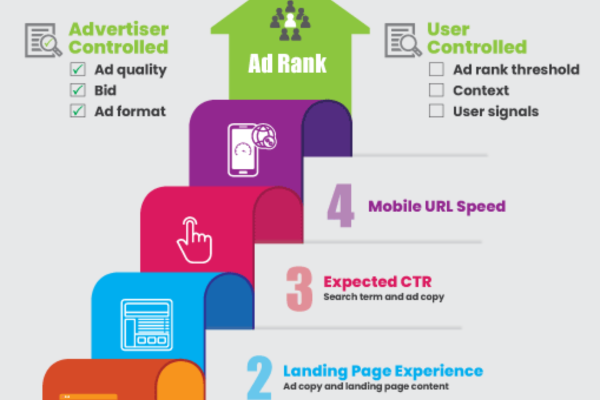
Ad Rank = Bid Amount × Quality Score + Expected Impact of Ad Extensions and Contextual Factors

The Quality Score is a 1–10 score assigned by Google based on:

  • Expected Click-Through Rate (CTR)

  • Ad Relevance

  • Landing Page Experience

In addition to the bid and Quality Score, Google considers:

  • Use and impact of ad extensions (like sitelinks, callouts, phone numbers)

  • The context of the search (such as location, device, time, language)

  • Auction competitiveness at that moment

Let’s Break it Down

1. Your Bid – This is the maximum amount you’re willing to pay for a click. It’s your “CPC bid.”

2. Quality Score – Google evaluates the quality and relevance of your ad and assigns a score from 1 to 10.

3. Ad Extensions – Useful additions like phone numbers, extra links, or business location, which improve user experience.

4. Contextual Signals – Location, device type, time of day, language, and search intent are also taken into account.

Simple Example

Suppose two advertisers (Advertiser A and Advertiser B) are competing for the same keyword: “online yoga classes.”

Advertiser A:

  • Max CPC Bid: ₹100

  • Quality Score: 6

  • Effective Ad Extensions and good context match

Advertiser B:

  • Max CPC Bid: ₹70

  • Quality Score: 10

  • Very effective ad extensions and perfect context match

Let’s assume for simplicity:

  • Advertiser A’s ad extension impact = +50 Ad Rank points

  • Advertiser B’s ad extension impact = +100 Ad Rank points

Ad Rank Calculation:

Advertiser A: ₹100 × 6 = 600 → Add extension/context score: 600 + 50 = 650 Ad Rank
Advertiser B: ₹70 × 10 = 700 → Add extension/context score: 700 + 100 = 800 Ad Rank

Result: Advertiser B wins the top ad position, even with a lower bid, because they have a higher Quality Score and better ad extensions.

What Does This Prove?

  • A high Quality Score can help you win better ad positions at lower costs.

  • Ad Extensions are not just optional extras—they actively boost Ad Rank.

  • Google prioritizes relevance and value to the user, not just how much you pay.

Why Google Calculates Ad Rank This Way
Google’s goal is to create a positive user experience. Showing only the highest-bid ads would flood the results with irrelevant content. By using Ad Rank, Google ensures that the best-performing and most helpful ads get better placements, regardless of budget.

How to Improve Your Ad Rank

  • Increase your Quality Score by writing more relevant ads, using focused keywords, and improving landing page experience.

  • Use ad extensions effectively (sitelinks, callouts, structured snippets).

  • Target the right users by refining your audience, location, and device settings.

  • Optimize for performance by testing different ad versions and improving your CTR.

Conclusion
Ad Rank is calculated using a combination of your bid, Quality Score, ad extensions, and various contextual factors. It decides your ad’s visibility and position on Google’s search results page. A higher Ad Rank doesn’t just come from bidding more—it comes from being more relevant, more helpful, and more optimized. This approach benefits both advertisers and users, creating an ecosystem where the most valuable ads get the most attention.

What is Ad Rank?

Introduction
Ad Rank is a critical metric in Google Ads that determines the position of your ad on the search engine results page (SERP). It not only decides how high your ad appears but also whether your ad shows up at all. A higher Ad Rank means your ad is more likely to be displayed in a better position, gaining more visibility and clicks. Unlike common belief, Ad Rank is not just based on your bid; it considers multiple factors including ad quality and user experience.

Definition and Formula
Ad Rank is calculated using a combination of several elements. While the exact formula is not publicly disclosed by Google, the commonly understood version is:
Ad Rank = Bid Amount × Quality Score + Expected Impact of Ad Extensions and Other Contextual Factors
This means even if your bid is lower than your competitors, you can still achieve a higher ad position if your ad is more relevant and useful.

Key Factors That Affect Ad Rank

1. Your Bid
The bid is the maximum amount you’re willing to pay for a click. While it’s an important factor, it’s not the only one. A higher bid can increase your chances of getting a better position, but only when paired with good ad quality.

2. Quality Score
Quality Score is based on the expected click-through rate (CTR), ad relevance, and landing page experience. A better Quality Score reflects that your ad is more useful to users. Google rewards this by placing such ads in higher positions, even if they come with a lower bid.

3. Ad Extensions and Formats
These are additional pieces of information like callouts, sitelinks, location info, or phone numbers that make your ad more useful. Google considers the expected impact of these extensions. If they enhance user experience, your Ad Rank increases.

4. Context of the Search
Google assesses factors like the user’s location, device (mobile, desktop), time of day, language, and search history. This helps ensure that the ad shown is the most relevant to the individual user’s intent in that specific moment.

5. Competition in the Auction
How competitive the ad auction is at the time you enter affects your Ad Rank. If many high-quality ads are bidding for the same keyword, your ad may need better quality or a higher bid to compete effectively.

Why Ad Rank Is Important
Ad Rank affects every aspect of how your ads perform. It determines your ad’s visibility, placement, and whether it’s shown at all. It also affects how much you’ll actually pay per click. Higher Ad Rank usually means lower actual cost per click (CPC) and better placement. It also influences eligibility for ad formats and extensions. For example, only higher-ranking ads may be eligible to show sitelink extensions or appear in top positions on mobile devices.

Example to Understand Ad Rank
Let’s say two businesses are bidding on the keyword “best yoga classes online.”
Advertiser A bids ₹90 with a Quality Score of 7
Advertiser B bids ₹70 with a Quality Score of 9
Now calculate their estimated Ad Rank:
Advertiser A: 90 × 7 = 630
Advertiser B: 70 × 9 = 630
Even though both advertisers have the same final Ad Rank score, Google may prefer to show the ad with higher ad extension value or better historical performance. If Advertiser B uses well-optimized ad extensions and a better landing page experience, their ad might win the top spot.

How to Improve Ad Rank

1. Improve Your Quality Score
Create ads that are highly relevant to the keywords and user intent. Include the targeted keyword in the headline and description. Make sure your ad matches what users are searching for. Use a strong call-to-action that encourages clicks. Focus on improving CTR by writing engaging and persuasive ad copy.

2. Use Ad Extensions
Add sitelinks, callouts, structured snippets, phone numbers, and other extensions. These make your ad more detailed and useful to users. Ad extensions can increase CTR and are seen as an indicator of a high-value ad.

3. Optimize Your Landing Page
Ensure the page your ad leads to is fast, mobile-friendly, and relevant to the ad. The content should be directly related to the keywords and provide what the user is looking for. A better landing page leads to higher user satisfaction and improves both Quality Score and Ad Rank.

4. Refine Keyword Targeting
Use tightly themed ad groups and relevant keywords. Group similar keywords together and write custom ads for each group. Use phrase match and exact match types for more precise targeting. Avoid broad and irrelevant keywords that lower performance.

5. Monitor Performance and A/B Test Ads
Continuously test different versions of your ad copy to see what works best. Test different headlines, descriptions, and calls-to-action. Adjust bids based on device performance, time of day, and user location. Use insights from your analytics to tweak and optimize your campaigns.

Conclusion
Ad Rank is one of the most important components of a successful Google Ads campaign. It determines not just whether your ad shows up, but where it shows and how much you pay. Improving your Ad Rank means focusing not only on bidding higher but also on delivering better ads, improving Quality Score, using ad extensions, and creating relevant landing pages. By understanding and improving the factors that influence Ad Rank, you can achieve higher visibility, more clicks, and better return on investment in your advertising efforts.

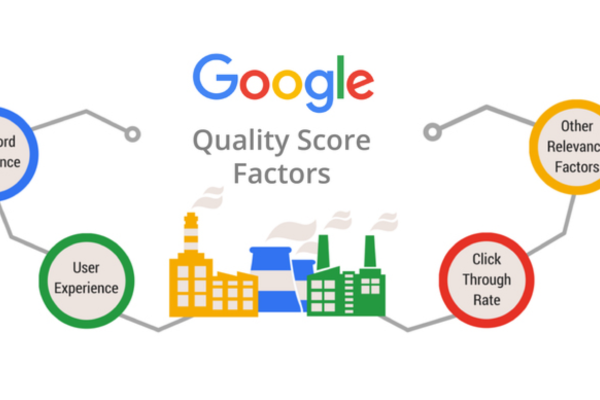
What factors affect Quality Score?

Quality Score in Google Ads is determined by several key factors that measure how relevant and useful your ads, keywords, and landing pages are to users. Google uses these factors to ensure users have a positive experience and advertisers show high-quality content. A better Quality Score can lead to higher ad rankings and lower costs. Below are the main factors that affect your Quality Score:

1. Expected Click-Through Rate (CTR)
This is Google’s estimate of how likely users are to click your ad when it’s shown for a specific keyword. A higher CTR suggests your ad is relevant and compelling to users. Google calculates this by looking at historical performance data, including your own ad’s performance and that of similar ads.

2. Ad Relevance
Ad relevance measures how closely your ad copy matches the intent behind a user’s search query. If the keywords in your ad group closely relate to the text in your ad, and the ad speaks directly to the user’s need, your ad relevance will be high. Generic or broad ads typically receive lower relevance scores.

3. Landing Page Experience
Google evaluates the usefulness, transparency, and navigability of the landing page your ad leads to. If your landing page provides clear, relevant, and valuable content that matches the user’s search intent, you’ll score higher. Factors like mobile-friendliness, fast loading speed, easy navigation, and relevant content all influence this metric.

4. Historical Performance of the Keyword and Ad
Google looks at how well your ad has performed in the past with the same keyword. A strong history of good CTRs and conversions improves your Quality Score. If your ad has performed poorly over time, it can negatively affect your score, even if the current campaign is well set up.

5. Geographic Performance
If your ads have historically performed better or worse in specific geographic locations, Google takes that into account. For example, if your ad tends to get more clicks in Mumbai but not in Delhi, that could influence your Quality Score for users in those regions.

6. Device Performance
Quality Score can vary by device. If your ad performs well on mobile devices but not on desktops, your mobile Quality Score may be higher. Google uses device-specific data to understand user behavior and optimize accordingly.

7. Keyword-to-Ad Group Organization
When keywords are tightly grouped and closely related to the ad copy, your Quality Score improves. Poorly organized campaigns with unrelated keywords in the same ad group often lead to lower scores because the ad cannot speak clearly to every search intent.

8. Match Type Impact
Broad match keywords can lower your Quality Score if they trigger irrelevant impressions, while exact and phrase match keywords can lead to higher relevance and better CTRs. The more targeted your keywords are, the better they align with user intent.

9. Use of Ad Extensions
Though not a direct factor, ad extensions can improve CTR, which in turn influences Quality Score. Extensions like callouts, sitelinks, and structured snippets make your ad more informative and clickable.

10. User Behavior Metrics
Although not publicly confirmed, many advertisers believe that bounce rate, dwell time, and engagement on the landing page may also influence Quality Score indirectly by affecting how Google evaluates user satisfaction.

Summary
To improve your Quality Score, focus on writing relevant ad copy, using tightly themed keyword groups, creating high-quality landing pages, and continuously monitoring and optimizing your campaigns. A high Quality Score leads to lower costs, higher ad placements, and better overall performance in Google Ads.

Factor Description Impact on Quality Score
Expected Click-Through Rate (CTR) Google’s prediction of how likely users are to click your ad High CTR = Better Quality Score
Ad Relevance How closely the ad text matches the user’s search intent More relevant ads = Higher Quality Score
Landing Page Experience Quality, usefulness, and relevance of the landing page Better experience = Higher Quality Score
Historical Performance Past CTR and interaction of the ad and keyword Good history = Boosted Quality Score
Geographic Performance Ad performance in specific locations Better performance in a region = Higher score in that area
Device Performance Differences in ad performance across devices (mobile, desktop, tablet) Strong mobile/desktop performance = Higher Quality Score per device
Keyword-to-Ad Group Match How well keywords are grouped and matched with relevant ads Well-organized ad groups = Better Ad Relevance and Score
Keyword Match Type Use of exact, phrase, or broad match keywords Exact/phrase match = Higher relevance and CTR
Use of Ad Extensions Adding sitelinks, callouts, snippets, etc. to improve ad visibility Improves CTR indirectly, which helps boost Quality Score
User Behavior on Page Dwell time, bounce rate, and engagement (suspected to be indirect factors) Positive user signals may indirectly improve Quality Score

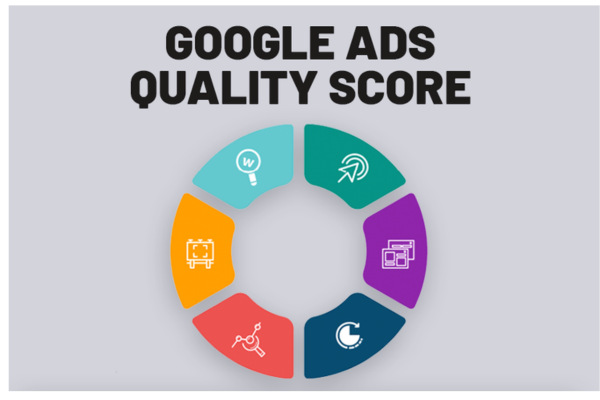
What is Quality Score?

Introduction
Quality Score is a metric used by Google Ads to measure the relevance and quality of your ads, keywords, and landing pages. It is scored on a scale of 1 to 10, with 10 being the highest. A higher Quality Score can help your ads perform better, appear in higher positions, and cost less per click. This score is Google’s way of ensuring that users are shown the most relevant and useful ads based on their search intent.

Why Quality Score Matters
Quality Score directly affects your ad rank, which determines where your ad appears on the search engine results page (SERP). It also influences your cost-per-click (CPC). Even if you bid less than your competitors, a higher Quality Score can help you outrank them and pay less for clicks. This makes Quality Score a critical component of any successful Google Ads campaign. Advertisers with better Quality Scores usually enjoy lower advertising costs and better placement.

How Quality Score is Calculated
Google uses three main components to calculate Quality Score:

  1. Expected Click-Through Rate (CTR): This estimates how likely it is that someone will click on your ad when it appears. If your ad typically gets clicked more often, your CTR is higher.

  2. Ad Relevance: This measures how closely your ad matches the intent of a user’s search query. If your ad text is directly related to the keywords and search terms, your relevance score will be higher.

  3. Landing Page Experience: This evaluates how useful and relevant your landing page is to users. The page should be easy to navigate, load quickly, and offer valuable content related to the ad.

Google combines these three factors into a numerical score from 1 to 10. A score of 7 or higher is generally considered good. A lower score signals that some aspect of your ad or landing page needs improvement.

Components of Quality Score Explained

Expected Click-Through Rate (CTR)
This is a prediction of how often users will click your ad when it is shown. It’s based on historical data and user behavior. A high CTR indicates that users find your ad helpful and compelling. Google rewards high CTR with better Quality Scores because it shows that your ad is likely to fulfill the searcher’s need.

Ad Relevance
Ad relevance means how closely your ad copy aligns with the searcher’s intent and keywords. If someone searches for “red running shoes” and your ad is about “men’s formal shoes,” the ad relevance will be low. Ads should contain the keywords you’re targeting and answer the user’s query directly.

Landing Page Experience
This refers to the usefulness and quality of the page your ad links to. The landing page should deliver on the promise made in the ad, provide valuable content, load quickly, and be mobile-friendly. If a user clicks your ad and immediately leaves the landing page, it’s a signal that the experience was poor, which can lower your Quality Score.

Benefits of a High Quality Score
Lower Cost-Per-Click (CPC): Google rewards high-quality ads with lower prices, so a higher Quality Score can reduce your overall advertising costs
Higher Ad Rank: Quality Score is a major factor in determining Ad Rank. Even with a lower bid, a higher Quality Score can place your ad above competitors
Better ROI: Since you pay less and perform better, your return on investment (ROI) improves
More Impressions and Clicks: High-quality ads are shown more often and in better positions, leading to greater visibility and engagement
Improved User Experience: Users see ads that are relevant to them, making it more likely that they’ll interact with your business

How to Improve Quality Score

1. Improve Expected CTR
Write compelling and engaging ad copy that encourages clicks
Use clear call-to-actions (CTAs) like “Buy Now,” “Learn More,” or “Call Today”
Use ad customizers to make your ad more relevant to each user

2. Increase Ad Relevance
Group similar keywords into tightly themed ad groups
Ensure your ad copy includes the main keywords
Avoid generic ads for all keywords; instead, tailor the ad for each keyword group

3. Enhance Landing Page Experience
Make sure your landing page is relevant to the ad and keyword
Use clear headlines and valuable content that matches the user’s intent
Ensure fast loading speed and mobile-friendliness
Simplify navigation so users can easily find what they’re looking for
Include relevant CTAs and avoid excessive pop-ups

Quality Score vs. Ad Rank
While they are related, Quality Score and Ad Rank are not the same.
Quality Score is a diagnostic tool that tells you how good your ads, keywords, and landing pages are.
Ad Rank is the actual value Google uses to decide your ad’s position on the page.
Ad Rank = Bid Amount × Quality Score × Additional Factors (like ad extensions, user device, context)

So, even if you have a high bid, a poor Quality Score can cause your ad to appear lower. On the other hand, a high Quality Score can boost your position even with a lower bid.

Example of Quality Score in Action
Let’s say you own a website selling sports shoes. You’re bidding on the keyword “buy running shoes.”
If your ad headline says “Buy Stylish Running Shoes – 50% Off Today” and your landing page directly lists various running shoes with a clean layout, fast loading time, and easy checkout, your Quality Score may be around 8 or 9.
But if your ad is generic, like “Best Shoes Online – Huge Discounts,” and the landing page takes users to a general footwear page with mixed products, your Quality Score may drop to 5 or below.
In this case, even if you bid ₹20 per click, your ad may rank lower than a competitor with a ₹15 bid and a better Quality Score.

How to Check Quality Score in Google Ads
Go to your Google Ads account
Navigate to the “Keywords” tab
Click on the columns icon and select “Modify Columns”
Under “Quality Score,” add columns for Quality Score, Expected CTR, Ad Relevance, and Landing Page Experience
Now, you’ll be able to view scores (1–10) for each keyword and identify areas to improve

Conclusion
Quality Score is a crucial metric in Google Ads that directly affects your ad performance, placement, and cost. It is based on three key components: expected click-through rate, ad relevance, and landing page experience. A higher Quality Score means your ads are more likely to appear in top positions and at a lower cost. It also means users will have a better experience with your brand, leading to higher conversions and better campaign outcomes. Whether you’re a small business or a large advertiser, focusing on improving your Quality Score is one of the smartest strategies to boost the efficiency and profitability of your Google Ads campaigns.

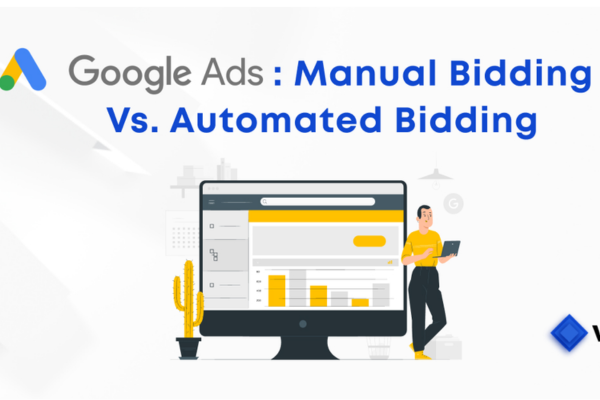
What is the difference between manual and automated bidding?

Difference Between Manual and Automated Bidding in Google Ads

1. Definition
Manual Bidding allows advertisers to set individual bids for specific keywords or ad groups. You decide exactly how much you’re willing to pay for each click, giving you full control over your spending.
Automated Bidding, on the other hand, uses machine learning and real-time data to automatically set bids that are more likely to achieve a specific goal, such as getting clicks, conversions, or maximizing return on ad spend.

2. Control
With Manual Bidding, you have complete control over each keyword bid. You can set custom bids for each keyword, adjust bids based on devices, time of day, and locations. However, it requires frequent monitoring and manual adjustments.
Automated Bidding gives Google control over your bids. The system adjusts bids automatically based on data such as user behavior, time, location, and device type. You don’t get to control individual keyword bids, but the system uses algorithms to optimize performance.

3. Optimization
Manual Bidding does not automatically adjust your bids based on conversion rates or user behavior. You have to analyze data and optimize performance manually. You can increase bids on high-performing keywords if you track performance regularly.
Automated Bidding uses historical data and predictive analytics to optimize bids in real-time. It aims to achieve your campaign goals efficiently. Google adjusts your bids depending on the likelihood that a click will lead to a conversion.

4. Efficiency
Manual Bidding is time-consuming and requires a hands-on approach. It’s suitable for smaller campaigns or advertisers with experience in optimizing performance manually.
Automated Bidding saves time and is highly efficient, especially for large-scale campaigns. It is ideal for advertisers who want to focus on broader strategy rather than micro-managing every keyword bid.

5. Performance
Manual Bidding performance depends heavily on the advertiser’s expertise. Without constant updates and analysis, performance can stagnate or decline.
Automated Bidding generally leads to better long-term performance because of its ability to learn and adapt to trends, user behavior, and competitive environments.

6. Learning Curve
Manual Bidding is easy to understand for beginners because it gives them full visibility and control over each action. However, becoming effective at it requires experience and analytical skills.
Automated Bidding is easier to implement and manage, especially at scale. While it hides much of the bid decision logic, understanding how the algorithms work helps in making smarter campaign decisions.

7. Bid Strategies Examples
In Manual Bidding, the primary option is Manual CPC (Cost-Per-Click), where you decide the bid amount for each keyword or ad group.
In Automated Bidding, Google offers several strategies including Maximize Clicks, Maximize Conversions, Maximize Conversion Value, Target CPA (Cost per Acquisition), Target ROAS (Return on Ad Spend), and Enhanced CPC (which is semi-automated, adjusting your manual bids when there’s a higher chance of conversion).

8. Example Scenario
Let’s say you run an online shoe store.
If you’re using Manual Bidding, you might set a ₹10 bid for the keyword “buy running shoes” and a ₹7 bid for “men’s sneakers”. You decide to increase bids on weekends because you notice higher traffic and more purchases.
If you use Automated Bidding with a strategy like Target CPA, you tell Google that you want to spend ₹150 per conversion. Google will then automatically adjust bids during the auction to reach people more likely to convert, optimizing your campaign based on historical data and real-time signals.

9. Conclusion
Manual Bidding is best for advertisers who want full control and have the time and expertise to manage campaigns manually. It gives precision but requires effort and constant optimization.
Automated Bidding is best for advertisers who want to save time, scale their campaigns, and rely on Google’s AI to make data-driven bid adjustments. It’s ideal for larger campaigns where efficiency and performance optimization are more important than granular control.
In practice, many advertisers start with Manual Bidding to understand their campaign performance and eventually transition to Automated Bidding for better scalability and optimization. Both have their strengths, and the right choice depends on your goals, resources, and experience level.

Here’s a concise comparison table showing the difference between Manual and Automated Bidding in Google Ads:

Aspect Manual Bidding Automated Bidding
Definition You set bids manually for each keyword or ad group Google sets bids automatically based on performance data
Control Full control over bids Limited control; Google optimizes based on machine learning
Optimization Requires manual analysis and changes Automatically optimized for conversions, clicks, or ROAS
Efficiency Time-consuming, requires constant monitoring Time-saving and efficient, especially for large campaigns
Performance Depends on your expertise and effort Improves over time using AI and real-time adjustments
Learning Curve Easy to start but hard to master Easy to manage, but less transparency on how bids are set
Bid Strategy Types Manual CPC Maximize Clicks, Maximize Conversions, Target CPA, etc.
Ideal For Small budgets, hands-on management Larger campaigns, goal-based automation
Example You bid ₹10 for “running shoes” manually Google bids automatically to meet a ₹150 CPA goal

What is a call extension?

Introduction

In the dynamic world of online advertising, businesses are constantly exploring new ways to connect with potential customers, increase visibility, and drive meaningful engagement. Google Ads is a dominant platform in this regard, offering multiple tools that enable advertisers to enhance their ads and encourage user interaction. One such tool is the Call Extension. This feature can be a game-changer, particularly for service-based businesses or those that rely heavily on direct customer communication. The ability to receive phone calls directly from a Google ad can significantly increase leads, improve customer service, and ultimately boost sales. This detailed explanation covers everything you need to know about call extensions: what they are, how they work, why they matter, best practices, and how businesses like UrbanClap (now Urban Company) or a local grocery service can use them effectively.

Definition of a Call Extension

A Call Extension is a type of ad extension available in Google Ads that allows advertisers to add a phone number to their text ads. This means that when the ad appears in Google search results, users will also see a clickable phone number. On mobile devices, users can simply tap the number to call the business directly. On desktop devices, the number may appear as a non-clickable component, depending on the format. In both cases, call extensions serve the purpose of making it easier for customers to contact a business without needing to first visit the website.

Adding a call extension enhances your standard text ad by making it more interactive and actionable. It gives customers the opportunity to reach out instantly, which is especially beneficial for urgent services like plumbing, travel bookings, emergency repairs, food delivery, and more. Even for non-urgent queries, some customers prefer speaking to a real person rather than browsing through a website.

How Call Extensions Work

When you add a call extension to your ad campaign in Google Ads, you’re providing users with a direct way to get in touch with your business. Here’s how it functions in practice:

  • Mobile Devices: The phone number appears as a tappable “Call” button. When users tap it, their phone automatically dials your business number.

  • Desktops/Tablets: The phone number might appear beside the ad headline or in the ad description, depending on the format, but is not always clickable.

  • Call Reporting: Google Ads allows advertisers to track call performance. You can use Google’s forwarding number system to track metrics such as call duration, caller area code, and call conversion.

This real-time accessibility empowers businesses to connect with customers at the exact moment they’re ready to engage, inquire, or make a purchase.

Why Use Call Extensions?

The call extension is not just an add-on; it’s a strategic feature that significantly boosts the effectiveness of your ad campaign. Here’s why businesses should consider using it:

  1. Increase in Conversion Rates: Phone calls are often more valuable than clicks, especially for service-based industries. A user calling your business is more likely to convert than one who just visits the site.

  2. Improved User Experience: Some users prefer calling to speaking directly with a person rather than navigating through multiple website pages.

  3. Better Ad Visibility: Adding a call extension takes up more space in the search engine results page (SERP), which can make your ad more prominent and appealing.

  4. Boost in Ad Rank: Google Ads rewards ads with extensions by giving them higher quality scores, which can help you get better placements without necessarily increasing your bids.

  5. Enhanced Trust: Displaying a phone number can increase your brand’s credibility, especially for local businesses where trust is a key factor.

  6. Tracking and Analytics: You can track call data through Google Ads to optimize your campaigns, understand when users call most frequently, and evaluate which keywords trigger phone inquiries.

Types of Businesses That Benefit Most

Call extensions are especially beneficial for:

  • Local Service Providers: Electricians, plumbers, and handymen can receive job inquiries directly via phone.

  • Restaurants and Cafes: Customers can call for reservations or food delivery.

  • Healthcare Providers: Clinics and doctors’ offices can receive appointment bookings directly.

  • Educational Institutes: Coaching centers or universities can answer student queries over the phone.

  • Real Estate Agents: People looking to buy or rent property may prefer calling to get instant information.

  • E-Commerce and Retail: Stores can take orders or customer inquiries about products.

Best Practices for Using Call Extensions

To get the most out of call extensions, follow these industry best practices:

  1. Use a Call Tracking Number: Google offers a call forwarding number that allows you to track performance, see call durations, and measure conversions.

  2. Set Up Call Conversion Tracking: This lets you track which calls result in sales or other valuable actions.

  3. Schedule Call Hours: Use ad scheduling to ensure call extensions only appear during business hours. There’s no point in encouraging calls when your business is closed.

  4. Use a Local Number: If you’re targeting a local audience, a local area code increases trust and likelihood of engagement.

  5. Pair with Call-Only Campaigns: If your primary goal is getting calls rather than website traffic, consider using call-only ads where the entire ad is tappable to call.

  6. Combine with Other Extensions: Use call extensions alongside structured snippets, callouts, and sitelinks for a more robust and informative ad.

How to Add a Call Extension in Google Ads

Here’s how to set it up:

  1. Sign in to your Google Ads account.

  2. In the left menu, click on “Ads & Extensions”, then “Extensions.”

  3. Click the blue plus sign (+) and choose “Call Extension.”

  4. Select the level where you want to add the extension (account, campaign, or ad group).

  5. Enter your phone number or choose a Google forwarding number.

  6. You can set call scheduling to limit when your number appears.

  7. Save and monitor performance.

Example of a Call Extension in Practice

Let’s consider an example of a local service business — Urban Company (formerly UrbanClap) — which offers at-home services like cleaning, beauty treatments, plumbing, and AC repair.

Ad Headline: Book a Professional Plumber Near You | Urban Company
Description: Certified experts, fast service, upfront pricing. Book Now.
Call Extension: (Click-to-call button on mobile with number 1800-123-4567)

In this example, a user searching for “plumber near me” sees Urban Company’s ad. Instead of clicking and browsing, they can directly tap the number and speak to customer service or book a professional. This eliminates friction, satisfies immediate intent, and increases the chance of conversion.

Similarly, a local business like Mehta Groccers (an online grocery store with website www.mehtagroccers.com) can benefit. Their ad might read:

Ad Headline: Fresh Groceries Delivered Today | Mehta Groccers
Description: Free home delivery on orders over ₹499. Order now via call or website.
Call Extension: (Mobile Call Button with 98765-43210)

This would allow older customers or those less comfortable with online navigation to simply call and place an order, improving customer satisfaction and retention.

Analyzing Performance of Call Extensions

After your call extension is live, monitoring its performance is key. Within Google Ads, navigate to the “Extensions” tab and then select “Call Details” or view in your “Segment by Click Type” reports. Key metrics include:

  • Number of Calls

  • Call Duration

  • Time of Day

  • Conversion Rate

  • Cost per Call

Calls lasting more than a set threshold (like 60 seconds) can be considered conversions. This allows you to optimize bids, keywords, and ad schedules based on real results.

Call Extensions vs. Call-Only Ads

Though they sound similar, there’s a difference:

  • Call Extensions: These are additions to existing ads. Users can either call or click through to your site.

  • Call-Only Ads: These are designed exclusively for calls. When users click the ad, it automatically triggers a call.

Use call-only ads when the primary goal is to speak to the customer, such as in emergency or service-based campaigns.

Common Mistakes to Avoid

  • Displaying call extensions outside business hours

  • Using a non-working or unmonitored phone number

  • Ignoring call reporting and optimization

  • Using generic toll-free numbers when a local number could build more trust

Avoid these to maintain the integrity of your ads and ensure you’re not wasting impressions or budget.

Conclusion

Call Extensions are a powerful, highly effective Google Ads feature that allows users to connect with your business instantly via phone. Especially beneficial for service-based and local businesses, these extensions improve ad visibility, increase user trust, and generate high-intent leads. By enabling potential customers to reach out with just one tap or click, call extensions simplify the user journey and often result in higher conversion rates compared to traditional click-through visits.

How to Become a Digital Marketing Specialist

Digital marketing is one of the fastest-growing fields today. Many people are interested in building a career in digital marketing, and becoming a digital...

What is SMM in Digital Marketing

SMM, or Social Media Marketing, is one of the most important parts of digital marketing. In simple words, SMM is the process of using...

What is Google Analytics in Digital Marketing

Google Analytics is one of the most important tools in digital marketing. It helps businesses understand how people interact with their websites and online...

What is Google AdWords in Digital Marketing

Google AdWords is one of the most important tools in digital marketing. Many businesses use AdWords to reach their target audience online and increase...

What Is CPM in Digital Marketing

In digital marketing, understanding how your ads are priced and measured is very important. Different advertising models help marketers track performance and control spending....