Home Blog Page 50

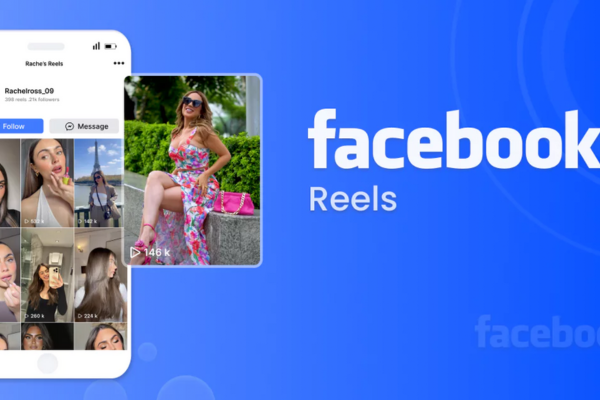
What are Facebook Reels, and how are they different from other video formats?

What Are Facebook Reels, and How Are They Different from Other Video Formats?

In recent years, social media platforms have been shifting towards short-form video content. This trend, popularized by TikTok and Instagram Reels, has prompted other platforms, including Facebook, to adapt. One of the most notable responses from Facebook has been the introduction of Facebook Reels. Designed to capture attention quickly and promote creative expression, Facebook Reels allow users to create and share short videos with music, effects, and more. But what exactly are Facebook Reels, and how do they differ from other video formats on the platform and across social media?

This essay explores the features of Facebook Reels, explains how they are different from other video formats such as regular Facebook videos, Stories, and Live videos, and includes a practical example to help illustrate their usage.


What Are Facebook Reels?

Facebook Reels are short, entertaining videos that users can create directly on the Facebook app. These videos can be up to 90 seconds long, though Facebook is testing longer durations. Reels allow for quick bursts of creativity, typically involving music, sound effects, visual filters, text, and stickers. Users can record multiple clips or upload previously recorded footage.

Launched globally in 2022, Facebook Reels were introduced as part of Meta’s effort to compete in the fast-growing short-form video market. Meta initially launched Reels on Instagram and later integrated them into Facebook to unify content creation and sharing across its ecosystem.


Key Features of Facebook Reels

Some of the main features of Facebook Reels include:

  1. Length – Videos are typically between 15 to 90 seconds.
  2. Editing Tools – Reels include trimming, speed control, filters, AR effects, and timed text.
  3. Music and Sound Effects – Users can add licensed music or use original audio.
  4. Remix Functionality – Similar to TikTok’s duet feature, this lets users respond or collaborate with existing Reels.
  5. Discovery – Reels are promoted in a dedicated Reels tab, on the Facebook News Feed, and in Facebook Groups.
  6. Cross-Posting – Creators can share the same Reels on Instagram and Facebook simultaneously.

How Are Facebook Reels Different from Other Facebook Video Formats?

Though Facebook has long supported various types of video content—like traditional timeline videos, Stories, and Live videos—Facebook Reels stand out in several key ways:


1. Length and Format

  • Facebook Reels: Short-form (15–90 seconds), vertical format, optimized for mobile viewing.
  • Timeline Videos: These can be long-form (up to 240 minutes), horizontal or vertical, and are usually uploaded rather than captured within the app.
  • Stories: Short videos or images that last for 24 hours. Each Story segment is limited to 20 seconds.
  • Facebook Live: Real-time, unscripted video streaming with no fixed time limit.

Why this matters: Reels are ideal for brief, catchy content that gets straight to the point—perfect for users with short attention spans. In contrast, timeline videos and Live streams are better suited for more in-depth content.


2. Discovery and Algorithm Promotion

  • Facebook Reels are shown beyond just friends or followers. Facebook’s algorithm promotes them in the Reels feed, the News Feed, and even in Groups, giving creators a broader audience.
  • Timeline Videos usually appear in your friends’ feeds or pages that users follow, limiting their organic reach.
  • Stories are typically only visible to friends or selected audiences and disappear after 24 hours.
  • Live Videos are shown in real time and may appear in notifications, but once the broadcast ends, their visibility drops.

Why this matters: Reels have a higher potential for virality due to their algorithmic push, making them more discoverable than traditional video formats.


3. Audience Engagement and Interactivity

  • Facebook Reels encourage fast interaction through likes, shares, and comments. The Remix feature and trending audio clips boost community engagement.
  • Timeline Videos often receive less engagement unless the creator has a large following or the video is heavily promoted.
  • Stories allow for some engagement through reactions and replies, but they lack the viral sharing mechanisms of Reels.
  • Facebook Live offers real-time interaction, including live chat, but requires the viewer’s active attention during the broadcast.

Why this matters: Reels create quick, interactive moments that users can respond to instantly, making them ideal for audience building.


4. Creation Tools

  • Facebook Reels provide more creative tools tailored for short-form video—speed control, music syncing, AR effects, text overlays, etc.
  • Timeline Videos usually rely on external editing tools before uploading.
  • Stories offer limited filters and stickers but are simpler and less polished.
  • Facebook Live is raw and unedited; it’s great for transparency but less suited for highly produced content.

Why this matters: Reels empower everyday users to create high-quality content without needing third-party apps.


5. Monetization Opportunities

Facebook is expanding ways to monetize Reels through:

  • In-stream ads
  • Stars (a form of tipping)
  • Reels Play Bonus Program for eligible creators
  • Branded content and sponsorships

Other formats like regular videos and Live content also offer monetization, but Reels are Meta’s new focus area, and creators are more likely to benefit from early adoption.

Why this matters: For creators, influencers, or businesses, Reels offer newer monetization models that may not be available (or may be more competitive) with older video formats.


6. User Behavior and Viewing Patterns

Reels cater to users looking for quick entertainment. People scroll through Reels the same way they do with TikTok—video after video in a loop, with minimal effort.

  • Timeline Videos require more commitment to watch.
  • Live Videos need users to be present in real time.
  • Stories have a limited lifespan and aren’t as discoverable outside your network.

Why this matters: Reels tap into the current trend of snackable content, which fits modern user habits better than traditional formats.


7. Placement and Interface

  • Reels are prominently placed in the Reels tab, in the News Feed, and sometimes even during Story viewing.
  • Timeline videos require users to scroll through their feed.
  • Stories appear at the top of the Facebook app in a horizontal strip.
  • Live videos may appear in notifications or the video tab, depending on algorithmic relevance.

Why this matters: Facebook is clearly prioritizing Reels by giving them more visibility.


Example: Using Facebook Reels for Small Business Promotion

Scenario:

Maria owns a small bakery and wants to promote her new cupcake line. Instead of posting a long, traditional video of the baking process, she decides to create a Facebook Reel.

In 60 seconds, she records a step-by-step montage:

  • A quick clip of mixing batter
  • A shot of the cupcakes rising in the oven
  • Frosting being piped with satisfying precision
  • A close-up of the final product
  • Background music from Facebook’s licensed audio library
  • Text overlay: “New Flavor! Available This Week Only 🍓🧁”

Maria posts the Reel and tags her location. It appears not just to her followers but to users in her city and those interested in baking. Within hours, it gets hundreds of views, shares, and comments. Some users message her to place orders.

What this shows:

  • Reels are effective for quick, visual storytelling.
  • They reach a broader audience compared to regular posts.
  • Reels encourage fast engagement and response.
  • Maria didn’t need advanced equipment—just her phone and creativity.

This example demonstrates how Facebook Reels can be a powerful marketing tool, especially for small businesses with limited resources.


Conclusion

Facebook Reels represent a major shift in how users create and consume content on the platform. With their short duration, algorithm-driven discovery, and powerful editing tools, Reels are Facebook’s response to changing digital trends favoring fast, engaging video formats.

Compared to traditional video formats like timeline videos, Stories, and Live broadcasts, Reels offer greater visibility, interactivity, and creative freedom. Whether you’re an individual user sharing moments or a business promoting products, Reels provide an accessible and impactful way to connect with a broader audience.

By embracing Reels, users can stay relevant in the ever-evolving landscape of social media, where attention spans are short, and creativity is key.
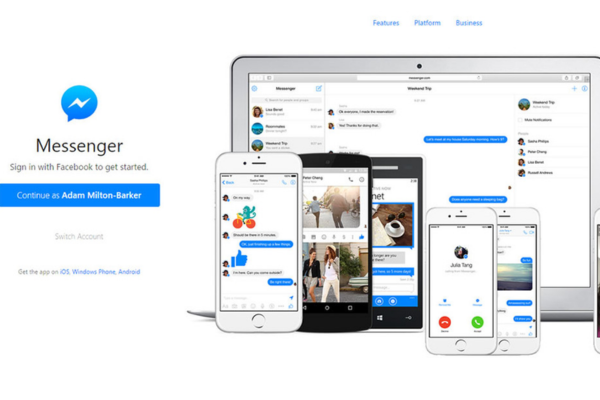
How does Facebook Messenger integrate with Facebook’s main platform?

In today’s digital world, communication plays a vital role in connecting people, sharing ideas, and maintaining relationships. Facebook, as one of the largest social networking platforms globally, offers not only a space for sharing posts and media but also a direct messaging system known as Facebook Messenger. Facebook Messenger started as a built-in messaging feature of Facebook, but it has evolved into a standalone app while remaining deeply integrated with the main Facebook platform.

This essay explores how Facebook Messenger integrates with Facebook’s main platform, how this integration benefits users, the features that connect both systems, and concludes with an appropriate example to illustrate its real-world application.


1. The History and Evolution of Facebook Messenger

Facebook launched in 2004 as a platform for people to create profiles, post updates, and connect with friends. Initially, messaging was a built-in feature within the Facebook site, allowing users to send messages to their friends through a simple inbox interface.

In 2011, Facebook introduced Messenger as a standalone mobile app, designed to offer a more focused and efficient messaging experience. Despite being a separate application on mobile devices, Messenger remains deeply connected to Facebook’s main platform, ensuring seamless communication between Facebook friends and enabling various cross-platform features.


2. Seamless User Experience Between Facebook and Messenger

The integration between Facebook and Messenger ensures a fluid user experience. When someone signs up for Facebook, they automatically gain access to Messenger using the same account credentials. There is no need to create a separate account.

Here’s how this integration works in practice:

  • A user can open Facebook, see a friend’s profile, and click the “Message” button to start a conversation.
  • That message is instantly sent through Messenger, even if the user is on the Facebook desktop site.
  • Likewise, if someone receives a message on Messenger, they’ll be notified via the Facebook app or website too.

Whether users are using Facebook on a browser or the mobile app, and whether they are accessing Messenger directly or through Facebook, the interaction remains smooth and interconnected.


3. Contact Synchronization and Social Graph Integration

Facebook Messenger draws directly from the user’s Facebook friends list, meaning anyone a user adds as a friend on Facebook automatically appears in their Messenger contacts.

Key points of integration:

  • When a user sends or accepts a friend request, that person is immediately available on Messenger.
  • Messenger uses Facebook’s social graph (the network of users and their relationships) to recommend contacts and group chats.
  • Users can view Messenger conversation threads directly from Facebook profiles.

This tight integration ensures users don’t have to manually add contacts or duplicate friend lists. It simplifies communication by creating a unified social and messaging experience.


4. Shared Media and Interaction

Another way Messenger integrates with the Facebook platform is through media sharing and interactions:

  • When users share posts, images, or videos on Facebook, they can send these directly via Messenger.
  • Facebook comments and likes can be turned into Messenger notifications or shared in conversations.
  • Users can also send Facebook posts in Messenger chats, allowing friends to view and interact with the content without needing to search for it on their timelines.

Additionally, Messenger supports direct interaction with Facebook’s features, such as:

  • Stories: Users can reply to Facebook stories via Messenger.
  • Marketplace: Buyers and sellers can communicate through Messenger, making it easier to discuss listings and prices.
  • Events: When invited to events on Facebook, users can coordinate with friends in Messenger group chats.

This interaction ensures that Facebook and Messenger work not as separate apps, but as different faces of a single social platform.


5. Notifications and Cross-App Communication

Facebook and Messenger also share notification systems. For instance:

  • If a user receives a new message, a notification appears on both the Facebook and Messenger apps.
  • Clicking the message icon on Facebook redirects the user to the Messenger interface, even on desktop.
  • On mobile, clicking a message may open the separate Messenger app, depending on device settings.

This notification integration ensures users are always in touch with their conversations, whether they’re browsing Facebook posts or specifically using Messenger.

Facebook also uses Messenger to deliver other types of notifications, such as:

  • Friend birthdays and reminders.
  • Page and event updates.
  • Activity alerts on shared posts.

All these enhance user engagement by blending Messenger with Facebook’s broader functions.


6. Messenger Rooms and Video Calls

Messenger offers video calling and group video chats that can be initiated directly from Facebook:

  • From a Facebook group or event page, users can launch a Messenger Room—a virtual video meeting space.
  • Friends can join these Rooms whether or not they have a Facebook account, but the feature is still tightly integrated with Facebook’s interface.

Additionally, Facebook Live streams and video content can be shared through Messenger, inviting friends to watch together.

These communication tools show how Messenger goes beyond text chat and supports multimedia interaction as part of the broader Facebook experience.


7. Integration with Facebook Pages and Business Tools

Messenger also serves as a customer communication tool for Facebook Pages:

  • Businesses can connect with customers directly through Messenger.
  • Auto-responses and chatbots can be set up via a Page’s settings to engage users.

This integration is key for:

  • Customer service: Brands answer questions in real time.
  • Order updates: Businesses can send receipts, shipping updates, or confirmations.
  • Engagement: Pages use Messenger to send promotions or appointment reminders.

For students studying business or marketing, this function is an example of how Messenger supports Facebook’s role as a platform for commerce and community engagement.


8. Cross-Platform Compatibility with Instagram and WhatsApp

Although not directly part of Facebook’s original platform, Messenger is now integrated with other apps under Meta (formerly Facebook Inc.), such as Instagram Direct and WhatsApp. This is part of Facebook’s strategy to create a unified messaging ecosystem.

For example:

  • Facebook and Instagram users can message each other across platforms using Messenger.
  • Business accounts can manage messages from Facebook, Instagram, and Messenger in a single inbox through Meta Business Suite.

This deep integration ensures that Messenger remains central to the communication experience across Meta’s ecosystem.


9. Example: Organizing a Study Group Using Facebook and Messenger

Let’s look at an example of how a high school or university student might benefit from this integration:

Scenario:

Jane is a university student preparing for final exams. She creates a Facebook group titled “Biology 101 Study Group” and invites her classmates to join. After they accept, she posts relevant study materials and exam schedules in the group.

To communicate more effectively, Jane starts a Messenger group chat linked to the Facebook group. Within the chat, members:

  • Share notes and quiz each other.
  • Send reminders about upcoming group study sessions.
  • Use Messenger’s video call feature for a virtual study session.

Jane also shares Facebook posts about biology topics directly in the Messenger chat for discussion. Members who miss updates in the Facebook group still receive message alerts via Messenger, keeping everyone in sync.

How this shows integration:

  • Facebook helped gather and organize the group.
  • Messenger facilitated real-time communication.
  • Media and posts were shared fluidly across both platforms.

This scenario illustrates how the integration enhances productivity and engagement.


Conclusion

Facebook Messenger is more than just a standalone messaging app—it is a deeply integrated component of Facebook’s main platform. From sharing media and managing contacts to coordinating events and enabling business interactions, Messenger supports a wide range of functions that enrich the Facebook experience.

For students and general users alike, this integration means more convenience, better communication, and a seamless flow between social interaction and messaging. Whether for personal use, study coordination, or professional communication, the union between Facebook and Messenger continues to evolve and provide users with a powerful and cohesive digital ecosystem.

Through features like synchronized notifications, shared media, built-in contact integration, and cross-platform messaging, Facebook ensures that Messenger remains a central part of the user experience—an example of how interconnected systems can enhance modern communication.

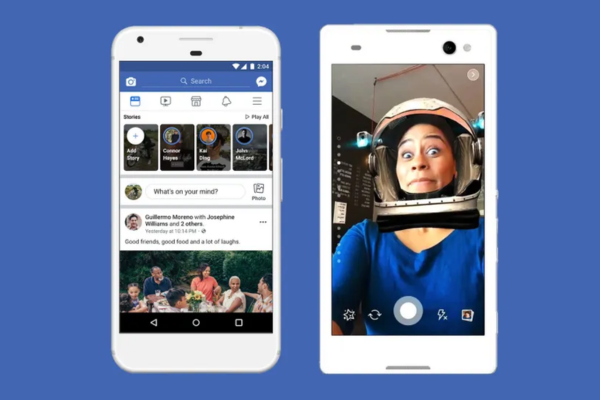
What are Facebook Stories, and how do they work?

 What Are Facebook Stories?

Facebook Stories are a feature that allows users to share temporary content with their friends, followers, or the public. Launched in 2017, Facebook Stories are similar to features found on other social media platforms like Snapchat, Instagram, and WhatsApp Status. They enable users to share moments of their daily lives in a visual format that disappears after a set period—usually 24 hours.

Stories are designed to promote spontaneous sharing, foster more authentic interactions, and increase engagement on the platform. Unlike traditional posts, which remain on a user’s profile indefinitely unless deleted, Facebook Stories are ephemeral, providing a sense of immediacy and casual sharing.

How Do Facebook Stories Work?

Understanding how Facebook Stories work involves examining the process of creating, viewing, and managing these stories.

1. Creating a Facebook Story

**Accessing the Feature:**
– Users can create a Story by tapping the “Create a Story” button, usually located at the top of the Facebook app’s News Feed or Profile page.
– On desktop, a “Create a Story” option is also available, accessible through the sidebar or the Stories section at the top.

**Adding Content:**
– Users can add various types of content:
– **Photos and Videos:** Captured directly via the camera or uploaded from the device.
– **Text:** Creating text-only stories with customizable backgrounds.
– **Music, Stickers, and Effects:** Enhancing stories with stickers, emojis, GIFs, filters, and music.
– **Augmented Reality (AR) Effects:** Applying fun AR effects and masks.

**Customization:**
– Users can add captions, draw on their stories, or add location tags.
– Privacy settings can be adjusted to determine who can see the story (e.g., friends, specific friends, or public).

**Publishing:**
– Once the content is ready, users tap “Share to Story” to publish.
– The story then appears at the top of the Facebook app and on the user’s profile picture with a colorful ring indicating new content.

 2. Viewing Facebook Stories

**How to View:**
– Users see a row of stories at the top of their Facebook app or homepage.
– Tapping on a story opens it in full-screen mode.
– Stories are displayed sequentially, advancing automatically after a few seconds unless the user taps to skip or go back.

**Interaction:**
– Viewers can send reactions or reply directly via message.
– Viewers can also see who has viewed their story, providing insights into their audience.

 3. Managing and Interacting with Stories

**Privacy Controls:**
– Users can control who sees their stories by adjusting privacy settings.
– They can also choose who can reply to their stories or disable replies altogether.

**Archiving:**
– Facebook allows users to automatically save stories to an archive after 24 hours.
– Users can revisit or repost archived stories later.

**Deleting or Editing:**
– Users can delete individual stories before they expire.
– They can also edit privacy settings or add new content to existing stories.

 Features Unique to Facebook Stories

– **Story Highlights:** Users can save selected stories to their profile as Highlights, which remain visible beyond 24 hours.
– **Polls and Questions:** Interactive features like polls or question stickers encourage audience engagement.
– **Link Sharing:** For some users or pages, links can be shared directly within stories.
– **Cross-Platform Sharing:** Facebook Stories can be shared across Instagram (owned by Facebook) and Messenger stories, allowing for broader reach.

 The Purpose and Benefits of Facebook Stories

– **Real-Time Sharing:** They enable users to share moments as they happen.
– **Increased Engagement:** The temporary nature encourages more spontaneous sharing, leading to more interactions.
– **Enhanced Visibility:** Stories appear at the top of the feed, ensuring high visibility.
– **Advertising Opportunities:** Businesses can use stories for promotions, product launches, or behind-the-scenes content.
– **Personal Connection:** Stories foster a more personal connection with friends and followers through authentic content.

Example of Facebook Stories in Use

Let’s consider an example to illustrate how Facebook Stories might be used:

**Scenario:**
Sarah owns a small bakery called “Sweet Treats” and wants to promote her new line of summer desserts.

**Creating the Story:**
– Sarah opens the Facebook app and taps “Create a Story.”
– She uploads a series of photos and short videos showing her baking process, the colorful desserts, and happy customers.
– She adds fun stickers, like a “Summer Vibes” sticker, and writes “Freshly baked summer treats! Come try them today!” over the images.
– Sarah tags her location, “Downtown Bakery,” and adds music to the videos for a lively vibe.

**Publishing and Promotion:**
– She shares the story, which appears at the top of her followers’ Facebook feeds.
– Her followers view the story, react with emojis, send her messages, or visit her bakery based on her call to action.

**Engagement:**
– A follower replies asking about the ingredients, and Sarah responds directly through the story reply feature.
– She saves the story as a Highlight titled “Summer Specials” on her profile so new visitors can see it even after 24 hours.

**Results:**
– The story generates buzz around her summer desserts, increases foot traffic, and boosts sales.
– She also uses insights from who viewed her story to tailor future promotions.

 Conclusion

Facebook Stories are a dynamic and engaging feature that allows users to share moments quickly and temporarily. They work through a straightforward process of creating, customizing, and sharing visual content that disappears after 24 hours unless saved as a Highlight. The feature enhances user engagement, promotes spontaneous sharing, and offers valuable opportunities for businesses and individuals alike.

By understanding how Facebook Stories operate—from creating captivating content to managing privacy and interaction—users can leverage this feature to strengthen their social presence, connect more authentically with their network, and achieve specific goals such as marketing or personal branding.

How can students use Facebook responsibly and safely?

How Can Students Use Facebook Responsibly and Safely?

In the digital age, social media platforms like Facebook have become integral parts of students’ lives. From connecting with peers and sharing life events to engaging with educational content and participating in online communities, Facebook offers a variety of benefits. However, the platform also comes with significant risks such as cyberbullying, data privacy issues, and the potential for distraction. Therefore, it’s crucial that students learn how to use Facebook responsibly and safely. This guide outlines strategies students can use to maximize Facebook’s positive potential while minimizing its downsides, along with an appropriate example for better understanding.


1. Understand Privacy Settings

One of the first steps to using Facebook responsibly is understanding and managing privacy settings. Students should regularly review their privacy configurations to control who sees their posts, who can contact them, and who can look them up. Facebook offers tools to restrict content visibility to specific groups such as “Friends,” “Only Me,” or “Custom Lists.”

Tips for managing privacy settings:

  • Turn on profile review and tag review options.
  • Limit who can send you friend requests.
  • Avoid making personal information like your phone number, school address, or email public.

Why it matters: Without proper privacy settings, students expose themselves to strangers, potential scammers, or cyberbullies who can misuse their personal information.


2. Think Before You Post

What students post on Facebook can have long-term consequences. A post made in a moment of frustration or fun might not seem harmful at the time but could be damaging in the future, especially if it contains offensive language, misinformation, or inappropriate content.

Smart posting practices:

  • Avoid posting when emotional or angry.
  • Never share confidential information or gossip.
  • Ask yourself: “Would I be okay if a teacher, future employer, or my parents saw this?”

Why it matters: Colleges and employers often look at social media profiles as part of their vetting process. A single post can shape someone’s opinion of your character or judgment.


3. Avoid Cyberbullying and Be Respectful

Facebook should be a platform for positive interaction and learning. Unfortunately, some users misuse it to spread hate, harass others, or engage in cyberbullying. Students must commit to being respectful and kind online, just as they would in person.

Tips to maintain respectful behavior:

  • Don’t engage in or encourage hurtful comments.
  • If you see someone being bullied, report the behavior and offer support.
  • Use the block and report features against any user who threatens or harasses you.

Why it matters: Cyberbullying can have serious emotional and psychological impacts. A responsible user contributes to a healthier and safer online environment for all.


4. Limit Screen Time and Avoid Addiction

Facebook can be very engaging, but it’s also easy to lose track of time. Too much time spent on social media can interfere with academics, sleep, and mental health. It’s important for students to find a balance between online activity and real-life responsibilities.

Ways to avoid Facebook addiction:

  • Use screen time management apps.
  • Set specific time slots for social media use.
  • Turn off non-essential notifications.

Why it matters: Time management is key to academic success. Facebook can be a tool, but only if it’s not consuming the time meant for studying, exercise, or family interaction.


5. Verify Information Before Sharing

Misinformation spreads rapidly on social media. Students should be cautious about what they read and share. Not everything posted on Facebook is true, and spreading false information, even unintentionally, can contribute to larger societal problems.

Tips to prevent spreading misinformation:

  • Verify news from reliable sources.
  • Avoid sharing posts with sensational headlines without reading the full article.
  • Check the date and source of information before sharing.

Why it matters: Misinformation can cause panic, damage reputations, and reduce the credibility of the person sharing it. A responsible student user verifies facts before hitting “share.”


6. Use Facebook for Learning and Growth

While Facebook is often seen as a recreational platform, it also offers educational value. Students can join academic groups, follow pages related to their field of study, or connect with peers and professionals.

Ideas for productive Facebook use:

  • Join groups related to school subjects, careers, or hobbies.
  • Follow educational institutions or credible news pages.
  • Participate in live sessions, webinars, and academic discussions.

Why it matters: Used correctly, Facebook can become a personalized educational space where students enhance their learning and stay informed.


7. Report Suspicious Activity

Facebook is sometimes used by scammers or individuals with harmful intent. Students should be cautious about accepting friend requests from strangers, clicking on suspicious links, or sharing personal information with people they do not know.

Steps to handle suspicious activity:

  • Report any suspicious profile or content to Facebook.
  • Block users who send inappropriate messages or requests.
  • Educate yourself about phishing scams and malware links.

Why it matters: Staying alert can protect you and others from identity theft, fraud, or psychological harm.


8. Respect Digital Boundaries

Students must understand that not everyone is comfortable with having their photos or opinions shared online. Consent is essential in the digital world.

How to respect digital boundaries:

  • Always ask before tagging someone or posting their photo.
  • Don’t share private conversations without permission.
  • Be considerate when commenting on others’ posts.

Why it matters: Mutual respect online fosters trust and maintains friendships both online and offline.


9. Create a Positive Digital Footprint

Everything students post, like, or comment on contributes to their digital footprint. Being intentional about what you put online can help create a positive image of yourself.

Ways to build a positive digital presence:

  • Share achievements, volunteer work, or creative projects.
  • Support social causes or inspirational stories.
  • Avoid engaging in controversial or offensive content.

Why it matters: A well-managed digital footprint can be an asset for college applications, scholarships, and future job opportunities.


Example: Responsible Facebook Use

Scenario:

Sarah, a high school student, enjoys using Facebook to connect with her friends and keep up with current events. One day, she sees a post claiming that a new virus is spreading in her town. The post is from an unofficial page and is causing panic among her friends. Instead of sharing it immediately, Sarah checks credible news websites and local health department pages. She finds no mention of such a virus. Realizing it is likely a hoax, she comments respectfully on the post suggesting people verify the news before spreading it, and she reports the post to Facebook for misinformation.

At the same time, Sarah manages her privacy settings to ensure only friends can view her content. She also joins a science group where she participates in discussions related to her biology class. When one of her classmates posts a funny meme about another student, Sarah chooses not to engage. She messages the poster privately, explaining why the meme could be hurtful and asks them to take it down.

By verifying information, using Facebook for educational purposes, managing her privacy, and standing against bullying, Sarah sets a positive example of responsible and safe Facebook use.


Conclusion

Facebook can be a powerful tool for students when used responsibly. It offers numerous opportunities for learning, social interaction, and personal growth. However, without caution and self-awareness, it can also pose significant risks. By understanding privacy settings, thinking before posting, avoiding harmful behavior, limiting screen time, verifying facts, and building a positive online presence, students can turn Facebook into a safe and beneficial space. With the right habits, students like Sarah can lead by example and inspire others to use Facebook in a way that supports their academic, personal, and social development.

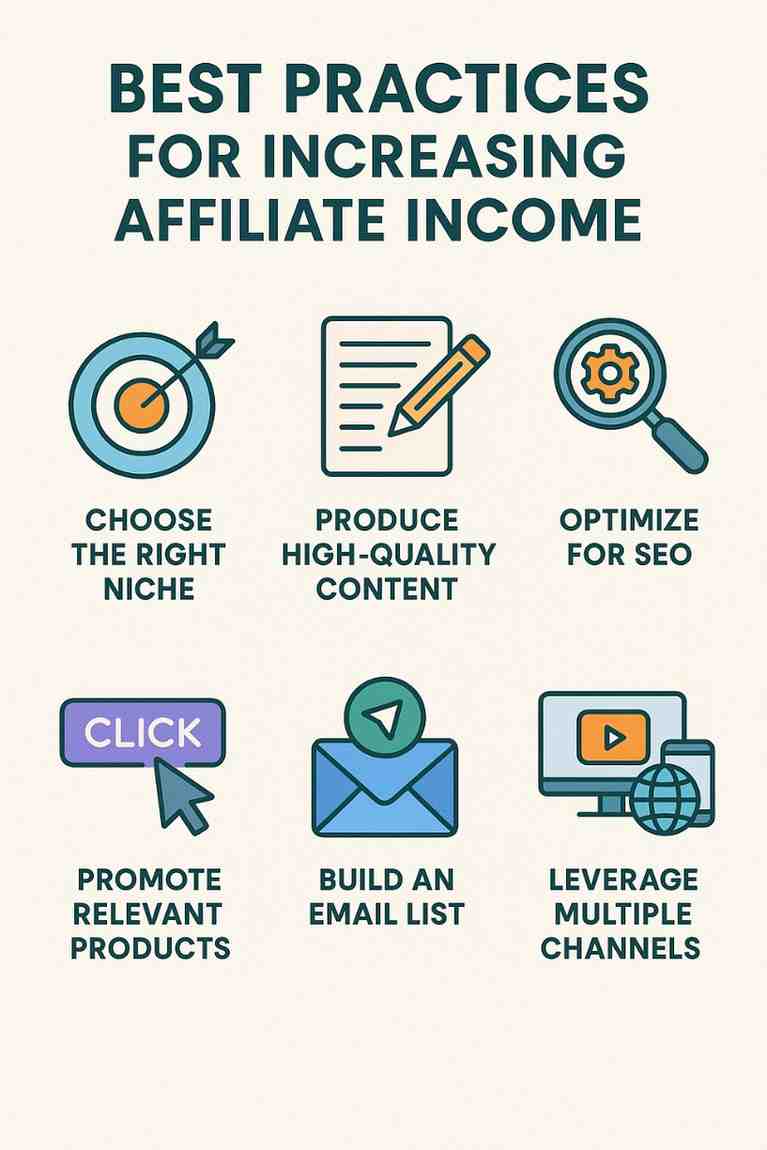
What Are “Best Practices” for Increasing Affiliate Income?

Affiliate marketing is a performance-based strategy where marketers earn commissions by promoting products or services through unique affiliate links. While affiliate marketing offers significant income potential, success requires strategic effort to maximize earnings. “Best practices” are proven techniques that optimize traffic, conversions, and revenue while building trust and sustainability. In 2025, with evolving consumer behavior, advanced tools, and search engine algorithms prioritizing user experience and E-E-A-T (Experience, Expertise, Authoritativeness, Trustworthiness), adopting these practices is essential for affiliates to thrive. This essay outlines the best practices for increasing affiliate income, detailing their implementation, benefits, challenges, and tools, followed by a practical example to illustrate their application.


Best Practices for Increasing Affiliate Income

1. Choose a Profitable and Relevant Niche

Selecting the right niche is foundational to affiliate success, as it determines your audience, competition, and earning potential.

  • How to Implement:
    • Research Demand: Use Google Trends (free) or Ubersuggest (free) to identify niches with consistent or growing interest (e.g., “budget tech gadgets” or “sustainable travel”).
    • Assess Competition: Target sub-niches with moderate competition (e.g., “vegan fitness gear” vs. broad “fitness”) to rank faster on search engines.
    • Align with Passion: Choose a niche you’re knowledgeable or passionate about to sustain content creation and authenticity.
    • Select High-Paying Programs: Join programs like Amazon Associates (1–10% commissions), ShareASale, or SaaS affiliates (e.g., NordVPN at 40%) for better payouts.
  • Significance: A focused niche attracts a targeted audience, reduces competition, and supports higher commissions.
  • Tools: Google Keyword Planner (free), Ahrefs (~$99/month) for competition analysis.
  • Benefit: Increases traffic and conversions by reaching motivated buyers.
  • Challenge: Oversaturated niches require unique angles to stand out.
2. Create High-Quality, Value-Driven Content

Content is the backbone of affiliate marketing, driving traffic and persuading audiences to click affiliate links.

  • How to Implement:
    • Focus on User Intent: Create content addressing specific needs, such as product reviews, comparisons, or guides (e.g., “Top 5 Budget Laptops for Students 2025”).
    • Be Transparent: Include FTC-compliant disclosures (e.g., “This post contains affiliate links”) to build trust.
    • Add Value: Provide in-depth insights, personal experiences, or user feedback (e.g., “I tested these laptops for a month”).
    • Use Visuals: Incorporate images, infographics, or videos created with Canva (free) or DaVinci Resolve (free) to enhance engagement.
  • Significance: Quality content ranks higher, engages audiences, and meets Google’s E-E-A-T standards, boosting conversions.
  • Tools: Grammarly (free) for polished writing, Yoast SEO (free) for content optimization.
  • Benefit: Builds trust and drives long-term, evergreen traffic.
  • Challenge: Time-intensive to produce consistently.
3. Optimize for Search Engine Optimization (SEO)

SEO is critical for driving organic traffic to affiliate content, reducing reliance on paid or social channels.

  • How to Implement:
    • Keyword Research: Target long-tail keywords with high intent (e.g., “best wireless earbuds for running 2025”) using Google Keyword Planner or Ubersuggest.
    • On-Page SEO: Optimize titles, meta descriptions, headings, and URLs with keywords. Use alt text for images and internal/external links for authority.
    • Technical SEO: Ensure fast load times (<3 seconds) with Google PageSpeed Insights (free), mobile optimization, and HTTPS via hosting like Bluehost (~$50/year).
    • Build Backlinks: Earn links from niche sites via guest posting or community engagement (e.g., Reddit or Quora).
  • Significance: Higher rankings attract targeted, high-intent traffic, increasing affiliate link clicks.
  • Tools: Google Search Console (free) for ranking tracking, BuzzSumo (free trial) for backlink opportunities.
  • Benefit: Cost-effective, sustainable traffic source.
  • Challenge: SEO results take 3–12 months, requiring patience.
4. Diversify Traffic Sources

Relying on a single traffic source (e.g., Google) risks income loss from algorithm changes or platform bans. Diversifying ensures stability.

  • How to Implement:
    • Social Media: Share content on Pinterest, Instagram, or TikTok to drive niche traffic. Use Buffer (free) for scheduling.
    • Email Marketing: Build a list with Mailchimp (free for 500 subscribers) using lead magnets (e.g., “Free Tech Buying Guide”).
    • Paid Ads: Run low-budget Google Ads or Facebook Ads ($5–$10/day) targeting high-intent audiences.
    • Communities: Engage in Reddit subreddits or Quora, linking to content subtly to avoid bans.
  • Significance: Multiple channels reduce risk and amplify reach, supporting consistent traffic.
  • Tools: Linktree (free) for social link management, Bitly (free) for link tracking.
  • Benefit: Stabilizes income and reaches diverse audiences.
  • Challenge: Managing multiple channels is time-consuming.
5. Build an Email List

Email marketing allows affiliates to nurture leads and promote offers repeatedly, increasing conversions over time.

  • How to Implement:
    • Create a Lead Magnet: Offer a free resource (e.g., eBook, checklist) via a landing page built with Carrd ($19/year).
    • Set Up Email Sequences: Use Mailchimp to send welcome emails, educational content, and promotional offers with affiliate links.
    • Segment Audiences: Tailor emails based on interests (e.g., tech vs. fitness) for personalized promotions.
    • Include CTAs: Add clear calls-to-action (e.g., “Shop Now”) with affiliate links.
  • Significance: Email lists provide direct access to engaged audiences, boosting repeat conversions.
  • Tools: Google Docs (free) for lead magnet creation, Mailchimp for automation.
  • Benefit: High ROI, as emails convert better than one-off content.
  • Challenge: Building a list takes time and consistent effort.
6. Promote High-Converting Offers

Focusing on products or services with strong conversion potential maximizes earnings per click.

  • How to Implement:
    • Choose High-Paying Programs: Prioritize SaaS (e.g., ConvertKit at 30% recurring) or high-ticket items (e.g., laptops) over low-commission products.
    • Test Offers: Use affiliate dashboards to track which products convert best (e.g., NordVPN vs. a generic gadget).
    • Leverage Promotions: Highlight limited-time deals (e.g., “50% Off NordVPN This Week!”) to create urgency.
    • Bundle Bonuses: Offer exclusive bonuses (e.g., a setup guide) for purchases through your link, where allowed.
  • Significance: High-converting offers yield more revenue with less traffic.
  • Tools: ShareASale or CJ Affiliate for program discovery, Bitly for tracking.
  • Benefit: Increases earnings efficiency.
  • Challenge: High-paying programs may have stricter approval processes.
7. Track and Optimize Performance

Data-driven optimization ensures affiliate campaigns remain profitable and scalable.

  • How to Implement:
    • Monitor Metrics: Use Google Analytics (free) for traffic insights and affiliate dashboards for clicks, conversions, and commissions.
    • A/B Test: Experiment with CTAs, headlines, or landing page designs using Google Optimize (free).
    • Refine Strategies: Focus on high-performing content or offers (e.g., double down on a top-ranking review).
    • Update Content: Refresh posts with new prices, features, or trends to maintain relevance.
  • Significance: Optimization improves ROI and identifies growth opportunities.
  • Tools: Google Tag Manager (free) for tracking, Ahrefs for competitor analysis.
  • Benefit: Maximizes earnings from existing traffic.
  • Challenge: Requires learning analytics and testing tools.
8. Ensure Compliance and Build Trust

Compliance with program rules and transparency with audiences fosters long-term success.

  • How to Implement:
    • Disclose Affiliate Links: Include FTC-compliant disclosures in all content (e.g., “This post contains affiliate links, and I may earn a commission at no cost to you”).
    • Follow Program Rules: Adhere to terms (e.g., Amazon prohibits direct ad links or price tracking).
    • Promote Quality Products: Recommend reputable products to maintain credibility.
    • Engage Authentically: Share personal experiences or honest reviews to build trust.
  • Significance: Compliance avoids bans, while trust increases conversions.
  • Tools: Grammarly for clear disclosures, Bitly for compliant links.
  • Benefit: Protects accounts and enhances audience loyalty.
  • Challenge: Staying updated on rules across programs and platforms.

Challenges of Implementing Best Practices

  • Time Investment: SEO, content creation, and email nurturing require months of consistent effort.
  • Learning Curve: Mastering SEO, ads, or analytics demands study, though free resources help.
  • Costs: Tools like Ahrefs or paid ads strain budgets, but free alternatives exist.
  • Competition: Popular niches require unique angles or sub-niches to compete.
  • Algorithm Changes: Google or social platform updates can disrupt traffic, necessitating adaptability.

Benefits of Best Practices

  • Sustainable Income: Evergreen content and email lists generate passive revenue.
  • Scalability: Optimized strategies allow expansion into new niches or offers.
  • Trust and Authority: Transparent, quality content builds a loyal audience.
  • Cost-Effectiveness: Free tools and organic traffic minimize expenses.
  • Data-Driven Growth: Analytics guide improvements for higher ROI.

Example: Applying Best Practices to Increase Affiliate Income

Scenario: Emma, a 23-year-old student, wants to earn $400/month promoting SaaS tools in the “productivity for students” niche. She applies best practices to build a sustainable affiliate business.

Step-by-Step Approach:

  1. Choose a Niche (Week 1):
    • Emma selects “productivity for students,” focusing on tools like Notion and Todoist, validated by Google Trends showing high demand. She joins Notion Affiliate Program (50% commission, ~$15/sale) and Todoist Affiliate Program (25% commission, ~$10/sale) via ShareASale.
  2. Create Content (Weeks 2–8):
    • Emma builds a blog, “StudentProductivityHub,” using WordPress.org with Bluehost ($40/year). She writes a 2,000-word comparison post, “Notion vs. Todoist: Best Productivity Apps for Students in 2025,” optimized for “Notion vs. Todoist 2025” using Ubersuggest.
    • Content: Includes a comparison table, pros/cons, personal insights (“I used Notion for my study notes”), and Canva visuals. She adds an FTC disclosure and CTAs with Bitly links.
    • She creates a YouTube video summarizing the post, driving 1,000 views/month.
  3. Optimize for SEO (Weeks 9–12):
    • Emma uses Yoast SEO to optimize her post, targeting keywords like “best productivity apps for students.” She submits a sitemap via Google Search Console and ensures mobile optimization with Google PageSpeed Insights.
    • She earns 10 backlinks by guest posting on study blogs and engaging on Reddit’s r/Productivity, boosting her post to Google’s page 1, attracting 2,500 visitors/month.
  4. Diversify Traffic (Weeks 13–16):
    • Emma shares pins on Pinterest**, driving 800 visitors/month. She posts Instagram reels about productivity, gaining 1,500 followers and 200 clicks/month via Linktree.
    • She runs Facebook Ads ($5/day, $150/month) targeting students interested in apps, driving 500 visitors/month.
  5. Build Email List (Weeks 2–20):
    • Emma creates a lead magnet, “Free Student Productivity Toolkit,” using Google Docs, hosted on a Carrd landing page ($19/year). She collects 1,200 subscribers via Mailchimp, sending a 5-email sequence:
      • Email 1: Delivers the toolkit.
      • Email 2: Shares “5 Productivity Hacks for Students.”
      • Email 3: Compares Notion and Todoist.
      • Email 4: Promotes Notion’s discount.
      • Email 5: Highlights Todoist’s features.
    • Emails drive 150 affiliate link clicks/month at a 20% conversion rate.
  6. Promote High-Converting Offers (Ongoing):
    • Emma focuses on Notion’s 50% commission due to higher conversions. She highlights limited-time deals (e.g., “Notion’s Student Plan Free for 6 Months!”) to create urgency.
  7. Track and Optimize (Weeks 17–24):
    • Google Analytics shows 4,800 monthly visitors (2,500 SEO, 800 Pinterest, 1,500 ads). ShareASale reports 20 Notion sales ($300 commission) and 15 Todoist sales ($150 commission), totaling $450/month.
    • Emma tests a new landing page CTA with Google Optimize, increasing email signups by 15%, adding 3 sales/month ($45). She updates her post with 2025 features, maintaining rankings.
    • ROI: $450 – $169 (ads + Carrd + hosting) = $281 profit/month.

Analysis: Emma’s success stems from a focused niche, high-quality content, SEO, diversified traffic, email nurturing, and data-driven optimization. Free tools (Canva, Ubersuggest, Mailchimp) and low-cost Carrd and Bluehost keep expenses minimal. Her compliance and trust-building ensure sustainability, exceeding her $400/month goal.


Conclusion

Best practices for increasing affiliate income involve choosing a profitable niche, creating value-driven content, optimizing for SEO, diversifying traffic, building email lists, promoting high-converting offers, tracking performance, and ensuring compliance. These strategies maximize traffic, conversions, and revenue while fostering trust and sustainability. Challenges like time investment and competition are overcome with free tools, persistence, and optimization. Emma’s example in the productivity niche demonstrates how a beginner can earn $450/month by applying these practices, leveraging affordable resources and multi-channel strategies. In 2025, as consumers prioritize trusted, relevant content, adopting these best practices empowers affiliates to build scalable, profitable businesses in the competitive affiliate marketing landscape.

How Can a Student Track Their Affiliate Marketing Performance?

Affiliate marketing is an excellent way for students to earn money online by promoting products or services and earning commissions from resulting sales or leads. However, to make affiliate marketing effective and profitable, it’s essential to track and analyze performance. Monitoring performance not only helps optimize efforts but also reveals what strategies are working and which ones need adjustment.

Here’s a complete guide on how a student can track their affiliate marketing performance effectively:


1. Use Affiliate Dashboards

Most affiliate networks and programs offer built-in dashboards where students can track their performance. These dashboards provide key metrics such as:

  • Clicks – Number of times people clicked your affiliate link.

  • Conversions/Sales – How many of those clicks turned into sales or leads.

  • Commission Earned – How much money you’ve made from successful referrals.

  • Conversion Rate – Percentage of clicks that turned into sales (Conversions ÷ Clicks × 100).

  • Traffic Source Breakdown – Sometimes, they show where your traffic is coming from (social media, blog, YouTube, etc.).

Example:

If you’re using Amazon Associates, their dashboard shows:

  • Number of product link clicks

  • Number of ordered items

  • Earnings

  • Conversion rate

💡 Tip: Log in to your affiliate dashboard regularly (daily or weekly) and note trends or sudden drops/spikes in performance.


2. Use UTM Parameters for Link Tracking

A UTM parameter is a small snippet of text added to a URL to help you track where your traffic is coming from.

For example, if you are sharing your affiliate link in multiple places like YouTube, Instagram, or a blog, you can differentiate them like this:

arduino
https://www.productsite.com?utm_source=instagram&utm_medium=social&utm_campaign=summer2025

Tools to Create UTM Parameters:

With UTM tracking, you can see which platform or content is driving the most valuable traffic.


3. Integrate with Google Analytics

Google Analytics is a free and powerful tool that can be integrated with your website or blog.

Why It’s Useful:

  • Shows how many people visit your site

  • Tracks their behavior on your pages

  • Identifies traffic sources (social media, search engines, direct)

  • Helps you see which blog posts or pages lead to the most affiliate clicks

How to Use It:

  1. Set up a Google Analytics account.

  2. Connect it to your blog or website.

  3. Use “Event Tracking” to track when someone clicks on an affiliate link.

  4. You can also set “Goals” to track conversions if your affiliate platform allows it.


4. Use Link Cloaking and Tracking Tools

Link cloaking not only makes affiliate links look cleaner but also allows detailed tracking. Tools like:

  • ThirstyAffiliates (WordPress plugin)

  • Pretty Links (WordPress plugin)

  • Bitly (free link shortener and tracker)

These tools allow you to:

  • Monitor the number of clicks on each link

  • Identify the top-performing affiliate links

  • Organize and categorize links (e.g., by campaign or product type)


5. Track with Excel or Google Sheets

While this is more manual, it helps beginners who don’t have much traffic yet or want a custom overview.

What to Include:

  • Date

  • Platform (Instagram, Blog, YouTube)

  • Link shared

  • Number of clicks (get from your link cloaker or affiliate dashboard)

  • Conversions/Sales

  • Commission earned

This helps students notice:

  • Which days perform best

  • Which platforms bring in more conversions

  • What kind of content is most profitable


6. Set KPIs (Key Performance Indicators)

Before you can properly track performance, define what success means to you. Common KPIs include:

  • Monthly revenue goal (e.g., ₹5,000/month)

  • Click-through rate (CTR) – Are your links getting clicks?

  • Conversion rate – Are those clicks turning into sales?

  • Content performance – Which blog or video brings the most clicks?

  • Return on Time Invested (ROTI) – Are you earning enough based on your time spent?

Tracking these helps students refine their marketing strategy over time.


7. A/B Testing Different Approaches

Students can experiment with:

  • Different headlines or call-to-actions

  • Placing affiliate links in different parts of a blog post

  • Promoting the same product in different formats: reels, blog posts, carousel posts, email newsletters, etc.

Track performance to see which version works better. For example, if Version A of a YouTube video gets more link clicks than Version B, you know what to replicate.


8. Use Affiliate Network Reports

Affiliate networks like:

  • ShareASale

  • CJ Affiliate (formerly Commission Junction)

  • Impact

  • ClickBank

  • Rakuten

…all provide downloadable reports with detailed performance metrics:

  • Unique clicks

  • Impressions

  • Sales by region or device

  • Reversal rates (returns or cancellations)

  • EPC (Earnings Per Click)

💡 Pro Tip: Review weekly or monthly to identify long-term trends and seasonal changes.


9. Monitor Social Media Analytics

If you promote affiliate links on Instagram, YouTube, or TikTok, you can track performance through their built-in analytics:

  • Instagram Insights – Story swipe-ups, link clicks, reach

  • YouTube Studio – Link clicks in descriptions, viewer retention

  • TikTok Analytics – Profile link clicks

This will help you understand which platform and content type is resonating best with your audience.


10. Track Refunds and Reversals

Some affiliate programs subtract commissions if a customer returns the product. Make sure to:

  • Check the “reversed commissions” or “adjustments” section in your dashboard.

  • Understand refund policies of your affiliate program.

This helps ensure you’re not just tracking gross earnings but net earnings.


Final Thoughts: Create a Habit

Tracking performance is not a one-time task. Make it part of your routine:

  • Weekly check-ins – Review dashboards and traffic sources.

  • Monthly reviews – Analyze overall performance, set new goals.

  • Quarterly adjustments – Change content strategy or affiliate offers if needed.


Example Case:

Priya, a college student promoting beauty products on her blog and Instagram, uses:

  • ThirstyAffiliates on her WordPress blog

  • UTM tags on Instagram Stories and YouTube descriptions

  • Google Analytics to monitor where her traffic is coming from

  • A Google Sheet to compare month-over-month growth

She notices that blog posts get more conversions, while Instagram gets more clicks. Based on this, she decides to create more blog posts and link them on her Instagram profile.


Conclusion

Affiliate marketing is a great earning opportunity for students, but without tracking, it’s like shooting in the dark. By using the right tools and strategies — from affiliate dashboards and UTM tracking to Google Analytics and link cloaking plugins — students can identify what works, maximize revenue, and grow their affiliate efforts strategically.

Would you like a free Google Sheet template to start tracking affiliate performance?

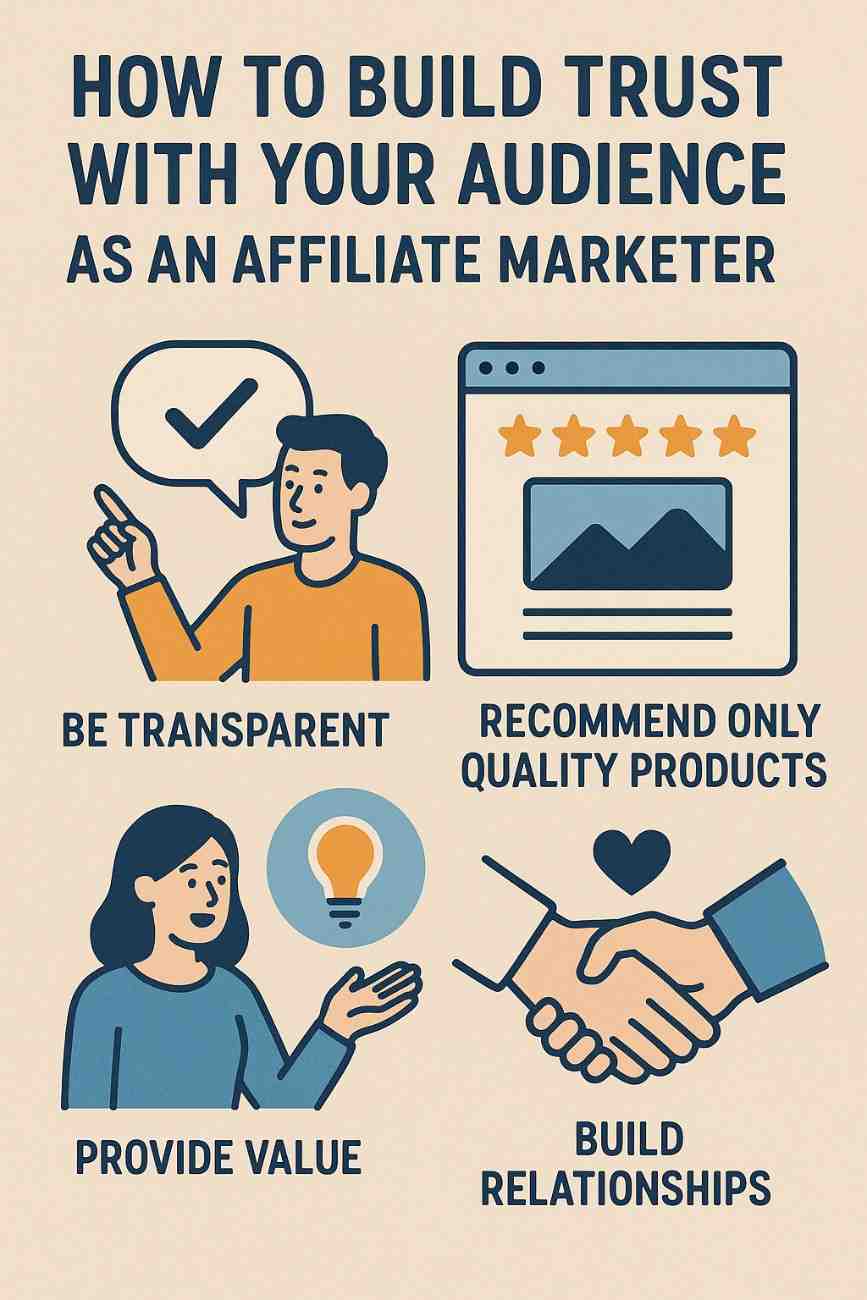
How to Build Trust with Your Audience as an Affiliate Marketer

v

Affiliate marketing is one of the most powerful and cost-effective ways to generate income online. Whether you’re running a blog, a YouTube channel, a podcast, or building a following on Instagram, the foundation of every successful affiliate marketing strategy is trust.

Without trust, your audience won’t click your links. They won’t buy from your recommendations. They won’t even read your content to the end. And in a world full of clickbait, scams, and aggressive promotions, earning and maintaining that trust is both a challenge and a priority.

In this detailed guide, we’ll cover:

  1. What trust means in affiliate marketing

  2. Why it’s critical to success

  3. How to build trust authentically with your audience

  4. Real-world strategies and tips

  5. A full example that puts these principles into action


What Is Trust in Affiliate Marketing?

In affiliate marketing, trust means your audience believes in your credibility, values your advice, and feels confident that your recommendations serve their best interest. When your followers see you as a genuine, transparent, and knowledgeable guide—not just someone pushing products—they’re far more likely to take action on your links.

Trust is earned over time. It’s a product of consistency, honesty, empathy, and value delivery. And unlike tactics that give short-term results, trust builds long-term loyalty and sustainable income.


Why Is Trust So Important in Affiliate Marketing?

Here are a few key reasons:

  • Higher Conversion Rates: People buy from sources they trust. Period.

  • Reduced Refunds and Complaints: When your audience believes in your recommendations, they’re less likely to feel misled or regret their purchase.

  • Repeat Traffic and Loyalty: A trusted brand doesn’t need to chase traffic—people come back on their own.

  • Stronger Brand Partnerships: Brands want to work with affiliates who have influence—not just traffic.

In essence, trust compounds your results. You may have fewer views than big influencers, but if you have deep trust, your content can still outperform.


12 Proven Ways to Build Trust with Your Audience as an Affiliate

1. Be Transparent About Affiliate Relationships

Always disclose that you use affiliate links. It’s not only ethical but also legally required in many regions (like per FTC guidelines in the U.S.).

Example Disclosure:
“This post contains affiliate links, which means I may earn a small commission if you purchase through my links—at no extra cost to you. I only recommend products I truly believe in.”

When you’re upfront, you show integrity—and that builds trust.


2. Promote Products You’ve Personally Used or Tested

People can sense authenticity. When you speak from experience, your reviews and recommendations are more detailed, relatable, and credible.

If you haven’t used the product, be clear about that. You can still recommend it based on thorough research or user feedback—but don’t pretend.


3. Provide Value Before Promotion

Don’t just drop affiliate links. Surround them with value—educational content, how-tos, comparisons, or storytelling.

Examples:

  • A blog post: “How I Built a Website in 3 Days (with Bluehost)”

  • A YouTube video: “My Top 5 Productivity Tools That Changed My Workflow”

When your audience benefits from your content even without clicking, they’ll respect your work—and return for more.


4. Focus on Solving Problems, Not Selling Products

The best affiliate marketers don’t push products—they solve problems.

For instance, instead of saying:

“Buy this planner—it’s amazing!”

Say:

“If you struggle with staying focused, this planner helped me create a weekly system that actually works.”

Make it about the user’s need, not your commission.


5. Be Honest About Limitations and Drawbacks

If a product isn’t perfect, say so. In fact, pointing out downsides can make your recommendation more believable.

For example:

“The tool is great for beginners, but if you’re an advanced user, it might feel limiting.”

This balanced approach builds credibility and positions you as a trustworthy advisor—not just a promoter.


6. Create In-Depth, High-Quality Content

Shallow, generic content doesn’t inspire confidence. Go deep. Compare alternatives. Include pros and cons. Show screenshots or demonstrations.

The more effort you put in, the more your audience will respect your opinion.


7. Engage With Your Audience

Reply to comments, answer emails, and respond to questions. People trust people who care.

When you take time to connect personally—even at scale—you build a loyal community that values your voice.


8. Share Real Results or Case Studies

Show what worked for you or your clients. Walk through your journey.

Example:

“I used this budget app for 30 days—here’s what I saved.”

Real numbers, stories, and before/after comparisons establish authority and make your content memorable.


9. Build a Personal Brand, Not Just a Content Site

People follow people. Build your online identity around your values, interests, and expertise. Share glimpses of your life and why you do what you do.

If your audience knows and likes the person behind the screen, they’ll trust your recommendations even more.


10. Avoid Over-Promotion

Don’t overload every blog post, email, or video with affiliate links. Mix promotional content with purely educational, entertaining, or inspirational material.

Ratio to follow:
3 pieces of value-driven content for every 1 promotional piece.


11. Use Email Marketing to Build Deeper Relationships

Email allows you to deliver content directly, offer personalized help, and share exclusive tips or deals. It’s more intimate than social media or search.

When someone gives you their email, they’re trusting you. Use that opportunity wisely—don’t spam. Nurture with value first.


12. Choose Affiliate Programs That Align With Your Brand

Not every high-paying affiliate offer is a good fit. Promote only those that make sense for your audience.

A fitness influencer promoting cryptocurrency apps may confuse or lose trust from followers. Stick with products that your audience expects and needs.


Example: Building Trust as an Affiliate Blogger

Meet Alex, a Travel Blogger

Alex runs a blog called “WanderSmart”, where he shares travel tips, itineraries, and budget hacks. He’s an affiliate for products like:

  • Travel insurance

  • Backpacking gear

  • Hotel booking platforms

  • Language apps

Here’s how Alex builds trust:

  • Transparency: Each post includes a clear disclaimer:
    “This article contains affiliate links, but I only recommend tools I use on my own travels.”

  • Personal Use: He reviews his actual travel backpack with photos, wear-and-tear comments, and what fits inside.

  • Problem-Solving Content: Instead of “Best Travel Insurance,” he writes:
    “How I Saved $800 on My Trip to Spain After Losing My Bag—And Why Travel Insurance Matters.”

  • Email Engagement: Subscribers get a free travel checklist and weekly tips—not just promotions.

  • Honest Comparisons: When reviewing hotels.com vs booking.com, he highlights strengths of each, including mobile app quality and refund policies.

As a result, his readers see him as a reliable travel buddy. They click, trust, and buy—not because of flashy marketing, but because he earned it.


Final Thoughts

Trust is the backbone of affiliate marketing. It’s not earned overnight—but once established, it becomes the most powerful asset you have.

By putting your audience first, offering genuine value, and being transparent in your promotions, you turn followers into fans—and fans into buyers. You don’t need a massive audience to succeed. You need a trusted voice in a crowded world.

So next time you publish a post, film a video, or send an email, ask yourself:

  • “Am I solving a real problem?”

  • “Would I buy this if I were my audience?”

  • “Have I earned their trust?”

If the answer is yes, the conversions will come—ethically and consistently.


Need help writing a trust-building affiliate review or setting up your first email funnel? I can guide you step-by-step! Just tell me your niche or goals.

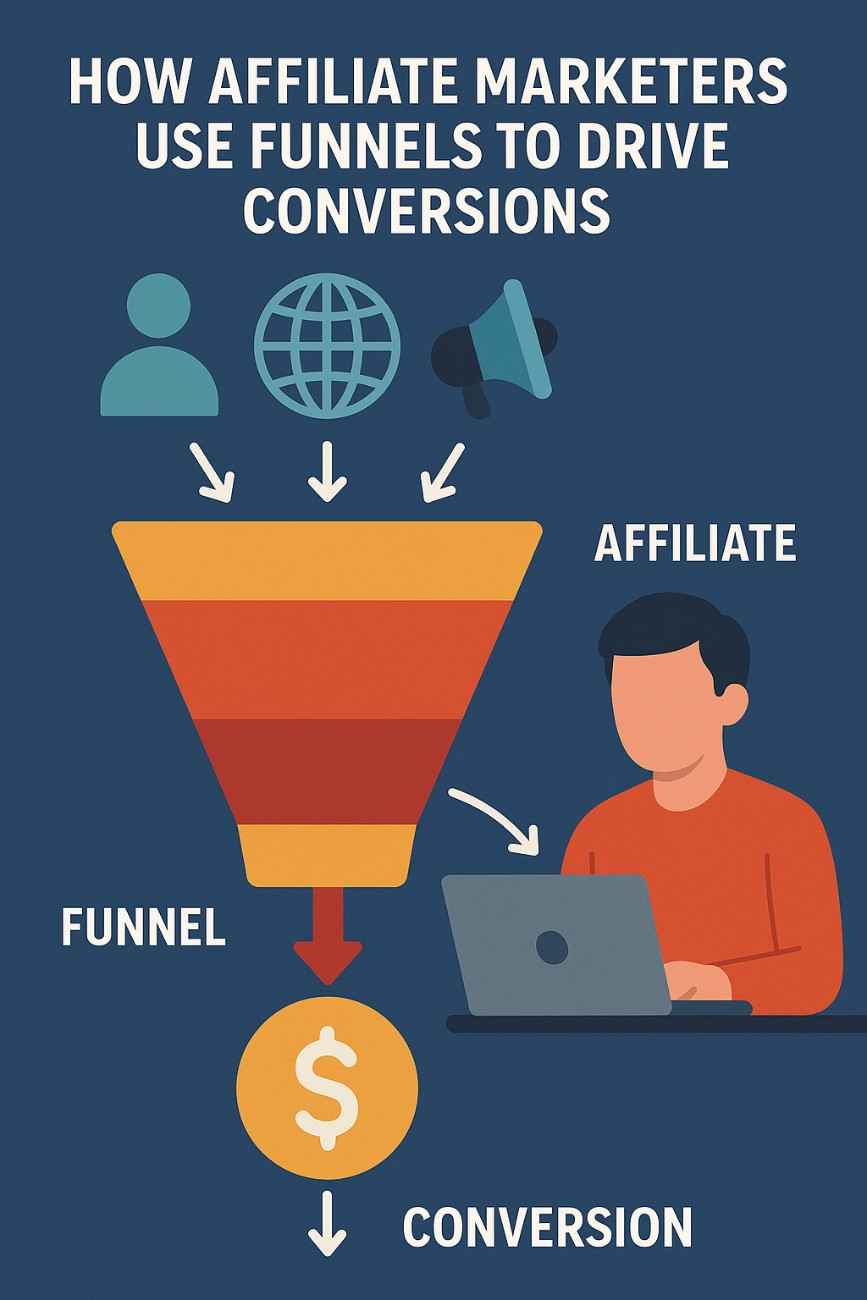
How Do Affiliate Marketers Use Funnels to Drive Conversions?

In affiliate marketing, a sales funnel is a structured process designed to guide potential customers from initial awareness of a product or service to completing a desired action, such as purchasing through an affiliate link. Funnels are critical for affiliate marketers because they systematically nurture leads, build trust, and maximize conversions, turning casual visitors into buyers. Unlike direct linking, which relies on immediate clicks, funnels create a journey that addresses consumer needs at each stage, increasing the likelihood of affiliate commissions. In 2025, with consumers demanding personalized, value-driven experiences and advanced tools making funnel creation accessible, mastering funnels is a key strategy for affiliate success. This essay explores how affiliate marketers use funnels to drive conversions, detailing their structure, strategies, tools, benefits, and challenges, followed by a practical example to illustrate their application.


Understanding Sales Funnels in Affiliate Marketing

A sales funnel is a series of steps that guide a prospect through a decision-making process, typically visualized as a funnel because the audience narrows at each stage. In affiliate marketing, funnels are used to promote products or services from merchants (e.g., via Amazon Associates, ShareASale, or CJ Affiliate) by providing value, building relationships, and encouraging action. The funnel stages align with the customer journey:

  1. Awareness (Top of Funnel, TOFU): Attract a broad audience through content like blog posts, social media, or ads, introducing them to a problem or solution.
  2. Interest (Middle of Funnel, MOFU): Engage prospects with valuable content, such as lead magnets (e.g., eBooks, webinars), to capture contact details and build trust.
  3. Decision (Bottom of Funnel, BOFU): Persuade leads to act by presenting affiliate offers through reviews, comparisons, or targeted emails.
  4. Action: Drive conversions, such as purchases or signups, via affiliate links.

Funnels are particularly effective because they nurture leads over time, addressing objections and fostering trust, which is critical in competitive niches like tech, health, or finance, where consumers research extensively before buying.


How Affiliate Marketers Use Funnels to Drive Conversions

Affiliate marketers leverage funnels to create a seamless, persuasive journey that maximizes clicks on affiliate links and conversions. Below are the key strategies and steps involved:

1. Attract Traffic to the Funnel (Awareness Stage)

The first step is driving targeted traffic to the funnel’s entry point, such as a blog post, landing page, or social media content.

  • Strategies:
    • SEO: Optimize blog posts or YouTube videos for keywords like “best budget laptops 2025” using Google Keyword Planner (free) or Ubersuggest (free) to attract organic traffic.
    • Social Media: Share engaging content on Instagram, TikTok, or Pinterest to draw niche audiences (e.g., fitness tips linking to a workout gear funnel).
    • Paid Ads: Use Google Ads or Facebook Ads ($5–$10/day) to target high-intent users searching for solutions or interested in your niche.
    • Community Engagement: Post valuable insights on Reddit or Quora, linking to your funnel’s entry point while respecting platform rules.
  • Significance: Targeted traffic ensures the funnel reaches audiences likely to engage with affiliate offers.
  • Tools: Canva (free) for visuals, Buffer (free) for social scheduling, Bitly (free) for link tracking.
2. Capture Leads with a Lead Magnet (Interest Stage)

To move prospects into the funnel, affiliates offer a free, valuable resource (lead magnet) in exchange for contact details, typically an email address.

  • Strategies:
    • Create a Lead Magnet: Offer an eBook, checklist, webinar, or template relevant to your niche (e.g., “Free Guide to Choosing the Best VPN” for a tech funnel).
    • Build a Landing Page: Use Carrd ($19/year) or Leadpages (~$37/month) to create a landing page promoting the lead magnet with a form to capture emails.
    • Promote the Lead Magnet: Link to the landing page from blog posts, social media, or ads, using clear CTAs like “Download Your Free Guide.”
  • Significance: Capturing emails allows ongoing nurturing, increasing conversion potential compared to one-off link clicks.
  • Tools: Mailchimp (free for 500 subscribers) for email capture, Google Docs (free) for creating lead magnets.
3. Nurture Leads with Email Marketing (Interest and Decision Stages)

Email sequences build trust and guide leads toward affiliate offers by delivering value and addressing objections.

  • Strategies:
    • Welcome Sequence: Send a series of 3–5 emails introducing yourself, delivering the lead magnet, and providing related content (e.g., “5 Tips for Secure Browsing” for a VPN funnel).
    • Educational Content: Share insights, case studies, or tutorials to establish authority (e.g., “How I Used NordVPN to Stream Safely”).
    • Promotional Emails: Introduce affiliate products with reviews, comparisons, or discounts, including affiliate links (e.g., “Why NordVPN Is the Best Choice – Get 60% Off!”).
    • Segmentation: Use Mailchimp to segment leads based on interests (e.g., streaming vs. privacy) for personalized offers.
  • Significance: Email nurturing keeps leads engaged, increasing the likelihood of conversions over time.
  • Tools: Grammarly (free) for polished emails, Mailchimp for automation.
4. Drive Conversions with Persuasive Content (Decision and Action Stages)

At the bottom of the funnel, affiliates present compelling content to encourage clicks on affiliate links and conversions.

  • Strategies:
    • Product Reviews: Create in-depth reviews on a blog or landing page, highlighting benefits and addressing objections (e.g., “NordVPN’s speed is perfect for streaming, though setup may take 5 minutes”).
    • Comparison Posts: Compare multiple products to guide choices (e.g., “NordVPN vs. ExpressVPN: Which Is Best for 2025?”).
    • Bonuses: Offer exclusive bonuses (e.g., a setup guide) for purchasing through your link, where allowed by program rules.
    • Urgency: Highlight limited-time offers (e.g., “NordVPN’s 60% discount ends this week!”) to prompt action.
  • Significance: Persuasive content pre-sells the product, increasing click-through and conversion rates.
  • Tools: Canva for visuals, Bitly for trackable links.
5. Optimize and Scale the Funnel

Continuous optimization ensures the funnel remains effective and profitable.

  • Strategies:
    • Track Performance: Use Google Analytics (free) for landing page traffic and affiliate dashboards for conversions. Monitor email open rates and click-through rates via Mailchimp.
    • A/B Test: Test landing page headlines, CTAs, or email subject lines using Google Optimize (free) to improve performance.
    • Retargeting Ads: Use Facebook Pixel (free) to retarget visitors who didn’t convert with tailored ads.
    • Scale: Increase ad budgets or create new funnels for related products (e.g., antivirus software alongside VPNs).
  • Significance: Optimization maximizes ROI, while scaling expands income potential.
  • Tools: Google Tag Manager (free) for tracking, Ahrefs (~$99/month) for competitor analysis.
6. Ensure Compliance

Compliance with affiliate program rules and legal guidelines is critical to avoid bans or penalties.

  • Strategies:
    • Disclose Affiliate Links: Include FTC-compliant disclosures on landing pages and emails (e.g., “This email contains affiliate links, and I may earn a commission at no cost to you”).
    • Follow Program Rules: Check restrictions (e.g., Amazon prohibits direct ad links; many programs require landing pages).
    • Adhere to Platform Policies: Ensure ads and emails comply with Google Ads or Facebook Ads guidelines (e.g., no misleading claims).
  • Significance: Compliance protects your accounts and builds audience trust.
  • Tools: Grammarly for clear disclosures, Bitly for compliant links.

Benefits of Using Funnels in Affiliate Marketing

  • Higher Conversions: Nurturing leads increases trust and click-through rates compared to direct linking.
  • Long-Term Relationships: Email lists enable ongoing promotions, supporting recurring revenue.
  • Targeted Traffic: Funnels attract and retain niche audiences likely to convert.
  • Scalability: Successful funnels can be replicated across products or niches.
  • Data-Driven Insights: Funnel metrics guide optimization for better ROI.
  • Cost-Effective: Free or low-cost tools make funnels accessible for beginners.

Challenges of Using Funnels

  • Time-Intensive: Building landing pages, email sequences, and content requires significant effort.
  • Learning Curve: Mastering tools and strategies (e.g., email automation, ad targeting) takes time.
  • Costs: Paid ads or premium tools (e.g., Leadpages) can strain budgets, though free options exist.
  • Compliance Risks: Violating program or platform rules can lead to bans.
  • Audience Retention: Keeping leads engaged requires consistent, valuable content.

Example: Using a Funnel to Promote VPN Services

Scenario: Liam, a 24-year-old student, wants to earn $300/month promoting VPN services in the “online privacy” niche. He builds a funnel to drive conversions for NordVPN (40% commission, ~$40/sale via ShareASale) and ExpressVPN (up to $36/sale).

Step-by-Step Approach:

  1. Attract Traffic (Weeks 1–2):
    • Liam creates a blog post, “Why You Need a VPN in 2025,” on a Wix (free) site, optimized for “best VPN 2025” using Ubersuggest. The post attracts 500 organic visitors/month via SEO.
    • He runs Facebook Ads ($5/day, $150/month) targeting 18–35-year-olds interested in streaming and privacy, driving 1,000 visitors/month to a landing page.
    • Liam shares the post on Pinterest and X, gaining 300 visitors/month.
  2. Capture Leads (Weeks 3–4):
    • Liam builds a landing page with Carrd ($19/year) titled “Get Your Free VPN Buyer’s Guide,” offering a PDF checklist created in Google Docs.
    • The page includes a Mailchimp form to collect emails and a CTA: “Download Now.” It drives 1,800 monthly visitors (1,000 ads, 800 organic), with a 20% conversion rate, capturing 360 email subscribers/month.
    • Liam adds an FTC disclosure: “This page contains affiliate links.”
  3. Nurture Leads (Weeks 5–8):
    • Liam sets up a Mailchimp email sequence:
      • Email 1: Delivers the VPN guide and introduces himself.
      • Email 2: Shares “5 Ways a VPN Protects Your Privacy,” building trust.
      • Email 3: Compares NordVPN and ExpressVPN, with affiliate links.
      • Email 4: Offers a NordVPN discount (“60% Off This Week!”).
    • The sequence has a 25% open rate and 10% click-through rate, driving 90 affiliate link clicks/month from 900 subscribers.
  4. Drive Conversions (Weeks 9–12):
    • Liam’s landing page links to a second page, “NordVPN vs. ExpressVPN: 2025 Review,” with detailed comparisons, pros/cons, and CTAs (created with Canva visuals).
    • He highlights NordVPN’s speed and ExpressVPN’s ease of use, addressing objections like price with social proof (e.g., “4.9/5 from 10,000 reviews”).
    • The page converts 15% of clicks into sales, yielding 13 sales/month (8 NordVPN, 5 ExpressVPN).
  5. Track and Optimize (Weeks 13–20):
    • Google Analytics shows 2,000 monthly landing page visitors, with email capturing 1,200 subscribers total. ShareASale reports 8 NordVPN sales ($320 commission) and 5 ExpressVPN sales ($180 commission), totaling $500/month.
    • Liam tests a new landing page headline with Google Optimize, increasing email signups by 10%, adding 2 sales/month ($80), reducing ad spend to $100/month for $580/month earnings.
    • ROI: $580 – $119 (ads + Carrd) = $461 profit/month.

Analysis: Liam’s funnel succeeds by attracting targeted traffic, capturing leads with a valuable magnet, nurturing them via email, and converting with persuasive content. Free tools (Wix, Canva, Mailchimp, Ubersuggest) and low-cost Carrd keep expenses minimal. His compliance and optimization ensure profitability, far exceeding his $300/month goal.


Conclusion

Affiliate marketers use funnels to drive conversions by guiding prospects through awareness, interest, decision, and action stages, leveraging traffic sources, lead magnets, email nurturing, and persuasive content. Funnels maximize conversions by building trust and addressing objections, offering a structured alternative to direct linking. Challenges like time investment and compliance are mitigated with free tools and strategic planning. Liam’s VPN funnel demonstrates how a beginner can earn $580/month using affordable resources, targeted ads, and email marketing. In 2025, as consumers seek personalized experiences, funnels remain a vital tool for affiliates to drive targeted traffic, nurture leads, and achieve sustainable success in the competitive affiliate marketing landscape.

How to Become a Digital Marketing Specialist

Digital marketing is one of the fastest-growing fields today. Many people are interested in building a career in digital marketing, and becoming a digital...

What is SMM in Digital Marketing

SMM, or Social Media Marketing, is one of the most important parts of digital marketing. In simple words, SMM is the process of using...

What is Google Analytics in Digital Marketing

Google Analytics is one of the most important tools in digital marketing. It helps businesses understand how people interact with their websites and online...

What is Google AdWords in Digital Marketing

Google AdWords is one of the most important tools in digital marketing. Many businesses use AdWords to reach their target audience online and increase...

What Is CPM in Digital Marketing

In digital marketing, understanding how your ads are priced and measured is very important. Different advertising models help marketers track performance and control spending....