Home Blog Page 55

Describe the impact of Facebook on social behavior and mental health.


Introduction

Since its launch in 2004, Facebook has profoundly transformed how people connect, communicate, and interact. As one of the most influential social media platforms in the world—with billions of users—it has become an integral part of everyday life for many. From sharing updates and photos to networking and joining communities, Facebook has reshaped social behavior in ways both positive and negative.

However, alongside its benefits, Facebook has also raised serious concerns about its impact on mental health. As the line between virtual and real-life interaction continues to blur, it is crucial to examine how Facebook influences human psychology, behavior, and emotional well-being.

This article explores the dual impact of Facebook on social behavior and mental health, looking at both the advantages and the challenges. A real-world example is provided to illustrate how this dynamic plays out in everyday life.


1. How Facebook Has Changed Social Behavior

A. Instant and Constant Connectivity

One of Facebook’s most significant contributions is enabling users to stay connected with friends, family, and acquaintances around the world. The platform encourages users to maintain relationships through:

  • Messaging
  • Liking and commenting on posts
  • Sharing updates and life events

This kind of always-on connectivity has fundamentally shifted the way we socialize.

Positive Impact:

  • Makes it easier to stay in touch with long-distance friends and relatives
  • Strengthens bonds through regular virtual interaction
  • Helps people reconnect with old friends or classmates

Negative Impact:

  • Can replace in-person interactions with superficial online exchanges
  • May reduce the depth of relationships
  • Encourages passive consumption of other people’s lives rather than active engagement

B. The Rise of “Social Comparison” Culture

Facebook users often post highly curated versions of their lives—highlighting achievements, vacations, celebrations, and milestones. While this can be uplifting, it also encourages social comparison.

Many users, especially young people, begin to compare their real lives with the seemingly perfect lives displayed online. This comparison can:

  • Decrease self-esteem
  • Lead to feelings of inadequacy or envy
  • Encourage unhealthy competition for likes, shares, and validation

C. Changes in Communication Style

Facebook has made communication more immediate, informal, and visual. Emojis, memes, and GIFs have become part of everyday interaction.

Positive Changes:

  • Speeds up communication
  • Breaks down cultural and linguistic barriers
  • Enhances creative expression

Negative Changes:

  • Can erode grammar and language proficiency
  • Encourages short, shallow messages over meaningful dialogue
  • Reduces the frequency of face-to-face conversations

2. Facebook’s Effects on Mental Health

Numerous studies have examined how social media platforms like Facebook affect users’ psychological well-being. The results are mixed, with both benefits and serious concerns.

A. Positive Mental Health Effects

1. Emotional Support

Facebook groups and communities provide safe spaces for people dealing with specific challenges, such as:

  • Mental health conditions (e.g., anxiety, depression)
  • Bereavement
  • Chronic illness
  • Parenting stress

These online communities offer peer support, information sharing, and emotional validation.

2. Reduced Loneliness

For people who are isolated due to age, disability, or location, Facebook can offer a lifeline of social connection. Virtual interaction, even with strangers, can help reduce feelings of loneliness and improve mood.

3. Increased Access to Resources

Mental health awareness campaigns, educational posts, and live webinars shared on Facebook can help users learn coping strategies, discover resources, and seek help when needed.


B. Negative Mental Health Effects

1. Anxiety and Depression

Research has shown a correlation between heavy Facebook use and symptoms of anxiety and depression. This can be due to:

  • Social comparison
  • Cyberbullying
  • Information overload
  • Pressure to present a perfect image

Users may feel inadequate if they perceive others as more successful, attractive, or happy.

2. Addiction and Compulsive Use

The platform is designed to be addictive. Features like:

  • Endless scrolling
  • Push notifications
  • Instant feedback (likes, comments)

These elements trigger dopamine release in the brain, reinforcing usage and leading to problematic use or addiction.

Signs of Facebook addiction include:

  • Spending excessive time on the platform
  • Neglecting responsibilities or sleep
  • Anxiety when not online

3. Sleep Disruption

Many users check Facebook late into the night, which can disturb their sleep. Blue light from screens also interferes with melatonin production, leading to insomnia and fatigue—factors that further exacerbate mental health issues.

4. Fear of Missing Out (FOMO)

FOMO is a real psychological phenomenon where users feel anxious or distressed when they believe others are having more fun or experiencing better lives. This is amplified on Facebook through constant updates, check-ins, and photo posts.


3. A Real-Life Example: Positive and Negative Impact

📖 Meet Sarah, a University Student

Sarah, a 20-year-old college student, joined Facebook to stay connected with high school friends and find support in her academic community. Initially, she found it helpful:

  • She joined a study group for her psychology class
  • Used Messenger to coordinate group projects
  • Followed pages offering mental health tips

However, over time, Sarah started spending 3–4 hours a day on Facebook. She constantly scrolled through posts from peers traveling, partying, or celebrating achievements. Despite doing well academically, she began to feel:

  • Left out
  • Insecure
  • Overwhelmed

She compared her life to the curated lives she saw online, which led to:

  • Frequent mood swings
  • Difficulty concentrating on studies
  • Trouble sleeping

Eventually, Sarah spoke to her university counselor, who helped her set boundaries. She now:

  • Limits her Facebook time to 30 minutes daily
  • Unfollowed pages that caused negative emotions
  • Uses Facebook primarily for academic and support groups

Sarah’s story illustrates both the potential and pitfalls of Facebook. Used mindfully, it can support learning and connection. When used excessively or without intention, it can harm mental health.


4. How to Use Facebook Mindfully

To harness Facebook’s benefits while avoiding its dangers, users—especially young people—should adopt the following practices:

✅ Set Time Limits

Use built-in tools or third-party apps to monitor and limit Facebook usage.

✅ Curate Your Feed

Unfollow or mute accounts that trigger negative emotions. Follow pages that inspire, educate, or uplift you.

✅ Prioritize Real-Life Connections

Balance online interaction with in-person communication. Don’t let virtual likes replace real relationships.

✅ Be Authentic

Don’t feel pressured to present a perfect image. Authenticity fosters healthier relationships and reduces social comparison.

✅ Seek Help When Needed

If you’re feeling overwhelmed, anxious, or depressed because of social media, talk to a friend, mentor, or mental health professional.


Conclusion

Facebook has undeniably reshaped human interaction, bringing people closer together in the virtual world. It offers valuable tools for communication, community-building, and emotional support. However, it also introduces risks—especially when used excessively or without awareness.

The platform’s impact on social behavior is both empowering and challenging: it fosters connection, but can also lead to superficial interactions. Its influence on mental health ranges from helpful (support groups, awareness) to harmful (addiction, anxiety, FOMO).

Ultimately, Facebook is a tool—how it affects a person depends on how it’s used. With mindfulness, balance, and digital literacy, individuals can enjoy the benefits of Facebook while safeguarding their mental well-being.

As Sarah’s example shows, being intentional about social media use can make the difference between a supportive experience and a stressful one. In a world where online and offline lives are increasingly intertwined, learning to manage platforms like Facebook is a modern life skill that everyone—especially young users—should develop.

 

How can Facebook be used for educational purposes?


Introduction

In the modern digital age, education is no longer confined to traditional classrooms. Social media platforms, once seen solely as distractions, have increasingly found a place in educational settings. One of the most prominent of these platforms is Facebook.

With over two billion active users worldwide, Facebook is a powerful tool that, when used strategically, can serve as a hub for collaboration, communication, content sharing, and learning. Educators and students alike are discovering ways to leverage Facebook not just for social interaction but also as a platform for learning enhancement.

In this article, we will explore how Facebook can be used for educational purposes, its features that support learning, best practices for educators, and a real-world example of its successful application in education.


1. Why Facebook in Education?

At first glance, Facebook might not appear to be an obvious choice for education. However, its core features—groups, pages, messaging, events, and content sharing—make it a surprisingly effective educational tool. Since most students are already familiar with Facebook’s interface, integrating it into learning is accessible and low-cost.

Some of the benefits of using Facebook for education include:

  • Increased student engagement
  • Real-time communication
  • Access to a wide range of learning resources
  • Easy collaboration on group projects
  • Community-building within classes

Rather than discouraging its use, many educators are now finding ways to incorporate Facebook into academic environments meaningfully and responsibly.


2. Facebook Features That Support Education

A. Facebook Groups

Groups are perhaps the most valuable feature for educators. Teachers can create closed or private groups for their classes where only invited students can join.

In these groups, members can:

  • Share files and links
  • Post announcements
  • Ask and answer questions
  • Submit assignments
  • Organize discussions

Groups can also be tailored for specific subjects, project teams, extracurricular clubs, or school-wide communities.

B. Facebook Pages

Educational institutions, instructors, and departments can set up Facebook Pages to:

  • Share updates
  • Post learning materials
  • Livestream lessons
  • Promote events or programs

Unlike groups, pages are public-facing, so they’re ideal for broadcasting information to a wider audience, including parents and alumni.

C. Facebook Messenger

Messenger allows instant communication between teachers and students or among peers. Group chats can help with:

  • Quick Q&A sessions
  • Team project coordination
  • Virtual tutoring or peer support

For remote learning or hybrid classes, Messenger offers a familiar way to stay connected outside scheduled sessions.

D. Facebook Live

Facebook Live allows educators to:

  • Stream lessons or Q&A sessions
  • Host guest speakers
  • Deliver virtual workshops

Live videos can be saved and revisited by students at any time, making it a flexible tool for asynchronous learning.

E. Events

Teachers and administrators can use the Events feature to:

  • Schedule assignment due dates
  • Set up exam reminders
  • Organize study groups or webinars

Students can RSVP, ask questions, and get automatic reminders.


3. Ways Facebook Supports Learning

1. Encouraging Active Participation

Facebook enables students to engage beyond the classroom, encouraging discussions and interactions. Unlike traditional lecture formats, Facebook invites students to ask questions, post resources, and exchange ideas at any time.

This 24/7 learning environment fosters curiosity and continuous engagement.

2. Peer-to-Peer Learning

Students often feel more comfortable discussing topics with peers. Facebook groups and Messenger chats allow them to:

  • Review difficult concepts together
  • Exchange notes
  • Share helpful content like videos, articles, or infographics

Peer collaboration builds deeper understanding and reinforces classroom learning.

3. Resource Sharing

Facebook makes it easy to share:

  • YouTube educational videos
  • Academic articles and PDFs
  • Online quizzes or educational games
  • Real-world examples from current news

This creates a dynamic and multimedia-rich learning experience, far more engaging than textbook-only methods.

4. Creating a Learning Community

Facebook groups can become strong learning communities where:

  • Students support one another
  • Teachers are accessible outside class
  • Everyone shares updates, achievements, or tips

Such communities foster a sense of belonging, which is linked to improved academic performance and motivation.


4. Real-World Example: Facebook in a High School Literature Class

👩‍🏫 Case Study: Ms. Taylor’s 11th Grade English Class

Ms. Taylor, a high school English teacher in California, decided to integrate Facebook into her classroom. She created a private Facebook Group called “Ms. Taylor’s Literature Circle.”

Objectives:

  • Improve student engagement with assigned readings
  • Encourage peer-to-peer discussion
  • Share supplementary materials (videos, articles, podcasts)

Activities:

  • Weekly discussion posts: Students responded to prompts like “What would you have done in the protagonist’s place?”
  • Live sessions: Ms. Taylor hosted Facebook Live Q&A sessions before major essays or exams.
  • Multimedia posts: She shared videos analyzing Shakespearean themes and TED Talks on storytelling.
  • Peer reviews: Students uploaded essays and gave each other feedback in the comments section.
  • Event reminders: Due dates for reading logs and essay submissions were posted as Events.

Outcome:

  • Student participation increased by 40%
  • Even shy students contributed regularly online
  • Students reported feeling more confident in their literary analysis

This example shows how a teacher used Facebook’s familiar and interactive environment to deepen student engagement and build a supportive learning space.


5. Best Practices for Educators Using Facebook

To ensure that Facebook is used effectively and responsibly, here are some best practices:

✅ Establish Clear Rules

  • Define what’s appropriate and what isn’t
  • Set expectations for respectful communication
  • Specify assignment deadlines and submission formats

✅ Maintain Professional Boundaries

  • Use a separate teacher account or page for classroom interaction
  • Avoid friending students on personal profiles
  • Keep communication focused on academics

✅ Monitor Group Activity

  • Regularly check posts and comments
  • Remove spam or inappropriate content
  • Engage with students by liking or commenting on posts

✅ Address Privacy Concerns

  • Use private or closed groups to control access
  • Educate students about online safety and digital citizenship
  • Avoid sharing personal or sensitive information

✅ Balance Facebook with Other Platforms

While Facebook is powerful, it should complement rather than replace official learning management systems (LMS) like Google Classroom, Moodle, or Microsoft Teams.


6. Limitations and Considerations

While Facebook offers many advantages for education, it’s not without limitations:

  • Not all students use Facebook, particularly younger students or those concerned with privacy.
  • Facebook may be blocked or restricted in some schools or countries.
  • The platform includes distractions like memes, ads, and non-academic content.
  • Educators need to be mindful of screen time and avoid over-relying on social media.

As such, Facebook should be seen as one tool among many in the digital learning toolkit.


Conclusion

Facebook is much more than a social media site—it’s a versatile platform that, when used intentionally, can become a powerful asset for education. From enhancing communication and collaboration to creating vibrant learning communities, Facebook offers numerous tools that align with the goals of 21st-century education.

Whether through private groups for class discussions, pages to distribute learning content, or Messenger chats for peer support, Facebook allows educators and students to connect, share, and grow.

However, successful use of Facebook for education depends on clear guidelines, responsible usage, and integration with broader teaching strategies. Educators must balance innovation with caution to ensure that Facebook enhances learning rather than distracts from it.

As Ms. Taylor’s literature class demonstrates, even a simple Facebook group can turn a traditional classroom into a more engaging, interactive, and inclusive learning space. In a world where digital literacy is essential, platforms like Facebook can help bridge the gap between formal education and real-world skills.


Discuss the benefits and drawbacks of Facebook for students.


Introduction

Facebook, launched in 2004, started as a networking site for university students. Over the years, it has evolved into a global social media platform with billions of users, including a significant number of students at various educational levels. For many students, Facebook serves as a digital hub for communication, collaboration, information sharing, and entertainment.

However, as with any digital tool, Facebook has both positive and negative implications. It can support academic and social development—but it can also be a source of distraction and misinformation. In this article, we will explore the benefits and drawbacks of Facebook for students, and provide a real-life example to demonstrate its impact.


Benefits of Facebook for Students

1. Improved Communication and Collaboration

One of the biggest advantages of Facebook is that it enables seamless communication among students. Whether they are working on a group project, preparing for a test, or planning a school event, Facebook provides multiple channels (Messenger, Groups, Events) for organizing and sharing information.

  • Messenger allows instant chat and video calls.
  • Facebook Groups help students collaborate by sharing notes, discussing assignments, and asking questions.
  • Event pages can be used to organize school activities, club meetings, or virtual study sessions.

Example: A group of university students in a biology class creates a private Facebook Group where they upload class notes, share relevant articles, and remind each other about deadlines. This promotes teamwork and makes academic collaboration more effective.


2. Access to Educational Resources

Facebook hosts a wide range of educational pages and communities that students can follow to expand their learning. From science pages and history forums to language learning groups and career advice communities, students can explore new topics and deepen their understanding.

  • Academic Institutions post updates, scholarships, and lectures.
  • Subject-Specific Pages offer interactive content (videos, infographics, articles).
  • Facebook Live events allow students to attend webinars and lectures in real time.

This helps make learning more dynamic and accessible, especially outside the traditional classroom.


3. Networking Opportunities

Facebook enables students to build networks beyond their immediate academic circles. They can connect with peers, alumni, mentors, and professionals in their areas of interest.

  • Joining professional groups (e.g., tech, law, arts) gives students exposure to industry trends.
  • Reaching out to alumni can help with internships or job opportunities.
  • Maintaining an active profile helps students showcase achievements, much like LinkedIn.

This early networking can help students start preparing for their future careers.


4. Cultural Awareness and Global Exposure

By connecting with people around the world, students can become more culturally aware. They can follow global news, interact with students from different countries, and participate in international student forums.

This fosters:

  • Open-mindedness
  • Global perspectives
  • Language learning and cultural appreciation

In a globalized world, such exposure is invaluable.


5. Emotional and Social Support

Students, especially those living away from home, can use Facebook to stay emotionally connected with friends and family. They can share updates, post photos, and receive encouragement during stressful academic periods.

Additionally, students can join groups related to mental health, stress management, or motivation, where they can find resources and community support during difficult times.


Drawbacks of Facebook for Students

While Facebook offers several advantages, it also presents challenges—especially for young people balancing academics and digital life.

1. Distraction and Procrastination

Perhaps the most cited drawback is that Facebook can be highly addictive and distracting. Notifications, trending posts, and endless scrolling can cause students to lose focus.

  • Time that could be spent studying may be lost to social media browsing.
  • The platform encourages instant gratification, reducing attention spans.
  • It can lead to habitual procrastination, especially around exams or assignments.

Example: A student who checks Facebook “for a minute” ends up watching videos and browsing memes for an hour—missing valuable study time.


2. Mental Health Concerns

Constant exposure to curated lives—where everyone seems happy, successful, and attractive—can cause feelings of inadequacy or anxiety among students.

  • Fear of missing out (FOMO) is common.
  • Negative comparisons can impact self-esteem.
  • Cyberbullying or negative comments can affect mental well-being.

This is particularly harmful to teenagers or students already facing academic or social pressures.


3. Privacy and Security Issues

Many students may not fully understand how their data is used on Facebook. Sharing too much personal information can make them vulnerable to:

  • Identity theft
  • Cyberstalking
  • Phishing scams

Additionally, inappropriate posts or comments made in youth could resurface later, potentially damaging their academic or professional reputation.


4. Misinformation and Fake News

Facebook has struggled with the spread of misinformation, especially on topics like health, politics, and social issues. Students who rely on Facebook for news may come across:

  • Fake statistics or conspiracy theories
  • Biased or misleading articles
  • Unverified posts shared by peers

This can distort learning and promote false beliefs unless students are taught to think critically and verify information sources.


5. Reduced Face-to-Face Interaction

While Facebook encourages online interaction, it may also reduce in-person communication skills. Students who rely too heavily on digital platforms might:

  • Struggle with real-life conversations
  • Prefer texting over talking
  • Feel isolated despite being “connected”

This can negatively affect their interpersonal development, which is essential for academic, personal, and professional success.


A Real-Life Example: Mixed Results for a Student

Let’s look at a real-world example to illustrate both the benefits and challenges.

👨 Meet David

David is a college freshman studying engineering. He joins several student groups on Facebook—his dorm group, study group for math, and the campus volunteer club. These groups help him:

  • Stay updated on campus news
  • Find study partners for difficult courses
  • Discover internship opportunities

However, David also develops a habit of checking Facebook every 30 minutes. He gets distracted by memes, debates in unrelated groups, and late-night scrolling. His grades begin to drop, and he starts feeling stressed.

Eventually, David decides to:

  • Limit Facebook to 30 minutes a day using a timer
  • Unfollow pages that don’t contribute to his goals
  • Keep using Facebook for academic and career-related groups

By adjusting his behavior, David is able to use Facebook effectively and responsibly, turning it from a distraction into a valuable academic tool.


Tips for Students to Use Facebook Wisely

To maximize the benefits and reduce the drawbacks, here are a few practical tips:

  1. Set Time Limits – Use screen time trackers or browser extensions to limit daily use.
  2. Curate Your Feed – Follow pages and join groups that align with your educational or personal goals.
  3. Maintain Privacy – Review your privacy settings and avoid oversharing personal information.
  4. Be Respectful – Use social media responsibly to avoid conflicts, bullying, or offensive behavior.
  5. Balance Online and Offline – Make time for in-person friendships, exercise, and offline hobbies.

Conclusion

Facebook can be a double-edged sword for students. When used wisely, it’s a powerful platform for collaboration, learning, and building connections. It offers access to resources, study groups, and professional networking that can enrich a student’s academic journey.

However, overuse or misuse can lead to distractions, mental health challenges, and misinformation. The key is for students to strike a healthy balance, using Facebook intentionally and setting boundaries that keep their academic and personal lives on track.

Just like any tool, Facebook’s value depends on how it is used. With mindful habits and responsible engagement, students can turn Facebook into an asset—not a liability—on their path to success.


Explain the concept of Facebook Marketplace and how it works.


Introduction

With billions of active users, Facebook has become far more than just a social media platform. It’s a digital ecosystem where people connect, share, learn, and even shop. One of the most powerful tools Facebook offers for local commerce is the Facebook Marketplace—a free, user-friendly platform where individuals and businesses can buy, sell, and discover items within their community.

Facebook Marketplace has revolutionized how people engage in peer-to-peer transactions. Whether you’re selling a used bicycle or browsing for a new coffee table, the Marketplace connects buyers and sellers with ease.

In this article, we will explain what Facebook Marketplace is, how it works, who can use it, and walk through a practical example to illustrate how it benefits both buyers and sellers.


1. What Is Facebook Marketplace?

Facebook Marketplace is a feature within Facebook that allows users to list, discover, and buy or sell items locally or across regions. Launched in 2016, it quickly gained popularity because of its convenience and integration with users’ existing Facebook accounts.

Key Features of Facebook Marketplace:

  • Completely free to use
  • Available to all Facebook users over 18
  • No listing fees for most categories (though fees apply to some business sales)
  • Integrated messaging through Facebook Messenger
  • Listings include images, descriptions, price, and location
  • Search and filter functionality (category, price, distance, etc.)

Marketplace is accessible through the Facebook app and desktop website via the Marketplace icon on the navigation bar.


2. How Facebook Marketplace Works

Step-by-Step Breakdown for Buyers and Sellers

A. For Sellers: Listing an Item

  1. Open Facebook and click the Marketplace icon.
  2. Select “Create New Listing.”
  3. Choose the type of listing:
    • Item for Sale
    • Vehicle for Sale
    • Property for Rent/Sale
    • Job Opening
  4. Upload photos of the item (up to 10).
  5. Add a title, price, category, condition, and detailed description.
  6. Choose your location and delivery method (local pickup or shipping).
  7. Click “Publish” to list the item on the Marketplace.

Your item becomes visible to people near your area (or nationwide if shipping is offered).

B. For Buyers: Finding and Purchasing an Item

  1. Open Marketplace and browse through categories or use the search bar.
  2. Apply filters: price range, location, item condition, etc.
  3. Click on a listing to view more details and seller information.
  4. Tap “Message Seller” to ask questions or negotiate.
  5. Agree on payment and delivery method:
    • In-person cash exchange
    • Facebook checkout (for eligible shipped items)
    • Third-party payment apps (PayPal, Venmo, etc.)

Once agreed, the transaction is completed between the two parties.


3. Categories Available on Facebook Marketplace

Marketplace supports a wide range of item categories:

  • Home & Garden: Furniture, appliances, decor
  • Electronics: Phones, laptops, TVs
  • Vehicles: Cars, trucks, motorcycles
  • Clothing & Accessories: Fashion items for men, women, and kids
  • Toys & Games
  • Sporting Goods
  • Pet Supplies
  • Real Estate: Homes, apartments, land
  • Jobs: Local job listings
  • Free Stuff: Items listed for free

Each category is optimized with filters to make browsing and searching easier.


4. Facebook Marketplace vs. Traditional Classifieds

While Craigslist, eBay, and local classifieds have long been popular, Facebook Marketplace offers several advantages:

Feature Facebook Marketplace Traditional Classifieds (e.g., Craigslist)
Integrated Messaging Yes (via Messenger) No (email or third-party messaging)
Real Profiles Yes Usually anonymous
Free Listings Yes Mostly yes, some categories paid
Mobile Access Seamless via Facebook app Often less mobile-friendly
Social Trust Factor High (user profiles) Low to medium
Built-in Shipping & Payments Yes (limited categories) Usually no

5. Trust and Safety on Marketplace

Facebook takes several steps to promote safe and secure transactions:

A. Verified Profiles

Unlike anonymous marketplaces, buyers and sellers on Facebook are usually real people with visible profiles, mutual friends, and ratings. This creates a higher trust level in transactions.

B. Ratings and Reviews

After a transaction, buyers and sellers can rate each other. This reputation system encourages polite and professional behavior.

C. In-Platform Messaging

All communication happens through Messenger, allowing for quick discussions, sharing locations, or negotiating terms.

D. Scam Prevention Tips

Facebook encourages users to:

  • Meet in public places
  • Use cash or secure payment methods
  • Avoid prepayments for unseen items
  • Trust their instincts when something feels off

They also provide reporting tools to flag suspicious activity or listings.


6. Example: Selling a Used Bicycle

Let’s walk through a real-world example to illustrate how Facebook Marketplace works.

👩‍🦰 Meet Amanda

Amanda is moving to a smaller apartment and needs to sell her old bicycle. She decides to list it on Facebook Marketplace.

Step 1: Creating the Listing

  • Opens Marketplace > Clicks “Create Listing” > Chooses “Item for Sale”
  • Uploads 5 clear photos of the bike
  • Titles it: “Men’s Mountain Bike – Like New”
  • Describes: “Lightly used, 21-speed, disc brakes, comfortable seat. Available for pickup in San Diego.”
  • Price: $150
  • Category: Sporting Goods
  • Condition: Like New

Step 2: Publishing and Inquiries

Within a few hours, Amanda receives two messages from interested buyers through Messenger. One offers $130, and she agrees.

Step 3: Finalizing the Sale

They agree to meet at a local coffee shop. Amanda receives $130 in cash, and the buyer gets the bike. After the exchange, both parties rate each other positively.

Result: Amanda made money quickly and safely. The buyer got a great deal on a bike—a win-win facilitated by Marketplace.


7. Facebook Marketplace for Businesses

Marketplace is not just for individuals. Small businesses and retailers can also list products to reach local and national customers.

Features for Businesses:

  • Bulk uploads via Facebook Catalog Manager
  • Integration with Facebook Shops
  • Paid promotions and ads to boost listings
  • Inventory management tools

This makes Marketplace an attractive channel for:

  • Furniture stores
  • Boutique retailers
  • Car dealerships
  • Real estate agents

8. Shipping and Checkout

Facebook has expanded Marketplace to include nationwide shipping for certain product categories.

How Shipping Works:

  • Sellers must enable checkout and shipping options
  • Buyers enter delivery details and pay via Facebook Checkout
  • Sellers print prepaid shipping labels and mail the product
  • Facebook holds payment until delivery is confirmed

This option is currently available for:

  • Electronics
  • Clothing
  • Toys
  • Household items

Facebook charges a selling fee (5%) for shipped orders.


9. Benefits of Facebook Marketplace

For Buyers:

  • Access to a large local inventory
  • No need to create new accounts (already on Facebook)
  • Ability to message sellers instantly
  • Easy to compare prices and options

For Sellers:

  • Free listings with broad exposure
  • Real-time communication with potential buyers
  • Option to sell locally or nationally
  • Greater trust through verified profiles

10. Limitations and Challenges

Despite its strengths, Marketplace has some downsides:

  • Scams still occur, especially with high-value items
  • Limited buyer protection for local transactions
  • Inconsistent quality of listings and photos
  • Not ideal for international sales

Facebook is working to improve these aspects through better moderation, AI detection, and more secure payment options.


Conclusion

Facebook Marketplace is a dynamic and growing feature that has redefined how people buy and sell within their communities. It offers an easy, free, and integrated way for individuals and businesses to connect and conduct commerce without leaving the Facebook ecosystem.

Whether you’re cleaning out your garage, shopping for a secondhand couch, or growing a small retail business, Marketplace is a powerful tool that’s accessible to everyone.

With features like real-time messaging, verified profiles, shipping options, and ratings, it provides both convenience and trust—essentials in today’s peer-to-peer economy.

So next time you want to sell something or look for a deal nearby, try Facebook Marketplace. You might be surprised at how quickly and easily you can make a transaction—just like Amanda and her bicycle.


How does Facebook use algorithms to show content on your feed?


Introduction

Facebook is one of the most powerful social media platforms in the world, with billions of users logging in every day to browse, engage, and connect. But have you ever wondered how Facebook decides what content appears on your News Feed? With millions of posts shared every hour, the platform relies on complex algorithms to curate a personalized feed for each user.

Facebook’s algorithm is designed to show you the most relevant, engaging, and timely content based on your behavior, preferences, and interactions. This algorithm constantly evolves, but its core purpose remains the same: to keep users engaged by showing them content they’re most likely to care about.

In this article, we will explore how Facebook’s algorithms work, what factors influence what you see on your feed, and how these systems shape your experience. We’ll also provide a real-world example to demonstrate the algorithm in action.


1. What Is the Facebook Algorithm?

At its core, the Facebook algorithm is a set of rules and machine learning models that determine what content appears in a user’s News Feed, in what order, and why. It filters through the thousands of potential posts you could see and ranks them based on relevance.

The algorithm analyzes:

  • Your interactions (likes, comments, shares)
  • Who you interact with most
  • The type of content you engage with (videos, photos, articles)
  • How recent a post is
  • The popularity of a post among your network

It’s not a single algorithm but a combination of multiple systems and ranking models, all designed to predict what content will matter most to you.


2. The History and Evolution of the Facebook Algorithm

Over the years, Facebook has significantly evolved its algorithm to prioritize different types of content:

  • 2009: Introduced the concept of showing “top stories” instead of everything chronologically.
  • 2015: Prioritized content from friends and family over publishers.
  • 2016–2017: Focused more on reactions (like, love, angry, etc.) and video content.
  • 2018: Made a major shift to encourage “meaningful social interactions,” downranking passive content.
  • 2021 onwards: Increased transparency and user control over what’s shown, while enhancing AI-driven content recommendations.

Each update reflects Facebook’s ongoing goal of keeping users more engaged while balancing ethical concerns such as misinformation and mental well-being.


3. Key Ranking Signals in the Facebook Algorithm

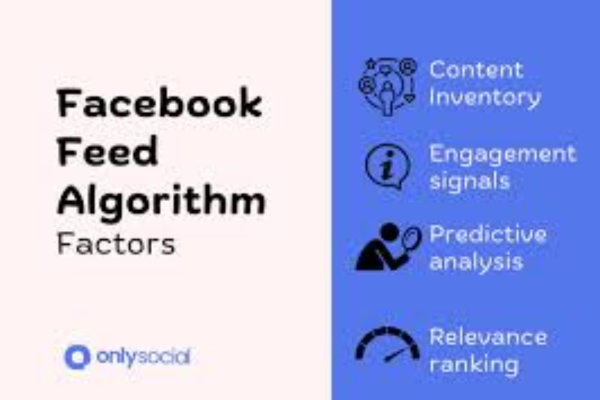
The current Facebook algorithm considers four key elements to determine what appears in your feed:

1. Inventory

This is the pool of all available posts Facebook could show you at any moment. It includes:

  • Posts from friends
  • Pages you follow
  • Groups you’ve joined
  • Sponsored (advertised) content
  • Suggested posts

2. Signals

Signals are the data points Facebook uses to assess each post. These include:

  • Who posted it (friend, group, page)
  • Type of content (photo, video, link, status)
  • Recency of the post
  • Your previous interactions with that person/page
  • Engagement on the post (likes, comments, shares)
  • Time spent viewing similar content

3. Predictions

The algorithm makes predictions about how likely you are to engage with a post:

  • Will you like it?
  • Will you comment on it?
  • Will you share it?
  • Will you spend time reading or watching it?

These predictions are based on your past behavior.

4. Score

Each piece of content receives a relevance score, and the highest-scoring posts are shown first. Lower-scoring content is pushed further down or omitted altogether.


4. How the Algorithm Shapes Your Feed

Let’s look at an example to illustrate how Facebook decides what you see.

🧍Example: Jane’s Personalized Feed

Jane is a 30-year-old teacher who logs into Facebook every evening.

Her typical activity:

  • Likes and comments on posts from her close friends
  • Follows a few education pages
  • Shares funny cat videos from a viral animal page
  • Occasionally browses parenting groups

When Jane logs in tonight, Facebook has over 2,000 potential posts it could show her. The algorithm quickly evaluates this inventory.

Here’s what it prioritizes:

  • A recent status update from her best friend, who she comments on frequently.
  • A new video from the animal page that she shares from time to time.
  • A post in the parenting group she visited last week, with lots of comments from others.
  • A suggested post from a new teacher’s community, based on her interests.

What it deprioritizes:

  • A news article from a page she liked three years ago but hasn’t engaged with since.
  • A post from a distant friend she never interacts with.
  • A meme with poor engagement that many users are hiding.

As a result, Jane’s feed feels relevant, entertaining, and personal—even though it’s been heavily filtered and ranked by the algorithm.


5. Facebook’s Algorithm for Video and Reels

Facebook has made video content, especially Reels and live videos, a core focus of its algorithm. Videos are ranked based on:

  • Watch time: Longer engagement means higher rank.
  • Originality: Unique videos rank better than re-shared or plagiarized ones.
  • Replays: If users rewatch, the content gets a boost.
  • Engagement: Shares and comments matter more than passive likes.

Reels, in particular, are shown not only from people you follow but also from AI-powered suggestions, like TikTok. This helps Facebook increase time spent on the app.


6. Advertising and Sponsored Content

Facebook also uses its algorithm to determine which sponsored posts or ads to show. These are based on:

  • Your browsing and shopping history (on and off Facebook)
  • Page likes and interactions
  • Demographics and location
  • Interests you’ve shown through behavior

Facebook’s ad algorithm is separate but integrated with the News Feed, meaning ads are personalized and ranked similarly to organic content.


7. User Control and Customization

In response to criticism about echo chambers and misinformation, Facebook has added more controls:

  • Favorites: You can mark up to 30 friends and pages as “favorites” so their content shows higher in your feed.
  • Snooze/Unfollow: Temporarily mute or permanently stop seeing posts from a person, page, or group.
  • Why am I seeing this?: A transparency feature explaining why a particular post or ad appeared.
  • News Feed Preferences: Customize who and what you want prioritized.

These tools help users fine-tune their experience and teach the algorithm what matters to them.


8. Algorithm Criticism and Ethical Considerations

While Facebook’s algorithm improves engagement, it also faces serious criticism, such as:

  • Filter bubbles: Users are only exposed to content that reinforces existing beliefs.
  • Misinformation: Viral content, even if false, can be boosted based on engagement.
  • Mental health impacts: Over-curated feeds may affect self-esteem or create unrealistic comparisons.
  • Privacy concerns: Many feel uneasy about how much personal data is used to power these algorithms.

In response, Facebook (and its parent company Meta) has made moves toward greater algorithm transparency and ethical AI design.


9. How You Can Influence What You See

Although the algorithm plays a major role, users can actively shape their feed:

  • Engage more with the people and pages you care about
  • Hide or report irrelevant or harmful content
  • Use the “favorites” feature to prioritize preferred sources
  • Join groups and communities aligned with your interests

The more you interact, the better Facebook’s algorithm understands your preferences.


Conclusion

Facebook’s algorithm is a powerful system that drives the content experience of billions of users every day. By analyzing your behavior, preferences, and network interactions, it decides what content shows up in your feed—and in what order.

Though it’s often criticized for its influence, the algorithm is also what makes Facebook feel personal, timely, and relevant. Whether it’s showing a post from a close friend, a viral video, or a recommended group, the algorithm plays an invisible but crucial role in shaping your online experience.

Understanding how it works gives you the power to take control of your feed, engage more intentionally, and be aware of how your digital behavior shapes what you see.


What are Facebook groups, and how do they foster community engagement?


Introduction

In the era of digital interaction, the concept of “community” has evolved far beyond geographical boundaries. Social media platforms like Facebook have played a critical role in this transformation, and one of their most powerful features for building and nurturing communities is Facebook Groups.

Launched in 2010, Facebook Groups have become an essential part of how users connect around shared interests, goals, professions, lifestyles, and causes. From parenting advice and book clubs to support groups and neighborhood watch teams, Facebook Groups offer a digital space for meaningful discussion, collaboration, and engagement.

In this article, we’ll explore what Facebook Groups are, the features that make them unique, how they foster community engagement, and provide a real-world example to illustrate their impact.


1. What Are Facebook Groups?

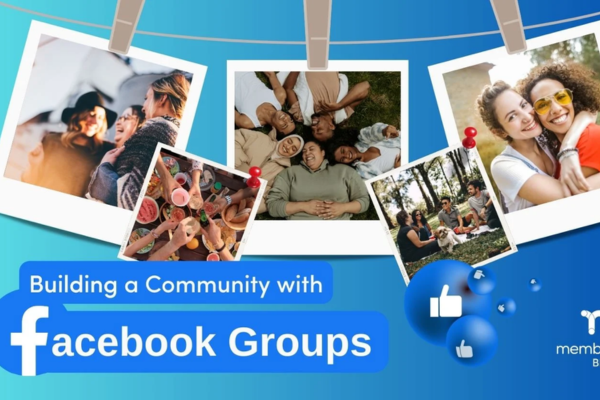
A Facebook Group is a digital space within the Facebook platform where users can communicate, share content, and collaborate around a common interest or goal. Unlike Facebook Pages, which are often used for businesses or public personas, Groups are more interactive and community-driven.

Key Characteristics:

  • Created by a Facebook user or page
  • Can be public, private (visible), or private (hidden)
  • Allow for content sharing, polls, events, files, live videos, and more
  • Encourages two-way conversations rather than one-way broadcasting
  • Can have multiple admins or moderators

Groups can range in size from a handful of members to millions and can serve social, professional, educational, or recreational purposes.


2. Types of Facebook Groups

Facebook Groups can be customized in several ways based on visibility and membership access:

a. Public Groups

  • Anyone can find and join
  • All content is visible to everyone, even non-members
  • Useful for large-scale interests or movements (e.g., climate change, hobby clubs)

b. Private (Visible) Groups

  • Anyone can find the group and see who’s in it
  • Only members can see posts
  • Best for communities that require a level of confidentiality (e.g., local parent groups)

c. Private (Hidden) Groups

  • Not searchable
  • Only members can see or access the group
  • Suitable for sensitive subjects like addiction recovery or mental health support

3. Features That Support Community Engagement

Facebook Groups offer a suite of tools and features that foster deeper connections and participation:

a. Discussion Threads

Members can post questions, updates, or ideas that others can comment on. These threads often lead to ongoing conversations, debates, or mutual support.

b. Polls and Surveys

Admins and members can create polls to gather opinions or preferences, which is useful for decision-making and engagement.

c. Events

Groups can host real-world or virtual events, such as meetups, webinars, or fundraisers, all organized within the platform.

d. Files and Media Sharing

Members can upload and download files, photos, or videos relevant to the group’s theme—perfect for study groups, work projects, or event planning.

e. Live Videos

Admins can broadcast live to the group, allowing real-time interaction through video, Q&A sessions, or live discussions.

f. Guides (formerly Units)

Groups can create structured learning or resource sections, commonly used in educational, coaching, or onboarding groups.

g. Reactions and Mentions

Users can tag others in posts, use emojis, and react to content, encouraging interactivity.

h. Anonymous Posts

In some groups, members can post anonymously—ideal for sensitive discussions or personal questions in mental health or parenting communities.


4. How Facebook Groups Foster Community Engagement

Let’s explore how Facebook Groups help create strong, meaningful communities:

a. Shared Identity and Purpose

Groups are formed around a shared identity—whether it’s a profession, hobby, lifestyle, or belief. This common ground naturally encourages trust and participation.

For example, a group for digital nomads connects people who travel while working remotely. Members share travel tips, job leads, and experiences, knowing others understand their lifestyle.

b. Safe Space for Expression

Many people join groups to discuss things they may not be comfortable sharing publicly. This is particularly true in groups focused on health, parenting, relationships, or social justice.

The ability to share, seek advice, and feel heard builds emotional bonds between members, creating a supportive online environment.

c. Interactive, Not Passive

Unlike Facebook Pages (where communication is often one-way), Groups are designed for peer-to-peer interaction. Every member can post, comment, or lead a discussion, giving the group a sense of collective ownership.

d. Peer Support and Learning

Groups often serve as informal learning spaces. People offer advice, share articles, and help each other solve problems. This form of peer learning is particularly effective because it’s based on lived experience.

In a group for new mothers, for instance, members may share feeding tips, sleep routines, or pediatric advice based on their own journeys.

e. Accountability and Motivation

In goal-oriented groups (like fitness or study groups), regular updates from peers foster accountability and motivation. Seeing others succeed inspires more engagement.

f. Event Participation and Offline Connections

Groups can also bridge the gap between online and offline engagement. Local community groups may organize meetups, volunteer drives, or workshops. These real-world interactions deepen the sense of connection.

g. Member Recognition and Gamification

Admins can highlight “Top Contributors,” create monthly challenges, or assign badges to encourage participation. These small rewards make members feel valued.


5. Real-World Example: “Girl Gone International”

One of the best examples of Facebook Groups fostering global community engagement is “Girl Gone International (GGI)”—a network of Facebook Groups for expat and traveling women around the world.

Background:

GGI started as a grassroots Facebook Group for women who live abroad or travel frequently. It now consists of over 500+ city-based Facebook Groups, totaling more than 1 million members globally.

What the Group Offers:

  • Advice on moving, visas, and work permits
  • Safety tips for solo travelers
  • City-specific groups for local events and meetups
  • Support for navigating language and culture barriers
  • Emotional support for loneliness or homesickness

Community Engagement in Action:

  • A newcomer to Tokyo posts asking for neighborhood recommendations and receives 60+ comments within 24 hours.
  • In Berlin, members organize a brunch event, and 40 women attend in person.
  • A woman in Bangkok shares a story about overcoming culture shock, prompting a chain of encouraging comments and shared stories.

GGI’s success is rooted in how it uses Facebook Groups to build safe, inclusive, and highly interactive communities. What started as one woman’s idea has become a global movement of connection and support—demonstrating the full potential of Facebook Groups.


6. Facebook’s Tools for Group Admins

To make groups successful, Facebook provides several tools for admins and moderators:

  • Membership screening questions
  • Post approval settings
  • Content moderation filters (keywords, spam detection)
  • Insights (growth, engagement, active members)
  • Group rules and automatic enforcement
  • Conflict resolution tools

These tools help maintain a respectful, high-quality environment—critical to long-term community engagement.


7. Challenges and Considerations

While Facebook Groups offer many benefits, they also present some challenges:

a. Misinformation and Moderation

Without proper moderation, groups can become breeding grounds for misinformation, especially in areas like health or politics.

b. Privacy Concerns

In private groups, personal stories are often shared. Breaches in confidentiality or screenshots taken without consent can harm trust.

c. Group Size Management

As groups grow, maintaining community culture and quality engagement becomes harder. Large groups may need more moderators and stricter rules.

d. Algorithmic Limitations

Sometimes posts in groups don’t reach all members due to algorithm-driven newsfeeds. Group admins must keep members active to boost visibility.


Conclusion

Facebook Groups are more than just online forums—they are digital communities that drive engagement, support, learning, and real-world impact. Whether it’s a group of local volunteers, new parents, small business owners, or global travelers, these groups provide a virtual home where people can connect meaningfully.

The structure, tools, and interactive nature of Facebook Groups make them ideal for fostering engagement and building lasting relationships. As the world continues to become more digitally connected, the role of such groups will only grow—bridging distances and bringing people together through shared purpose.

If you’re looking to build or join a community that aligns with your interests, passions, or challenges, there’s likely a Facebook Group waiting for you.


How do Facebook pages differ from Facebook profiles?

Introduction

As one of the world’s leading social media platforms, Facebook offers a variety of tools for users to connect, communicate, and promote content. Two of the most important features it offers are Facebook profiles and Facebook pages. While they may appear similar at first glance, they serve very different purposes and are built with different audiences and functionalities in mind.

Understanding the difference between a Facebook profile and a Facebook page is essential—whether you’re an individual user, a small business owner, a public figure, or part of an organization. Each serves a unique function, and using the right one can impact how effectively you reach and engage with your intended audience.

In this article, we’ll explore the key differences between Facebook profiles and Facebook pages, their features, use cases, and provide a real-world example to clarify their distinctions.


1. What Is a Facebook Profile?

A Facebook profile is a personal account created by an individual to connect with friends and family. It is meant for non-commercial, private use. When someone signs up for Facebook, they automatically create a personal profile.

Key Characteristics of a Facebook Profile:

  • Real Identity: Profiles must be created using your real name.
  • Two-Way Connections: You send or receive friend requests to connect with others.
  • Privacy Control: You can control who sees your content through privacy settings.
  • Personal Sharing: Profiles are used to post life updates, photos, videos, and opinions.
  • Messaging: Personal chat is conducted through Facebook Messenger.

Profiles are designed to facilitate personal relationships, such as those between friends, classmates, coworkers, and family members.


2. What Is a Facebook Page?

A Facebook page is a public presence created for businesses, organizations, public figures, brands, or causes. Unlike profiles, pages are not meant for individual use but for public engagement and promotion.

Key Characteristics of a Facebook Page:

  • Public Visibility: Pages are public by default, and anyone can follow or “like” a page.
  • One-Way Engagement: Users follow or like a page to receive updates—no “friend requests” are involved.
  • Admin Control: A page can have multiple admins, editors, and moderators, each with assigned roles.
  • Insights and Analytics: Page owners get access to detailed performance metrics (reach, engagement, demographics).
  • Advertising Tools: Pages can run Facebook Ads, promote posts, and boost content to a wider audience.
  • Contact Options: Pages often include business information like phone numbers, email addresses, and websites.

Facebook pages are best suited for building a public audience, promoting services or products, hosting community discussions, and engaging with customers or followers.


3. Key Differences Between Facebook Profiles and Facebook Pages

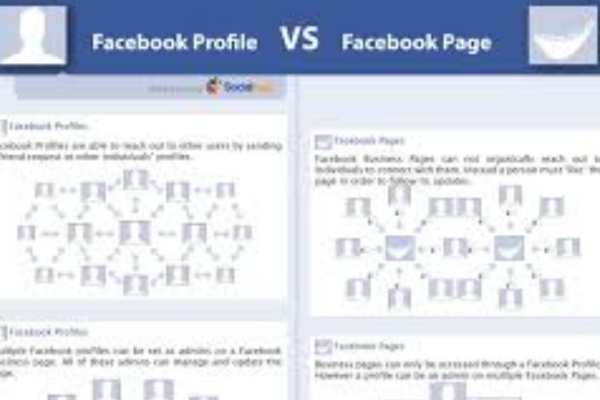
Feature Facebook Profile Facebook Page
Purpose Personal use Public presence for business/brand
Connection Type Two-way (friends) One-way (followers/likes)
Visibility Customizable (private or public) Public by default
Messaging Facebook Messenger Page Inbox (also uses Messenger)
Admin Roles One owner (the account holder) Multiple admins with specific roles
Audience Building Limited to 5,000 friends Unlimited likes/followers
Content Promotion No advertising tools Full access to Facebook Ads
Insights/Analytics No analytics Full analytics and insights dashboard
Use Case Social interaction, updates Branding, marketing, customer service

4. Real-World Example: Sarah and Her Bakery

To understand the difference in action, let’s consider Sarah, a professional baker from Chicago.

Scenario 1: Using a Facebook Profile

Sarah creates a Facebook profile using her name: Sarah Thompson. She uses it to:

  • Connect with friends and family
  • Share personal moments like holidays or birthdays
  • Join local community groups
  • Post photos of her baking creations occasionally

Her profile is set to private, so only friends can see most of her content. She has around 300 friends.

Scenario 2: Creating a Facebook Page for Business

Realizing that many people love her baked goods and want to place orders, Sarah decides to start a small home-based bakery. To promote her business, she creates a Facebook page called “Sarah’s Sweet Bakes”.

She uses the page to:

  • Post photos of her cakes, cookies, and pastries
  • Share customer reviews and testimonials
  • Run Facebook ads targeting her local community
  • List her business hours, contact info, and location
  • Respond to inquiries about custom orders through the Page Inbox
  • Host giveaways and promotions

Her page gains 3,000 followers in six months and becomes her primary marketing tool. She runs occasional paid promotions to reach new customers and boost sales.

In this case, Sarah’s profile is used for personal interaction, while her page serves as a public-facing tool to grow and manage her business.


5. Why It’s Important to Choose the Right One

Using a personal profile for business violates Facebook’s terms of service. In fact, Facebook may delete or restrict personal accounts used for commercial purposes. Pages, on the other hand, are designed for public interaction and offer tools that support content promotion and community building.

Some users make the mistake of creating a personal profile for a brand or business (e.g., naming the profile “John’s Auto Repair” and sending friend requests). This limits reach, credibility, and can ultimately result in suspension.

When to Use a Profile:

  • Connecting with personal contacts
  • Sharing daily life events
  • Engaging in private or small community groups
  • Exploring interests and hobbies

When to Use a Page:

  • Marketing a business, product, or service
  • Promoting an event or cause
  • Building a public persona (author, artist, speaker)
  • Interacting with a large audience
  • Running paid advertisements and promotions

6. Facebook Page Features Not Available on Profiles

To further highlight the differences, here are some page-exclusive tools and features:

a. Page Insights

Pages provide detailed analytics about:

  • Post reach and engagement
  • Follower demographics
  • Video views
  • Page likes and unlikes

These metrics help page owners adjust their content and marketing strategies effectively.

b. Facebook Ads

Only pages can access the Facebook Ads Manager to:

  • Create paid campaigns
  • Target specific audiences (age, location, interests)
  • Retarget past visitors and boost sales

c. Call-to-Action Buttons

Pages can add buttons like:

  • Book Now
  • Shop Now
  • Send Message
  • Contact Us

These buttons drive direct customer actions and improve user experience.

d. Appointments and Services

Businesses can use pages to:

  • List available services
  • Take online bookings
  • Display pricing and descriptions

7. Facebook Business Suite and Meta Tools

When you create a Facebook page, you also gain access to Meta Business Suite, an all-in-one dashboard for managing:

  • Facebook and Instagram content
  • Scheduled posts
  • Messaging and inboxes
  • Ad performance
  • Audience engagement

This powerful suite is only available to pages, not profiles.


8. Can You Link a Page to a Profile?

Yes. Every Facebook page must be managed by at least one personal profile. This means:

  • You log in with your personal profile
  • You can switch to managing your page within the platform
  • Your personal profile is not visible to visitors of the page

You can also assign multiple people to manage a page without sharing login credentials by assigning page roles (admin, editor, moderator, advertiser).


Conclusion

Facebook profiles and Facebook pages serve different—but equally important—purposes within the social media ecosystem. A profile is your personal space for engaging with people you know, while a page is a public tool used to represent businesses, brands, organizations, or public figures.

If your goal is to stay connected with friends or express yourself socially, a profile is sufficient. However, if you’re building a brand, growing a community, or promoting a cause, a Facebook page offers the tools, reach, and professional features required for success.

Understanding and using each feature correctly ensures you stay compliant with Facebook’s policies and make the most of the platform’s capabilities. As seen with Sarah’s bakery, using a profile and a page for their intended purposes can help keep personal life and business operations separate while maximizing effectiveness in both.


Describe the structure and components of a typical Facebook profile


A Facebook profile serves as the personal hub of activity for users on the platform. It is where users express their identity, share information, interact with friends, and manage their online presence. Whether you use Facebook to keep in touch with friends and family, build a personal brand, or engage with communities, your profile is the first impression you make.

The structure of a Facebook profile has evolved over the years, but its purpose has remained consistent: to represent an individual’s digital self in a social environment. In this article, we will explore the structure and components of a typical Facebook profile and provide a practical example to illustrate how these elements function together.


1. Profile Overview

When someone clicks on your name or searches for you on Facebook, they are directed to your profile. This page acts as a digital biography. It is divided into several distinct sections, each designed to showcase specific information.

A typical Facebook profile includes:

  • Profile Picture
  • Cover Photo
  • Intro Section
  • Featured Photos
  • About Section
  • Friends List
  • Posts/Timeline
  • Stories
  • Life Events
  • Activity Log
  • Tabs (Photos, Videos, Check-ins, etc.)

Let’s explore each component in more detail.


2. Profile Picture

The profile picture is the most recognizable element of a Facebook profile. It appears next to your name in search results, posts, comments, messages, and more. It’s usually a headshot or personal image that helps others identify you.

Purpose:

  • Personal identification
  • Visual representation of the user
  • Builds trust, especially in professional or networking scenarios

Tip: Choose a clear and friendly photo with good lighting. Avoid group shots for your profile picture.


3. Cover Photo

The cover photo is the large, horizontal banner image at the top of your profile. It provides space for creativity, self-expression, or branding.

Common Uses:

  • Landscapes
  • Quotes
  • Family or group photos
  • Promotional or thematic images (e.g., causes, holidays)

This area is often used to reflect personality, interests, or moods.


4. Intro Section

Just beneath the profile and cover photos, Facebook displays a small “Intro” section. This includes:

  • Bio (a short description or tagline)
  • Current city and hometown
  • Job and workplace
  • Education
  • Relationship status
  • Links to other social profiles or websites

Example:

“🌍 Traveler | 📸 Photographer | Coffee Addict ☕ | Based in San Francisco, CA”

This section gives visitors a quick summary of who you are.


5. Featured Photos

Facebook allows you to “feature” selected photos that appear in a collage-style format near the top of your profile. You can highlight up to 9 photos that you want everyone to see.

Common Choices:

  • Family photos
  • Graduation pictures
  • Travel highlights
  • Career milestones

It’s a visual way of showcasing memorable moments or achievements.


6. About Section

The About section is one of the most comprehensive parts of your profile. It provides in-depth information across several categories:

  • Overview – A snapshot of your most important details.
  • Work and Education – Includes current and past jobs, schools, degrees.
  • Places Lived – Current city, hometown, and other locations.
  • Contact and Basic Info – Phone number, email, birthday, gender, language.
  • Family and Relationships – Relationship status and family connections.
  • Details About You – Favorite quotes, nicknames, religious views, etc.
  • Life Events – Chronological milestones like marriage, graduation, moving, or starting a job.

This section enables others to learn more about your background and interests.


7. Friends List

Your Friends tab shows all the people you’re connected with on Facebook. You can choose to make your friend list public, private, or visible only to mutual friends.

Facebook also shows:

  • Mutual Friends
  • Recently Added Friends
  • Suggested Friends

The friend count is one way people judge how socially active or connected a user is.


8. Timeline (Posts and Activity Feed)

The Timeline is the heart of your Facebook profile. It is where your updates, posts, photos, shared links, videos, and interactions appear. This section is continuously updated and includes:

  • Status updates (text posts)
  • Check-ins
  • Shared media (photos, videos, GIFs)
  • Shared links/articles
  • Tagged posts
  • Comments and likes

Your Timeline is chronological, with the newest content at the top.

You can control who sees each post (Public, Friends, Only Me, or Custom lists), and you can also “pin” a post to keep it at the top.


9. Stories

At the top of your profile, you can find Stories—temporary posts (photos or videos) that disappear after 24 hours. Stories appear in a slideshow format and allow for casual, day-in-the-life sharing.

Stories can be enhanced with:

  • Stickers
  • Music
  • Text
  • Filters
  • Emojis

They are popular for real-time engagement and behind-the-scenes updates.


10. Life Events

This special section within your profile highlights important personal milestones. You can add events such as:

  • Graduation
  • New job
  • Engagement/marriage
  • New home
  • Loss of a loved one
  • Achievements (published a book, started a company, etc.)

These entries are often accompanied by photos and stories and can be customized to reflect their emotional or historical significance.


11. Activity Log

The Activity Log is a private record of everything you’ve done on Facebook. It includes:

  • Posts you’ve made
  • Reactions (likes, hearts, etc.)
  • Comments
  • Friend requests
  • Searches

This tool is especially useful for reviewing your digital footprint and managing past activity.


12. Additional Tabs (Photos, Videos, Likes, Check-ins)

Facebook also includes tabs to organize different types of content:

  • Photos – Albums, tagged photos, uploads
  • Videos – Posted and shared video content
  • Likes – Pages and interests you’ve liked
  • Check-ins – Places you’ve visited

These sections enhance profile depth and personalization.


Real-World Example: John’s Facebook Profile

Let’s consider a fictional but realistic example to demonstrate how all these elements work together:

John Anderson, a 28-year-old software developer from Austin, Texas, uses Facebook to connect with friends, follow tech trends, and share life moments.

John’s Profile Breakdown:

  • Profile Picture: A professional headshot taken at a tech conference
  • Cover Photo: A scenic shot of the Grand Canyon from his recent hiking trip
  • Intro Bio: “💻 Developer | 🚴 Cyclist | 🌎 Explorer | Based in Austin, TX”
  • Featured Photos: John’s trip to Japan, his dog Max, and a snapshot with his coding bootcamp peers
  • About Section:
    • Work: Software Engineer at Google
    • Education: University of Texas at Austin
    • Relationship: In a relationship
    • Contact: Public email for networking
  • Friends List: 850 friends, visible only to friends
  • Timeline Posts:
    • A video from a recent hackathon
    • A check-in at a local Austin food truck
    • Shared TED Talk on Artificial Intelligence
    • Birthday wishes from friends
  • Stories: Behind-the-scenes moments from a weekend cycling race
  • Life Event: “Started new job at Google – January 2025”
  • Photos Tab: Albums from family holidays, travel, and social events

John uses his Facebook profile to stay connected with college friends, keep in touch with family, and engage with the global tech community.


Conclusion

A Facebook profile is more than just a social media page—it’s a dynamic reflection of one’s identity, relationships, and personal journey. With its rich structure and customizable components, Facebook allows users to craft a digital presence that is informative, engaging, and deeply connected to their real lives.

From profile pictures to life events, every section of the profile serves a purpose. Whether you’re using Facebook for social, professional, or community purposes, understanding the structure and components of a typical profile can help you make the most of what the platform offers.

By showcasing a well-maintained profile, users not only stay connected with others globally but also build a personal brand, celebrate memories, and engage meaningfully with the world.


How to Become a Digital Marketing Specialist

Digital marketing is one of the fastest-growing fields today. Many people are interested in building a career in digital marketing, and becoming a digital...

What is SMM in Digital Marketing

SMM, or Social Media Marketing, is one of the most important parts of digital marketing. In simple words, SMM is the process of using...

What is Google Analytics in Digital Marketing

Google Analytics is one of the most important tools in digital marketing. It helps businesses understand how people interact with their websites and online...

What is Google AdWords in Digital Marketing

Google AdWords is one of the most important tools in digital marketing. Many businesses use AdWords to reach their target audience online and increase...

What Is CPM in Digital Marketing

In digital marketing, understanding how your ads are priced and measured is very important. Different advertising models help marketers track performance and control spending....